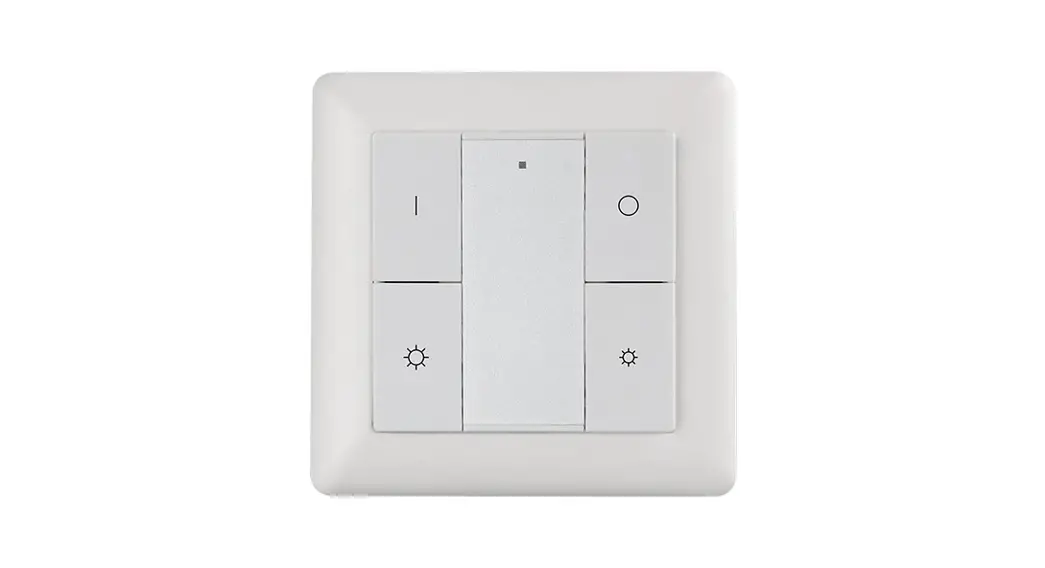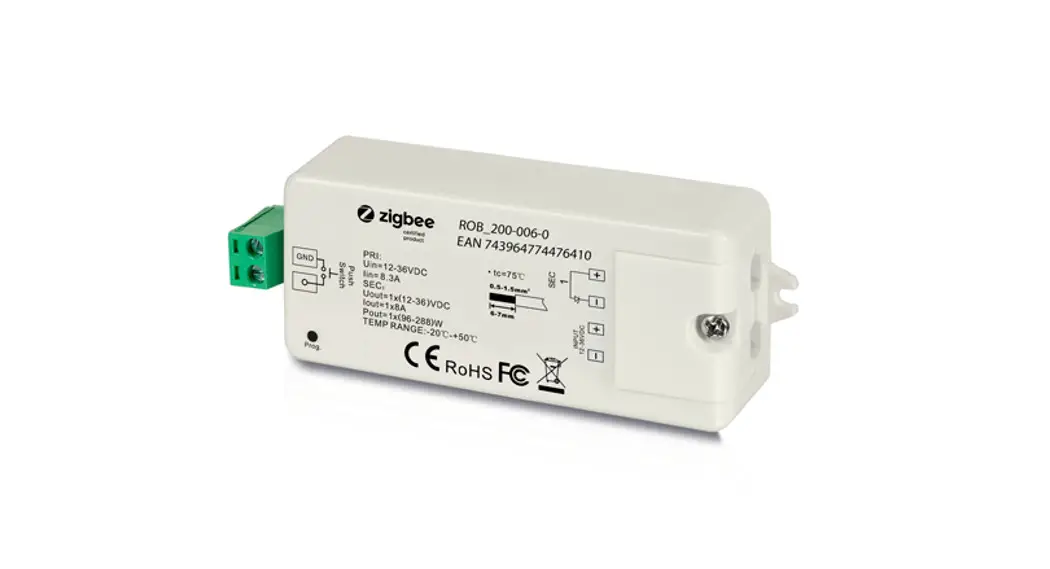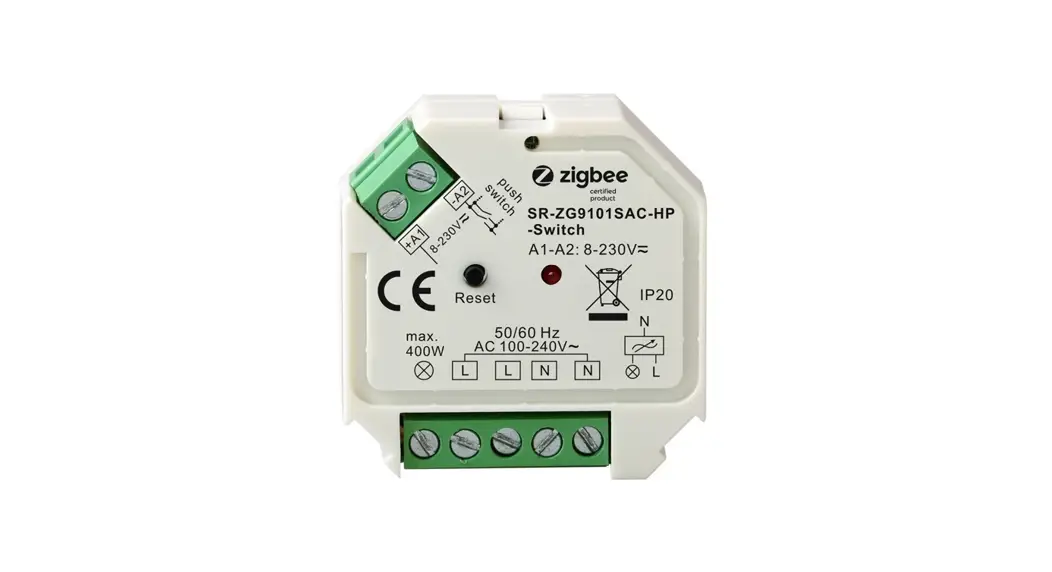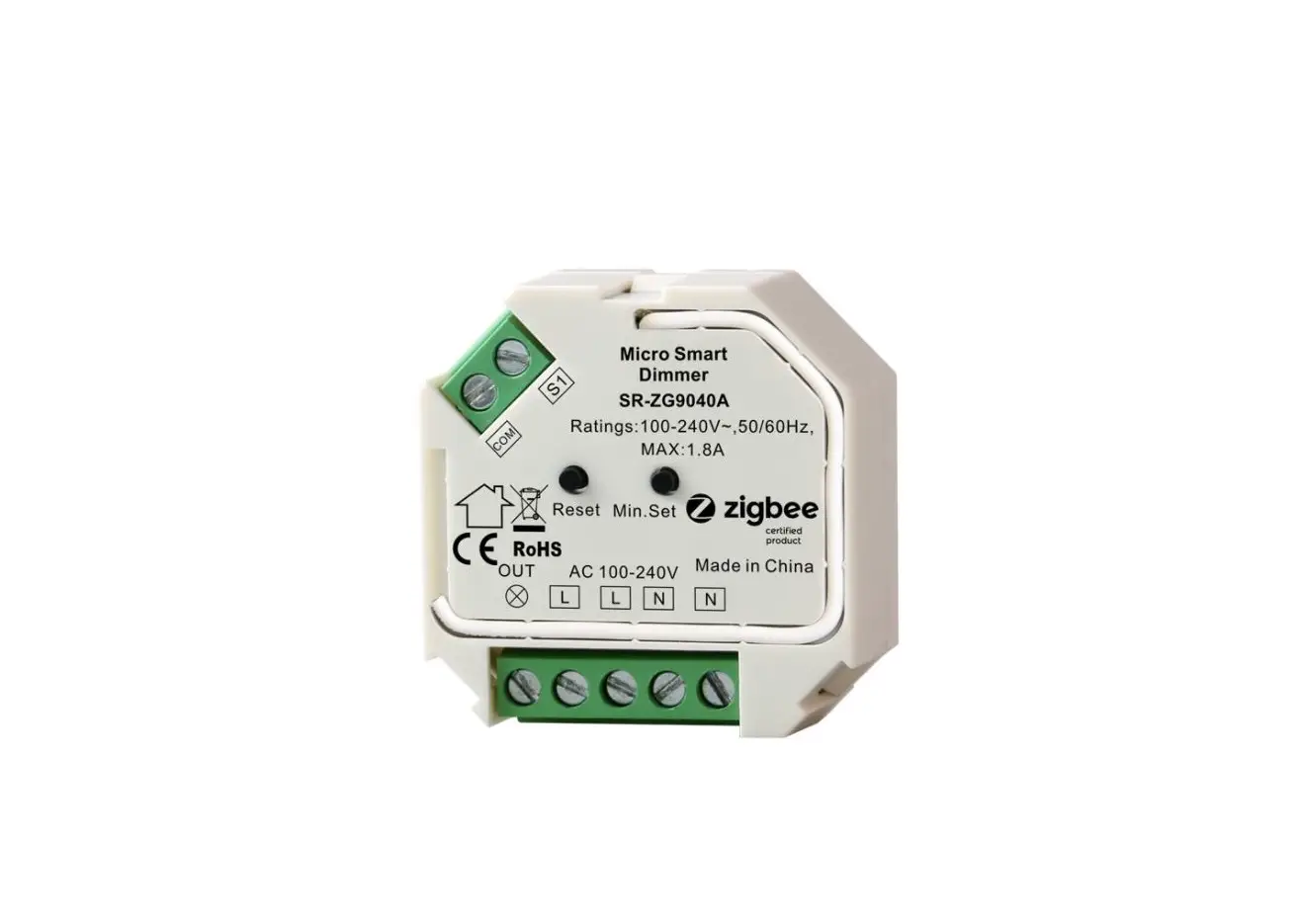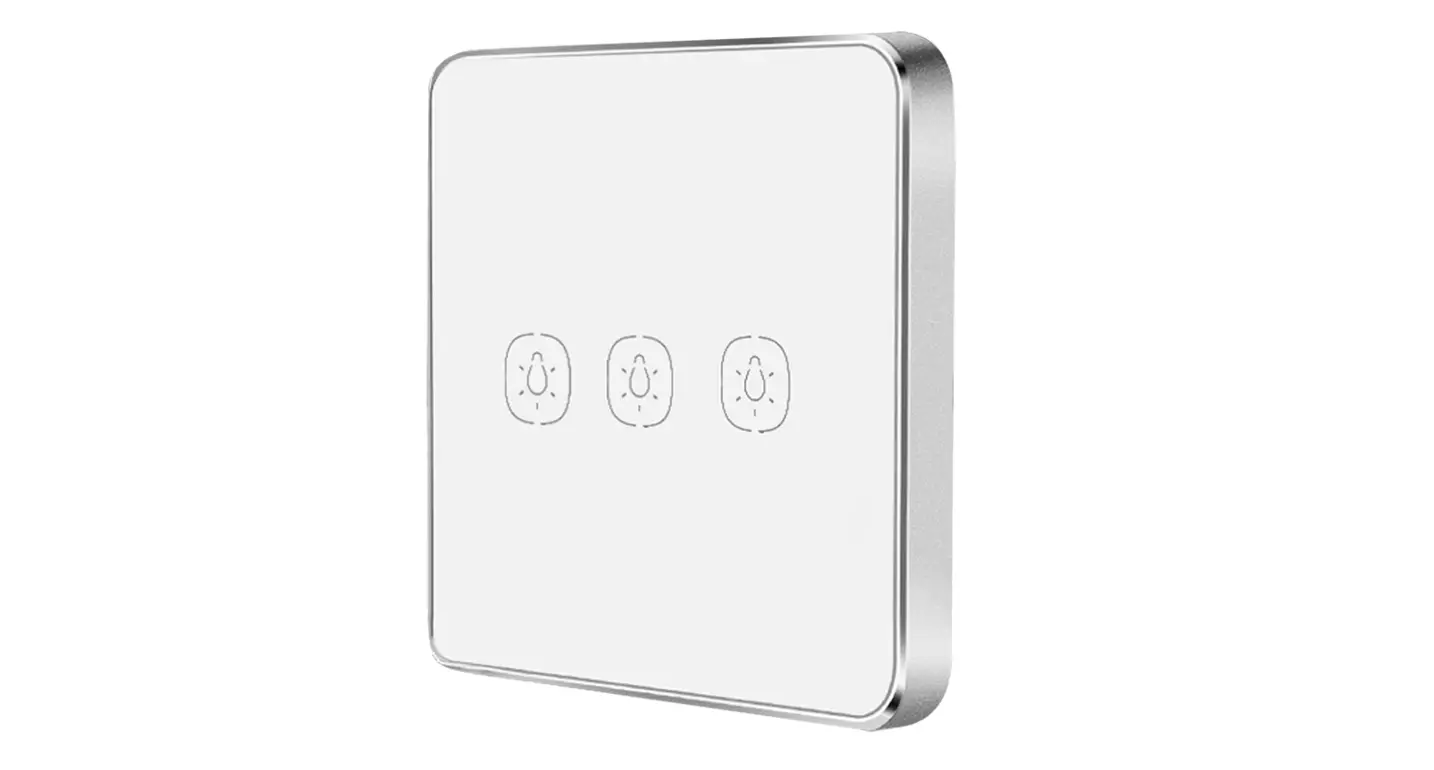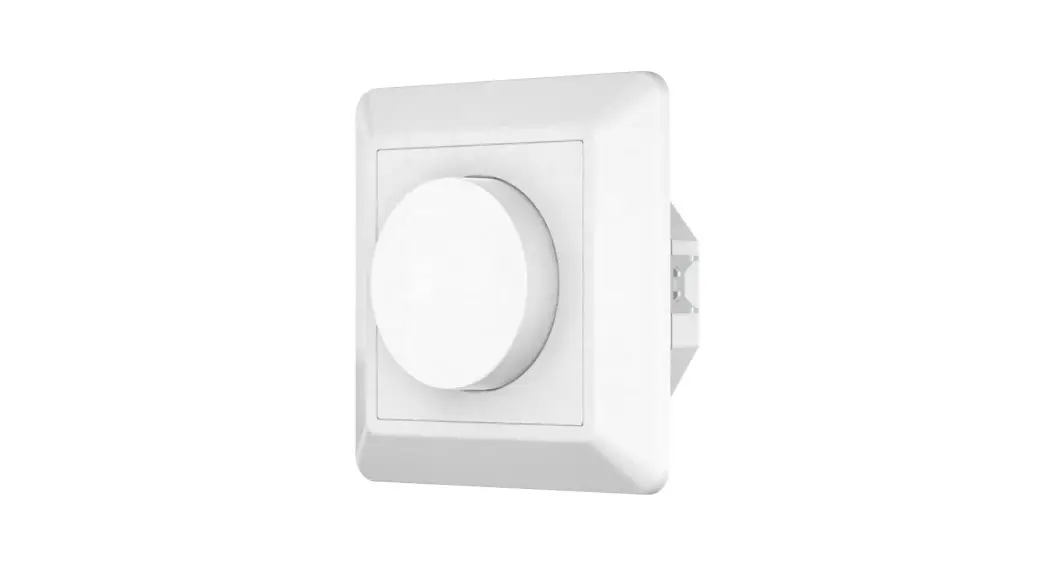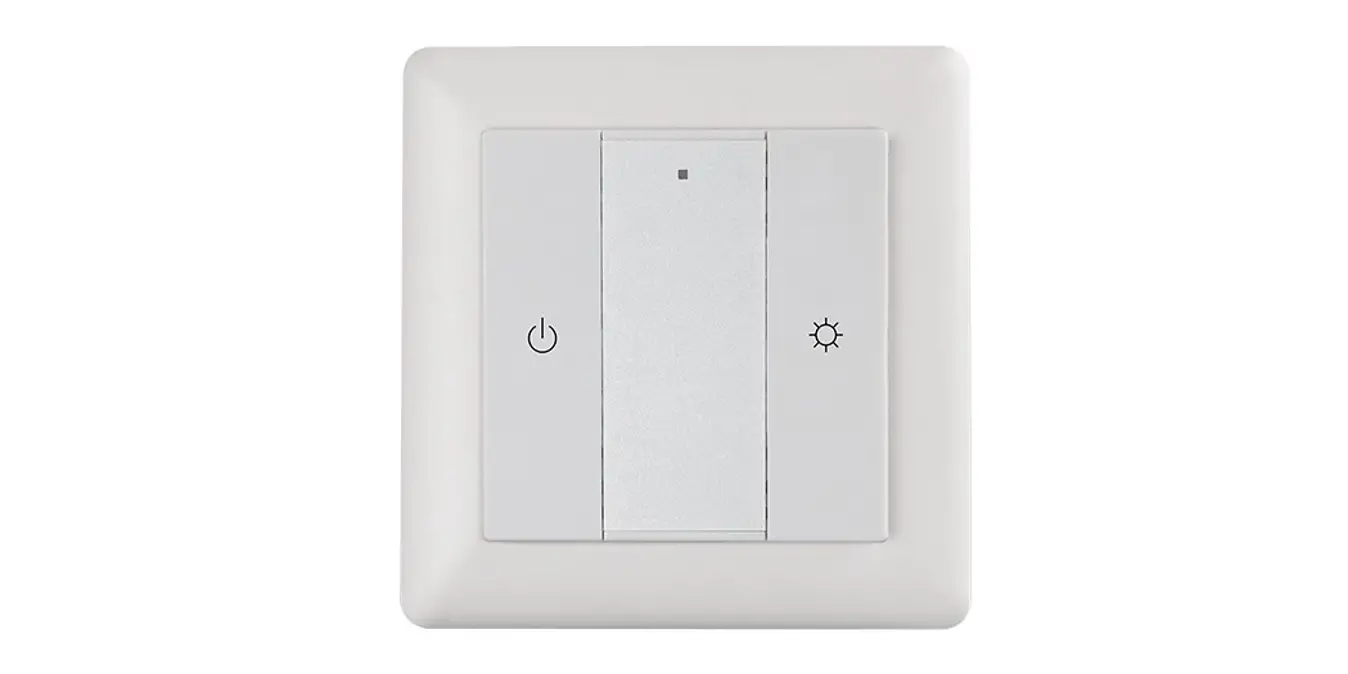

ZigBee Wireless Dimmer Switch

Important: Read All Instructions Prior to Installation
Function introduction
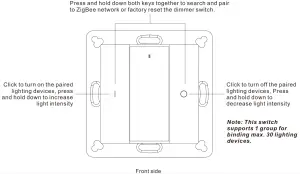
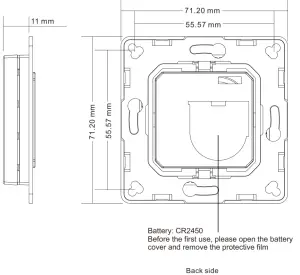
Product Data
| Protocol | ZigBee 3.0 |
| Operation Voltage | 3VDC (CR2450) |
| Transmission Frequency | 2.4GHz |
| Transmission Range (free field) | 30m |
| Protection Type | IP20 |
| Dimming Range | 0.1%-100% |
| Dimensions | 71.2×71.2×13.6mm |
- ZigBee dimmer switch based on ZigBee 3.0
- Enables to pair ZigBee lighting devices via touchlink commissioning without coordinator
- Supports find and bind mode to pair with ZigBee lighting devices in the same network
- Supports 1 group for binding max. 30 lighting devices
- 2.4 GHz global operation
- Long battery life mesh technology
- Transmission range up to 30m
- Compatible with universal ZigBee Gateway products
- Compatible with universal single color ZigBee lighting devices
ZigBee Clusters Supported by This Remote Are As Follows:
Input clusters:
• Basic • Power Configuration • Identify • Diagnostics
Output clusters:
• Identify • On/off • Level control • Ota
Safety & Warnings
- This device contains a button lithium battery that shall be stored and disposed properly.
- DO NOT expose the device to moisture.
- Do not ingest battery, Chemical Burn Hazard
- This product contains a coin / button cell battery. If the coin / button cell battery is swallowed, it can cause severe internal burns in just 2 hours and can lead to death
- Keep new and used batteries away from children.
- If the battery compartment does not close securely, stop using the product and keep it away from children.
- If you think batteries might have been swallowed or placed inside any part of the body, seek immediate medical attention
Quick Start (Simplified operations compared to standard operations in the part “Operation”)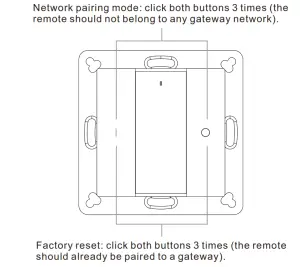
Operation
- This ZigBee dim remote is a wireless transmitter that communicates with a variety of ZigBee compatible systems. This transmitter sends wireless radio signals that are used to remotely control a compatible system.
- This ZigBee remote supports 1 group for binding max. 30 lighting devices and enables to control single color ZigBee lighting devices.
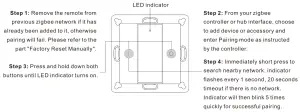
- Zigbee Network Pairing through Coordinator or Hub (Added to a Zigbee Network)
 Note:
Note:
1) After pairing successfully, the remote information will appear on the controller or hub interface.
2) No remote information will appear on the hub interface if pairing to Philips Hue Bridge. - TouchLink to a Zigbee Lighting Device
 Note:
Note:
1) Directly TouchLink (both not added to a ZigBee network), please first factory reset both the remote and device, each remote can link with max. 30 devices, please make sure the first linked device is always powered on when touchlink the remote with 2nd device and more devices.
2) TouchLink after both added to a ZigBee network, each device can link with max. 30 remotes.
3) To control by both remote and hub, add both remote and device to network first then TouchLink, after TouchLink, the device can be controlled by the linked remotes and Zigbee hub together. - Removed from a Zigbee Network through Coordinator or Hub Interface

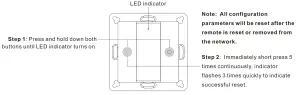
- Factory Reset Manually

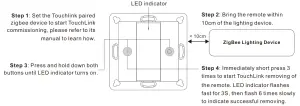
- Remove a Touchlink Paired ZigBee Lighting Device

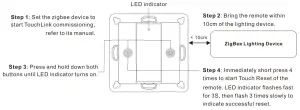
- Factory Reset a Lighting Device (Touch Reset)
Note: the device shall be added to a network, the remote added to the same one or not added to any network.
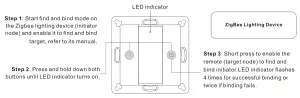
- Find and Bind a Zigbee Lighting Device
Note: Make sure the device and remote already added to the same zigbee network. Note: Each remote can bind max. 30 lighting devices.
 - Find and Unbind a Zigbee Lighting Device
- Clear All Find and Bind Mode Paired Lighting Devices

- Setup a Network & Add Devices to the Network (No Coordinator or Hub Required)Step 6: Add more remotes to the network as you would like.
Step 7: Factory reset the lighting devices that you would like then add them to the network, refer to their manuals.
Step 8: Touchlink to pair the added remotes and lighting devices, refer to their manuals. Each remote can link with max. 30 lighting devices. Each lighting device can be linked by max. 30 remotes. - OTA
The remote supports firmware updating through OTA, and will acquire new firmware from zigbee controller or
hub every 10 minutes automatically. - How to Check Whether the Remote Belongs to a Network or not
Short press any button, indicator blinking means the remote has already been added to a network. No blinking
of indicator means the remote does not belong to any network. - Battery Power Monitor Function
The remote will report battery power value to the coordinator under following situations:
• When powered on.
• When short pressing both buttons simultaneously.
• When operating the switch to send data packets (over 4 hours since last operation).
• When added to the network by a coordinator.
 Note:
Note: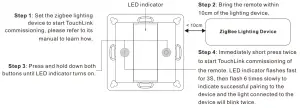 Note:
Note: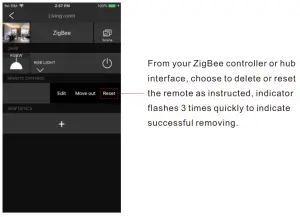
 Note: Each remote can bind max. 30 lighting devices.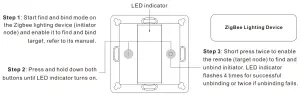
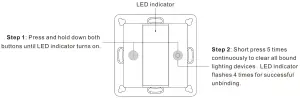
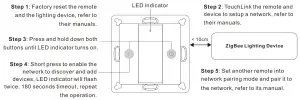 Step 6: Add more remotes to the network as you would like.
 buttons simultaneously.
Installation
- Remove battery insulator
① Use tool to open the silicone gel battery cover ② Pull out the battery insulator
 ③ Install the silicone battery cover back
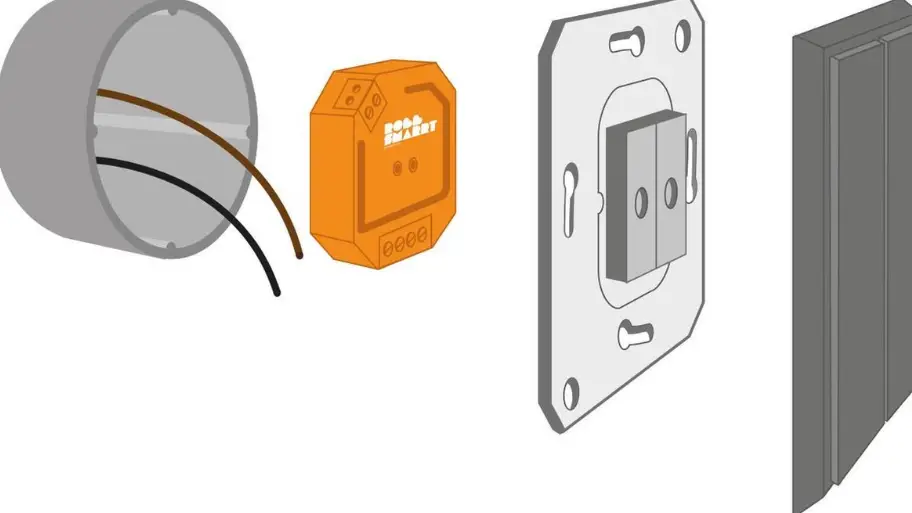
- Install the controller to wall(2 methods)
Method 1:Stick 3M glue on the back of the bracket and then stick the bracket to the wall Method 2:Screw the bracket to the wall
 After the bracket is fixed, clip the frame and control part to the bracket in sequence
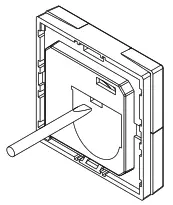 ② Pull out the battery insulator
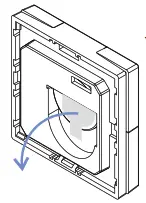 ③ Install the silicone battery cover back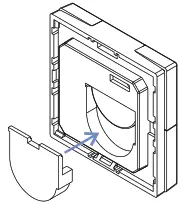
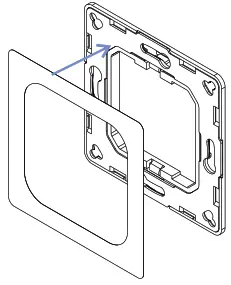 Method 2:Screw the bracket to the wall
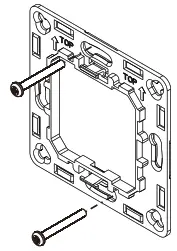 After the bracket is fixed, clip the frame and control part to the bracket in sequence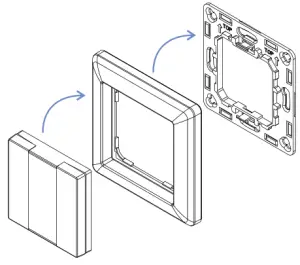
Mounting
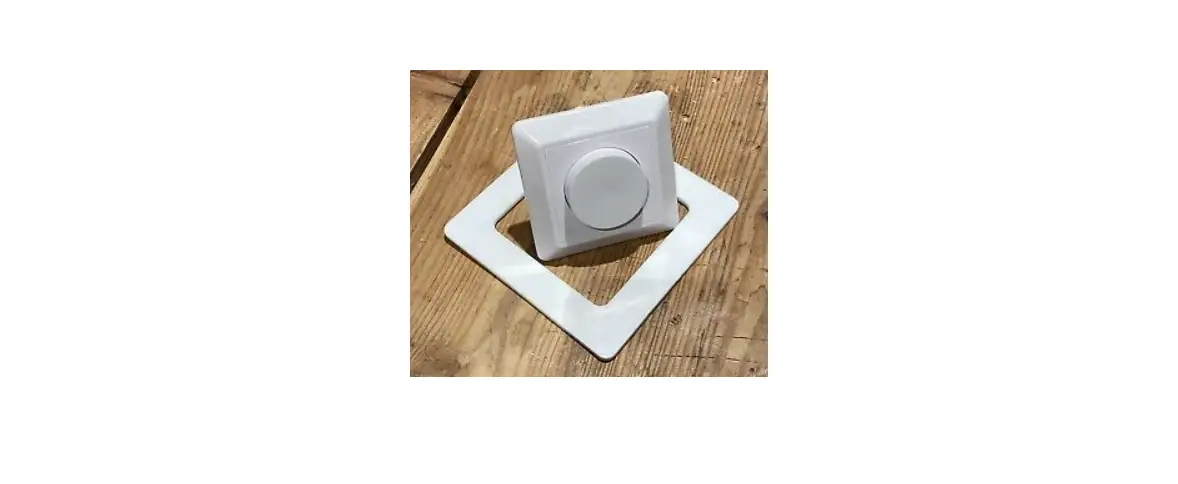
The key part of this controller is an universal one, especially rotary standard switch element that can be integrated in numerous frames by different manufactures as below list:
| BERKER | S1, B1, B3, B7 glass |
| GIRA | Standard55, E2, Event, Esprit |
| JUNG | A500, Aplus |
| MERTEN | M-smart, M-Arc, M-Plan |


CAUTION
Risk of explosion if the battery is replaced by an incorrect type
- replacement of a battery with an incorrect type that can defeat a safeguard (for example, in the case of some lithium battery types);
- disposal of a battery into fire or a hot oven, or mechanically crushing or cutting of a battery, that can result in an explosion;
- leaving a battery in an extremely high temperature surrounding environment that can result in an explosion or the leakage of flammable liquid or gas;
- a battery subjected to extremely low air pressure that may result in an explosion or the leakage of flammable liquid or gas.