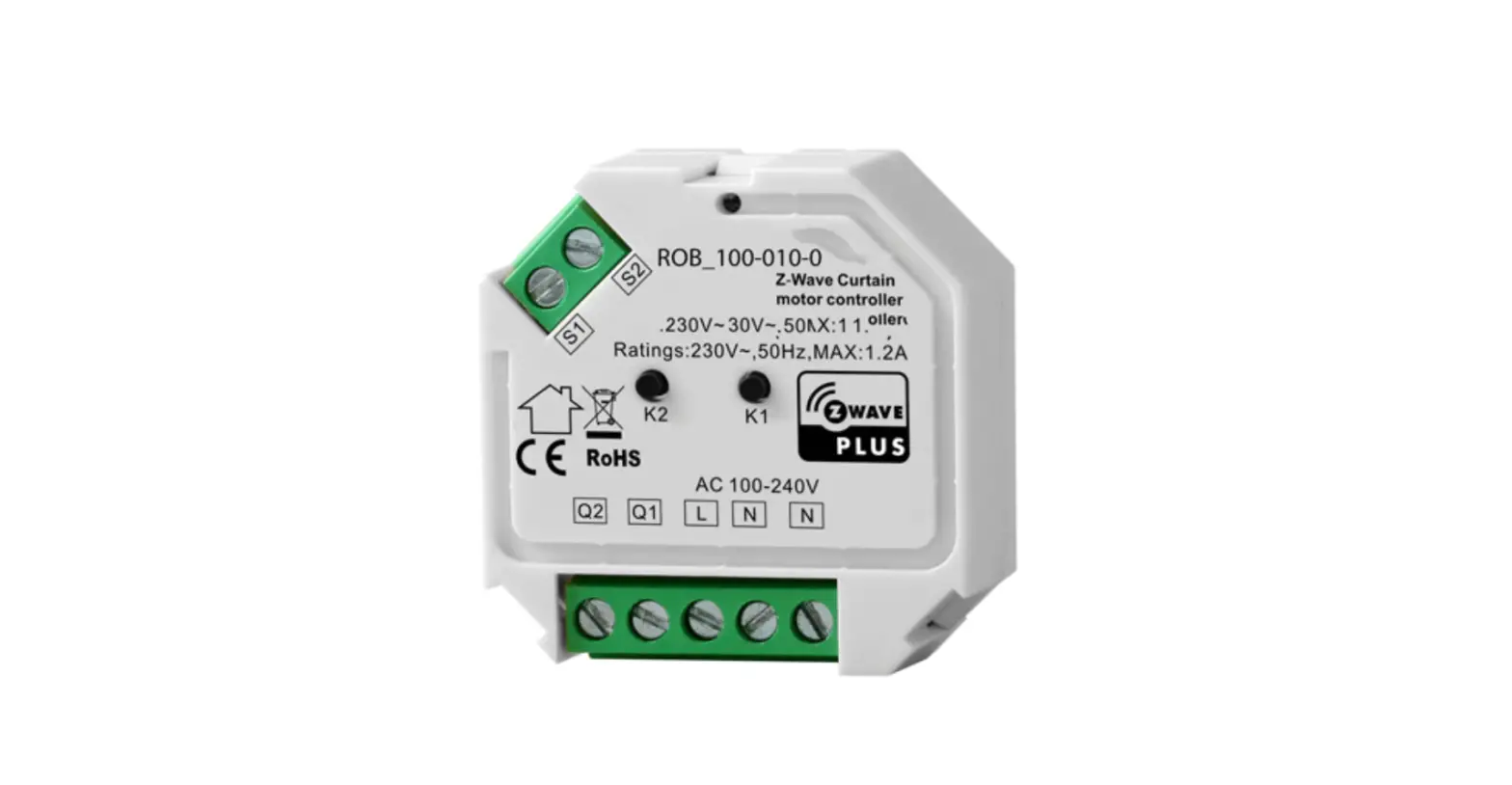
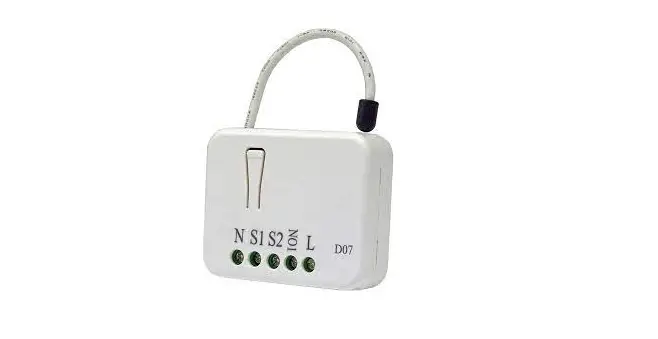
ROB-100-008-0 Z-Wave Micro Smart Dimmer
Product Information:
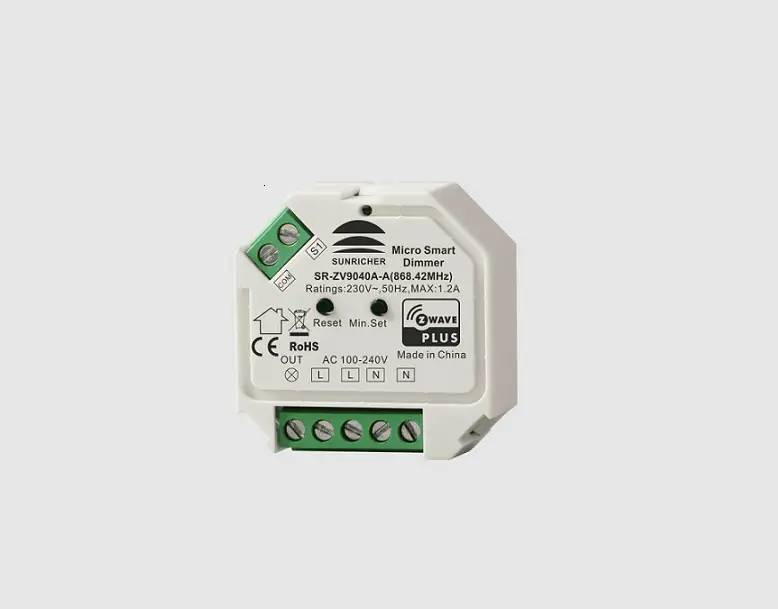
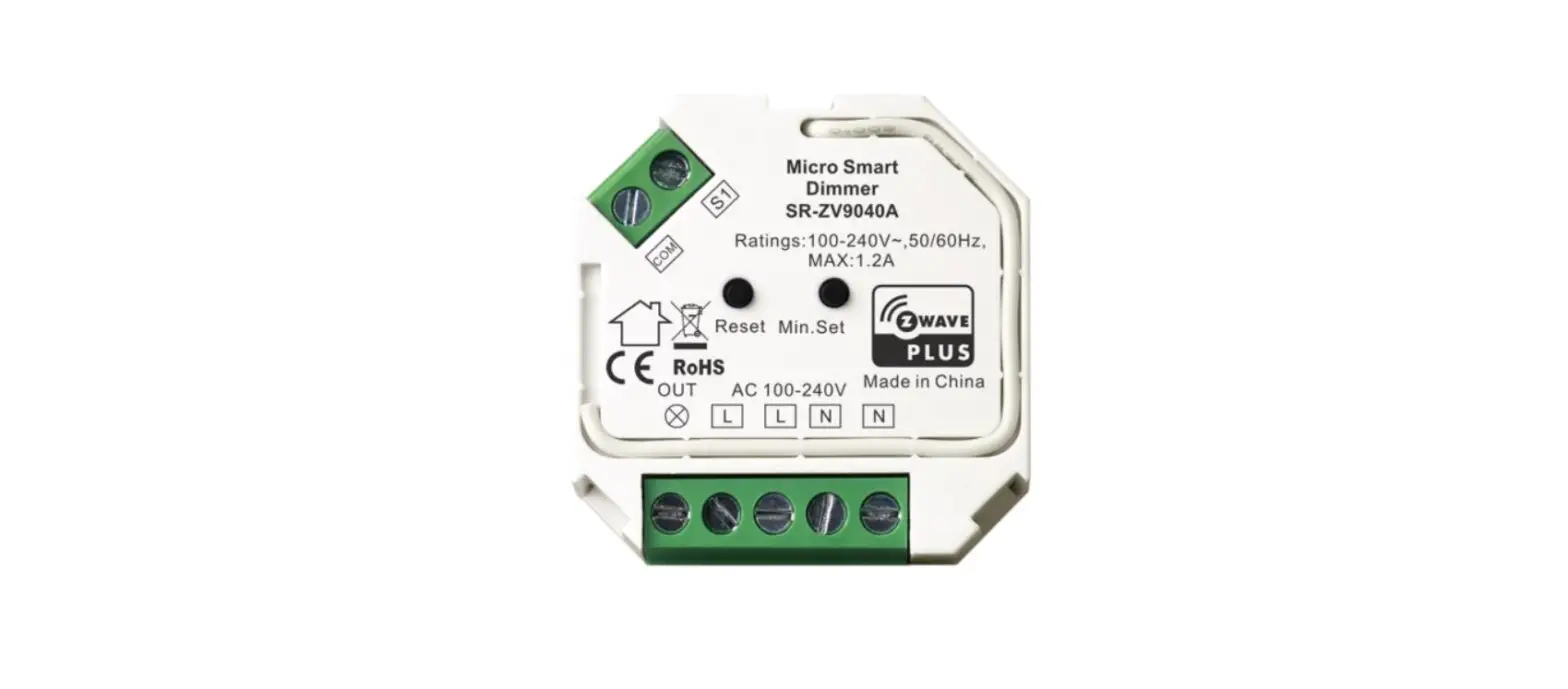
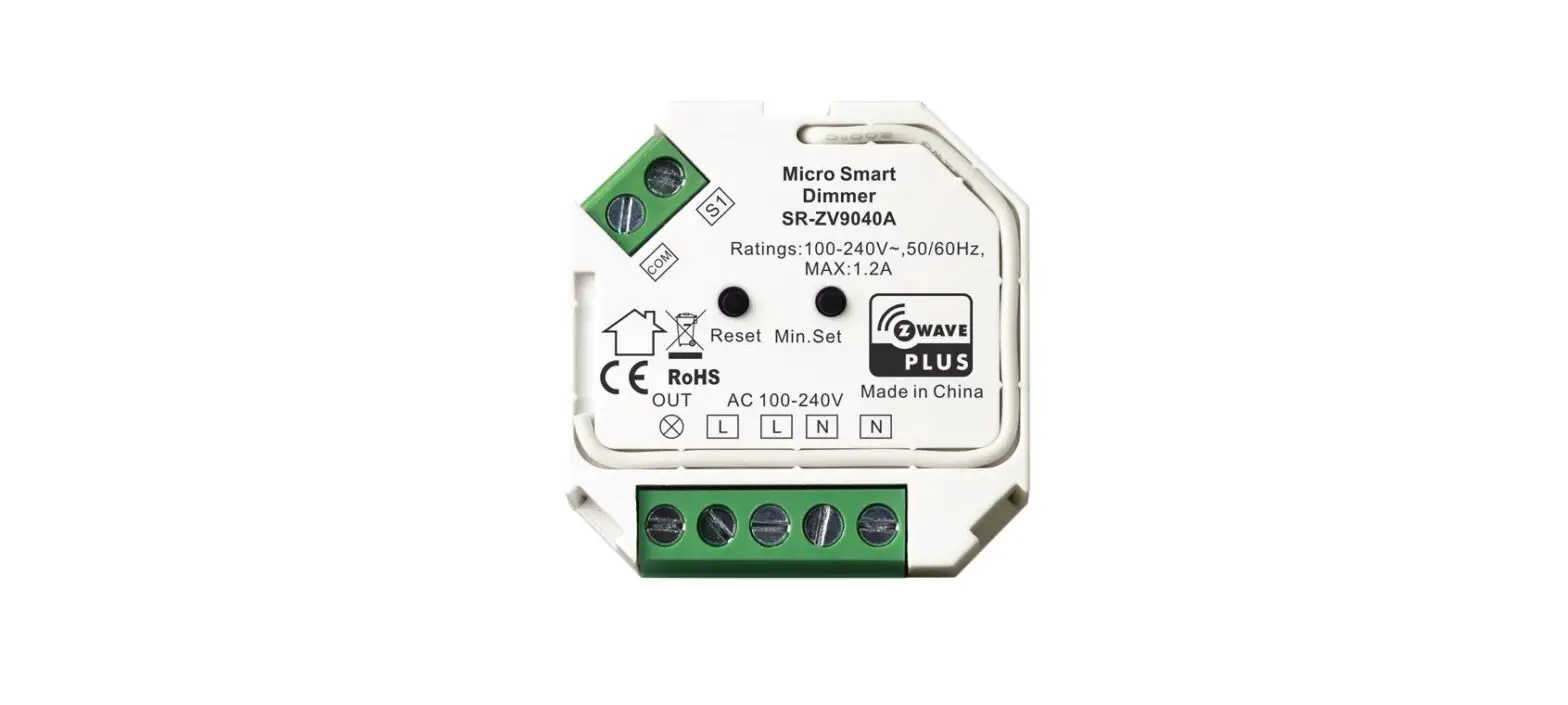
The Z-Wave Micro Smart Dimmer, model ROB_100-008-0, is a compact
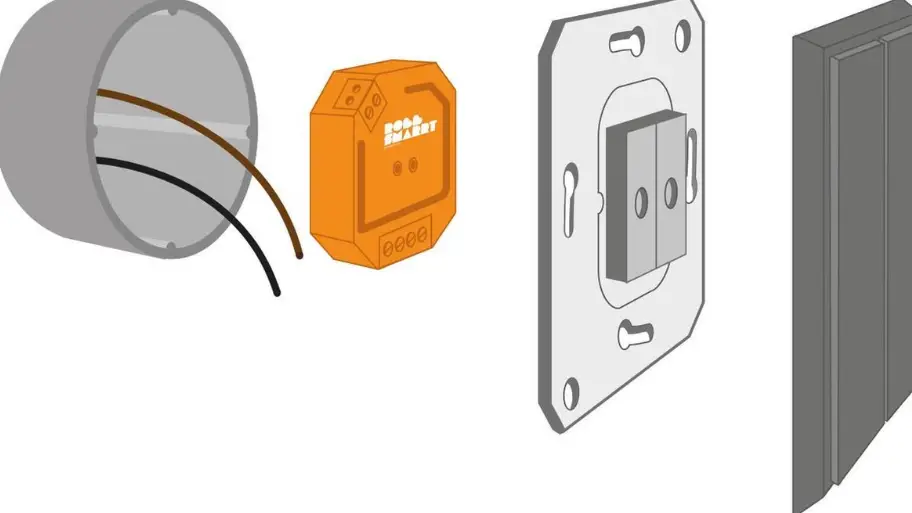
dimmer switch that is designed to be installed in-wall. It is
suitable for use with a variety of load types, including dimmable
LED lamps, dimmable LED drivers, incandescent lighting, HV halogen
lamps, and low voltage halogen lighting with electronic
transformers. The dimmer operates on an input voltage range of AC
100-240V and has a maximum output voltage of 230V~. It has a
maximum load rating of 1.2A and supports Z-Wave frequency for
wireless communication. The dimmer is compatible with other Z-Wave
certified devices from different manufacturers and can be included
in any Z-Wave network. It supports S2 Unauthenticated encryption
mode for enhanced security and can receive firmware updates
wirelessly.
The dimensions of the Z-Wave Micro Smart Dimmer are
45.5x45x20.3mm.
Product Usage Instructions:
Minimum Brightness Setting:
- To set the minimum brightness level, press and hold the Minimum
Brightness Setting Button for over 3 seconds.
- If the current brightness level is lower than 50%, it will be
set as the minimum brightness level. - If the current brightness level is higher than 50%, the minimum
brightness level will be reset to 1%.
Brightness Setting Button twice.
Factory Reset:
To reset the dimmer to factory defaults, press and hold down the
Action Button for over 10 seconds.
Association Groups:
The Z-Wave Micro Smart Dimmer supports association groups for
communication with other devices in the network. The following
association groups are available:
| Group Name | Max Nodes | Description |
|---|---|---|
| Group 1 | 5 |
|
Note: All association information will be cleared automatically
once the dimmer is excluded from a network.
Setting and Unsetting Associations:
To set or unset associations, use the primary controller/gateway
to send packets to the dimmer using Command Class ASSOCIATION.
Z-Wave Micro Smart Dimmer
ROB_100-008-0
Important: Read All Instructions Prior to Installation Function introduction
Switch input
Action button
S1
Micro Smart
Dimmer
COM Ratings:230V~,50Hz,MAX:1.2A
Reset Min.Set
OUT AC 100-240V Made in China L LN N
Minimum brightness set button
(2-wire with No Neutral output) (3-wire with Neutral output) Load output
AC
power
input
(2-wire (3-wire
with with
No Neutral input) Neutral input)
Product Data
Z-Wave Frequency Input Voltage Output Voltage Output Current
Operating temperature Relative humidity Dimensions
868.42 MHZ (EU)/908.42 MHZ (US)/921.42 MHz (ANZ) AC100-240V AC100-240V 1.2A max. 0 to 40°C 8% to 80%
45.5x45x20.3mm
Load Symbol
Compatible Load Types
Load Type
Maximum Load
Dimmable LED lamps
200W @ 220V
Dimmable LED drivers
Incandescent lighting, HV Halogen lamps
Low voltage halogen lighting with electronic transformers
200W @ 220V 288W @ 220V 200W @ 220V
Remarks
Due to variety of LED lamp designs, maximum number of LED lamps is further dependent on power factor result when connected to dimmer.
Maximum permitted number of drivers is 200W divided by driver nameplate power rating.
Safety & Warnings · DO NOT install with power applied to device. · DO NOT expose the device to moisture.
Quick Start How to install: · Step 1: power on the Z-Wave Micro Smart dimmer. · Step 2: activate inclusion mode on your Z-Wave controller. · Step 3: activate inclusion mode of the dimmer by triple press the action button on the dimmer. The dimmer will be included to Z-Wave network.
Product Description The micro smart dimmer is a Z-Wave device designed to work with various types of light sources. It may be connected to two-wire or three-wire configuration so it can operate with or without neutral lead. The dimmer can switch or dim connected light source either through Z-Wave devices or through the wall switch connected directly to it. The smart dimmer is equipped with an algorithm of smart light source detection which makes configuration easier and ensures high compatibility of the device. It may be used as a switch with nondimmable light sources (in 3-wire connection).
The dimmer can be included and operated in any Z-Wave network with other Z-Wave certified devices from other manufacturers and/or other applications. All non-battery operated nodes within the network will act as repeaters regardless of vendor to increase reliability of the network.
The encryption mode that the dimmer supports is S2 Unauthenticated. When the dimmer is being included into a Z-Wave network, you can use your primary controller/gateway to enable encryption mode or disable encryption. (The primary controller/gateway shall support encryption mode configuration). The dimmer supports OTA and can update firmware wirelessly.
Main Features: · Compatible with any Z-Wave or Z-Wave+ Controller, · Controlled by Sunricher EasyHome or any other Z-Wave controller, · Advanced microprocessor control, · Implemented algorithm of smart light source detection, · Auto-adjustment of the appropriate control mode to connected load, · Active power and energy metering functionality, · Soft start function, · Memory of the last lighting level settings, · Works with various types of switches momentary, toggle, three-way, etc. · Active element: semiconductor electronic switch, · To be installed in wall switch boxes of dimensions allowing for installation, conforming to provisions of applicable regulations, · The Bypass is an extension unit.
As a dimmer it operates under the following loads: · Conventional incandescent and HV halogen light sources · ELV halogen lamps and dimmable LED bulbs (with electronic transformers) · MLV halogen lamps (with ferromagnetic transformers) · Dimmable LED bulbs · Dimmable compact fluorescent CFL tube lamps · Supported dimmable light sources (power factor > 0.5) with minimal power of 5VA using the Bypass (depending on the type of load)
Without dimming function it may work with: · Compact fluorescent CFL tube lamps with electronic ballast · Fluorescent tube lamps with electronic ballast · LED bulbs (power factor > 0.7) · Supported light sources (power factor > 0.5) with minimal power of 5VA using the Bypass (depending on the type of load)
The micro smart dimmer uses different operating modes to control following types of loads: · “Trailing edge” for resistive loads · “Trailing edge” for capacitive loads · “Leading edge” for inductive loads
Installation Guide Please read carefully the enclosed user manual before installation of the in-wall dimmer, in order to ensure an error-free functioning.
Minimum Brightness Setting Button 1. Press and hold down the button for over 3 seconds: current brightness will be set as minimum brightness if it is lower than 50%. Minimum brightness will be reset to 1% if current brightness is higher than 50%. 2. Short press the button twice: the load’s brightness will be set to 99%.
ATTENTION: Prior to the assembly of the product, the voltage network has to be switched OFF and ensured against re-switching.
Inclusion (adding to a Z-Wave network) 1. Set primary controller/gateway into inclusion mode (Please refer to your primary controller’s manual on how to turn your controller into inclusion). 2. Power on the in-wall dimmer and set it into inclusion mode. There are two methods to set the in-wall dimmer into inclusion mode: 1)Repower on the dimmer, it will be set into inclusion mode automatically, and waiting to be included. 2)Triple press the action button on the dimmer, it will set the dimmer into inclusion mode. The connected light will stay solid on for 3 seconds to indicate successful inclusion.
Exclusion (removing from a Z-Wave network) There are two exclusion methods: Method 1: Exclusion from the primary controller/gateway as follows: 1. Set the primary controller/gateway into exclusion mode (Please refer to your primary controllers manual on how to set your controller into exclusion). 2. Triple press the action button, the dimmer will be set to exclusion mode, and waiting to be excluded, then the dimmer will be excluded from the network. Method 2: Factory reset the dimmer will force it to be excluded from a network. (please refer to the part “Factory Reset” of this manual) Note: Factory reset is not recommended for exclusion, please use this procedure only if the primary controller/gateway is missing or otherwise inoperable.
Factory Reset Press and hold down the action button for over 10 seconds, the dimmer will be reset to factory defaults.
Association Z-Wave devices control other Z-Wave devices. The relationship between one device controlling another device is called association. In order to control a different device, the controlling device needs to maintain a list of devices that will receive controlling commands. These lists are called association groups and they are always related to certain events (e.g. button pressed). In case the event happens all devices stored in the respective association group will receive a common wireless command.
Association Groups:
Association Groups
Group Name
Max Nodes
Description
1. When press and hold down “Reset” button for 10S to reset the dimmer, send “Device Reset Locally Notification CC” to associated devices of this group to report factory reset information.
Group 1
Lifeline
2. When load state changes, send “Basic Report CC” to associated devices of this group.
5
3. When a load over current is detected, send “Over-current
detected” to Lifeline.
4. When a mains voltage drop is detected, send “Voltage drop/drift” to Lifeline.
5. When over temperature is detected, send “Emergency shutoff status” to Lifeline.
Set and unset associations: (Note: All association information will be cleared automatically once the dimmer is excluded from a network.) Set association by operating primary controller/gateway to send packets to the dimmer: The primary controller/gateway sends packets to the dimmer using “Command Class ASSOCIATION”
Operating the device Short press the action button on the dimmer to switch ON/OFF the load.
Node Information Frame The Node Information Frame is the business card of a Z-Wave device. It contains information about the device type and the technical capabilities. The inclusion and exclusion of the device is confirmed by sending out a Node Information Frame. Beside this it may be needed for certain network operations to send out a Node Information Frame. How to send out Node Information Frame: When the dimmer is set to inclusion/exclusion mode again, it will send out Node Information Frame, there are 2 kinds of operation as follows: 1. triple press the action button, the dimmer will be set to inclusion/exclusion mode, then send out Node Information Frame. 2. When the dimmer is under inclusion mode, there are two kinds of operation: 1) Triple press inclusion/exclusion button, the dimmer will be set to inclusion mode again, and send out Node Information Frame. 2) Power off and power on the dimmer, it will be set to inclusion mode automatically, and send out Node Information Frame.
Technical Data
Wireless Range SDK
Explorer Frame Support Device Type
Generic Device Class Specific Device Class
Role Type Routing
up to 100 m outside, on average up to 40 m inside buildings 6.71.03 Yes
Light Dimmer Switch GENERIC_TYPE_SWITCH_MULTILEVEL SPECIFIC_TYPE_POWER_SWITCH_MULTILEVEL
Always On Slave (AOS) Yes
SUPPORTED COMMAND CLASS
Node Info
Security Command Supported Report
COMMAND_CLASS_ZWAVEPLUS_INFO
V2 COMMAND_CLASS_MANUFACTURER_SPECIFIC V2
COMMAND_CLASS_TRANSPORT_SERVICE V2
COMMAND_CLASS_VERSION
V2
COMMAND_CLASS_SECURITY COMMAND_CLASS_SECURITY_2 COMMAND_CLASS_SUPERVISION
V1 COMMAND_CLASS_SWITCH_MULTILEVEL V4
V1 COMMAND_CLASS_SCENE_ACTIVATION V1
V1 OMMAND_CLASS_SCENE_ACTUATOR_CONF V1
COMMAND_CLASS_NOTIFICATION
V8
COMMAND_CLASS_CONFIGURATION
V2
COMMAND_CLASS_ASSOCIATION_GRP_INFO V3
COMMAND_CLASS_ASSOCIATION
V2
COMMAND_CLASS_FIRMWARE_UPDATE_MD V4
COMMAND_CLASS_POWERLEVEL
V1
COMMAND_CLASS_DEVICE_RESET_LOCALLY V1
Notification Command Class Voltage drop/drift The dimmer supports Voltage drop/drift, when a mains voltage drop is detected, the dimmer will send out
Voltage drop/drift to Lifeline.
Notification Type
Notification
Power management (0x08)
Voltage drop/drift (0x05)
Over-current detected The dimmer supports Over-current detected, when over current of the load is detected(current over 1.5A continuously for over 20 seconds), the dimmer will send out Over-current detected to Lifeline.
Notification Type
Notification
Power management (0x08)
Over-current detected (0x06)
Emergency shutoff The dimmer supports Emergency shutoff, when inside temperature is over 90 and detected by the built-in
thermistance, the dimmer will send out Emergency shutoff status to Lifeline.
Notification Type
Notification
System (0x09)
Emergency shutoff status (0x07)
Configuration Command Class
Parameter
Size
Description
Info: Saving load state before power failure
2
1
0 shutoff load 1 turn on load
2 save load state before power failure
Info: Enable/disable to send the basic report to the Lifeline
when the load state changedWhen value set as 1, re-
3
1
power on the dimmer, it will send Basic report automatically
0 Disable to send Basic report
1 Enable to send Basic report
Default fade time (unit is second, this value has the same function as Duration of Multilevel) Valid value: 0~0xFF
Value
Description
0x00
Instantly
4
1
0x01..0x7F
1 second (0x01) to 127 seconds (0x7F) in 1 second resolution.
0x80..0xFE
1 minute (0x80) to 127 minutes (0xFE) in 1 minute resolution.
0xFF
Factory default duration. (3 seconds)
Setting minimum brightness value
5
1
Valid value: 0~50, the bigger the value is, the higher the
load’s minimum brightness is
6
1
Setting maximum brightness value Valid value: 0~100
Choose MOSFET driving type
7
1
0 trailing edge
1 leading edge
External switch type
8
1
0 Push button switch 1 normal on/off switch
2 3-way switch
Default Value 2 1
1
0 100
0 0
9
10
11 (read only)
12 (read only)
13 14 15 21 22 23 24
Added to and removed from a network through external
switch (when enables this function, triple press the external
1
switch within 1.5 seconds to be added to or removed from a network)
1
0 – disable
1 – enable
Enable/disable to detect load after re-power on (detect
load type, minimum brightness, maximum brightness)
1
0 – disable
0
1 – enable to detect every time after re-power on
2 – enable to detect only after first re-power on
Wiring type
1
0 – unknown 1 – 2 Wire With No Neutral
0
2 – 3 Wire With Neutral
Load type
0 – unknown
1
1 – resistive
0
2 – inductive
3 – capacitive
Enable/disable over current protection (over 1.5A for 20
1
seconds continuously) 0 disable
1
1 enable
Power automatic report absolute threshold, unit is W
2
When power changes above the absolute threshold,
10
immediately report current power value
Power automatic report percentage threshold, unit is %
1
When power changes above the percentage threshold,
20
immediately report current power value
Power metering automatic report time cycle, unit is second
600
4
Valid time cycle value: 5~2678400, when set as 0, report
function disabled
(10 minutes)
Energy metering automatic report time cycle, unit is second
1800
4
Valid time cycle value: 5~2678400, when set as 0, report
function disabled
(30 minutes)
Voltage metering automatic report time cycle, unit is second
4
Valid time cycle value: 5~2678400, when set as 0, report
0
function disabled
Current metering automatic report time cycle, unit is second
4
Valid time cycle value: 5~2678400, when set as 0, report
0
function disabled
Compatible Load Types
Supported load types
Resistive loads Conventional incandescent and halogen light sources
100-240V~ Max. 288W
Capacitive loads Fluorescent tube lamp (compact / with electronic ballast), electronic transformer, LED
Max. 200W
Inductive loads Ferromagnetic transformers
Max. 220W
Wiring Diagram Notes for the diagrams: L – terminal for live lead N – terminal for neutral lead Out – output terminal of the dimmer (controlling connected light source) S1 – terminal for switch (has the option of entering the device in inclusion/exclusion mode) COM – terminal for grounding to the switch connected to the dimmer
(1) 2-Wire Connection With No Neutral Lead
PUSH
S1
Micro Smart
Dimmer
COM Ratings:230V~,50Hz,MAX:1.2A
Reset Min.Set
OUT AC 100-240V L LN N
NOTE: Switch connected to the S1 terminal activates the basic functionality of the dimmer (turning the light on/off, dimming) and starts the inclusion/exclusion mode (Add/Remove).
(4) Momentary Wall Switch Connection
S1
Micro Smart
Dimmer
COM Ratings:230V~,50Hz,MAX:1.2A
Reset Min.Set
OUT AC 100-240V L LN N
Bypass
Live
Neutral
The Bypass is a device designed to work with the micro smart dimmer. It should be used in case of connecting LED bulbs or energy saving compact fluorescent lamps. The Bypass prevents flickering of the LED lights and glowing of the turned off compact fluorescent lamps. In the case of 2-wire connection, the Bypass allows to reduce minimum power of load required by the dimmer for correct operation. The Bypass provides powering of the dimmer in case of controlling the low loads of minimum power down to 5VA (for cos>0.5).
(2) 3-Wire Connection With Neutral Lead
PUSH
S1
Micro Smart
Dimmer
COM Ratings:230V~,50Hz,MAX:1.2A
Reset Min.Set
OUT AC 100-240V L LN N
NOTE: Switch connected to the S1 terminal activates the basic functionality of the dimmer (turning the light on/off, dimming) and starts the inclusion/exclusion mode (Add/Remove).
Live Neutral (3) 3-Way Switch Connection
3-Way Switch (SPDT)
3-Way Switch (SPDT)
S1
Micro Smart
Dimmer
COM Ratings:230V~,50Hz,MAX:1.2A
Reset Min.Set
OUT AC 100-240V L LN N