

Product Information
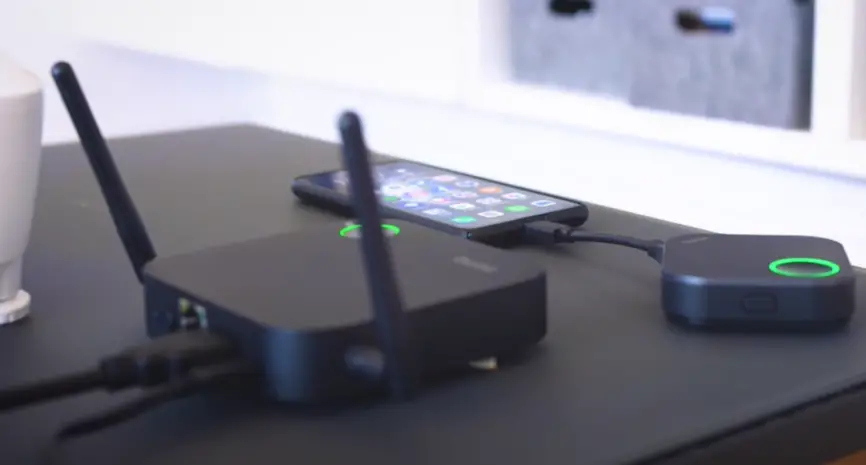
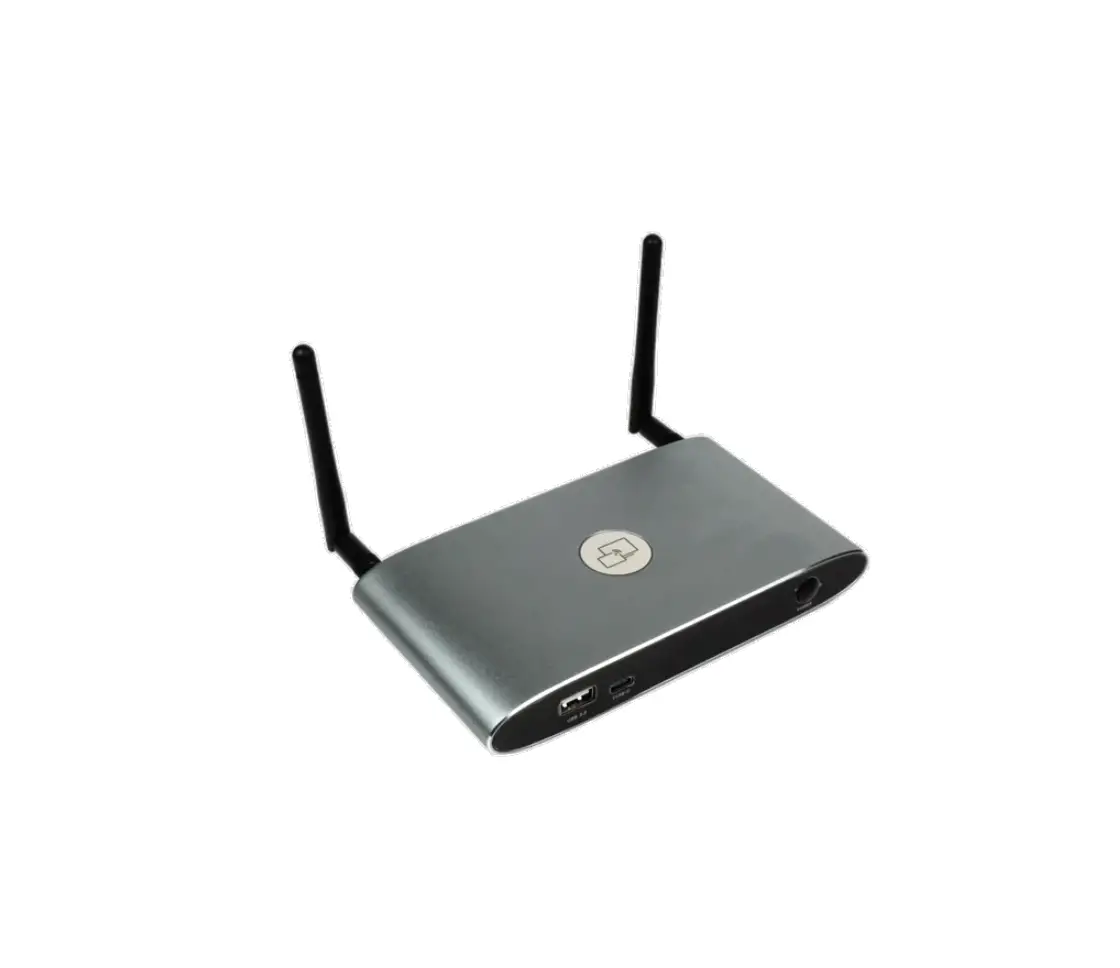
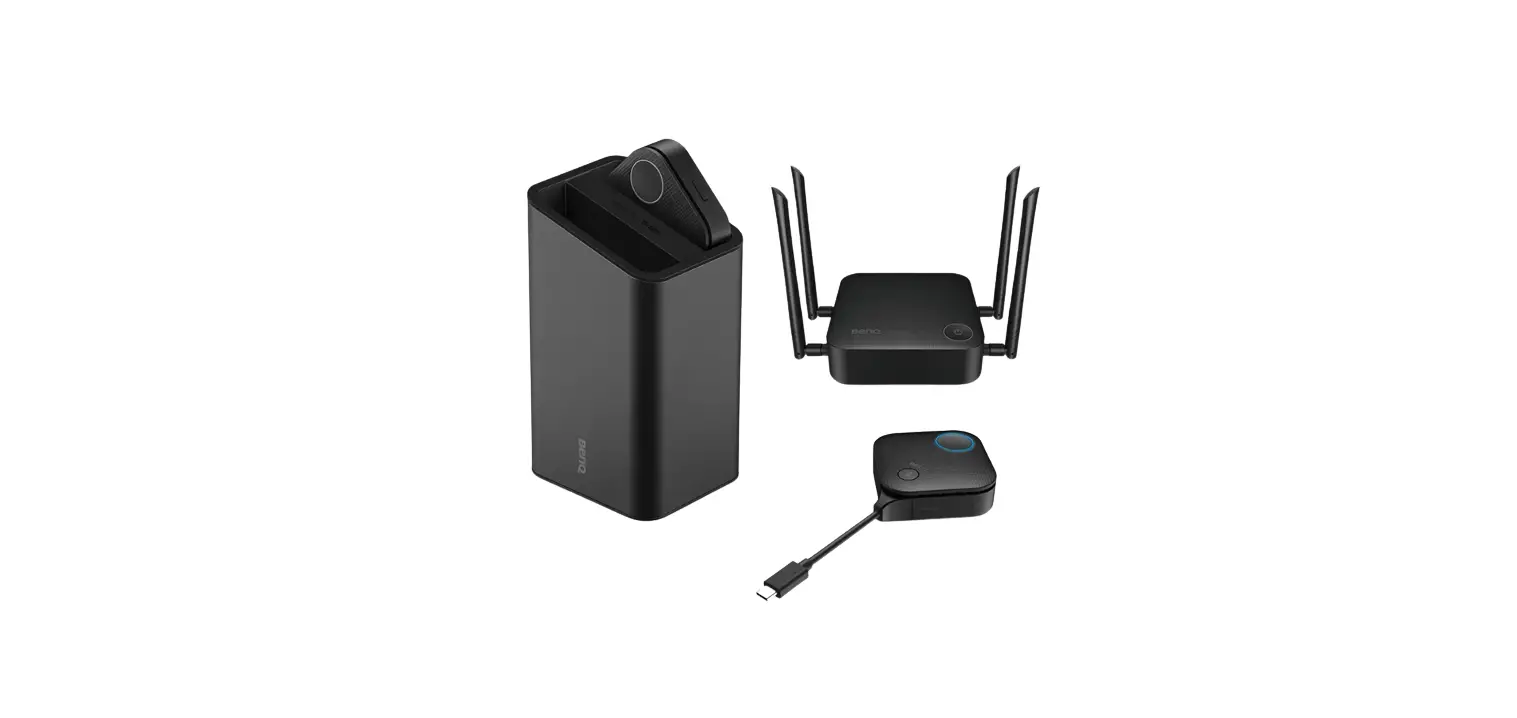
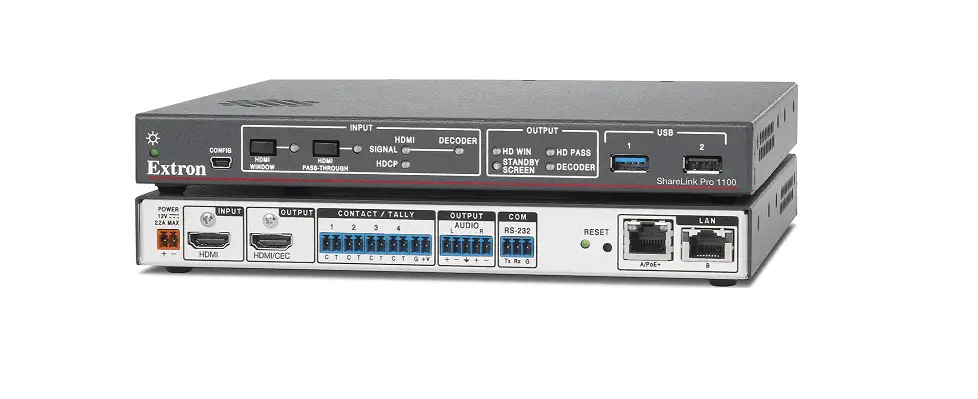
The ShareLink Pro 1100 is a device that enables wireless sharing of content from various devices to a display or projector. It supports multiple network ports and requires specific firewall rules for proper functionality. The device also utilizes licensed third-party software packages for enhanced connectivity and features.
Network Ports
The ShareLink Pro 1100 requires the following network ports to be open:
| Port | Type | Direction* | Function | Notes |
|---|---|---|---|---|
| 53 | UDP/TCP | Both | DNS | |
| 67 | UDP | Both | DHCP | |
| 68 | UDP | Both | DHCP | |
| 80 | TCP | Both | HTTP | |
| 123 | UDP | Both | NTP | |
| 161 | UDP | Both | SNMP | |
| 443 | TCP | Both | HTTPS | |
| 1041 | UDP | Both | GVE Discovery | |
| 1230 | UDP | Outbound | Discovery | |
| 1231 | TCP | Inbound | Discovery | |
| 4503 | TCP | Both | GVE PCS file transfer | |
| 4522 | TCP | Both | PCS config. | |
| 4523 | TCP | Both | ID messaging service | |
| 4534 | TCP | Both | Open | |
| 5353 | UDP | Both | Apple/Miracast Screen Mirroring Discovery | This port is used by Bonjour/Avahi network discovery for Apple Screen Mirroring discovery as well as mDNS for Miracast device discovery. |
| 7000 | TCP | Both | Apple Screen Mirroring | This port is used for Apple Screen Mirroring. |
| 7100 | TCP | Both | Apple Screen Mirroring | This port is used for Apple Screen Mirroring. |
| 7236 | TCP | Both | Miracast | This port is used for Wi-Fi Direct control in order to establish and manage Miracast sessions between the client device and the Sharelink Pro. |
| 7250 | TCP | Both | Miracast | This is the port on which the Sharelink Pro listens for Miracast packets when Miracast over Infrastructure is enabled. |
| 100065384 | UDP | Outbound | Video streaming | These ports are used for streaming video data to the ShareLink Pro. Port is negotiated at run-time in the range 1000 to 65384 (randomly). |
| 100065384 | UDP | Outbound | Audio streaming | These ports are used for streaming audio data to the ShareLink Pro. Port is negotiated at run-time in the range 1000 to 65384 (randomly). |
| 22023 | TCP | Inbound | Control | This port is used for controlling the ShareLink Pro via SIS-over-SSH. |
| 29053 | TCP | Both | Apple Screen Mirroring | This port is used for Apple Screen Mirroring. |
- Direction refers to the flow of traffic to and from the ShareLink Pro. Inbound indicates that traffic is received on the specified port on the ShareLink Pro, and Outbound indicates that traffic is going out from the specified port.
Note: No data passes between the two ShareLink Pro 1100 Ethernet ports, and there are no controls or commands available to modify this routing in the firmware.
License Information
The ShareLink Pro uses the following licensed third-party software packages:
The following tables list the licensed third-party software packages used by the ShareLink Pro.
NOTE: Licensed third-party software packages are subject to change without notice.
| Package | License |
|---|---|
| Connectivity Plug in | MIT |
| Mvvm Light Libs | MIT |
| Newtonsoft.Json | MIT |
| Settings Plug in | MIT |
| rda.SocketsForPCL | MIT |
| Humanizer.Core | MIT |
| Autofac | MIT |
| Web socket-sharp | MIT |
| MahApps.Metro | MIT |
| ControlzEx | MIT |
| WebRtc.NET | MIT |
| log4net | Apache 2.0 |
| morelinq | Apache 2.0 |
| xulfx | Mozilla Public License |
| GeckoFX | Microsoft Public License (Ms-PL) |
| NAudio | MIT |
| Audio Default Switcher | MIT |
Product Usage Instructions
To use the ShareLink Pro 1100, follow these steps:
- Ensure that the device is connected to the network using one of the available Ethernet ports.
- Make sure the firewall rules mentioned in the Network Ports section are properly configured to allow traffic to pass.
- If you want to use Apple Screen Mirroring, ensure that the necessary ports are open and not blocked by any firewalls.
- Connect your device (e.g., laptop, smartphone) to the same network as the ShareLink Pro.
- Launch the ShareLink
This guide contains information about network port requirements and third-party software packages used for the Extron ShareLink Pro 1100.
Firewall Traversal
In order for the ShareLink Pro gateway to function correctly with the ShareLink Pro applications, it is recommended that the following firewall rules be used to allow traffic to pass. The table below details the ports and their functions.
| Port | Type | Direction* | Function | Open | Notes |
| 53 | UDP/TCP | Both | DNS | Required | This port is used for communication with a DNS server. |
| 67 | UDP | Both | DHCP | Required | This port is used for communication with a DHCP server. |
| 68 | UDP | Both | DHCP | Required | This port is used for communication with a DHCP server. |
| 80 | TCP | Both | HTTP | Required | This port is used to access the default webpage. |
| 123 | UDP | Both | NTP | Required | This port is used for communication with an NTP server. |
| 161 | UDP | Both | SNMP | Optional | This port is used for SNMP management. |
| 443 | TCP | Both | HTTPS | Required | This port is used for accessing the admin configuration webpage. |
| 1041 | UDP | Both | GVE Discovery | Optional | This port is used for discovery of ShareLink Pro devices by GVE software. |
| 1230 | UDP | Outbound | Discovery | Required | This port is used for discovery of ShareLink Pro devices by software client applications. |
| 1231 | UDP | Inbound | Discovery | Required | This port is used for discovery of ShareLink Pro devices by software client applications. |
| 4503 | TCP | Both | GVE | Optional | This port is used for GVE management. |
| 4522 | TCP | Both | PCS file transfer | Required | This port is used for configuration. |
| 4523 | TCP | Both | PCS config. | Required | This port is used for configuration. |
| 4534 | TCP | Both | ID messaging service | Optional | This port is used for Extron Control System messaging. |
| 5353 | UDP | Both | Apple/Miracast Screen Mirroring Discovery | Required | This port is used by Bonjour/Avahi network discovery for Apple Screen Mirroring discovery as well as mDNS for Miracast device discovery. |
| 7000 | TCP | Both | Apple Screen Mirroring | Required | This port is used for Apple Screen Mirroring. |
| 7100 | TCP | Both | Apple Screen Mirroring | Required | This port is used for Apple Screen Mirroring. |
| 7236 | TCP | Both | Miracast | Required | This port is used for Wi-Fi Direct control in order to establish and manage Miracast sessions between the client device and the Sharelink Pro. |
| 7250 | TCP | Both | Miracast | Required | This is the port on which the Sharelink Pro listens for Miracast packets when Miracast over Infrastructure is enabled. |
| 1000- 65384 | UDP | Outbound | Video streaming | Required | These ports are used for streaming video data to the ShareLink Pro. Port is negotiated at run-time in the range 1000 to 65384 (randomly). |
| 1000- 65384 | UDP | Outbound | Audio streaming | Required | These ports are used for streaming audio data to the ShareLink Pro. Port is negotiated at run-time in the range 1000 to 65384 (randomly). |
| 22023 | TCP | Inbound | Control | Required | This port is used for controlling the ShareLink Pro via SIS-over-SSH |
| 29053 | TCP | Both | Apple Screen Mirroring | Required | This port is used for Apple Screen Mirroring |
- Direction refers to the flow of traffic to and from the ShareLink Pro. Inbound indicates that traffic is received on the specified port on the ShareLink Pro, and Outbound indicates that traffic is going out from the specified port.
NOTE: No data passes between the two ShareLink Pro 1100 Ethernet ports and there are no controls or commands available to modify this routing in the firmware.
Android:
| Package | License |
| Plugin. Current Activity | MIT |
| OkHttp | Apache 2.0 |
| okio | Apache 2.0 |
| Android-Webrtc | MIT |
| xamarin.forms-toolkit | MIT |
| Permissions. Plugin | MIT |
| Share Plug in | MIT |
| Rg.Plugins.Popup | MIT |
| Device Info Plugin | MIT |
| CarouselView | MIT |
| Rg.Plugins.Popup | MIT |
| Connectivity Plugin | MIT |
| MvvmLightLibs | MIT |
| Newtonsoft.Json | MIT |
| Settings Plugin | MIT |
| rda.SocketsForPCL | MIT |
| Humanizer.Core | MIT |
| Autofac | MIT |
iOS:
| Package | License |
| Square. Socket Rocket | Apache 2.0 |
| Icelink-iOS-Webrtc | License.txt |
| xamarin.forms-toolkit | MIT |
| Permissions. Plug in | MIT |
| Share Plug in | MIT |
| Rg.Plugins.Popup | MIT |
| Device Info Plug in | MIT |
| Carousel View | MIT |
| Rg.Plugins.Popup | MIT |
| Connectivity Plug in | MIT |
| MvvmLightLibs | MIT |
| Newtonsoft.Json | MIT |
| Settings Plug in | MIT |
| rda.SocketsForPCL | MIT |
| Humanizer.Core | MIT |
| Autofac | MIT |
Firmware License Information
| Package | License | Package | License | Package | License |
| Angular CLI | MIT | htop | GPL | libxslt | MIT |
| Angular | MIT | ifplugd | GPL | linux | GPL |
| Angular materials | MIT | imagemagick | Apache | linux-pam | BSD-3c |
| alsa-lib | LGPL | imlib2 | imlib2 | lua-bit32 | MIT |
| alsa-plugins | LGPL | iproute2 | GPL | lua-cjson | MIT |
| alsa-utils | GPL | iptables | GPL | luacrypto | MIT |
| aufs-util | GPL | Jasmine | MIT | luaexpat | MIT |
| avahi | LGPL | jpeg-turbo | jpeg-license (BSD-3c-like) | luajit | MIT |
| Bootstrap | MIT | jq | MIT | luaposix | MIT |
| boost | Boost Software License | json-c | MIT | luasocket | MIT |
| bstrlib | BSD-3c | json-glib | LGPL | mtd | GPL |
| busy box | GPL | Karma | MIT | mtdev | MIT |
| bzip2 | bzip2 license | kmod | LGPL | mxml | LGPL |
| Core.js | MIT | libassuan | LGPL | Ng-bootstrap | MIT |
| Codelyzer | MIT | libcgicc | LGPL | Node-sass.js | MIT |
| Classlist.js | Public Domain | libconfig | LGPL | ncurses | MIT |
| cairo | LGPL | libcurl | ISC | ne10 | BSD |
| cjson | MIT | libdaemon | LGPL | netsnmp | Various BSD-like |
| compiz | MIT | libdnet | BSD | nginx | BSD-2c |
| cppunit | LGPL | libdrm | MIT | ngx_echo | BSD-2c |
| cracklib | LGPL | libev | BSD-2c | nss-mdns | LGPL |
| dbus | AFL | libevdev | X11 | ntp | ntp license |
| e2fsprogs | GPL | libevent | BSD-3c | openssh | BSD-3c |
| eudev | GPL | libfcgi | fcgi license | openssl | OpenSLL |
| expat | MIT | libffi | MIT | openwebrtc | BSD-2c |
| faad2 | GPL | libglib2 | LGPL | openwebrtc-gst-plugins | BSD-2c |
| fcgiwrap | MIT | libgpg-error | LGPL | opus | BSD-3c |
| feh | MIT | libgpgme | LGPL | orc | BSD-2c |
| ffmpeg | LGPL | libinput | MIT | Port finder | MIT |
| flex | FLEX | libnice | MPL | Protractor | MIT |
| fontconfig | fontconfig license | libogg | BSD-3c | pango | LGPL |
| free type | free type license | libpciaccess | MIT | pcre | BSD-3c |
| gdk-pixbuf | LGPL | libpng | libpng license | pixman | MIT |
| giblib | MIT | libpthread-stubs | MIT | popt | MIT |
| glibmm | LGPL | libqrencode | LGPL | psmisc | GPL |
| gnupg | GPL | libsamplerate | BSD-2c | pulse audio | LGPL |
| gst1-libav | GPL | libsigc | LGPL | python-alsaaudio | Python software foundation license |
| gst1-plugins-bad | LGPL | libsndfile | LGPL | python-evdev | BSD-3c |
| gst1-plugins-base | LGPL | libsoup | LGPL | python-pulsectl | MIT |
| gst1-plugins-good | LGPL | libsrtp | BSD-3c | python-setuptools | PSF |
| gst1-plugins-ugly | LGPL | libssh2 | BSD | python-sh | MIT |
| gst1-tegra-egl | GPL | libtool | GPL | python-smbus2 | MIT |
| gst1-tegra-jpeg | LGPL | libvorbis | BSD-3c | python3 | PSF |
| gst1-tegra-omx | LGPL | libvpx | BSD-3c | qjson | LGPL |
| gstreamer1 | LGPL | libwebsockets | LGPL | qt5base | LGPL |
| Hammer.js | MIT | libxcb | MIT | qt5declarative | LGPL |
| harfbuzz | MIT | libxkbcommon | MIT/X11 | qt5svg | LGPL |
| heirloom-mailx | BSD-4c | libxml2 | MIT | qt5xmlpatterns | LGPL |
| RxJs | Apache | xdata_xbitmaps | MIT | xlib_libXt | MIT |
| RxJs-compat | Apache | xdriver_xf86-input- evdev | MIT | xlib_libXtst | MIT |
| rapidjson | MIT | xfont_encodings | Public Domain | xlib_libXv | ISC-like |
| shadow | BSD-3c | xfont_font-alias | MIT | xlib_libXxf86vm | MIT |
| socat | GPL | xfont_font-bh- type1 | Bigelow & Holmes License | xlib_xtrans | MIT |
| spawn-fcgi | BSD-3c | xfont_font-cursor- misc | unencumbered | xproto_bigreqsproto | MIT |
| speex | BSD-3c | xfont_font-misc- misc | Public Domain | xproto_compositeproto | MIT |
| sqlite | Public Domain | xfont_font-util | MIT/BSD-2c | xproto_damageproto | MIT |
| startup-notification | LGPL | xinetd | xinetd license | xproto_fixesproto | MIT |
| Ts-node | MIT | xkeyboard-config | MIT | xproto_fontsproto | MIT |
| Typescript | Apache | xlib_libfontenc | MIT | xproto_glproto | MIT |
| tslint | Apache | xlib_libICE | MIT | xproto_inputproto | MIT |
| tiff | tiff license | xlib_libSM | MIT | xproto_kbproto | MIT |
| tzdata | Public Domain | xlib_libX11 | MIT | xproto_presentproto | MIT |
| uboot | GPL | xlib_libXau | MIT | xproto_randrproto | MIT |
| usrsctp | BSD-3c | xlib_libXaw | MIT | xproto_recordproto | MIT |
| util-linux | GPL | xlib_libXcomposite | MIT | xproto_renderproto | MIT |
| xapp_unclutter | MIT | xlib_libXcursor | MIT | xproto_resourceproto | MIT |
| xapp_xauth | MIT | xlib_libXdamage | MIT | xproto_videoproto | MIT |
| xapp_xinit | MIT | xlib_libXdmcp | MIT | xproto_xcmiscproto | MIT |
| xapp_xkbcomp | MIT | xlib_libXext | MIT | xproto_xextproto | MIT |
| xapp_xmodmap | MIT | xlib_libXfixes | MIT | xproto_xf86bigfontproto | MIT |
| xapp_xrandr | MIT | xlib_libXfont | MIT | xproto_xf86dgaproto | MIT |
| xapp_xset | MIT | xlib_libXft | MIT | xproto_xf86vidmodeproto | MIT |
| xapp_xsetroot | MIT | xlib_libXi | MIT | xproto_xineramaproto | MIT |
| xapp_xwd | MIT | xlib_libXinerama | MIT | xproto_xproto | MIT |
| xapp_xwininfo | MIT | xlib_libxkbfile | MIT | xserver_xorg-server | MIT |
| xcb-proto | MIT | xlib_libXmu | MIT | xterm | MIT |
| xcb-util | MIT | xlib_libXpm | MIT | xutil_util-macros | MIT |
| xcb-util-image | MIT | xlib_libXrandr | MIT | Zone.js | MIT |
| xcb-util-keysyms | MIT | xlib_libXrender | MIT | zlib | zlib license |
| xcb-util-wm | MIT | xlib_libXres | MIT | ||
For information on safety guidelines, regulatory compliances, EMI/EMF compatibility, accessibility, and related topics, see the Extron Safety and Regulatory Compliance Guide on the Extron website.
© 2022 Extron — All rights reserved. www.extron.com
All trademarks mentioned are the property of their respective owners.
Worldwide Headquarters: Extron USA West, 1025 E. Ball Road, Anaheim, CA 92805, 800.633.9876
 Extron - The AV Technology Leader