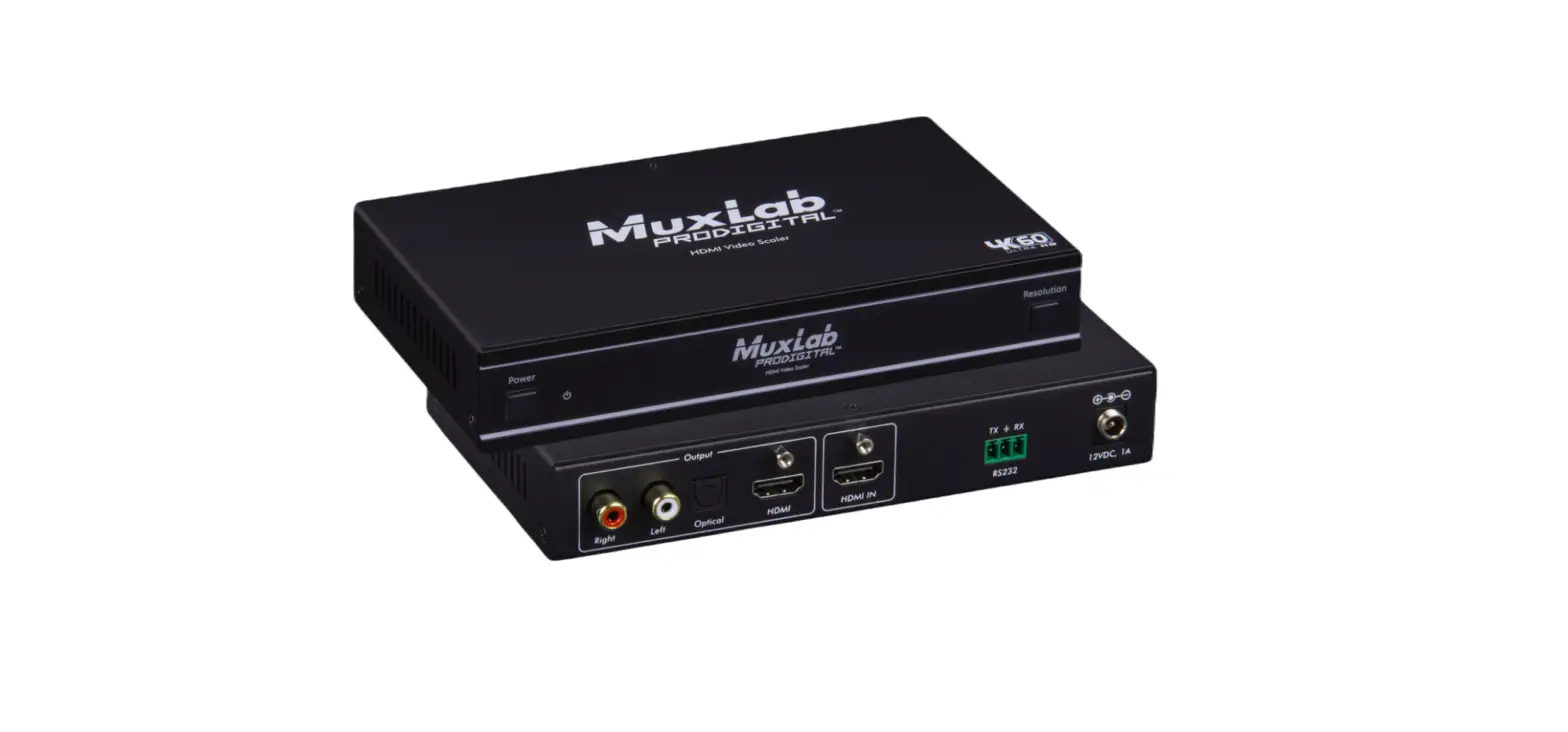
Muxlab SE-001001-A HDMI Video Scaler User Manual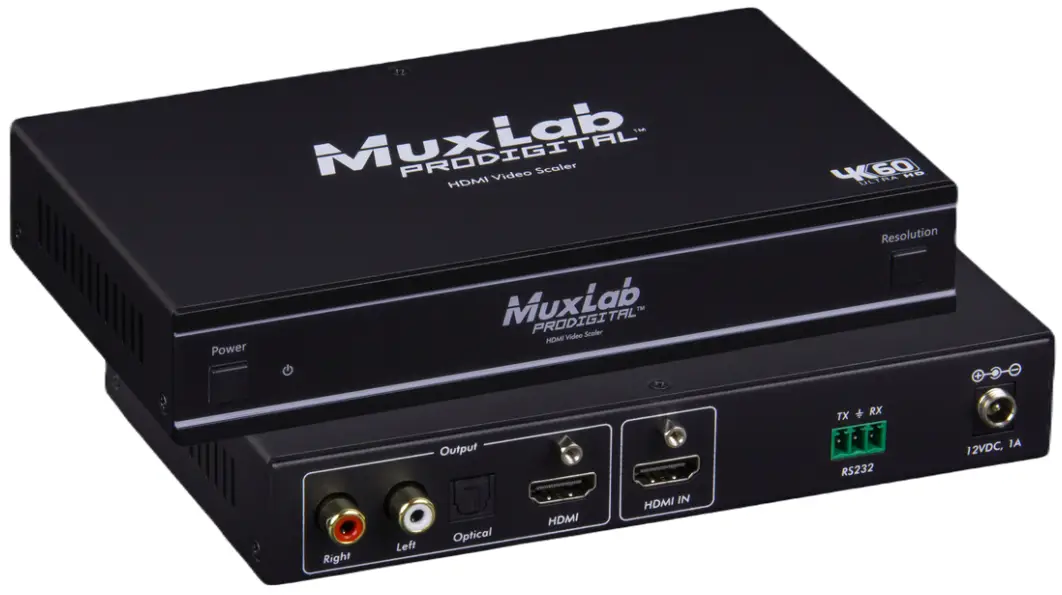
Safety Precautions
To ensure the best performance from the product, please read all instructions carefully before using the device. Save this manual for future reference.
- Follow basic safety precautions to reduce the risk of fire, electrical shock, and injury.
- Do not dismantle the housing or modify the module. It may result in electrical shock or burns.
- Do not open or remove the housing of the device as you may be exposed to dangerous voltage or other hazards.
- To prevent fire or shock hazard, do not expose the unit to rain, moisture and do not install this product near water. Keep the product away from liquids.
- Spillage into the housing may result in fire, electrical shock, or equipment damage. If an object or liquid falls or spills on the housing, unplug the module immediately.
- Do not use liquid or aerosol cleaners to clean this unit. Always unplug the power to the device before cleaning.
- Using supplies or parts not meeting the product specifications may cause damage, deterioration or malfunction.
- Refer all servicing to qualified service personnel.
- Install the device in a place with adequate ventilation to avoid damage caused by overheat.
- Unplug the power when left unused for a long period of time.
- Information on disposal of devices: do not burn or mix with general household waste, please treat them as normal electrical waste.
Copyright Notice
All contents in this manual are copyrighted, and cannot be cloned, copied, or translated without the express permission of MuxLab Inc. Product specifications and information in this document are for reference only, and the content may be updated from time to time without prior notice
Introduction
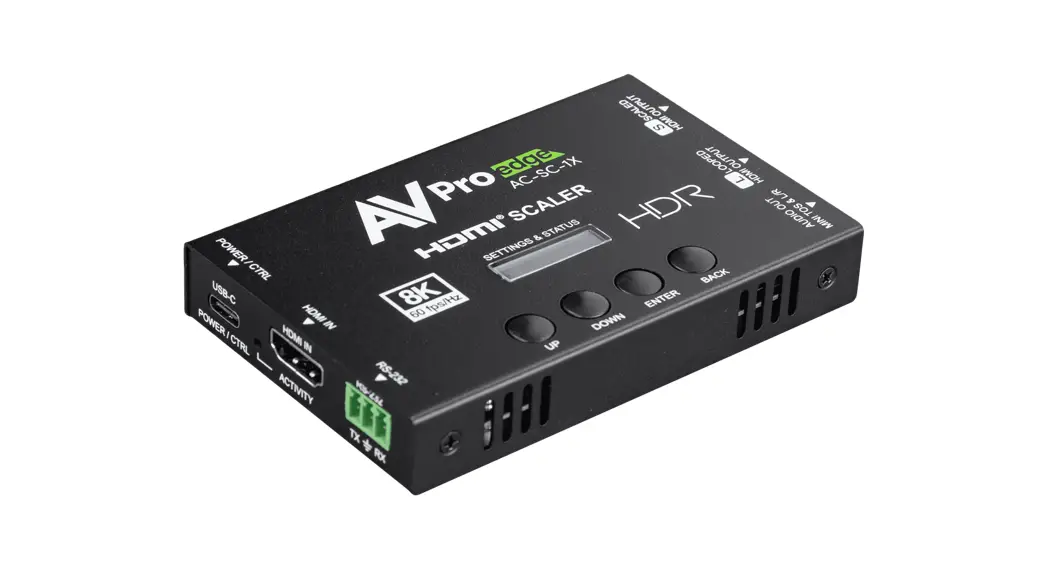
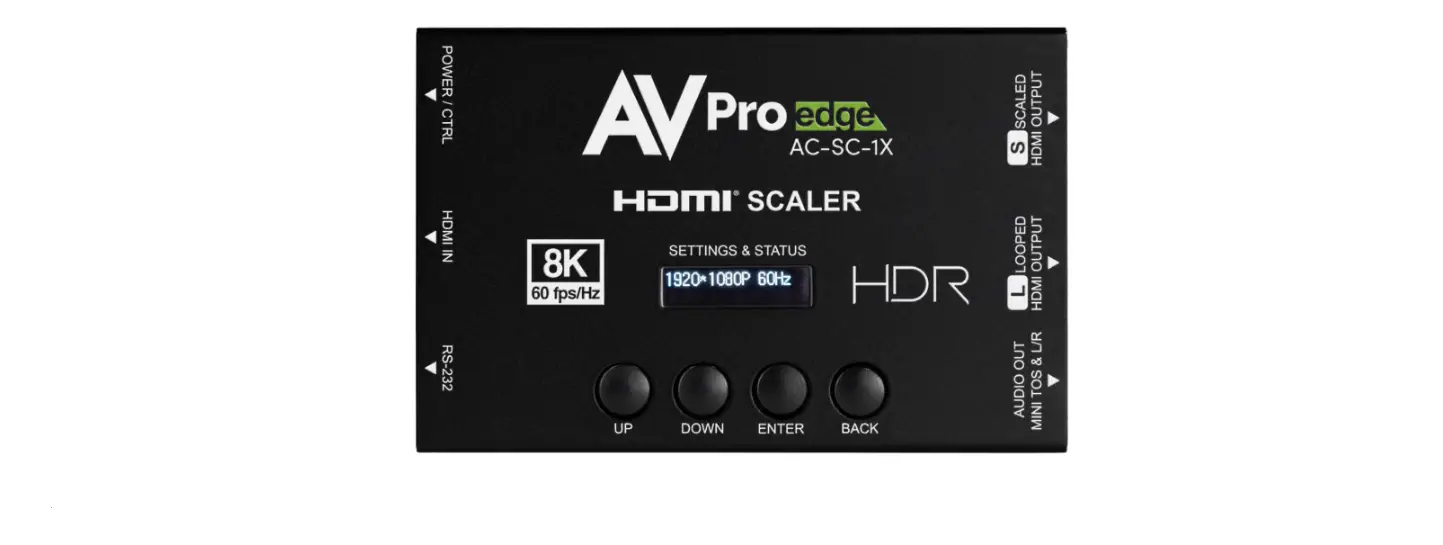
he HDMI Video Scaler, 4K/60 (500438-V2) allows one (1) HDMI source to be distributed to one (1) HDMI display. The scaler supports video sources up to 4K/60 Hz, 12 bit color and HD audio. The scaler is able to upscale up to 4K/60Hz and downscale to 1024×768/60Hz. It can extract audio signals from HDMI source to digital optical and analog stereo L/R audio outputs. In addition, it supports 10bits HDR (High Dynamic Range) access and HDMI high resolution pass-through digital audio formats, such as LPCM 2CH, Dolby TrueHD, Dolby Digital Plus, Dolby Atmos and DTS-HD Master audio, with audio sampling rate up to 192KHz. The product supports HDCP 2.2 and HDCP 1.X and can be controlled via front panel buttons and RS-232 commands.
Features
- HDMI 2.0b, HDCP 2.2 and HDCP 1.x compliant
- 18Gbps uncompressed bandwidth
- Input and output resolution support up to 4K/60 4:4:4
- Support LPCM, AC3, DD+, DTS, DTS-HD,up to 7.1 audio channel
- Audio de-embedding via analog and optical fiber audio ports
- Advanced EDID management
- Control via front panel buttons, RS-232 commands
- Compact design for easy and flexible installation
Package Contents
- One (1) HDMI Video Scaler, 4K/60
- One (1) 3pin-3.81mm Phoenix Connector (male)
- Two (2) Mounting Ears
- Four (4) Machine Screws (KM3*4)
- One (1) 12V/1A LockingPower Supply
- One (1) Power Changeover Plug (UK Standard)
- One (1) Power Changeover Plug (US Standard)
- One (1) Power Changeover Plug (EU Standard)
- One (1) User manual (available via download)
Notes: Confirm that the product and accessories are all included. If not, please contact the supplier from which you purchased the unit.
Specifications
| Technical | |
| HDMI Compliance | HDMI 2.0b |
| HDCP Compliance | HDCP 2.2/1.x |
| Video Bandwidth | 18Gbps |
| Video Resolution | Up to 4K/60 4:4:4 |
| Color Space | RGB, YCbCr4:4:4, YCbCr 4:2:2,YCbCr 4:2:0 |
| Color Depth | 8/10/12bit |
| Audio Formats | HDMI: LPCM, Dolby TrueHD, Dolby Dig Plus, Dolby Atmos, DTS-HD Master audioAnalog audio [3.5mm L/R]: PCM2.0SPDIF (OPTICAL): Dolby Digital, DTS 5.1, PCM2.0Note: It does not support HBR audio |
| ESD Protection | Human body model — ±8kV (Air-gap discharge) & ±4kV (Contact discharge) |
| Connection | |
| Input Ports | 1 x HDMI Input [Type A, 19-pin female] |
| Output Ports | 1 x HDMI Output [Type A, 19-pin female] 1 x Left/Right Output [RCA]1 x Optical Output [S/PDIF] |
| Control Ports | 1 x RS232 [3pin-3.81mm phoenix connector] |
| Mechanical | |
| Housing | Metal Enclosure |
| Color | Black |
| Dimensions (WxDxH) | 175mm[W] x 100mm[D] x 30mm[H] |
| Weight | 488g |
| Power Supply | Input: AC 100 – 240V 50/60HzOutput: DC 12V/1A (US/EU standard, CE/FCC/UL certified) |
| Power Consumption | 3.48W (Max) |
| Operation Temperature | 32 – 104°F / 0 – 40°C |
| Storage temperature | -4 – 140°F / -20 – 60°C |
| Relative Humidity | 20 – 90% RH (no condensation) |
| Warranty | 2 years |
| Order Information | 500438-V2 HDMI Video Scaler, 4K/60 (UPC: 627699014387) |
Operation Controls and Functions
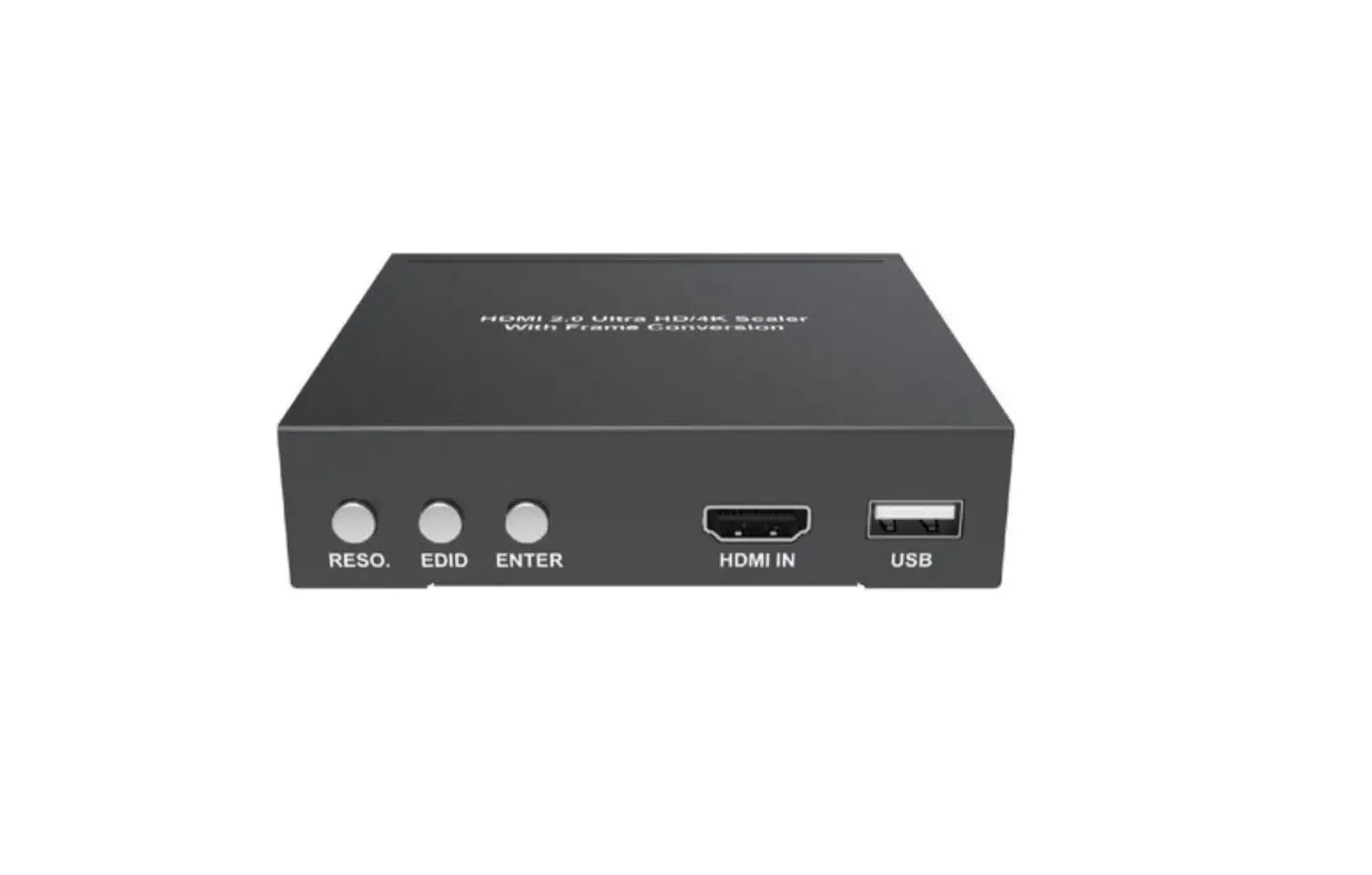
Front Panel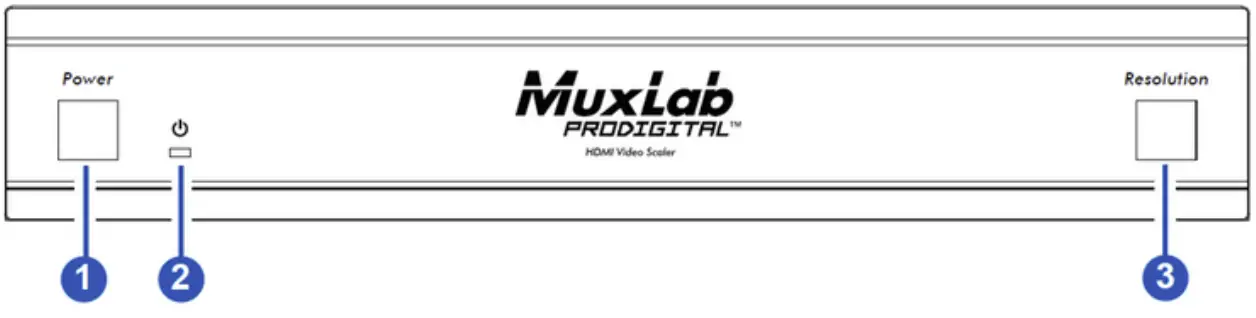
| No | Name | Function Description |
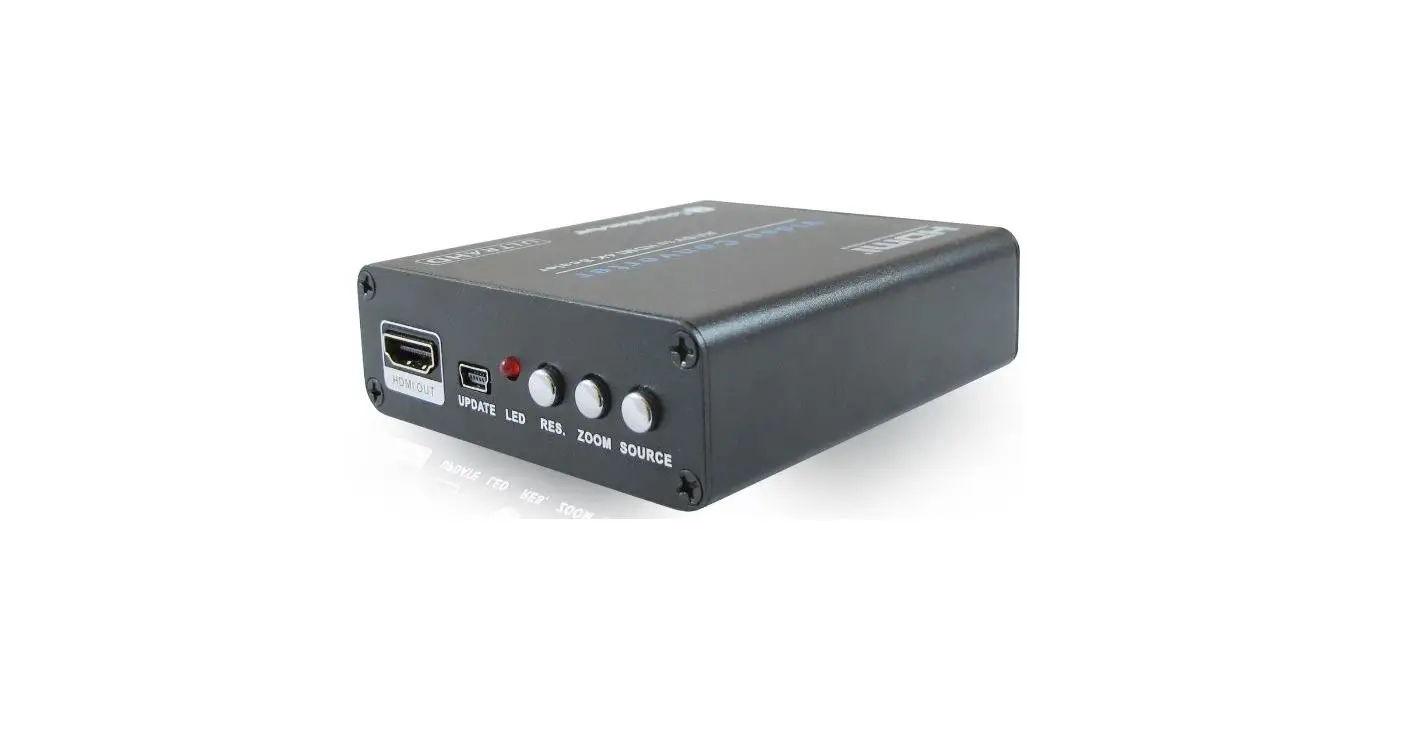
| 1 | Power Button | ▪Short press this button to power on the device. Long press this button for 1 second to enter the standby mode. |
| 2 | Power LED | The Power LED will light in green when the product is powered on, and red when the product is on standby. |
| 3 | Resolution Button | Output resolution switching button.▪ Short press the Resolution button to circularly switch the output resolution of the HDMI OUTPUT port (Please refer to the output resolution list of “8. Video & Audio”).▪ Long press the Resolution button for 3 seconds to switch the output resolution to 720P/50Hz. |
Rear Panel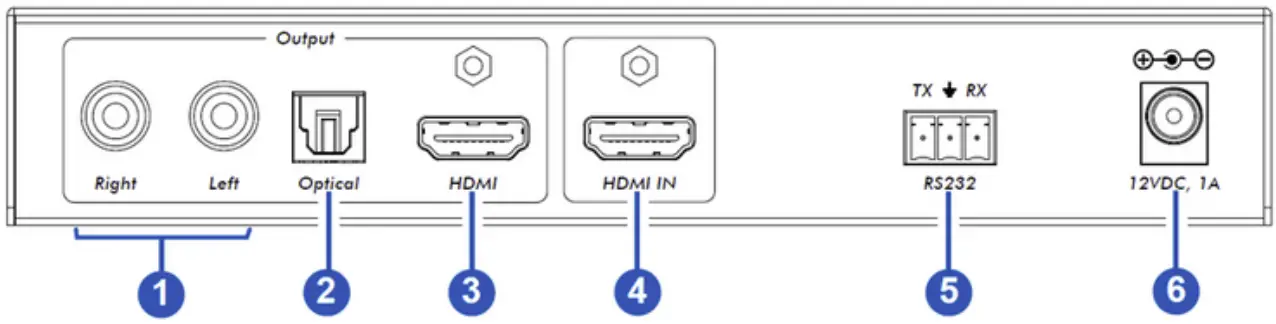
| No | Name | Function Description |
| 1 | Right/Left Output | PCM2.0 analog audio output ports |
| 2 | Optical Output | Optical fiber digital audio output port. |
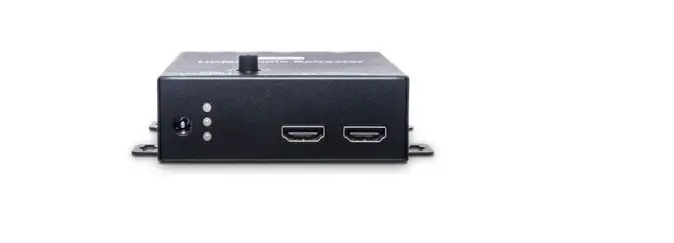
| 3 | HDMI Output Port | HDMI signal output port, connected to HDMI display device such as TV or Monitor with HDMI cable |
| 4 | HDMI IN Port | HDMI signal input port, connected to HDMI source device such as DVD or Set-top box with HDMI cable |
| 5 | RS232 Port | 3-pin phoenix connector, connected to a PC or control system for serial port upgrade or RS-232 command control. |
| 6 | 12VDC, 1A | DC 12V/1A power input port. |
EDID Settings
The User can select the following EDID modes via RS-232 commands.
| No EDID Mode | No | EDID Mode |
| 1 4K60-2.0CH | 11 | 1680×1050-2.0CH |
| 2 4K60-5.1CH | 12 | 1600×1200-2.0CH |
| 3 4K60-7.1CH | 13 | 1440×900-2.0CH |
| 4 4K30-2.0CH | 14 | 1360×768-2.0CH |
| 5 4K30-5.1CH | 15 | 1280×1024-2.0CH |
| 6 4K30-7.1CH | 16 | 1024×768-2.0CH |
| 7 1080P-2.0CH | 17 | 720P-2.0CH |
| 8 1080P-5.1CH | 18 | AUTO |
| 9 1080P-7.1CH | 19 | USER1 |
| 10 1920×1200-2.0CH |
Video & Audio
The video scaler supports multiple resolution video input up to 3840×2160/60, and supports multiple audio formats such as LPCM, AC3, DD+, DTS, DTS- HD, up to 7.1 channel pass through function via HDMI cable.
The User can control the volume of audio in LPCM format.
The video scaler supports the following video output resolutions via a powerful scaling engine.
| No Output Resolution No Output Resolution | |||||
| 1 | 4096x2160p | 60Hz | 9 | 1920x1080p 50Hz | |
| 2 | 4096x2160p | 50Hz | 10 | 1360x768p 60Hz | |
| 3 | 3840x2160p | 60Hz | 11 | 1280x800p 60Hz | |
| 4 | 3840x2160p | 50Hz | 12 | 1280x720p 60Hz | |
| 5 | 3840x2160p | 30Hz | 13 | 1280x720p 50Hz | |
| 6 | 3840x2160p | 25Hz | 14 | 1024×768 60Hz | |
| 7 | 1920x1200p | 60Hz | RB | 15 | AUTO |
| 8 | 1920x1080p | 60Hz | |||
RS-232 Command
The product also supports RS-232 command control. Connect the RS-232 port of the product to a PC with a 3-pin phoenix connector cable. Then open a Serial Command tool on PC to send ASCII commands to control the product. The ASCII command list about the product is shown below.
| ASCII Commands | |||||||||||
| Serial port protocol. Baud rate: 115200 (default); Data bits: 8bit; Stop bits:1; Check bit: 0 | |||||||||||
| x – Parameter 1; y – Parameter 2; ! – Delimiter | |||||||||||
| Command Code | Function Description | Example | Feedback | Default | |||||||
| System Setting | |||||||||||
| help! | List all commands | help! | |||||||||
| r fw version! | Get Firmware version | r fw version! | MCU FW version x.xx.xxSCALER FW versionX . >DOD( | ||||||||
| power z! | Power on/off the device,z=0-1 (z=0 power off, z=1 power on) | power 1! | Power onSystem Initializing… Initialization Finished! MCU RN version x.xx.xxSCALER FW version x.xx.xx | ||||||||
| r power! | Get current power state | r power! | power on/power off | ||||||||
| reboot! | Reboot the device | reboot! | Reboot…System Initializing… Initialization Finished! MCU FW version x.xx.xxSCALER FW version x.xx.xx | ||||||||
| reset! | Reset to factory defaults | reset! | Reset to factory defaultsia..System Init Initialization Flizing.inished!MCU FW version x.xx.xxSCALER FW version x.xx.xx | ||||||||
| Output Setting | out resolution: 3840x2160p60 3840x2160p | 60 | |||||||||
| s output res x! | Set Output Resolution (x=1-15)1. 4096x2160p60,2. 4096x2160p50,3. 3840x2160p60,4. 3840x2160p50,5. 3840x2160p30,6. 3840x2160p25, 7‘ 1920x1200P60RB,8. 1920x1080p60,9. 1920x1080p50, 10.1360x768p60, 11.1280x800p60, 12.1280x720p60, 13.1280x720p50,14. 1024x768p60,15. AUTO. | s output res 3! | |||||||||
| r output res! | Get output resolution | r output rest | out resolution 3840x2160p60 | ||||||||
| s output hdcp x! | set output hdcp (x=1-3)1. HDCP 1.42. HDCP 2.23. HDCP OFF | s output hdcp 21 | output HDCP: HDCP 1.4 | HDCP 1.4 | |||||||
| r output hdcp! | Get output hdcp status. | r output hdcp! | output HDCP:HDCP 1.4 | ||||||||
| s output vka x! | Set output video keep active pattern. (x=1-2)1.black screen2.blue screen | s output vka 1! | output VKA pattern: black screen | black screen | |||||||
| r output vkal | Get output video keep active pattern. | r output vkal | output VKA pattern: black screen | ||||||||
| s output itc x! | Set output video mode (x=1-2)1:video mode2:pc mode | s output itc 1!video mode | output ITC: v | video mode | |||||||
| r output itc! | Get output video mode | r output ltd | output ITC: video mode | ||||||||
| EDID Setting | |||||||||||
| s input EDID xl | Set HDMI input EDID mode (x=1-19)1.41(21(60 444,Stereo Audio 2.02. 4K2K60––444,Dolby/DTS 5.13. 4K2K60444,HD Audio 7.14. 4K2K30444.Stereo Audio 2.05. 4K2K30_444,Dolby/DTS 5.16. 4K2K30 444,HD Audio 7.17. 1080P,gereo Audio 2.08. 1080P,Dolby/DTS 5.19. 1080P,HD Audio 7.1 10.1920×1200,Stereo Audio 2.0 11.1680×1050,Stereo Audio 2.0 12.1600×1200,Stereo Audio 2.0 13.1440×900,Stereo Audio 2.0 14.1360×768, Stereo Audio 2.0 15.1280×1024,Stereo Audio 2.0 16.1024×768, Stereo Audio 2.0 17.720p,Stereo Audio 2.0 18.copy from HDMI out 19.USER1 | s input EDID 11 | input EDID:4K2K 60_444, Stereo Audio 2.0 | 4K2K60_ 444,Stereo Audio 2.0 | |||||||
| r input EDIDI | Get input EDID mode | r input EDIDI | input EDID:4K2K60 _444, Stereo Audio 2.0 | ||||||||
| s edid userl 00 FF FF …I | Set used EDID data | s edid used 00 FF FF FF FF …I | uuserl EDID data:u It I–I– I–I– 1-1- I–Ii–i– ou……………….. | ||||||||
| r edid user1I | Get userl EDID data | r edid user1I | used EDID data:00 FF FF FF FF FF i-i- w……….. | ||||||||
| Audio Setting | |||||||||||
| s output audio | Increase output audio volume | s output audio vol+! | output audio volume: 50 | ||||||||
| s output audio vol-I | Decrease output audio volume | s output audio vol-i | output audio volume: 50 | ||||||||
| s output audio vol x! | Set output audio volume value (x=0-100) | s output audio vol 30! | output audio volume: 30100 | ||||||||
| r output audio vol! | Get output audio volume | r output audio volt | output audio volume: 30 | ||||||||
| s output audio mute x! | Set output audio mute on/off (x=0-1)0. mute off 1. mute on | s output audio mute 0! | output audio mute: off | off | |||||||
| r output audio | Get output audio mute on/off | r output audio | output audio__…_. – | ||||||||
| s input EDID xl | Set HDMI input EDID mode (x=1-19)1.41(21(60 444,Stereo Audio 2.010. 4K2K60–444,Dolby/DTS 5.111. 4K2K60444,HD Audio 7.112. 4K2K30444.Stereo Audio 2.013. 4K2K30_444,Dolby/DTS 5.114. 4K2K30 444,HD Audio 7.115. 1080P,gereo Audio 2.016. 1080P,Dolby/DTS 5.117. 1080P,HD Audio 7.1 10.1920×1200,Stereo Audio 2.0 11.1680×1050,Stereo Audio 2.0 12.1600×1200,Stereo Audio 2.0 13.1440×900,Stereo Audio 2.0 14.1360×768, Stereo Audio 2.0 15.1280×1024,Stereo Audio 2.0 16.1024×768, Stereo Audio 2.0 17.720p,Stereo Audio 2.0 18.copy from HDMI out 19.USER1 | s input EDID 11 | input EDID:4K2K 60_444, Stereo Audio 2.0 | 4K2K60_ 444,Stereo Audio 2.0 | |||||||
| r input EDIDI | Get input EDID mode | r input EDIDI | input EDID:4K2K60 _444, Stereo Audio 2.0 | ||||||||
| s edid userl 00 FF FF …I | Set used EDID data | s edid used 00 FF FF FF FF …I | uuserl EDID data:u It I-I- I-I- 1-1- I-Ii-i- ou | ||||||||
| r edid user1I | Get userl EDID data | r edid user1I | used EDID data:00 FF FF FF FF FF i-i- w | ||||||||
| Audio Setting | |||||||||||
| s output audio | Increase output audio volume | s output audio vol+! | output audio volume: 50 | ||||||||
| s output audio vol-I | Decrease output audio volume | s output audio vol-i | output audio volume: 50 | ||||||||
| s output audio vol x! | Set output audio volume value (x=0-100) | s output audio vol 30! | output audio volume: 30100 | ||||||||
| r output audio vol! | Get output audio volume | r output audio volt | output audio volume: 30 | ||||||||
| s output audio mute x! | Set output audio mute on/off (x=0-1)0. mute off 1. mute on | s output audio mute 0! | output audio mute: off | off | |||||||
| r output audio | Get output audio mute on/off | r output audio | output audio__…_. – | ||||||||
Border Setting
| border x! | Set the border mode of the specified window.(x=0-1)O. off 1. on | s border 1! | border on | off YELI |
| border! | Endows the border mode of we | r border! | border on | |
| border color y! | Set the border color of the window.(x=1-9)1. BLACK2. RED3. GREEN4. BLUE5. YELLOW6. MEGENTA7. CYAN8. WHITE9. GRAY | s border color 1! | border color: BLACK |
Application Diagram
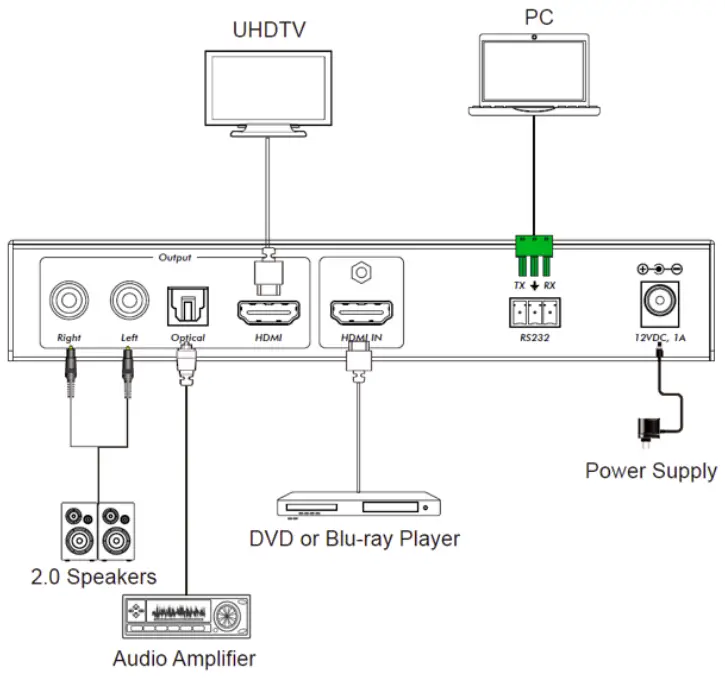
HDMI Video Scaler, 4K/60
500438-V2
Follow us: 
2321 Cohen | St-Laurent , H4R 2N7 | Québec, Canada Tel: 514-905-0588 | Fax: 514-905-0589 | Toll free: 1-877-689-5228 [email protected] | [email protected] | www.muxlab.com

 Home - Muxlab