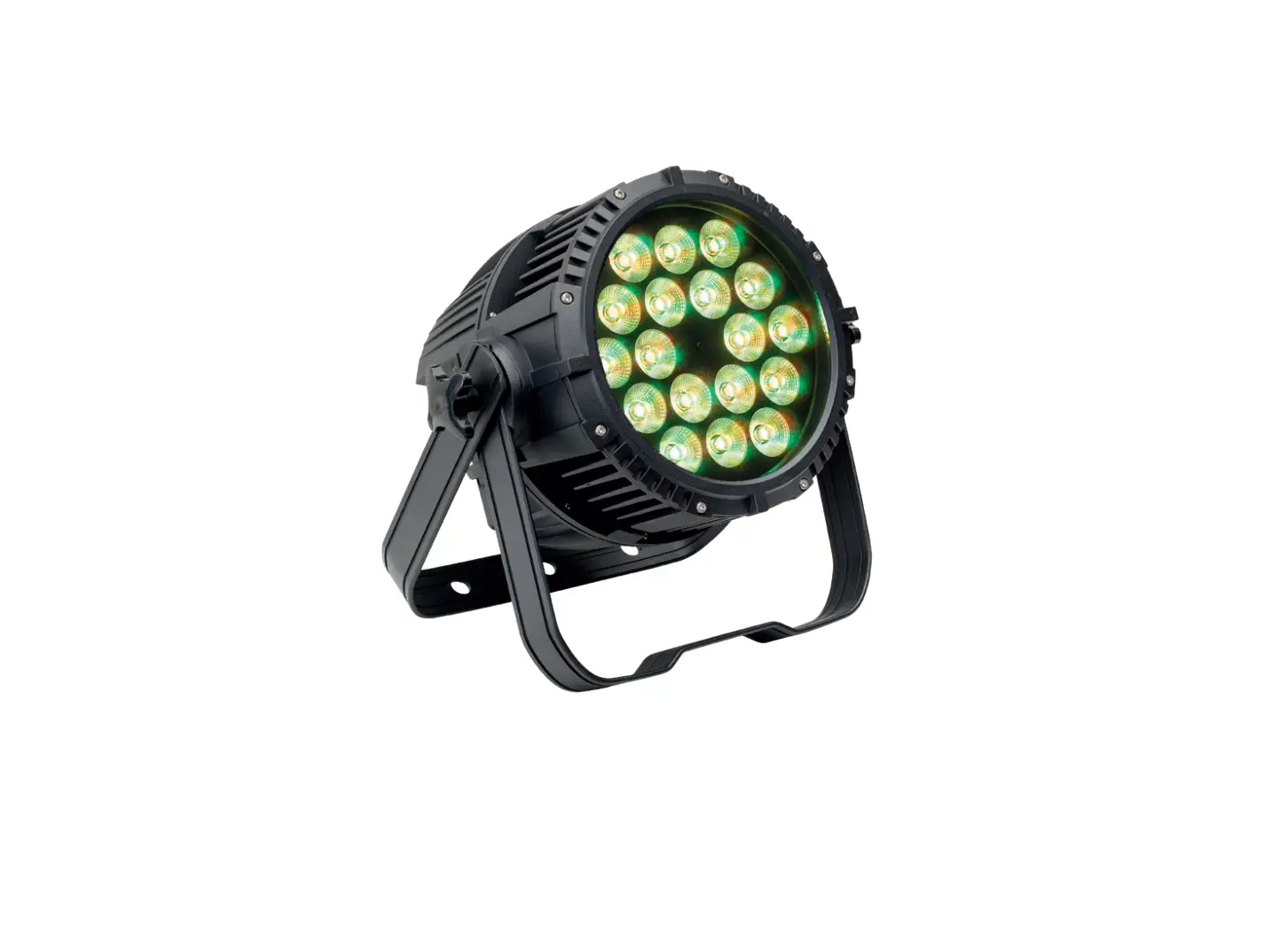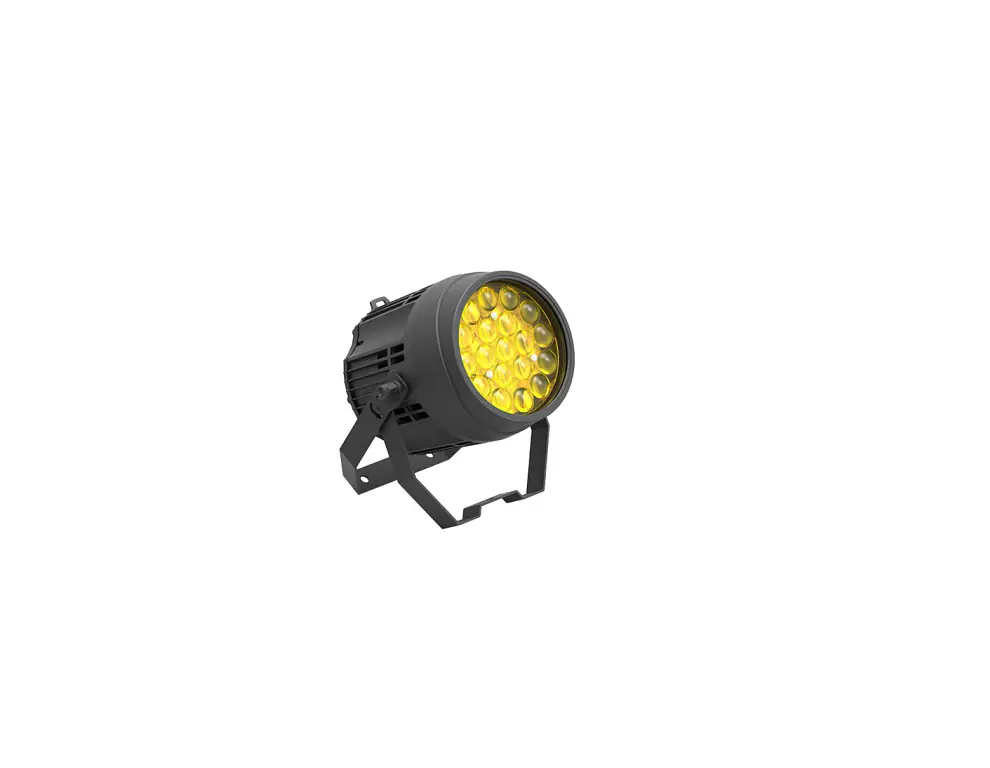
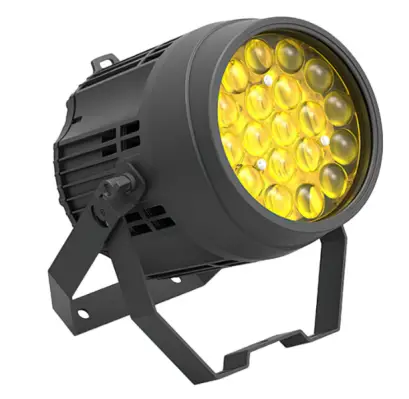
Sistemamt LEDZOOM1910IP 19X10W RGBW 5 in 1 Parled User Manual

User manual
Please read the manual before the operation.
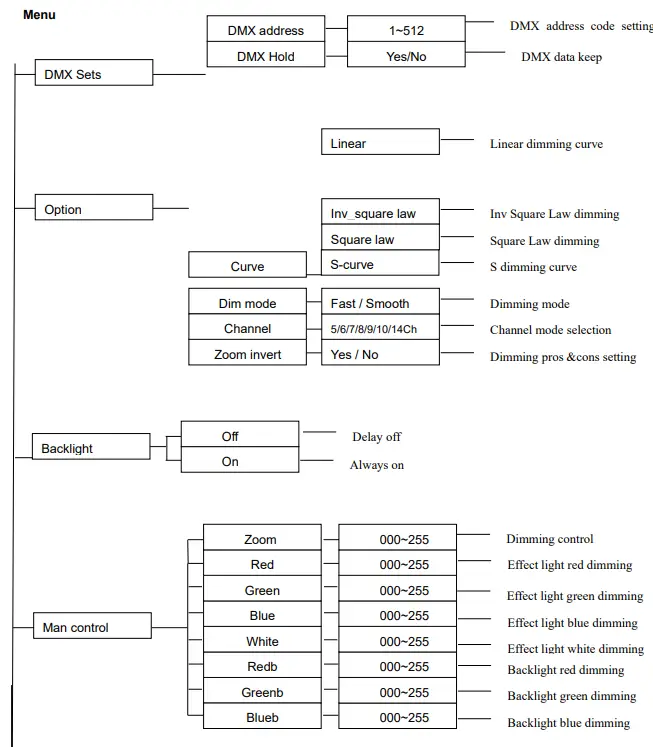
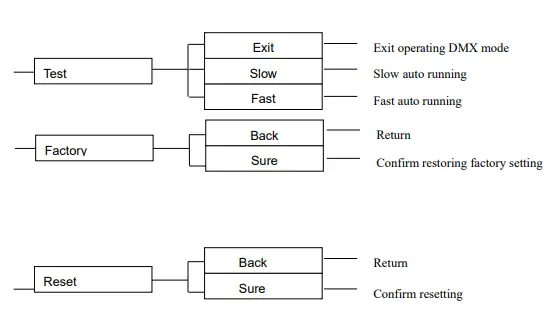
This fixture is not only easy to operate, but also has affluent effect programs. It has seven work modes.
- DMX setting mode
- Option setting mode
- Display setting mode
- Manual control mode
- Test mode
- Factory setting mode
- Reset mode
- Operation
- DMX control mode
Press the MODE button to enter the menu selection. And select DMX setting mode by the up or down button. Then press the SETUP button to enter DMX setting mode. Now you can change two sub-menus, DMX address and WIRELESS setting by the up or down button.
- In the DMX setting mode, select the DMX address. And then press the SETUP button to enter DMX address setting mode.
Amend address code1~512 by the up or down button.
Please press the SETUP button to save and exit to DMX setting mode.
- In the DMX setting mode, select DMX
Press the SETUP to enter DMX keep mode.
Select data keep or data clear by the up or down button.
Please press the SETUP button to save and exit to DMX setting mode.
- In the DMX setting mode, select wireless
Press the SETUP button to enter wireless setting mode.
Select OPEN WIRELESS or CLOSE WIRELESS by the up or down button.
Please press the SETUP button to save and exit to DMX setting mode. (No wireless function, no this menu).
- Option setting mode
Press the MODE button to enter the menu selection. And select option setting mode by the up or down button. Then press the SETUP button to enter option setting mode. Now you can select dimming curve, dimming mode, channel mode or motor inversion by the up or down button.
- In the option setting mode, select dimming
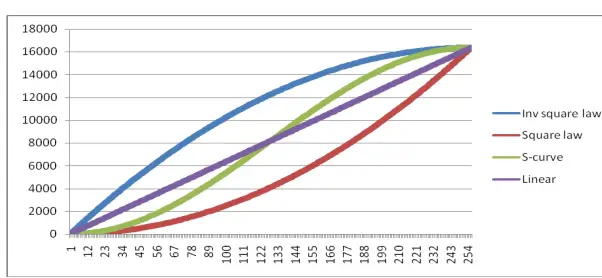
Press the SETUP button to enter dimming curve selection mode. Then you can select different dimming curve by the up or down button. Linear dimming curve, Inv Square Law dimming, Square Law dimming or S dimming curve.
Please press the SETUP button to save and return to option setting mode.
Curves are as following.
- In the option setting mode, select the dimming
Press the SETUP button to enter dimming selection mode. Then you can select different dimming curves, FAST or SMOOTH by the up or down button..
Please press the SETUP button to save and return to option setting mode.
- In the option setting mode, select the channel
Press the SETUP button to enter channel selection mode. Then you can select different curves,
“14CH”,“10CH”,“9CH”,“8CH”,“7CH”,“6CH” or “5CH” by the up or down button.
Please press the SETUP button to save and return to option setting mode.
DMX work mode1:“14 CH”
| 14CH channel mode | |||
| DMX channel | DMX Value | Function | Remark |
| 1、DIMMER | 0~255 | Effect led total dimming |
Effect led control |
| 2、STROBE | 1~255 | Effect led Strobe, slow to fast | |
|
3、COLOR | 1~17 | Effect R | |
| 18~35 | Effect G | ||
| 36~53 | Effect B | ||
| 54~71 | Effect W | ||
| 72~89 | Effect R+G | ||
| 90~107 | Effect R+B | ||
| 108~125 | Effect G+B | ||
| 126~142 | Effect R+G+B+W | ||
| 143~192 | Effect pulse change | ||
| 193~224 | Effect gradual change | ||
| 225~255 | Effect jump change | ||
| 4、R | 0~255 | Effect red dimming | |
| 5、G | 0~255 | Effect green dimming | |
| 6、B | 0~255 | Effect blue dimming | |
| 7、W | 0~255 | Effect white dimming | |
| 8、DIMMER1 | 0~255 | Background led total dimming |
Background led control |
| 9、STROBE1 | 0~255 | Background led strobe, slow to fast | |
|
10、COLOR1 | 1~17 | Background R1 | |
| 18~35 | Background G1 | ||
| 36~53 | Background B1 | ||
| 54~71 | Background B1 | ||
| 72~89 | Background R1+G1 | ||
| 90~107 | Background R1+B1 | ||
| 108~125 | Background G1+B1 | ||
| 126~142 | Background R1+G1+B1 | ||
| 143~192 | Background pulse change | ||
| 193~224 | Background gradual change | ||
| 225~255 | Background jump change | ||
| 11、R1 | 0~255 | Background red dimming | |
| 12、G1 | 255 | Background green dimming | |
| 13、B1 | 255 | Background blue dimming | |
| 14、ZOOM | 255 | zooming |
DMX work mode2:“10 CH”
| 10CH channel mode | |||
| DMX channel | DMX Value | Function | Remark |
| 1、DIMMER | 0~255 | Total dimming | Dark to bright |
| 2、STROBE | 1~255 | Led strobe, slow to fast | |
| 3、R | 0~255 | Red dimming |
Effect led control |
| 4、G | 0~255 | Green dimming | |
| 5、B | 0~255 | Blue dimming | |
| 6、W | 0~255 | White dimming | |
| 7、R1 | 0~255 | Background red dimming | Background led control |
| 8、G1 | 0~255 | Background green dimming | |
| 9、B1 | 0~255 | Background blue dimming | |
| 10、ZOOM | 0~255 | zooming | |
DMX work mode3:“9CH”
| 9CH channel mode | |||
| DMX channel | DMX Value | Function | Remark |
| 1、DIMMER | 0~255 | Total dimming | Dark to bright |
| 2、R | 0~255 | Red dimming | Effect led control |
| 3、G | 0~255 | Green dimming | |
| 4、B | 0~255 | Blue dimming | |
| 5、W | 0~255 | White dimming | |
| 6、R1 | 0~255 | Background red dimming | Background led control |
| 7、G1 | 0~255 | Background green dimming | |
| 8、B1 | 0~255 | Background blue dimming | |
| 9、ZOOM | 0~255 | zooming | |
DMX work mode3:“8CH”
| DMX channel | DMX Value | Function | Remark |
| 1、R | 0~255 | Red dimming | Effect led control |
| 2、G | 0~255 | Green dimming | |
| 3、B | 0~255 | Blue dimming | |
| 4、W | 0~255 | White dimming | |
| 5、R1 | 0~255 | Background red dimming | Background led control |
| 6、G1 | 0~255 | Background green dimming | |
| 7、B1 | 0~255 | Background blue dimming | |
| 8、ZOOM | 0~255 | zooming |
DMX work mode3:“7CH”
| 7CH channel mode | |||
| DMX channel | DMX Value | Function | Remark |
| 1、DIMMER | 0~255 | Total dimming | Dark to bright |
| 2、STROBE | 1~255 | Strobe | Slow to fast |
| 3、R | 0~255 | Red dimming(all red) | led control |
| 4、G | 0~255 | Green dimming(all green) | |
| 5、B | 0~255 | Blue dimming(all blue) | |
| 6、W | 0~255 | White dimming | |
| 7、ZOOM | 0~255 | zooming | |
DMX work mode3:“6CH”
| 6CH channel mode | |||
| DMX channel | DMX Value | Function | Remark |
| 1、DIMMER | 0~255 | Total dimming | Dark to bright |
| 2、R | 0~255 | Red dimming(all red) | led control |
| 3、G | 0~255 | Green dimming(all green) | |
| 4、B | 0~255 | Blue dimming(all blue) | |
| 5、W | 0~255 | White dimming | |
| 6、ZOOM | 0~255 | zooming |
DMX work mode3:“5CH”
| 5CH channel mode | |||
| DMX channel | DMX Value | Function | Remark |
| 1、R | 0~255 | Red dimming(all red) | led control |
| 2、G | 0~255 | Green dimming(all green) | |
| 3、B | 0~255 | Blue dimming(all blue) | |
| 4、W | 0~255 | White dimming | |
| 5、ZOOM | 0~255 | zooming | |
- In the option setting mode, select the motor inversion
Press the SETUP button to enter motor inversion selection mode. Then you can select
“YES” or “NO” by the up or down button.
Please press the SETUP button to save and return to option setting mode.
Display setting modePress the MODE button to enter the menu selection.
Select the Display setting mode by the up or down button. And press the setup button to enter Display setting mode. Then select BACKLIGHT SETTING by the up or down button.
In the display setting mode, select backlight setting.
Press the SETUP button to enter backlight setting selection mode. And then select “delay off” or
“keep on” .Please press the SETUP button to save and return to display setting mode.
- Manual control mode
Press the MODE button to enter menu selection. Select manual control mode by the up or down button. And press the SETUP button to enter manual control mode. Then you can select “Zoom”, “Red”,“Green”, “Blue” ,“White”, “Redb” ,“Greenb”or“Blueb”by the up or down button.
You can also press the SETUP button to change to corresponding menu value setting mode. Then amend menu value by the up or down button.
Please press the SETUP button to save and return to sub-menu selection mode.
- Testing mode
Press the MODE button to enter menu selection. Select testing mode by the up or down button.
And press the SETUP button to enter testing mode. Then select “Exit”, “Slow run mode”,
“Fast run mode” or “Sound control mode” by the up or down button.In the Testing mode, select sound control. Press the SETUP button to enter sound control selection mode. And then press the SETUP button to enter sound control sensitivity setting (0-31). You can also amend sensitivity by the up or down button.
Please press the SETUP button to save and return to sound control mode. If it is waterproof lighting, it will be no sound control mode.
- Restore factory setting mode
Press the MODE button to enter menu selection.
Select restore factory setting by the up or down
button. And press the SETUP button to enter restoring factory setting. Then select “YES” or
“NO” by the up or down button.
Please press the SETUP button to restore factory setting.
- Reset mode
Press the MODE button to enter menu selection.
Select reset mode by the up or down button. And press the SETUP button to enter reset mode. Then select
“YES” or “NO” by the up or down button. Please press the SETUP button to reset system.