
PPA-TF2Z064EN
ORIGINAL INSTRUCTIONS
Instruction Manual
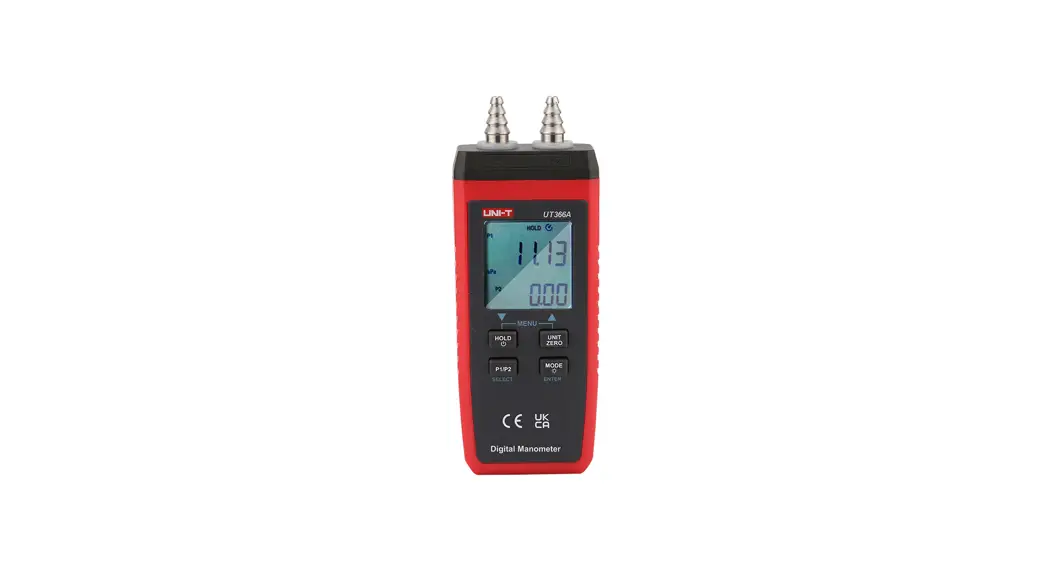
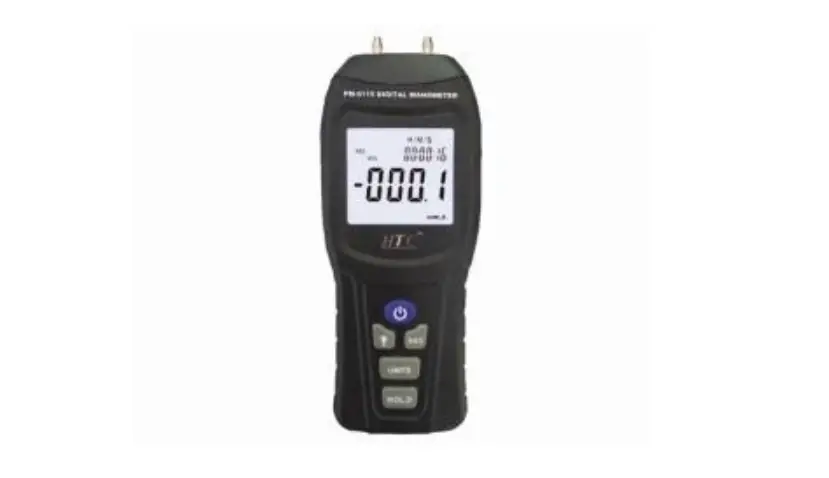
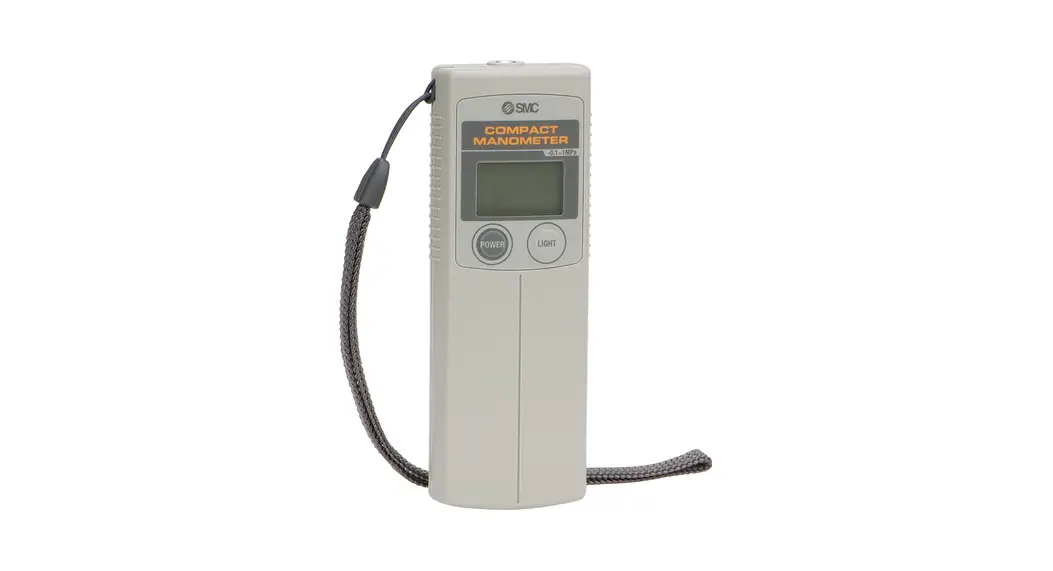
Compact Manometer
PPA100 / PPA101 / PPA102
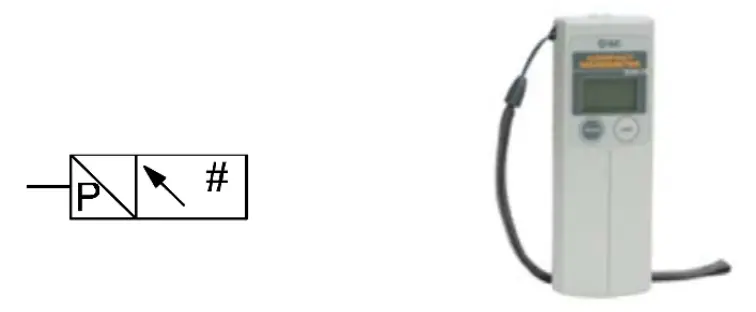
The intended use of this product is for pressure measurement.
Safety Instructions
These safety instructions are intended to prevent hazardous situations and/or equipment damage. These instructions indicate the level of
potential hazard with the labels of “Caution,” “Warning” or “Danger.”
They are all important notes for safety and must be followed in addition to International Standards (ISO/IEC) *1), and other safety regulations.
*1)ISO 4414: Pneumatic fluid power – General rules relating to systems.
ISO 4413: Hydraulic fluid power – General rules relating to systems.
IEC 60204-1: Safety of machinery – Electrical equipment of machines.
(Part 1: General requirements)
ISO 10218-1: Robots and robotic devices – Safety requirements for industrial robots – Part 1: Robots.
- Refer to the product catalog, Operation Manual, and Handling Precautions for SMC Products for additional information.
- Keep this manual in a safe place for future reference.
 Caution Caution | Caution indicates a hazard with a low level of risk which, if not avoided, could result in minor or moderate injury. |
| Warning | Warning indicates a hazard with a medium level of risk which, if not avoided, could result in death or serious injury. |
| Danger | Danger indicates a hazard with a high level of risk which, if not avoided, will result in death or serious injury. |
Warning
- Always ensure compliance with relevant safety laws and standards.
- All work must be carried out in a safe manner by a qualified person in compliance with applicable national regulations.
- Refer to the operation manual or catalog on the SMC website (URL: https://www.smcworld.com) for further Safety Instructions.
Specifications
General specifications
| Model | PPA100 High pressure | PPA101 Vacuum | PPA102 Low pressure | |
| Rated pressure range | -0.1 to 1 MPa | -101 to 10 kPa | -10 to 100 kPa | |
| Display method | 3 digit LCD with backlight | |||
| Pressure d splay discrimination | 1/100 | |||
| Minimum display unit | hPa | – | 1 | 1 |
| MPa | 0.01 | – | – | |
| mmHg | – | 5 | – | |
| kgf/cm2 | 0.1 | 0.01 | 0.01 | |
| inHg | – | 0.2 | – | |
| psi | 1 | 0.1 | 0.1 | |
| bar | 0.1 | 0.01 | 0.01 | |
| Error display | Overpressure, Memory data error, Change battery sign | |||
| Function | Peak/bottom display, backlight, Auto power OFF, Zero clear, Units display switching | |||
| Withstand | pressure | 1.5 MPa | 200 a | 200 a |
| Applicable fluid | Air, Non-corrosive gases, non-flammable gas | |||
| Power supply voltage | 3 VDC, Type AA dry cell x 2 pcs. | |||
| Battery life | 12 months continuous operation (without backlight, at 25°C) | |||
| Response speed | 250 ms | |||
| Display accuracy | ±2% F.S. (at 25°C) | |||
| Repeatability | ±1% F.S. (at 25°C) | |||
| Temperature characteristics | ±3% F.S. (0 to 50°C with 25°C standards) | |||
| Connection port size | M5 x 0.8 | |||
| Operating temperature range | 0 to 50°C (no condensation) | |||
| Operating humidity range | 35 to 85% RH (no condensation) | |||
| Enclosure rating | IP40 | |||
| Weight | 100 g (Unit: 50 g, Battery: 50 g) | |||
- Batteries (manganese R6 or alkaline LR6) are not included.
- For the type without the unit, switching functions are fixed to SI units (kPa or MPa.
- With regard to the compatibility condition for EMC, the pressure display value variation is ±15% F.S. or less.
Warning
Special products (-X) might have specifications different from those shown in this section. Contact SMC for specific drawings.
Installation
Warning
- Do not install the product unless the safety instructions have been read and understood.
Environment
Warning
- Do not use in an environment where corrosive gases, chemicals, salt water, or steam are present.
- Do not use it in an explosive atmosphere.
- Do not expose to direct sunlight. Use a suitable protective cover.
- Do not install in a location subject to vibration or impact in excess of the product’s specifications.
- Do not operate in a location exposed to radiant heat that would result in temperatures in excess of the product’s specifications.
Piping
Caution
- Before connecting piping is sure to clean up chips, cut oil, dust, etc.
- When installing piping or fittings, ensure sealant material does not enter inside the port. When using seal tape, leave 1 thread exposed on the end of the pipe/fitting.
- Tighten fittings to the specified tightening torque.
Lubrication
Caution
- SMC products have been lubricated for life at manufacture, and do not require lubrication in service.
- If a lubricant is to be used in the system, refer to the catalog for details.
Settings
Initial Setting
Perform the initial setting when using for the first time and after changing the batteries, as the unit will display a memory data error.
- Confirmation of display
When power is applied, if there is nothing on the display, proceed to step 2.
If “Err” Is displayed on the LCD, switch the power OFF and ON again. The display should be clear.
Proceed to step 2.
- Press and hold the POWER button for 6 seconds or more.
The unit will move into the zero-clear mode. When this happens “CAL” will be displayed.
- Release the POWER button.
When zero clear is finished, the unit will operate.
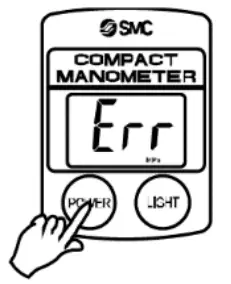
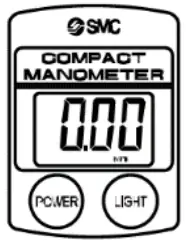
Power ON
Press the POWER button.
The power will turn ON.
When pressed and held for 6 seconds or more the unit will move into zero-clear mode.
 Power OFF
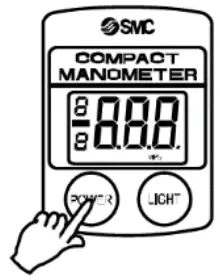 Power OFF
Press and hold the POWER button for 3 seconds or more.
The power will turn OFF.
The power will also turn OFF If there is no button operation for 5 minutes or more (auto power OFF function).
 Units Display Switching
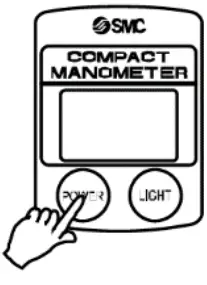 Units Display Switching
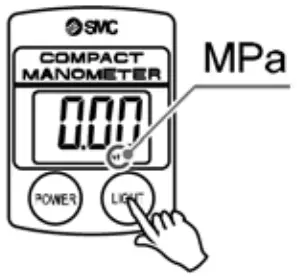 |  |
- Press and hold the POWER and LIGHT buttons for 3 seconds or more.
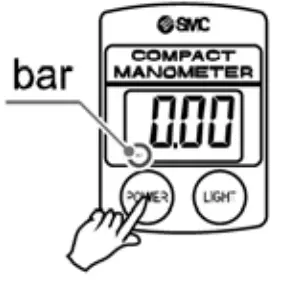
The units on the LCD display will flash. - Press the LIGHT button The units will change (refer to the units table).
- Press the POWER button The units are set and the units display setting is complete.
(For products with units switching function).
Units available
| High pressure (PPA100) | Vacuum pressure (PPA101) | Low pressure (PPA102) |
| MPa > bar > psi > kgf | kPa > bar > psi > inHg > mmHg | kPa > bar > psi > kgf |
Peak / Bottom display
Press the POWER button.
- For Peak display
To display the maximum pressure value, with “P” displayed on the LCD. The display will change if the pressure exceeds the pressure being held.
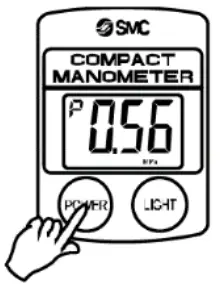
Press the POWER button.
- For Bottom display
To display the minimum pressure value, with “b” displayed on the LCD. The display will change if the pressure falls below the pressure being held.
Press the POWER to complete the setting.
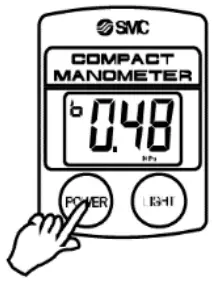
Since this function is combined with the power OFF operation, the button should be released when the “P” or “b” is displayed.
Auto Power OFF function
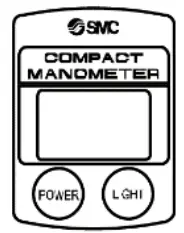 The power is turned OFF when there has been no button operation for 5 minutes.
(To cancel this function refer to the lock mode function below).
Lock mode function
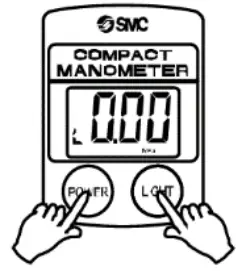 Press and hold the POWER and LIGHT buttons for 6 seconds or more.
The lock mode is activated and the auto power OFF function is canceled.
“L” is displayed on the LCD display.
When the power is turned OFF the lock mode is released.
Turning ON the Backlight
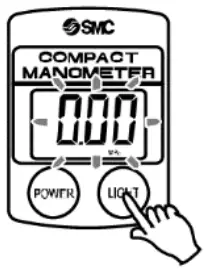
Press the LIGHT button.
The display lights up when the button is pressed.
In lock mode, it lights up when pressed and turns OFF when pressed again.
However, the maximum lighting time is approximately one minute.
Zero clear function
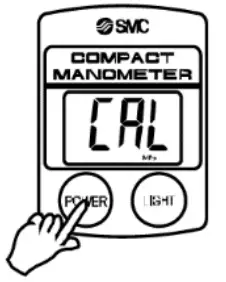
Press the POWER button for 6 seconds or more.
The zero displayed at atmospheric pressure can be automatically adjusted.
This means it is possible to eliminate a display discrepancy at atmospheric pressure.
- Turn the power OFF.
- Release the supply pressure to the atmosphere.
- When the POWER button is pressed and held for 6 seconds or more the zero clear function is performed and “CAL” is displayed on the LCD.
PPA-TF2Z064EN
How to Order
Refer to the operation manual or catalogue on the SMC website (URL: https://www.smcworld.com) for the How to Order information.
Outline Dimensions (mm)
Refer to the operation manual or catalogue on the SMC website (URL: https://www.smcworld.com) for outline dimensions.
Maintenance
General maintenance
Caution
- Not following proper maintenance procedures could cause the product to malfunction and lead to equipment damage.
- If handled improperly, compressed air can be dangerous. Maintenance of pneumatic systems should be performed only by qualified personnel.
- Before performing maintenance, turn off the power supply and be sure to cut off the supply pressure. Confirm that the air is released into the atmosphere.
- After installation and maintenance, apply operating pressure and power to the equipment and perform appropriate functional and leakage tests to make sure the equipment is installed correctly.
- If any electrical connections are disturbed during maintenance, ensure they are reconnected correctly and safety checks are carried out as required to ensure continued compliance with applicable national regulations.
- Do not make any modifications to the product.
- Do not disassemble the product, unless required by installation or maintenance instructions.
Span calibration
Warning
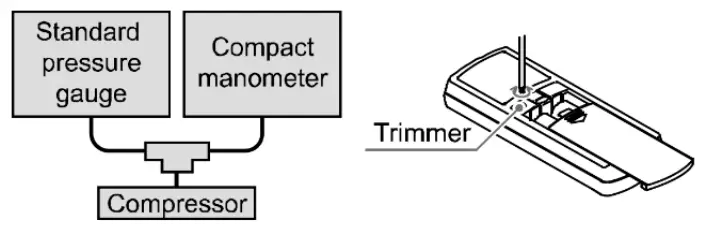
- Do not touch the span calibration trimmer except when performing a span calibration.
- Perform zero clear at atmospheric pressure.
- Apply the maximum rated pressure and calibrate the span while comparing it with a standard pressure gauge.
- If the displayed value of the compact manometer is “0” after returning to atmospheric pressure, then calibration is complete.
If the displayed value is not “0” calibrate again by repeating steps 1 and 2.
Replacing the batteries
When the battery voltage becomes low the entire LCD display will flash.
When the LCD is flashing, replace the batteries.
Use 2 x AA dry cell batteries.
Caution
- To replace the batteries, turn OFF the power and replace them within approximately 30 seconds.
- If not completed within 30 seconds “Err” will be displayed.
- In that case, perform zero clear once again.
- In the event that the display runs out of control, remove the batteries for one minute or longer and then perform zero clear again before inserting the batteries and turning ON the power.
Limitations of Use
Limited warranty and disclaimer/compliance requirements
Refer to Handling Precautions for SMC Products.
Product Disposal
This product shall not be disposed of as municipal waste. Check your local regulations and guidelines to dispose of this product correctly, in order to reduce the impact on human health and the environment.
Contacts
Refer to www.smcworld.com or www.smc.eu for your local distributor/importer.
SMC Corporation
URL: https://www.smcworld.com (Global) https://www.smc.eu (Europe) SMC Corporation, 4-14-1, Sotokanda, Chiyoda-ku, Tokyo 101-0021, Japan
Specifications are subject to change without prior notice from the manufacturer.
© 2021 SMC Corporation All Rights Reserved.
Template DKP50047-F-085M