
Globally Proven
Construction Solutions
STRATA_ HEAT™
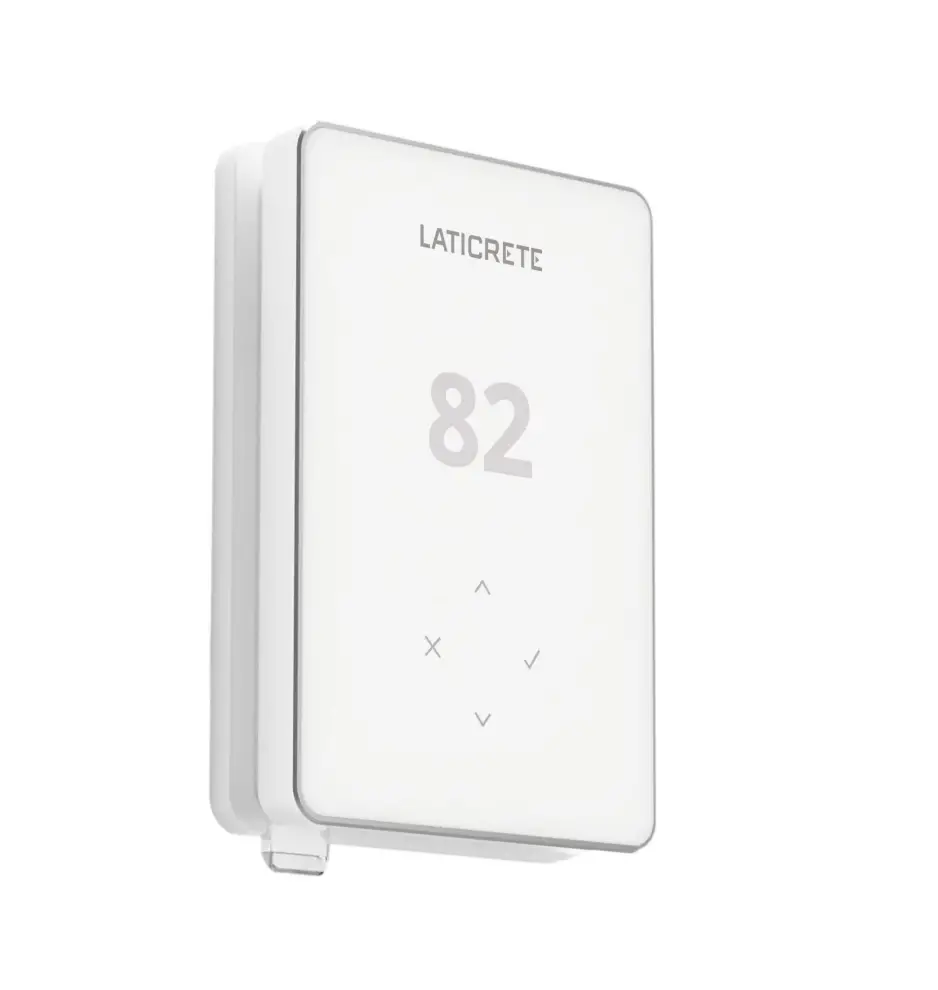
Wi-Fi Thermostat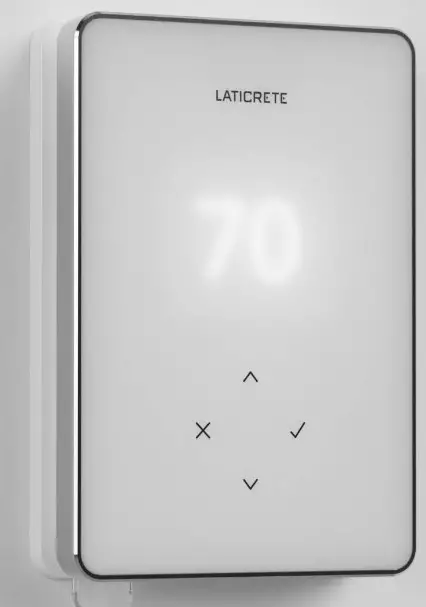
Technical helpline:
Assistance technique:
+1-203-393-0010 Ext 1235
 Welcome to the STRATA_HEAT ™
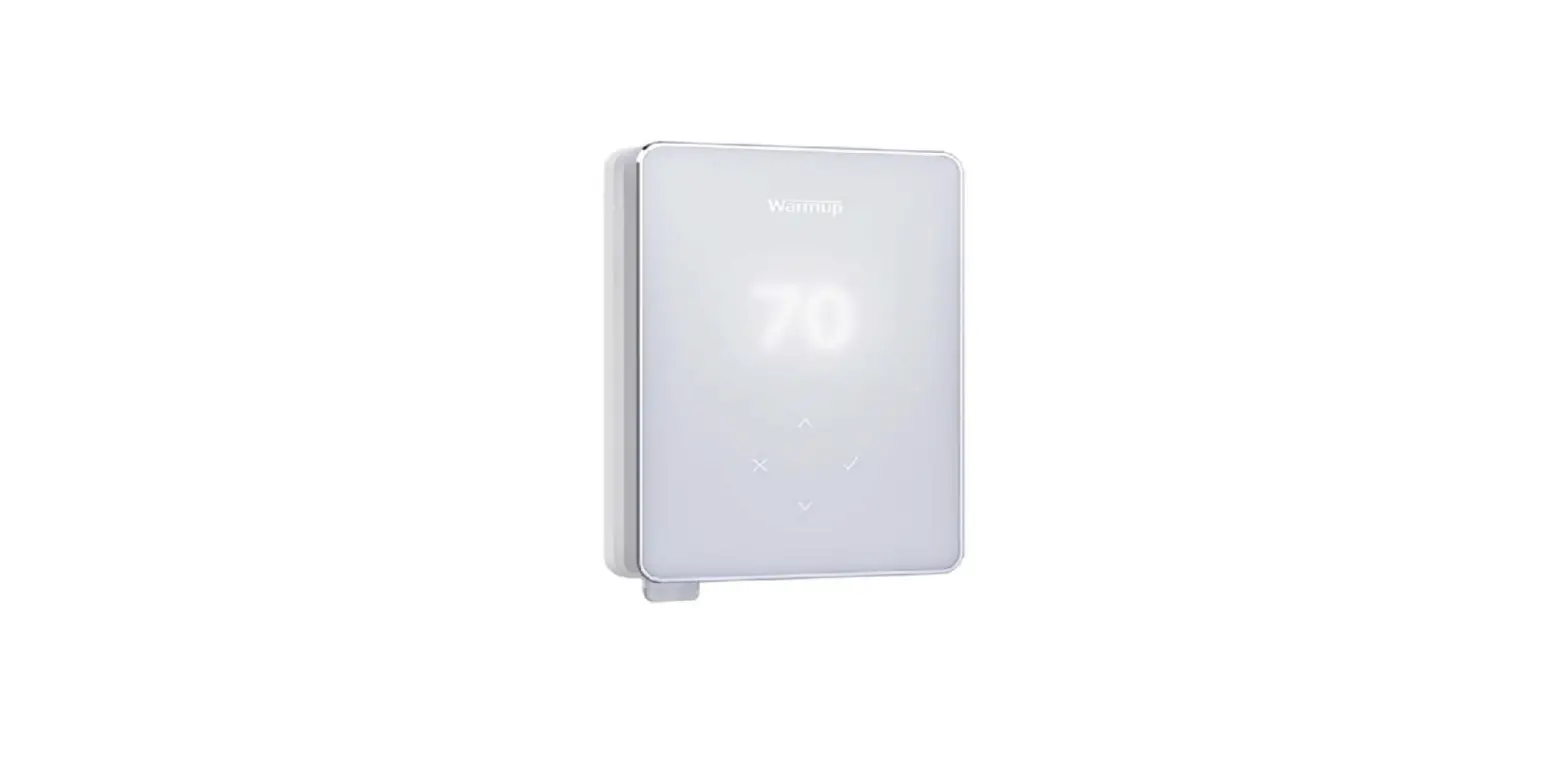
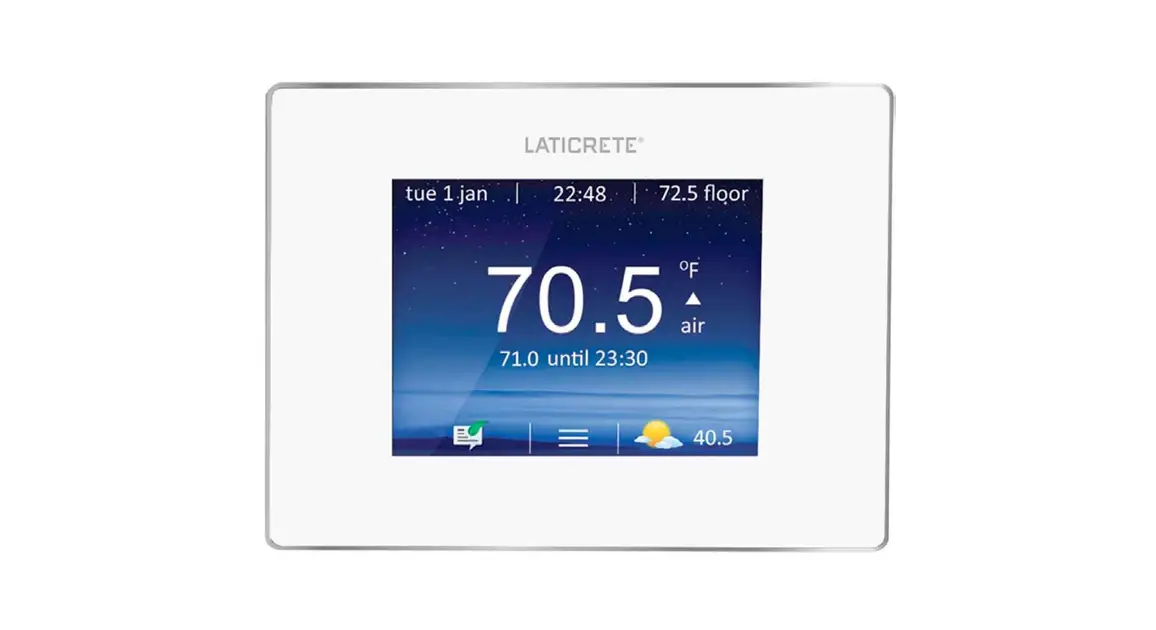
Wi-Fi Thermostat. The STRATA_HEAT Wi-Fi Thermostat is a Wi-Fi-enabled thermostat designed to provide timed regulation of electric underfloor heating systems.
- The thermostat must be installed by a qualified electrician. It requires a permanent 120-240V AC 60Hz supply. The thermostat contains a Class A GFCI with a 5mA trip level and wiring must conform to local electrical code.
- Isolate the thermostat from the main supply throughout the installation process.
- Conduits are only required where it is mandated by state or provincial code. Please refer to the local electrical code for compliant applications.
- The thermostat and its packaging are not toys; do not allow children to play with them. Small components and packaging present a risk of choking or suffocation.
- The thermostat is suitable for indoor use only. It must not be exposed to moisture, vibrations, mechanical loads, or temperatures outside of its rated values.
- For safety and licensing reasons, unauthorized change and/or modification of the thermostat is not permitted.
- Ensure the distance from your router to the thermostat is not excessive. This will ensure the wireless connection is not subject to range or interference issues once installed.
- Install the thermostat in an area with good ventilation. It should not be beside a window/door, in direct sunlight, or above another heat-generating device (e.g. radiator or TV).
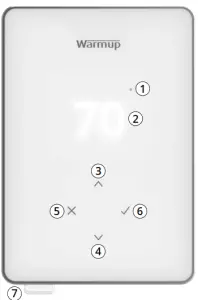
- Heating Indicator
- Current Floor/Air temperature
- & 4 Up / Down; Change value / setting
- Back / Cancel
- Next / Accept
- GFCI Test Button
Pack Contents
1 x thermostat
(Display & Power Base) with installation manual
1 x 3m NTC10K Sensor
2 x screws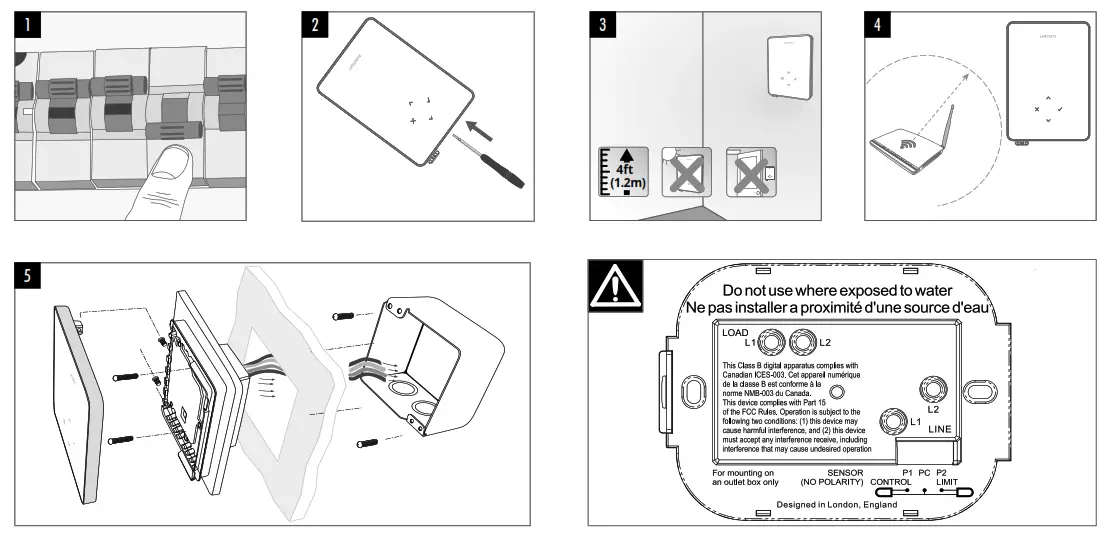
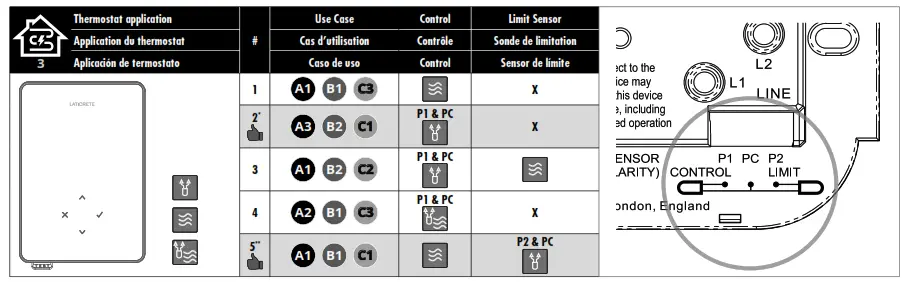
A1Thermostat in room
A2Thermostat out of room
A3The thermostat in/out of room
B1 Air temperature schedule
B2 Floor temperature schedule
C1 Floor limit
C2 Air limit
C3 No floor limit Internal air sensor
 Floor sensor
 Air sensor
 Recommended when the thermostat is out of the heated room
 Recommended when the thermostat is in the heated room
 Electric underfloor heating
 Hydronic underfloor heating
 Conventional
 Electric + relay
 Input wattage
 Input efficiency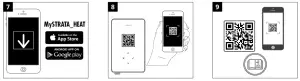
- Isolate the thermostat from the main supply.
- Unclip the display from the power base and remove the display.
- DO NOT install the thermostat near a window/door, in direct sunlight, or above another heat-generating device (e.g. radiator or TV).
- Ensure the distance from the router to the thermostat is not excessive to reduce range or interference issues.
- Install a 3-1/2” (89 mm) deep single gang or 2-gang box with mud ring in your preferred thermostat location. Pull wires (heater, supply, and sensor) through the gang box and complete terminal wiring. Insert fixing screws through mounting holes of the power base and tighten.
The thermostat must be installed by a qualified electrician in accordance with National Electrical Code (NEC/CEC)
WIRING CONNECTIONS
| LOAD L1 & L2 | Heater Load Max.15A (1800W – 120V, 3600W – 240V) |
| LINE L1 | Supply Live (120 V) |
| LINE L2 | Supply Neutral (120 V) / Supply Live (240 V) |
| P1 & PC | Probe 1 – Floor/Air Control Sensor (No Polarity) |
| P2 & PC | Probe 2 – Limit Sensor (No Polarity) |
 See thermostat applications.
Scan QR code, step 9, for online user guide which contains additional thermostat applications.
NOTE: The function of Probe 1, Probe 2 from Control/Limit Sensor can be swapped in settings.
6. Insert fixing screws through mounting holes of the power base and tighten. Re-attach the display to the power base and restore power to the thermostat. Follow the on-screen icons to set up your system.
7. Download the MySTRATA_HEAT App.
8. Open the MySTRATA_HEAT App and scan the QR code on the thermostat screen protector/reverse of the display and follow the instructions in the App to
complete setup.
9. Scan the QR Code for the full online user guide
Technical Specifications
| Model | 0804-0403-XX |
| Voltage | 110V – 240V AC +/-15% 50Hz/60Hz |
| Protection | II |
| Max. Load | 15A resistive (120 V – 1800W, 240 V – 3600W) |
| GFCI | Class A GFCI with 5mA trip level |
| Rated impulse voltage | 4000V |
| Automatic action | 100,000 |
| Disconnection means | 1B |
| Pollution degree | 2 |
| Max. Ambient Temperature | 40°C / 104°F (T40) |
| Relative Humidity | 80% |
| IP Rating | IP30 |
| Sensors | Floor/Air |
| Sensor Type | NTC10K @ 25°C |
| Operating Frequency | 2401 – 2484MHz |
| Max. Radio-Frequency Power | 20dBm |
| Compatibility | Electric underfloor heating |
| Standards | UL-60730-1 UL-60730-2-9 UL-943 CAN/CSA-E60730-1 CAN/CSA-E60730-2-9 CAN/CSA-C22.2 No. 144.1 FCC 47 CFR Part 15, ICES-0031 |
Warranty
LATICRETE warrants this product, to be free from defects in the workmanship or materials, under normal use and service, for 1 year from the date of purchase by the consumer.
If at any time during the warranty period the product is determined to be defective, LATICRETE shall repair or replace it, at LATICRETE’s option. If the product is defective, please either;
Return it, with a bill of sale or other dated proof of purchase, to the place from which you purchased it, or Contact LATICRETE. LATICRETE will determine whether the product should be returned or replaced.
The 1-year warranty only applies if the product is registered with LATICRETE within 30 days after purchase. Registration can be completed online at www.laticrete.com
This warranty does not cover removal or re-installation costs and shall not apply if it is shown by LATICRETE that the defect or malfunction was caused by failure to follow the instruction manuals, incorrect installation or damage which occurred while the product was in the possession of a consumer. The sole responsibility of LATICRETE shall be to repair or replace the product within the terms stated above. This warranty does not extend to any associated software such as apps or portals.
LATICRETE SHALL NOT BE LIABLE FOR ANY LOSS OR DAMAGE OF ANY KIND, INCLUDING ANY INCIDENTAL OR CONSEQUENTIAL DAMAGES RESULTING, DIRECTLY OR INDIRECTLY, FROM ANY BREACH OF ANY WARRANTY, EXPRESS OR IMPLIED, OR ANY OTHER FAILURE OF THIS PRODUCT. THIS WARRANTY IS THE ONLY EXPRESS WARRANTY LATICRETE MAKES ON THIS PRODUCT. THE DURATION OF ANY IMPLIED WARRANTIES, INCLUDING HIS WARRANTIES OF MERCHANTABILITY AND FITNESS FOR A PARTICULAR PURPOSE, IS HEREBY LIMITED TO THE ONE-YEAR DURATION OF THIS WARRANTY.
This Warranty does not affect your statutory rights.
Important Notices
FCC Notice
This device complies with Part 15 of the FCC Rules. Operation is subject to the following two conditions:
(1) this device may not cause harmful interference, and
(2) this device must accept any interference received, including interference that may cause undesired operation.
Warning: Changes or modifications to this unit not expressly approved by the party responsible for compliance could void the user’s authority to operate the equipment.
NOTE: This equipment has been tested and found to comply with the limits for a Class B digital device, pursuant to Part 15 of the FCC Rules. These limits are designed to provide reasonable protection against harmful interference in a residential installation. This equipment generates, uses, and can radiate radio frequency energy and, if not installed and used in accordance with the instructions, may cause harmful interference to radio communications. However, there is no guarantee that interference will not occur
in a particular installation. If this equipment does cause harmful interference to radio or television reception, which can be determined by turning the equipment off and on, the user is encouraged to try to correct the interference by one or more of the following measures:
– Reorient or relocate the receiving antenna.
– Increase the separation between the equipment and receiver.
– Connect the equipment into an outlet on a circuit different from that to which the receiver is connected.
– Consult the dealer or an experienced radio TV technician for help.
Caution: To maintain compliance with the RF exposure guidelines, place the unit at least 8″ (20 cm) from nearby persons.
IC Statement
This device complies with Industry Canada Licence-exempt RSS-247. Operation is subject to the following two conditions:
(1) This device may not cause interference, and
(2) This device must accept any interference, including interference that may cause undesired operation of the device.
Caution: To maintain compliance with the RF exposure guidelines, place the unit at least 8″ (20 cm) from nearby persons.
GFCI Notice
The GFCI feature is used to detect any leakage of current from your heating system. During a ground fault, the two lines of the load will be cut off. Once your thermostat is installed and connected to a power supply you can test the GFCI function by increasing the set temperature until heating is on – the heat up icon (  ) will be illuminated – and pressing the “TEST” button.
 If your test is successful you will see the GFCI error icon and you will need to hold “X” for 3 seconds in order to restore heating operation. GFCI
In the following circumstances, you should immediately isolate the power supply to the thermostat and contact our helpline:  If the thermostat detects that one of the relays has FAILED. If the GFCI icon does not appear having pressed the test button.
NOTE: The GFCI test should be carried out monthly.
LATICRETE International, Inc.
One LATICRETE Park North, Bethany, CT 06524-3423 the USA
1.800.243.4788
+1.203.393.0010
www.laticrete.com
DS-046.4.2-0921
©2021 LATICRETE International, Inc. All trademarks shown are the intellectual properties of their respective owners.