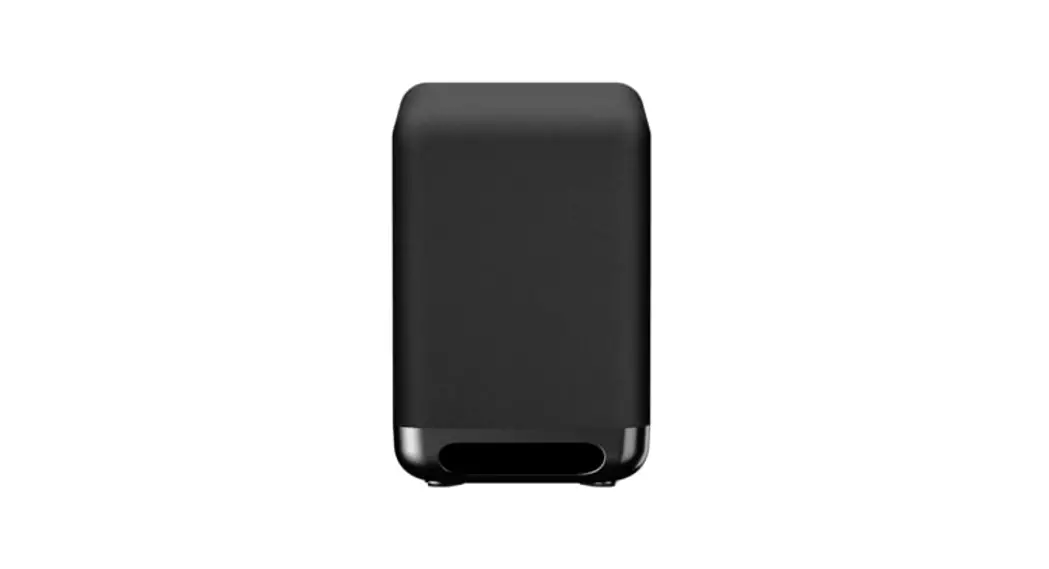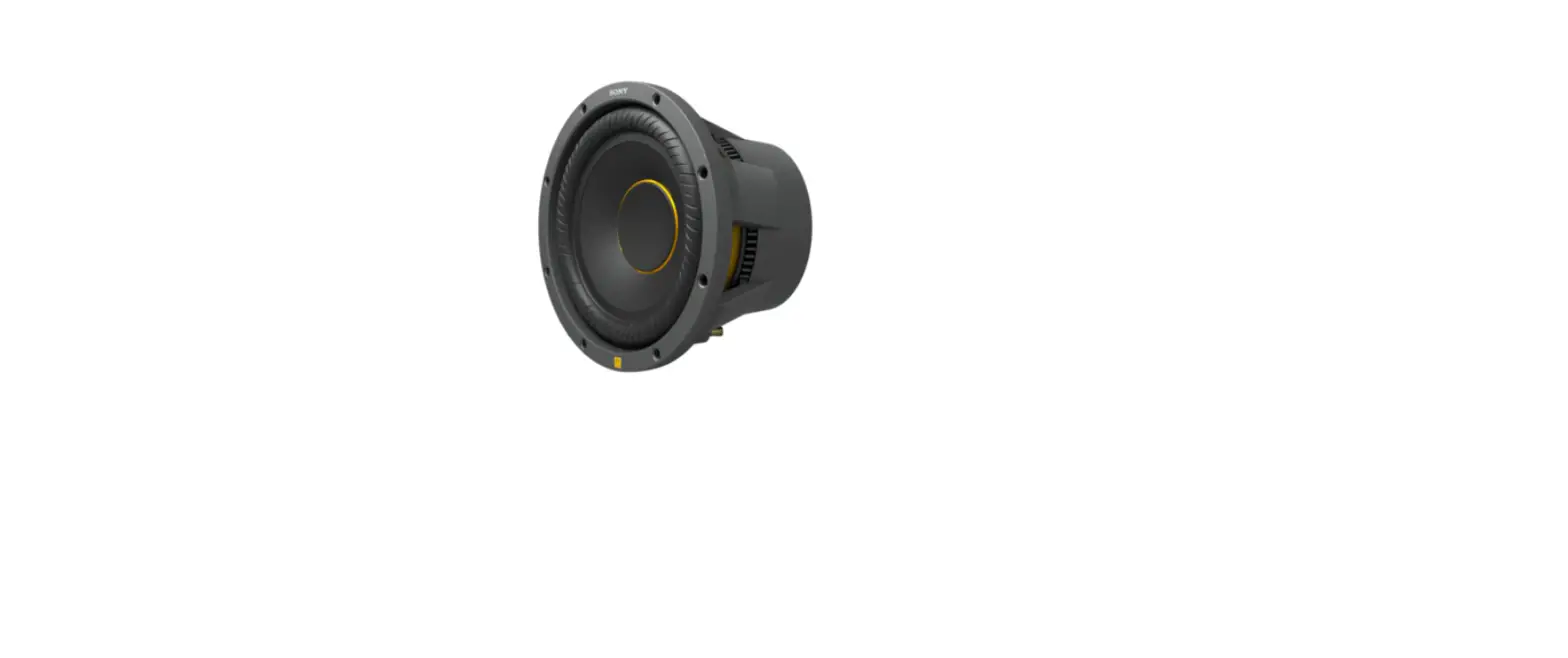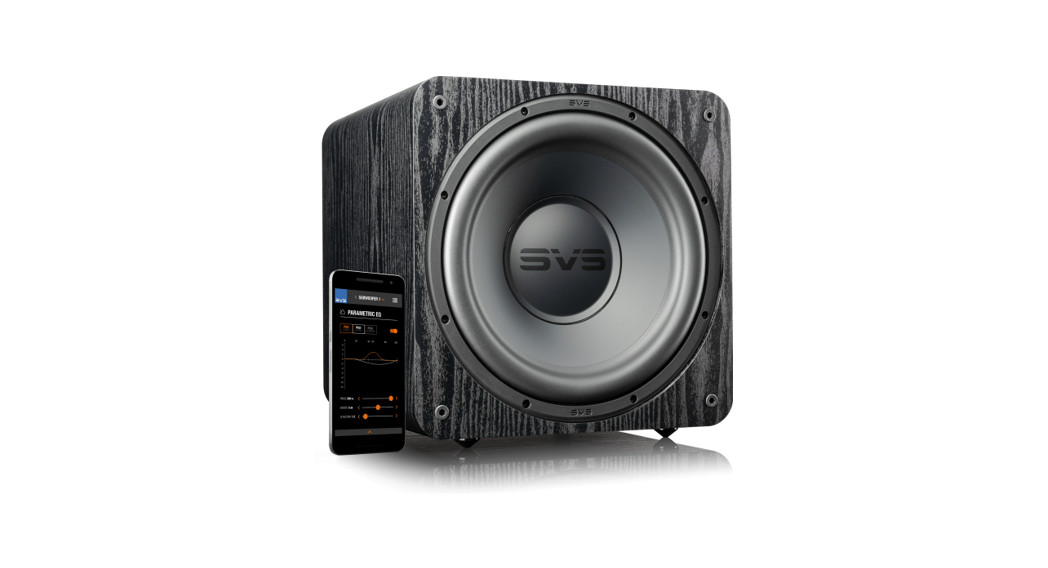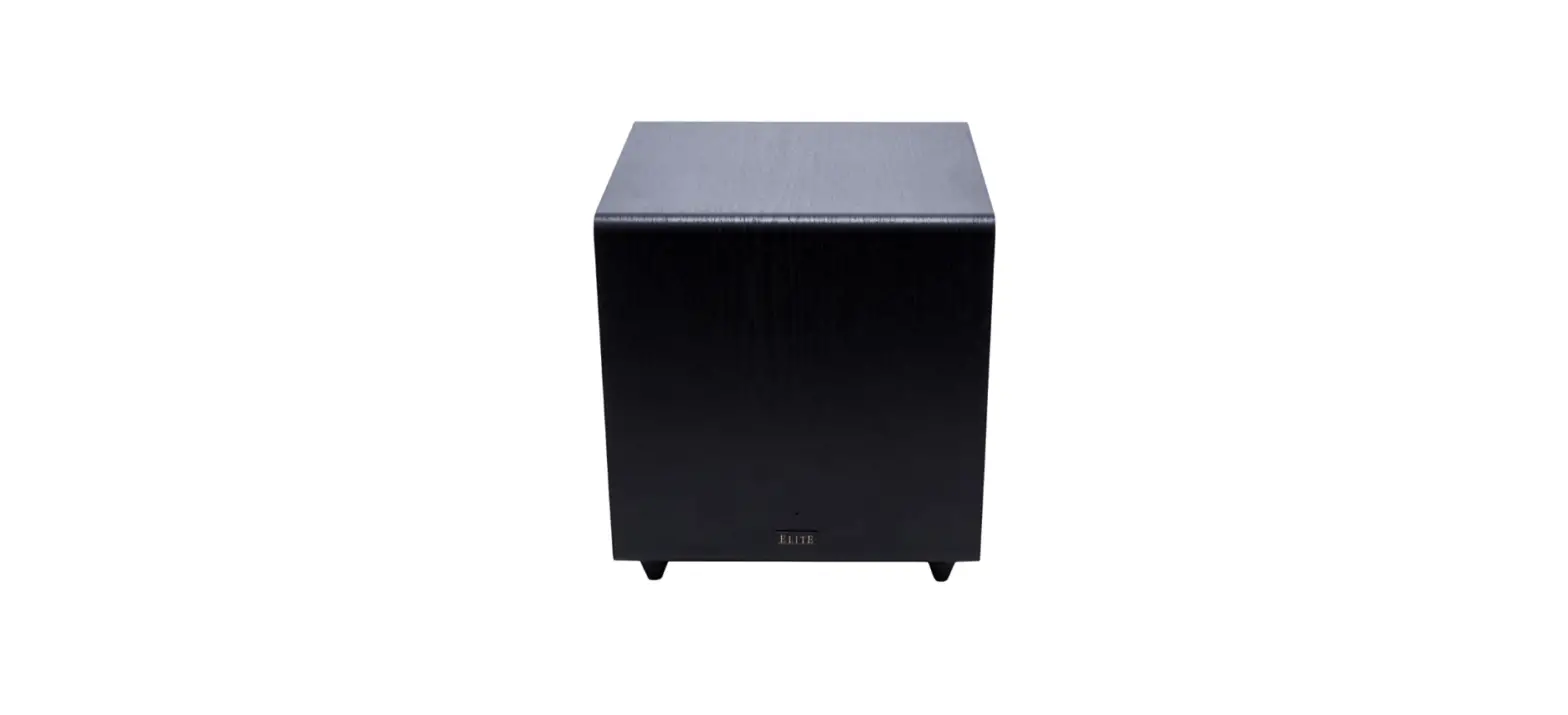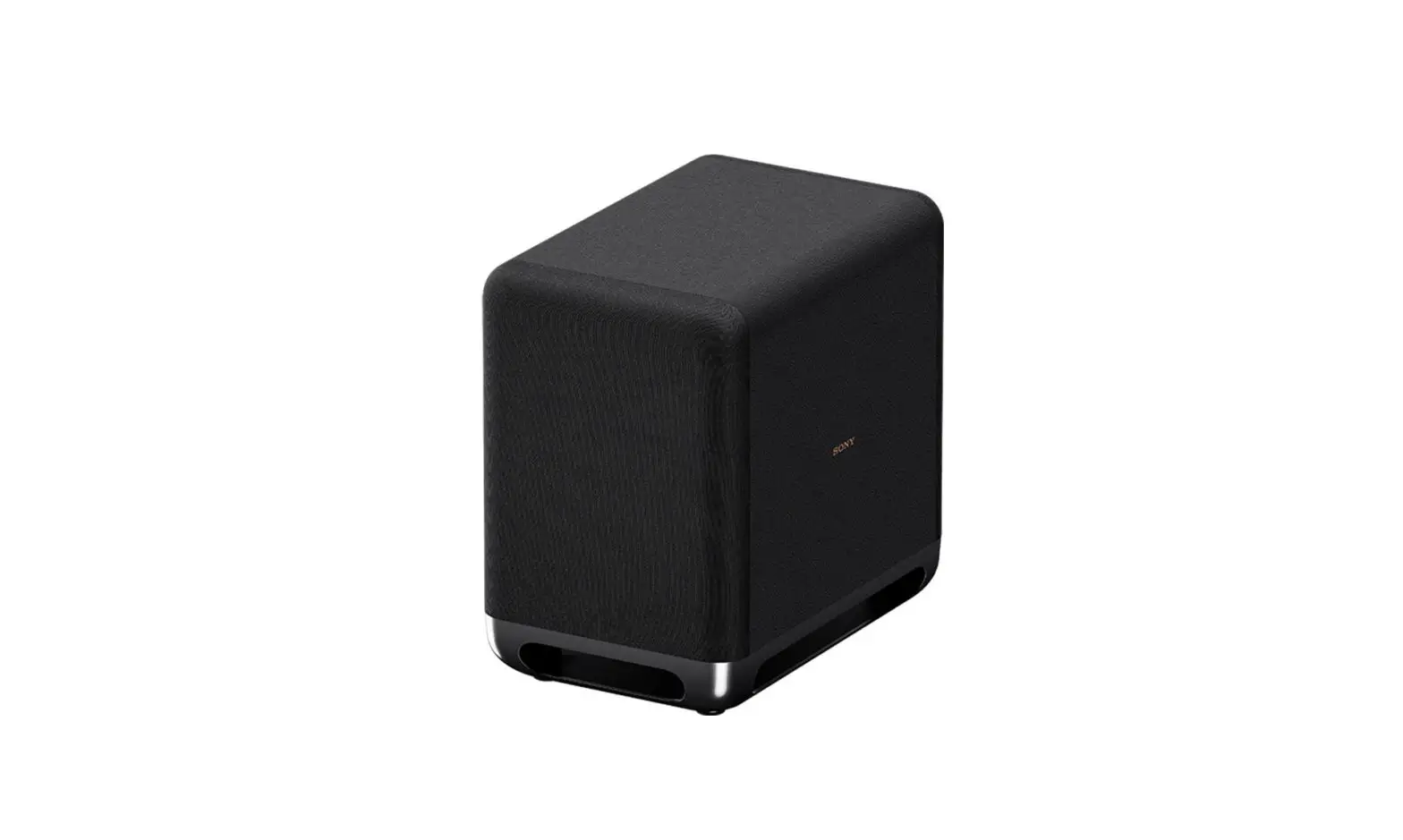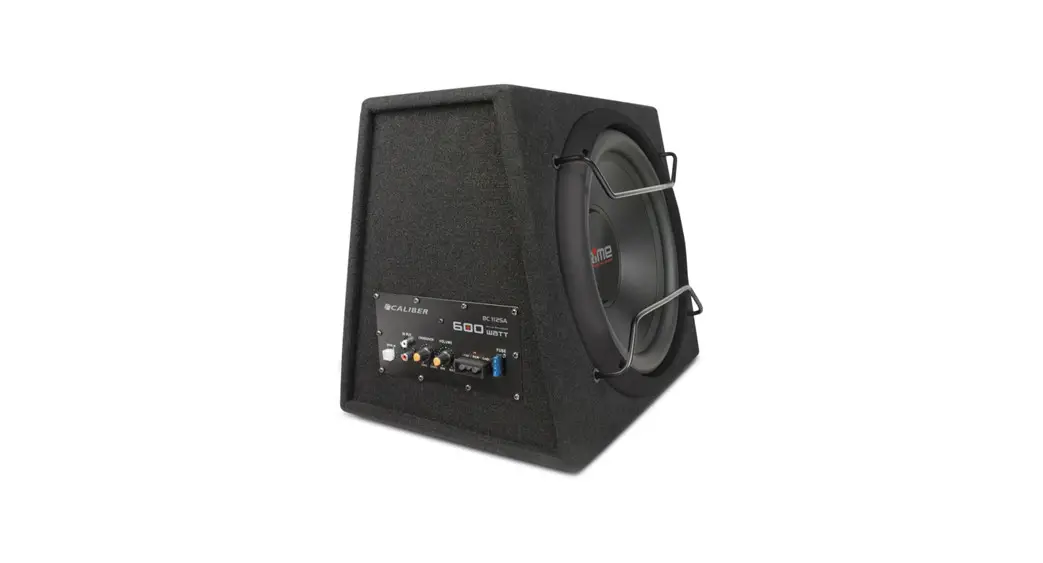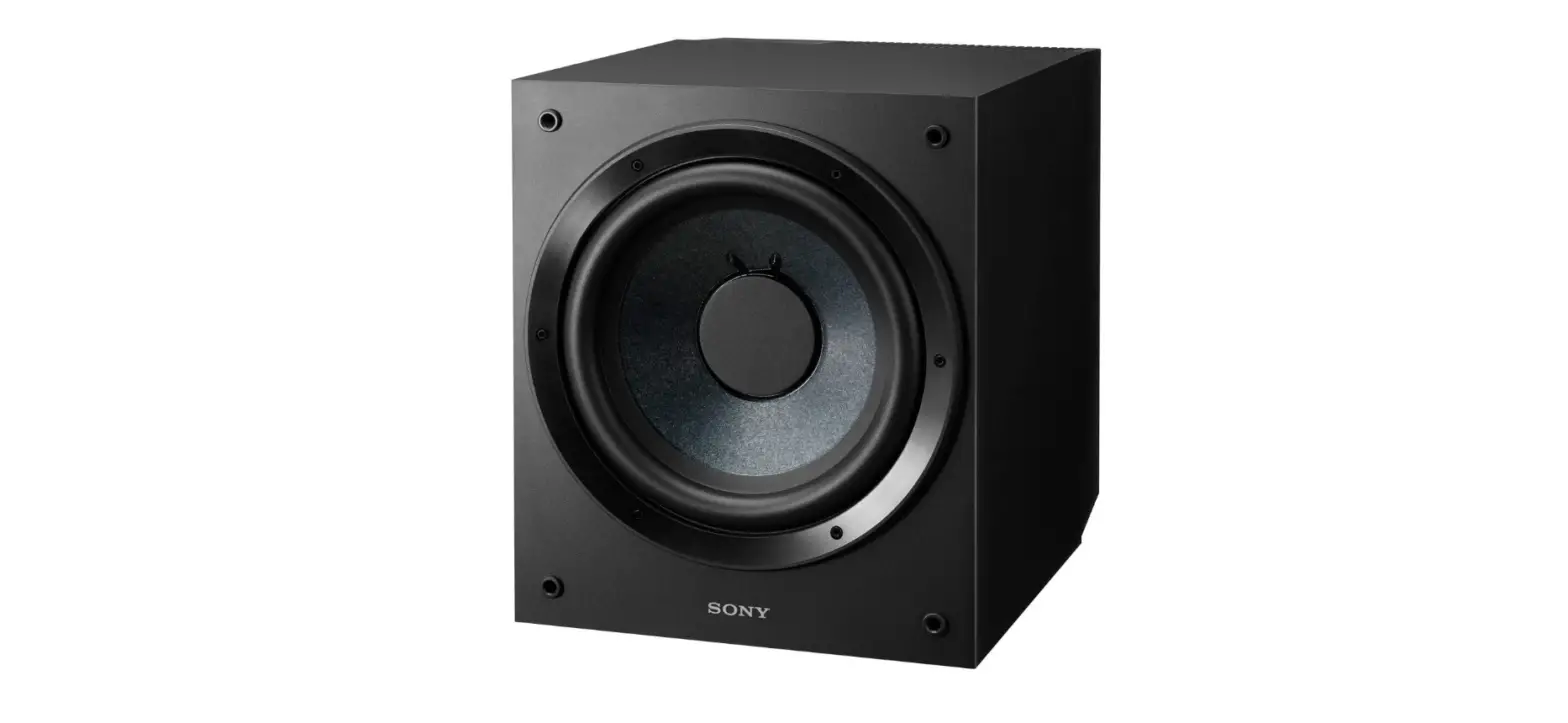

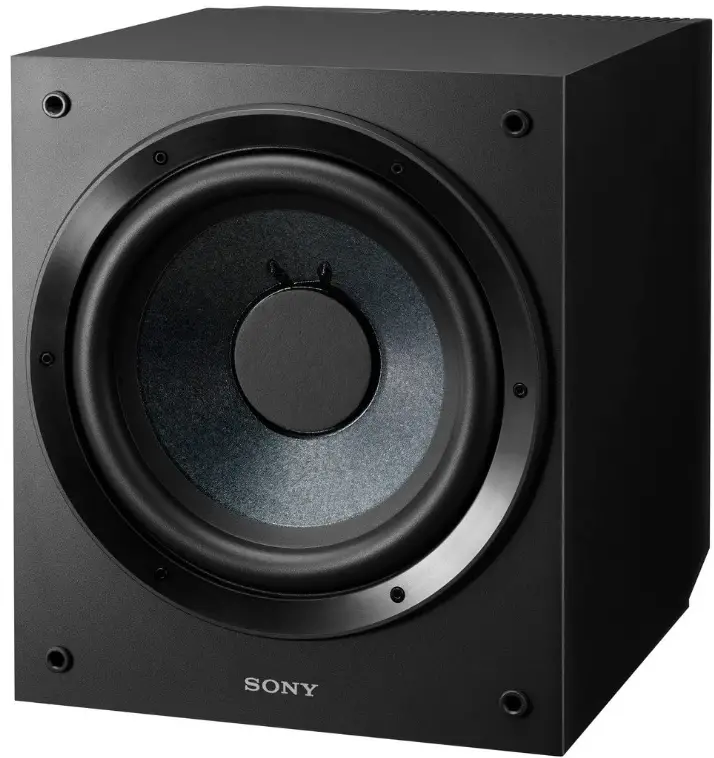
Sony SACS9 10-Inch Active Subwoofer
Important Safety Instructions
- Read these instructions.
- Keep these instructions.
- Heed all warnings.
- Follow all instructions.
- Do not use this apparatus near water.
- Clean only with dry cloth.
- Do not block any ventilation openings. Install in accordance with the manufacturer’s instructions.
- Do not install near any heat sources such as radiators, heat registers, stoves, or other apparatus (including amplifiers) that produce heat.
- Do not defeat the safety purpose of the polarized or grounding-type plug. A polarized plug has two blades with one wider than the other. A grounding type plug has two blades and a third grounding prong. The wide blade or the third prong are provided for your safety. If the provided plug does not fit into your outlet, consult an electrician for replacement of the obsolete outlet.
- Protect the power cord from being walked on or pinched particularly at plugs, convenience receptacles, and the point where they exit from the apparatus.
- Only use attachments/accessories specified by the manufacturer.
- Use only with the cart, stand, tripod, bracket,or table specified by the manufacturer, or sold with the apparatus. When a cart is used, use caution when moving the cart/apparatus combination to avoid injury from tip-over.
- Unplug this apparatus during lightning storms or when unused for long periods of time.
- Refer all servicing to qualified service personnel. Servicing is required when the apparatus has been damaged in any way, such as power-supply cord or plug is damaged, liquid has been spilled or objects have fallen into the apparatus, the apparatus has been exposed to rain or moisture, does not operate normally, or has been dropped.
WARNING
- To reduce the risk of fire or electric shock, do not expose this apparatus to rain or moisture.
- To reduce the risk of fire, do not cover the ventilation opening of the appliance with newspapers, tablecloths, curtains, etc.
- Do not expose the appliance to naked flame sources (for example, lighted candles).
- To reduce the risk of fire or electric shock, do not expose this appliance to dripping or splashing, and do not place objects filled with liquids, such as vases, on the appliance.
- As the main plug is used to disconnect the unit from the mains, connect the unit to an easily accessible AC outlet. Should you notice an abnormality in the unit, disconnect the main plug from the AC outlet immediately.
- Do not install the appliance in a confined space, such as a bookcase or built-in cabinet.
- The unit is not disconnected from the mains as long as it is connected to the AC outlet, even if the unit itself has been turned off.
For customers in the United States
Owner’s Record
The model and serial numbers are located on the rear of the unit. Record these numbers in the space provided below. Refer to them whenever you call upon your Sony dealer regarding this product.
Model No. Serial No.
This symbol is intended to alert the user to the presence of uninsulated “dangerous voltage” within the product’s enclosure that may be of sufficient magnitude to constitute a risk of electric shock to persons.
This symbol is intended to alert the user to the presence of important operating and maintenance (servicing) instructions in the literature accompanying the appliance.
For customers in Europe
Disposal of Old Electrical & Electronic Equipment (Applicable in the European Union and other European countries with separate collection systems) This symbol on the product or on its packaging indicates that this product shall not be treated as household waste. Instead it shall be handed over to the applicable collection point for the recycling of electrical and electronic equipment. By ensuring this product is disposed of correctly, you will help prevent potential negative consequences for the environment and human health, which could otherwise be caused by inappropriate waste handling of this product. The recycling of materials will help to conserve natural resources. For more detailed information about recycling of this product, please contact your local Civic Office, your household waste disposal service or the shop where you purchased the product.
Notice for customers: The following information is only applicable to equipment sold in countries applying EU Directives.
This product has been manufactured by or on behalf of Sony Corporation, 1-7-1 Konan Minatoku Tokyo, 108-0075 Japan. Inquiries related to product compliance based on European Union legislation shall be addressed to the authorized representative, Sony Deutschland GmbH,Hedelfinger Strasse 61, 70327 Stuttgart, Germany.
For any service or guarantee matters, please refer to the addresses provided in the separate service or guarantee documents.
Precautions
On safety
- Before operating the subwoofer, be sure that the operating voltage of your subwoofer is identical with that of your local power supply.
- Unplug the subwoofer from the wall outlet if it is not to be used for an extended period of time. To disconnect the cord, pull the cord by grasping the plug. Never pull the cord itself.
- Should any liquid or solid object fall into the subwoofer, unplug the subwoofer and have the subwoofer checked by qualified personnel before operating it any further.
- AC power cord must be changed only at the qualified service shop.
When turning on or off an amplifier orother equipment
Lower the volume of the amplifier tominimum.
To avoid damaging the subwoofer - Be careful in setting the volume control of the amplifier to avoid an excessive input power.
- Do not attempt to open the enclosure or remove speaker units and networks.
- Do not press the dust cap intentionally or unintentionally.
On installation - Do not place the speakers in locations that are:
- Extremely hot or cold
- Dusty or dirty
- Very humid
- Subject to vibrations
- Subject to direct sunlight
- Near magnetic cards (credit cards, commuter passes, etc.)
Magnetic cards may fail due to the magnets in the speaker units. - Near televisions
The speakers are not magnetically shielded. Therefore, if you use the speakers near CRT-based televisions, color shading occurs on the television screen.
- Good ventilation is essential to prevent internal heat build-up in the subwoofer. Place the subwoofer in a location with adequate air circulation. Do not place the subwoofer on a soft surface or too close to a wall as this may obstruct the ventilation hole on the back.
- Use caution when placing the subwoofer on a specially treated (waxed, oiled, polished, etc.) floor, as staining or discoloration may result.
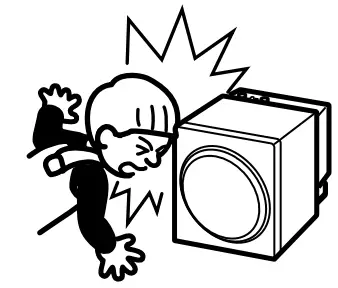
- Take care to avoid any possible injury on the corners of the subwoofer.

On cleaning the cabinet
Clean the cabinet with a soft cloth lightly moistened with water. Do not use any type of abrasive pad, scouring powder or solvent such as alcohol or benzine. If you have any questions or problems concerning your subwoofer that is not covered in this manual, please consult your nearest Sony dealer.
Installation
Since the human ear cannot detect the direction and position where the bass sound being reproduced by a subwoofer (below 200 Hz) comes from, you can install the subwoofer wherever you like in your room. To obtain a better bass reproduction, we recommend you to install the subwoofer on a solid floor where the resonance is unlikely to occur. You can obtain a sufficient heavy bass reproduction from a single subwoofer. However if you use a couple of the subwoofers, you can obtain an even more effective heavy bass reproduction.
Notes
- Always install the subwoofer vertically, keeping a few centimeters away from the wall.
- Do not place an object on the subwoofer or sit on it.
- If the subwoofer is installed in the center of a room, the bass could be extremely weakened. This is due to the influence of the standing wave of the room. If this happened, move the subwoofer away from the center of a room or eliminate the cause of the standing wave, by installing a bookshelf on the wall, etc.
Hooking Up the System
Overview
Use the LINE IN jacks or the SPEAKER IN terminals of the subwoofer when you connect the amplifier (A).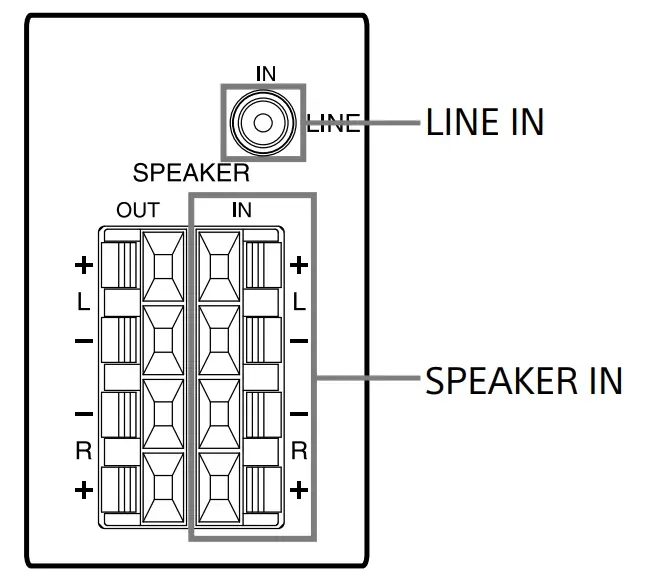
- If your amplifier has one of the following types of output jacks, connect the LINE INjack and the amplifier’s jack using the supplied audio connecting cord.
- MONO OUT jack
- MIX OUT jack
- SUBWOOFER output jack(s)
- SUPER WOOFER output jack(s)
- If your amplifier does not have the above mentioned output jacks, connect the speaker terminals of the amplifier to the SPEAKER IN terminals instead. Before you get started
- Turn off the power of the amplifier and the subwoofer before making any connection.
- Use the audio connecting cords that are supplied to the respective equipment. If there are not enough audio connecting cords to make the necessary connections, you need to purchase some optional audio connecting cords.
- Be sure to make connections firmly to avoid noise.
- Connect the AC power cord from the subwoofer to a wall outlet.
- You cannot connect the CENTER output jack for use with Dolby Pro Logic function to the subwoofer. Bass sound is not output with some Dolby Pro Logic modes.
Connecting to an amplifier with a single set of speaker terminals
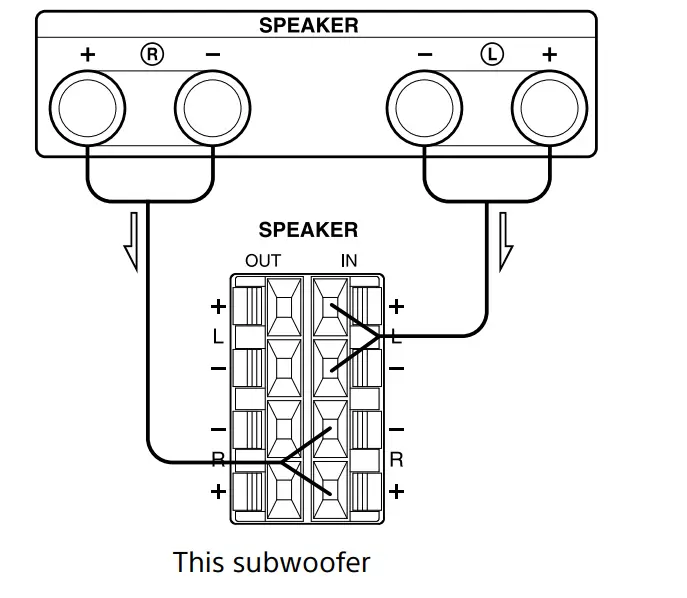
Connect the subwoofer to the amplifier and then connect the front speakers to the subwoofer.
- Connect the subwoofer to the amplifier. (B) Connect the SPEAKER IN terminals of the subwoofer to the amplifier’s speaker terminals with the speaker cords. Be sure to connect both L and R channels.

- Connect the front speakers to the subwoofer. (C)

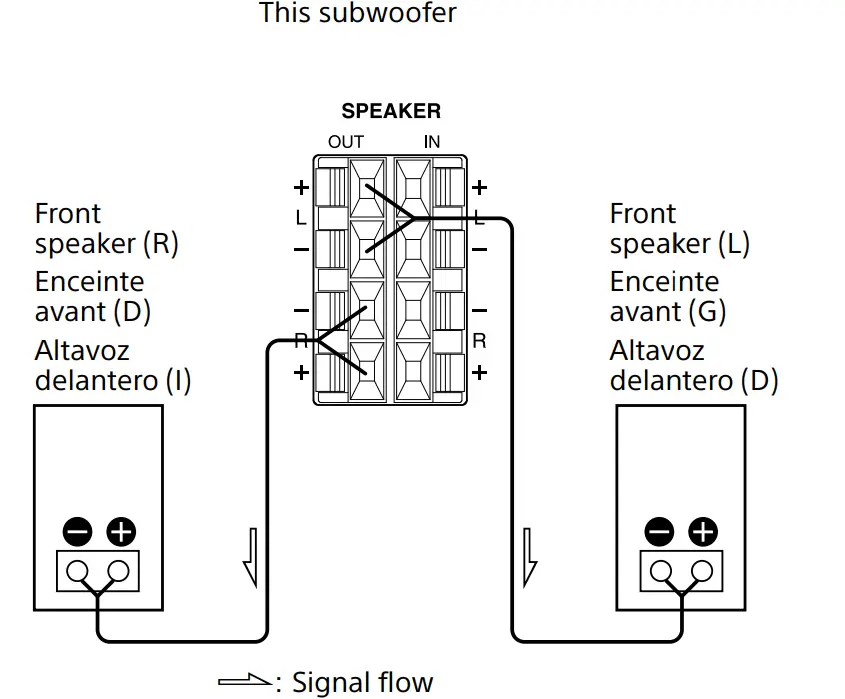
Connect the speakers to the SPEAKER
OUT terminals of the subwoofer.
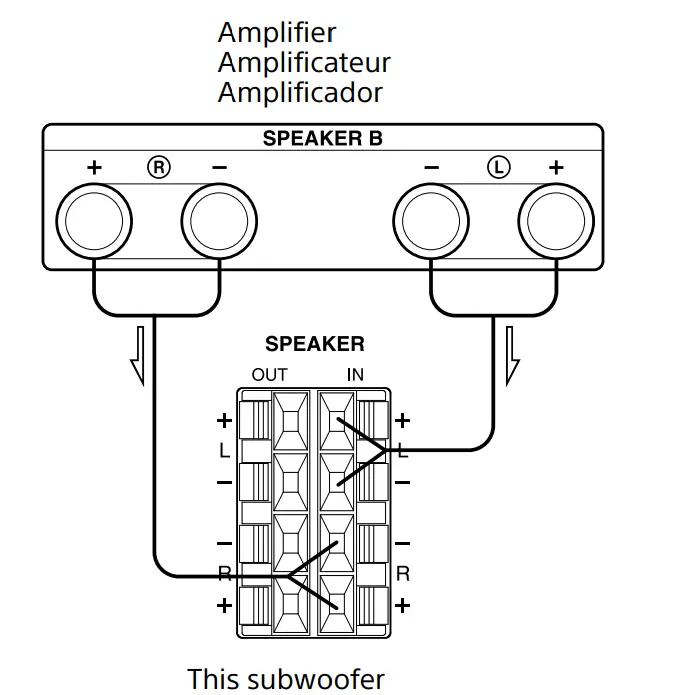
Connecting to an amplifier with double (A + B) sets of speaker terminals.
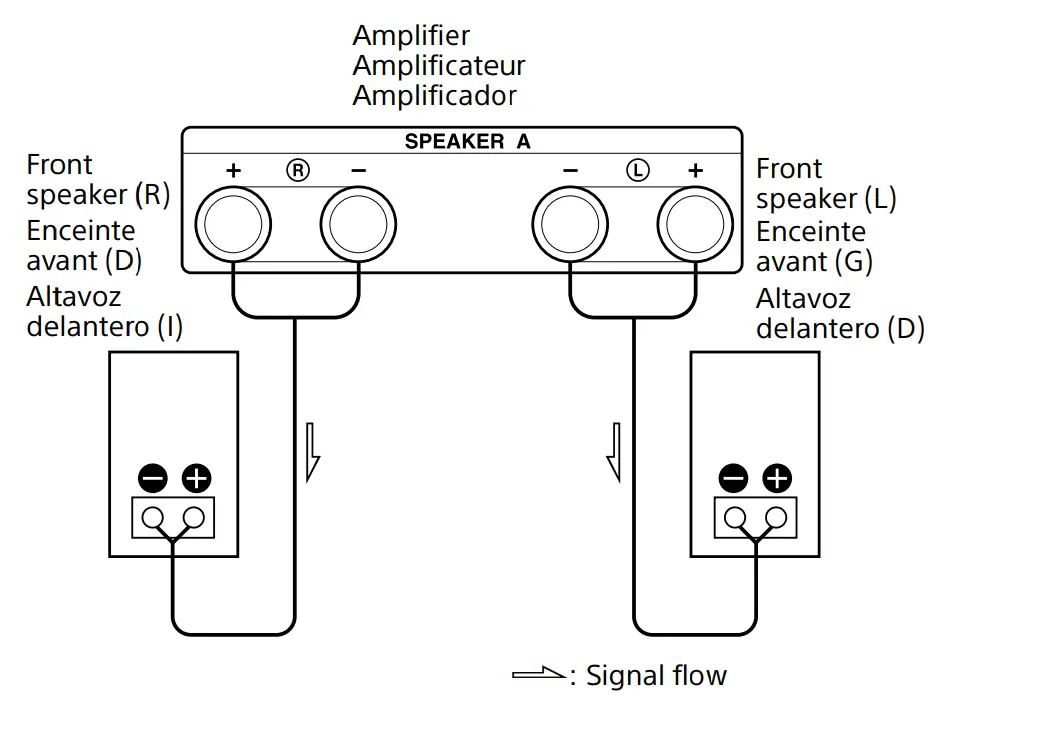
If your amplifier has double (A + B) sets of speaker terminals, connect both the subwoofer and the front speakers to the amplifier.
- Connect the front speakers to the amplifier. (D)

Connect the speakers to your amplifier’s SPEAKER A terminals. - Connect the subwoofer to the amplifier. (E)

Connect the SPEAKER IN terminals of the subwoofer to the amplifier’s SPEAKER B terminals using speaker cords (not supplied).
When using the double (A + B) sets of speakers, make sure that you select the “A + B” position with your amplifier.
Note
When you are using SPEAKER A terminals only (front speaker only) or when the power of the amplifier is turned off, turn down the volume or turn off the power of the subwoofer otherwise, hum noise may be heard.
Connecting to an amplifier with a special jack for a subwoofer
If your amplifier has a special jack for a subwoofer (like a MONO OUT jack, MIX OUT jack, SUBWOOFER jack or SUPER WOOFER jack), connect the LINE IN jack of the subwoofer to one of those jacks using the supplied audio connecting cord. (F)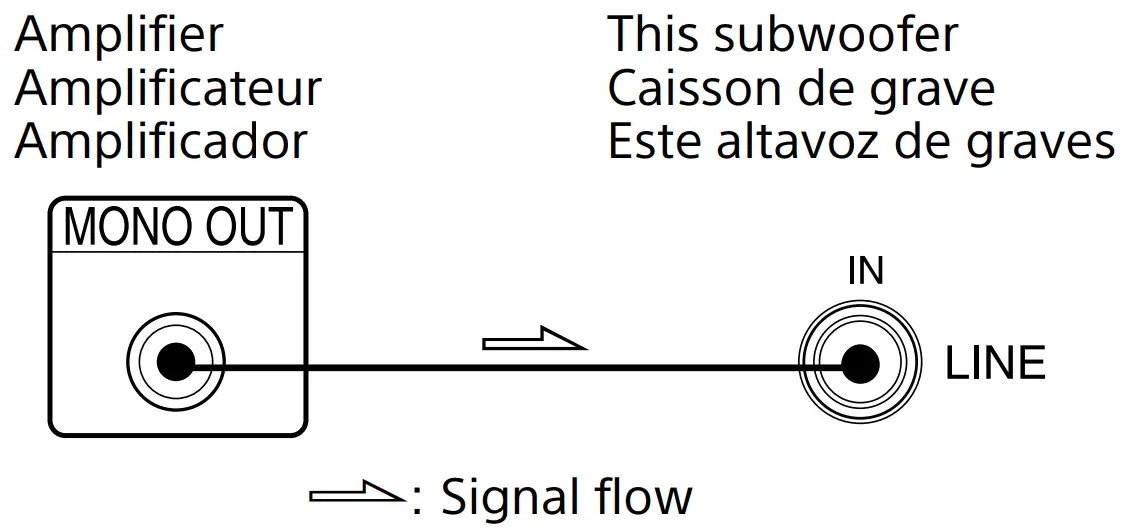
Hookups
Connect the MONO OUT jack of your amplifier to the LINE IN jack of the subwoofer with the supplied audio connecting cord. (G)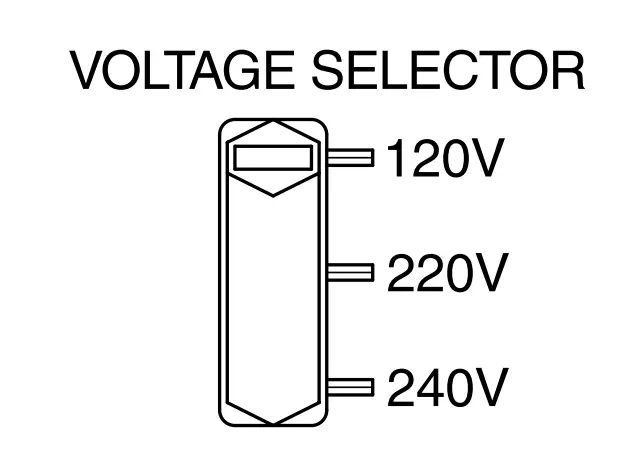
Note
If the output level of your amplifier is not large enough, the sound may not be loud enough. In this case, connect the speaker terminals of the amplifier directly to the SPEAKER IN terminals of the subwoofer.
Setting the voltage selector (voltage selector equipped models only) (H)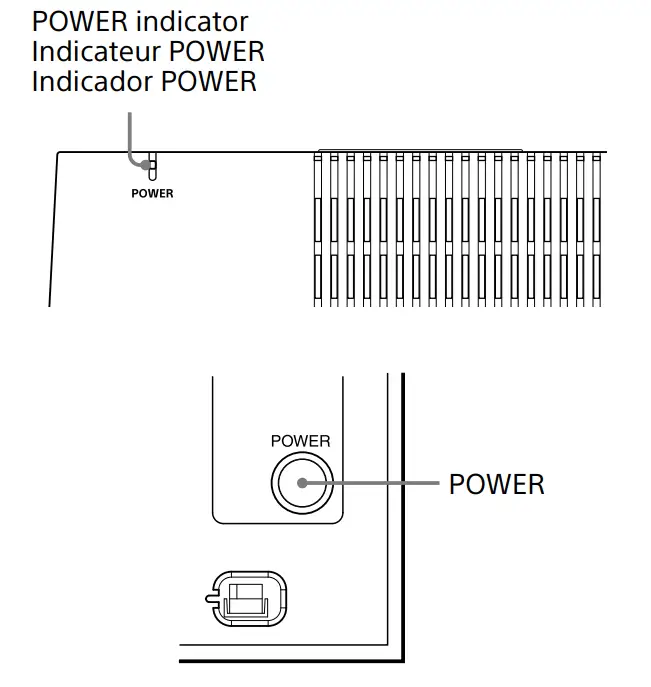
Check that the voltage selector on the rear panel of the subwoofer is set to the local power line voltage. If not, set the selector to the correct position using a screwdriver before connecting the AC power cord to a wall outlet.
- Connect the AC power cord from the subwoofer and from your amplifier to a wall outlet.
- Make sure that power to the subwoofer is turned off before you plug in or unplug any power cord.
Listening to the Sound (I)

- Turn on the amplifier and select the program source.
- Press POWER.
The subwoofer turns on and the POWER indicator lights up in green. - Play the program source.
Adjust the VOLUME so that sound fromthe front speakers is not distorted. If it is distorted, the sound from the subwoofer will also be distorted.
To turn on and off the power automatically
Auto power on/off function (J)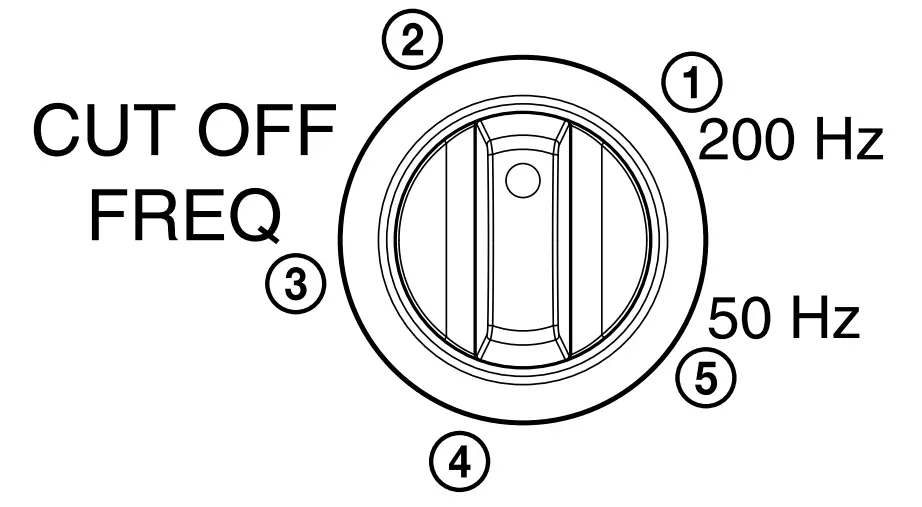
When the subwoofer is on (i.e, the POWER indicator lights up green) and there is no signal input for a few minutes, the POWER indicator changes to red and the subwoofer enters power saving mode. While in this mode a signal is input to the subwoofer, thesubwoofer automatically turns on (auto power on/off function). To turn this feature off, slide the POWER SAVE switch on the rear panel to OFF.
Notes
- Never set the amplifier’s tone control (BASS, TREBLE, etc.) or the equalizer output to a high level or input sine curves of 20 Hz to 50 Hz recorded on a commercially-available test disc or special sound (bass sound of electronic musical instrument, pop noise of analog disc turntable, sound with abnormally enhanced bass, etc.) in a high level to this unit. These actions may cause damage to the speakers.
- When a special disc containing abnormally enhanced bass is played, noise may be output in addition to the original sound. In such a case, decrease the sound level.
- The subwoofer output signal (DOLBY digital signal) of the digital surround processor sold singularly is set 10 dB higher by Dolby Laboratories Licensing Corporation. In thecase of using normally, adjust the subwoofer level.
- If you turn down the volume level of the amplifier too low, the auto power on/off function may activate, causing the subwoofer to enter power saving mode.
Adjusting the Sound
You can adjust the sound of the subwoofer to suit the sound of your front speakers. Reinforcing the bass sound gives you a greater sense of atmosphere.
- Adjust the cut-off frequency. (K)
 Turn the CUT OFF FREQ control, depending on the reproduction frequencies of your front speakers.
Refer to the following when adjusting.- Typical very small-sized speakers: 4 – 5 cm (1 5/8 – 2 in.) dia.
- Typical small-sized speakers:6 – 8 cm (2 3/8 – 3 1/8 in.) dia.
- A typical medium-sized speakers:9 – 15 cm (3 5/8 – 5 7/8 in.) dia.
- Typical large-sized speakers: 16 – 24 cm (6 3/8 – 9 1/2 in.) dia.
- Typical very large-sized speakers: more than 25 cm (9 7/8 in.) dia.
To make the most of the low-level converter function
When playing back the sound of LFEsignals, Dolby Digital, or DTS, we recommend setting the CUT OFF FREQ control to 200Hz (maximum) to obtain the best performance from the low-level converter function
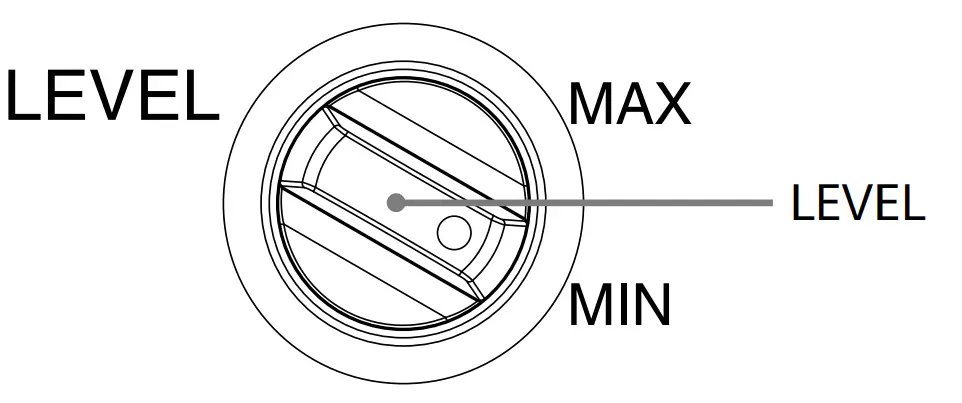
- Adjust the volume level of the subwoofer. (L) Turn the LEVEL control so that you can hear the bass sound a little more than before. To increase the volume, turn the control clockwise. To decrease the volume, turn the control counterclockwise.

- Play your favorite song and movie. Male vocal tunes and voice-containing bass sounds are most suitable for adjustment. Turn the volume for the front speakers to the same level as usual.
- Select the phase polarity. (M) Use the PHASE selector to select the phase polarity

- Repeat steps 1 to 4 to adjust for your preference.
Once you have adjusted the subwoofer to the settings you desire, use the VOLUME control on the amplifier to adjust the volume of the subwoofer with that of the other speakers. You don’t need to adjust the subwoofer settings when you change the volume level of the amplifier.
 Turn the CUT OFF FREQ control, depending on the reproduction frequencies of your front speakers.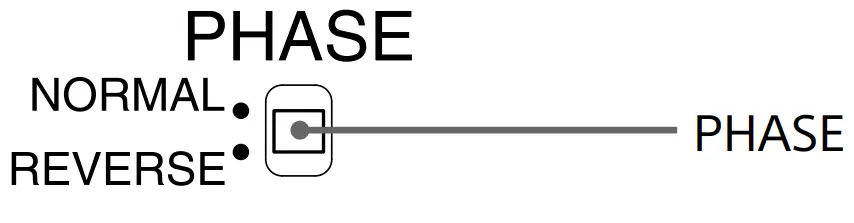
Notes
- If the sound distorts when you turn on the bass reinforcement from your amplifier (such as, D.B.F.B., GROOVE, the graphic equalizer, etc.), turn off the bass reinforcement and adjust the sound
- Selecting NORMAL or REVERSE with the PHASE selector reverses the polarity and may provide better bass reproduction in certain listening environments (depending on the type of front speakers, the position of the subwoofer and the adjustment of the cut-off frequency). It may also change the expanse and tightness of sound, and affect the feeling of the sound field. Select the setting that provides the sound you prefer when listening in your normal listening position.
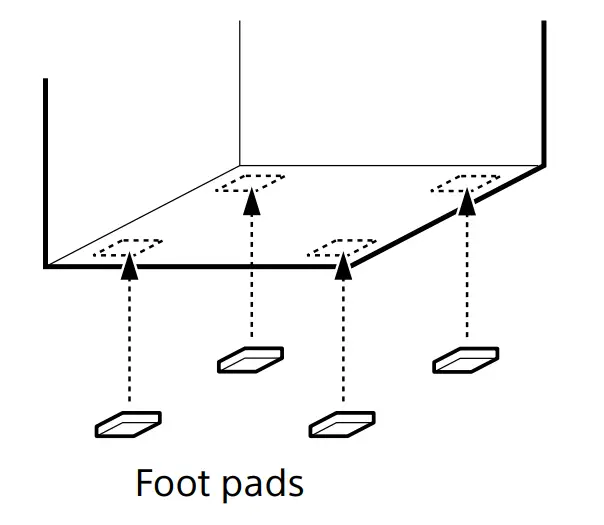
Setting the subwoofer (N)
To prevent subwoofer vibration or movement while listening, attach the supplied foot pads to the subwoofer.
Troubleshooting
If you experience any of the following difficulties while using the subwoofer, use this troubleshooting guide to help you remedy the problem. Should any problem persist, consult your nearest Sony dealer.
The Power indicator lights up in red.
- If there is no signal input for a few minutes, the POWER indicator lights up in red and the subwoofer enters power-saving mode. To turn off this power-saving mode, slide the POWER SAVE switch on the rear panel to OFF.
There’s no sound. - Check that this subwoofer and components are connected correctly and securely.
- Turn LEVEL clockwise to turn the volume up.
- Reset the level.
The sound has suddenly stopped. - The speaker cords may have shortcircuited.
Connect the cords properly.
The sound is distorted. - The input signal is imperfect.
- The input signal level is too high.
- Set the CUT OFF FREQ as high as possible when playing back the Dolby digital.
A severe hum or noise is heard.
- Connect the ground wire of the turntable properly.
- The contacts between the plugs of the connecting cords and the corresponding jacks have not been made properly. Connect the plugs firmly.
- The audio system is picking up some noise from a TV set. Move the audio system away from the TV set or turn the TV set off.
Specifications
AUDIO POWER SPECIFICATIONS
For the U.S.A. model
POWER OUTPUT AND TOTAL HARMONIC
DISTORTION:
With 6 ohm loads, from 28 – 200 Hz; rated 60 W, minimum RMS power, with no more than 6 % total harmonic distortion from 250 milliwatts to rated output.
System
- Type Active Subwoofer
- Speaker unit Woofer: 25 cm dia. (10 in.), cone type
- Continuous RMS output:115 W (6 ohms, 80 Hz, 10% THD)
- Reproduction frequency range:28 Hz – 200 Hz
- High-frequency cut-off frequency:50 Hz – 200 Hz
- Phase selector NORMAL, REVERSE
Inputs
- Input jacks LINE IN: input pin jack
- SPEAKER IN: input terminals
- Output jacks SPEAKER OUT: output terminals
General
- Power requirements
- North American models: 120 V AC, 60 Hz
- European models: 230 V AC, 50/60 Hz
- Australian models: 230-240 V AC, 50/60 Hz
- Power consumption:70 W
- Standby: 0.5 W (in power-saving mode)
- Dimensions Approx. 295 × 345 × 400 mm (11 5/8 × 13 5/8 × 15 3/4 in.) (w/h/d)
- Mass Approx. 11.5 kg (25 lb 5 oz)
Supplied accessories
- Foot pads (4)
Audio connecting cord (1 phono – 1 phono), 2 m (6 ft 6 1/2 in.) (1)
Design and specifications are subject to change without notice.
FAQS
What is the best match to this product for a better bass output?
If you’re looking for the best overall match the Sony Core SACS9 10″ Powered Sub does quite well if you have a large room and RCA splitter or a receiver that supports dual subwoofers get 2 or buy a 12 or 15″ subwoofer from Klipsch or SVS. It also depends on if you’re using these more for Home Theater or Music. If you’re going for Music I’d suggest 1-2 small subwoofers for a better response time if you’re going for home theater only a larger subwoofer will give you more rumble for immersion. If you have a more mixed-use situation I think dual 10″ Subwoofers are the sweet spot, and the Sony Core SACS9 Subwoofer is made to compliment the frequency response of the core series speakers and matches the aesthetic as well.
Does this have a five-way binding post? Can it take banana plugs? I can’t make this out from the stock photos.
it’s not using a 5-way binding post. Banana plugs depend on the amplifier that you’ll be using.
What is the frequency response?
53–50,000 Hz frequency response that is the specs from the Sony product page
what inputs are in the back? i can’t find a picture of the back of these things anywhere.
There is no input jacks on this unit, only speaker jacks that can be connected to a receiver/amplifier
If these sscs5s are not magnetically shielded, will they be a problem close (under each corner) of a led sony 55-inch tv?? can they cause any problems
Since these are not magnetically shielded You might have a problem if they are placed close to the TV.
If you can get them 3 or 4 feet away on each side from that TV it might be enough distance, that is the question.
The sound stage is very wide on these and they sound best at this distance apart anyway.
I use mine for a stereo system and they are great speakers for that in a smaller room.
If the Sony towers are shielded you might want to choose those for the fronts and these for the rear if you are doing surround sound.
If not just look into a soundbar system.
Is this a pair or a single?
Sony 3-way Floor Speakers are sold as a single unit. A set is 2 each, you will be satisfied with a pair, they sound great together.
Are these foam/padding filled?
CS Series speakers utilize unique, foamed (dual-layer) mica woofer diaphragms-the upper surface delivers supple and faithful sound quality, while the bottom layer leverages low weight with great strength for powerful bass response
Why are you charging twice as much for 1 speaker than the price for the pair?
is the pair.
Is it possible to turn the speakers or any speakers into Wireless?
yes. there are many products that connect and make your speakers wireless. Rocketfish is a brand.