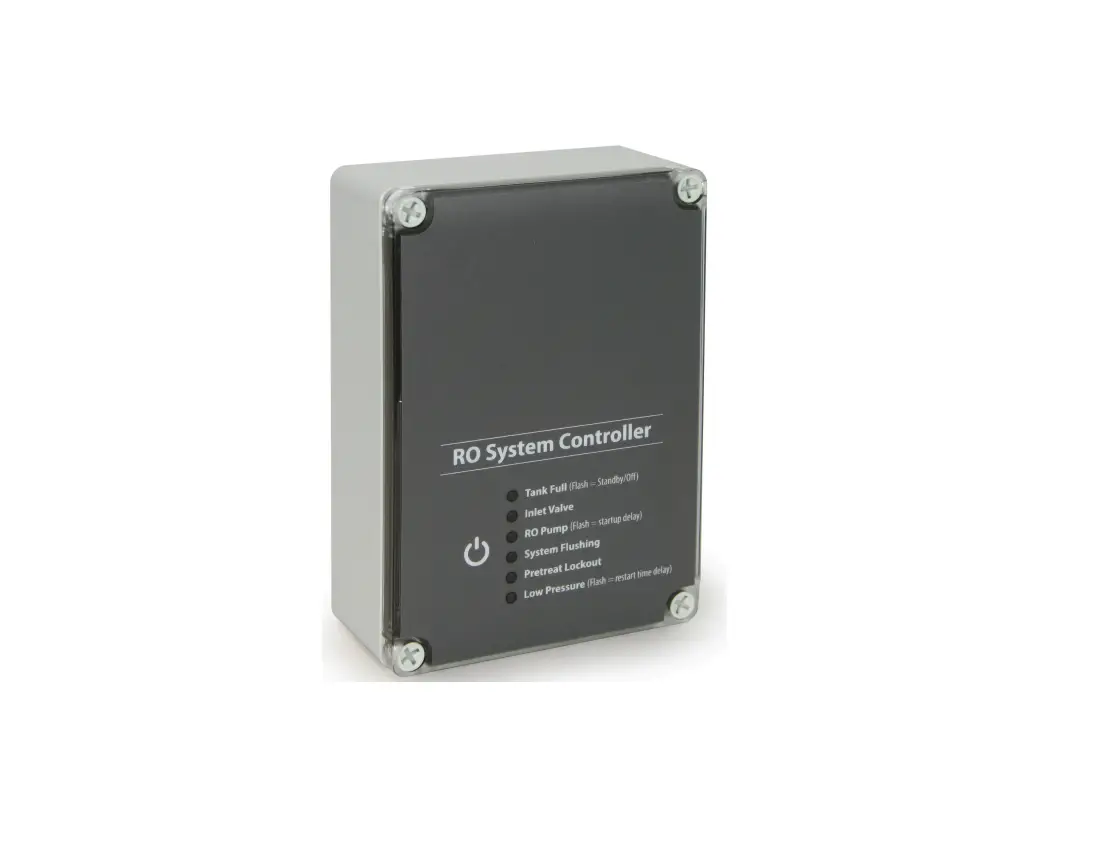
NRO ROC2HE-UL System Controller Documentation Systems with CPU-4 Control Board
Nelsen NRO ROC2HE-UL System Controller Documentation
The Nelsen NRO ROC2HE-UL System Controller is designed to
control Reverse Osmosis systems equipped with a CPU-4 Control
Board. The controller is manufactured after March 2020 and offers a
range of specifications and features, including:
Table 1 – Specifications
- Inputs: Tank level switches, Inlet pressure switch, Pretreat
lockout switch - Controller Power: 110-120/208-240 VAC, 60/50Hz (Range: 110-240
VAC) - Permeate Conductivity: 0-3000 PPM, 0-6000 s (standard sensor,
CP-1, K=.75) - Feed Conductivity (optional): 0-3000 PPM, 0-6000 s (standard
sensor, CP-1, K=.75) - Output Circuit Ratings: Feed Solenoid, Flush Solenoid, Motor
Circuit Protection Relay, Fuse - Dimensions: Not specified
- Weight: Not specified
- Environment: Not specified
Product Usage Instructions
- Drill the enclosure as needed and install liquidtight fittings
for the wiring. NOTE: The Controller can be ordered pre-drilled or
with fittings installed, or with fittings and wiring installed.
Contact Nelsen Corporation for details. - Mount the enclosure in the desired location on the RO
system. - Bring the wires from the peripheral devices into the enclosure
and connect them to the appropriate terminals. (See Figure 1,
Figure 3 and Figure 4.) - Install the conductivity cell in the permeate line. (See Figure
5 for conductivity cell installation instructions.) - Connect the conductivity cell to the terminals on the CPU
Board. (See Figure 3) - Provide power to the RO system.
- Press the System On/Off switch to turn the system ON.
- Program Mode 2 is default (See Table 2) which is a general
purpose setting, without a flush valve. NOTE: The Program Settings
can be customized to suit the specific needs of an OEM and
pre-programmed at the factory with your settings. Contact Nelsen
Corporation for details. - Make any other changes you want to the settings. Press System
On/Off to save your changes.
The Nelsen NRO ROC2HE-UL System Controller is an essential
component for controlling Reverse Osmosis systems. Refer to the
user manual for detailed instructions on installation and usage of
the controller. If you have any questions or need assistance,
please contact Nelsen Corporation.
Since 1954
Nelsen NRO ROC2HE-UL
System Controller Documentation
Systems w/CPU-4 Control Board
Manufactured after March 2020
Table of Contents
Contents Page # ……………………………………………………………………………………………………………………………………………………………………………………………………………………………………………………………………………………. Specifications, Table 1 2 …………………………………………………………………………………………………………………………………………………………………………………………………………………………………………………………………… Schematic, Figure 1 3 ………………………………………………………………………………………………………………………………………………………………………………………………………………………………………………………………………….. Controller Overview, Figure 2 4 ………………………………………………………………………………………………………………………………………………………………………………………………………………………………………………. Controller Detail: CPU-4 5 ……………………………………………………………………………………………………………………………………………………………………………………………………………………………………………………………….. Controller Detail: TB-1 6 ……………………………………………………………………………………………………………………………………………………………………………………………………………………………………………………………………. Conductivity Probe Installation, Figure 5 7 ……………………………………………………………………………………………………………………………………………………………………………………………………………… Installation Instructions 7 ………………………………………………………………………………………………………………………………………………………………………………………………………………………………………………………………… Controller Programming: Accessing Hidden Menus, Figure 6 8 ……………………………………………………………………………………………………………………………………………….. System Start-up w/Permeate Flush 8 ……………………………………………………………………………………………………………………………………………………………………………………………………………………………. Controller Programming: Program Selections, Table 2 9 ……………………………………………………………………………………………………………………………………………………………………… Controller Programming: Menu Navigation, Figure 7 10 ……………………………………………………………………………………………………………………………………………………………………… Controller Fault Displays 11-12 ……………………………………………………………………………………………………………………………………………………………………………………………………………………………………………….. Warranty 13 ……………………………………………………………………………………………………………………………………………………………………………………………………………………………………………………………………………………………………….
1
Table 1 – Specifications
Inputs Tank level switches Inlet pressure switch Pretreat lockout switch
Controller Power Permeate Conductivity Feed Conductivity (opt) Output Circuit Ratings Feed Solenoid Flush Solenoid Motor Circuit Protection Relay Fuse
Other Dimensions Weight Environment
(2) Normally-Closed. Can be used with a single level switch. Normally-Open. Normally-Open. The Tank, Low Pressure and Pretreat inputs are 50% duty cycle square wave, 10VDC peak @ 10mA max. The switch inputs are dry contacts only. Applying voltage to these terminals will damage the controller. 110-120/208-240 VAC, 60/50Hz (Range: 110-240 VAC) 0-3000 PPM, 0-6000 s (standard sensor, CP-1, K=.75) 0-3000 PPM, 0-6000 s (standard sensor, CP-1, K=.75)
1A. Voltage is the same as motor/supply voltage. 1A. Voltage is the same as motor/supply voltage. 1.0 HP/110-120V, 2.0 HP/208-240V.
F1 5x20mm – 2 Amp – BelFuse 5ST 2-R Note: The fuses shown above are for supplemental protection only. Branch circuit protection and disconnect means must be provided externally. See Field Wiring Diagram for Branch Circuit protection requirements.
7″ tall, 7″ wide, 4″ deep. Nema 4X Polycarbonate Hinged Enclosure. 2.6 lb. (Basic Configuration, not including optional wire harness, etc.) 0-50°C, 10-90%RH (non-condensing) Note: After our modifications the enclosure rating is Nema 1.
2
Figure 1 – Simplified Schematic
3
Figure 2 – Controller Overview
Keypad System ON/OFF,
Up Arrow Down Arrow Manual Run, Manual Flush
CPU Board (CPU-4)
Display (4 line, 20 character) Clear, concise feedback on the RO’s status. Alarm Display backlight flashes along with audible beeper to indicate alarm condition.
Terminal Board (TB-1 Re-E)
Conductivity Probe Connections
4
Figure 3 – Controller Detail: CPU-4
Typical Configuration
Cable to Terminal Board
Shield White Black
Typical Configuration
Permeate Conductivity Probe
5
Figure 4 – Controller Detail: Terminal Board, TB-1 (See Fig. 1 for schematic)
6
Figure 5 – Conductivity Probe Installation
FLOW
Install the Conductivity Probe in the “Run” of a Tee or equivalent location. Orient the probe so that air can not become trapped in the area near the probe.
Conductivity Probe
FLOW
Installation
1 Drill the enclosure as needed and install liquidtight fittings for the wiring.
NOTE: The Controller can be ordered pre-drilled or with fittings installed, or with fittings and wiring installed. Contact Nelsen Corporation for details.
2 Mount the enclosure in the desired location on the RO system.
3 Bring the wires from the peripheral devices into the enclosure and connect them to the appropriate terminals. (See Figure 1, Figure 3 and Figure 4.)
4 Install the conductivity cell in the permeate line. (See Figure 5 for conductivity cell installation instructions.)
7 Connect the conductivity cell to the terminals on the CPU Board. (See Figure 3)
8 Provide power to the RO system.
9 Press the System On/Off switch to turn the system ON.
10 Program Mode 2 is default (See Table 2) which is a general purpose setting, without a flush valve.
NOTE: The Program Settings can be customized to suit the specific needs of an OEM and pre-programmed at the factory with your settings. Contact Nelsen Corporation for details.
11 Make any other changes you want to the settings. Press System On/Off to save your changes.
12 The controller is now ready for service.
NOTE: YOU MUST REMOVE THE JUMPER WIRE FROM E23 TO E24 if using a single point High Level RO water shut off float switch control and connect the float switch wires to terminals E23 and E24 (See Fig. 4). If you are using a piggyback float plug leave the jumper wire in place.
7
Figure 6 – Controller Programming: Accessing the Hidden Menus
1 With the System ON, Press and Hold the Up and Down Arrows.
2 With the Up and Down Arrows depressed, Press the System On/Off button. The menu will switch to the RO Presets menu shown in Figure 7.
System Start-up w/Permeate Flush
For systems equipped with a Permeate Flush, you must follow the procedure below for proper system startup. When there is no Permeate Water in the tank the RO will not start. 1. With the system on, Press and Hold the Up and Down Arrows 2. With the Up and Down Arrows depressed, Press the System On/Off button. This will switch to the
Hidden Menus as shown above. 3. If not already on the RO Presets Program, Press the Up or Down Arrows until you reach this screen. 4. Once on the RO Presets Program Screen, Press Manual to Edit this Screen. 5. Press the Up or Down Arrow to change to Program 2 6. Once on Program 2, Press Manual to Exit the screen.
7. Press System On/Off to save the changes and return to the Home Page. Once your Permeate Tank has filled enough to do a proper permeate flush, follow the steps again changing from Program 2 back to Program 3.
8
Table 2 – Controller Programming: ROC2HE Program Selections
The controller has 4 separate, user-selectable sets of settings for configuring the RO. The factory default settings are shown below. The settings are identical except for variations in the flush behavior.
· Program 1, High Pressure flush · Program 2, No Flush · Program 3, Permeate Flush, (low pressure, inlet valve closed) · Program 4, Low Pressure, feed water flush See the previous page for instructions on how to access the menu for selecting these programs. See Appendix A for a detailed explanation of the Parameters and their affect on the RO’s operation.
Parameter
Value Program 1 Program 2 Program 3 Program 4
Tank Level Switch delay (actuation and de-actuation) Seconds
2
2
2
2
Pressure Switch delay (actuation and de-actuation)
Seconds
2
2
2
2
Pretreat Switch delay (actuation and de-actuation)
Seconds
2
2
2
2
Pump start delay
Seconds
10
10
10
10
Inlet Solenid stop delay
Seconds
1
1
1
1
Pump start retry interval (restart delay after LP fault)
Seconds
60
60
60
60
Low pressure fault shutdown, # of faults
Faults
5
5
5
5
Low pressure fault shutdown, time period to count faults Minutes
10
10
10
10
Low pressure fault shutdown, reset after shutdown
Minutes
60
60
60
60
Low pressure time out fault
Seconds
60
60
60
60
Flush Behavior Startup Flush: Minutes from last flush
High Pressure No Flush
Minutes
0
0
Perm Flush Low Pres Flush
0
0
Startup Flush: Duration
Seconds
0
0
0
30
Periodic Flush: Interval
Minutes
60
0
0
0
Periodic Flush: Duration Shutdown Flush: Time from last flush
Seconds
30
0
0
0
Minutes
10
0
0
0
Shutdown Flush: Minumum operation
Minutes
30
0
0
0
Shutdown Flush: Duration
Seconds
60
0
60
60
Idle Flush: Interval *
Minutes
0
0
0
0
Idle Flush: Duration *
Seconds
0
0
0
0
Timed Manual Run
Minutes
5
5
5
5
Timed Manual Flush
Seconds
5
0
5
5
* These features are disabled by default due to the potential for confusion on the part of end-users in the field. They can be enabled when needed via the OEM PC programming interface which allows changes to all of the values shown above.
9
Figure 7 – Controller Programming: Menu Navigation
10
Controller Fault Condition Displays
Below are examples and explanations of the displays which accompany the fault conditions possible on the CPU-4. Fault conditions always indicate a problem of some sort which requires corrective action. the displays provide sufficient information to recognize the source of the fault and the required corrective action.
Low Pressure Fault: (System is responding to low pressure condition per system settings) Line 1 “Service Fault” Line 2 “Low Feed Pressure” Line 3 Line 4 “Restart in MM:SS”
Pre Treat Fault: (Pretreat Switch is closed indicating problem with pretreat system). Line 1 “Service Fault” Line 2 “Pretreat” Line 3 Line 4 “Check Pretreat Sys.”
Permeate Conductivity Fault: (Permeate conductivity is higher than the alarm set-point.) Line 1 “Service Fault” Line 2 “Permeate TDS xxx ppm” or “Permeate Cond xxx uS” Line 3 “Alarm SP xxx ppm” or “Alarm SP xxx uS” Line 4 “To Reset Push OFF/ON”
Feed Conductivity Fault: (Feed conductivity is higher than the alarm set-point.) Line 1 “Service Fault” Line 2 “Feed TDS xxx ppm” or “Feed Cond xxx uS” Line 3 “Alarm SP xxx ppm” or “Alarm SP xxx uS” Line 4 “To Reset Push OFF/ON”
Conductivity Probe Error messages: Line 2 “Inteference” – Noise detected by conductivity circuit, valid measurement not possible. Line 2 “Over-range” – Measurement is out of range for the circuit, probe may also be shorted Line 2 “Probe shorted” – Short circuit detected on temperature sensor in probe Line 2 “Probe not detected” – Open circuit detected on temperature sensor in probe (white & unshielded wire) Line 2 “Probe Startup 1” – Internal reference voltage too high to make valid measurement Line 2 “Probe Startup 2” – Internal reference voltage too low to make valid measurement Line 2 “Probe Startup 3” – Internal excitation voltage too high to make valid measurement Line 2 “Probe Startup 4” – Internal excitation voltage too low to make valid measurement
11
Controller Fault Condition Displays
If RO Not Working and Display Shows “Tank Full” or “Tank Full Draw Down” 1. If using a single point high level float switch, the jumper in the wiring instructions must be installed. This
needs to be checked to make sure it is not loose and or disconnected, which would cause a failure and one of the displays above. ie. Remove jumper and reinstall, making sure of a good connection. Re-check display and operation. 2. Check the switch in the tank to make sure it is operating correctly. Check the switch with a multi-meter for correct “on-off” operation. Replace switch or level control if faulty. 3. If someone connected 110v to the terminal strip connection for the high level shut off, they could have fried the “opto-isolator”. 4. Also, if there were major lightning strikes and power outages with surges, it is possible that you may have had a power surge that sent electric current to the dry contacts and possibly fried the “opto-isolator”. This will prevent the system from turning on, and the display will show Tank Full messages. 5. If the jumper is verified to be in place with good connections, and if the high level cut off switch in the storage tank is verified to be operational, then the board might need to be replaced due to number 3 or 4.
12
Appendix C – Controller Limited Warranty
Nelsen Corporation (“Nelsen”) provides this limited warranty as described below (the “Limited Warranty”).
Limited Warranty
Subject to the terms of this Limited Warranty, Nelsen warrants to the original buyer (“Buyer”) of this Water Conditioner product (the “Product”) solely from a Nelsen authorized dealer that the Product will be free from defects in material or workmanship for a period of one (1) year after the date of original installation. This Limited Warranty shall apply only if the Product is installed, operated and maintained in strict accordance with Nelsen’s or the manufacturer’s guidelines and other legal requirements. The Product is sold with the understanding that Buyer has independently determined the suitability and compatibility of such Product for Buyer’s purposes. Any statements, technical information or recommendations concerning the Product or any parts therein by Nelsen are based upon data provided to Nelsen by its suppliers and believed to be accurate, but do not constitute a guarantee or warranty. This Limited Warranty shall not cover and shall be null and void if, in Nelsen’s discretion, the Product, or any parts therein, are: (a) manufactured by a third party manufacturer; (b) modified after sale or use of replacement parts not specified by manufacturer requirements; (c) improperly installed, stored, used, operated, handled or maintained; or (d) abused, misused or otherwise damaged for any reason, including due to negligence, weather, fire, lightning, power surges or other acts of God or exposure to freezing or hot water or the effects of normal wear and tear.
Third Party Warranties
In lieu of the above Limited Warranty, the Product, or any parts therein, may be covered by a third-party manufacturer’s warranty. Nelsen’s authorized dealer will provide Buyer with a copy of any third-party manufacturer warranty prior to purchase. Nelsen shall transfer and assign to Buyer any and all third-party manufacturer’s warranties on the Product, or any parts therein, subject to the conditions and exclusions in the manufacturer’s warranty. Buyer’s exclusive remedy under such third-party manufacturer’s warranty shall be against such third-party manufacturer and not Nelsen. Buyer may need to register the Product with a third party manufacturer in order to obtain its warranty.
Additional Conditions
· This Limited Warranty does not cover any membranes or filters.
· This Limited Warranty shall not cover the Product if operated at water pressures or water temperatures or with water contaminants that exceed manufacturer’s guidelines.
· The Product may include interconnecting piping that may have leaks, even if tested at the time of manufacture, due to pipe vibrations and handling. The installer of the goods is responsible for checking the system for leaks upon start-up and making any repairs if necessary.
· This Limited Warranty does not cover damage or failure of the Product, or any part therein, caused by friction, wear, chemical attack or debris build-up on wear parts. For purposes hereof, “wear parts” shall include, without limitation, end cap quad rings and parts requiring replacement under recommended maintenance procedures, including, without limitation, o-rings and gaskets.
Warranty Claims
All claims under this Limited Warranty shall be submitted by Buyer to the authorized Nelsen dealer who sold the Product in writing and shall include the Buyer’s name, address, telephone number, date of purchase of the Product, receipt evidencing proof of purchase and a copy of this Limited Warranty. Nelsen or its authorized dealer will investigate the claim. Buyer must fully cooperate in investigating and evaluating the claim, including, without limitation, providing additional information upon request. TO BE ELIGIBLE FOR COVERAGE UNDER THIS LIMITED WARRANTY, BUYER MUST SUBMIT A CLAIM WITHIN SIXTY (60) DAYS OF THE DATE THAT THE ALLEGEDLY DEFECTIVE PRODUCT OR PART IS FIRST DISCOVERED BY BUYER AND, IN NO EVENT, LATER THAN SIXTY (60) DAYS AFTER THE WARRANTY PERIOD HEREIN.
Continued on next page.
13
Appendix C – Controller Limited Warranty – continued
Repair or Replacement/Credit
Subject to the conditions and limitations herein, if Nelsen determines that the Product, or any part therein, does not conform to this Limited Warranty, Nelsen will repair or replace the defective Product or part therein. Non-conforming Products or parts therein must be returned to Nelsen’s authorized dealer at Buyer’s cost. Any replaced Products, or any parts therein, shall be retained by and become the property of Nelsen. If Nelsen determines that the repair or replacement of the Product or part therein is not commercially practicable, Nelsen will issue a credit in favor of Buyer in an amount not to exceed the purchase price of the Product. Notwithstanding anything to the contrary herein, this Limited Warranty does not cover any cost or labor associated with the removal or re-installation of the replacement Product or part therein or any shipping costs associated with the returned Product or part therein, which remains the sole cost, risk and responsibility of Buyer, unless otherwise agreed in writing by Nelsen.
Eligibility/Non-Transferable
This Limited Warranty applies only to Buyer if the Product is purchased from a Nelsen authorized dealer. This Limited Warranty is personal to Buyer and may not be assigned or otherwise transferred by Buyer. Any attempt to transfer this Limited Warranty shall be null and void and not recognized by Nelsen.
Disclaimer of Other Warranties/Limitation on Liability
EXCEPT AS PROVIDED ABOVE AND TO THE EXTENT PERMITTED BY LAW, THERE ARE NO OTHER REPRESENTATIONS OR WARRANTIES WITH RESPECT TO THE PRODUCT, EITHER EXPRESS OR IMPLIED, WRITTEN OR ORAL, OR ARISING UNDER CUSTOM OF TRADE, INCLUDING, WITHOUT LIMITATION, THE IMPLIED WARRANTIES OF MERCHANTABILITY AND FITNESS FOR A PARTICULAR PURPOSE. NO REPRESENTATIONS OR WARRANTIES AT ANY TIME MADE BY ANY EMPLOYEE, AGENT OR REPRESENTATIVE OF NELSEN SHALL BE EFFECTIVE TO VARY OR EXPAND ANY WRITTEN WARRANTY OR THE TERMS HEREOF. TO THE EXTENT A WAIVER OF IMPLIED WARRANTIES IS PROHIBITED BY LAW, ANY IMPLIED WARRANTIES SHALL BE LIMITED TO THE DURATION OF ANY WRITTEN WARRANTY PROVIDED BY NELSEN. IN NO EVENT SHALL NELSEN BE LIABLE TO BUYER OR TO ANY THIRD PARTY FOR CONSEQUENTIAL, INCIDENTAL, SPECIAL OR PUNITIVE DAMAGES, OR FOR LOST PROFITS OR LOSS OF USE, RESULTING FROM OR IN ANY MANNER RELATED TO THE PRODUCT, ITS DELIVERY, NON-DELIVERY, USE, OR INABILITY TO USE THE SAME, WHETHER SUCH DAMAGES BE CLAIMED UNDER CONTRACT, TORT OR ANY OTHER LEGAL THEORY. NELSEN’S TOTAL LIABILITY UNDER THIS OR ANY OTHER WARRANTY, EXPRESS OR IMPLIED, IS LIMITED TO REPAIR OR REPLACEMENT OF, OR CREDIT FOR, THE PRODUCT OR ANY PART, AS STATED HEREIN.
Waiver of Class Action
ANY AND ALL CLAIMS ASSERTED BY BUYER OR ANY OTHER PERSON OR ENTITY SHALL BE RAISED IN AN INDIVIDUAL CAPACITY AND NOT AS A PLAINTIFF OR CLASS MEMBER IN ANY PURPORTED CLASS OR REPRESENTATIVE PROCEEDING, WHICH ARE HEREBY WAIVED.
Applicable Law
This Limited Warranty shall be interpreted and governed under the laws of the State of Ohio without giving effect to the choice of law rules thereof. Nelsen and Buyer irrevocably consent and submit to the exclusive jurisdiction and venue within the courts of Summit County, Ohio and/or the United States District Court for the Northern District of Ohio in connection with any litigation arising out of, or in any way relating to, this Limited Warranty or the Product, including, but not limited to, any and all claims for breach of warranty or products liability, and Nelsen and Buyer expressly waive any objection to the jurisdiction and/or venue of such courts.
© Nelsen Corporation
14
Part # NRO-ROC2-MAN — RevE 0322