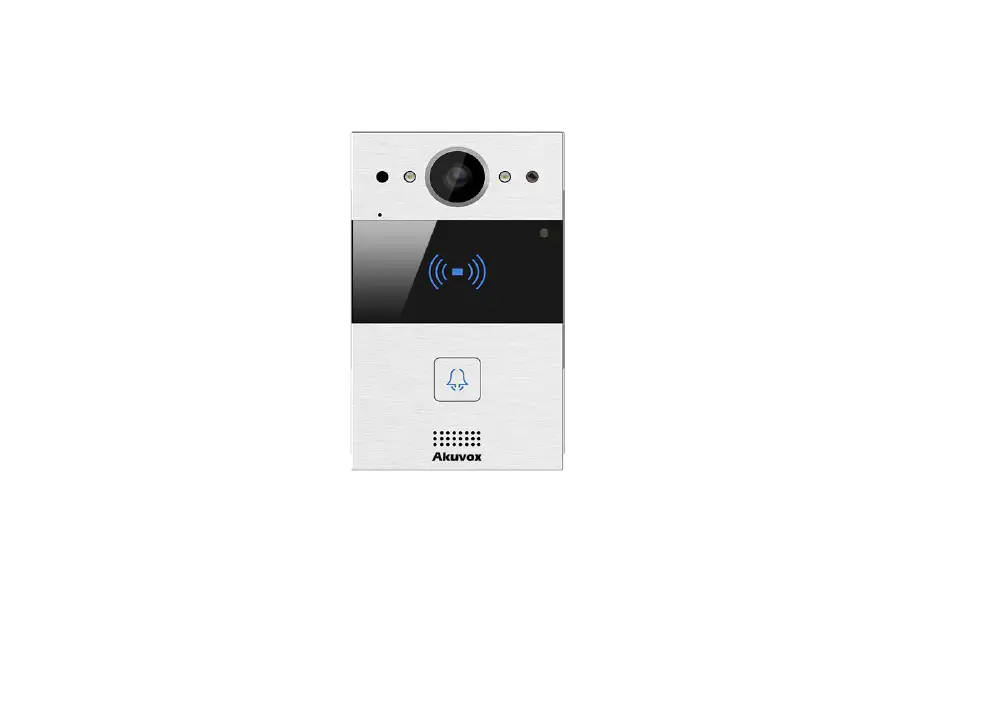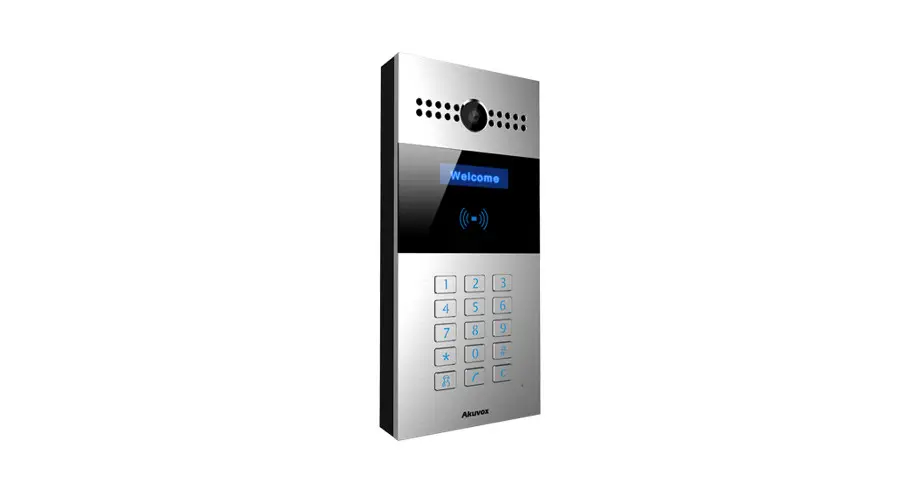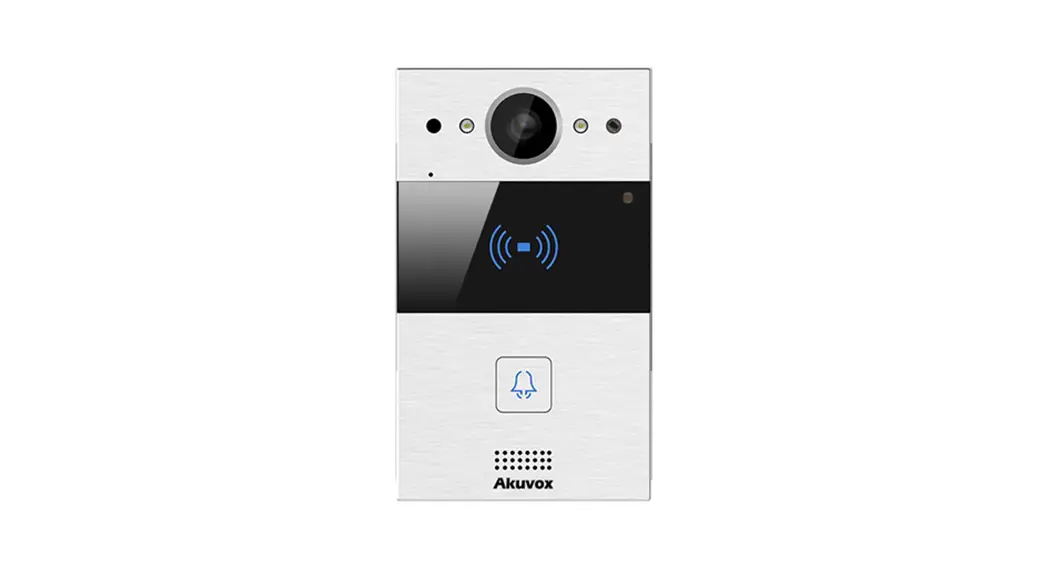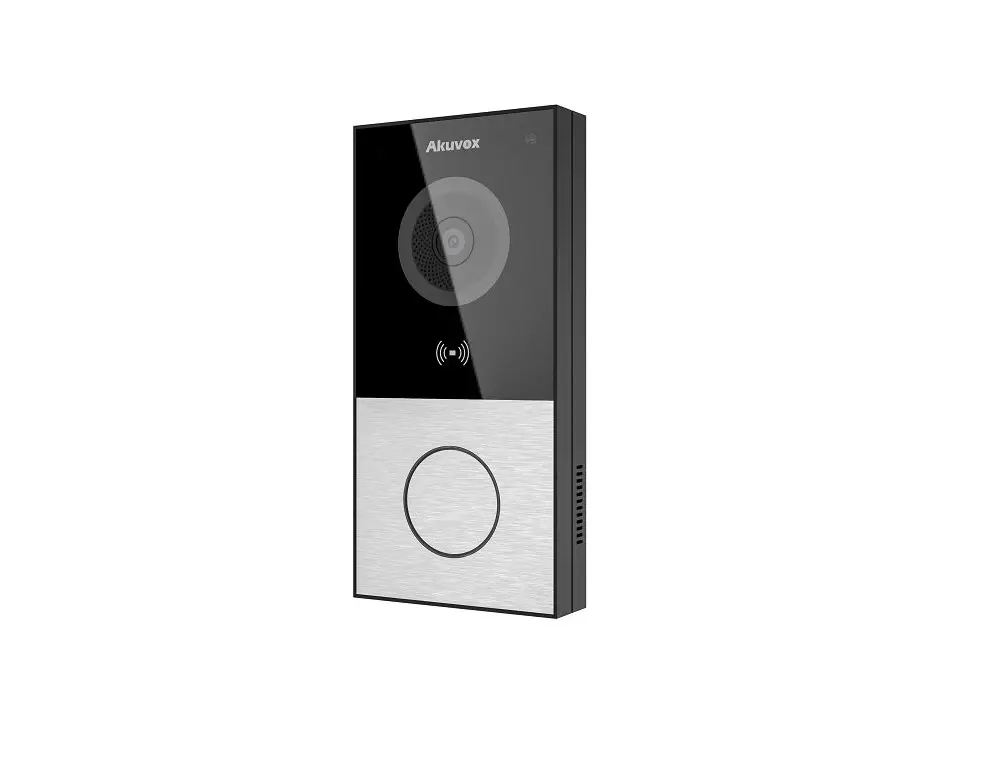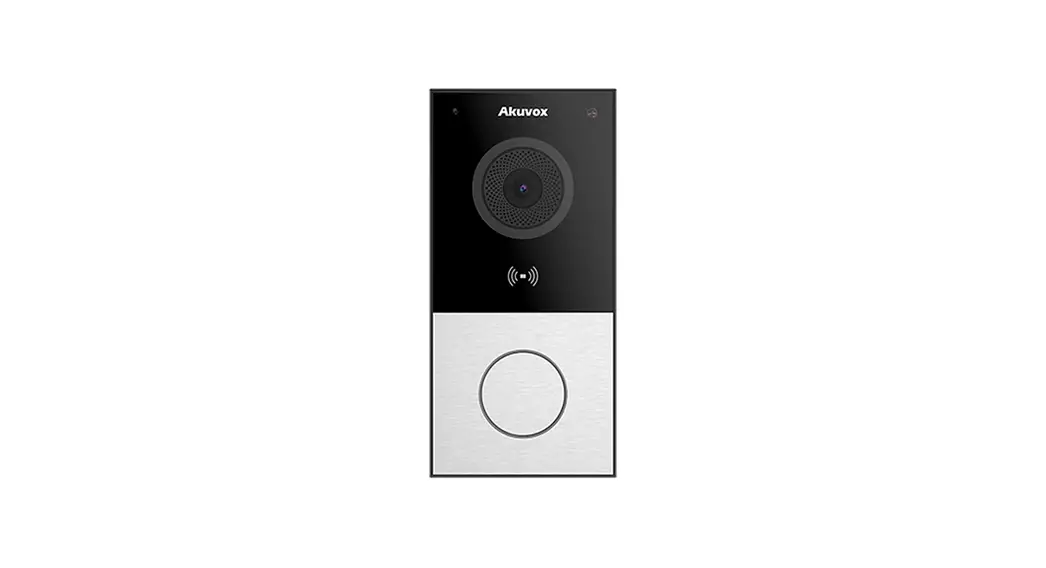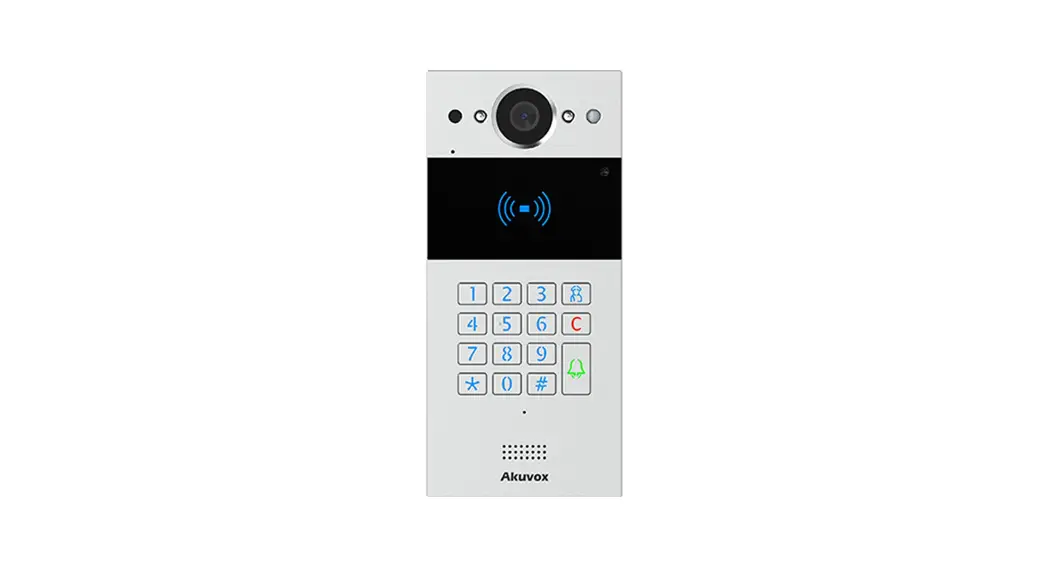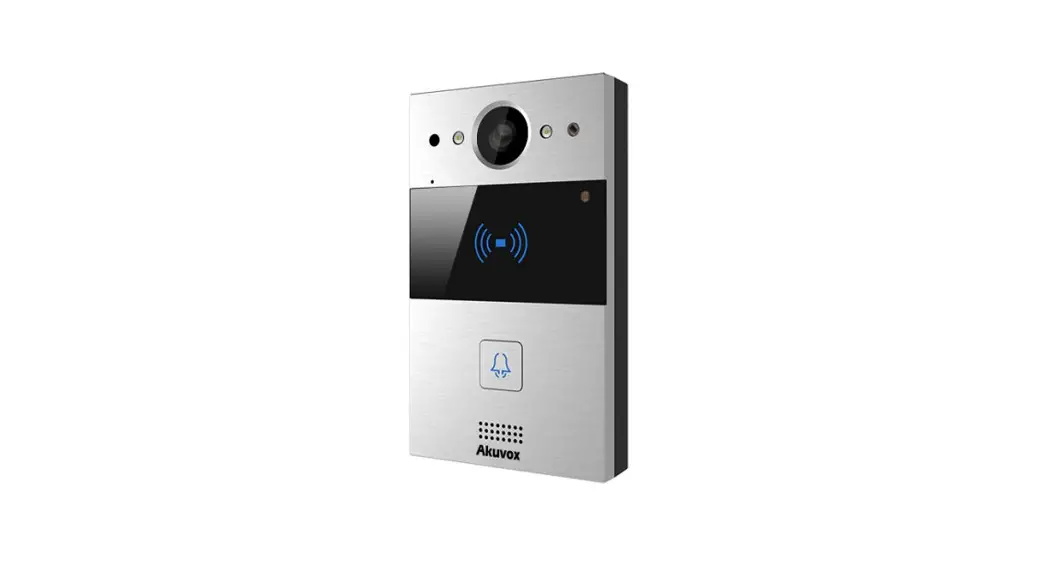

R20A-2
Quick Guide
R20A-2 Video Door Phone with 110 Degree Wide Angle Camera
Before you being using the device, please check the version you obtained and ensure that the following items are included in the shipped box:
Universal Accessories:
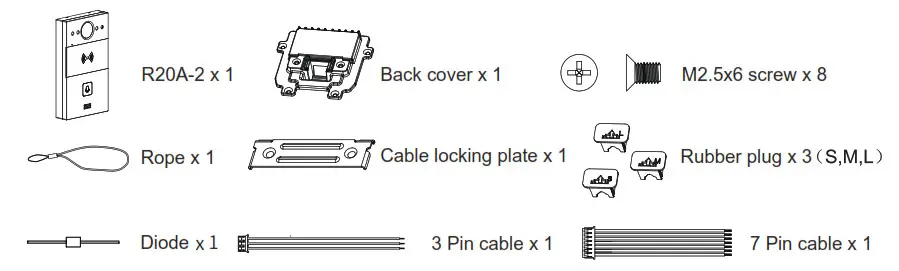
Wall-mounting Accessories :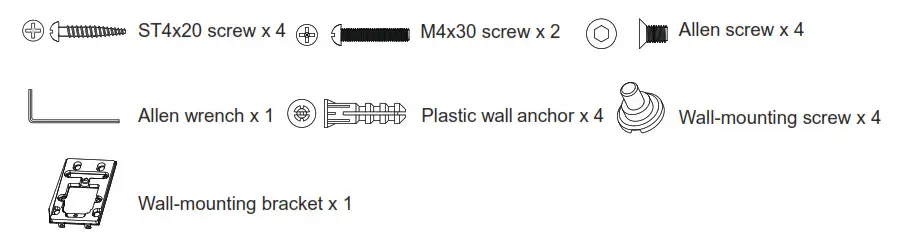
Flush-mounting Accessories :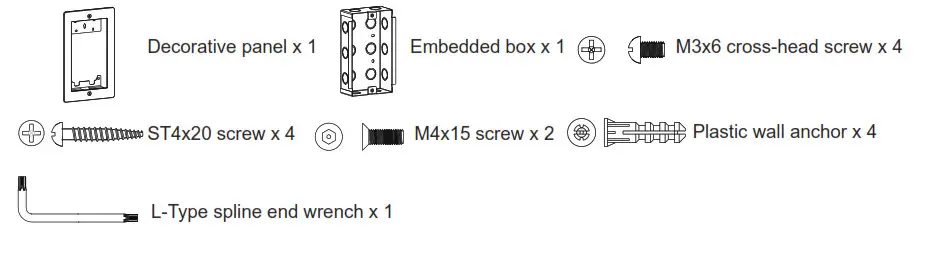
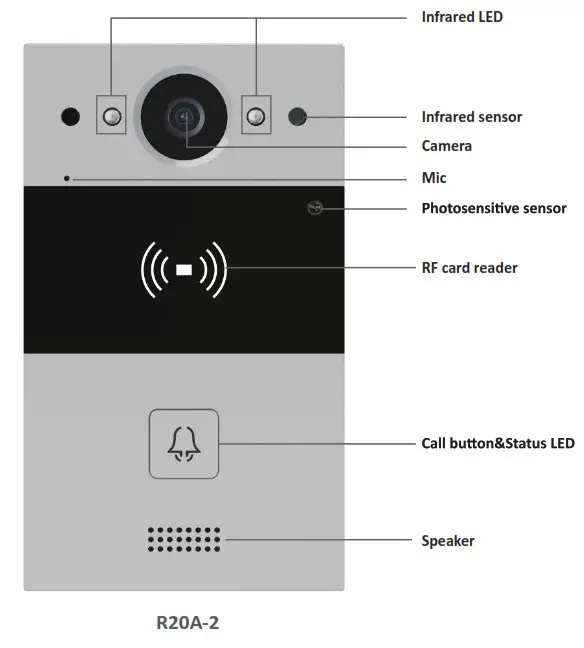
Product Overview
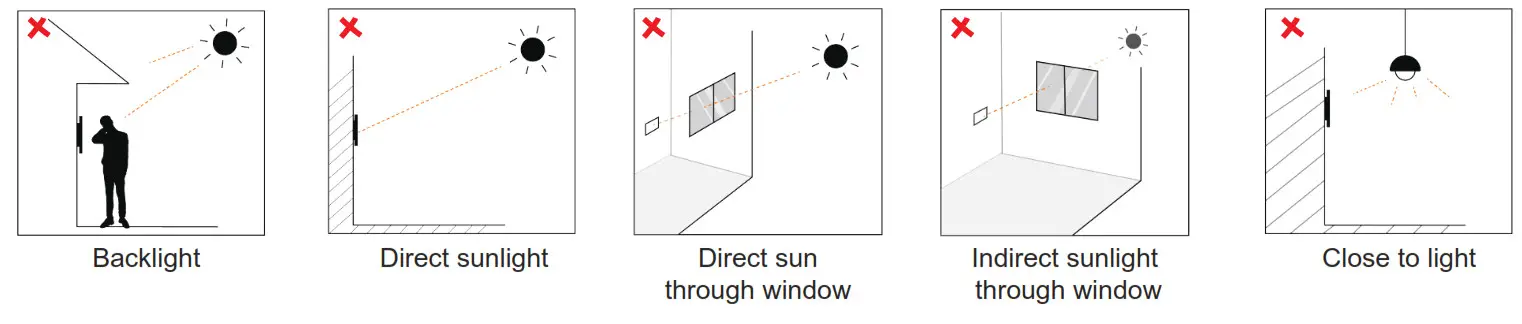
Installation Environment
Indoor and outdoor installation are supported.
If installing the device outdoors, please don’t place device under direct sunlight, it will bring a bad effect or be broken with the high temperature.
If installing the device indoors, please keep device at least 2 meters away from light, and at least 3 meters away from window and door.
Installtion
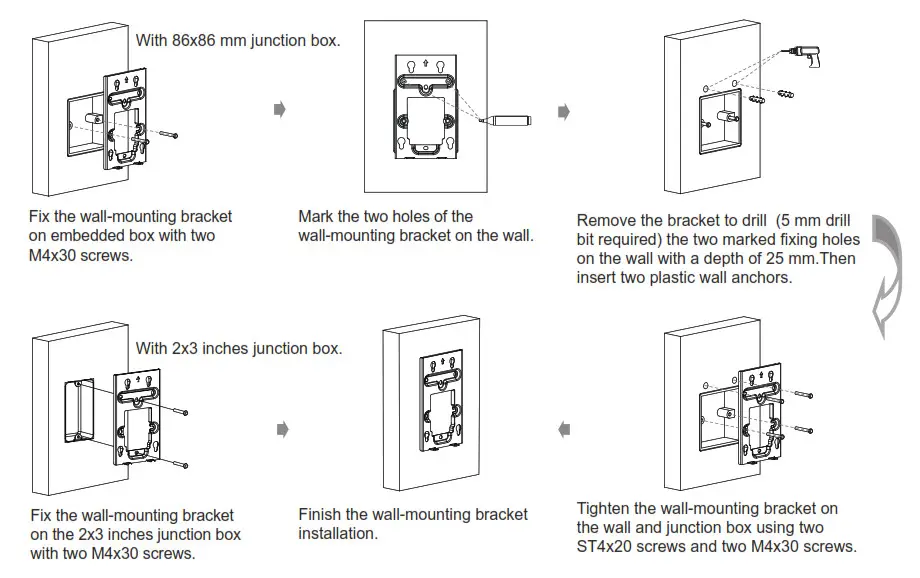
On-Wall Mounting
step 1:Wall-mounting bracket Installation
- With embedded one-gang junction box(86×86 mm or 2×3 inches in size) in the wall.
Without 86 embedded box in the wall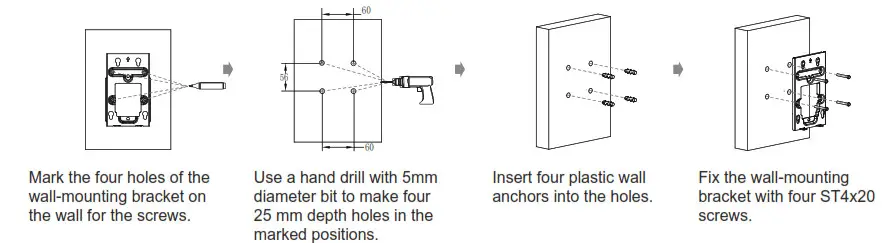 Step 2: back cover Installation
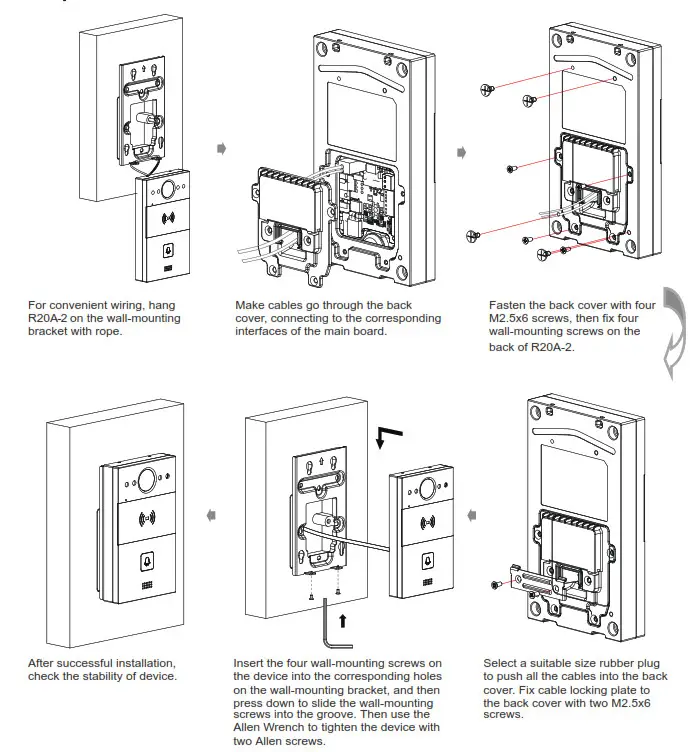
In-Wall Mounting
Step 1: Flush Mounting Embedded/Box Installation
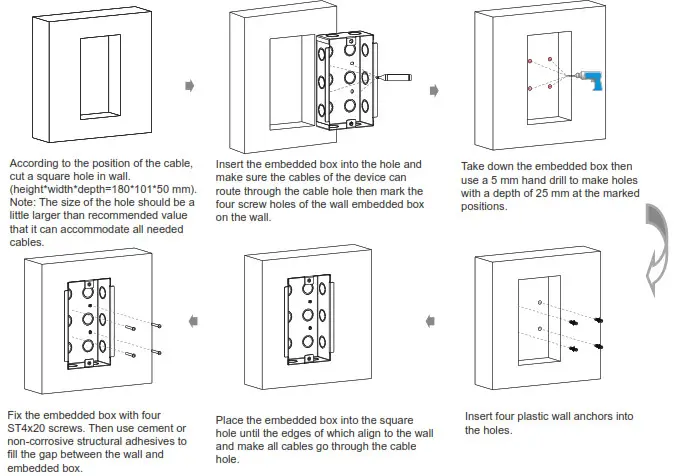
Or you can choose another simple method without fixing ST4x20 screws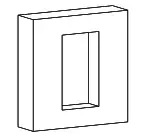 According to the position of the cable cut a square hole in the wall (height*width*depth=180*101*50 mm).
Note: The size of the hole should be a little larger than recommended value that it can accommodate all needed cables.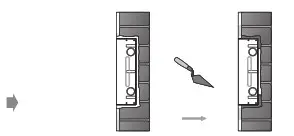
Use cement or non-corrosive structural adhesives to fill the gap between the wall and embedded box. Wait the adhesive material desiccation, go to the next step.
Waterproof Tips:
- For flush mounting installation, it is recommended to fill the gaps around the embedded box for waterproofing (to prevent water from entering the back cover of the door phone from the gap).
- For wall mounting installation, it is recommended to lock the wall-mounted bracket and the wall so that the EVA pasted on the bottom of the wall mounting bracket is close to the wall without a gap (to prevent water from entering the back cover of the door phone from the gap).
- Or it is recommended to use rain cover.
Step 2: Decorative Panel and Back cover Installation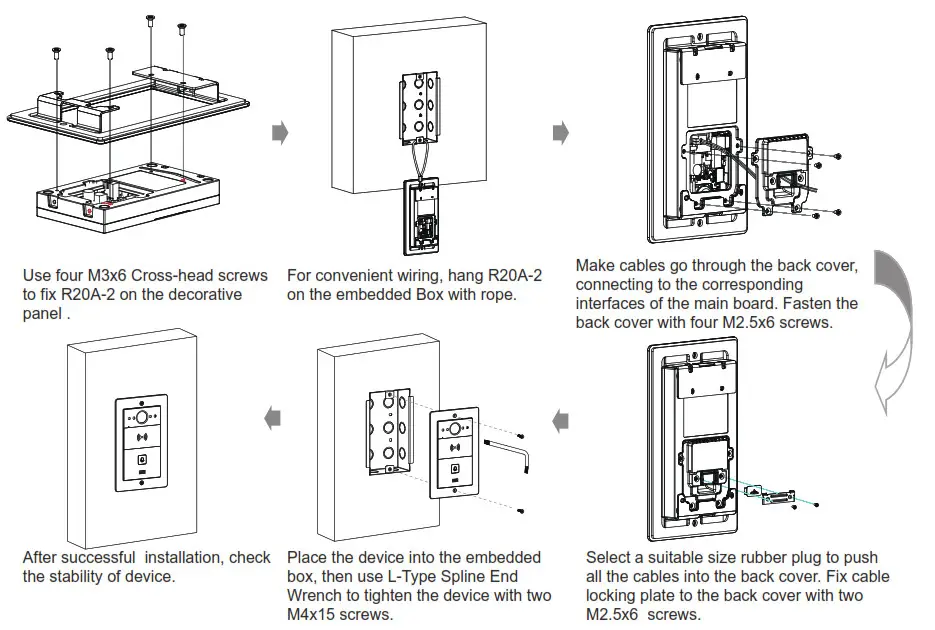
Device Wiring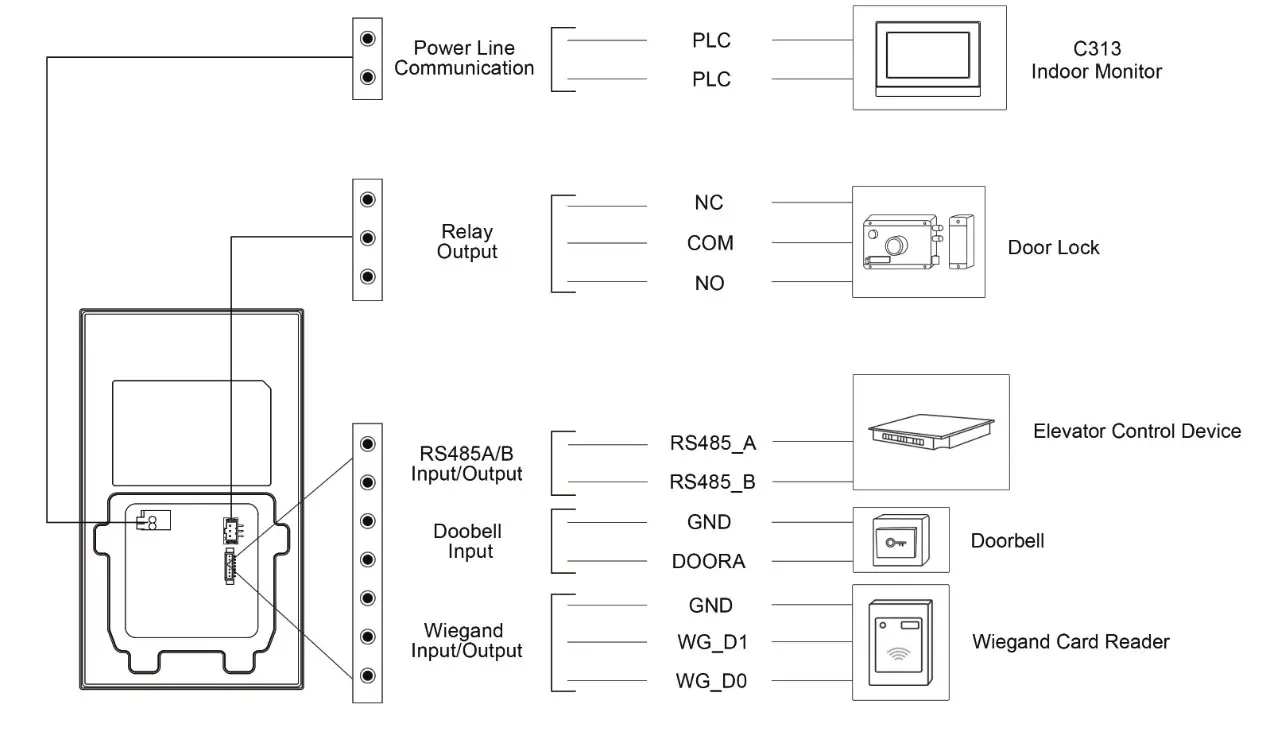
Warning
When you connect a device containing a coil, such as a relay or an electromagnetic lock, it is necessary to protect the intercom against voltage peak while switching off the induction load. For this way of protection we recommend a diode 1 A / 200 V (included in the accessories) connected antiparallet to the device.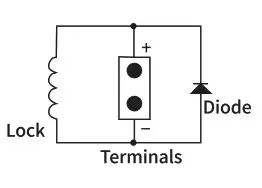
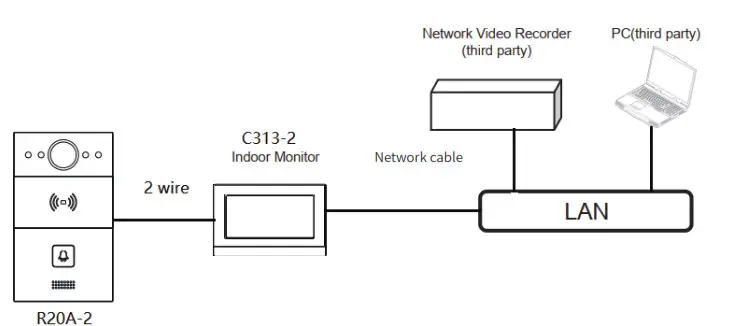
Application Network Topology
IP Announcement
- While R20A-2 starts up normally, hold the call button for several seconds after the Status LED turns blue, voice system will enter IP announcement mode.
- In announcement mode, the IP address will be announced periodically.
- Press Call Button again to quit the announcement mode.
- In announcement mode, phone announces “IP 0.0.0.0” if no IP address is gained.
Configuration
- Access the Web UI: Input the IP address into web browser to configure the phone.
- Account Registration: On web UI, go to the path: Account -> Basic page to register account and fill in the account information. ( Please refer to admin guide for more information)
- Configure the Push Button: On web UI, go to the path: Intercom -> Basic -> Push Button to configure the call number.
- Configure the code to open the relay: On web UI, go to the path: Intercom -> Relay -> Relay ID/DTMF and choose the DTMF code number in corresponding area.
Make a call:
- Press the call button to call indoor SIP Phone.
- During the talk, called party can press pre-configured code number to unlock the door.
Receive a call: R20A-2 supports Auto Answer by default. Incoming call will be answered automatically.
Indicators
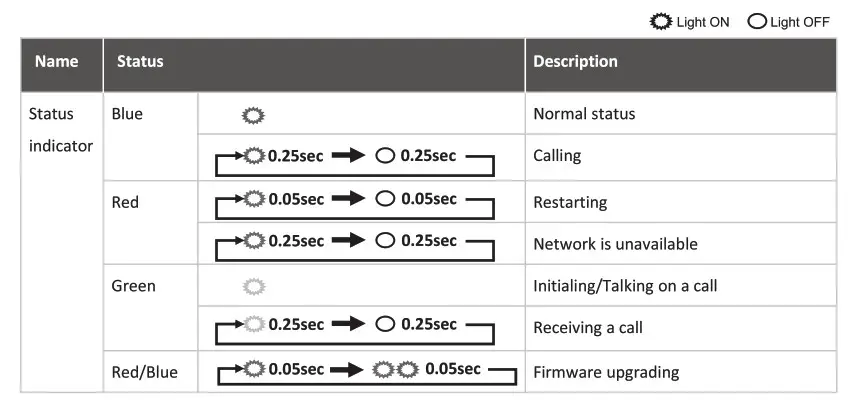
Note: For more LED settings, please refer to R20A-2 webUI: Intercom -> LED Setting.
Notice Information
Akuvox R20A-2 firmware contains third-party open source software under the terms of the GNU General Public License(GPL). Akuvox is committed to meeting the requirements of the GNU General Public License (GPL) and will make all required source code available.
The source code of software under the terms of GNU GPL can be downloaded online: http://www.akuvox.com/gpl.
Information contained in this document is believed to be accurate and reliable at the time of printing. This document is subject to change without notice, any update to this document can be viewed on Akuvox’ s website: http://www.akuvox.com © Copyright 2023 Akuvox Ltd. All rights reserved.

http://www.akuvox.com/
AKUVOX (XIAMEN) NETWORKS CO., LTD.
Add.: 10/F, NO.56 GUANRI ROAD, SOFTWARE PARK II, XIAMEN 361009, CHINA
www.akuvox.com
 Akuvox | The Leader in Smart Intercom