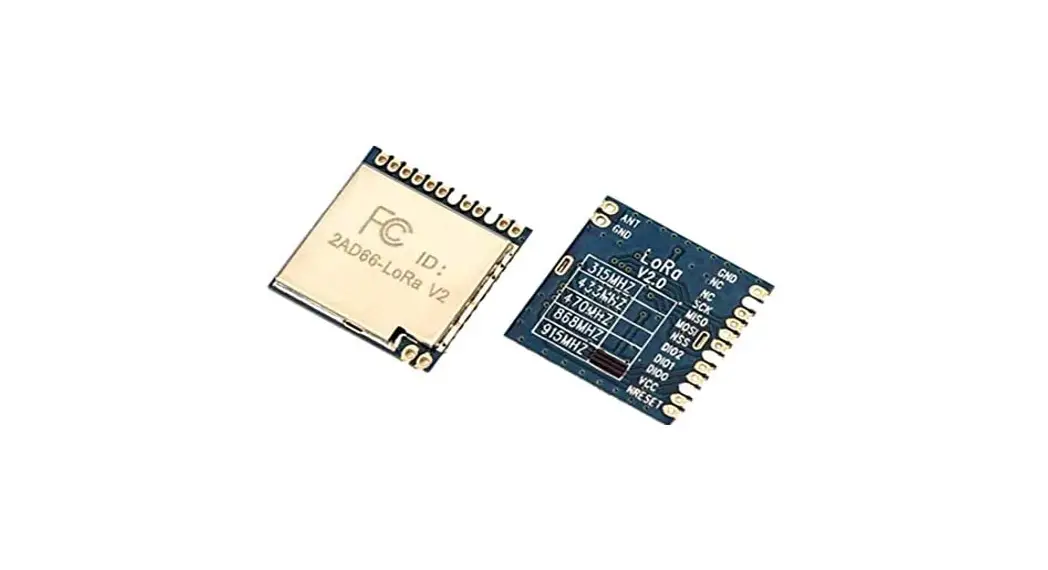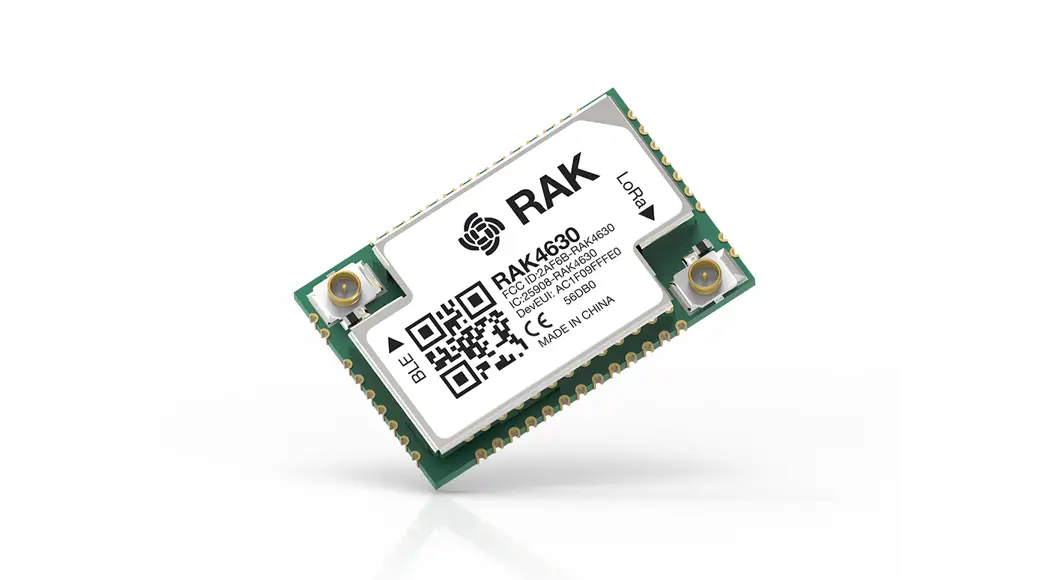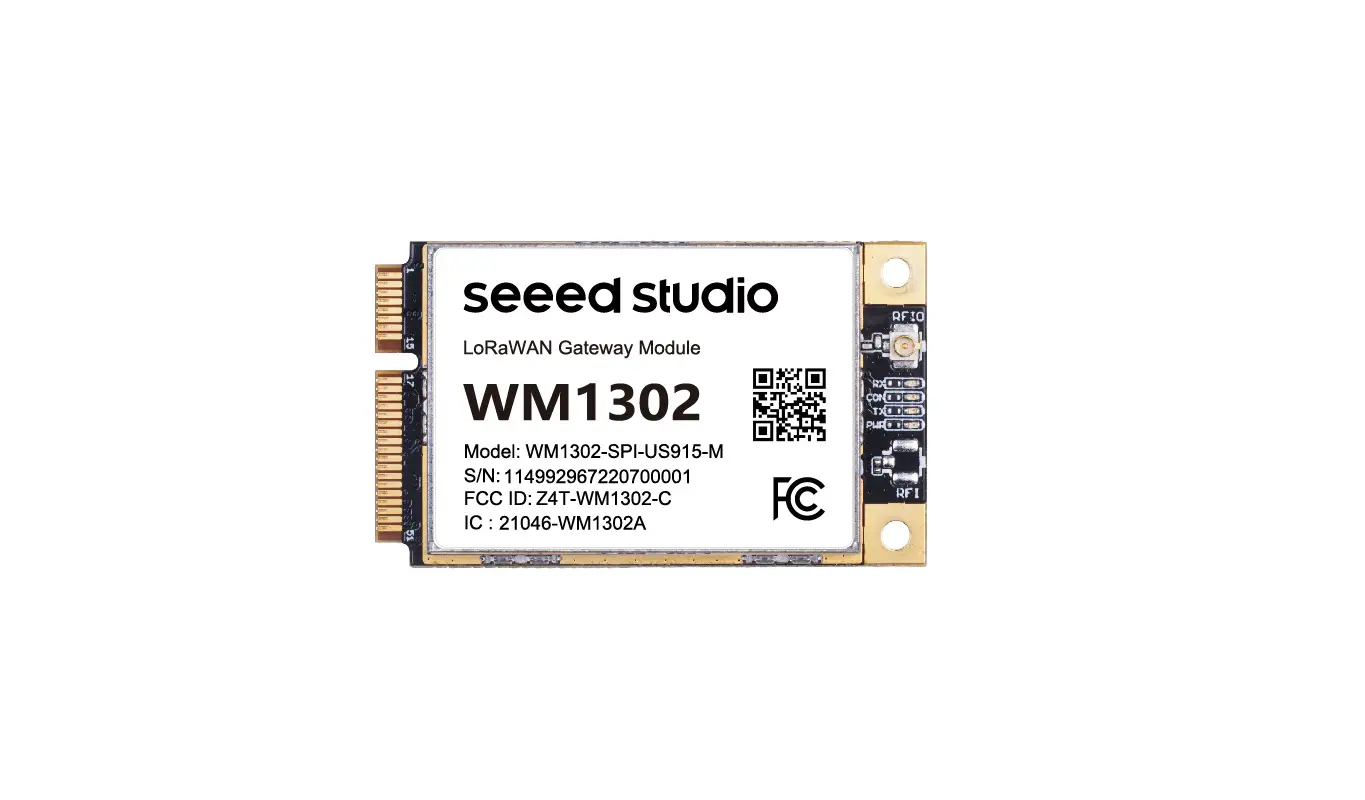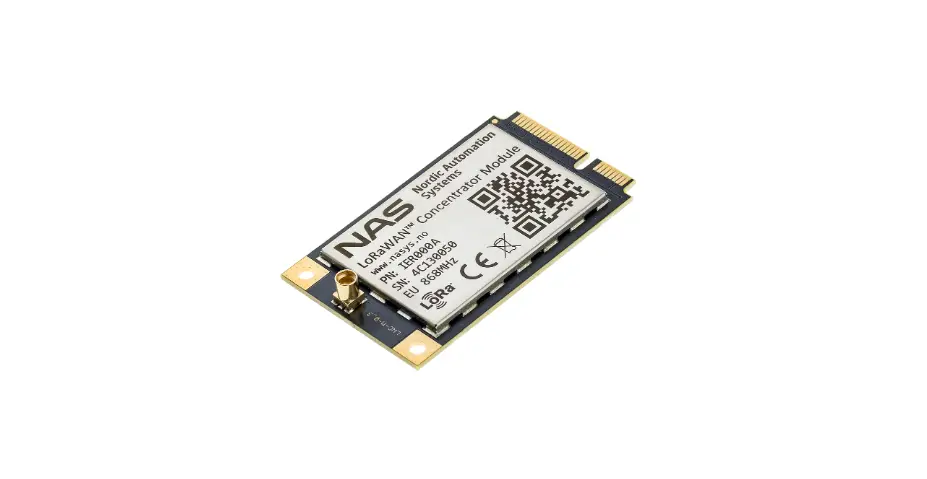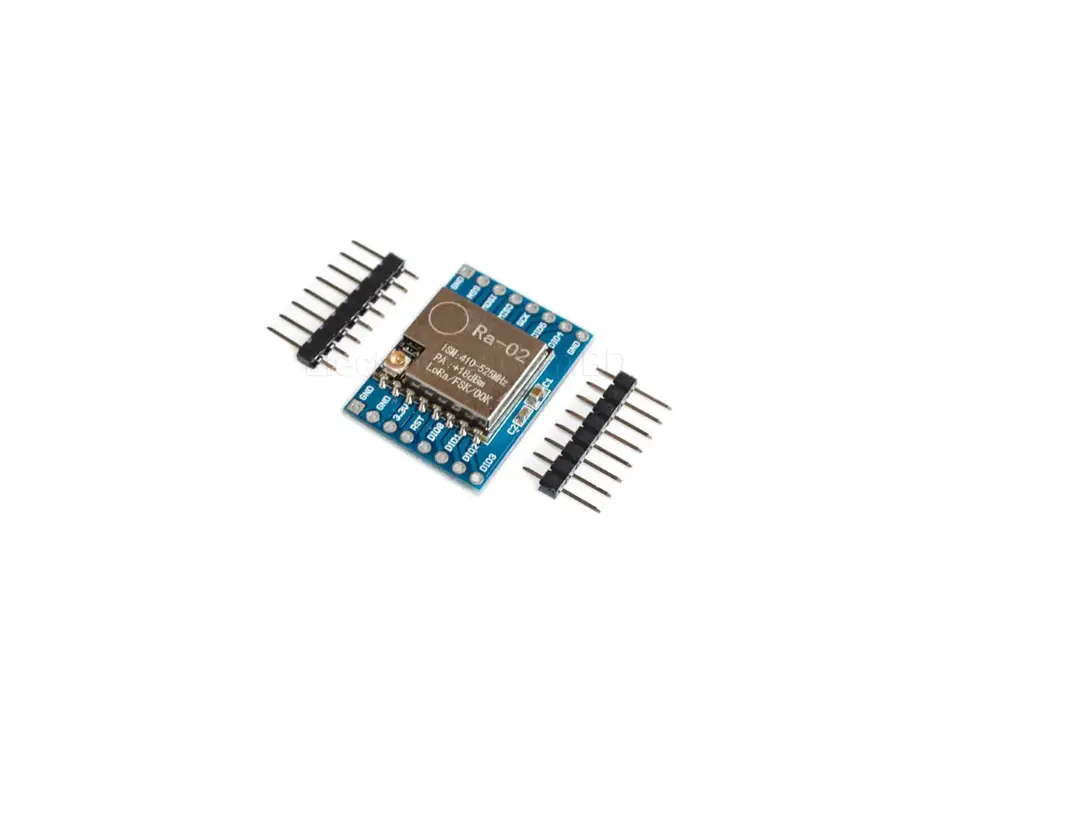

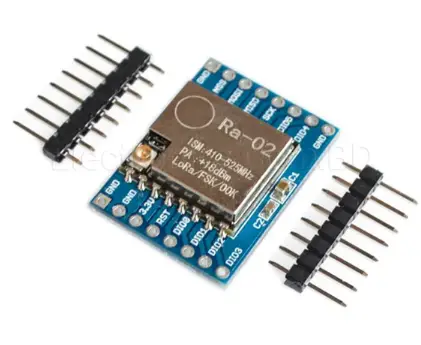
Hyeco Smart Tech ML650 Embedded Low Power Consumption LoRa Module
0V41
| Date | Author | Version | Note |
| March 23rd, 2020 | Qi Su | V0.3 | Adjust GPIO3/GPIO4’s parameter description. |
| April 20th, 2020 | Shuguang He | V0.4 | Add some AT instruction’s description |
| July 15th, 2020 | Yebing Wang | V0.41 | Add some module hardware parameter descriptions and design notices |
Introduction
The ASR6505 is a LoRa soc chip. The interior is implemented by ST ‘s 8bit low power MCU STM8L152 packaged with Semtech’ s LoRa transceiver SX1262 . The module can achieve 868(for EU)/ 915Mhz frequency band communication. The module implements the LoRa device with CLASS A,B,C protocol. The module provides a serial port AT instruction set for MCU calls and 2 IO for wake up between MCU.
The module’s maximum receiving sensitivity is up to – 140dBm, maximum transmit power up to -2.75dBm.
Main feature
- Maximum reception sensitivity is up to -140dBbm
- Maximum launch power is -2.75dBm
- Maximum transmission speed: 62.5kbps
- Minimum dormant current: 2uA
- 96bit UID
Basic parameter of the module
| Classify | Parameter | Value |
| Wireless | Launch power | 16dbm@868Mhz for EU |
| -2.75dbm@915Mhz | ||
| Receive sensitivity | ||
| -127dbm@SF8(3125bps) | ||
| -129.5dbm@SF9(1760bps) | ||
| Hardware | Data interface | UART /IO |
| Power range | 3~3.6V | |
| Current | 100mA | |
| dormant current | 2uA | |
| Temperature | -20~85 | |
| Size | 29x18x2.5mm | |
| Software | Networking protocol | CLASS A, B, C |
| Encryption type | AES128 | |
| User configuration | AT instruction |
Hardware introduction
Outline of module
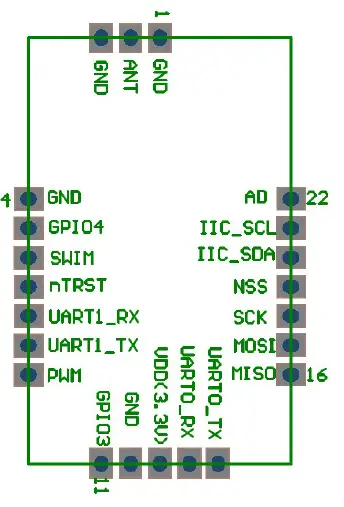
Notes for Hardware design:
- Try to supply the module using separate power supplies with low noise LDO such as SGM2033.
- The ground of the module is isolated from the system and is separately led out from the power terminal.
- The signal line between the module and MCU is connected with 100 ohm resistance in series.
The definition of pin
| Pin number | Name | Type | Description |
| 1 | GND | Power | System GND |
| 2 | ANT | RF | Signal wire |
| 3 | GND | Power | System GND |
| 4 | GND | Power | System GND |
| 5 | GPIO4/PE7 | I | 1. For the external MCU to wake up LoRa module 2. For the external MCU to let LoRa to know it is ready to receive AT instruction More information see note below. |
| 6 | SWIM | Debug IO | Debug for simulator |
| 7 | nTRST | I | Reset ,low level signal effective. |
| 8 | UART1_RX | I | Serial port 1(3) ,receive |
| 9 | UART1_TX | O | Serial port 1(3), send |
| 10 | PWM/PD0 | O | For 9V battery power supply cases, for low power consumption. Power is supplied by LDO when the module is dormant and by DCDC when the module wakes up. This IO is high output at module wake up and IO is low level signal at dormanted. |
| 11 | GPIO3/PE6 | O | 1. To wake up external MCU。 2. To let the MCU know, LoRa module is wake up and ready to receive AT instruction ; More information see note below. |
| 12 | GND | Power | System GND |
| 13 | VDD | Power | Power input 3.3V, maximum peak current 150mA. |
| 14 | UART0_RX | I | Serial port 0 (2) , receive , AT instruction port |
| 15 | UART0_TX | O | Serial port 0(2) , send , AT instruction port |
| 16 | MISO/PF0 | I | SPI MISO |
| 17 | MOSI/PF1 | O | SPI MOSI |
| 18 | SCK/PF2 | O | SPI CLK |
| 19 | NSS/PF3 | O | SPI CS |
| 20 | IIC_SDA/PC0 | IO | IIC SDA |
| 21 | IIC_SCL/PC1 | O | IIC SCL |
| 22 | AD/PC2 | A/IO(PC2) | ADC (Analog-digital conversion) |
Note :I –Input, O-Output, A-Analog
(About PE6 and PE7)
- LoRa module is in dormant mode mostly. If MCU is interact with the module, it needs to wake up LoRa module first and then send AT instruction to LoRa module.
- Then PE7 (GPI04) is the pin to wake up LoRa module for MCU;Similarly, if the module is interact with the external MCU( Send AT instruction ), it needs to wake up external MCU (then send AT instruction ). PE6 is the corresponding pin.
- PE6 and PE7 have “ready” state expression function except the wake up function. The PE6 and PE7 are usually at high level signals and turn low when triggered. The interaction should be restored to a high level signal.
(Details on the complete interaction process reference for the AT instruction )
Hardware size
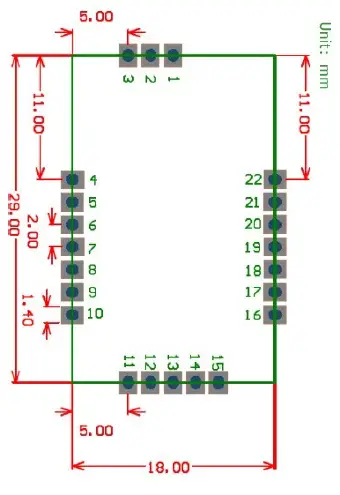
Note: height 2.5mm
Electrical character
| Parameter | Condition | Minimum | Normal | Maximum | Unit |
| Working voltage | 3 | 3.3 | 3.6 | V | |
| Working current | Continuous send | 100 | mA | ||
| dormant current | RTC work | 2 | uA |
Interaction between the MCU and the LoRa module
In this interaction, the MCU gives AT instruction to LoRa, and LoRa can give AT instruction to MCU. In order to reduce power consumption, LoRa and MCU are normally in dormant state. Each of them handles its own message. When it needs another, it will wake up another and gives AT instruction to another.
When AT instruction are sent on both side, additional course will happen when there are at the same time. Therefore, the design for this is a “half duplex” mode. That is: only one side can send instruction at one time. Therefore, before either side sends instruction , it has to monitor whether the other wants to send instruction or not. If the other side has “grabbed the right to send information”,you have to wait until the current round of interaction is completed before initiating.
The following is a complete process for initiating AT instruction at both ends.
The complete process of MCU initiate an interaction with the LoRa module.
| LoRa module MCU | ||
| | LoRa in dormant mode | | | |
| | <– Check whether PE6 has been send low level signal first– | | | <1> |
| | <— PE7 sends low level signal (wake up MCU) —- | | | <2> |
| | — PE6 sends low level signal (LoRa is ready) —> | | | <3> |
| | < — send AT instruction ———— | | | <4> |
| | —– PE6 sends high level signal(restoration) —> | | | <5> |
| | <— (After AT)PE7 sends high level signal—- | | | <6> |
| | LoRa is working | | | |
| | | | |
Note :
- Step 1 to detect PE6, is “listen first before saying” , to ensure that “the other party does not send it himself when sending” . If the PE6 is already with low level signal, the other party is sending it. At this time,wait for the other party to send again (don’t go to step 2 immediately).
- Step 2 to let the PE7 in low level signal, is actually to “seize the right to speak” ; —- because the other party comes to detect if the PE7 is in low level signal before sending it.
- Step 3, PE6 turn into low level signal in response to MCU, telling MCU that “I have been awakened and ready for serial reception, you can send” ;
- Step 5 is the PE6 turn into high level signal, strictly speaking, is the LoRa module detected the serial port is sending data and immediately turn PE6 into high level signal (not waiting for the AT instruction be sent finished.);
- By step 6, a round of interaction is completed.
When the two sides send data, “seize the right to speak” .
In fact, all the AT instruction send form MCU to LoRa will let LoRa to have a corresponding reply (refer to the AT instruction set at the back). So, after MCU sent instruction to LoRa, it can go to dormant, or wait for LoRa to reply before dormant. This reply time, normal in a few ms.( The set of three tuple’s instruction takes long time, around 200 ms).
The complete process of LoRa module to initiate an interaction with the MCU
In addition to AT response, the LoRa module will also actively initiate MCU instructions, such as network access progress, data reception, timing out, and so on.
The whole interaction process is basically the same, just the reverse.
LoRa module MCU
| Mcu may be dormant |
| — Check wheterh PE7 has been send low level signal first–> | <1>
| —- PE6 sends low level signal (wake up MCU) —> | <2>
| <— PE7 sends low level signal (MCU is ready) —- | <3>
| —- Send AT instruction ———–> | <4>
| —– PE6 turns high level signal(restoration) —> | <5>
| <— PE7 turns high level signal (restoration) —- | <6>
| LoRa into dormant mod |
| |
Note:
- In step 3, if PE 7 is not turning low level signal, then LoRa will still send AT instruction after 50ms timeout.
After step 5, LoRa module will turn into dormant whether or not the MCU in step 6 turns PE7 to high level signal.
AT instruction
AT instruction description and example:
Three tuple
- AT+DEVEUI=d896e0ffffe0177d
- //— AT+APPEUI=d896e0ffff000000 (Discard)
- AT+APPKEY=3913898E3eb4f89a8524FDcb0c5f0e02
network mode
AT+CLASS=A
Set the frequency channel
AT+CHANNEL=1
Set the interval time of slot in Class B
AT+SLOTFREQ=2
Join the network
AT+JOIN
Send data
AT+DTX=12,313233343536
Receive data
AT+DRX=6,313233)
Time
AT+GETRTC
AT+SETALARM=20200318140100
Others
AT+START
AT+VERSION
AT+RESTORE
Note:
- If in Class A mode, set the three tuple, channel, networking mode in 4.1, Reissue the network instruction ; if in Class B mode, more slot time will be set;
- There will have confirmed respond after each instruction has been send;
If: Send AT CLASS=A, will receive AT CLASSAT CLASS=A,OK or AT CLASSAT CLASS=A,OK AT CLASS=A,ERROR
( Without confirmed respond, this indicates that the module has an exception.)
( Among them, in addition to OK/ERROR respond, there will be more feedback. Details can be see below) - Input AT instructions and output AT instructions, letter case sensitive, must be in upper case;
- AT instructions should have return changes, whether input AT or output AT;
Detailed AT instruction:
Set Three tuple
| Format Note | ||
| Instruction | AT+ DEVEUI=1122334455667788 | (Fixed length of 8bytes) |
| Respond | AT+ DEVEUI=OK/ AT+ DEVEUI=ERROR | |
| Instruction | //AT+ APPEUI=1122334455667788 | (Fixed length of 8bytes) |
| Respond | //AT+ APPEUI=OK / AT+ APPEUI=ERROR | *Discard* |
| Instruction | AT+ APPKEY= 3913898E3eb4f89a8524FDcb0c5f0e02 | (Fixed length of 16 bytes) |
| Respond | AT+ APPKEY=OK/ AT+ APPKEY=ERROR | |
|
Instruction | AT+ DEVEUI=? //AT+ APPEUI=? AT+ APPKEY=? | Query three tuple’s information |
| Respond | AT+ DEVEUI=1122334455667788 | Return to three |
Note: When the equipment leaves the factory, the ternary default value is 0. If the setting is successful, save automatically and the saved value is used to the next start. ( Refer to the APP User Manual for the definition and acquisition of three tuple); APPEUI is not used in three tuple.
The reason of ERROR returned after AT : No parameter or wrong parameter length.
Set the working (networking) mode
| Format | Note | |
| Instruction | AT+CLASS=A | Optional mode A|B|C |
| Respond | AT+CLASS=OK /AT+CLASS=ERROR | |
| Instruction | AT+CLASS=? | query current mode |
| Respond | AT+CLASS=A / AT+CLASS=B OR AT+CLASS=C |
Note: Set the working mode of the module before entering the network. The modes are only three A/B/C options.
If the setting is successful, save automatically and the saved value is used to the next start.
The reason of ERROR returned after AT: No parameter or parameter value error.
Set the channel
| Format | Note | |
| Instruction | AT+CHANNEL=1 | Set the channel 1~63 |
| Respond | AT+CHANNEL=OK /AT+CHANNEL=ERROR | |
| Instruction | AT+CHANNEL=? | The query |
| Respond | AT+CHANNEL=12 | The query results |
Note:
- The range of channel is 1~63(total 63 channels, 868(for EU)/915are the same)。 The gateway, set by the server.
- When the terminal first starts, it should scan 5 channels (i. e. , try to enter the network after sending AT to set 0, set 1 to try, and set 2 to try to enter. ..).
- When the network is successful, the set channel is the channel corresponding to the gateway.
- For the LoRa module, it is saved after each setting, and the last saved value is used the next startup.
- The reason of ERROR returned after AT: No parameter or parameter value error (note the maximum number of the channels for each band)
Set the period of Class B Slot
| Format | Note | |
|
Instruction |
AT+SLOTFREQ=64 | 1,2,4,8,16, 32,64,128,for example 64, means one communication per 64 seconds. |
| Respond | AT+SLOTFREQ=OK / AT+SLOTFREQ=ERROR | |
| Instruction | AT+SLOTFREQ=? | The query |
| Respond | AT+SLOTFREQ=64 | Return query results |
Note: The instruction is valid under Class B.
- Optional value is set as: 1 / 2 / 4 / 8 / 16 / 32 / 64 / 128. The shorter of the setting cycle, the greater power consumption of the module.
- This instruction supports in – running switching (e. g. , to transfer files, temporarily switch to the 1S cycle and then cut back to the 64S cycle)
- By default, the slot cycle of the Class B is 64 seconds, or 64 seconds per communication, and two communication windows open in a beacon cycle. ( Note, the 64 seconds here is just a rough, not a strict cycle)
- The role of the AT instruction is to ensure power consumption while increasing the respond speed. For example, when the APP is opened or has a profile to pass down, the slot cycle of the device can be changed to 1 second (file download) and 4 seconds (APP open).
- Application of the protocol is required to cooperate here. The equipment side also needs to add a certain time out management to avoid the increase in system power consumption caused by too short slot cycle.
- If the setting is successful, save automatically and the saved value is used to the next start.
- The reason of ERROR returned after AT: No parameter or parameter value error.
Send the access network instruction
| Format | Note | |
| Instruction | AT+JOIN | Start the network access |
Note: the maximum length of sending data is 64 bytes. ( ie: AT instruction length of AT is 128+11)
Receive data without sending instruction queries to the module. If there is a downlink data, the module emits it directly.
The reason of ERROR returned after AT: the network is not currently connected.
Read the time of RTC
| Format | Note | |
| Instruction | AT+GETRTC | Get the system time |
|
Respond |
AT+GETRTC=20200325135001(year month day hour minute second) / AT+GETRTC=ERROR | Returning the ERROR indicates a failure, and the RTC time of the Note module has not been successfully calibrated through the network. |
Note1: the time is automatically synchronized after the success access of the network.
So, this instruction should be done after the success access of the network. The reason of ERROR returned after AT: the network is not currently connected.
Note2:this instruction is always effective as long as it is synchronized once and there is no power loss(This instruction is still effective even if reset the module.)
Set the alarm of RTC
| Format | Note | |
| Instruction | AT+SETALARM=20200325135001(year month day hour minute second) | Set the timer |
| Respond | AT+SETALARM=OK /AT+SETALARM=ERROR | |
| Respond2 | AT+ALARM=year month day hour minute second | Time out |
Note: has 3 reasons for returning to ERROR:
- The time is not synchronized;
Solution: use this AT after the success access of network - The setting time is earlier than the present time; Solution: check the time line.
- The setting time is more than 49days;
Solution: make sure the alarm time is within 49 days.
Note: the module can only set one alarm at the same time, and calling this Instruction again will cover the previous alarm.
Note: If the module powered off or reset, needs to reset after reboot;
Note: Corresponding to ” Respond2″ after time out.Like other AT: IO wakes up external MCU, and returns to AT ALARM
Others
The start of the Module
| Format | Note | |
| Instruction | ||
| Respond | AT+START=OK / AT+START=ERROR | Module start |
When the module starts with waiting mode, the AT is sent to the external MCU.
Note: If ERROR, MCU requires to reset the module.
Output version
| Format | Note | |
| Instruction | AT+VERSION | Output version |
| Respond | AT+VERSION=ML100 |
The AT instruction does not return a ERROR respond. The rule for version number: M: module; L:LoRa 100 ;version number
Restore the factory setting
| Format | Note | |
| Instruction | AT+RESTORE | Clear stored information |
| Respond | AT+SETALARM=OK |
Note:Clear all the stored information, including the timer information. It is recommended only for debugging.
The AT directive does not return a ERROR.
Please take attention that changes or modification not expressly approved by the party responsible for compliance could void the user’s authority to operate the equipment.
This device complies with Part 15 of the FCC Rules. Operation is subject to the following two conditions: (1) this device may not cause harmful interference, and (2) this device must accept any interference received, including interference that may cause undesired operation.
The module is limited to OEM installation ONLY
The OEM integrator is responsible for ensuring that the end-user has no manual instruction to remove or install module.
When the FCC identification number is not visible when the module is installed inside another device, then the outside of the device into which the module is installed must also display a label referring to the enclosed module. This exterior label can use wording such as the following: “Contains FCC ID: 2AZ6I-ML650” and the information should be also contained in the devices’ user manual.