qtx C-BAR HIGH POWER RGB LED BAR User Manual
 Caution: Please read this manual carefully before operating Damage caused by misuse is not covered by the warranty
Introduction
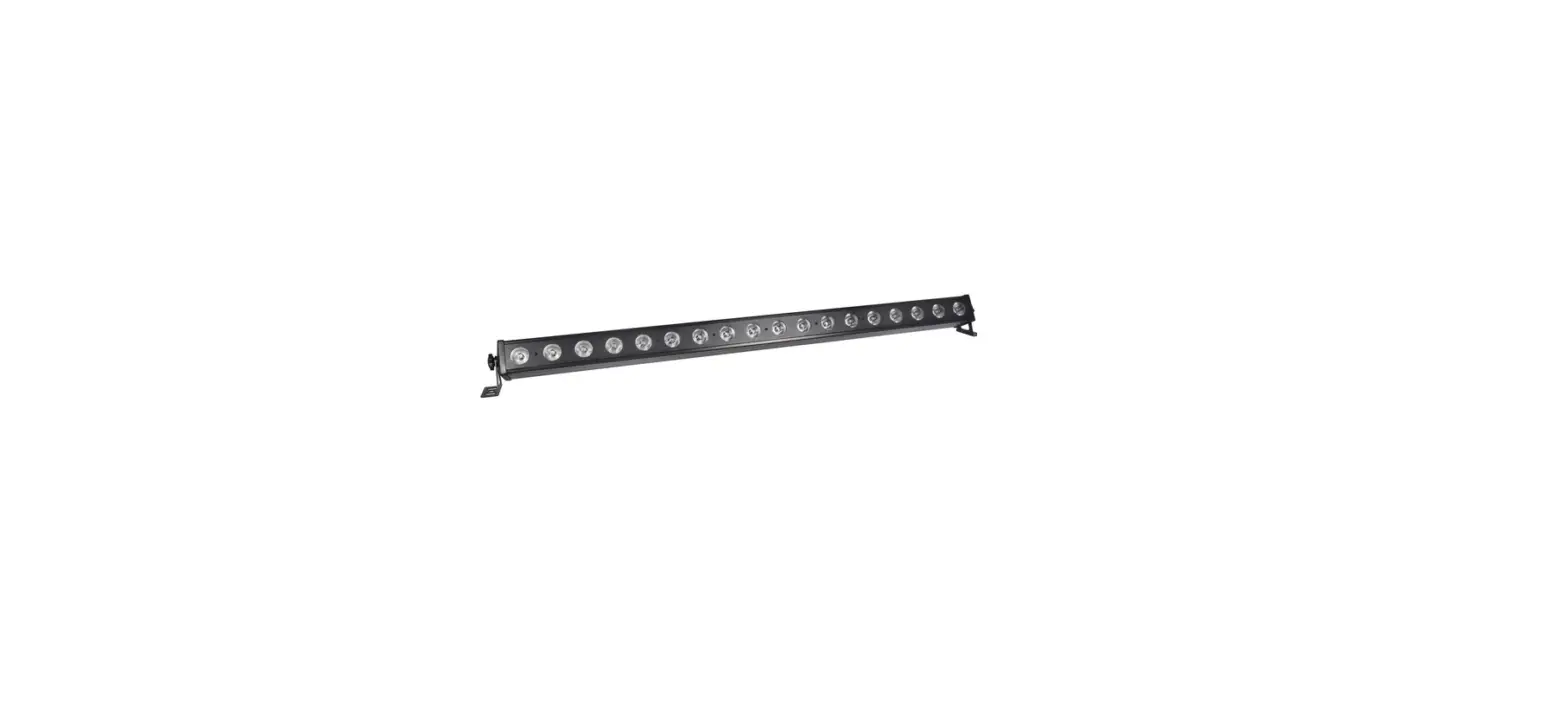
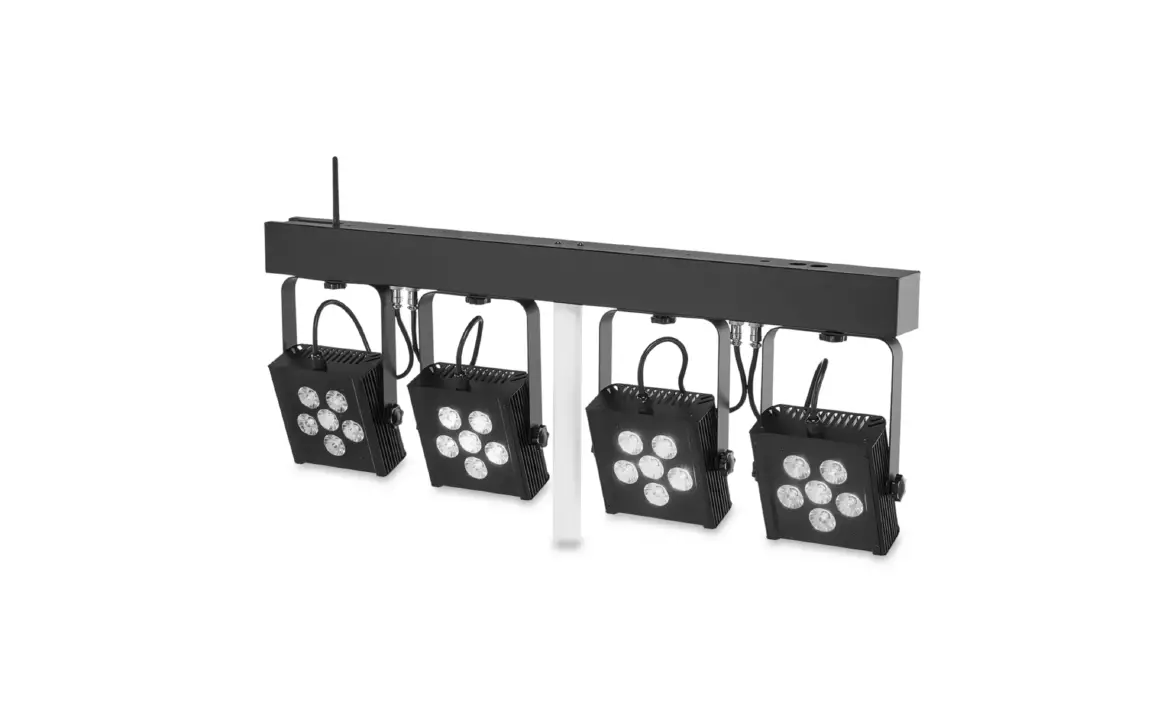
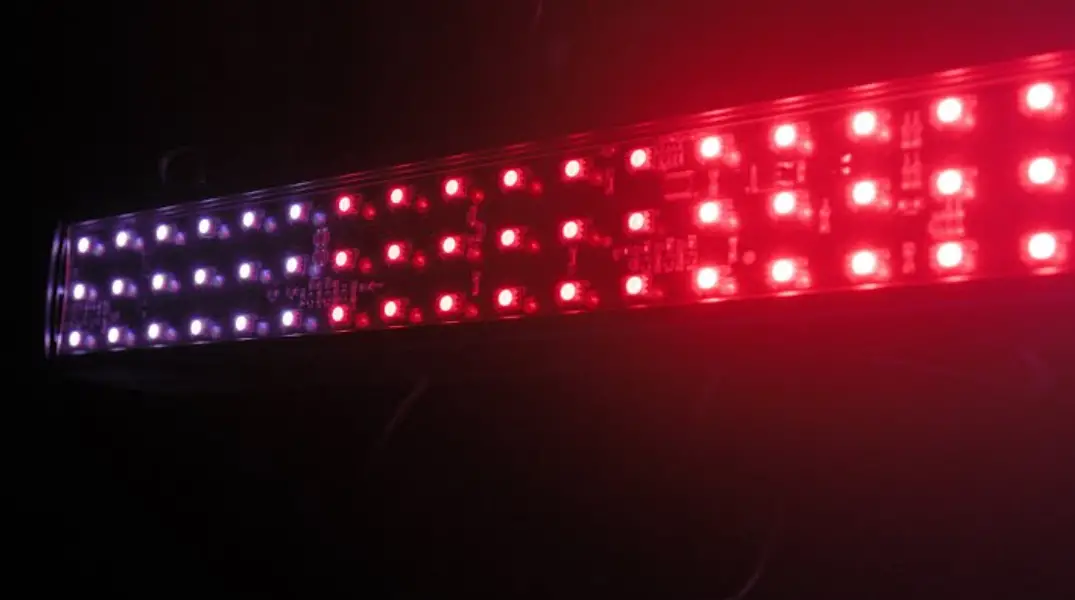
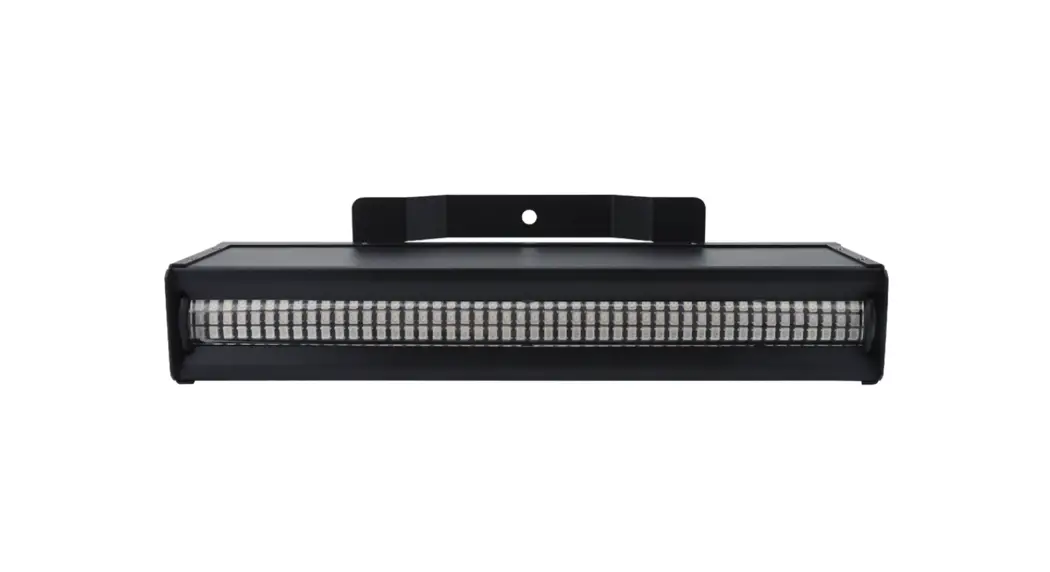
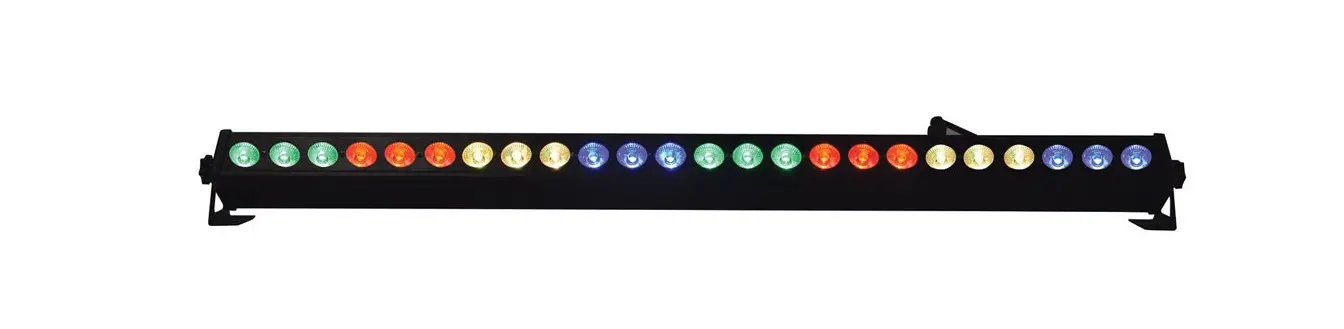
Thank you for choosing the C-BAR high power RGB LED light wash and effects bar. This unit is designed to give dynamic colour wash and up-lighting effects for venues and special events. Colours and sequences are controllable from DMX512 or internal auto and sound programs. Please read and keep the following instructions for future reference.
SAFETY SYMBOL AND MESSAGE CONVENTIONS
 CAUTION RISK OF ELECTRIC SHOCK DO NOT OPEN
AVIS RISQUE DE CHOC ELECTRIQUE NE PAS OUVRIR
This symbol indicates that dangerous voltage constituting a risk of electric shock is present within this unit
This symbol indicates that there are important operating and maintenance instructions in the literature accompanying this unit.
Warning
To prevent the risk of fire or electric shock, do not expose any components to moisture.
If liquids are spilled on the housing, stop using immediately, allow unit to dry out and have checked by qualified personnel before further use. Avoid impact, extreme pressure or heavy vibration to the case. No user serviceable parts inside – Do not open the case – refer all servicing to qualified service personnel.
Safety
Check for correct mains voltage and condition of IEC lead before connecting to a power outlet.
Do not allow any foreign objects to enter the case or connectors.
Placement
- Keep away from damp or dusty environments
- Use the included end brackets for installation on a wall or ceiling
- Ensure adequate air-flow around the housing
- Ensure adequate access to controls and connections
Cleaning
- Use a soft cloth with a neutral detergent to clean the casing as required
- Use a vacuum cleaner to clear optics and connectors of any dust or debris build-ups
- Do not use strong solvents for cleaning the unit
In the box
Please open the package carefully and check that all contents are present and in good condition.
Contact your retailer if any part is missing or broken.
- C-BAR RGB LED bar
- 2 x end mounting brackets
- IEC mains lead
Side panel

- Internal microphone
- Control panel
- LED display
- DMX input
- DMX output
- IEC mains inlet & fuse holder
- IEC mains outlet
Internal Settings
| Press Menu | Press ENTER and UP/DOWN | Description | Press ENTER and UP/DOWN | Description |
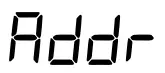 |  | DMX start address 0 -512 | ||
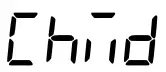 |  | DMX number of channels | ||
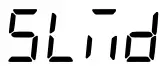 |  | Master/Slave 1/Slave 2 | ||
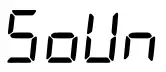 |  | Sound activated program |  | Mic sensitivity |
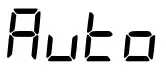 |  | Auto run program |  | Step speed |
 |  | 7 preset colours | ||
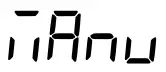 |  | Red, Green, Blue LEDs | 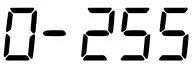 | Colour level |
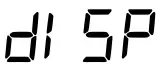 | 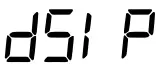 | Normal or inverted display | ||
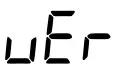 | 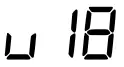 | Firmware version |
Standalone operation
The C-BAR can be operated without external control by selecting one of the Internal show modes from the control panel menu. These are Shown in the Internal Settings section above.
Master/slave operation
As shown in the Internal settings above, a C-BAR fixture which is set to Master mode (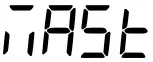 ) may be connected via DMX lead to control further C-BAR units by setting subsequent units to one of 2 slave modes (
 )
)
In this mode, the slave C-BAR units will react to the master C-BAR which is working in standalone mode.
DMX operation
In order to access the full DMX functions, the DMX start address will need to be set on the control panel.
When the display shows “A001”, this means that the C-BAR is operated starting from DMX address 1.
When the display shows “A203”, this means that the C-BAR is operated starting from DMX address 203. The start address can be anywhere between 001 and 512.
There are 5 modes for DMX operation, which determine how many channels are used to access the functions. Pressing the MENU button until “ ” is displayed, press ENTER and select from 5, 8, 14, 26 or 50 channel modes.
Some DMX channels initiate the internal colour chases, which are detailed in the Colour Chase Table opposite
| Colour Chase Table | |
| 000-007 | No function |
| 008-022 | Colour chase 01 |
| 023-037 | Colour chase 02 |
| 038-052 | Colour chase 03 |
| 053-067 | Colour chase 04 |
| 068-082 | Colour chase 05 |
| 083-097 | Colour chase 06 |
| 098-112 | Colour chase 07 |
| 113-127 | Colour chase 08 |
| 128-142 | Colour chase 09 |
| 143-157 | Colour chase 10 |
| 158-172 | Colour chase 11 |
| 173-187 | Colour chase 12 |
| 188-202 | Colour chase 13 |
| 203-217 | Colour chase 14 |
| 218-232 | Colour chase 15 |
| 233-247 | Colour chase 16 |
| 248-255 | Sound activated |
DMX 5 channel mode
| Channel | Value | Function |
| 1 | 0-255 | Red 0-100% |
| 2 | 0-255 | Green 0-100% |
| 3 | 0-255 | Blue 0-100% |
| 4 | 0-255 | See Colour Chase Table |
| 5 | 0-255 | Chase speed slow to fast |
DMX 8 channel mode
| Channel | Value | Function |
| 1 | 0-255 | Master dimmer |
| 2 | 0-255 | Strobe |
| 3 | 0-255 | Red 0-100% |
| 4 | 0-255 | Green 0-100% |
| 5 | 0-255 | Blue 0-100% |
| 6 | 0-255 | Auto program |
| 7 | 0-255 | See Colour Chase Table |
| 8 | 0-255 | Chase speed slow to fast |
DMX 14 channel mode
| Channel | Value | Function | |
| 1 | 0-255 | Section 1 | Master dimmer |
| 2 | 0-255 | Strobe | |
| 3 | 0-255 | Red 0-100% | |
| 4 | 0-255 | Green 0-100% | |
| 5 | 0-255 | Blue 0-100% | |
| 6 | 0-255 | Auto program | |
| 7 | 0-255 | Section 2 | Master dimmer |
| 8 | 0-255 | Strobe | |
| 9 | 0-255 | Red 0-100% | |
| 10 | 0-255 | Green 0-100% | |
| 11 | 0-255 | Blue 0-100% | |
| 12 | 0-255 | Auto program | |
| 13 | 0-255 | See Colour Chase Table | |
| 14 | 0-255 | Chase speed slow to fast | |
DMX 26 channel mode
| Channel | Value | Function | |
| 1 | 0-255 | Section 1 | Master dimmer |
| 2 | 0-255 | Strobe | |
| 3 | 0-255 | Red 0-100% | |
| 4 | 0-255 | Green 0-100% | |
| 5 | 0-255 | Blue 0-100% | |
| 6 | 0-255 | Auto program | |
| 7 | 0-255 | Section 2 | Master dimmer |
| 8 | 0-255 | Strobe | |
| 9 | 0-255 | Red 0-100% | |
| 10 | 0-255 | Green 0-100% | |
| 11 | 0-255 | Blue 0-100% | |
| 12 | 0-255 | Auto program | |
| 13 | 0-255 | Section 3 | Master dimmer |
| 14 | 0-255 | Strobe | |
| 15 | 0-255 | Red 0-100% | |
| 16 | 0-255 | Green 0-100% | |
| 17 | 0-255 | Blue 0-100% | |
| 18 | 0-255 | Auto program | |
| 19 | 0-255 | Section 4 | Master dimmer |
| 20 | 0-255 | Strobe | |
| 21 | 0-255 | Red 0-100% | |
| 22 | 0-255 | Green 0-100% | |
| 23 | 0-255 | Blue 0-100% | |
| 24 | 0-255 | Auto program | |
| 25 | 0-255 | See Colour Chase Table | |
| 26 | 0-255 | Chase speed slow to fast | |
DMX 50 channel mode
| Channel | Value | Function | |
| 1 | 0-255 | Section 1 | Master dimmer |
| 2 | 0-255 | Strobe | |
| 3 | 0-255 | Red 0-100% | |
| 4 | 0-255 | Green 0-100% | |
| 5 | 0-255 | Blue 0-100% | |
| 6 | 0-255 | Auto program | |
| 7 | 0-255 | Section 2 | Master dimmer |
| 8 | 0-255 | Strobe | |
| 9 | 0-255 | Red 0-100% | |
| 10 | 0-255 | Green 0-100% | |
| 11 | 0-255 | Blue 0-100% | |
| 12 | 0-255 | Auto program | |
| 13 | 0-255 | Section 3 | Master dimmer |
| 14 | 0-255 | Strobe | |
| 15 | 0-255 | Red 0-100% | |
| 16 | 0-255 | Green 0-100% | |
| 17 | 0-255 | Blue 0-100% | |
| 18 | 0-255 | Auto program | |
| 19 | 0-255 | Section 4 | Master dimmer |
| 20 | 0-255 | Strobe | |
| 21 | 0-255 | Red 0-100% | |
| 22 | 0-255 | Green 0-100% | |
| 23 | 0-255 | Blue 0-100% | |
| 24 | 0-255 | Auto program | |
| 25 | 0-255 | Section 5 | Master dimmer |
| 26 | 0-255 | Strobe | |
| 27 | 0-255 | Red 0-100% | |
| 28 | 0-255 | Green 0-100% | |
| 29 | 0-255 | Blue 0-100% | |
| 30 | 0-255 | Auto program | |
| 31 | 0-255 | Section 6 | Master dimmer |
| 32 | 0-255 | Strobe | |
| 33 | 0-255 | Red 0-100% | |
| 34 | 0-255 | Green 0-100% | |
| 35 | 0-255 | Blue 0-100% | |
| 36 | 0-255 | Auto program | |
| 37 | 0-255 | Section 7 | Master dimmer |
| 38 | 0-255 | Strobe | |
| 39 | 0-255 | Red 0-100% | |
| 40 | 0-255 | Green 0-100% | |
| 41 | 0-255 | Blue 0-100% | |
| 42 | 0-255 | Auto program | |
| 43 | 0-255 | Section 8 | Master dimmer |
| 44 | 0-255 | Strobe | |
| 45 | 0-255 | Red 0-100% | |
| 46 | 0-255 | Green 0-100% | |
| 47 | 0-255 | Blue 0-100% | |
| 48 | 0-255 | Auto program | |
| 49 | 0-255 | See Colour Chase Table | |
| 50 | 0-255 | Chase speed slow to fast | |
Specifications
| Power supply | 110-240Vac, 50/60Hz (IEC) |
| Power consumption | 80W |
| Fuse | F3AL |
| LED : type | 3W RGB 3-in-1 COB |
| LED : quantity | 24 |
| Modes | DMX, auto, sound-activated, master/slave |
| Sections | 8 (3 LEDs per section) |
| DMX channels | 3, 6, 24 or 28 |
| Effects | Strobe, pulse, gradual fade, cycle, sequence, sound activated, static colour |
| Dimensions | 1020 x 65 x 65mm |
| Weight | 1.8kg |
This product is classed as Electrical or Electronic equipment and should not be disposed with other household or commercial waste at the end of its useful life. The goods must be disposed of according to your local council guidelines.
Errors and omissions excepted.
Copyright@ 2021 AVSL Group Ltd, Unit 2 Bridgewater Park, Taylor Road, Trafford Park, Manchester. M41 73Q.
AVSL (Europe) Ltd, Unit 3D North Point House, North Point Bus. Park, New Mallow Road, Cork, Ireland.

 TCPDF
TCPDF