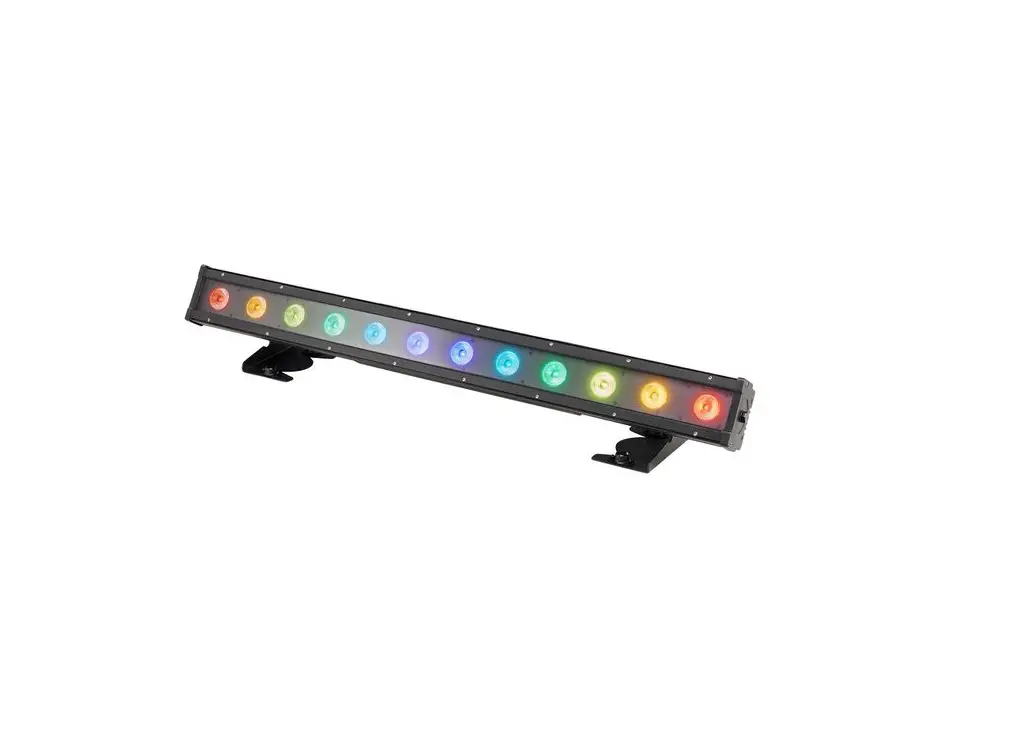

Monoprice 3-Color LED Light Bar
SAFETY WARNINGS AND GUIDELINES
- Do not expose this device to rain, water, or moisture of any kind. Do not use in extremely dusty environments. Do not touch the device with wet hands. If this device is exposed to water or moisture, immediately unplug it from the power source and allow it to fully dry before applying power again.
- Prior to operation, check the unit and power cord for physical damage. Do not use if physical damage has occurred.
- Before plugging the unit into a power outlet, ensure that the outlet provides the same type and level of power required by the device.
- This device uses a grounded power cord and requires a ground connection for safe operation. Ensure that the power source has a proper ground connection. Do not modify the plug or use a “cheater” plug to bypass the ground connection.
- This device has an AC power outlet, which is intended for chaining multiple 612601 light bars together. Do not chain more than 32 units together onto the same circuit. Do not plug anything other than another 612601 light bar into the power outlet.
- This device has no user serviceable parts. Do not attempt to open, service, or modify this device.
- Do not look directly into the light source.
- Keep the original packaging material for use when transporting the device.
- If the device will not be used for any lengthy period of time, it should be unplugged from the wall.
- When installing this device, ensure that the mount is sufficiently robust to support the weight of the unit and to prevent unwanted movement.
INTRODUCTION
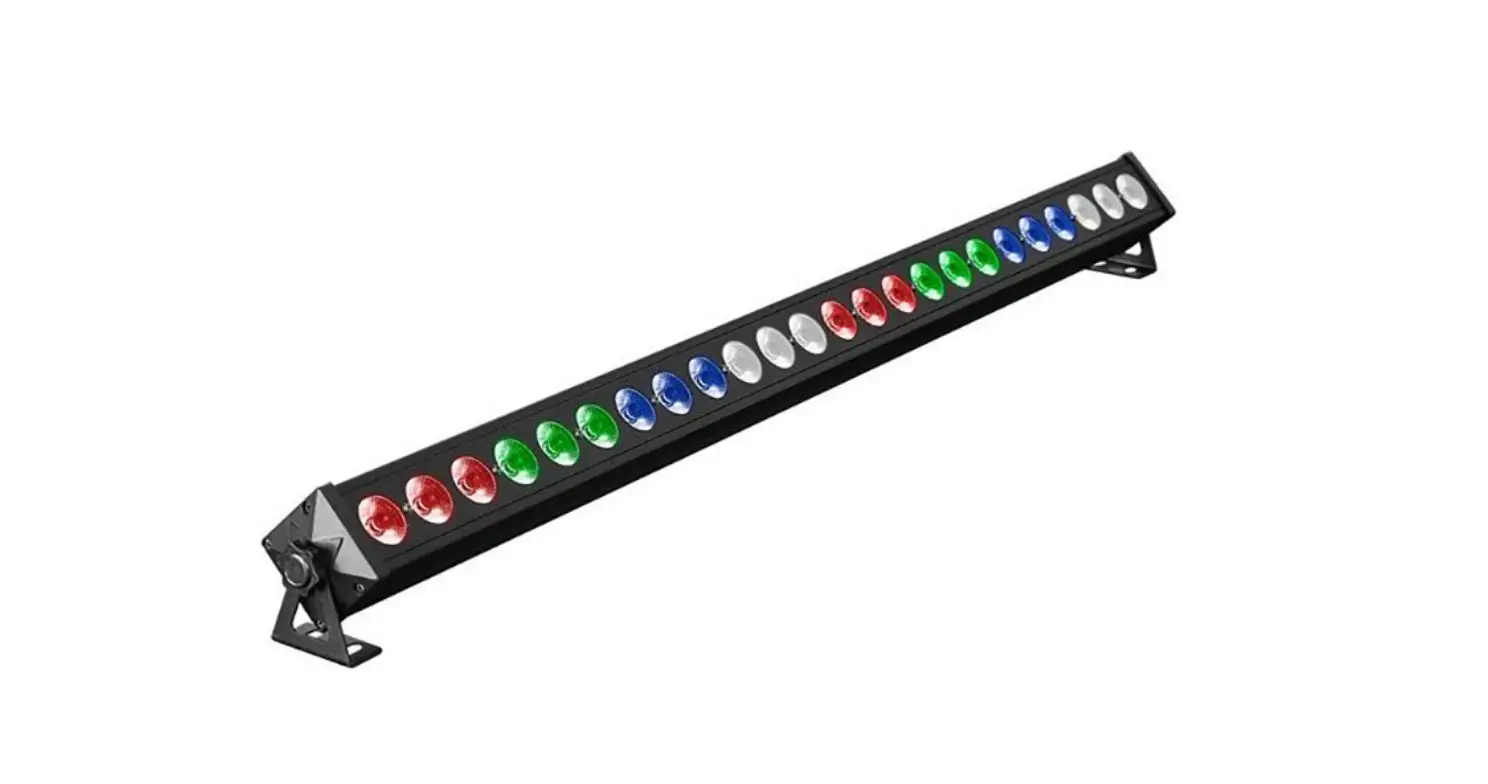
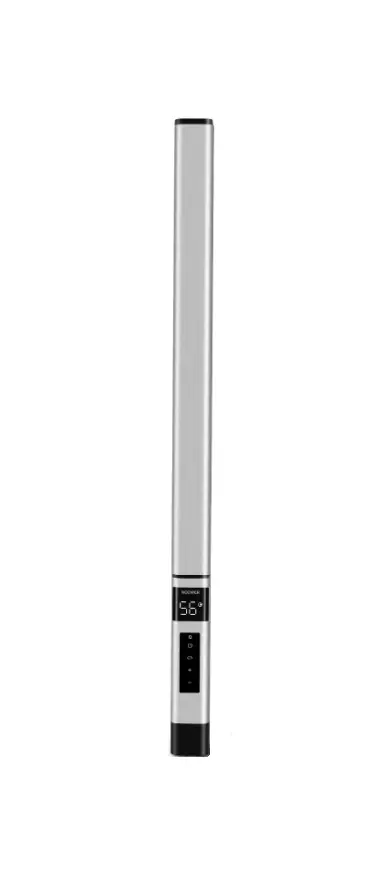
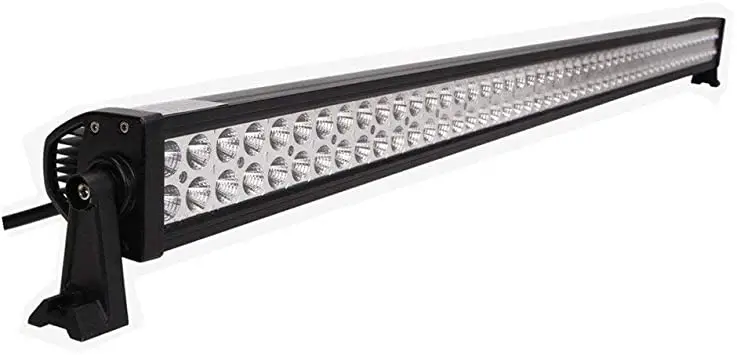
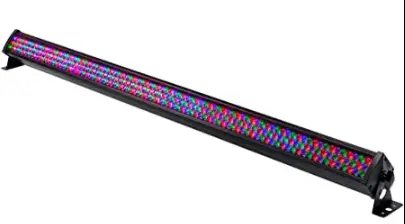
This light features 252 10mm LEDs (84 red, 84 green, 84 blue) enclosed within an aluminum case. It includes 13 built-in automatic programs, plus a sound activated mode with sensitivity control. It supports six DMX512 control modes (2, 3, 4, 7, 14, and 26-channels) that you can control using a DMX controller, such as the Monoprice 612120 DMX512 Controller. Please thoroughly review this manual for safety and operating instructions.
CUSTOMER SERVICE
The Monoprice Customer Service department is dedicated to ensuring that your ordering, purchasing, and delivery experience is second to none. If you have any problem with your order, please give us an opportunity to make it right. You can contact a Monoprice Customer Service representative through the Live Chat link on our website www.monoprice.com or via email at [email protected]. Check the website for support times and links
PACKAGE CONTENTS
Please take an inventory of the package contents to ensure you have all the items listed below. If anything is missing or damaged, please contact Monoprice Customer Service for a replacement.
- 1x 3-color LED light bar
- 1x AC power cable (IEC 60320 C13 to NEMA 5-15)
- 1x User’s manual
NOTE: Your Monoprice 612601 Light Bar has an AC power output outlet, which allows you to chain multiple 612601 light bars together. Do not chain more than 32 units together onto the same circuit. Do not plug anything other than another 612601 light bar into the power outlet.
MENU CONTROLS
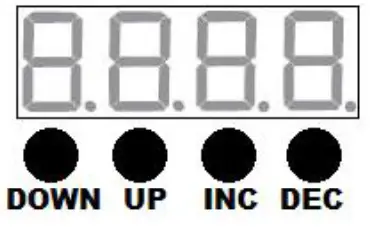
The LED display serves as the operating menu, allowing you to control all of the functions listed in the MENU FUNCTIONS section below.
DOWN: Press the Down button to select the next function in the MENU FUNCTIONS list.
UP: Press the Up button to select the previous function in the MENU FUNCTIONS list.
INC: Increases the displayed value for the selected menu function.
DEC: Decreases the displayed value for the selected menu function.
This light bar has the following built-in functions, modes, and programs.
Note that in the following list, ### and ## are used as 3-digit and 2-digit placeholders, indicating that these digits are not fixed and can be modified within the adjustment range.
| Menu Display | Function Name | Adjustment Range | Adjustment Function |
| A### | DMX Mode A (2CH) | 001 ~ 512 | 2 channel mode |
| d### | DMX Mode d (3CH) | 001 ~ 512 | 3 channel mode |
| C### | DMX Mode C (4CH) | 001 ~ 512 | 4 channel mode |
| E### | DMX Mode E (14CH) 4-Zone Split | 001 ~ 512 | 14 channel mode |
| P### | DMX Mode P (7CH) | 001 ~ 512 | 7 channel mode |
| H### | DMX Mode H (26CH) 8-Zone Split | 001 ~ 512 | 26 channel mode |
| r### | Manual Red Intensity | 000 ~ 255 | Brightness (dim to bright) |
| G### | Manual Green Intensity | 000 ~ 255 | Brightness (dim to bright) |
| b### | Manual Blue Intensity | 000 ~ 255 | Brightness (dim to bright) |
| FS## | Strobe (works with manual color) | 00 ~ 20 | Strobe speed (0 ~ 20 Hz) |
| 1E## | Program 1 Color Scan | 00 ~ 20 | Speed (slow to fast) |
| 2E## | Program 2 Color Scan with Block Build | 00 ~ 20 | Speed (slow to fast) |
| 3E## | Program 3 2-Way Color Scan | 00 ~ 20 | Speed (slow to fast) |
| 4E## | Program 4 Multicolor Scan Middle Out | 00 ~ 20 | Speed (slow to fast) |
| 5E## | Program 5 RGB Stretch | 00 ~ 20 | Speed (slow to fast) |
| 6E## | Program 6 Split Bar Color Jump | 00 ~ 20 | Speed (slow to fast) |
| 7E## | Program 7 All Color Scan | 00 ~ 20 | Speed (slow to fast) |
| 8E## | Program 8 Color Fade In/Out | 00 ~ 20 | Speed (slow to fast) |
| 1F## | Program 9 Color Mix | 00 ~ 20 | Speed (slow to fast) |
| 2F## | Program 10 8-Way Color Fade | 00 ~ 20 | Speed (slow to fast) |
| 3F## | Program 11 Multicolor Scan Block Build | 00 ~ 20 | Speed (slow to fast) |
| 4F## | Program 12 8-Way Color Mix/Fade | 00 ~ 20 | Speed (slow to fast) |
| EF## | Program 13 Pattern Mix | 00 ~ 20 | Speed (slow to fast) |
| SU## | Sound Activated Pattern Mix | 00 ~ 20 | Sensitivity (low to high) |
| SLAE | Slave Mode | N/A | N/A |
DMX MODES
The following tables detail the functionality of each channel and DMX value in each of the six DMX modes.
DMX Mode A (2-channel)
This mode is indicated by the use of the letter A in the first position on the LED display.
| Channel | DMX Values | Function |
|
1 | 000 ~ 011 | OFF |
| 012 ~ 023 | Red | |
| 024 ~ 035 | Green | |
| 036 ~ 047 | Blue | |
| 048 ~ 059 | Yellow |
|
1 | 060 ~ 071 | Purple |
| 072 ~ 083 | Cyan | |
| 084 ~ 095 | White | |
| 096 ~ 107 | Program 1 | |
| 108 ~ 119 | Program 2 | |
| 120 ~ 131 | Program 3 | |
| 132 ~ 143 | Program 4 | |
| 144 ~ 155 | Program 5 | |
| 156 ~ 167 | Program 6 | |
| 168 ~ 179 | Program 7 | |
| 180 ~ 191 | Program 8 | |
| 192 ~ 203 | Program 9 | |
| 204 ~ 215 | Program 10 | |
| 216 ~ 227 | Program 11 | |
| 228 ~ 239 | Program 12 | |
| 240 ~ 251 | Program 13 | |
| 252 ~ 255 | Sound Activated | |
| 2 | 000 ~ 255 | Speed/Sensitivity |
DMX Mode d (3-channel)
This mode is indicated by the use of the letter d in the first position on the LED display.
| Channel | DMX Values | Function |
| 1 | 000 ~ 255 | Red Dimming |
| 2 | 000 ~ 255 | Green Dimming |
| 3 | 000 ~ 255 | Blue Dimming |
DMX Mode C (4-channel)
This mode is indicated by the use of the letter C in the first position on the LED display.
| Channel | DMX Values | Function |
| 1 | 000 ~ 255 | Red Dimming |
| 2 | 000 ~ 255 | Green Dimming |
| 3 | 000 ~ 255 | Blue Dimming |
| 4 | 000 ~ 255 | Master Dimming |
DMX Mode E 4-Zone Split (14-channel)
This mode is indicated by the use of the letter E in the first position on the LED display.
| Channel | DMX Values | Function |
| 1 | 000 ~ 255 | Zone 1 Red Dimming |
| 2 | 000 ~ 255 | Zone 1 Green Dimming |
| 3 | 000 ~ 255 | Zone 1 Blue Dimming |
| 4 | 000 ~ 255 | Zone 2 Red Dimming |
| 5 | 000 ~ 255 | Zone 2 Green Dimming |
| 6 | 000 ~ 255 | Zone 2 Blue Dimming |
| 7 | 000 ~ 255 | Zone 3 Red Dimming |
| 8 | 000 ~ 255 | Zone 3 Green Dimming |
| 9 | 000 ~ 255 | Zone 3 Blue Dimming |
| 10 | 000 ~ 255 | Zone 4 Red Dimming |
| 11 | 000 ~ 255 | Zone 4 Green Dimming |
| 12 | 000 ~ 255 | Zone 4 Blue Dimming |
| 13 | 000 ~ 255 | Strobe (0 ~ 20 Hz) |
| 14 | 000 ~ 255 | Master Dimmer |
DMX Mode P (7-channel)
This mode is indicated by the use of the letter P in the first position on the LED display.
| Channel | DMX Values | Function | |
| 1 | 000 ~ 255 | Red Dimming | |
| 2 | 000 ~ 255 | Green Dimming | |
| 3 | 000 ~ 255 | Blue Dimming | |
| 000 ~ 011 | OFF | ||
| 012 ~ 023 | Red | ||
| 024 ~ 035 | Green | ||
| 036 ~ 047 | Blue | ||
| 048 ~ 059 | Yellow | ||
| 060 ~ 071 | Purple | ||
| 4 | 072 ~ 083 | Cyan | |
| 084 ~ 095 | White | ||
| (overrides | |||
| 096 ~ 107 | Program 1 | ||
| channels | |||
| 1, 2, 3, 6, | |||
| 108 ~ 119 | Program 2 | ||
| & 7) | |||
| 120 ~ 131 | Program 3 | ||
| 132 ~ 143 | Program 4 | ||
| 144 ~ 155 | Program 5 | ||
| 156 ~ 167 | Program 6 | ||
| 168 ~ 179 | Program 7 | ||
| 180 ~ 191 | Program 8 | ||
| 192 ~ 203 | Program 9 |
| 4 | 204 ~ 215 | Program 10 | |
| 216 ~ 227 | Program 11 | ||
| (overrides | |||
| channels | 228 ~ 239 | Program 12 | |
| 1, 2, 3, 6, | |||
| 240 ~ 251 | Program 13 | ||
| & 7) | |||
| 252 ~ 255 | Sound Activated | ||
| 5 | 000 ~ 255 | Speed/Sensitivity (for channel 4) | |
| 6 | 000 ~ 255 | Strobe (0 ~ 20 Hz) | |
| 7 | 000 ~ 255 | Master Dimmer |
DMX Mode H 8-Zone Split (26-channel)
This mode is indicated by the use of the letter H in the first position on the LED display.
| Channel | DMX Values | Function |
| 1 | 000 ~ 255 | Zone 1 Red Dimming |
| 2 | 000 ~ 255 | Zone 1 Green Dimming |
| 3 | 000 ~ 255 | Zone 1 Blue Dimming |
| 4 | 000 ~ 255 | Zone 2 Red Dimming |
| 5 | 000 ~ 255 | Zone 2 Green Dimming |
| 6 | 000 ~ 255 | Zone 2 Blue Dimming |
| 7 | 000 ~ 255 | Zone 3 Red Dimming |
| 8 | 000 ~ 255 | Zone 3 Green Dimming |
| 9 | 000 ~ 255 | Zone 3 Blue Dimming |
| 10 | 000 ~ 255 | Zone 4 Red Dimming |
| 11 | 000 ~ 255 | Zone 4 Green Dimming |
| 12 | 000 ~ 255 | Zone 4 Blue Dimming |
| 13 | 000 ~ 255 | Zone 5 Red Dimming |
| 14 | 000 ~ 255 | Zone 5 Green Dimming |
| 15 | 000 ~ 255 | Zone 5 Blue Dimming |
| 16 | 000 ~ 255 | Zone 6 Red Dimming |
| 17 | 000 ~ 255 | Zone 6 Green Dimming |
| 18 | 000 ~ 255 | Zone 6 Blue Dimming |
| 19 | 000 ~ 255 | Zone 7 Red Dimming |
| 20 | 000 ~ 255 | Zone 7 Green Dimming |
| 21 | 000 ~ 255 | Zone 7 Blue Dimming |
| 22 | 000 ~ 255 | Zone 8 Red Dimming |
| 23 | 000 ~ 255 | Zone 8 Green Dimming |
| 24 | 000 ~ 255 | Zone 8 Blue Dimming |
| 25 | 000 ~ 255 | Strobe (0 ~ 20 Hz) |
| 26 | 000 ~ 255 | Master Dimmer |
MASTER/SLAVE OPERATION
Multiple lights can be daisy chained together, with one serving as the Master and the others configured as Slaves to perform whatever actions are performed by the master unit. The master light can be in any mode except DMX mode, while all the slaves must be set to SLAE mode to ensure they receive signals from the master unit.
Notes:
- If the daisy chain is longer than 60 meters or if it contains 20 or more light fixtures, a DMX signal amplifier should be used to ensure that all devices get valid instruction signals.
- The last device in any DMX chain must be terminated using a DMX Terminator. You can make a DMX terminator by soldering a 120-ohm (1/4 watt) resistor between pins 2 and 3 of a standard XLR male plug or can purchase a terminator, such as the Monoprice 601600 3-Pin DMX Terminator.
3-PIN XLR to 5-PIN DMX Conversion While most DMX compatible equipment uses 3-pin XLR connectors, some devices use the official 5-pin DMX connector. To make a 3-pin to 5-pin converter simply make a cable with a 3-pin XLR connector on one end and a 5-pin DMX connector on the other. Connect the pins as follows:
| 3-pin XLR to 5-pin DMX Adapter | ||
| Signal | 3-pin XLR | 5-pin DMX |
| Ground/Shield | 1 | 1 |
| Data Complement (- signal) | 2 | 2 |
| Data True (+ signal) | 3 | 3 |
| Do Not Use | 4 | |
| Do Not Use | 5 | |
Note: Rather than go to the trouble of making a conversion cable, you can use the Monoprice 601604 3-pin Male to 5-pin Female or 601605 5-pin Male to 3-pin Female DMX Converters.
DMX TERMINATION
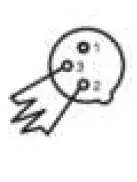
As with all DMX devices, the last unit in any chain must have a DMX terminator connected to the DMX output. If using just a single light, connect a DMX terminator to the DMX output.
A DMX terminator is a DMX plug with a 120-ohm, 1/4-watt resistor soldered between pins 2 and 3.
Note: You can make a DMX terminator by soldering a 120-ohm (1/4 watt) resistor between pins 2 and 3 of a standard XLR male plug or can purchase a terminator, such as the Monoprice 601600 3-Pin DMX Terminator.
TROUBLESHOOTING
- Following are some common problems and common solutions.
- Check to ensure the power cord is connected to a power outlet.
- Check to ensure that the connected outlet has available power.
- Problem: The light will not execute DMX instructions. Solutions:
- Check to ensure that the light is connected to the controller via a DMX cable.
- Check to ensure that the DMX chain is properly terminated.
- Check to ensure that the DMX cable is good; swap out a known good cable to test.
- Check to ensure the light is in one of the DMX modes (A, d, C, E, P, or H).
- Check to ensure the DMX controller is operating properly.
- If you experience other problems with this light and cannot solve them on your own, please contact Monoprice Technical Support for assistance.
TECHNICAL SUPPORT
Monoprice is pleased to provide free, live, online technical support to assist you with any questions you may have about installation, setup, troubleshooting, or product recommendations. If you ever need assistance with your new product, please come online to talk to one of our friendly and knowledgeable Tech Support Associates. Technical support is available through the online chat button on our website www.monoprice.com or through email by sending a message to [email protected]. Check the website for support times and links.
SPECIFICATIONS
| Model | 612601 |
| LEDs | 252 high brightness 10mm LEDs (84 red, 84 green, 84 blue) |
| Control Signal | DMX512, master/slave |
| Control Modes | Stand alone, sound activated, DMX512, master/slave |
| # of DMX Channels | 2, 3, 4, 7, 14, or 26 |
| Beam Angle | 40° |
| Input Voltage | 85 ~ 265 VAC, 50 ~ 60 Hz (auto adjust) |
| Power Consumption | 36 watts |
| Pass-through Power Socket | NEMA 5-15 |
| Dimensions | 42.1″ x 2.6″ x 3.5″ (1080 x 65 x 88 mm) |
| Weight | 5.7 lbs. (2.6 kg) |
REGULATORY COMPLIANCE
Notice for FCC
- This device complies with Part 15 of the FCC rules. Operation is subject to the following two conditions: (1) this device may not cause harmful interference, and (2) this device must accept any interference received, including interference that may cause undesired operation.
- Modifying the equipment without Monoprice’s authorization may result in the equipment no longer complying with FCC requirements for Class B digital devices. In that event, your right to use the equipment may be limited by
- FCC regulations, and you may be required to correct any interference to radio or television communications at your own expense.
- This equipment has been tested and found to comply with the limits for a Class B digital device, pursuant to Part 15 of the FCC Rules. These limits are designed to provide reasonable protection against harmful interference in a residential installation.
This equipment generates, uses and can radiate radio frequency energy and, if not installed and used in accordance with the instructions, may cause harmful interference to radio communications. However, there is no guarantee that interference will not occur in a particular installation. If this equipment does cause harmful interference to radio or television reception, which can be determined by turning the equipment off and on, the user is encouraged to try to correct the interference by one or more of the following measures:
- Reorient or relocate the receiving antenna.
- Increase the separation between the equipment and receiver.
- Connect the equipment into an outlet on a circuit different from that to which the receiver is connected.
- Consult the dealer or an experienced radio/TV technician for help.
Notice for Industry Canada
This Class B digital apparatus complies with Canadian ICES-003.
EU Conformity with applicable directives.
This equipment complies with the essential requirements listed below:
- EMC Directive 2004/108/EC
- Low Voltage Directive 2006/95/EC
- R&TTE Directive 1999/5/EC
- Ecodesign/ErP/Energy Efficiency Directive 2009/125/EC
- RoHS2 Directive 2011/65/EU
- WEEE Directive 2012/19/EC
- Packaging & Packaging Waste Directive 94/62/EC
- Batteries Directive 2006/66/EC
- REACH Directive 1907/2006/EC

 HDMI Cable, Home Theater Accessories, HDMI Products, Cables, Adapters, Video/Audio Switch, Networking, USB, Firewire, Printer Toner, and more! - Monoprice.com