KNX Aidoo Control
Product Information
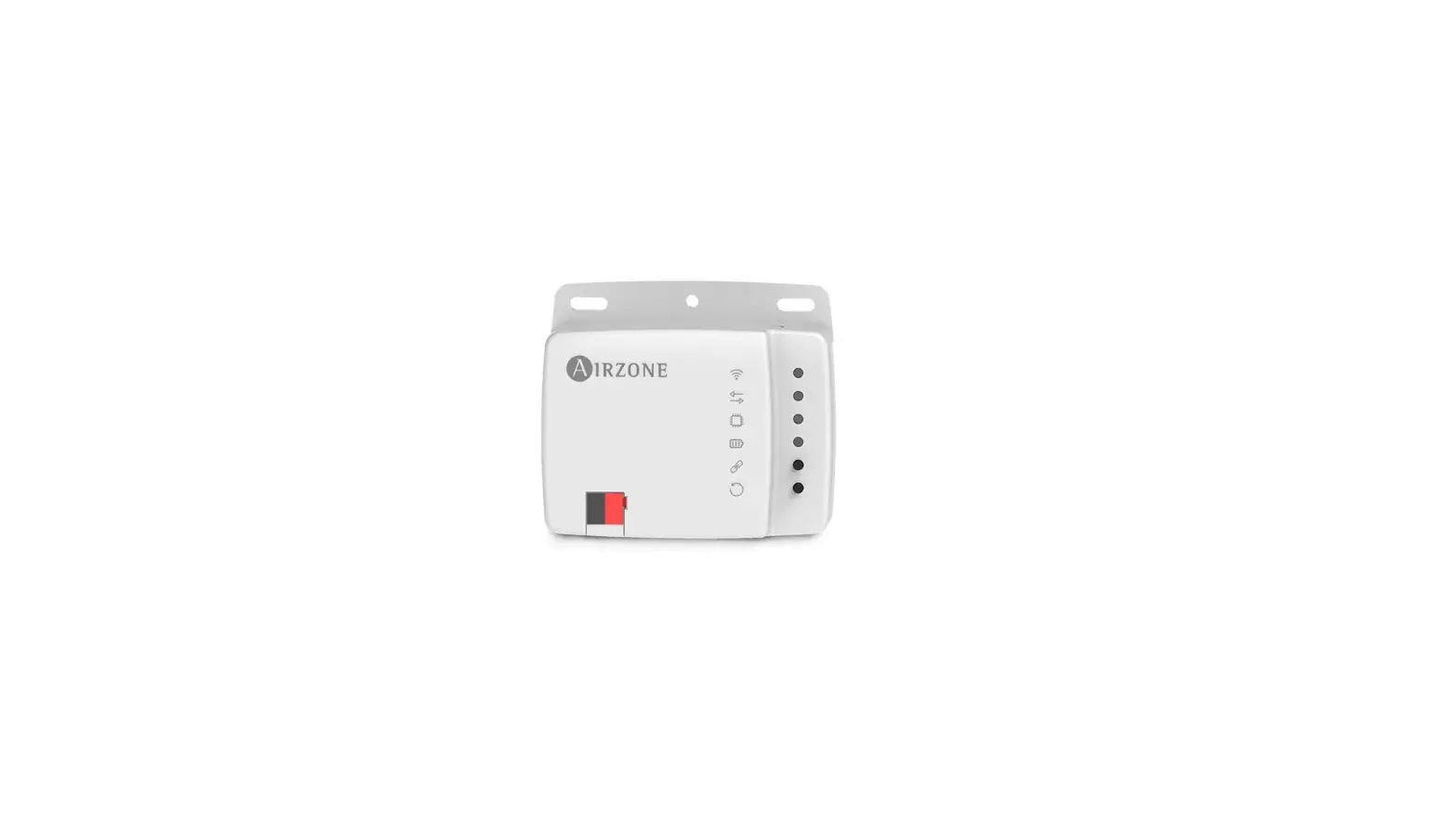
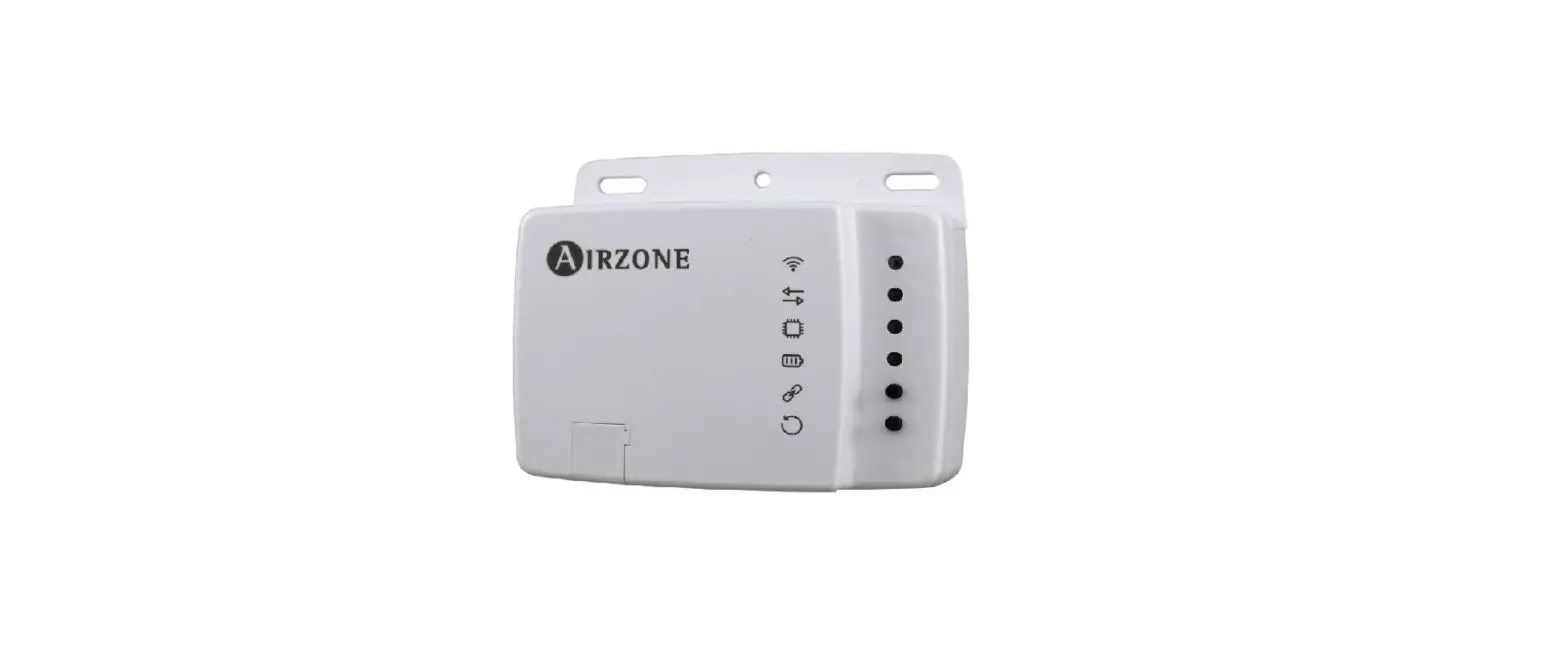
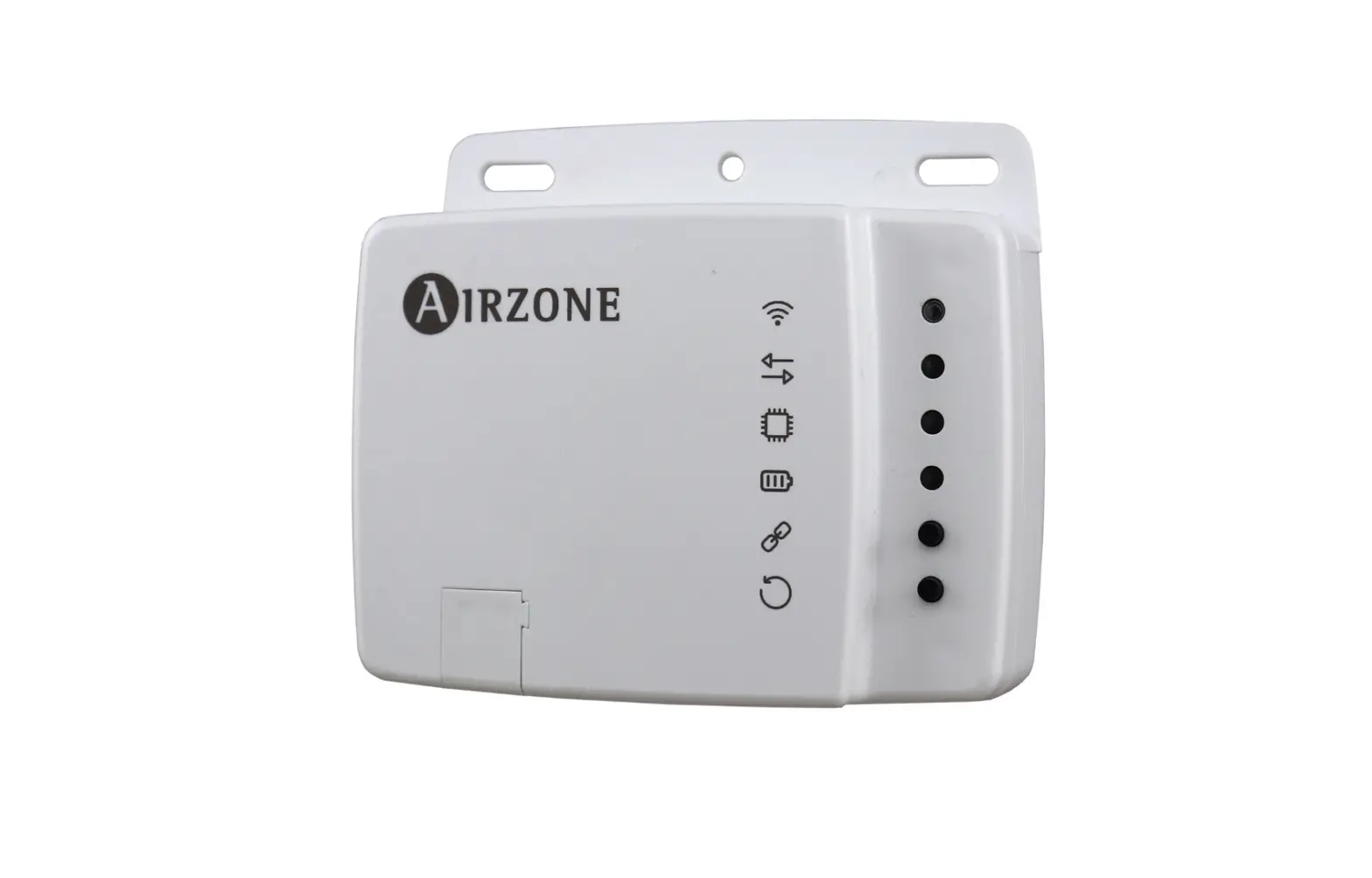
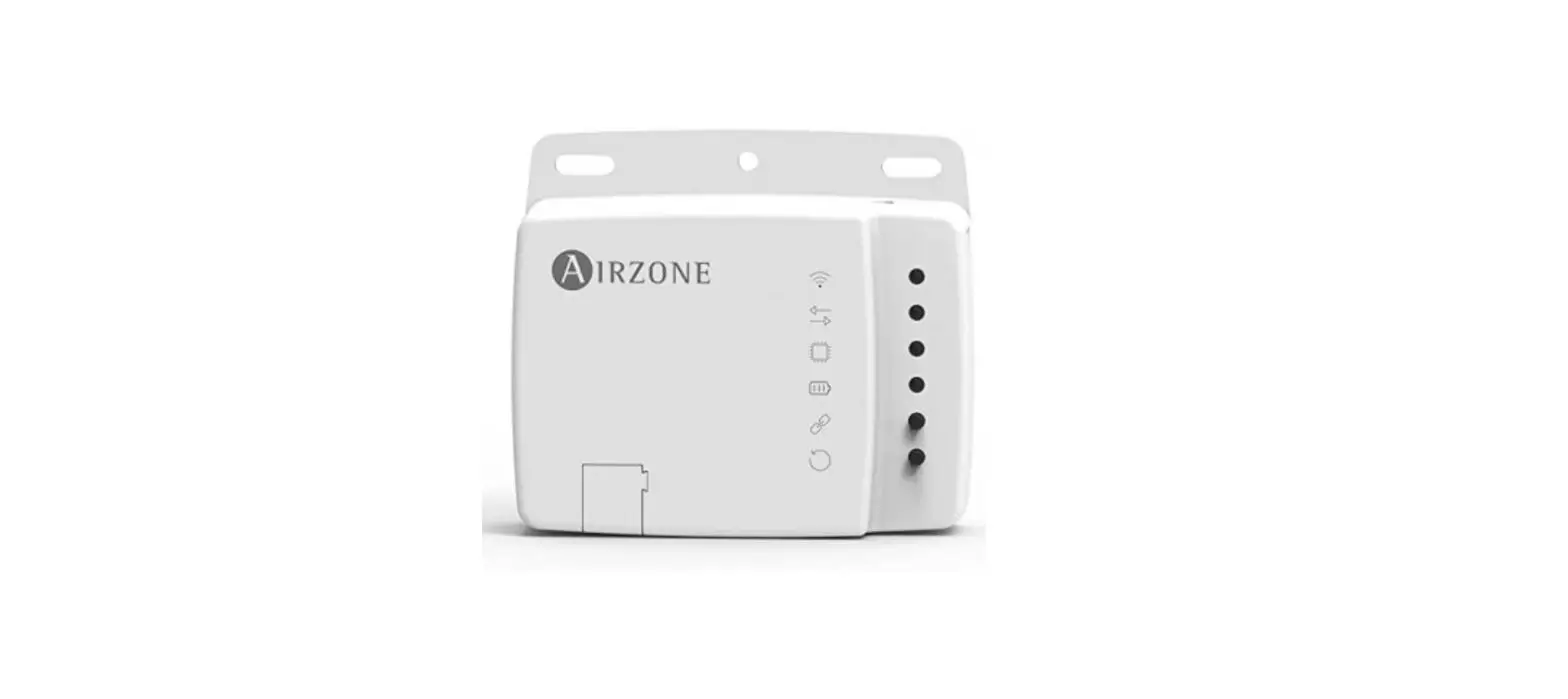
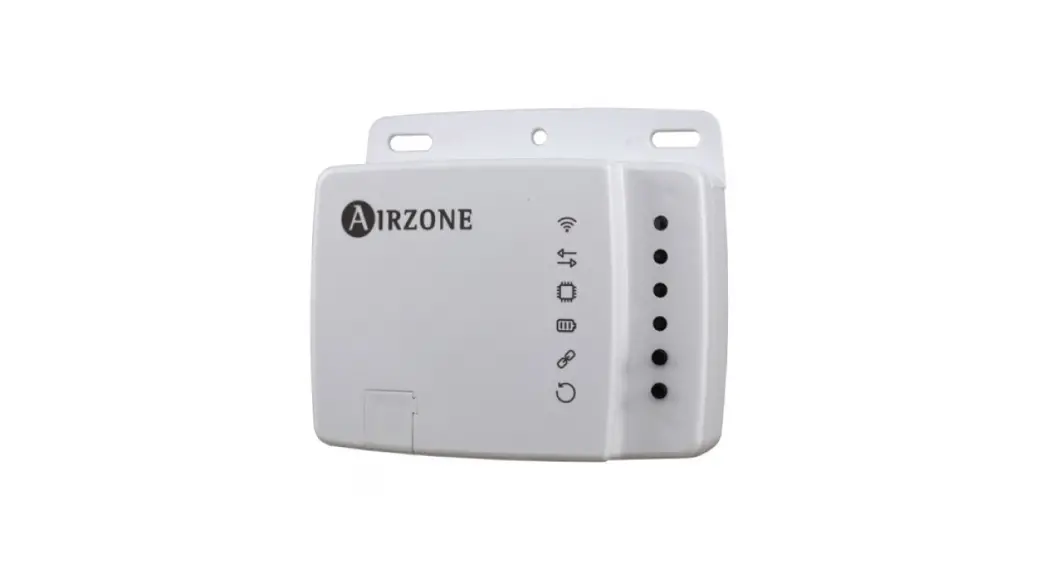
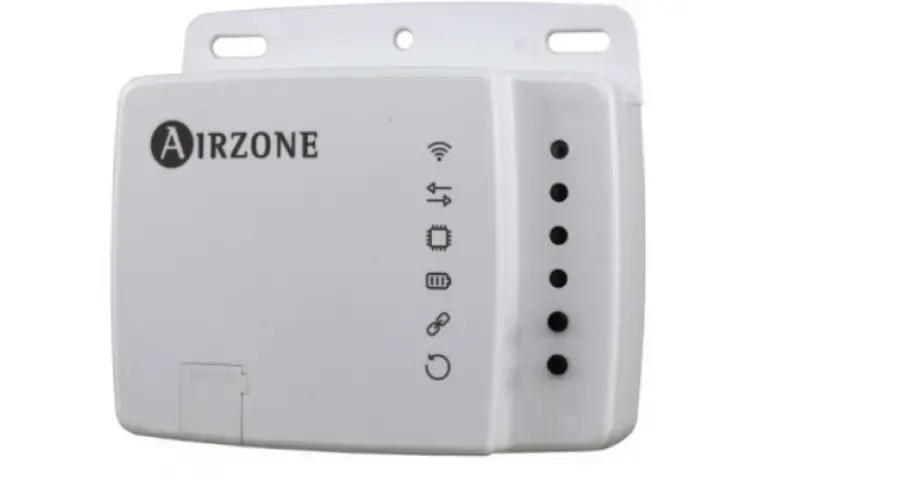
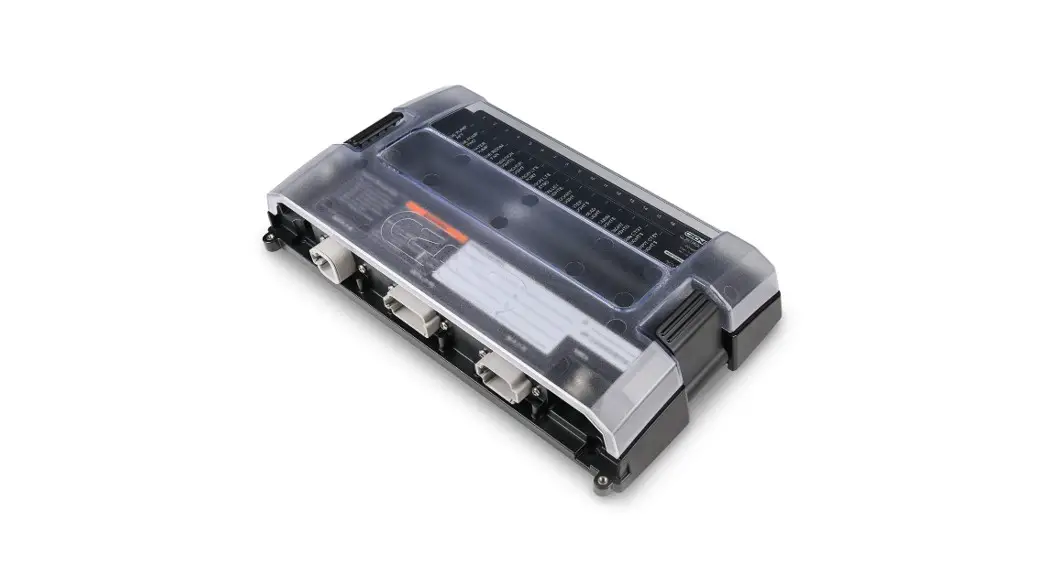
The Aidoo KNX controller is a device used to manage and
integrate HVAC units in KNX TP-1 control systems. It is externally
powered by the indoor unit and offers various features:
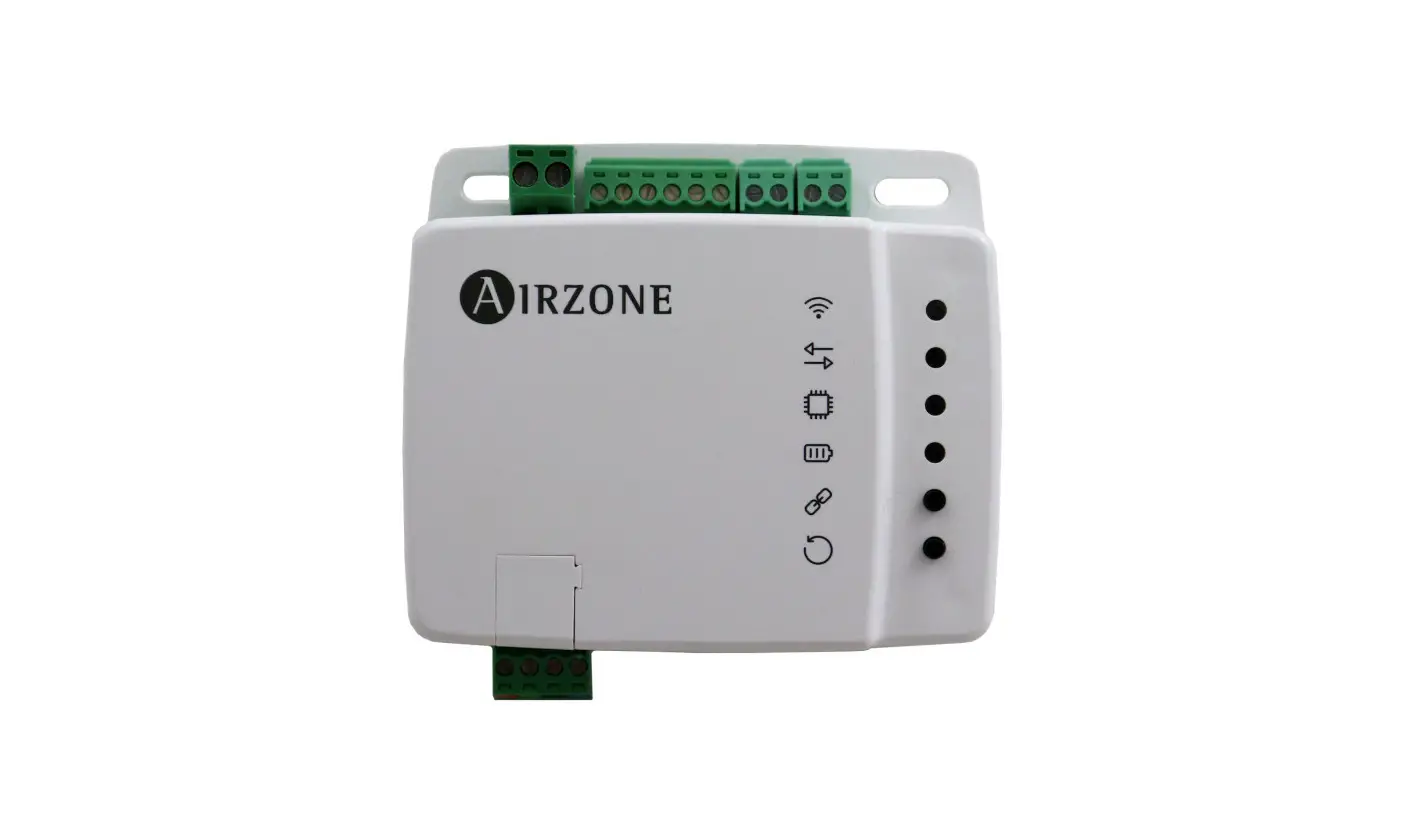
- I1 – Digital input 1
- I2 – Digital input 2
- I3 – Digital input 3
- KNX Connection – Indoor unit port for KNX programming
- Device reboot – Enables device reboot
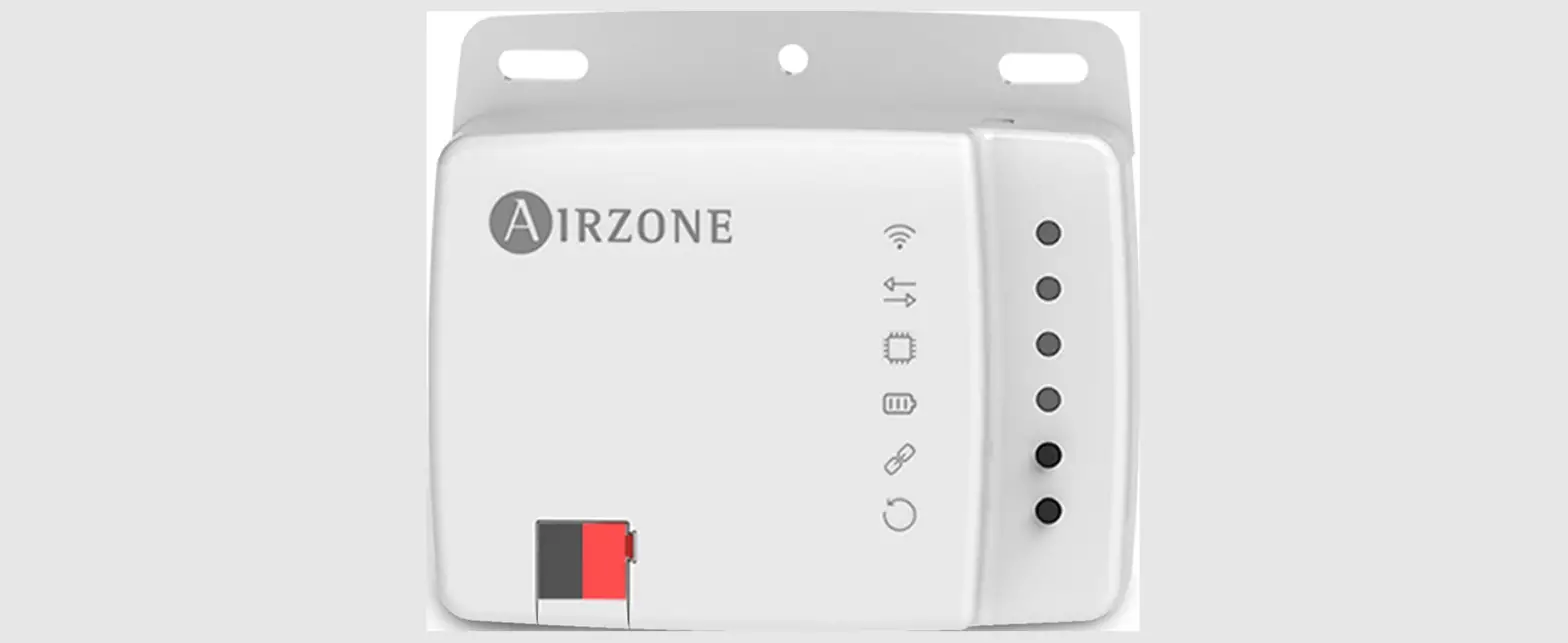
The device can be mounted using screws or double-sided adhesive
tape (included with the product). It has a standard KNX connector
for connecting to the KNX bus.
Product Usage Instructions
- Assembly:
- Mount the device using screws or double-sided adhesive
tape.
- Mount the device using screws or double-sided adhesive
- Connection:
- Refer to the technical data sheet that comes with the Aidoo for
instructions on connecting the device to the AC unit. - Connect the Aidoo to the KNX TP-1 bus, following the color
code.
- Refer to the technical data sheet that comes with the Aidoo for
- Configuration:
- The Aidoo device is compatible with KNX. Configure and set it
up through the ETS tool. - Download the product database from this link:
http://doc.airzone.es/producto/Gama_AZ6/Airzone/Aidoo/BBDD_AZAI6KNX.zip - Install the database in the ETS tool by following the usual
procedure for importing new products.
- The Aidoo device is compatible with KNX. Configure and set it
- Communication Objects:
- Default communication objects available in ETS for the Aidoo
KNX device:
- Object number 1: Control On/Off
- Description: Allows switching the AC unit on or off
- Values: 0 -> Off, 1 -> On
- Type of access to the Bus: Write
- Data point identification: 1.001 (DPT_Switch)
- Object number 2: Control Mode
- Description: Allows changing the AC unit’s operating mode
- Values: 0 -> Auto, 1 -> Heat, 3 -> Cool, 9 -> Fan,
14 -> Dry - Type of access to the Bus: Write
- Data point identification: 20.105 (DPT_HVACContrMode)
- Object number 12: Control fan speed / 3 speed
- Description: Allows changing the AC unit’s ventilation
speed - Values: 0…49% -> Speed 1, 50…82% -> Speed 2,
83…100% -> Speed 3 - Type of access to the Bus: Write
- Data point identification: 5.001 (DPT_Scalling), 5.010
(DPT_Enumerated)
- Description: Allows changing the AC unit’s ventilation
- Object number 18: Control Vanes U-D/5 pos
- Description: Allows changing the position of the slats in the
AC unit - Type of access to the Bus: Write
- Data point identification: N/A
- Description: Allows changing the position of the slats in the
- Default communication objects available in ETS for the Aidoo
EN
Integration manual
Aidoo KNX controller
CONTENTS
WARNINGS AND ENVIRONMENTAL POLICY___________________________________________________ 3
> Precautions________________________________________________________________________________ 3 > Environmental policy ____________________________________________________________________ 3
GENERAL REQUIREMENTS _______________________________________________________________________ 3 INTRODUCTION ______________________________________________________________________________________ 4 ASSEMBLY____________________________________________________________________________________________ 4 CONNECTION _________________________________________________________________________________________ 4 CONFIGURATION ____________________________________________________________________________________ 4 COMMUNICATION OBJECTS _______________________________________________________________________ 5
> Default communication objects _______________________________________________________ 5 > Configuration parameters ______________________________________________________________ 7
> General _______________________________________________________________________________ 8 > Mode configuration ________________________________________________________________ 8 > Fan configuration___________________________________________________________________ 11 > Temperature configuration _______________________________________________________ 15 > Timeouts configuration____________________________________________________________ 16 > Scenes configuration ______________________________________________________________ 17 > Inputs configuration _______________________________________________________________ 18 > Communication objects ___________________________________________________________ 20
KNX PARAMETERS FOR SAMSUNG_____________________________________________________________ 22
> SA2 protocol_______________________________________________________________________________ 22
2
Warnings and environmental policy
PRECAUTIONS
For your security, and to protect the devices, follow these instructions:
· Do not handle the system with wet or damp hands. · Disconnect the power supply before making any connections. · Take care not to cause a short circuit in any of the system connections.
ENVIRONMENTAL POLICY
Do not dispose of this equipment in the household waste. Electrical and electronic equipment contain substances that may damage the environment if they are not handled appropriately. The symbol of a crossed-out waste bin indicates that electrical equipment should be collected separately from other urban waste. For correct environmental management, it must be taken to the collection centers provided for this purpose, at the end of its useful life. The equipment’s components may be recycled. Act in accordance with current regulations on environmental protection. If you replace it with other equipment, you must return it to the distributor or take it to a specialized collection center. Those breaking the law or by-laws will be subject to such fines and measures as are laid down in environmental protection legislation.
General requirements
Strictly follow the directions outlined in this manual:
· This system must be installed by a qualified technician. · Verify that the units to be controlled have been installed according to the manufacturer’s requirements and operate correctly before installing
the Airzone System.
· Locate and connect all the devices of the installation in accordance with the electronic regulations in force. · Verify that the air conditioning installation to be controlled is in accordance with the regulations in force. · Perform all the connections with total absence of power supply. · Do not place the system bus close to lines of force, fluorescent lights, LED lamps, motors, etc. It might cause interference on the
communications.
· Respect the connection polarity of each device. A wrong connection may seriously damage the product.
3
Introduction
Device to manage and integrate HVAC units in KNX TP-1 control systems. Externally powered by the indoor unit. Features:
· Control of the parameters of the unit. · KNX Control.
· KNX standard data. · 3 digital inputs.
· Easily configurable from ETS. · Communication errors detection.
I1 I2 – I3
Meaning Indoor unit wire Digital input 1 Digital input 2 Commom input Digital input 3 KNX Connection Indoor unit port Device reboot Enable KNX programming
Assembly
The device can be mounted using screws or double-sided adhesive tape (included with the product).
Connection
To connect the device to the AC unit, follow the instructions on the technical data sheet that comes with the Aidoo. It has a standard KNX connector for connecting to the KNX bus. Connect the Aidoo to the KNX TP-1 bus, following the color code.
Configuration
This device is totally compatible with KNX, so you can configure it and set it up through ETS tool. To do this, download the product database at: http://doc.airzone.es/producto/Gama_AZ6/Airzone/Aidoo/BBDD_AZAI6KNX.zip The installation of the database in the ETS tool is carried out following the usual procedure for importing new products.
4
Communication objects
The Aidoo KNX device has a series of communication objects available for configuration by default (see the Default communication objects section). If you wish to use all the communication objects contained in this device, go to the Parameters tab in order to enable them (see the Configuration Parameters section for more information). IMPORTANT: The number of functionalities that can be controlled by the different communication objects offered by the Aidoo KNX device will depend on the particular AC unit being controlled. To view all the communication objects available on the Aidoo KNX device, please go to Annexes Index – Communication Objects for more information.
DEFAULT COMMUNICATION OBJECTS
The default communication objects available in ETS for the Aidoo KNX device are: Object number 1: Control On/Off Description This allows you to switch the AC unit on or off Values 0 -> Off
Type of access to the Bus Write Data point identification 1.001 (DPT_Switch)
1 -> On
Object number Description
Values Type of access to the Bus Data point identification
2: Control Mode
This allows you to change the AC unit’s operating mode. Changing the value of the object will change the mode
0 -> Auto 1 -> Heat 3 -> Cool
9 -> Fan 14 -> Dry
Write
20.105 (DPT_HVACContrMode)
Object number Description
Values Type of access to the Bus Data point identification
12: Control fan speed / 3 speed
This allows you to change the AC unit’s ventilation speed. Changing the value of the object will change the ventilation speed
0…49% -> Speed 1 50…82% -> Speed 2 83…100% -> Speed 3
1 -> Speed 1 2 -> Speed 2 3 -> Speed 3
Write
5.001 (DPT_Scalling)
5.010 (DPT_Enumerated)
Note: You can configure the object type in the Fan Configuration section, under the Parameters tab in ETS. By default it is configured as Datapoint 5.001 (percentage control). See the Configuration Parameters Fan Configuration section for more information.
Object number Description
Values
Type of access to the Bus Data point identification
18: Control Vanes U-D/5 pos
This allows you to change the position of the slats in the AC unit. Changing the value of the object will change the position of the slats
0%…29% -> Position 1 30%…49% -> Position 2 50%…69% -> Position 3 70%…89% -> Position 4 90%…100% -> Position 5
1 -> Position 1 2 -> Position 2 3 -> Position 3 4 -> Position 4 5 -> Position 5
Write
5.001 (DPT_Scalling)
5.010 (DPT_Enumerated)
Note: Configure the object type in the Vanes Up-Down configuration section, under the Parameters tab in ETS. By default it is configured as Datapoint 5.001 (percentage control). See the Configuration Parameters Vanes Up-Down configuration section for more information.
Object number Description Values
Type of access to the Bus Data point identification
27: Control Setpoint Temperature This allows you to select the AC unit’s setpoint temperature in increments of 1°C Varies depending on manufacturer and type of AC unit Write 9.001 (DPT_Value_Temp)
5
Object number Description
Valores disponibles Tipo de acceso al bus Identificación Datapoint
51: Status On/Off This displays the status of the AC unit (on or off) 0 -> Off Reading 1.001 (DPT_Switch)
1 -> On
Object number Description
Values
Type of access to the Bus Data point identification
52: Status mode
Position
0 -> Auto 1 -> Heat 3 -> Cool
Reading
20.105 (DPT_ Hvaccontrmode)
9 -> Fan 14 -> Dry
Object number Description
Values
Type of access to the Bus Data point identification
60: Status Fan speed / 3 speed
This displays the AC unit’s ventilation speed
33% -> Speed 1 67% -> Speed 2 100% -> Speed 3
Reading
5.001 (DPT_Scalling)
1 -> Speed 1 2 -> Speed 2 3 -> Speed 3
5.010 (DPT_Enumerated)
Note: Configure the object type in the Vanes Up-Down configuration section, under the Parameters tab in ETS. By default it is configured as Datapoint 5.001 (percentage control). See the Configuration Parameters Vanes Up-Down configuration section for more information.
Object number Description
Values
Type of access to the Bus Data point identification
66: Status Vanes U-D/5Pos
This displays the position of the AC unit’s slats
20% -> Position 1 40% -> Position 2 60 % -> Position 3 80% -> Position 4 100% -> Position 5
Reading
5.001 (DPT_Scalling)
1 -> Position 1 2 -> Position 2 3 -> Position 3 4 -> Position 4 5 -> Position 5
5.010 (DPT_Enumerated)
Note: Configure the object type in the Vanes Up-Down configuration section, under the Parameters tab in ETS. By default it is configured as Datapoint 5.001 (percentage control). See the Configuration Parameters Vanes Up-Down configuration section for more information.
Object number Description Values
Type of access to the Bus Data point identification
75: Status AC Setpoint Temperature This displays the setpoint temperature selected for the AC unit (°C) Varies depending on manufacturer and type of AC unit Reading 9.001 (DPT_Value_Temp)
Object number Description Values
Type of access to the Bus Data point identification
76: Status AC Return Temperature This displays the AC unit’s return temperature (°C) Varies depending on manufacturer and type of AC unit Reading 9.001 (DPT_Value_Temp)
Object number Description Values
Type of access to the Bus Data point identification
77: Internal probe temperature This displays the temperature measured by the AC unit’s internal probe (°C) Varies depending on manufacturer and type of AC unit Reading 9.001 (DPT_Value_Temp)
6
Object number Description Values
Type of access to the Bus Data point identification
78: External probe temperature This displays the temperature measured by the AC unit’s external probe (°C) Varies depending on manufacturer and type of AC unit Reading 9.001 (DPT_Value_Temp)
Object number Description Values
Type of access to the Bus Data point identification
81: Status Error/Alarm
This shows whether or not an error has occurred in the AC unit
0 -> No error/alarm
1 -> An error/alarm has occurred
Reading
1.005 (DPT_Alarm)
Object number Description Values
Type of access to the Bus Data point identification
82: Error text code This displays the text of the error that has occurred in the AC unit Varies depending on manufacturer and type of AC unit Reading 16.001 (DTP_String_8859_1)
Object number 83: Status Operation Hour Counter Description This displays the AC unit’s number of operating hours Values Number of operating hours
Type of access to the Bus Reading Data point identification 13.100 (DPT_Value_2_Ucount)
CONFIGURATION PARAMETERS
The Aidoo KNX device has a series of communication objects that can be enabled for use via the Parameters tab in ETS.
7
General
· Enable use of objects for filter
Object number Description Values
Type of access to the Bus Data point identification
31: Control Reset Filter This resets the filter cleaning warning counter on the AC unit 1 -> Reset Write 1.015 (DPT_Reset)
Object number Description Values
Type of access to the Bus Data point identification
79: Status Reset Filter
This shows whether or not there has been a warning from the AC unit regarding filter cleaning
0 -> No alarm
1 -> Alarm
Reading
1.002 (DPT_Bool)
· Enable comm obj “Status_Remote Lock”
Object number 84: Status Lock Remote Control
Description This allows you to lock control from the AC unit’s controller
Values 0 -> Unlocked
1 -> Locked
Type of access to the Bus Reading
Data point identification 1.002 (DPT_Bool)
· Enable comm obj “Ctrl_ /Status_Control Lock”
Object number 36: Control Lock Control Objects
Description This allows you to lock control from KNX communication objects
Values 0 -> Unlocked
1 -> Locked
Type of access to the Bus Write
Data point identification 1.002 (DPT_Bool)
Object number Description Values
Type of access to the Bus Data point identification
85: Status Lock Control Objects
This shows whether control has been locked from KNX communication objects
0 -> Unlocked
1 -> Locked
Reading
1.002 (DPT_Bool)
Mode configuration
· Enable “Mode Cool/Heat” objects
Object number 3: Control Mode Cool/Heat
Description
This allows you to select the AC unit’s operating mode (Cooling or Heating) by changing the value of the object
Values 0 -> Cool
1 -> Heat
Type of access to the Bus Write
Data point identification 1.100 (DPT_Heat/Cool)
8
Object number Description Values
Type of access to the Bus Data point identification
53: Status Mode Cool/Heat
This displays the operating mode (Cooling or Heating) currently selected for the AC unit
0 -> Cool
1 -> Heat
Reading
1.100 (DPT_Heat/Cool)
· Enable PID-Compat Scaling Mode Objects
Object number 4: Control Mode Cool & On
Description This allows you to switch the AC unit on or off, with the selected operating mode being Cooling
Values 0 -> Off
1… 100% -> On + Cool
Type of access to the Bus Write
Data point identification 5.001 (DPT_Scaling)
Object number Description Values
Type of access to the Bus Data point identification
5: Control Mode Heat & On
This allows you to switch the AC unit on or off, with the selected operating mode being Heating
0 -> Off
1… 100% -> On + Heat
Write
5.001 (DPT_Scaling)
· Enable use of bit-type Mode objects
Object number 6: Control Mode Auto Description This allows you to select the Auto mode as the AC unit’s operating mode Values 1 -> Mode Auto
Type of access to the Bus Write Data point identification 1.002 (DPT_Bool)
Object number Description Values
Type of access to the Bus Data point identification
7: Control Mode heat This allows you to select the Heating mode as the AC unit’s operating mode 1 -> Mode Heat Write 1.002 (DPT_Bool)
Object number Description Values
Type of access to the Bus Data point identification
8: Control Mode Cool This allows you to select the Cooling mode as the AC unit’s operating mode 1 -> Mode Cool Write 1.002 (DPT_Bool)
Object number Description Values
Type of access to the Bus Data point identification
9: Control Mode Fan This allows you to select the Ventilation mode as the AC unit’s operating mode 1 -> Mode Fan Write 1.002 (DPT_Bool)
9
Object number Description Values
Type of access to the Bus Data point identification
10: Control Mode Dry This allows you to select the Dry mode as the AC unit’s operating mode 1 -> Mode Dry Write 1.002 (DPT_Bool)
Object number Description Values
Type of access to the Bus Data point identification
54: Status Mode Auto This shows that the operating mode currently selected for the AC unit is Auto mode 1 -> Mode Auto Reading 1.002 (DPT_Bool)
Object number Description Values
Type of access to the Bus Data point identification
55: Status Mode Heat This shows that the operating mode currently selected for the AC unit is Heating mode 1 -> Mode Heat Reading 1.002 (DPT_Bool)
Object number Description Values
Type of access to the Bus Data point identification
56: Status Mode Cool This shows that the operating mode currently selected for the AC unit is Cooling mode 1 -> Mode Cool Reading 1.002 (DPT_Bool)
Object number Description Values
Type of access to the Bus Data point identification
57: Status Mode Fan This shows that the operating mode currently selected for the AC unit is Ventilation mode 1 -> Mode Fan Reading 1.002 (DPT_Bool)
Object number Description Values
Type of access to the Bus Data point identification
58: Status Mode Dry This shows that the operating mode currently selected for the AC unit is Dry mode 1 -> Mode Dry Reading 1.002 (DPT_Bool)
· Enable use of +/- object for mode
Select whether you want to use Datapoint DPT 1.007 (0 = Decrease) or DTP 1.008 (0 = Increase).
Object number 11: Control Mode +/-
Description This allows you to modify the system’s operating mode
Values
0 -> Decrease 1 -> Increase
0 -> Increase 1 -> Decrease
Type of access to the Bus Write
Data point identification 1.007 (DPT_Step)
1.008 (DPT_UpDown)
10
· Enable use of text object for Mode
Object number 59: Status Mode Text Description This displays the AC unit’s operating mode Values ASCII String
Type of access to the Bus Reading Data point identification 16.001 (DPT_String_8859_1)
Fan configuration
· DPT object type for fan speed
Select whether you want to use Datapoint DPT 5.001 (percentage control) or DTP 5.010 (number control) for controlling and reading the AC unit’s ventilation speed status:
5.001 (DPT_Scalling) 5.010 (DPT_Enumerated)
0…49% -> Speed 1 50…82% -> Speed 2 83…100% -> Speed 3
1 -> Speed 1 2 -> Speed 2 3 -> Speed 3
· Enable use of bit-type Fan Speed objects
Object number 13: Control Fan Speed Man/Auto
Description
This allows you to switch the AC unit’s ventilation mode between Manual and Auto by changing the value of the object
Values 1 -> Auto
Type of access to the Bus Write
Data point identification 1.002 (DPT_Bool)
Object number Description Values
Type of access to the Bus Data point identification
14: Control Fan Speed 1 This allows you to activate the ventilation speed 1 in the AC unit 1 -> Activated Write 1.002 (DPT_Bool)
Object number Description
15: Control Fan Speed 2 This allows you to activate the ventilation speed 2 in the AC unit
Values 1 -> Activated
Type of access to the Bus Data point identification
Write 1.002 (DPT_Bool)
Object number Description Values
Type of access to the Bus Data point identification
16: Control Fan Speed 3 This allows you to activate the ventilation speed 3 in the AC unit 1 -> Activated Write 1.002 (DPT_Bool)
Object number Description Values
Type of access to the Bus Data point identification
61: Status Fan Speed Manual/Auto
This shows whether the AC unit’s ventilation speed is set to Manual or Auto
0 -> Manual
1 -> Auto
Reading
1.002 (DPT_Bool)
11
Object number Description Values
Type of access to the Bus Data point identification
62: Status Fan Speed 1 This shows whether the AC unit’s ventilation speed is set to Speed 1 1 -> Speed 1 Reading 1.002 (DPT_Bool)
Object number Description Values
Type of access to the Bus Data point identification
63: Status Fan Speed 2 This shows whether the AC unit’s ventilation speed is set to Speed 2 1 -> Speed 2 Reading 1.002 (DPT_Bool)
Object number Description Values
Type of access to the Bus Data point identification
64: Status Fan Speed 3 This shows whether the AC unit’s ventilation speed is set to Speed 3 1 -> Speed 3 Reading 1.002 (DPT_Bool)
· Enable use of +/- object for fan speed
Select whether you want to use Datapoint DPT 1.007 (0 = Decrease) or DTP 1.008 (0 = Increase).
Object number 17: Control Fan Speed +/-
Description This allows you to control the AC unit’s ventilation speed
Values
0 -> Decrease 1 -> Increase
0 -> Increase 1 -> Decrease
Type of access to the Bus Write
Data point identification 1.007 (DPT_Step)
1.008 (DPT_UpDown)
· Enable use of Text object for fan speed
Object number 65: Status Fan Speed Text Description This displays the AC unit’s ventilation speed Values ASCII String
Type of access to the Bus Reading Data point identification 16.001 (DPT_String_8859_1)
Vanes Up-Down configuration
· DPT object types for Vanes Up-Down
Select whether you want to use Datapoint DPT 5.001 (percentage control) or DTP 5.010 (number control) for controlling and reading the status of the AC unit’s slats:
5.001 (DPT_Scalling) 5.010 (DPT_Enumerated)
0%…29% -> Position 1 30%…49% -> Position 2 50%…69% -> Position 3 70%…89% -> Position 4 90%…100% -> Position 5
1 -> Position 1 2 -> Position 2 3 -> Position 3 4 -> Position 4 5 -> Position 5
12
· Enable use of bit-type Vanes Up-Down objects
Object number 19: Control Vanes U-D Standby
Description This allows you to activate the Standby function for the AC unit’s slats
Values 0 -> Deactivated
1 -> Activated
Type of access to the Bus Write
Data point identification 1.002 (DPT_Bool)
Object number Description Values
Type of access to the Bus Data point identification
20: Control Vanes U-D Pos 1 This allows you activate Position 1 for the AC unit’s slats 1 -> Activated Write 1.002 (DPT_Bool)
Object number Description Values
Type of access to the Bus Data point identification
21: Control Vanes U-D Pos 2 This allows you activate Position 2 for the AC unit’s slats 1 -> Activated Write 1.002 (DPT_Bool)
Object number Description Values
Type of access to the Bus Data point identification
22: Control Vanes U-D Pos 3 This allows you activate Position 3 for the AC unit’s slats 1 -> Activated Write 1.002 (DPT_Bool)
Object number Description Values
Type of access to the Bus Data point identification
23: Control Vanes U-D Pos 4 This allows you activate Position 4 for the AC unit’s slats 1 -> Activated Write 1.002 (DPT_Bool)
Object number Description Values
Type of access to the Bus Data point identification
24: Control Vanes U-D Pos 5 This allows you activate Position 5 for the AC unit’s slats 1 -> Activated Write 1.002 (DPT_Bool)
Object number Description Values
Type of access to the Bus Data point identification
25: Control Vanes U-D swing
This allows you activate the Swing function for the AC unit’s slats
0 -> Deactivated
1 -> Activated
Write
1.002 (DPT_Bool)
Object number Description Values
Type of access to the Bus Data point identification
67: Status Vanes U-D Standby
This shows whether the Standby function is activated for the AC unit’s slats
0 -> Deactivated
1 -> Activated
Reading
1.002 (DPT_Bool)
13
Object number Description Values
Type of access to the Bus Data point identification
68: Status Vanes U-D Pos 1 This shows whether the AC unit’s slats are in Position 1 1 -> Position 1 Reading 1.002 (DPT_Bool)
Object number Description Values
Type of access to the Bus Data point identification
69: Status Vanes U-D Pos 2 This shows whether the AC unit’s slats are in Position 2 1 -> Position 2 Reading 1.002 (DPT_Bool)
Object number Description Values
Type of access to the Bus Data point identification
70: Status Vanes U-D Pos 3 This shows whether the AC unit’s slats are in Position 3 1 -> Position 3 Reading 1.002 (DPT_Bool)
Object number Description Values
Type of access to the Bus Data point identification
71: Status Vanes U-D Pos 4 This shows whether the AC unit’s slats are in Position 4 1 -> Position 4 Reading 1.002 (DPT_Bool)
Object number Description Values
Type of access to the Bus Data point identification
72: Status Vanes U-D Pos 5 This shows whether the AC unit’s slats are in Position 5 1 -> Position 5 Reading 1.002 (DPT_Bool)
Object number Description Values
Type of access to the Bus Data point identification
73: Status Vanes U-D Swing
This shows whether the Swing function is activated for the AC unit’s slats
0 -> Deactivated
1 -> Activated
Reading
1.002 (DPT_Bool)
· Enable use of +/- Object for Vanes Up-Down
Select whether you want to use Datapoint DPT 1.007 (0 = Decrease) or DTP 1.008 (0 = Increase).
Object number 26: Control Vanes U-D +/-
Description This allows you to control the AC unit’s slats.
Values
0 -> Decrease 1 -> Increase
0 -> Increase 1 -> Decrease
Type of access to the Bus Write
Data point identification 1.007 (DPT_Step)
1.008 (DPT_UpDown)
14
· Enable use of text object for Vanes Up-Down
Object number 74: Status Vanes U-D texto Description This displays the position of the AC unit’s slats Values ASCII String
Type of access to the Bus Reading Data point identification 16.001 (DPT_String_8859_1)
Temperature configuration
· Periodic sending of “Status_AC Setpoint” (in seconds, 0=No periodic sending)
Indicate how often you want the setpoint temperature status to be sent to the AC unit (in seconds).
· Enable use of +/-object for setpoint
Select whether you want to use Datapoint DPT 1.007 (0 = Decrease) or DTP 1.008 (0 = Increase).
Object number 28: Control Setpoint Temperature +/-
Description This allows you to raise or lower the setpoint temperature of the AC unit in increments of 1°C
Values
0 -> Decrease 1 -> Increase
0 -> Increase 1 -> Decrease
Type of access to the Bus Write
Data point identification 1.007 (DPT_Step)
1.008 (DPT_UpDown)
· Enable limits on Control_Setpoint obj
Select the minimum and maximum setpoint temperature that can be set for the AC unit (in increments of 1°C).
Object number 30: Control Setpoint limitation
Description This allows you to enable the function to limit the AC unit’s setpoint temperature
Values 0 -> Disabled
1 -> Enabled
Type of access to the Bus Write
Data point identification 1.001 (DTP_Switch)
Object number Description Values
Type of access to the Bus Data point identification
80: Status Setpoint limitation
This shows whether the function to limit the AC unit’s setpoint temperature is enabled
0 -> Disabled
1 -> Enabled
Reading
1.001 (DTP_Switch)
· Ambient temperature is provided from KNK
This enables/disables ambient temperature reading from a KNX device. Object number 29: Control Ambient Temperature Description This sends the ambient temperature measured from a KNX device to the indoor unit Values (°C)
Type of access to the Bus Write Data point identification 9.001 (DTP_Value_Temp)
15
Timeouts configuration
· Enable use of Open window. If you select Yes, object 32 will be enabled.
AC window Timeout (min). Select the time after which the AC unit will turn off, following the receipt of an open window
warning (0) (from 0 to 255 minutes). If the window closes (1) during this time, the timer will be canceled.
Disallow On/Off operation when timeout is elapsed. Select whether you want to allow the AC unit to be switched on/off
when the selected timeout has elapsed.
Object number 32: Control Window Contact Status
Description Values
This displays the window contact status
0 -> Open
1 -> Closed
Type of access to the Bus Write
Data point identification 1.009 (DPT_OpenClose)
· Enable use of Switch off timeout function. If you select Yes, object 33 will be enabled.
AC switch-off timeout (min). Select the time after which the AC unit will turn off, following the receipt of a warning that
the switch has been activated (1) (from 0 to 255 minutes). If the switch is deactivated (0) during this time, the timer will be canceled.
Disallow On/Off operation when timeout is elapsed. Select whether you want to allow the AC unit to be switched on/off
when the selected timeout has elapsed.
Object number Description Values
Type of access to the Bus Data point identification
33: Control Switch Off timeout
This allows you to activate a timer for switching off the AC unit
0 -> Stop
1 -> Start
Write
1.010 (DPT_Start)
· Enable use of Occupancy Window. If you select Yes, object 34 will be enabled.
Timeout to applied actions (min). Select the time after which the AC unit will carry out the selected action, following the
receipt of a warning that the contact has been activated (1) (from 0 to 255 minutes). If the contact is deactivated (0) during this time, the timer will be canceled.
Action after timeout elapsed. Select the action to be carried out after the timeout has elapsed: Switch off the AC unit or
put it into unoccupied mode (the setpoint temperature will change by 1°C for each time interval set, up to a total of 3°C, after which the unit will be switched off).
Disallow On/Off operation when not occupied. Select whether you want to allow the AC unit to be switched on/off when the
selected timeout has elapsed.
Object number Description Values
Type of access to the Bus Data point identification
34: Control Occupancy
This allows you to activate the Unoccupied function in order to switch the AC unit off or put it into unoccupied mode
0 -> Not occupied
1 -> Occupied
Write
1.018 (DPT_Occupancy)
· Enable use of Sleep function. If you select Yes, object 35 will be enabled.
Slepp function switch-off timeout (min). Select the time after which the AC unit will turn off, following the receipt of a
warning that the switch has been activated (0) (from 0 to 255 minutes). If the switch is deactivated (1) during this time, the
timer will be canceled.
Object number 35: Control timeout Sleep
Description Values
This allows you to activate a timer for switching off the AC unit
0 -> Stop
1 -> Start
Type of access to the Bus Write
Data point identification 1.010 (DPT_Start)
16
Scenes configuration
· Enable use of scenes
Object number 37: Control save / scene
Description
This allows you to save or execute scenes. Changing the value of the object will change the function and scene number
Values 0…4 -> Exe Scene 1 to 5
128…132 -> Save Scene 1 to 5
Type of access to the Bus Write
Data point identification 18.001 (DPT_SceneControl)
Object number Description Values
Type of access to the Bus Data point identification
86: Status Current Scene
This displays the current scene being executed
0…4 -> 1 to 5
63 -> No scene
Reading
17.001 (DPT_SceneNumber)
· Enable use of bit object for storing scenes (you must have the Enable use of scenes parameter enabled)
Object number 38: Control Save Scene 1 Description This saves the AC unit’s settings as Scene 1 Values 1 -> Store Scene 1
Type of access to the Bus Write Data point identification 1.002 (DPT_Bool)
Object number Description Values
Type of access to the Bus Data point identification
39: Control Save Scene 2 This saves the AC unit’s settings as Scene 2 1 -> Store Scene 2 Write 1.002 (DPT_Bool)
Object number Description Values
Type of access to the Bus Data point identification
40: Control Save Scene 3 This saves the AC unit’s settings as Scene 3 1 -> Store Scene 3 Write 1.002 (DPT_Bool)
Object number Description Values
Type of access to the Bus Data point identification
41: Control Save Scene 4 This saves the AC unit’s settings as Scene 4 1 -> Store Scene 4 Write 1.002 (DPT_Bool)
Object number Description Values
Type of access to the Bus Data point identification
42: Control Save Scene 5 This saves the AC unit’s settings as Scene 5 1 -> Store Scene 5 Write 1.002 (DPT_Bool)
17
· Enable use of bit object for scene execution (you must have the Enable use of scenes parameter enabled)
Object number Description Values
Type of access to the Bus Data point identification
45: Execute Scene 3 This executes Scene 3 1-> Execute Scene 3 Write 1.002 (DPT_Bool)
Object number Description Values
Type of access to the Bus Data point identification
46: Execute Scene 4 This executes Scene 4 1-> Execute Scene 4 Write 1.002 (DPT_Bool)
Object number Description Values
Type of access to the Bus Data point identification
47: Execute Scene 5 This executes Scene 5 1-> Execute Scene 5 Write 1.002 (DPT_Bool)
Scene 1 / 2 / 3 / 4 (you must have the Enable use of scenes parameter enabled).
Select the scene ID (values available from 0 to 63). If you wish to configure each scene from ETS, activate the System Preset parameter and configure the values of each parameter for the desired AC unit:
· Value for On-Off: Select if you want to turn the AC unit on/off, or if you do not want to carry out any action. · Value for mode: Select if you want to change the AC unit’s operating mode, or if you do not want to carry out any action. · Value for fan speed: Select if you want to change the AC unit’s ventilation speed, or if you do not want to carry out any action. · Value vanes U-D: Select if you want to modify the position of the AC unit’s slats, or if you do not want to carry out any action. · Value for Setpoint: Select if you want to change the AC unit’s setpoint temperature (16 – 30°C), or if you do not want to carry out any action.
Inputs configuration Enable the use of the Aidoo KNX digital inputs:
· Input 1: Communication objects 87 and 88. · Input 2: Communication objects 89 and 90. · Input 3: Communication objects 91 and 92.
The objects will behave differently depending on the configuration of each input.
Parameters available for configuring each digital input:
· Contact type. Defines the contact logic as Normally Open or Normally Closed. · Debounce time. Select the debounce time (in milliseconds) required for the system to recognize there has been a change in the contact. · Disabling input object. Select whether or not you want to enable the object that allows the input to be disabled if necessary (communication
objects 48, 49 and 50). If yes, select whether you want to use Datapoint DPT 1.002 (0 = False) or DTP 1.003 (0 = Disable).
· Function. Select the digital input function of the Aidoo KNX: Switching » Send telegram after bus recovery. Select the action to be performed on this digital input after bus recovery (after a
power failure): no action, off (0), on (1) or current status.
» Sending delay after bus recovery. If an action is selected, indicate the time delay for sending the telegram (in seconds). » Value on raising Edge (contact activated). Select the action to be sent to the associated communication object, if it
produces a rising edge (activated input): no action, off (0), on (1) or toggle.
18
» Value on falling Edge (Contact deactivated). Select the action to be sent to the associated communication object, if it
produces a falling edge (deactivated input): no action, off (0), on (1) or toggle.
» Cyclical sending. Select if you want cyclical sending to occur depending on the status of the digital input: never, always,
when the output value is Off, or when the output value is On.
· Period for cyclical sending (s). If cyclical sending is selected, indicate the time period (in seconds) for this cycle.
Dimming » Send telegram after bus recovery. Select the action to be performed on this digital input after bus recovery (after a
power failure): no action, off (0) or on (1).
· Sending delay after bus recovery. If an action is selected, indicate the time delay for sending the telegram (in
seconds).
» Mode for short (long) operation. Select the action for a short operation to be sent on a rising edge (activated input):
toggle, off/decrease (0) or on/increase (1). A press and hold will result in either an increasing step or a decreasing step.
» Increasing step. Select the percentage of the increasing step that will be sent for a long operation. » Decreasing step. Select the percentage of the decreasing step that will be sent for a long operation. » Short/long operation limit (ms). Defines the time that must elapse for the object to interpret that a long operation has
occurred (in milliseconds).
» Cyclical sending period in long operation (0-No cyclical sending) (ms). Defines the time (in seconds) during which the
long operation must be executed.
Shutter/blind » Send telegram after bus recovery. Select the action to be performed on this digital input after bus recovery (after a
power failure): no action, increase (0) or decrease (1).
» Sending delay after bus recovery. If an action is selected, indicate the time delay for sending the telegram (in seconds). » Operation. Select the action to be sent on a rising edge (activated input): increase (0), decrease (1) or toggle. » Method. Select the operating method for the shutter/blind: step-move-step or move-step.
· Step-Move-Step. On a rising edge (activated input) a step telegram will be sent and the counter defined in
“Short/long operation limit (ms)” (counter 1) will start. Note: No action will be taken if a falling edge (deactivated input) occurs during this time. If the rising edge is maintained for longer than the time defined in counter 1, a move telegram will be sent and a second counter, defined in “Vanes adjustment time (ms)” (counter 2), will start. If a falling edge (deactivated input) occurs during the time specified in this second counter, a step telegram will be sent. Note: No action will be taken if a falling edge (deactivated input) occurs after this time.
· Move-Step. On a rising edge (activated input), a move telegram will be sent and counter 2 will start (“Vanes
adjustment time” (ms)). If a falling edge (deactivated input) occurs during this time, a stop telegram will be sent. Note: No action will be taken if a falling edge (deactivated input) occurs after this time.
» Shot/long operation limit (ms). Defines the time that must elapse (counter 1) between a short operation and a long
operation (in milliseconds).
» Vanes adjustment time (ms). Defines the time that must elapse (counter 2) before adjusting the slats or moving the
shutter/blind (in milliseconds).
Value » Send telegram after bus recovery. Select if you want to send an action (fixed value) on this digital input after bus
recovery (after a power failure) or if you do not want to send any action.
· Sending delay after bus recovery. If an action is selected, indicate the time delay for sending this telegram (in
seconds).
» DTP to be sent. Select the type of DTP to be sent: · DTP 5.010 (1 byte unsigned). Values: 0 … 255 · DTP 7.001 (2 bytes unsigned). Values: 0 … 655335 · DTP 8.001 (2 bytes signed). Values: -32768 … 32767 · DTP 9.001 (temperature). Values: 0 … 255 · DTP 12.001 (4 bytes unsigned). Values: 0 … 4294967295
» Value on raising edge (when contact activated). Defines the value to be sent when the contact is activated.
19
Scene (internal). Activates a scene by activating the configured digital input. » Scene when contact is activated. Select the scene that will be activated when the digital input is activated.
Occupancy (internaal). Switches to Occupied mode when the configured digital input is activated. Window (internal). Activates the Window Contact timer when this digital input is activated.
Communication objects
· Digital input status
Digital input I1 Object number Description Values
Type of access to the Bus Data point identification
87: Status In1
Switching
Dimming On/Off
Displays the status of digital input I1 of the Aidoo KNX
0 -> Off 1 -> On
0 -> Off 1 -> On
Reading
1.001 (DTP_Switch)
1.001 (DTP_Switch)
Blind step
0 -> Up 1 -> Down
1.008 (DTP_UpDown)
Object number Description Values
88: Status In1
Value
Dimming step
Blind move
Shows the value generated according to the behavior of the defined input
0 … 255 0 … 655335 -32768 … 32767 0 … 255 0 … 4294967295
Regulation step
0 -> Up 1 -> Down
Type of access to the Bus Reading
Data point identification
5.010 (DTP_Value_1_Ucount) 7.001 (DTP_Value_2_Ucount) 8.001 (DTP_Value_2_Count) 9.001 (DTP_Value_Temp)
12.001 (DTP_Value_4_Ucount)
3.007 (DTP_Control_Dimm.) 1.008 (DTP_UpDown)
Digital input I2
Object number
Description Values
Type of access to the Bus Data point identification
89: Status In2
Switching
Dimmind On/Off
Displays the status of digital input I2 of the Aidoo KNX
0 -> Off 1 -> On
0 -> Off 1 -> On
Reading
1.001 (DTP_Switch)
1.001 (DTP_Switch)
Blind step
0 -> Up 1 -> Down
1.008 (DTP_UpDown)
Object number Description Values
Type of access to the Bus Data point identification
90: Status In2
Value
Dimming step
Blind move
Shows the value generated according to the behavior of the defined input
0 … 255 0 … 655335 -32768 … 32767 0 … 255 0 … 4294967295
Regulation step
0 -> Up 1 -> Down
Reading
5.010 (DTP_Value_1_Ucount) 7.001 (DTP_Value_2_Ucount) 8.001 (DTP_Value_2_Count) 9.001 (DTP_Value_Temp)
12.001 (DTP_Value_4_Ucount)
3.007 (DTP_Control_Dimm.) 1.008 (DTP_UpDown)
20
Digital input I3
Object number
Description Values
Type of access to the Bus Data point identification
91: Status In3
Switching
Dimmind On/Off
Displays the status of digital input I3 of the Aidoo KNX
0 -> Off 1 -> On
0 -> Off 1 -> On
Reading
1.001 (DTP_Switch)
1.001 (DTP_Switch)
Blind step
0 -> Up 1 -> Down
1.008 (DTP_UpDown)
Object number Description Values
Type of access to the Bus Data point identification
92: Status In3
Value
Dimming step
Blind move
Shows the value generated according to the behavior of the defined input
0 … 255 0 … 655335 -32768 … 32767 0 … 255 0 … 4294967295
Regulation step
0 -> Up 1 -> Down
Reading
5.010 (DTP_Value_1_Ucount) 7.001 (DTP_Value_2_Ucount) 8.001 (DTP_Value_2_Count) 9.001 (DTP_Value_Temp)
12.001 (DTP_Value_4_Ucount)
3.007 (DTP_Control_Dimm.) 1.008 (DTP_UpDown)
· Disable digital inputs
Object number Description
Values
Type of access to the Bus Data point identification
48: Control Disable Input 1
This allows the use of input I1 of the Aidoo KNX to be disabled
0 -> False 1 -> True
0 -> Disabled 1 -> Enabled
Write
1.002 (DPT_Bool)
1.003 (DTP_Enable)
Object number Description Values
Type of access to the Bus Data point identification
49: Control Disable Input 2
This allows the use of input I2 of the Aidoo KNX to be disabled
0 -> False 1 -> True
0 -> Disabled 1 -> Enabled
Write
1.002 (DPT_Bool)
1.003 (DTP_Enable)
Object number Description Values
Type of access to the Bus Data point identification
50: Control Disable Input 3
This allows the use of input I3 of the Aidoo KNX to be disabled
0 -> False 1 -> True
0 -> Disabled 1 -> Enabled
Write
1.002 (DPT_Bool)
1.003 (DTP_Enable)
21
KNX parameters for Samsung
SA2 PROTOCOL
Object number
Name
1
Control On / Off
2
Control Mode
3
Control Mode Cool / Heat
4
Control Mode Cool & On
5
Control Mode Heat & On
6
Control Mode Auto
7
Control Mode Heat
8
Control Mode Cool
9
Control Mode Fan
10
Control Mode Dry
11
Control Mode + / –
12
Control Fan Speed / 3 Speeds
13
Control Fan Speed Man / Auto
14
Control Fan Speed 1
15
Control Fan Speed 2
16
Control Fan Speed 3
17
Control Fan Speed + / –
19
Control Vanes U-D Standby
20
Control Vanes U-D Pos 1
25
Control Vanes U-D Swing
27
Control Setpoint Temperature
Values
0 -> Off 1 -> On 0 -> Auto 1 -> Heat 3 -> Cool 9 -> Fan 14 -> Dry 0 -> Cool 1 -> Heat 0% -> Off 0.1% 100% -> On + Cool 0% -> Off 0.1% 100% -> On + Heat 1 -> Auto 1 -> Heat 1 -> Cool 1 -> Fan 1 -> Dry 0 -> Decrease 1 -> Increase 0 -> Increase 1 -> Decrease 0% 49% -> Speed 1 50% 82% -> Speed 2 83% 100% -> Speed 3 1 -> Speed 1 2 -> Speed 2 3 -> Speed 3 1 -> Auto 1 -> Activated 1 -> Activated 1 -> Activated 0 -> Decrease 1 -> Increase 0 -> Increase 1 -> Decrease 0 -> Deactivated 1 -> Activated 1 -> Activated 0 -> Deactivated 1 -> Activated Varies depending on manufacturer and type of AC unit
Flags
Datapoint
W
DPT_Switch
W
DPT_HVACContrMode
W
DPT_Heat/Cool
W
DPT_Scaling
W
DPT_Scaling
W
DPT_Bool
W
DPT_Bool
W
DPT_Bool
W
DPT_Bool
W
DPT_Bool
W
DPT_Step
W
DPT_UpDown
W
DPT_Scaling
W
DPT_Enumerated
W
DPT_Bool
W
DPT_Bool
W
DPT_Bool
W
DPT_Bool
W
DPT_Step
W
DPT_UpDown
W
DPT_Bool
W
DPT_Bool
W
DPT_Bool
W
DPT_Value_Temp
1.001
20.105
1.100 5.001 5.001 1.002 1.002 1.002 1.002 1.002 1.007 1.008
5.001
5.010 1.002 1.002 1.002 1.002 1.007 1.008 1.002 1.002 1.002 9.001
22
Object number
Name
28
Control Setpoint Temp + / –
29
Control Ambient Temperature
30
Control Setpoint limitation
31
Control Reset Filter
33
Control Switch Off Timeout
35
Control Sleep Timeout
51
Status On / Off
52
Status Mode
53
Status Mode Cool / Heat
54
Status Mode Auto
55
Status Mode Heat
56
Status Mode Cool
57
Status Mode Fan
58
Status Mode Dry
59
Status Mode Text
60
Status Fan Speed / 3 Speeds
61
Status Fan Speed Manual / Auto
62
Status Fan Speed 1
63
Status Fan Speed 2
64
Status Fan Speed 3
65
Status Fan Speed Text
Values
0 -> Decrease 1 -> Increase 0 -> Increase 1 -> Decrease (ºC) 0 -> Disabled 1 -> Enabled 1 -> Reset 0 -> Stop 1 -> Start 0 -> Stop 1 -> Start 0 -> Off 1 -> On 0 -> Auto 1 -> Heat 3 -> Cool 9 -> Fan 14 -> Dry 0 -> Cool 1 -> Heat 1 -> Auto 1 -> Heat 1 -> Cool 1 -> Fan 1 -> Dry ASCII String 33% -> Speed 1 67% -> Speed 2 100% -> Speed 3 1 -> Speed 1 2 -> Speed 2 3 -> Speed 3 0 -> Manual 1 -> Auto 1 -> Speed 1 1 -> Speed 2 1 -> Speed 3 ASCII String
Flags
Datapoint
W
DPT_Step
1.007
W
DPT_UpDown
W
DPT_Value_Temp
W
DPT_Switch
W
DPT_Reset
W
DPT_Start
1.008 9.001 1.001 1.015 1.010
W
DPT_Start
1.010
R
DPT_Switch
1.001
R
DPT_HVACContrMode
20.105
R
DPT_Heat/Cool
R
DPT_Bool
R
DPT_Bool
R
DPT_Bool
R
DPT_Bool
R
DPT_Bool
R
DPT_String_8859_1
R
DPT_Scaling
1.100
1.002 1.002 1.002 1.002 1.002 16.001
5.001
R
DPT_Enumerated
R
DPT_Bool
R
DPT_Bool
R
DPT_Bool
R
DPT_Bool
R
DPT_String_8859_1
5.010
1.002 1.002 1.002 1.002 16.001
23
Object number
Name
66
Status Vanes U-D / 5 Pos
74
Status Vanes U-D text
75
Status AC Setpoint Temperature
76
Status AC Return Temperature
77
Internal probe temperature
79
Status Reset Filter
80
Status Setpoint limitation
81
Status Error / Alarm
82
Error text code
Status In1 Switching
87
Status In1 Dimming On / Off
Status In1 Blind Step
Status In1 Value Status In1 Value Status In1 Value Status In1 Value 88 Status In1 Value Status In1 Dimming Step
Status In1 Blind Move
Status In2 Switching
89
Status In2 Dimming On / Off
Status In2 Blind Step
Values
20% -> Position 1 40% -> Position 2 60% -> Position 3 80% -> Position 4 100% -> Position 5 1 -> Position 1 2 -> Position 2 3 -> Position 3 4 -> Position 4 5 -> Position 5 ASCII String Varies depending on manufacturer and type of AC unit Varies depending on manufacturer and type of AC unit Varies depending on manufacturer and type of AC unit 0 -> No alarm 1 -> Alarm 0 -> Disabled 1 -> Enabled 0 -> No error / alarm 1 -> An error / alarm has occurred Varies depending on manufacturer and type of AC unit 0 -> Off 1 -> On 0 -> Off 1 -> On 0 -> Up 1 -> Down 1 byte unsigned 2 byte unsigned 2 byte signed Temperature (ºC) 4 byte unsigned Dimming step 0 -> Up 1 -> Down 0 -> Off 1 -> On 0 -> Off 1 -> On 0 -> Up 1 -> Down
Flags
Datapoint
R
DPT_Scalling
R
DPT_Enumerated
R
DPT_String_8859_1
R
DPT_Value_Temp
R
DPT_Value_Temp
R
DPT_Value_Temp
R
DPT_Bool
R
DPT_Switch
R
DPT_Alarm
R
DPT_String_8859_1
R
DPT_Switch
R
DPT_Switch
R
DPT_UpDown
R
DPT_Value_1_Ucount
R
DPT_Value_2_Ucount
R
DPT_Value_2_Count
R
DPT_Value_Temp
R
DPT_Value_4_Ucount
R
DPT_Control_Dimm.
R
DPT_UpDown
R
DPT_Switch
R
DPT_Switch
R
DPT_UpDown
5.001
5.010
16.001 9.001 9.001 9.001 1.002 1.001 1.005 16.001 1.001 1.001 1.008 5.010 7.001 8.001 9.001 12.001 3.007 1.008 1.001 1.001 1.008
24
Object number
Name
Status In2 Value
Status In2 Value
Status In2 Value
Status In2 Value 90
Status In2 Value
Status In2 Dimming Step
Status In2 Blind Move
Status In3 Switching
91
Status In3 Dimming On / Off
Status In3 Blind Step
Status In3 Value Status In3 Value Status In3 Value Status In3 Value 92 Status In3 Value Status In3 Dimming Step
Status In3 Blind Move
Values
1 byte unsigned 2 byte unsigned 2 byte signed Temperature (ºC) 4 byte unsigned Dimming step 0 -> Up 1 -> Down 0 -> Off 1 -> On 0 -> Off 1 -> On 0 -> Up 1 -> Down 1 byte unsigned 2 byte unsigned 2 byte signed Temperature (ºC) 4 byte unsigned Dimming step 0 -> Up 1 -> Down
Flags
R R R R R R
Datapoint
DPT_Value_1_Ucount DPT_Value_2_Ucount DPT_Value_2_Count DPT_Value_Temp DPT_Value_4_Ucount DPT_Control_Dimm.
R
DPT_UpDown
5.010 7.001 8.001 9.001 12.001 3.007
1.008
R
DPT_Switch
1.001
R
DPT_Switch
1.001
R
DPT_UpDown
R
DPT_Value_1_Ucount
R
DPT_Value_2_Ucount
R
DPT_Value_2_Count
R
DPT_Value_Temp
R
DPT_Value_4_Ucount
R
DPT_Control_Dimm.
R
DPT_UpDown
1.008
5.010 7.001 8.001 9.001 12.001 3.007
1.008
25