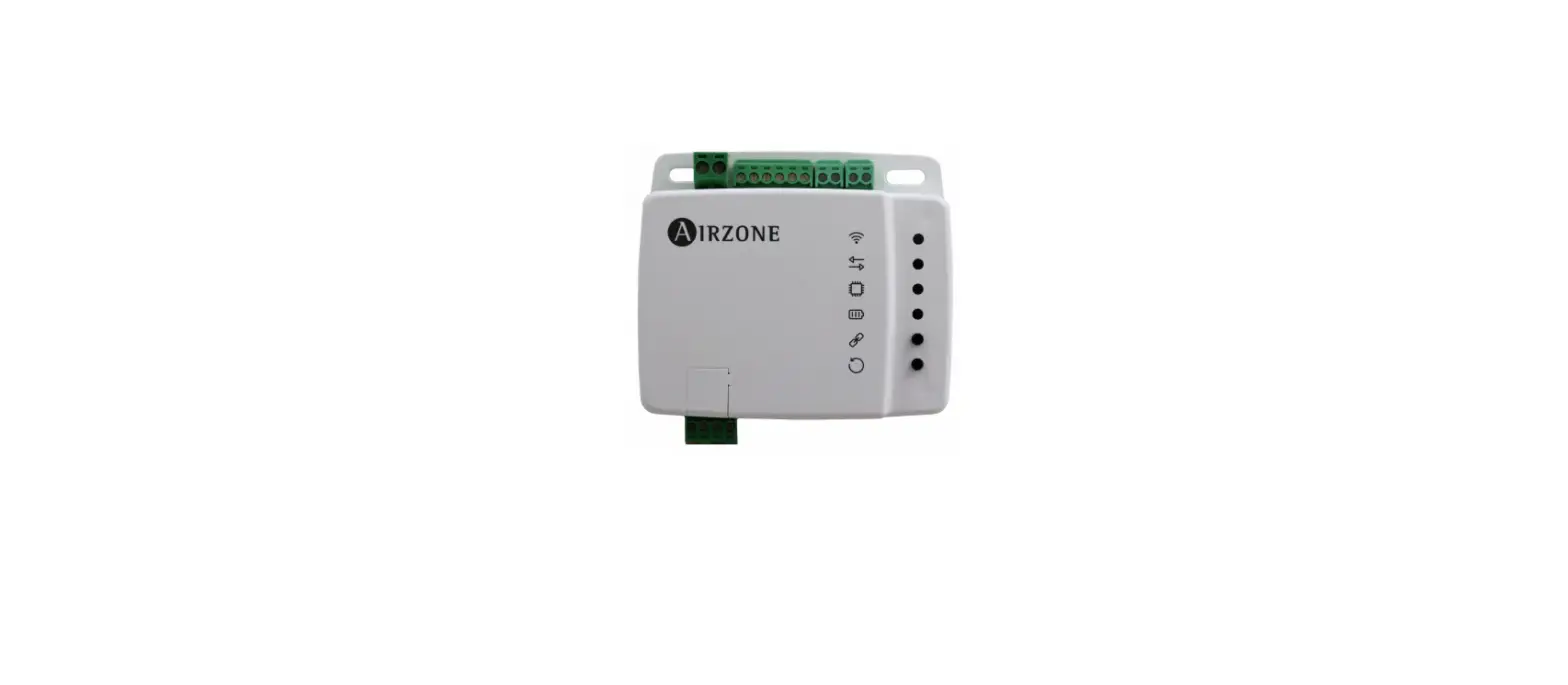


Integration Manual
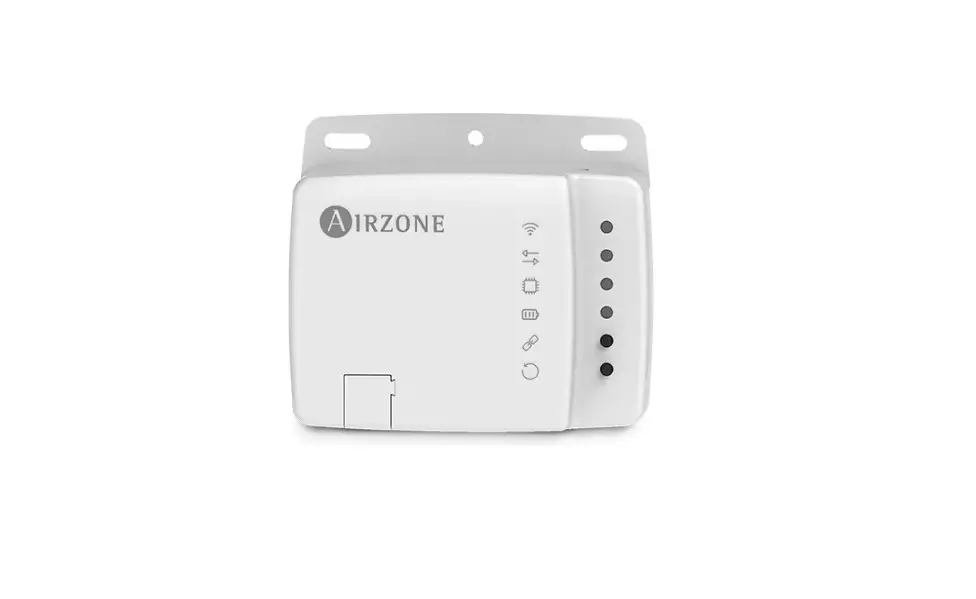
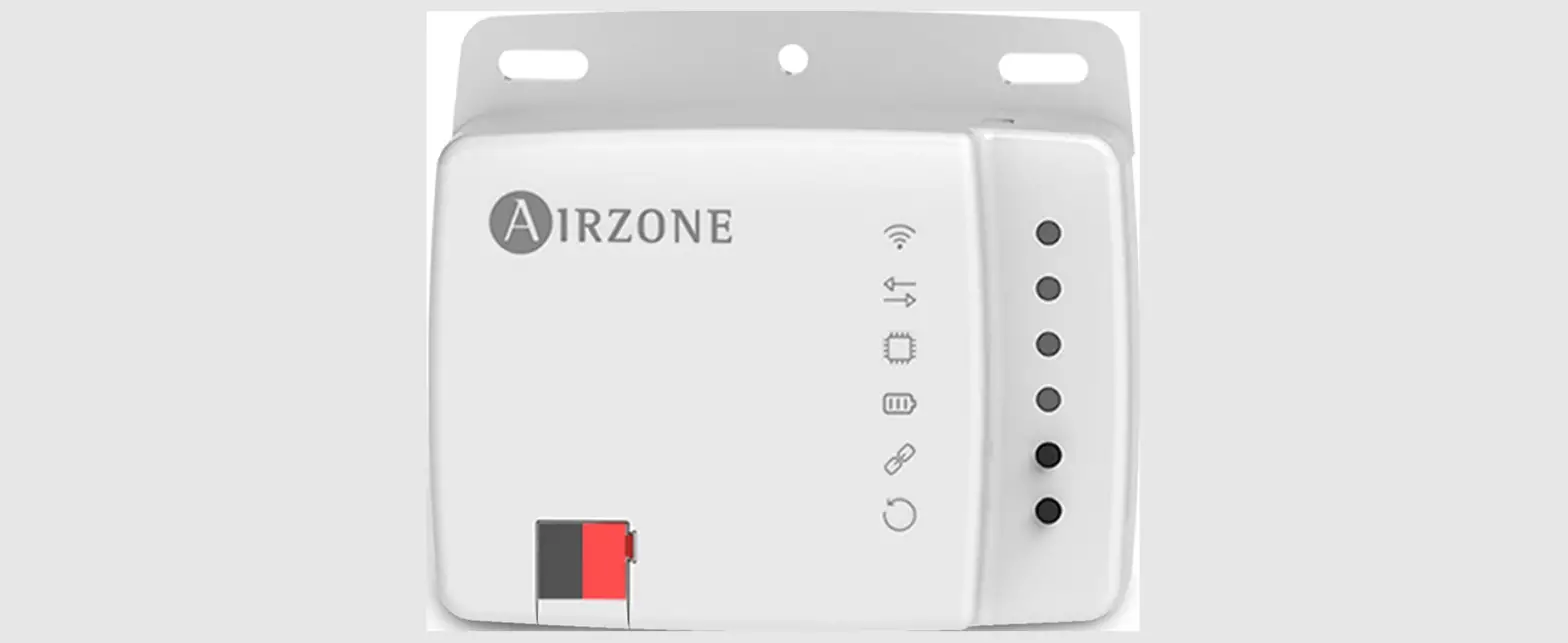
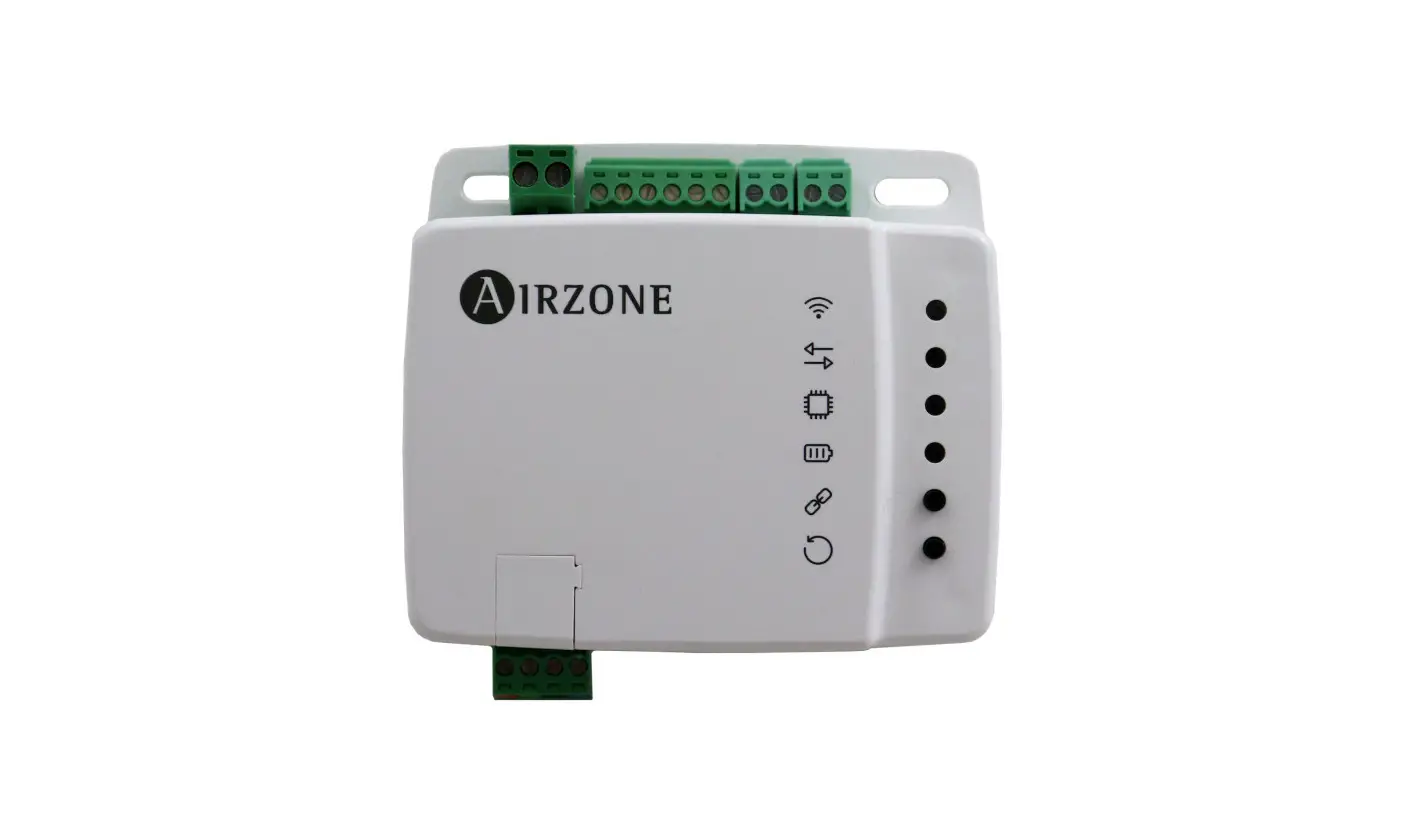
Aidoo Pro – BACnet

Environmental Policy

- Never dispose of this equipment with household waste. Electrical and electronic products contain substances that can be harmful to the environment if not properly handled. The crossed-out waste bin symbol indicates separate collection of electrical devices, which must be separated from other urban waste. For correct environmental management, at the end of its useful life the equipment should be taken to the collection centers provided for this purpose.
- The parts that make it up can be recycled. Therefore, please respect the regulations in force regarding environmental protection.
- If you replace the equipment, the original equipment must be returned to your dealer or deposited at a specialized collection center.
- Violations are subject to the penalties and measures stipulated in environmental protection law.
BACnet protocol
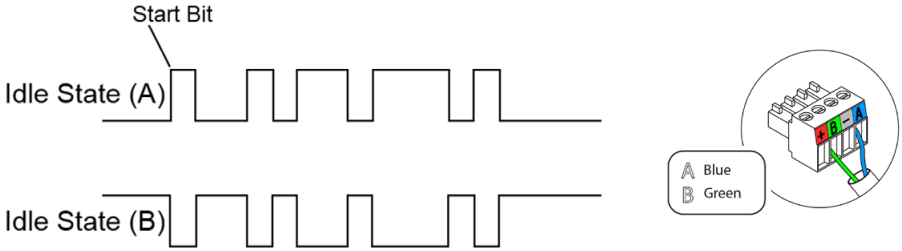
RS-485 COMMUNICATIONS PORT
RS-485, or also known as EIA-485, is a bus communications standard.
Integration bus | |
| Communications port speed | 300 to 115 200 bps |
| Communication | Half duplex |
| Frame length | 8 bits |
| Stop bit | 1 bit |
| Flow control | None |
| Parity | Par |
Connection
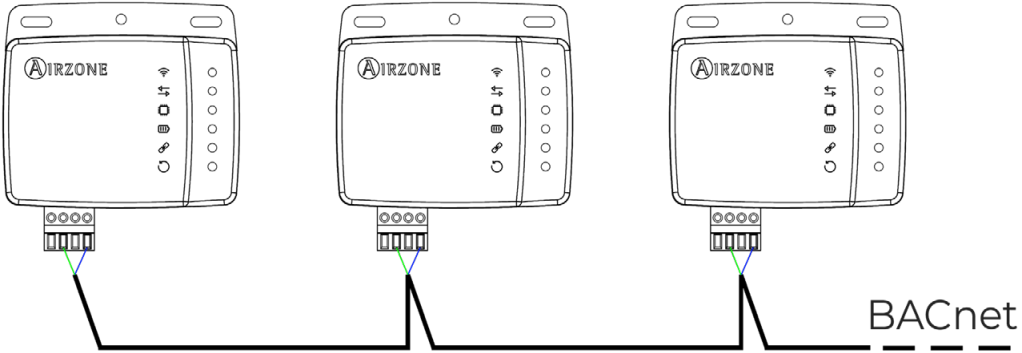 For correct operation of Airzone systems, check that only the communication cables (greenblue) are connected to each terminal on the respective buses. Fix the cables following the color code.
PROTOCOL
Aidoo Pro allows a Building Management System (BMS) to control all variables of the Airzone systems. The device uses an open standard protocol based on ASHRAE 135, and is compatible with:
- BACnet (ANSI/ASHRAE-135)
- BACnet MS/TP
Aidoo Pro is a Plug&Play device for Airzone systems, and allows the following variables to be controlled and monitored:
- Switching on/off
- Room temperature
- Set-point temperature.
- Status of the operation mode.
- Fan status and speed.
Aidoo Pro Wi-Fi
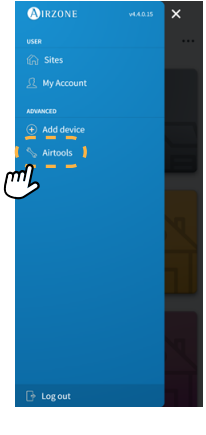
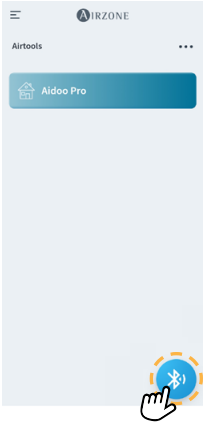
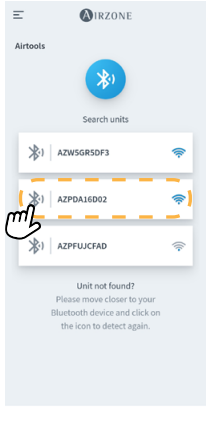
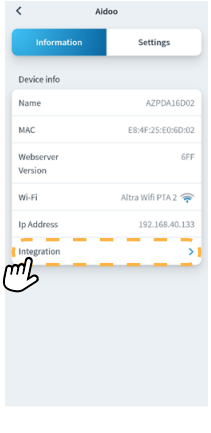
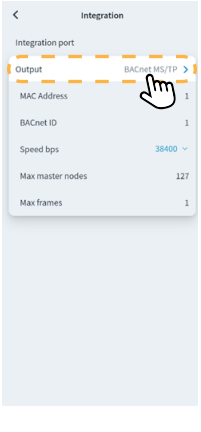
Aidoo is a BACnet slave device; it is therefore necessary to indicate its address. To do this, associate your Aidoo via the Airzone Cloud app (available for iOS and Android) by following these steps:
- From the main screen, access the menu and select Airtools.
- Start advanced configuration via Bluetooth.
- Select your Aidoo Pro from the list.
Note: If your unit is not listed, confirm that the Bluetooth function on your iOS or Android device is enabled and that Aidoo is turned on and working properly. - Select “Integration”.
- Configure the output as BACnet MS/TP and set the slave address.
1.  2.
2. 
3.  4.
4.
5.

Download the Airzone Cloud app 5
OBJECTS
Compatible object type
Compatible Aidoo Pro control and monitoring objects are mapped to the standard object types defined by BACnet.
| Object type | Compatible | Airzone management point |
| Accumulator 23 | ||
| Analog-Input 0 | √ | Room temperature |
| Analog-Output 1 | ||
| Analog-Value 2 | √ | Set-point temperature |
| Averaging 18 | ||
| Binary-Input 3 | √ | Communication with IU |
| Binary-Output 4 | √ | Auxiliary heat |
| Binary-Value 5 | √ | Switching on and off |
| Calendar 6 | ||
| Command 7 | ||
| Device 8 | ||
| Event-Enrollment 9 | ||
| File 10 | ||
| Group 11 | ||
| Life-Safety-Point 21 | ||
| Life-Safety-Zone 22 | ||
| Loop 12 | ||
| Multistate-Input 13 | ||
| Multistate-Output 14 | √ | Operation mode (configuration) |
| Multistate-Value 19 | √ | Fancoil speed (configuration) |
| Notification-Class 15 | ||
| Program 16 | ||
| Schedule 17 | ||
| Trend-Log 20 |
List of objects
The complete list of objects available in Aidoo Pro is shown below. The availability of the communication objects depends on the configuration of the device and the type of installation.
The availability of the Aidoo Pro communication object is indicated in the “out of service” parameter of each communication object whether it is available or unavailable within the system.
The communication object will only have “correct/valid” values when “out of service” is FALSE.
| Object type | Registration | Read (R) / Write (W) | Description | Values |
| Binary-value | 0 | R/W | Switching the zone | 0 → Off, 1 → On |
| Binary-input | 0 | R | IU communication | 0 → No communication, 1 → IU ready |
| Binary-input | 1 | R | IU errors | 0 → No error, 1 → IU with error |
| Binary-input | 2 | R | Digital input | 0 → Inactive, 1 → Active |
| Binary-output | 0 | R | Auxiliary heat | 0 → Inactive, 1 → Active |
| Analog-value | 0 | R/W | Set-point | Set-point |
| Analog-value | 1 | R | Localtemp | Room temperature |
| Multi-state-value | 0 | R/W | Modes | 1 -→> Auto, 2 → Cooling, 3 → Heating, 4 → Ventilation, 5 → Dry |
| 1 | R/W | Speed | 0 → Automatic, 1 → Speed 1, 2 → Speed 2, 3 → Speed 3 | |
| 2 | R/W | Slats | X → Position X [1-9] 10 – Swing | |
| Character-stringvalue | 1 | R | Errors | IU error codes |
DETAILED DESCRIPTION OF OBJECTS
Common to all objects
When the indoor unit is communicating normally, communication can be established between the Aidoo Pro and the indoor unit. The BACnet Building Management System (BMS) will have access to the Airzone AC unit objects.
If communication between Aidoo Pro and the system is not successful, or if the request for information related to the communication object is not found within the Airzone system, the object property “out of service” is activated.
Switching On/Off
Aidoo Pro will communicate the status of each specific zone. Through the BACnet platform, any zone can be configured as on/off. These are read/write objects.
IU communication
If the indoor unit loses communication, Aidoo Pro will communicate this to BACnet. This object is read only.
IU errors
If the indoor unit generates an error, Aidoo Pro will communicate this to the BACnet platform. This object is read only.
Digital input
Aidoo Pro will communicate the status of the digital input. This object is read only.
Auxiliary heat
Aidoo Pro will communicate the status of Auxiliary heat. This object is read only.
Set-point temperature
The indoor unit setpoint temperature and its value are communicated to the BACnet system and can be modified by the BACnet system. This parameter is read and write.
Room temperature (Localtemp)
The BACnet platform can obtain the room temperature of any zone. This object is read only.
Operation mode
Aidoo Pro will communicate the operation mode of the system or of each zone (depending on the connected system), represented by a number. These are read/write objects. The modes are as follows:
0 →Stop
2 →Cooling
3 →Heating
4 →Dry
6 →Ventilation
Speed
This parameter refers to the AC unit’s fan speed. Aidoo Pro will communicate the speed of the system or of each zone (depending on the connected system), represented by a number. These are read/write objects.
Slats
Aidoo Pro will communicate the position of the slats represented by a number. These are read/ write objects. The position goes from 1 to 9; 10 is Swing mode.
Errors
If the indoor unit generates an error, Aidoo Pro will communicate this to the BACnet platform. This object is read only.
BACNET PROTOCOL IMPLEMENTATION CONFORMANCE STATEMENT
Date: Feb. 15,2021
Vendor Name: ALTRA S.L.
Product Name: Aidoo Pro
Product Model Number: AZAI6WSPxxx
Applications Software Version: 6.XX Firmware Revision: 0.8.2
BACnet Protocol Revision: 12
Product Description:
This product provides the function of monitoring and control HVAC units
BACnet Standardized Device Profile (Annex L): BACnet Operator Workstation (B-OWS) BACnet Building Controller (B-BC) BACnet Advanced Application Controller (B-AAC)
 BACnet Application Specific Controller (B-ASC) Aidoo Pro BACnet Smart Sensor (B-SS) BACnet Smart Actuator (B-SA)
BACnet Interoperability Building Blocks Supported (Annex K) :
| Supported BIBBs | BIBB Name | |
| Data Sharing | DS-RP-B | Data Sharing-Read Property-B |
| DS-RPM-B | Data Sharing-Read Property Multiple-B | |
| DS-WP-B | Data Sharing-Write Property-B | |
| DS-WPM-B | Data Sharing-Write Property Multiple-B | |
| DS-COV-B | Data Sharing-COV-B | |
| DS-COVU-B | Data Sharing-COV-Unsolicited-B | |
| Alarm and Event Management | AE-N-I-B | Alarm and Event-Notification Internal-B |
| Device Management | DM-DDB-A | Device Management-Dynamic Device Binding-A |
| DM-DDB-B | Device Management-Dynamic Device Binding-B | |
| DM-DOB-B | Device Management-Dynamic Object Binding-B | |
| DM-DCC-B | Device Management-Device Communication Control-B | |
| DM-TS-B | Device Management-Time Synchronization-B | |
| DM-UTC-B | Device Management-UTC Time Synchronization-B |
Standard Object Types Supported:
| (2) Analog Input | |
| Dynamically Creatable: | No |
| Dynamically Deletable : | No |
| Optional Properties Supported : | Reliability, COV_Increment, Time_Delay, Notification_Class, High_Limit, Low_Limit, Deadband, Limit_Enable, Event_Enable, Acked_Transitions, Notify_Type, Event_Time_Stamps |
| Writable Properties : | Time_Delay, Notification_Class, High_Limit, Low_Limit, Deadband, Limit_Enable, Event_Enable, Notify_Type |
| Proprietary Properties : | n/a |
| Property Range Restrictions : | n/a |
| (3) Analog Value | |
| Dynamically Creatable: | No |
| Dynamically Deletable : | No |
| Optional Properties Supported : | Reliability, Priority_Array, Relinquish_Default, COV_Increment Time_Delay, Notification_Class, High_Limit, Low_Limit, Deadband, Limit_Enable, Event_Enable, Acked_Transitions, Notify_Type, Event_Time_Stamps |
| Writable Properties : | Present_Value, Time_Delay, Notification_Class, High_Limit, Low_Limit, Deadband, Limit_Enable, Event_Enable, Notify_Type |
| Proprietary Properties : | n/a |
| Property Range Restrictions : | n/a |
| (2) Binary Input | |
| Dynamically Creatable : | No |
| Dynamically Deletable : | No |
| Optional Properties Supported : | Description, Reliability |
| Writable Properties : | n/a |
| Proprietary Properties : | n/a |
| Property Range Restrictions : | n/a |
| (3) Binary Output | |
| Dynamically Creatable : | No |
| Dynamically Deletable : | No |
| Optional Properties Supported : | Reliability |
| Writable Properties : | Present_Value |
| Proprietary Properties : | n/a |
| Property Range Restrictions : | n/a |
| (4) Binary Value | |
| Dynamically Creatable: | No |
| Dynamically Deletable : | No |
| Optional Properties Supported : | Reliability, Priority_Array, Relinquish_Default |
| Writable Properties : | Present_Value |
| Proprietary Properties : | n/a |
| Property Range Restrictions : | n/a |
| (5) Device | |
| Dynamically Creatable: | No |
| Dynamically Deletable : | No |
| Optional Properties Supported : | Max_Segment_Accepted, Local_Time, Local_Date, UTC_Offset, Daylight_Saving_Status, APDU_Segment_Timeout, Active_COV_Subscriptions |
| Writable Properties : | n/a |
| Proprietary Properties : | n/a |
| Property Range Restrictions : | n/a |
| (6) Multi-state Input | |
| Dynamically Creatable: | No |
| Dynamically Deletable : | No |
| Optional Properties Supported : | Description, Reliability |
| Writable Properties : | n/a |
| Proprietary Properties : | n/a |
| Property Range Restrictions : | n/a |
| (7) Multi-state Output | |
| Dynamically Creatable : | No |
| Dynamically Deletable : | No |
| Optional Properties Supported : | Reliability |
| Writable Properties : | Present _Value |
| Proprietary Properties : | n/a |
| Property Range Restrictions : | n/a |
| (8) Notification Class | |
| Dynamically Creatable: | No |
| Dynamically Deletable : | No |
| Optional Properties Supported : | n/a |
| Writable Properties : | Recipient_List |
| Proprietary Properties : | n/a |
| Property Range Restrictions : | n/a |
| (19) Multi-state Value | |
| Dynamically Creatable : | No |
| Dynamically Deletable : | No |
| Optional Properties Supported : | n/a |
| Writable Properties : | Present_Value |
| Proprietary Properties : | n/a |
| Property Range Restrictions : | n/a |
Data Link Layer Options: BACnet IP, (Annex J) BACnet IP, (Annex J), Foreign Device ISO 8802-3, Ethernet (Clause 7) ANSI / ATA 878.1, 2.5 Mb. ARCNET (Clause 8) ANSI / ATA 878.1, RS-485 ARCNET (Clause 8), baud rate(s)__________ MS / TP master (Clause 9), baud rate(s) \ ‘s, : 9600, 19200, 38400, 57600, 76800, 115200 MS / TP slave (Clause 9), baud rate(s) :_________ Point-To- Point, EIA 232 (Clause 10), baud rate(s) :_________ Point-To-Point, modem, (Clause 10), baud rate(s):_________ LonTalk, (Clause 11), medium :_________ Other :_________
Device Address Binding:
Is static device binding supported? (This is currently necessary for two-way communication with MS / TP slaves and certain other devices.) Yes No
Networking Options:
Router, Clause 6 – List all routing configurations, e.g., ARCNET-Ethernet, Ethernet-MS / TP, etc. Annex H, BACnet Tunneling Router over IP BACnet / IP Broadcast Management Device (BBMD)
Does the BBMD support registrations by Foreign Devices? Yes No
Character Sets Supported :
Indicating support for multiple character sets does not imply that they can all be supported simultaneously.
ANSI X3.4 IBMTM/MicrosoftTM DBCS ISO 8859-1 ISO 10646 (UCS-2) ISO 10646 (UCS-4) JIS C 6226
If this product is a communication gateway, describe the types of non-BACnet equipment / networks(s) that the gateway supports:
Airzone Cloud (IP)
Modbus slave
GYW control for HVAC 3° party thermostat

Marie Curie, 21
29590 Malaga
Spain
V.100


 Airzone | Leaders in HVAC control solutions