
Thermal Security System
 Application scenario
 Application scenario
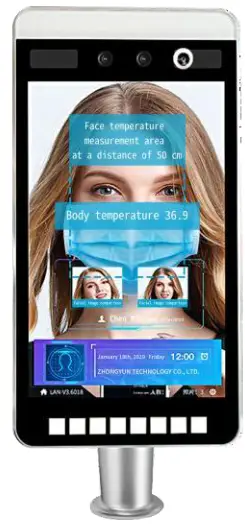
Suitable for office areas, hotels, access gates, office buildings, schools, shopping malls, and shops. communities, public service and management projects, and other places where face access control is required.
Type
SAFETEC VI, SAFETEC V1-D, SAFETEC VI-K. SAFETEC VI-O, SAFETEC VI-L- W
product Featured
- Support camera to capture face to activate device:
- Supports serial port. Wiegand 26. 34 input and output:
- Using video stream-based dynamic face detection, tracking recognition algorithm;
- Support device local storage of 10,000 face libraries;
- When the face database is 3,000, the misrecognition rate is 3 in 10,000, 1:N recognition accuracy rate 99.7‰
- Fast recognition speed: (a) face tracking and detection takes about 20ms, (b) face feature extraction takes about 200ms, (c) face comparison takes about 0.2ms(1000 people database, multiple identifications to get the average), 0.5ms(10,000 face database, multiple identifications to get the average);
- Binocular with infrared fill light camera;
- Support live photo saving during face recognition or stranger detection;
- Support HTTP Interface connection;
- Support public network and local area network deployment;
- Support stranger compared with ID card function;
- Provide SDK development kits to support docking with major enterprises and institutions (docking);
Product Specification
| Thermal Security System | |||
| Product number | 10S-T-M8-T | ||
| Screen | size | 8 inch, IPS LCD screen | |
| brightness | 350 LU | ||
| Resolution 1 | 800*1028 HD screen | ||
| Camera | Resolution | 200W*200W | |
| Camera quantity | 2 | ||
| Type | RGB camera, living body dynamic binocular camera, thermal imaging camera | ||
| Aperture | F2.0 | ||
| Focal length | 6mm | ||
| White balance | automatic | ||
| Wide dynamic | support | ||
| Vertical wide angle | 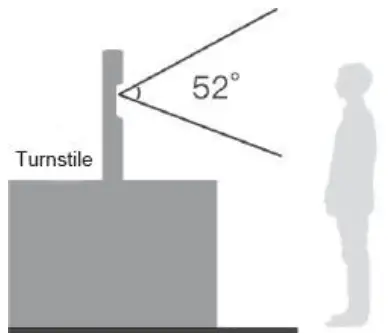 | ||
| Horizontal angle | 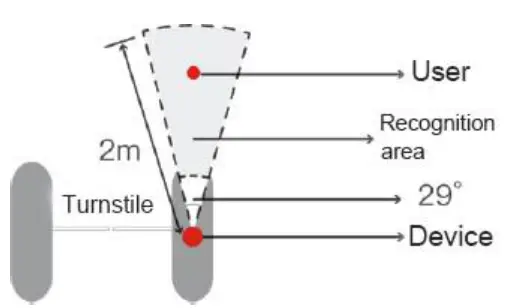 | |
| Core Pa ers ranter | CPU Device interface 1 | 4 cores, 1.8GHz |
| 2GB memory, 8GB storage | ||
| Interface | Audio | 1 audio output (line out) |
| HDM12.0 Type-A interface 1 | ||
| Serial communication interface | 1 RS232 interface | |
| Relay output 1111 | 1 relay interface | |
| Wigan output | 1 Wiegand output interface, supports Wiegand 26 and 34 | |
| Wigan input | 1 Wiegand output interface, supports Wiegand 26 and 34 | |
| Network Interface | 1 P.145 10M / 100M adaptive Ethernet port, WIFI | |
| Features | Face Detection | Supports detection and tracking of 5 people at the same time |
| 1:N face recognition | Under the false recognition rate is 3 in 10,000,the recognition the accuracy rate is 99.7% | |
| 1 Stranger detection | support | |
| Identify distance configuration | support |
| Living body detection | support | |
| Ul interface configuration | support | |
| Remote device upgrade | support | |
| Deployment method | Support use of public networks and local area network | |
| Stranger compared with ID card | Support (purchase ID card reader separately) |
| Protection class | 1P42, certain dust and water resistance |
| power supply | DC12V (±10%) |
| General parameters | Operating temperature | -10°C — 60t (Optional thermostat)) |
| Working humidity | 10%-90% | |
| Power consumption | 10W MAX | |
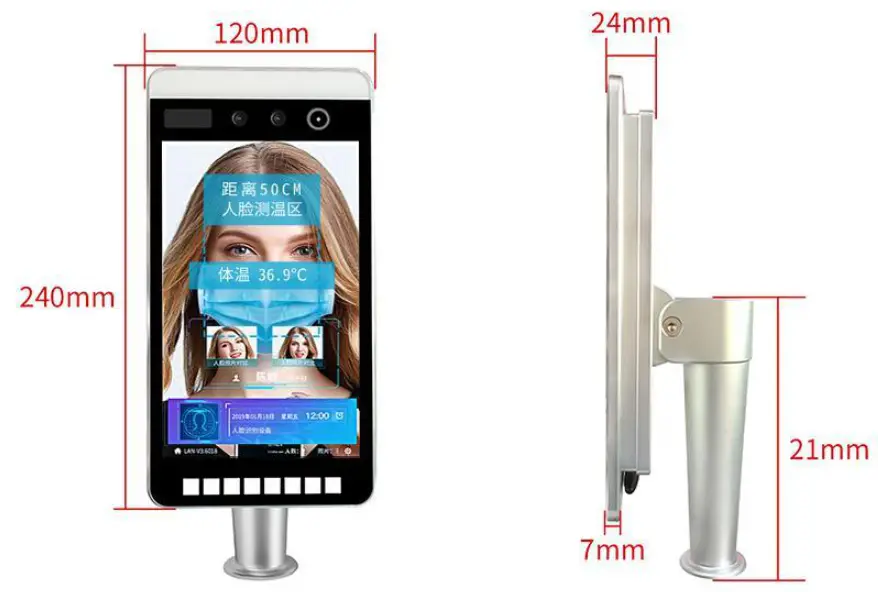
| Device size | 240*120*24 (mm) | |
| Weight | :11.3kg |
Size (mm)
Installation
A.Appearance Instructions
Interface
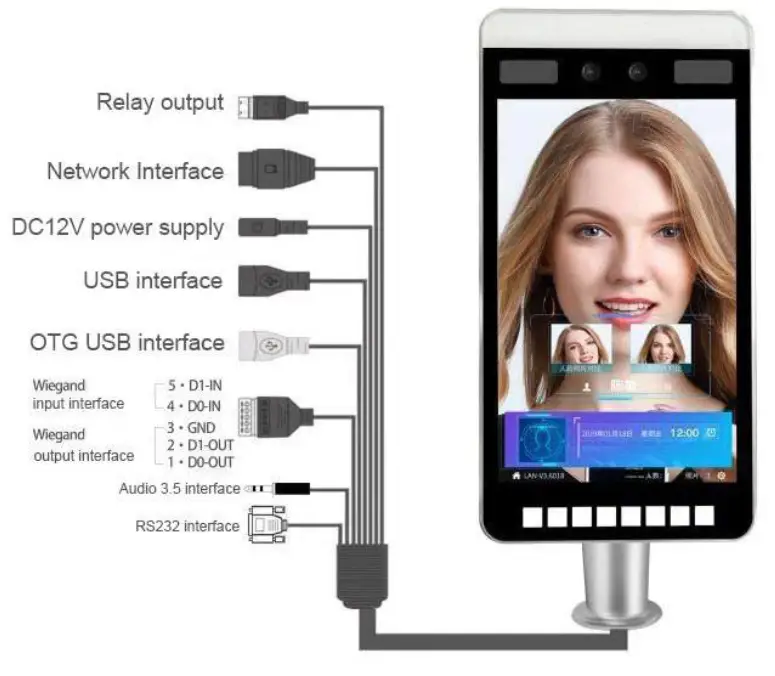 B Appreance Instruction Description ®According to the requirements of the installation site, in the space position on the gate, generally a hole of 35mm diameter is opened in the middle or front side. As below image, $ is the suggested place to open a hole.
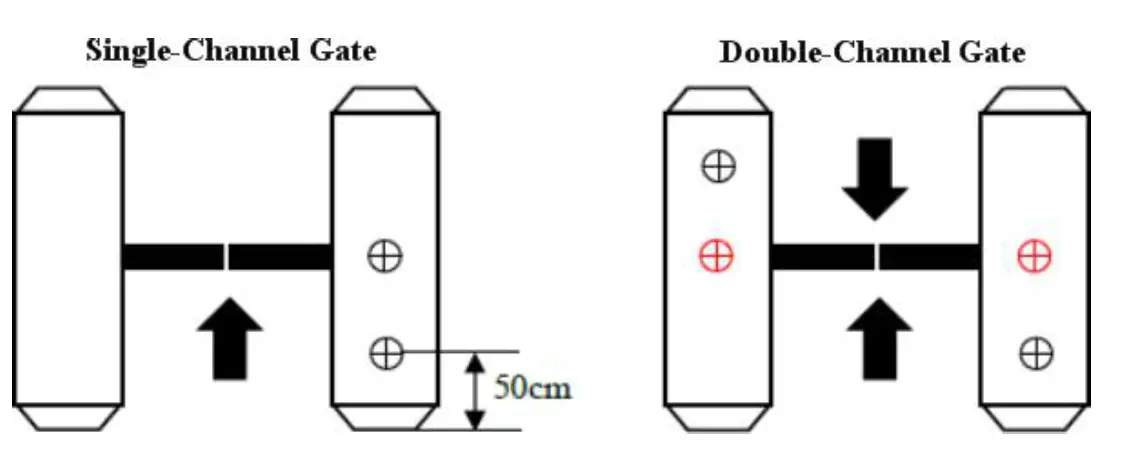 Note: The position of the hole should be based on the actual application scenario and gate type, 50cm is only a reference value.
©Unscrew the nut at the bottom of the gate head post, thread the cable out of the nut and remove the nut as shown. Note: Do not connect network cables, power cables, etc. at this time to avoid installation trouble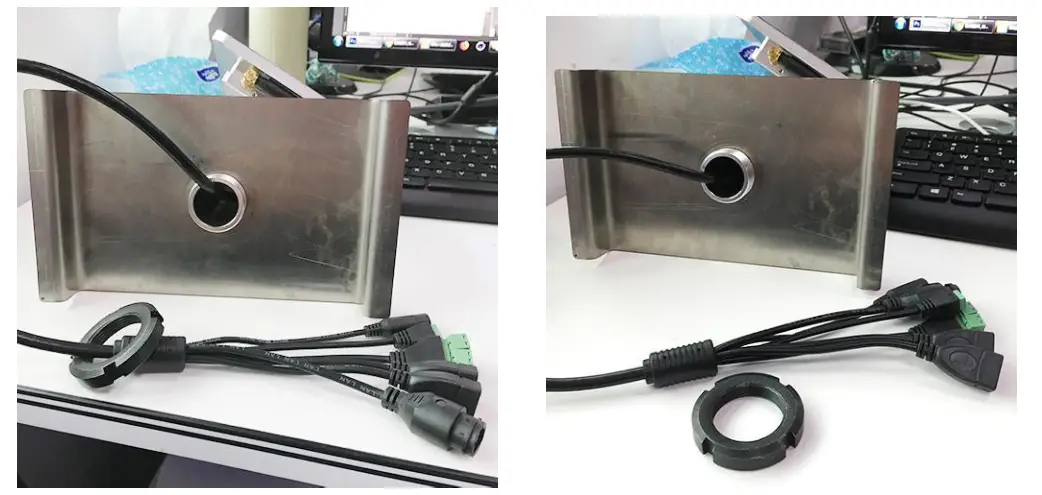 03 Insert the gate head and cable from top to bottom into the opening hole, as shown in the figure.
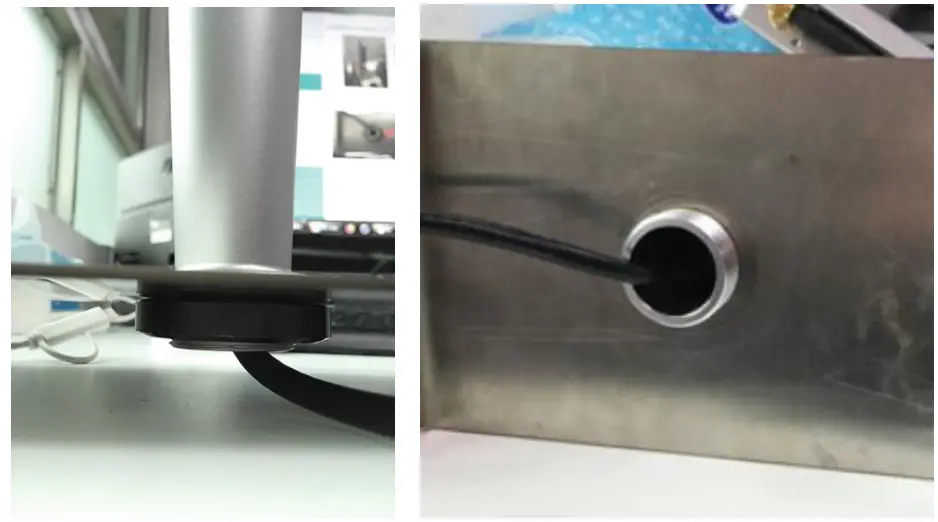 4. Under the gate, pass the cable and cable interface through the nut in turn, and tighten the nut to the thread, as shown in the figure.
5 Connect power, and network to start the machine.
6. Hold the frame with both hands and turn it gently to adjust the gate angle, as shown in the figure. According to the recognition interface, adjust the gate head to a proper recognition angle.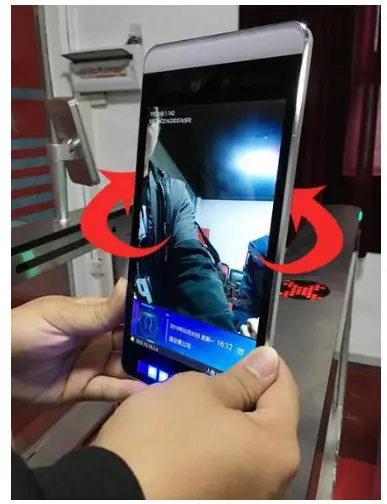
FCC Warning Statement
Changes or modifications not expressly approved by the party responsible for compliance could void the user’s authority to operate the equipment. This equipment has been tested and found to comply with the limits for a Class B digital device, pursuant to Part 15 of the FCC Rules. These limits are designed to provide reasonable protection against harmful interference in a residential installation. This equipment generates uses and can radiate radio frequency energy and, if not installed and used in accordance with the instructions, may cause harmful interference to radio communications. However, there is no guarantee that interference will not occur in a particular installation. If this equipment does cause harmful interference to radio or television reception, which can be determined by turning the equipment off and on, the user is encouraged to try to correct the interference by one or more of the following measures
. — Reorient or relocate the receiving antenna.
— Increase the separation between the equipment and receiver.
— Connect the equipment into an outlet on a circuit different from that to which the receiver is connected.
— Consult the dealer or an experienced radio/TV technician for help. FCC Radiation Exposure Statement The antennas used for this transmitter must be installed to provide a separation distance of at least 20 cm from all persons and must not be co-located for operating in conjunction with any other antenna or transmitter.
 side.As