 Write serialNumber by Mib Browser
DS20_v1.1
User Guide
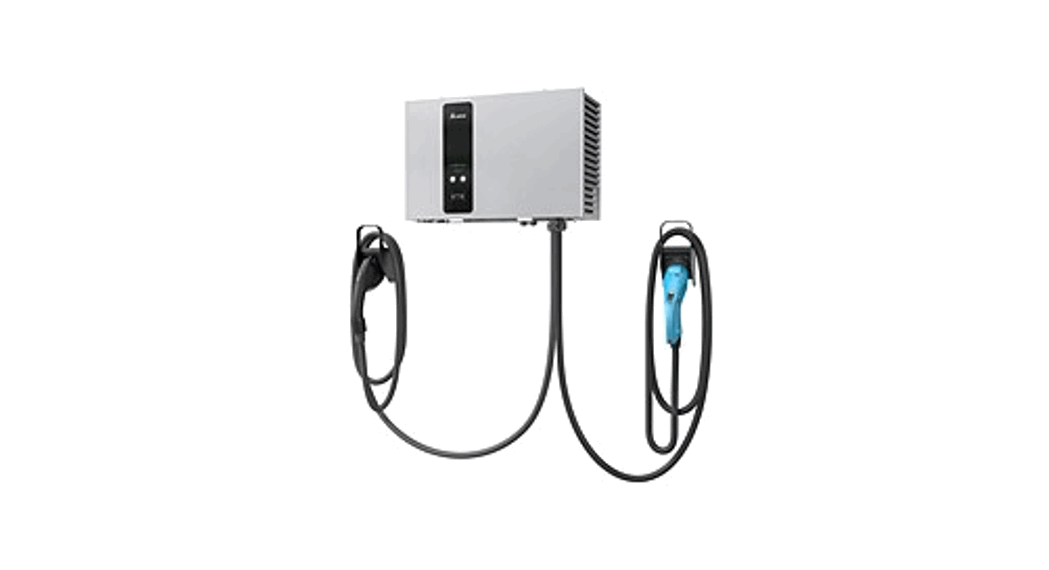
DS20 DC Wallbox
 Mib Browser
https://www.ireasoning.com/download.shtml
Choose free personal edition

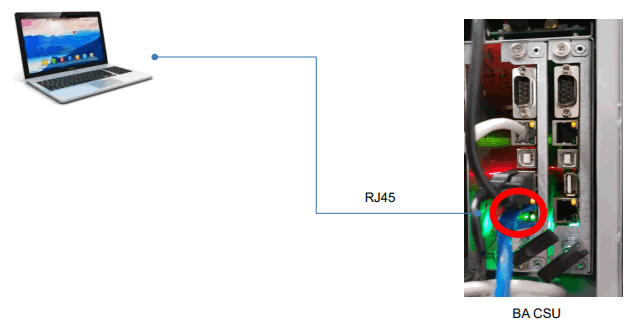
Connect PC to charger via eth port
Connect RJ45 between DC Wallbox and computer
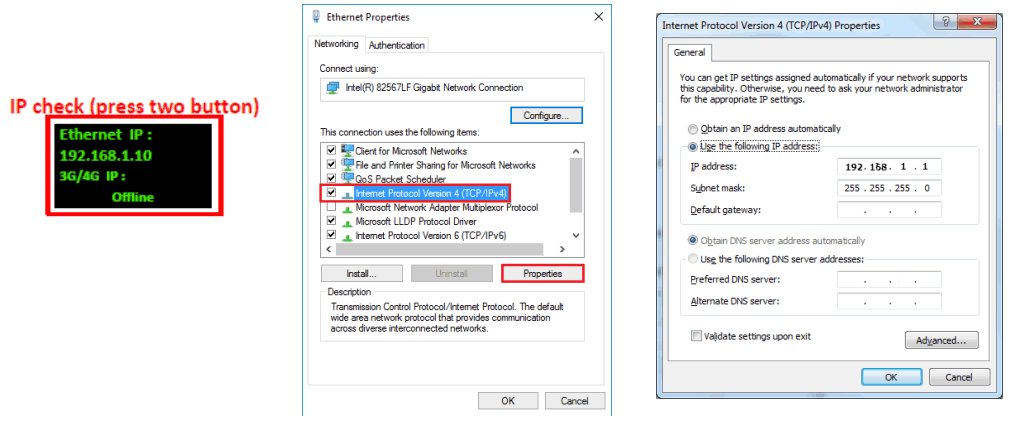
Setup the PC
Connect RJ45 between DC Wallbox and computer
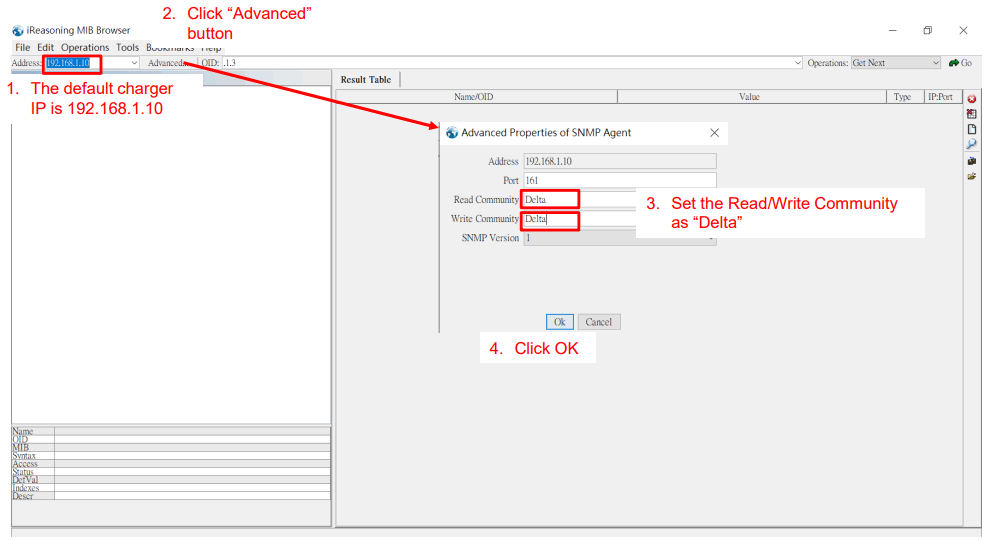
- Default IP of DC Wallbox is 192.168.1.10
- If you are not sure about the IP of charger, click the 2 buttons on the panel of charger at the same time and check the information shown on LCM
- Computer’s IP should be under same domain of DC Wallbox. Ex. 192.168.1.1
Start and setup MIB Brower
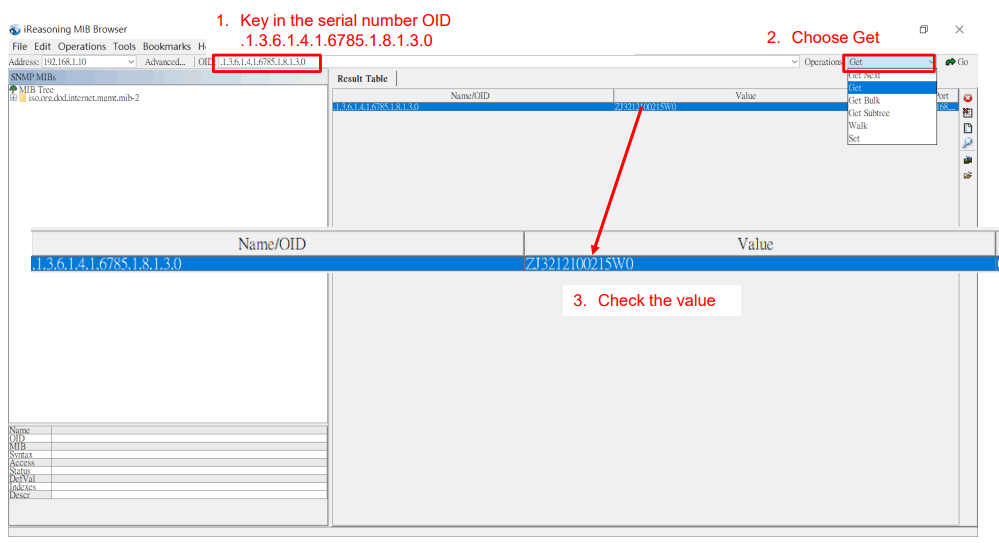
Get the present serial number
Write your serial number
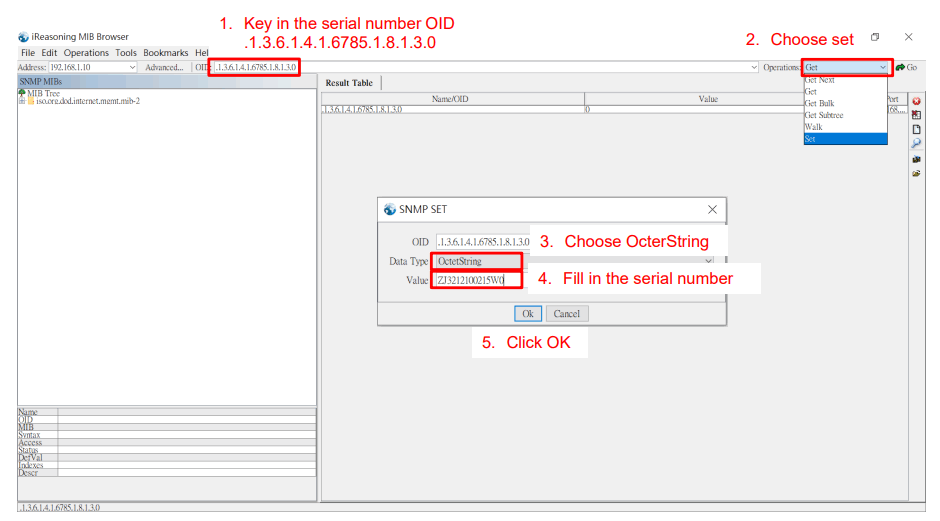
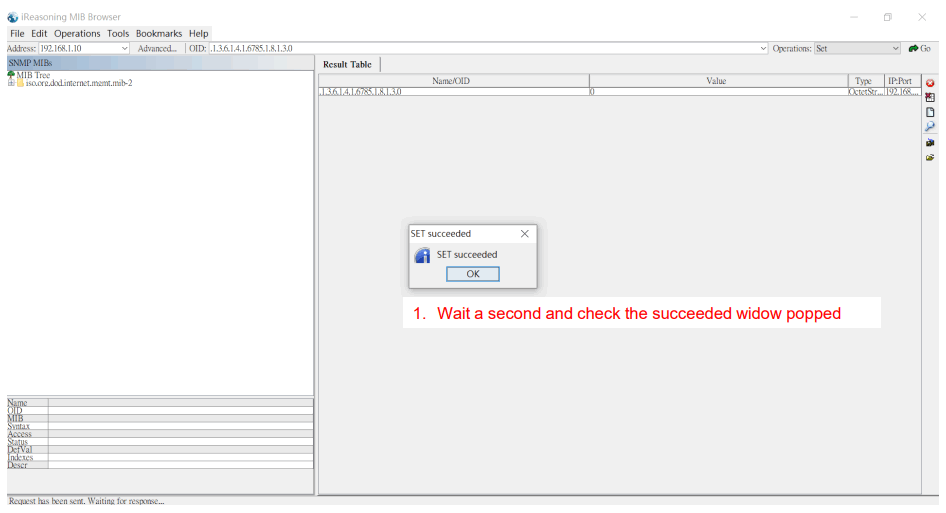
Check the result
Smarter. Greener. Together.
To learn more about Delta, please visit www.deltaww.com.
 Welcome to Delta
 Network Management / Network Monitoring / SNMP Monitoring / MIB Browser