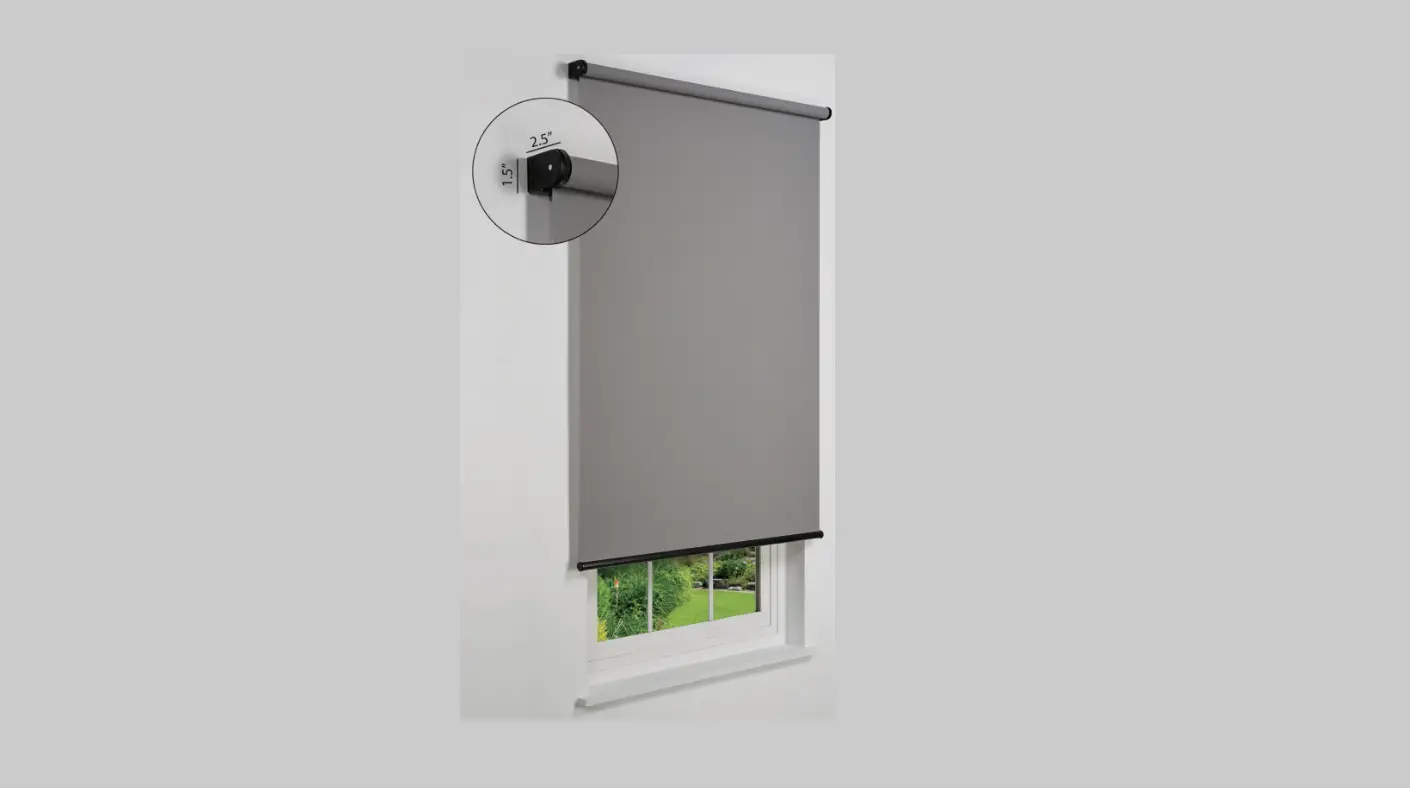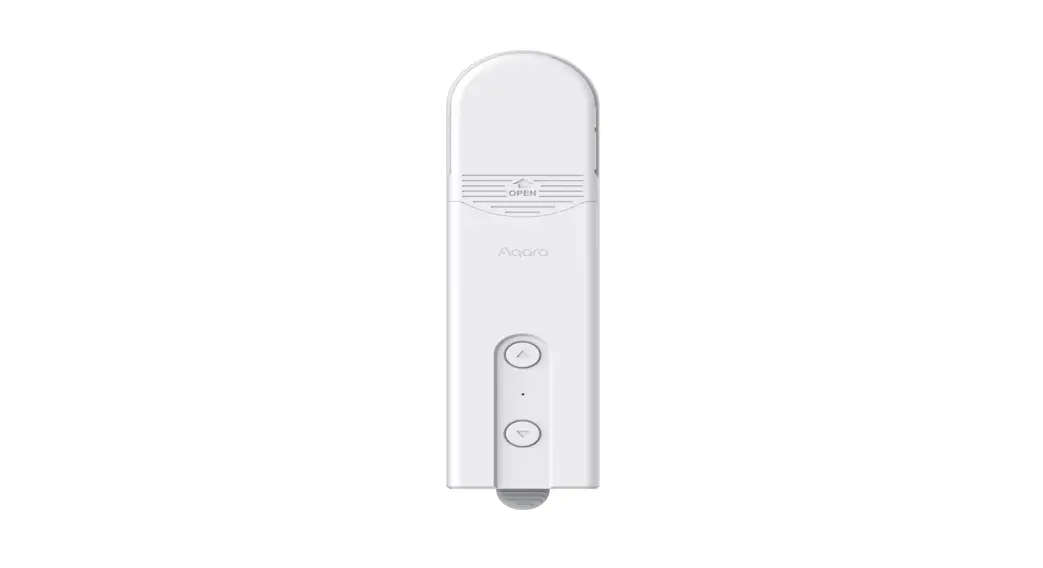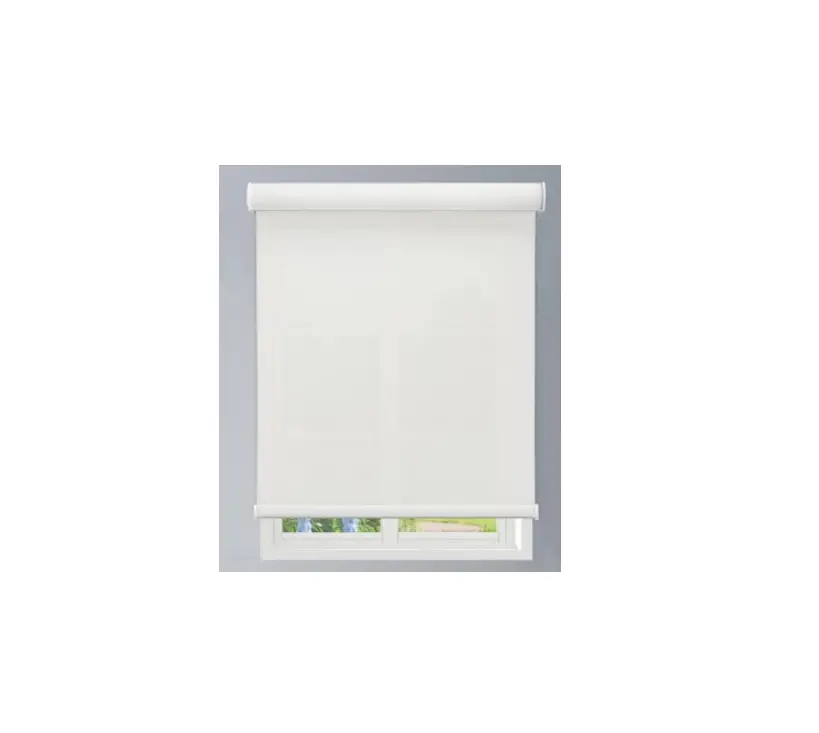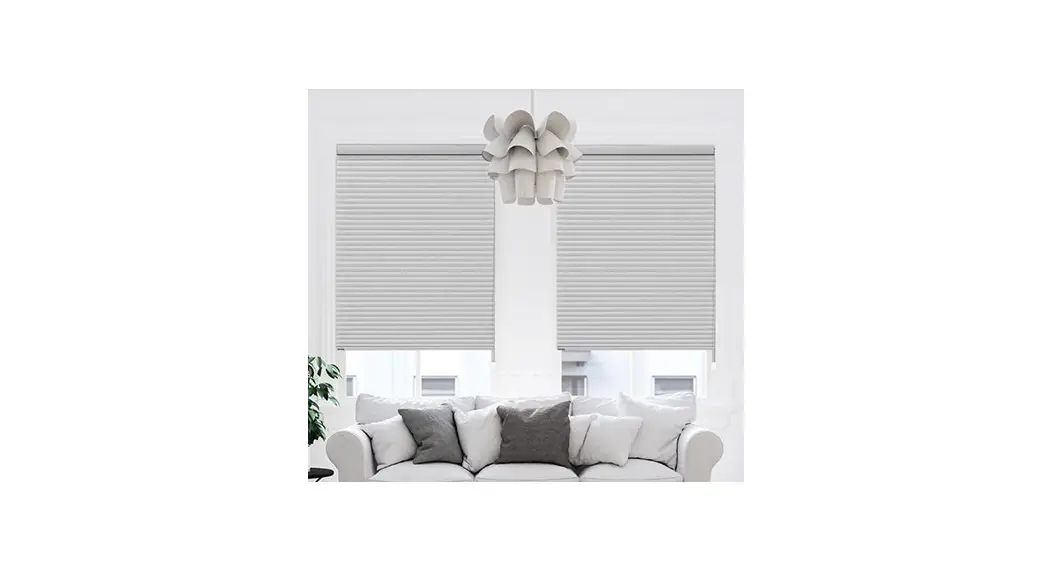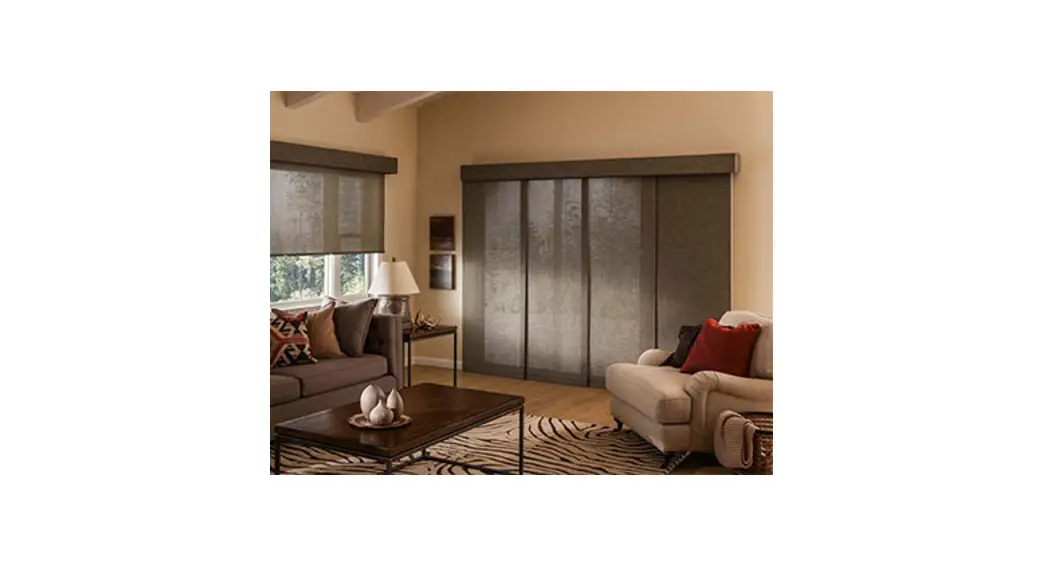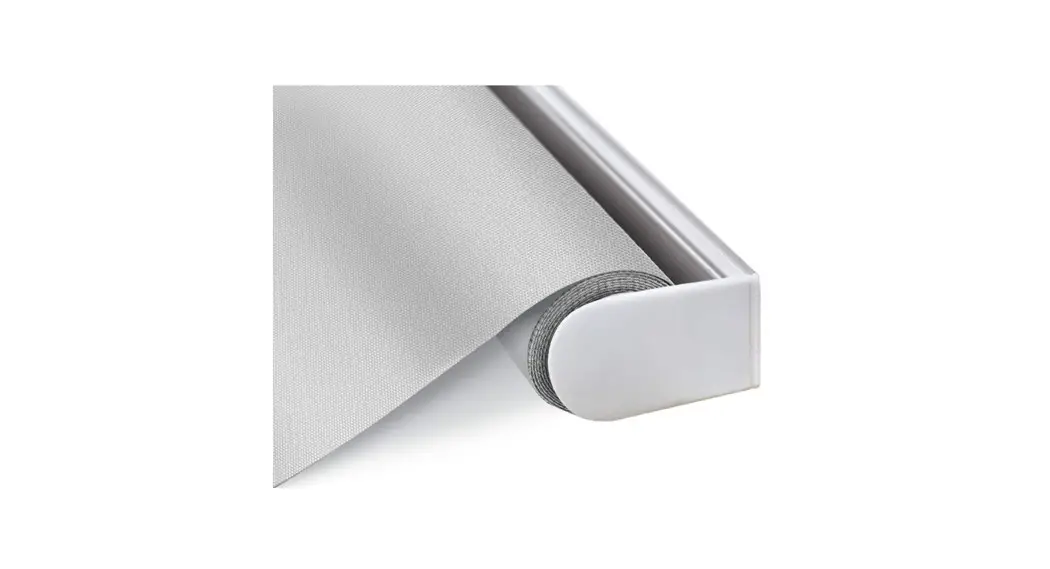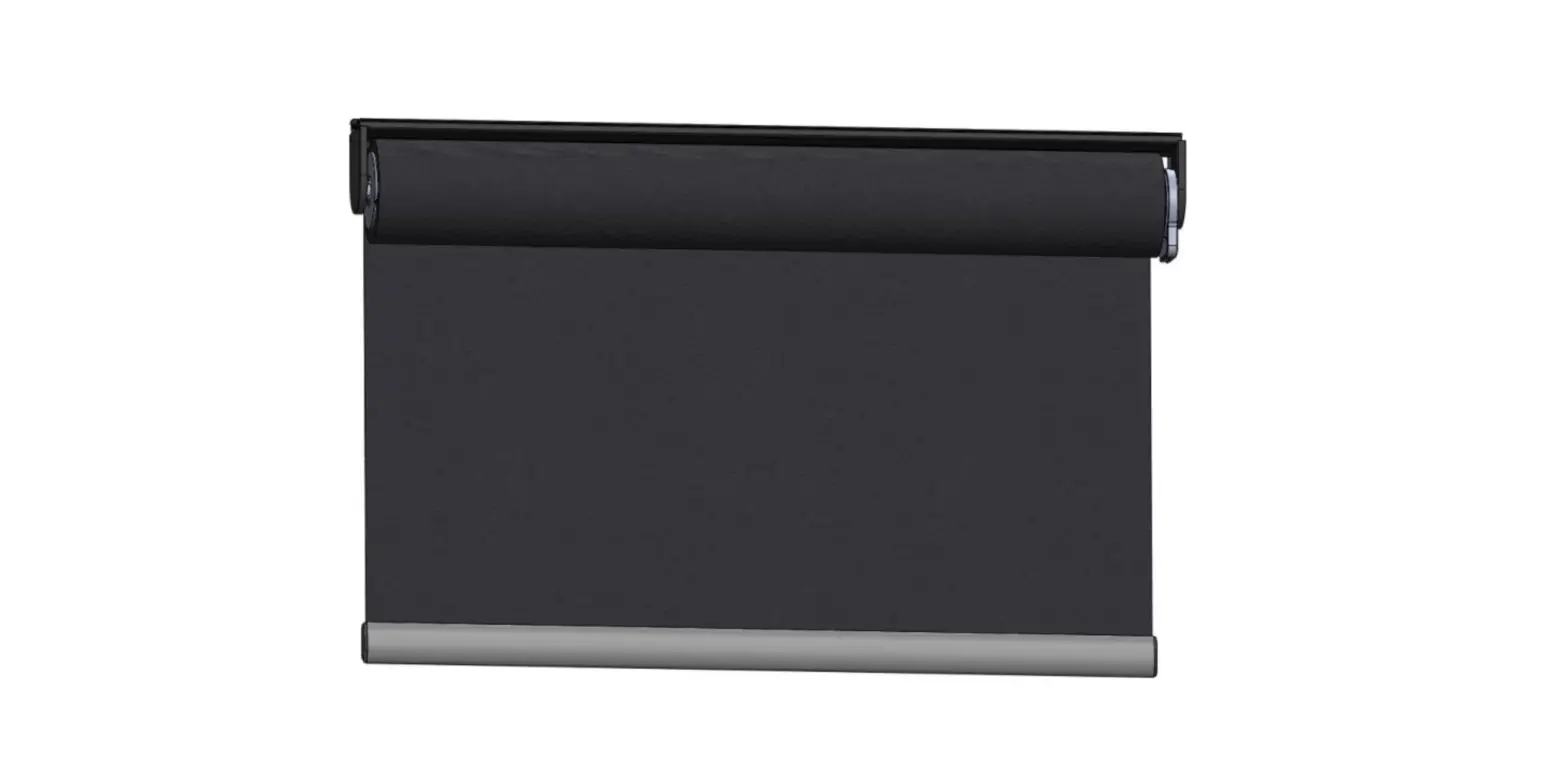
Motorized Roller Shade
User’s Manual
Model: MRS-32A / MRS-32B / MRS-32C
Safety Precautions
Thank you for your purchase. Please review the instructions carefully before using the product, and save these instructions for future consultation.
- WARNING! Important safety instruction: It is critical for your safety and the safety of those around you to follow these instructions. Save these instructions.
- WARNING! The drive shall be disconnected from its power source during cleaning, maintenance and when replacing parts.
- The products may contain Lithium-ion batteries; the battery contains flammable materials such as organic solvents. Please read the Important Safety Precautions before using the product.
- Please recharge the batteries every 3-6 months to ensure optimal performance of batteries.
- Product operation is intended for temperatures between 0°C/32°F ~40°C/104°F.
- Please note that the limited warranty will be voided if the product is modified, dismantled or used in any manner other than its intended purpose.
- The accessories, including Power Charger, Remote, Hub, and Repeater are designed to be used with our Motorized Shades. Do NOT use them for any other purpose.
- Please make sure the shade route is clear when operating to avoid danger or damage.
- In order to improve the user experience and functionality, the firmware and software of this product will automatically update from time to time.
(When the Hub is installed) - WARNING! For the purposes of recharging the battery, only use the detachable supply unit provided with this appliance.
 (UHVUU3036-240015SA / UHVUE3036-240015SA / UHVUA3036-240015SA / UHVUK3036-240015SA)
 - Do NOT disassemble the products or any of their components. They do not contain serviceable parts. Servicing of these products should be referred to qualified personnel.
- This appliance contains batteries that are only replaceable by skilled personnel, trained Norman retailer or electrician.
- Do NOT operate the product with wet hands to avoid risk of electrical shock. The product needs to be powered off and disconnected from its power source during cleaning, maintenance and/or replacing parts.
- Do NOT operate the shade or swing the Power Charger while charging.
- The appliance is not intended for use by persons (including children) with reduced physical, sensory or mental capabilities, or lack of experience and knowledge, unless they have been given supervision or instruction concerning use of the appliance by a person responsible for their safety. Children should be supervised to ensure that they do not play with the appliance.
- This appliance can be used by children aged from 8 years and above and persons with reduced physical, sensory or mental capabilities or lack of experience and knowledge if they have been given supervision or instruction concerning use of the appliance in a safe way and understand the hazards involved. Children shall not play with the appliance. Cleaning and user maintenance shall not be made by children without supervision.
- The appliance is only to be used with the power supply unit provided with the appliance.
- If the supply cord is damaged, it must be replaced by the manufacturer, its service agent or similarly qualified persons in order to avoid a hazard.
- WARNING: Important safety instructions. It is important for the safety of persons to follow these instructions. Save these instructions.
- WARNING: Important safety instructions. Follow all instructions, since incorrect installation can lead to severe injury
-before installing the drive, remove any unnecessary cords or components and disable any equipment not needed for powered operation;
-the characteristics of the driven part must be compatible with the rated load and rated operating time;
-the mass and the dimension of the driven part shall be compatible with the rated torque and rated operating time;
-fixed controls have to be clearly visible after installation; - This appliance contains batteries that are only replaceable by skilled persons.
- Do NOT operate when maintenance, such as window cleaning, is being carried out in the vicinity.
- IMPORTANT: Please reserve space for connecting the Power Charger while installing the shade, please refer to “Installation” Section for more information.
 (UHVUU3036-240015SA / UHVUE3036-240015SA / UHVUA3036-240015SA / UHVUK3036-240015SA)
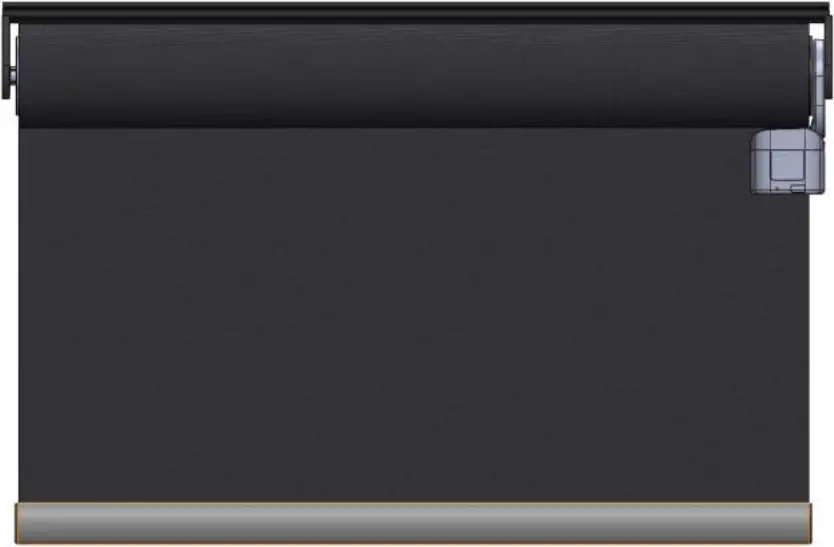
Shade & Accessories _ AC Power
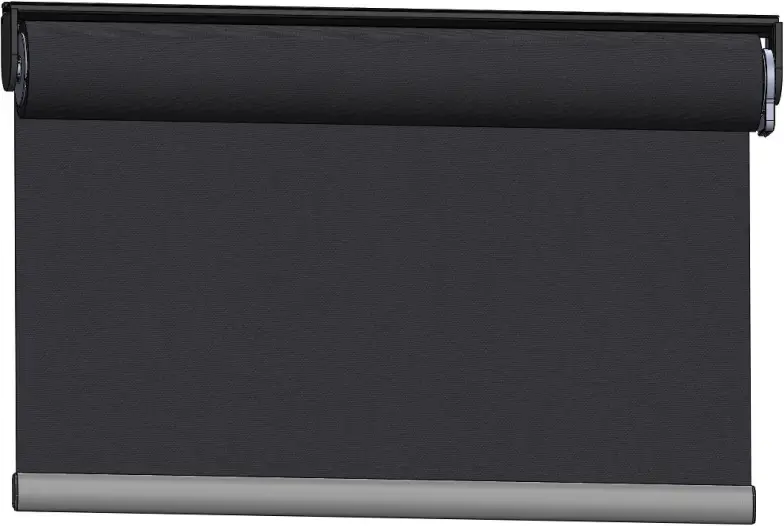
Normal Size
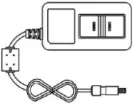

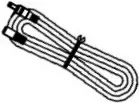
36W Adapter x 1 Power Cable x 1 Extension cord x 1 (Optional)
Large Size
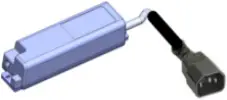
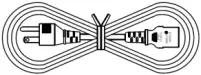
65W Adapter x 1 Power Cord x 1 Extension cord x 1 (Optional)
Remote (Optional)
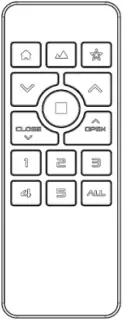
RC-A01
Shade & Accessories _Battery
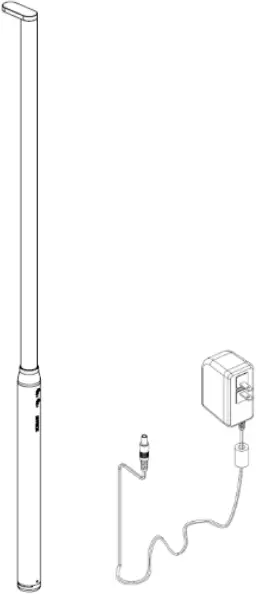
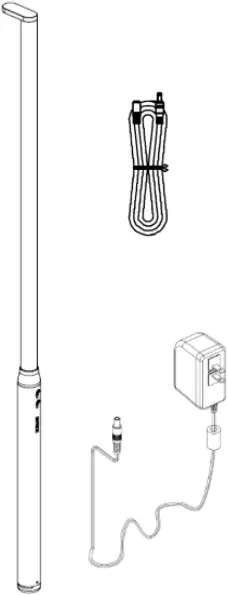
Power Charger Power Charger
PB-01S (Optional) PB-02 (Optional)
Remote (Optional)
RC-A01
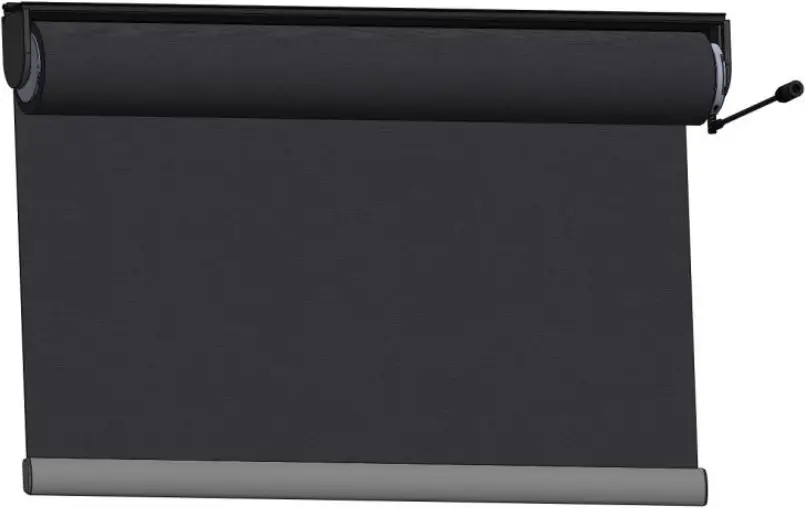
36W Adapter x 1 Charge Cable x 1 Extension cord x 1
(Optional) (Optional) (Optional)
Remote (Optional)
RC-A01
Setup & Operation
Battery-powered shade
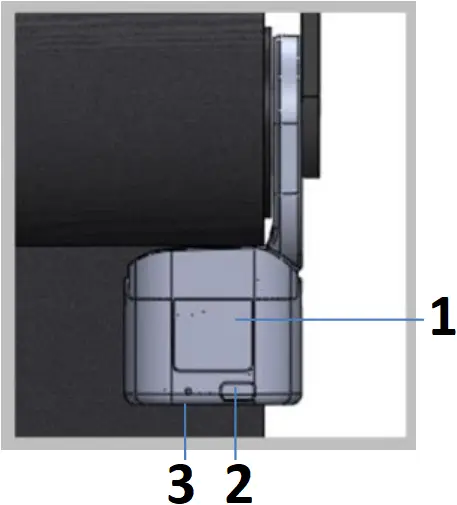
- Charging Port
- Button
- LED Indicator
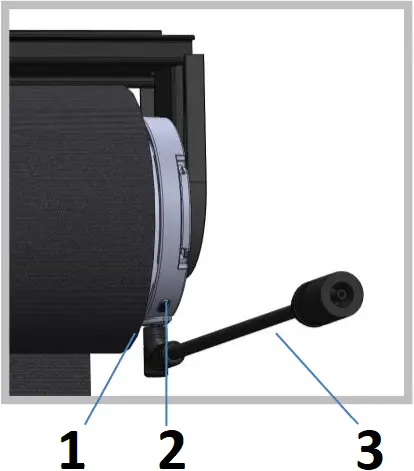
- LED Indicator
- Button
- Charge cable
AC-powered shade
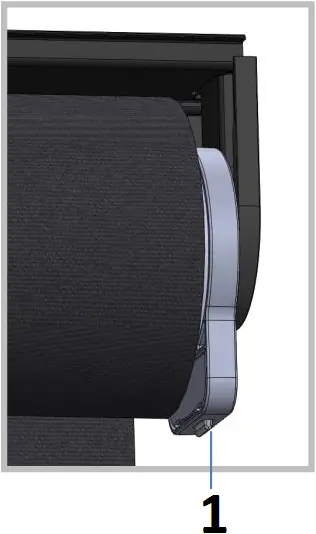
- Button & LED Indicator
Power ON / OFF
Power ON
Hold the shade button for 3 seconds and the green light will flash.
Power OFF
Hold the shade button for 3 seconds and the red light will flash.
Pair shades with a Remote
The shades are already paired with the Remote Control, If needed, please follow the steps to reassign the shades to another group.
IMPORTANT! Please pair only one type of shades in the same group.
When powered on, press the button 3 times to enter Pairing mode. The green light will start flashing.
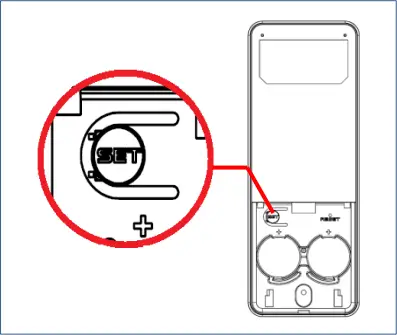
Hold SET for 3 seconds to enter Setup mode. The Group LEDs will start blinking.
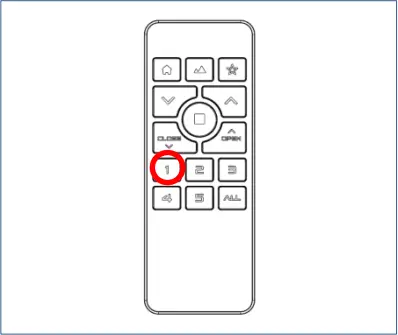
Choose a desired group.
The selected group number will blink.
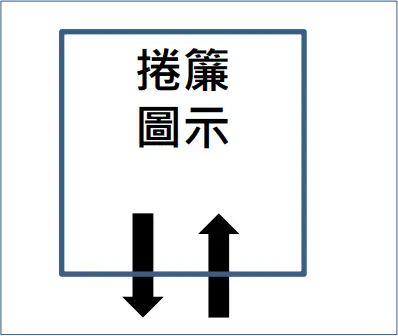
The shade will move up and down to indicate successful pairing. The green light will stop flashing.
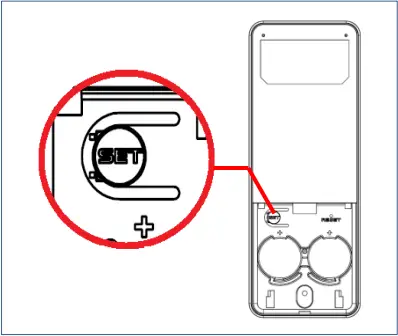
Hold SET for 3 seconds to leave Setup mode. The Group LEDs will stop blinking.
The device will leave Setup mode automatically after 20 seconds of inactivity.
Un-pair the shade from Remote control
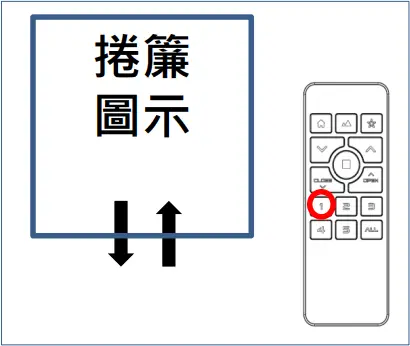
Hold any Group button, the shades assigned to the group will move up and down.
Press the button 3 times to enter Pairing mode. The green light will start flashing.
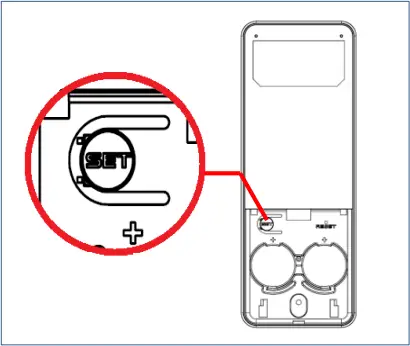
Hold SET to enter Setup mode. The Group LEDs will start blinking.
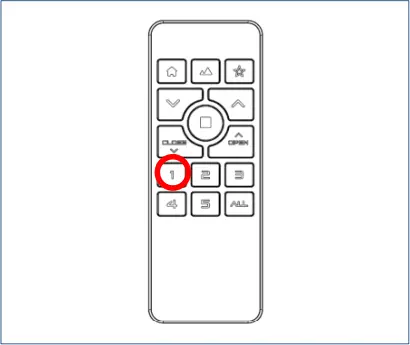
Choose a desired group. The selected group number will blink.
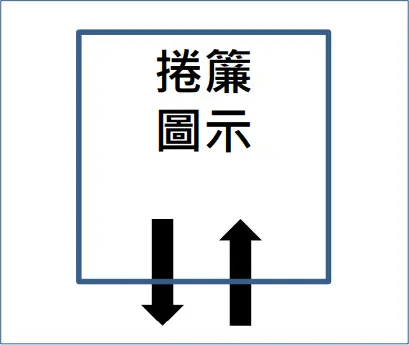
The shade will move up and down 2 times to indicate successful un-pairing. The green light will stop flashing.
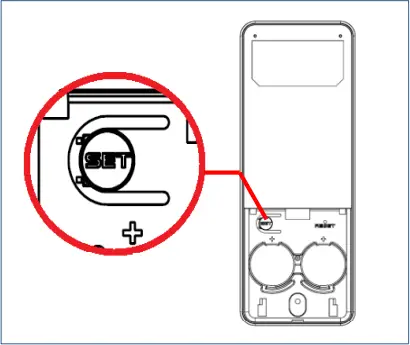
Hold SET for 3 seconds to leave Setup mode. The Group LEDs will stop blinking.
The device will leave Setup mode automatically after 20 seconds of inactivity.
IMPORTANT! Please setup the positions of a single shade to avoid tampering with the positions of other shades assigned to the same group:
- Pair the desired shade to any new group alone, then setup the positions via new group, or
- Power off the other shades in the same group, and setup the positions of the desired shade.
IMPORTANT! Top and Bottom positions must be setup for full function of the shades.
IMPORTANT! Top, Bottom and Vane Open positions must be setup for full function of Perfect Sheer shades.
Setup Top Position
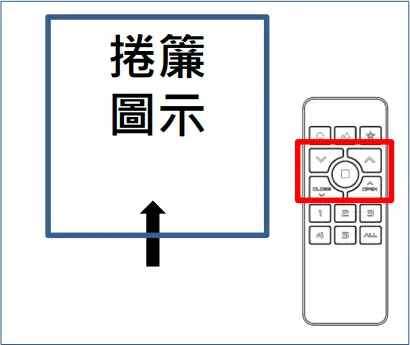
Move the shade to a desired Top position by Remote.
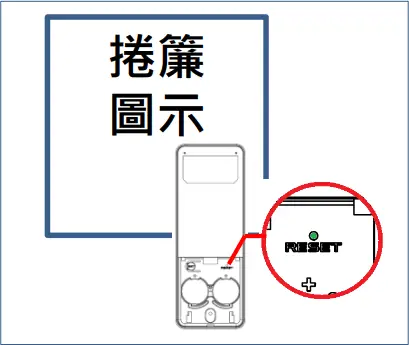
Hold RESET for 1 second. The Group LEDs will start blinking.
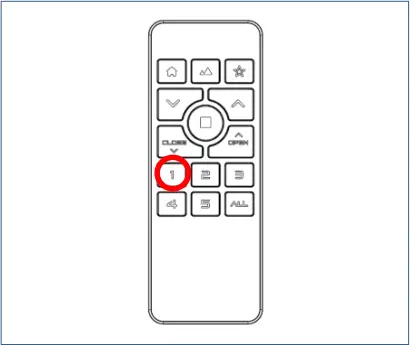
Choose the desired group.
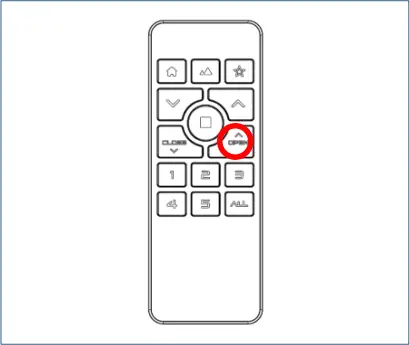
Press OPEN to setup the Top position.
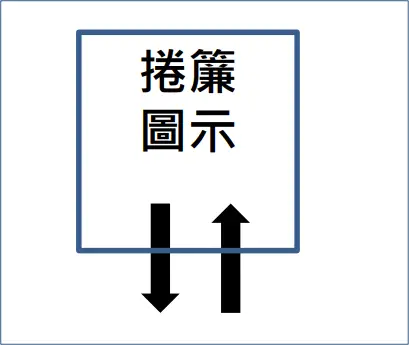
The shade will move up and down to indicate successful setup.
Setup Bottom Position
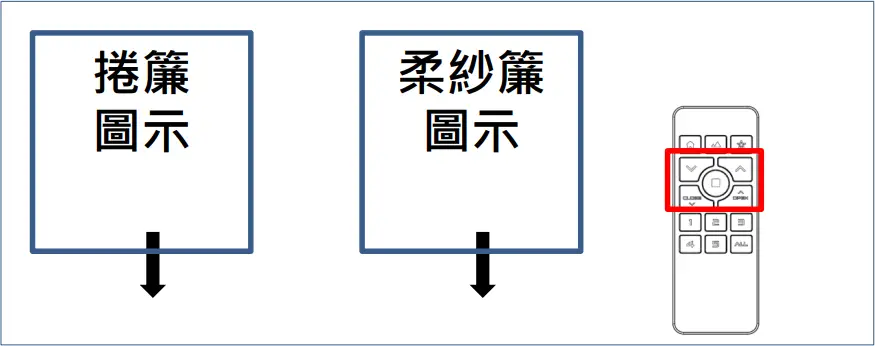
Move the shade to a desired Bottom position by Remote.
 For PerfectSheer, please move to vane fully opened position.
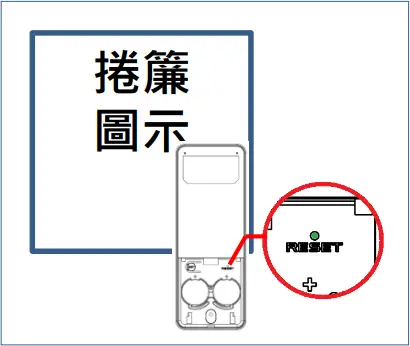
Hold RESET for 1 second. The Group LEDs will start blinking.
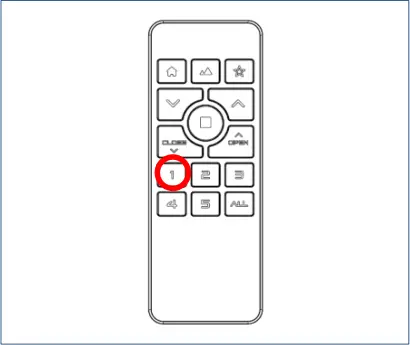
Choose the desired group.
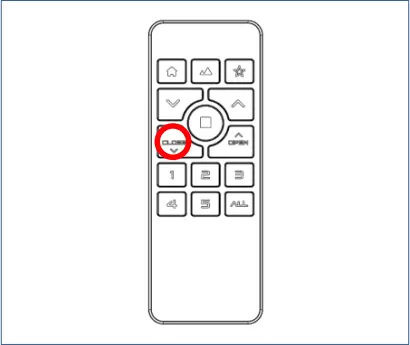
Press CLOSE to setup the Bottom position.
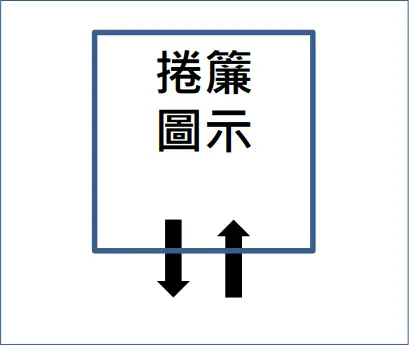
The shade will move up and down to indicate successful setup.
Setup & Operation ( Perfect Sheer only)
 Perfect Sheer only)
IMPORTANT! Top, Bottom and Vane Open positions must be setup for full function of the Perfect Sheer shades.
Setup Vane Open Position
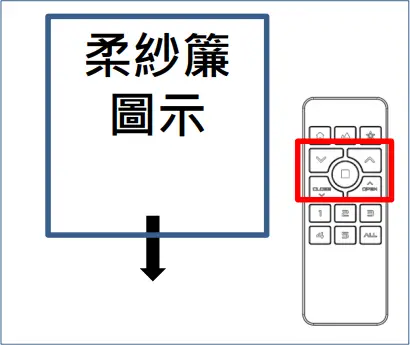
Move the shade to the lowest position of the shade by Remote.
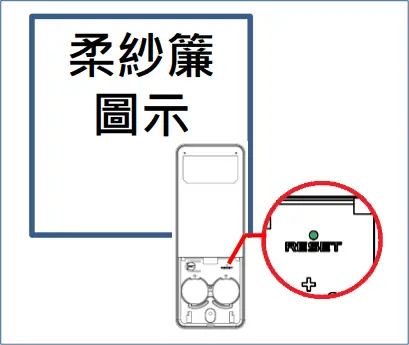
Hold RESET for 1 second. The Group LEDs will start blinking.
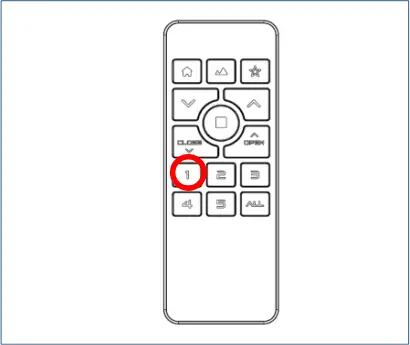
Choose the desired group.
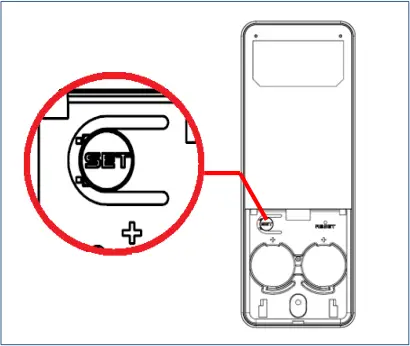
Press SET to setup the Vane Open position.
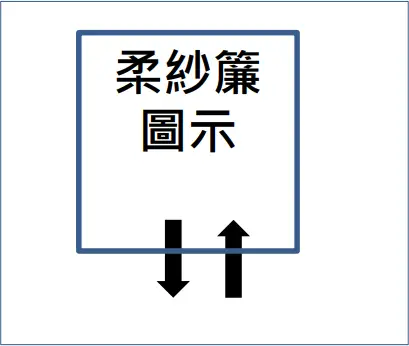
The shade will move up and down to indicate successful setup.
Setup & Operation
IMPORTANT! All position must be setup before My Favorite setup can begin.
IMPORTANT! Clearing any of the positions will disable My Favorite feature.
Setup / Clear My Favorite
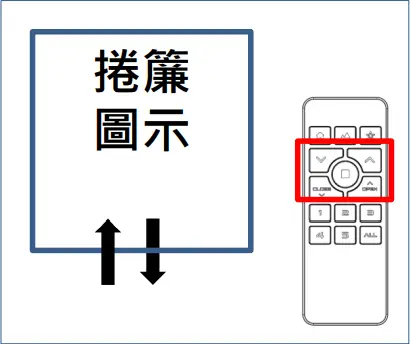
Move the shade to a desired Favorite position by Remote.
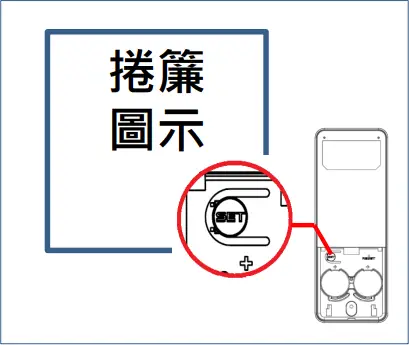
Hold SET for 3 second. The Group LEDs will start blinking.
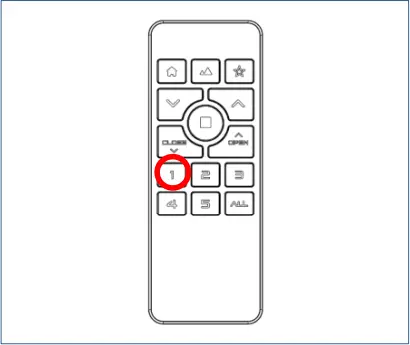
Choose the desired group.
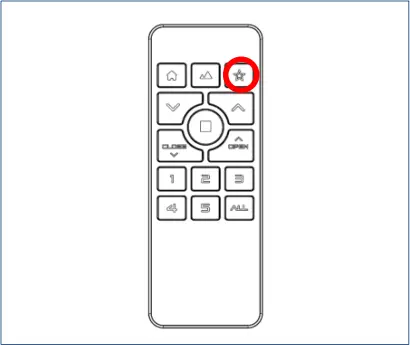
Press  to setup My Favorite.
Hold for 1 second to clear My Favorite (Back to default Favorite)
The shade will move up and down to indicate successful setup.
The shade will move up and down 2 times to indicate successful clearing.
IMPORTANT! Please clear the positions of a single shade to avoid tampering with the limits of other shades assigned to the same group:
- Pair the desired shade to any new group alone, and clear the positions via new group, or
- Power off the other shades in the same group, and clear the positions of the desired shade.
IMPORTANT! Top and Bottom positions must be setup for full function of the shades.
IMPORTANT! Top, Bottom and Vane Open positions must be setup for full function of the Perfect Sheer shades.
Clear Top / Bottom / Vane Open Position
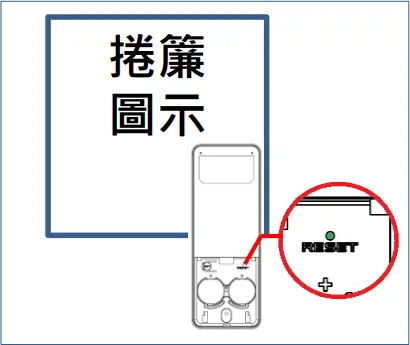
Hold RESET for 1 second. The Group LEDs will start blinking.
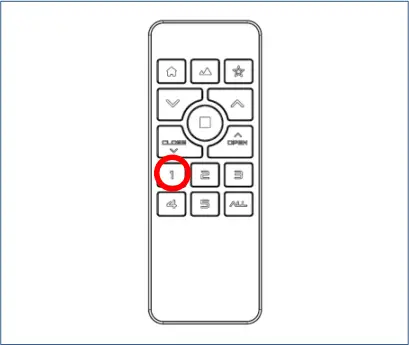
Choose the desired group.
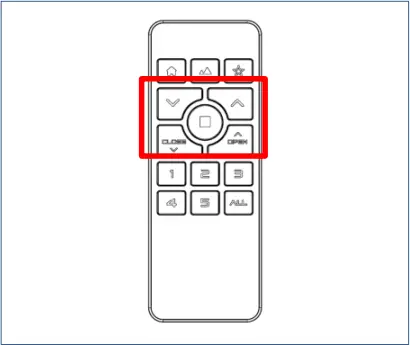
Hold OPEN to clear Top position.
Hold CLOSE to clear Bottom position.
Hold SET to clear Vane Open position.
The shade will move up and down 2 times to indicate successful clearing.
Remote control
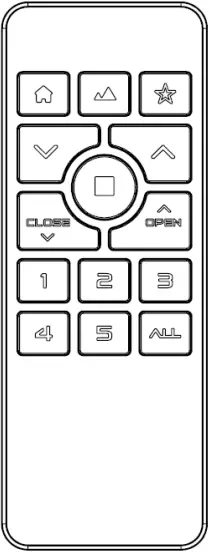
 : Adjust shade position / Adjust Light Filtering
OPEN : Shade goes up continually
CLOSE : Shade goes down continually : Stop the shade
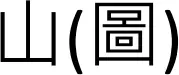 : Move to Best View
 : Move to Best Privacy
 : Move to My Favorite
Press Group(1-5, ALL) : Select a group
Hold Group(1-5, ALL) : Identify the shades in the group
For more Remote model, please visit: 
Button control
Press the button to move the shade in first direction when the shade is still.
Press the button to stop the shade while the shade is in motion.
Press the button again to move the shade in the opposite direction.
Calibration
STEP 1. Press the shade button 8 times to enter Setup mode (green light illuminates).
STEP 2. In Setup mode, press the button 2 times (green light blinks).
STEP 3. The shade will execute calibration.
Note: Please make sure the shade route is clear and do NOT operate the shade during calibration.
Clear All Positions
STEP 1. Press the shade button 8 times to enter Setup mode (green light illuminates).
STEP 2. In Setup mode, press the button 4 times (green light blinks).
STEP 3. The shades will move up and down 2 times to indicate successful clearing.
Note: This action will clear Top/Bottom/ Vane Open positions, My Favorite and all Scene positions.
Clear Pairing Data
STEP 1. Press the shade button 8 times to enter Setup mode (green light illuminates).
STEP 2. In Setup mode, press the button 6 times (green light blinks).
STEP 3. The shades will move up and down 2 times to indicate successfully clearing.
Note: This action will clear all pairing data of the shade.
Hardware Reboot
STEP 1. Hold the shade button for 10 seconds until the red light illuminates.
STEP 2. The shade will reboot.
Troubleshooting
| Problems | Possible Cause | Description |
| No reaction upon operation | No Signal | Operate the shade by a Remote and check the LED indicator on the shade. Green light blinks: The shade receives signal normally. Red light blinks: Low battery / Over temperature limit Red/Green light blinks: Other problems No light: Not receiving signal / Not paired with a Remote / The shade is powered OFF. |
| Low battery of Remote | Please check the Remote LED illuminates and works normally, or replace new batteries. | |
| Low battery of Shade | Please use Power Charger to charge the shade. | |
| The shade is not paired with the Remote | Hold a Group button and check if the shade goes up and down to indicate it is assigned to the group. If the shade is not paired to any group, please refer to Section “Setup & Operation”. | |
| Over Temperature Protection | The shade might be overheated when the LED indicator on shade blinks red during operation. Please wait at least 30 minutes and operate the shade again. Please refer to the Specification for applicable operating temperature. | |
| The Positions are not fully setup. | Press on Remote to operate the shade and check if the shade LED blinks green and the shade works normally. If not, the shade positions might not be fully set up for full functionality, please refer to Section “Setup & Operation” to Setup positions. IMPORTANT! Top and Bottom positions must be setup for full function of the shades. IMPORTANT! Top, Bottom and Vane Open positions must be setup for full function of the Perfect Sheer shades. | |
| Other Problems | Re-power ON: Hold the shade button for 3 seconds to power ON/OFF the shade Hardware reboot: Hold the shade button for 10 seconds until the red light illuminates and the shade will reboot. If the problem still exists, please contact your dealer for further assistance. | |
| Positions shift | Abnormal power failure | Abnormal power failure may cause a shift of positions, please refer to Section “Setup & Operation” to Setup new positions. |
| Others | Please contact your dealer for further assistance. |
Specification
NO. | Item | Specification |
| 1 | Power Source | Battery-powered: Li-ion batteries x3 |
2 | Battery operating voltage range | 4.2V~3.4V (Single cell) |
| 3 | Radio type | 2.4G RF |
4 | Frequency band(s) | 2415~2459MHz |
| 5 | Maximum Transmit Power EIRP | XX mW |
6 | Motor type | Brush DC motor |
| 7 | Charge type | Power Charger / Power Adapter |
8 | Charging Time | < 3 hours |
| 9 | Charging Temperature | 5°C/41°F ~ 35°C/95°F |
10 | IP ranking | IPXX |
| 11 | Operating Temperature | 0°C/32°F ~ 40°C/104°F |
12 | Relative Humidity | 0% ~ 90% (Non-condensing) |
| 13 | Ave. Sound Level @1m | ≤XX dBA |
Item | MRS-32B / MRS-32C | MRS-32A |
| Compatible roller tubular (mm) | Outer Diameter 43 mm and 52 mm | |
Tubular motor dimension (mm) | OD 45 (Edge) x L 525.5 (Cable Length not included) | OD 45 (Edge) x L 325.5 |
Safety Statement
Federal Communication Commission Interference Statement
This device complies with Part 15 of the FCC Rules. Operation is subject to the following two conditions: (1) This device may not cause harmful interference, and (2) this device must accept any interference received, including interference that may cause undesired operation.
This equipment has been tested and found to comply with the limits for a Class B digital device, pursuant to Part 15 of the FCC Rules. These limits are designed to provide reasonable protection against harmful interference in a residential installation. This equipment generates, uses and can radiate radio frequency energy and, if not installed and used in accordance with the instructions, may cause harmful interference to radio communications. However, there is no guarantee that interference will not occur in a particular installation. If this equipment does cause harmful interference to radio or television reception, which can be determined by turning the equipment off and on, the user is encouraged to try to correct the interference by one of the following measures:
- Reorient or relocate the receiving antenna
- Increase the separation between the equipment and receiver.
- Connect the equipment into an outlet on a circuit different from that to which the receiver is connected.
- Consult the dealer or an experienced radio/TV technician for help.
FCC Caution: Any changes or modifications not expressly approved by the party responsible for compliance could void the user’s authority to operate this equipment.
This transmitter must not be co-located or operating in conjunction with any other antenna or transmitter.
Industry Canada Equipment Standard for Digital Equipment (ICES) -Canada
This Class B digital apparatus complies with Canadian ICES-003. CAN ICES-3 (B)/NMB-3(B)
Innovation, Science and Economic Development Canada(ISED) Compliance Statement
This device complies with ISED’s licence-exempt RSS standard(s).
Operation is subject to the following two conditions: (1) this device may not cause interference, and (2) this device must accept any interference, including interference that may cause undesired operation of the device.
Radiation Exposure Statement:
This equipment complies with ISED radiation exposure limits set forth for an uncontrolled environment. This equipment should be installed and operated with greater than 20cm between the radiator & your body.
RED Compliance Statement (Delete?)
Hereby, Nien Made Enterprise Co., Ltd. declares that the radio equipment type MRS is in compliance with Directive 2014/53/EU.
The full text of the EU declaration of conformity is available at the following internet address: https://www.nienmade.com/ContactUs.aspx (TBD)
This equipment complies with EU radiation exposure limits set forth for an uncontrolled environment.
Recycling – European Directive 2012/19/EU
This marking indicates that this product should not be disposed with other household wastes. To prevent possible harm to the environment or human health from uncontrolled waste disposal, recycle it responsibly to promote the sustainable reuse of material resources. To return your used device, please use the return and collection systems or contact the retailer where the product was purchased. They can take this product for environmental safe recycling.
RF Information
- Frequency band(s): 2.4GHz
- Receiver category: Category 2
- Transmitting power: 10mW
- EU declaration:
EN 55014-1:2017 / EN 55014-1:2017 +A11:2020
EN 55014-2:1997 +A1:2001 +A2:2008 Category IV
EN 301 489-1 V2.2.3 (2019-11)
EN 301 489-17 V3.2.4 (2020-09)
EN 300 328 V2.2.2(2019-07)
EN 62311:2008
Norman International, Inc.
28 Centerpointe Drive La Palma, CA 90623
562-236-2600
https://normanusa.com/
Safety Instructions for Lithium batteries
The product may contain lithium-ion batteries; the battery contains flammable materials, such as organic solvents. Mishandling of the battery may cause fire, smoke, or explosion.
DANGER
Do not immerse the battery in any liquid, such as water, beverages, or other fluids.
Exposure to liquid may damage the battery or the battery pack. Damaging the battery may generate heat, smoke, catch fire, or explode.
Do not use or place the battery in or near an open flame, heater or high temperature areas (above 80°C or 176°F) ), such as those near a microwave or other cooking appliance.
Subjecting the battery to high temperature or near electromagnetic radiation may damage the polyolefin separator and can cause short circuit. This may cause the battery to generate heat, smoke, catch fire, or explode.
About Charging: Do not use unauthorized chargers.
Only charge the battery within recommended conditions (e.g., temperature range, voltage, and current). Use of an unauthorized charger could cause the battery to generate heat, smoke, catch fire, or explode.
Do not attach or insert battery with polarity reversed.
If the battery does not easily fit into the charger or device, check the battery orientation. Do not force the battery into the compartment. If the battery is inserted incorrectly, the battery may generate heat, smoke, catch fire, or explode.
Do not connect the battery to an AC outlet or DC automotive plug.
The battery requires a specific charger. If the battery is connected directly to a power outlet, the battery may generate heat, smoke, catch fire, or explode.
Do not use the battery in equipment for which it was not intended.
If the battery is used in unapproved applications or systems, the battery may be damaged and generate heat, smoke, catch fire, or explode.
Keep the battery away from heat and fire.
Excessive heat will damage the battery and may cause it to generate smoke, catch fire, or explode.
Do Not connect the positive (+) and negative (-) terminals with a conductive material. Do not carry or store the battery with any metal objects. If the battery is shorted, it may overheat and the battery may generate heat, smoke, catch fire, or explode.
Avoid excessive impact to the battery.
Impact beyond specification may damage the battery. This may cause the battery to leak, generate heat, smoke, catch fire, or explode.
Do not penetrate the battery with any sharp object.
If subjected to a hard strike or penetrated by an object, the battery may be damaged, thereby causing the battery to short-circuit. This may cause the battery to generate heat, smoke, catch fire, or explode.
Do not directly solder to the battery.
Soldering directly to the battery could melt the separator, damage the fume release vent or other safety mechanisms. This may cause the battery to generate heat, smoke, catch fire, or explode.
Do not disassemble the battery.
Disassembly or modification of the battery may damage the protection circuit. This may cause the battery to generate heat, smoke, catch fire, or explode.
Do not charge the battery near high temperature.
If the battery is charged while exposed to high temperature, the battery’s protection circuit may activate and prevent charging, or fail and cause the battery to generate heat, smoke, catch fire, or explode.
WARNING
Ingestion
Keep away from small children.
Keep the battery away from small children. If the battery or any of its component parts is swallowed, seek medical attention immediately.
Mixed Use
Do not mix with other batteries.
The battery should not be used with other batteries having a different capacity, chemistry, or manufacturer. Doing so could cause the battery to generate heat, smoke, catch fire, or explode.
Rust, Discoloration and Deformities
Do not use abnormal batteries.
Immediately stop using the battery if there are noticeable abnormalities, such as smell, heat, discoloration, or deformity. The battery may be defective and could generate heat, smoke, catch fire, or explode with continued use.
Charging Time
Stop charging if the charging process cannot be finished.
If the battery cannot finish the charging process within the specified time, halt the charging process. The battery may generate heat, smoke, catch fire, or explode.
Leakage -1
Do not use a leaking battery near open flame.
If the battery or liquid leaking from the battery has an irritating odor, the battery should be kept away from any open flame. If exposed to an open flame, the battery could ignite and explode.
Leakage -2
Do not touch a leaking battery.
If liquid leaking from the battery gets into your eyes or makes contact with your skin, immediately flush your eyes or skin with clean water and seek medical attention. If left untreated, it will cause significant eye or skin damage.
Transport
Pack the battery securely for transport.
To prevent short-circuit or damage during transport, securely pack the battery in a case or carton.
CAUTION
Exposure to Direct Sunlight
Do not use or leave the battery in a location exposed to excessive heat, such as in direct sunlight or in a car. Doing so could cause the battery to generate heat, smoke, catch fire, or explode. It may also cause the battery’s performance and life to deteriorate.
Use with other Equipment or Power
The battery pack has a protection circuit. Do not use the battery with other equipment or power as it may damage the protection circuit. If the protection circuit fails, the battery may generate heat, catch fire, smoke, or explode.
Charging Temperature Range
Only charge the battery between 5°C and 35°C. Charging outside of this temperature range may cause the battery to leak, generate heat, or result in serious damage. It may also cause the battery’s performance and life to deteriorate.
Charging Method
Read the user’s manual for proper product charging method.
First Time Usage
Please contact the supplier if the battery gives off an unusual odor, generates heat, or shows signs of rust prior to its initial use.
Flammable Materials
Do not charge or discharge near flammable materials. Doing so could result in fire.
Handling of Exposed Contacts or Conductors
If the battery pack has a system interface consisting of stripped lead wires or exposed contact plates, handle with due care. Temporarily insulate exposed contacts and conductors with an insulator such as polypropylene tape or polyvinylchloride tape. Failure to do so could result in an electrical shock; a short circuit causing the battery to generate heat, smoke, catch fire, or explode; or the combustion of other materials.
Recycling
When disposing of the battery, recycle it according to local rules and regulations.