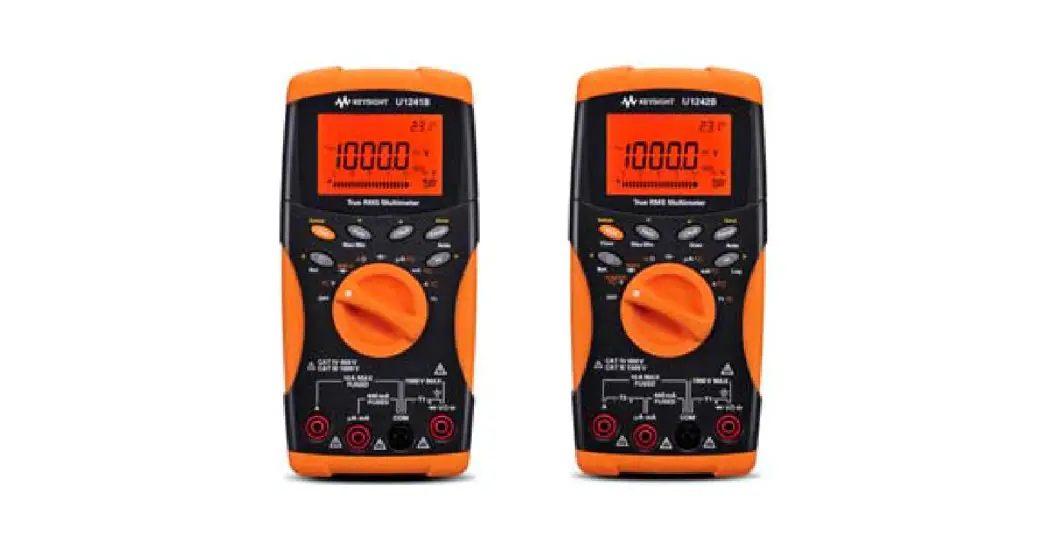
 Keysight U1241B and U1242B Handheld
Digital Multimeter
Quick Start Guide
Contacting Keysight
www.keysight.com/find/assist (worldwide contact information for repair and service)
Safety and EMC Information
The U1241B and U1242B is safety-certified in compliance with IEC/EN 61010-1, IEC/EN
61010-2-030, IEC/EN
61010-2-033, CAN/CSA-C22.2 No.
61010-1, CAN/CSA-C22.2 No.
61010-030, CAN/CSA-C22.2 No.
61010-033, UL Std. No. 61010-1,
UL Std. No. 61010-030 and UL Std.
No. 61010-033.
EMC is designed in compliance with IEC 61326-1/EN 61326-1, CISPR11/EN55011 Group 1 Class A, ICES/NMB-001, and AS/NZS CISPR 11.
Safety Notices
CAUTION
A CAUTION notice denotes a hazard. It calls attention to an operating procedure, practice, or the like that, if not correctly performed or adhered to, could result in damage to the product or loss of important data. Do not proceed beyond a CAUTION notice until the indicated conditions are fully understood and met.
WARNING
A WARNING notice denotes a hazard. It calls attention to an operating procedure, practice, or the like that, if not correctly performed or adhered to, could result in personal injury or death. Do not proceed beyond a WARNING notice until the indicated conditions are fully understood and met.
Safety symbols
 | Earth (ground) terminal |
 | Equipment protected throughout by double insulation or reinforced insulation |
 | Caution, risk of electric shock |
 | Caution, risk of danger (refer to this manual for specific Warning or Caution information) |
| CAT III 1000 V | Category III 1000 V overvoltage protection |
| CAT IV 600 V | Category IV 600 V overvoltage protection |
For further safety information details, refer to the
Keysight U1241B and U1242B Handheld Digital Multimeter
User’s and Service Guide.
Keysight U1241B and U1242B Handheld Digital Multimeter Quick Start Guide
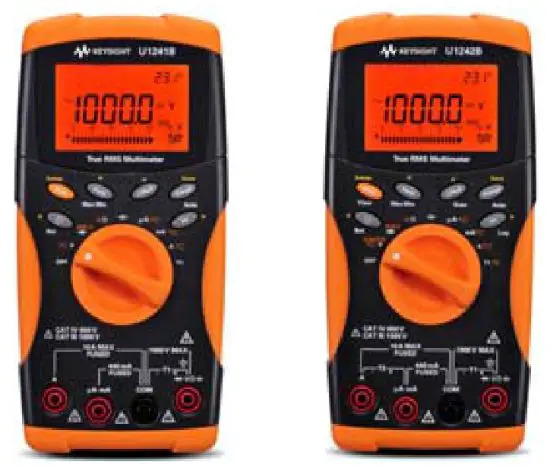
The following items are included with your multimeter:
✔ Silicone test leads  and 4 mm probes
✔ Four 1.5 V AAA alkaline batteries
✔ Certificate of Calibration
If anything is missing or damaged, please contact the nearest Keysight Sales Office.
For more detailed information, please refer to the Keysight U1241B and U1242B Handheld Digital
Multimeter User’s and Service Guide on Keysight website (www.keysight.com/find/handheld-tools).
WARNING
Ensure the terminal connections are correct for that particular measurement selection before starting any measurement. To avoid damage to the device, do not exceed the input limit.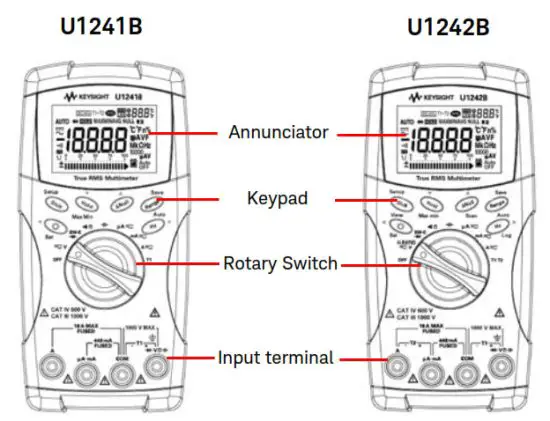
| Measurement Functions | Input Terminal | Overload Protection | |
| Voltage |  | COM | 1000 V R.M.S |
| Diode | 1000 V R.M.S < 0.3 A short circuit current | ||
| Resistance | |||
| Capacitance | |||
| Current (μA and mA) | µA.mA | COM | 440 mA/1000 V 30 kA/fast-acting fuse |
| Current (A) | A | COM | 11 A/1000 V 30 kA/fast-acting fuse |
| Temperature | +T1 | –T1 | 1000 V R.M.S |
| Temperature (for U1242B) | +T2 | –T2 | 440 mA/1000 V 30 kA/fast-acting fuse |
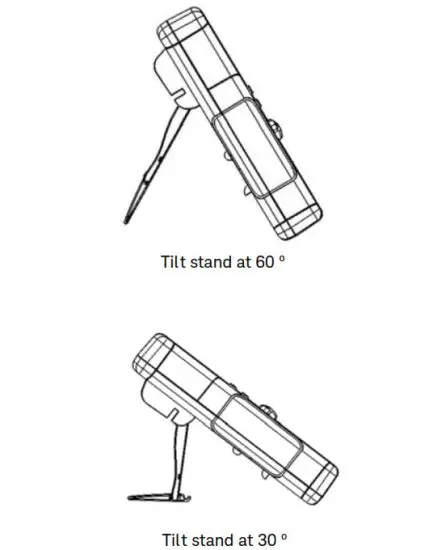
Tilt Stand
Annunciator Display
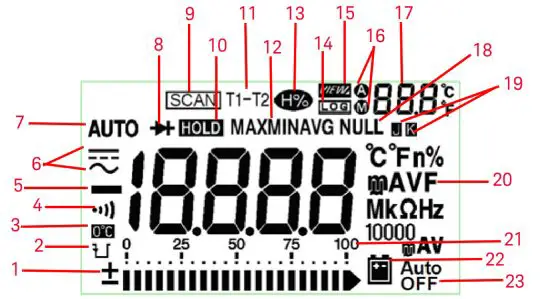
| No. | Descriptions | No. | Descriptions |
| 1 | 21-segment analog bar graph display | 12 | MINMAX Recording mode |
| 2 | Capacitor discharge indicator | 13 | Harmonic Ratio mode (for U1242B) |
| 3 | Cold junction of ambient temperature | 14 | Data logging mode (for U1242B) |
| 4 | Audible continuity for resistance and diode function | 15 | Data logging viewing mode (for U1242B) |
| 5 | Primary display  | 16 | Auto or manual data logging mode and datalog viewing mode |
| 6 | AC or DC measurement mode | 17 | Secondary display (temperature display) |
| 7 | Auto range | 18 | Null math function |
| 8 | Diode / Audible continuity | 19 | Thermocouple type for temperature measurement |
| 9 | T1, T2 and T1 – T2 temperature measurements scan (for U1242B) | 20 21 | Primary measurement units Measurement range |
| 10 | Data hold | 22 | Low battery indicator |
| 11 | T1, T2* and T1 – T2* temperature measurements | 23 | Auto power off indicator |
| *T2 | *T2 temperature measurement and delta (T1 – T2) are only available for U1242B. | ||
Functions and Features
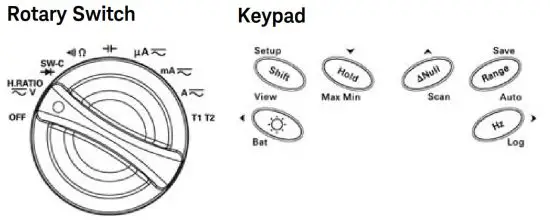
| Function | First level functions | Range | Second level functions (press  ) ) | Range |
| OFF | Turn off the meter | |||
 | DCV measurement | 0.1 mV to 1000 V | ACV measurement Harmonic ratio (for U1242B) | 50 mV to 1000 V 0.0% to 99.9% |
 | Diode measurement | Switch counter measurement | ||
 | Resistance measurement | 0.1 Ω to 100 MΩ | Audible continuity measurement | |
 | Capacitance measurement | 0.1 μF to 10 mF | ||
 | DCµA | 0.1 μA to 10 mA | ACµA measurement | 50 μA to 10 mA |
 | DCmA | 0.01 mA to 440mA | ACmA measurement mA% scale | 5 mA to 440 mA |
 | DCA | 0.001 A to 10A | ACA measurement | 0.5 A to 10 A |
| T1 | T1 temperature | –40 °C to 1000 °C | T2 and T1–T2 temperature measurements (for U1242B) | –40 °C to 1000 °C |
| Action | Steps |
| Turns ON backlight | Press . . |
| Checks battery capacity | Press and hold for >1 s. |
| Freezes the measured value | Press . . |
| Starts MIN/MAX/AVG recording | Press and hold for >1 s. |
| Offsets the measured value | Press . . |
| Scan the measured temperature (for U1242B only) | Press and hold for > 1 s. |
| Changes the measuring range | Press . . |
| Turns on auto range | Press and hold for > 1 s. |
| Measures frequency for AC signal | Press . . |
| Starts manual data logging | Press and hold for > 1 s. |
This information is subject to change
without notice. Always refer to the
Keysight website for the latest revision.
© Keysight Technologies 2009-2021
Edition 9, January 2021
Printed in Malaysia
U1241-90055
www.keysight.com
 Products + Services | Keysight