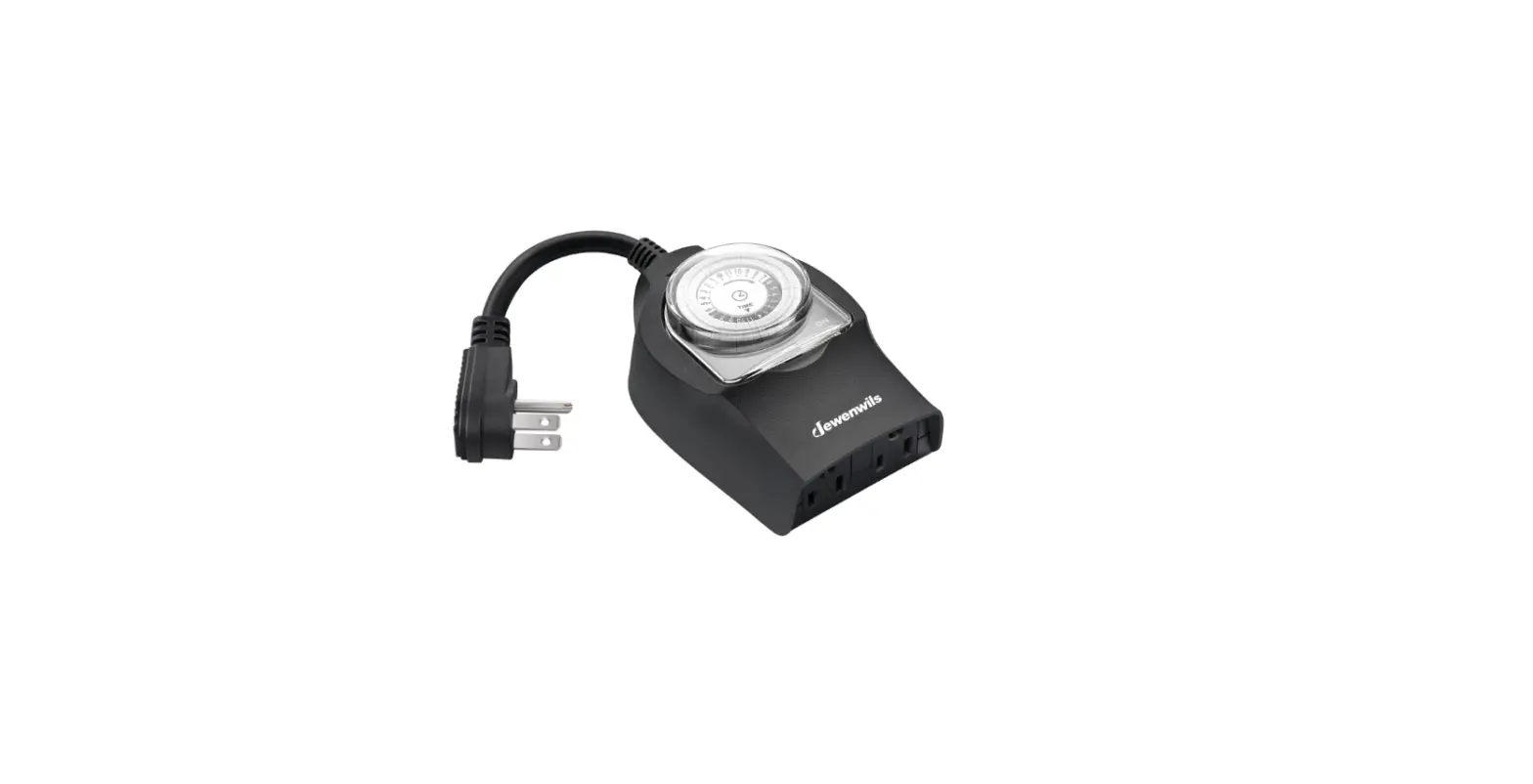
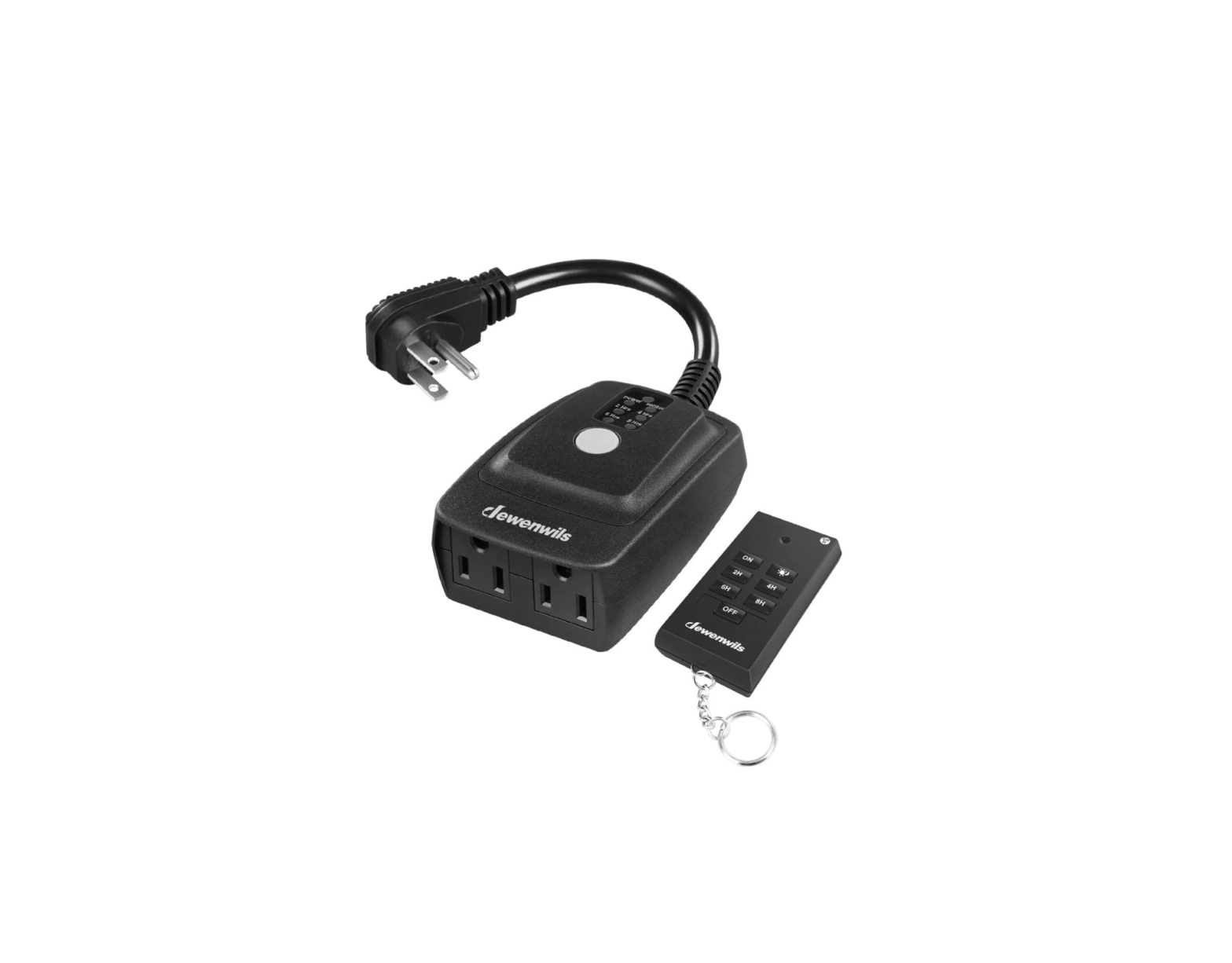
HODT12D Outdoor Remote Control Timer Switch
Product Information
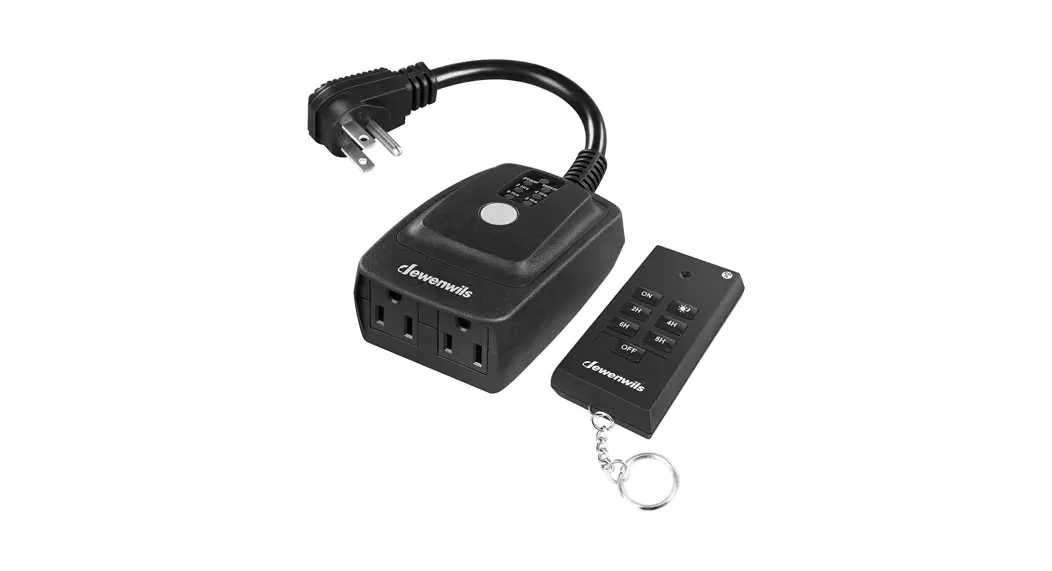
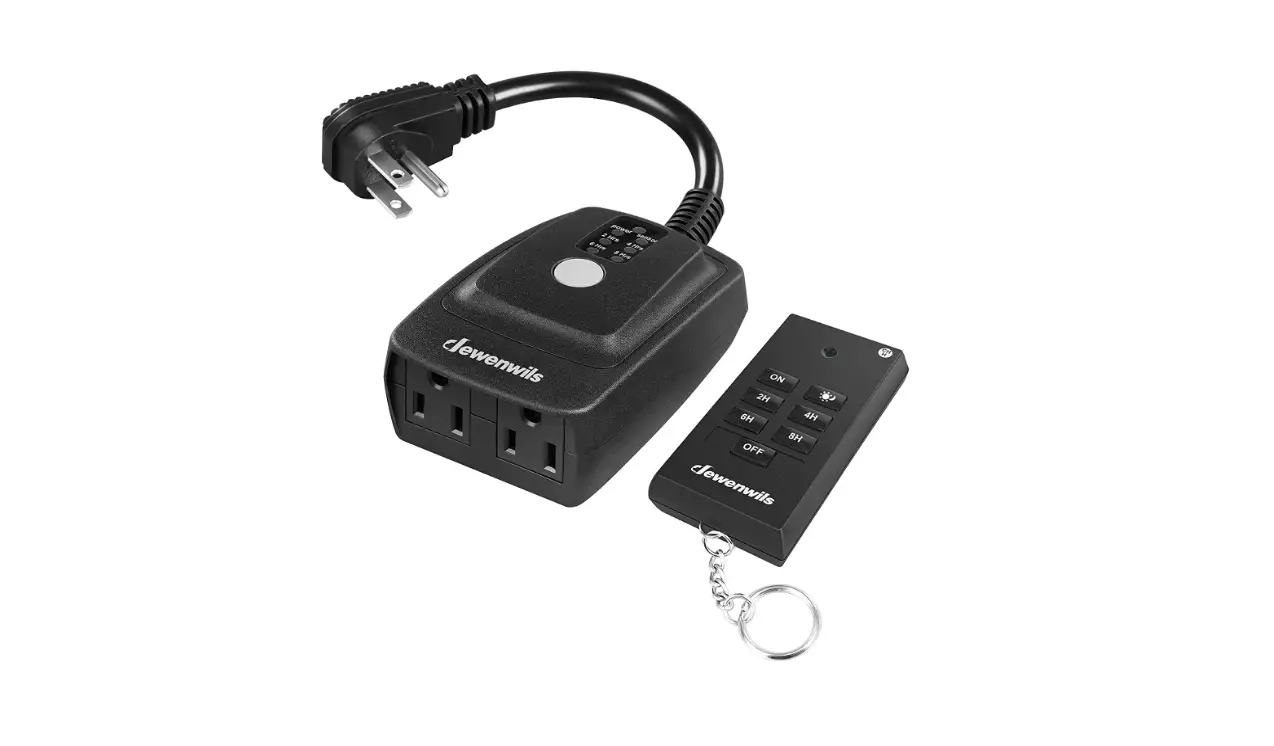
The ZJ ZJ-3A Outdoor Remote Control Timer Switch is a device
that allows you to control the power supply to your outdoor devices
remotely. It comes with a transmitter and a receiver, which are
already paired and ready to use. The transmitter uses 3×1.5V AA
batteries, while the receiver is plugged into a powered outlet.
This timer switch has the following features:
- Waterproof design to prevent water immersion
- Maximum ratings for connected devices
- Child safety measures
- Environmentally friendly disposal of used batteries
- Variable learning codes technology to eliminate
interference - Transmitter timing settings within a range of 100 feet
Product Usage Instructions
Installation
- Plug the receiver into a powered outlet.
- Plug your device into the socket of the receiver.
- Install 3×1.5V AA batteries in the transmitter.
- To test if your device is paired, press the ON/OFF button on
the transmitter and check if the receiver turns ON/OFF. Note: If
the receiver doesn’t respond, follow the pairing procedure in the
Settings of Transmitter and Receiver section.
Settings of Transmitter and Receiver
Pairing Steps:
- Plug the receiver into an outlet.
- Press and hold the programming button on the receiver until the
indicator light starts flashing slowly. - Release the button and press the ON button, followed by the OFF
button on your transmitter. - The indicator light will stop flashing and remain on to
indicate successful programming. - Repeat steps 1-4 to pair multiple transmitters and
receivers.
Cancel Pairing Steps:
- To cancel all programming, press and hold the programming
button on the receiver until the indicator light starts flashing
rapidly. - Release the programming button and then press it again. The
indicator light will turn off, indicating that all programming has
been canceled.
Note: The transmitter and receiver have already been paired in
advance and can be used directly. Only follow the pairing steps if
the receiver doesn’t respond to the transmitter’s ON/OFF
button.
Transmitter Timing Settings
Notes: The receiver must be located within 100 feet of the
remote transmitter. Actual functional range may be affected by
weather, radio frequency interference, low remote battery, and
obstructions between the transmitter and receiver.
- Before setting the transmitter, place it indoors at the desired
location. - Press the ON/OFF button on the transmitter to test if it can
successfully control the receiver.
ZJ ZJ-3A
Outdoor Remote Control Timer Switch
[Instruction Manual]
Please pay attention to the warning signs Read the instructions with caution before operating
and keep it properly
V20610
Warning: To reduce the risk of fire, electric shock or personal injury, please strictly follow the instructions.
1. To prevent water immersion, the outlet must be mounted in a vertical position with the outlets facing downward and at least 2ft above the ground level.
2. Do not immerse in water. 3. Do not connect any devices which may exceed the maximum ratings of
this remote outlet. 4. Do not disassemble or repair the product, but only by authorized service
personnel. 5. Children are not allowed to use the remote outlets without supervision. 6. To prevent children suffocation and chocking, keep them away from
packaging materials. 7. Used batteries should be disposed safely and environmentally.
Product Layout
Transmitter Display
Programming buttons
Programming/ON/OFF button Receiver
01
Installation Guiding
1. Plug the receiver into a powered outlet,Plug your device into the socket of the receiver.
2. Install 3×1.5V AA batteries for the transmitter. 3. Test if your device is paired: Check if the receiver will turn ON/OFF by pressing
the transmitter’s ON/OFF button. NOTE: The transmitter and receiver have been paired in advance and can be used directly. If the receiver cannot be turned on/off by pressing the ON/OFF button of the transmitter, you need to pair it according to the “pairing procedure” in “Settings of Transmitter and Receiver”.
Settings of Transmitter and Receiver
Pairing Steps 1. Plug the receiver into an outlet. 2. Press the programming button on the receiver until the indicator light
begins to flash slowly. 3. Release the button and press ON button, then OFF button on your
transmitter. 4. The indicator light stops flashing and keeps on indicates that the
programming has already been setted up successfully. Repeat Step 1-4 to pair multiple transmitters and receivers.
Cancel Pairing Steps Cancel all programming so that no remote transmitter can control it: – Press the programming button on the receiver until the indicator light begins to flash rapidly Note: The light flashes from slowly to rapidly. – Release the programming button and then press it again. The indicator light
will be off. All the programming has been canceled.
No Interference Remote control outlets adopt variable learning codes technology.The codes will be changed each time after re-programming. If this remote control outlet happens to be in the same channels with other RF remote devices, just re-program it and the interference will be eliminated.
02
Transmitter Timing Settings
Notes: The receiver must be located within 100 feet of the remote transmitter. Actual functional range may be affected by the following factors: weather, radio frequency interference, low remote battery, and obstructions between the transmitter and receiver.
1. Transmitter test Before setting the transmitter, place the transmitter at the location you want indoor, and then press the ON/OFF button to test if the transmitter could successfully control the receiver.
2. Reset Before programming, all settings should be reset. The reset hole which is identified by “R” is just located between the “ON”and”OFF”button. Use a paper clip or ball point pen to stick it.
3. Set the Current Time a. Long press the “CLOCK” button for more than 3s until the number on the
screen flashes to enter the current time setting interface. b. Press the “HOUR” button to set the hour c. Press the “MIN” button to set the minutes d. After the setting is completed, press the “CLOCK” button to complete the
current time setting, and the screen stops flashing.
4. ON/OFF Mode a. Press the “ON” button, the timer is always ON, and the screen displays
shown in Figure 4-1. b. Press the “OFF” button, the timer is always OFF, and the screen shown
in Figure 4-2.
Figure 4-1
Figure 4-2
NOTE: When the ON/OFF mode is activated, the operation of P1, P2, P3, REP, and CTD mode will be automatically stopped
03
5. P1/P2/P3 Mode
a. Press and hold the P1 button for 3s until the number on the screen flashes to enter the ON time setting interface in the P1 mode.
b. Press the HOUR/MIN button to set the ON time in P1 mode. c. Press the P1 button again to enter the OFF time setting in the P1 mode. d. Press the HOUR/MIN button to set the OFF time in P1 mode. e. Press the clock button to complete the setting of P1 mode and return to
the current time interface. f. After setting the P1 ON/OFF time,press the P1 button shortly to activate
the P1 mode. At this time, the screen displays “P1”, and it will run daily as your settings until be turned off. Short press the P1 button again to end the P1 mode,and the “P1” will disappear g. Repeat the above settings to set P2 and P3 modes. NOTE: The three modes of P1, P2 and P3 can run at the same time.
5-1. P1/P2/P3 Mode Operation Status:
When the screen displays P1 ON, the current connected device is ON, as shown in Figure 5-1. When the screen displays P1 OFF, the current connected device is OFF, as shown in Figure 5-2.
Figure 5-1
Figure 5-2
When the screen displays P1 P2 ON, the P1 P2 mode is running at the same time, and the current connected device is ON, as shown in Figure 5-3.
When the screen displays P1 P2 OFF, the P1 P2 mode is running at the same time, and the current connected device is OFF, as shown in Figure 5-4.
Figure 5-3
Figure 5-4
04
6. REP Mode
REP: Repeat mode, Pre-set turn on or off in cycles within the set time period. For example: Between 8:00 AM – 6:00 PM,set PER ON 1h1min, REP OFF 2h 2min; that is to say, when you activate REP mode, during 8:00 am – 6:00 pm every day, the load will ON 1hour 1minute, OFF 2 hour 2minutes in cycle until you switch to another mode a. Press and hold the REP button for 3s until the number on the screen
flashes to enter the ON duration setting, as shown in Figure 6-1. b. Press the HOUR/MIN button to set the ON time in the REP mode. c. Press the REP button to enter the OFF duration setting, as shown in
Figure 6-2.
Figure 6-1
Figure 6-2
d. Press the HOUR/MIN button to set the OFF time. e. Press the REP button to enter the REP mode start time setting, as shown
in Figure 6-3.
f. Press the HOUR/MIN button to set the start time g. Press the REP button to enter the setting of the end time, as shown in
Figure 6-4.
Figure 6-3
Figure 6-4
h. Press the HOUR/MIN button to set the end time. i. Press the clock button to complete the REP mode setting and return to the
current time interface. j. After setting the REP mode, Press the REP button shortly to start the REP
mode. At this time, the screen displays the word “REP”, and it will run every day according to your settings until you turn it off; Short press the REP button again to cancel the REP mode. At this time, the screen does not display the word “REP”.
05
6-1. REP mode running status:
When the screen displays REP ON, the current connected device is ON if the REP mode is running, as shown in Figure 6-5. When the screen displays REP OFF, the current connected device is OFF during REP mode , as shown in Figure 6-6.
Figure 6-5
Figure 6-6
7. CTD Mode
CTD: Count Down mode, countdown for a preset time once. a. Press and hold the CTD button for 3s until the number on the screen
flashes to enter the time setting in the CTD mode. b. Press HOUR/MIN button to set the period of time you want to count down. c. Press the clock button to complete the setting of the CTD mode and return
to the current time interface. d. After setting the CTD mode,short press the CTD button to start the CTD
mode. At this time, the screen displays the CTD mode duration you have set and starts to count down. On the screen, “CTD OFF” changes to “CTD ON”, as shown in Figure 7-1.
Figure 7-1
After the countdown is over, it will automatically return to the current time interface. When CTD is running, short press the CTD button to interrupt the countdown mode. NOTE: The CTD mode will only run once after it is started, and will not run again the next day. CTD mode can run simultaneously with P1/P2/P3 mode. At this time, P1/P2/P3 mode will continue to run after CTD mode is over.
06
7-1. CTD mode running status:
When the CTD mode and the P1/P2/P3 mode are running at the same time, the P1/P2/P3 mode will continue to run after the CTD mode ends, as shown in Figure 7-2 (during running) and 7-3 (after the end).
Figure 7-2
Figure 7-3
When only the CTD mode is running, always keep OFF after the CTD mode ends, as shown in Figure 7-4 (during running) and 7-5 (after finishing).
Figure 7-4
Figure 7-5
8. DST Mode
DST: Daylight Saving Time a. Press the DST button, the current time will increase by 1 hour, and the
screen will display “+1h”, as shown in Figure 8-1. b. Press the DST button again, the current time is subtracted by 1 hour,
and the word “+1h” on the screen disappears, as shown in Figure 8-2.
Figure 8-1
Figure 8-2
07
Low battery reminder When the screen displays the ” ” mark or the receiver does not work or the screen characters display dim, you need to replace the battery in time, otherwise the product will not work normally, as shown in the figure .
Replace the battery Open the battery compartment cover on the back of the transmitter, take out the old batteries, install 3×1.5V AA batteries, and close the battery compartment cover.
Specifications
– Input Voltage: 125VAC 60Hz – Max. Current: 15A Resistive
8A tungsten lamp – Transmission Frequency: 433.92MHz – Remote Battery: 3×1.5V AA
FCC STATEMENT This device complies with Part 15 of the FCC rules. Operation is subject to the following two conditions: 1) this device may not cause harmful interference, and 2) this device must accept any interference received, including interference
that may cause undesired operation.
Changes or modifications not expressly approved by the party responsible for compliance could void your authority to operate the equipment.
08
NOTE: This equipment has been tested and found to comply with the limits for a Class B digital device, pursuant to Part 15 of the FCC Rules. These limits are designed to provide reasonable protection against harmful interference in a residential installation. This equipment generates uses and can radiate radio frequency energy and, if not installed and used in accordance with the instructions, may cause harmful interference to radio communications. However, there is no guarantee that interference will not occur in a particular installation. If this equipment does cause harmful interference to radio or television reception, which can be determined by turning the equipment off and on, the user is encouraged to try to correct the interference by one or more of the following measures: Reorient or relocate the receiving antenna. Increase the separation between the equipment and receiver. Connect the equipment into an outlet on a circuit different from that to which
the receiver is connected. Consult the dealer or an experienced radio/TV technician for help.
One Year Limited Warranty Supported by our professional R&D team and QC team, we provide One Year Warranty for materials and workmanship from the purchase date. Please note that the warranty does not cover damage caused by personal misuse or improper installation. Please attatch your Order ID and Name so that our dedicated customer service team can help you better.
09