

Installation and Configuration
Quick Guide
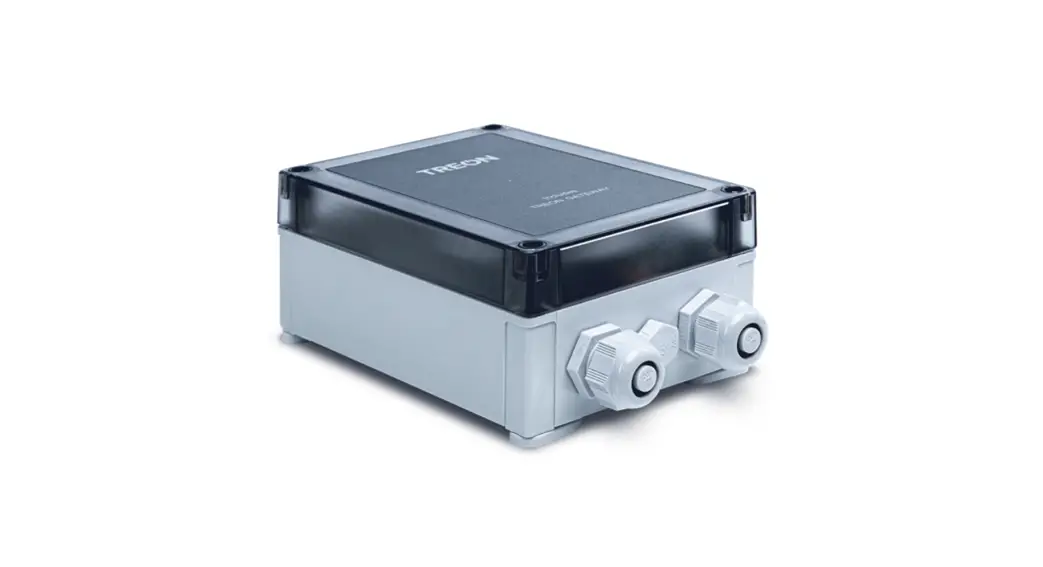
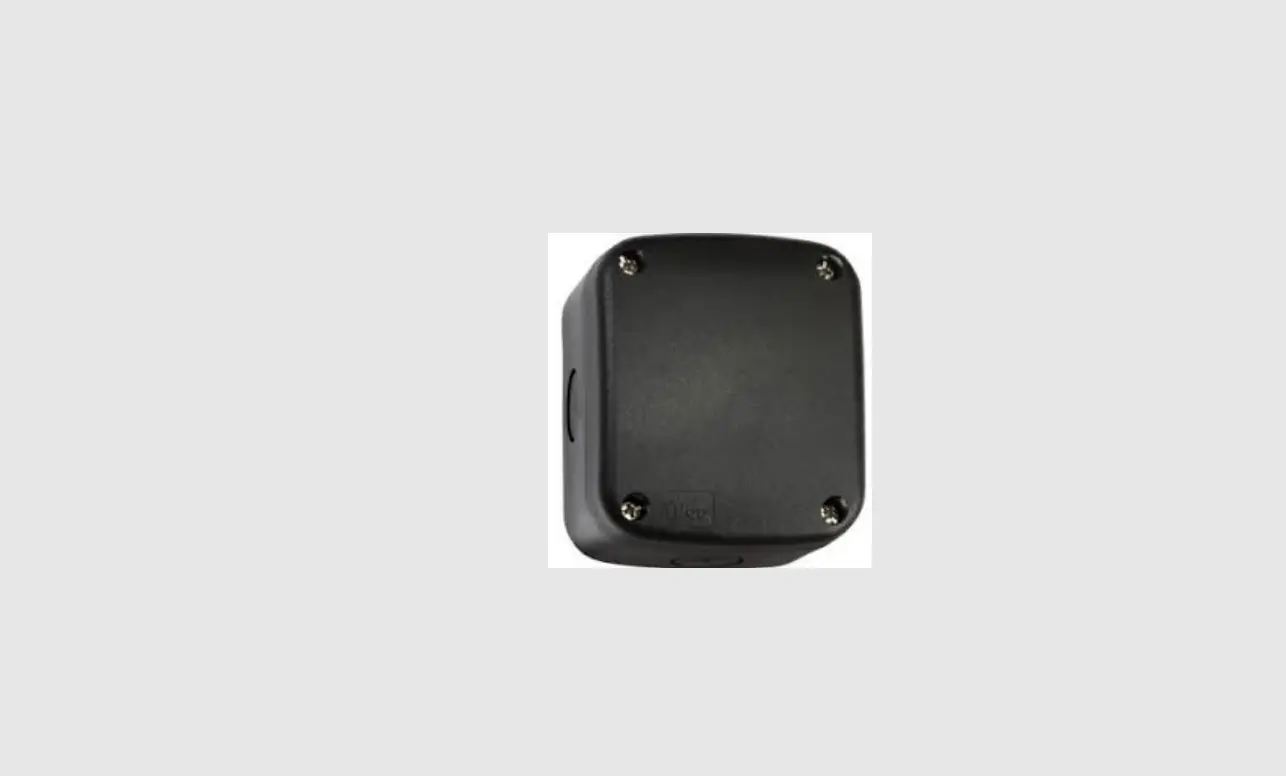
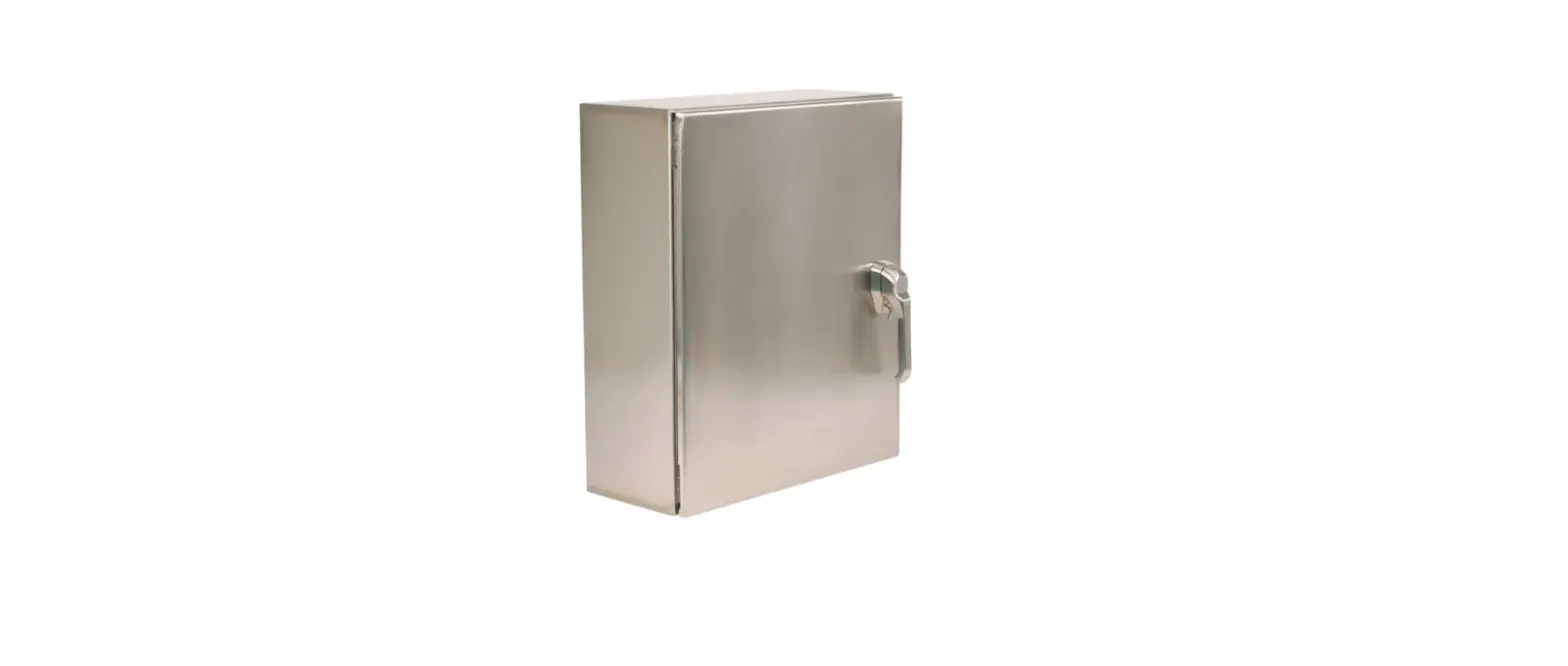
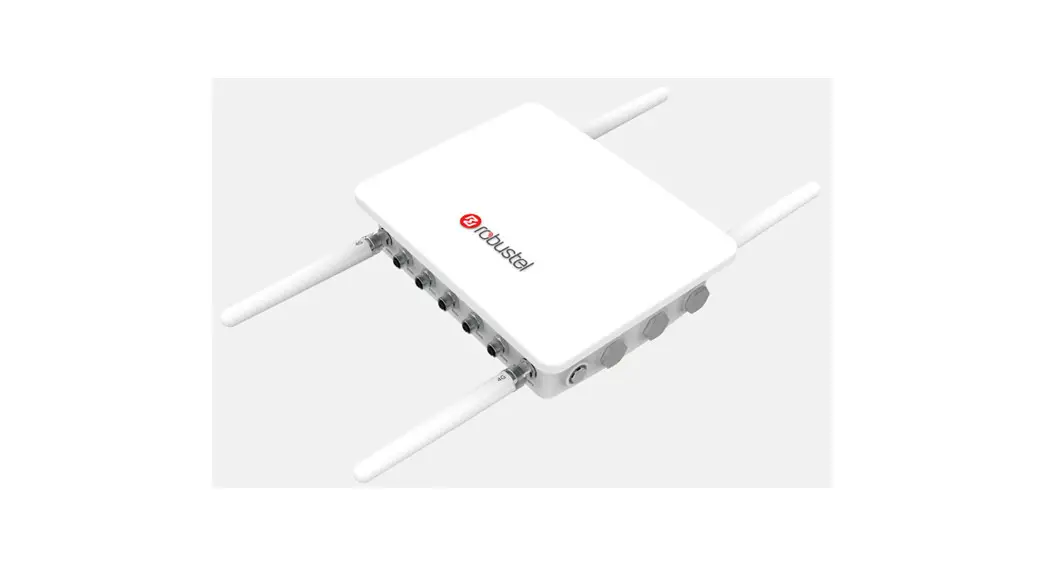
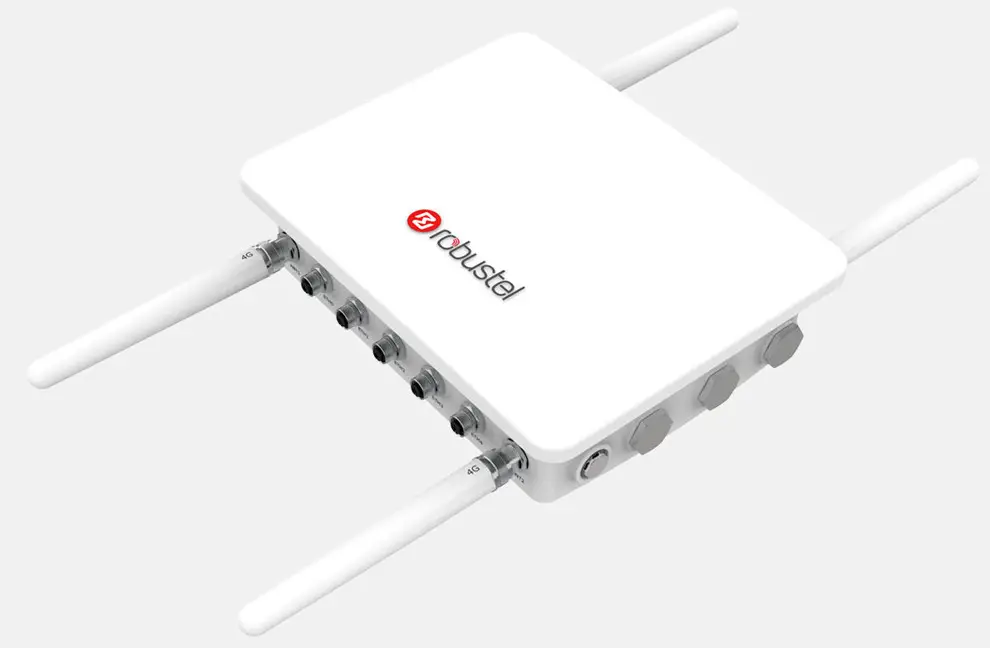
TPH6700 IP67 PC/ABS Housing
For R2000/R2000 D/R3000/R3000 LG/R3000Q/R1520
Introduction
About This Document
This document provides hardware information of the Robustel TPH6700 Housing, including introduction and installation.
Copyright©2022 Guangzhou Robustel Co., Ltd.
All rights reserved.
Trademarks and Permissions, are trademarks of Guangzhou Robustel Co., Ltd. All other trademarks and trade names mentioned in this document are
the property of their respective owners.
Disclaimer
No part of this document may be reproduced in any form without the written permission of the copyright owner. The contents of this document are subject to change without notice due to continued progress in methodology, design, and manufacturing. Robustel shall have no liability for any error or damage of any kind resulting from the inappropriate use of this document.
Technical Support
Tel: 086-20-82321505
Email: [email protected]
Web: www.robustel.com
Package Contents
Before installing your TPH6700 housing, please verify the kit contents as follows.
- 1 x Robustel TPH6700 IP67 PC/ABS Housing+
3G/4G antenna
Frequency range: 800-2700 MHZ
Impedance: 50 ohm
Weight: 0.2 kg
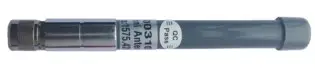
Wi-Fi antenna
Frequency range: 2400-2483/5725-5850 MHZ
Impedance: 50 ohm
Weight: 0.2 kg
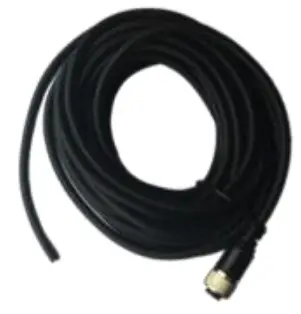
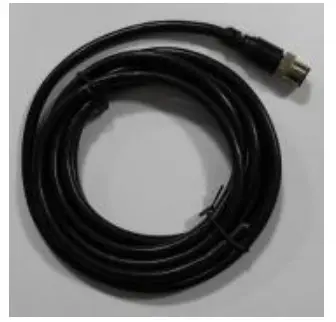
Power supply cable (3/5 pin)
Transmission rate: 100 Mbps
Length: 2 m
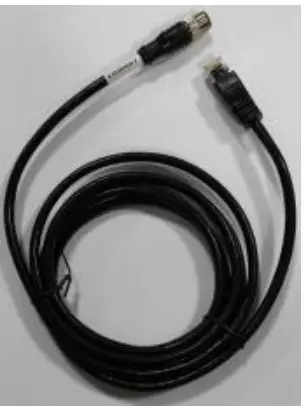
Ethernet cable (8 pins)
Transmission rate: 100 Mbps
Length: 2 m
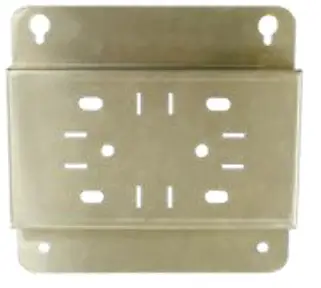
Wall mounting kit
Material: Aluminum
Dimensions: 185 x 180 x 30 mm
Serial port cable (8 pins)
Transmission rate: 100 Mbps
Length: 2 m
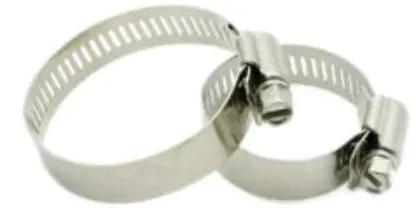
Pole mounting kit
Material: Stainless steel
Width: 12 mm
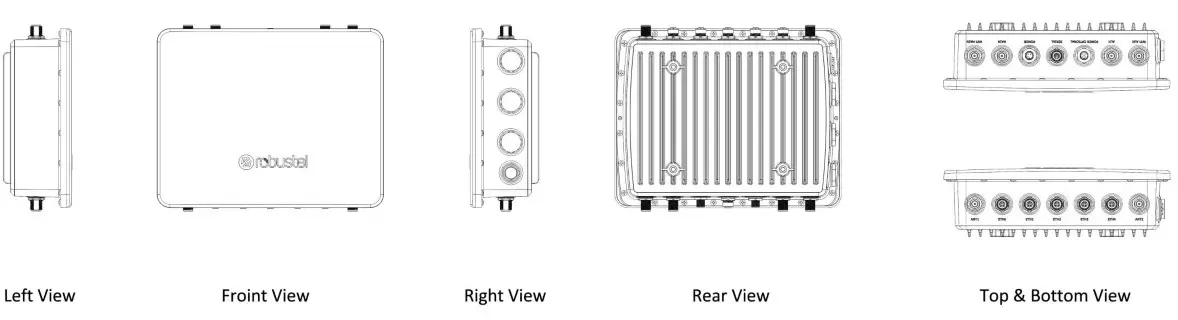
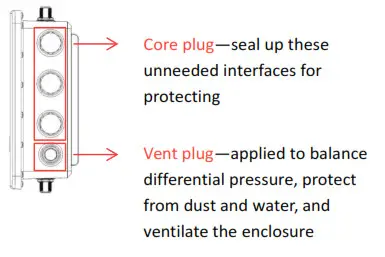
Product Overview
| Item | Description |
| Metal | PC/ABS |
| Weight | 1010 g |
| Dimensions | 310 x 245 x 93.4 mm |
| Ingress protection | IP67 |
| Standards for the housing | Fully detachable The performance requirement for high and low temperature Aging-resistance level (UL746C) Flame-retardant level (grade 2 of UL746C) The standard requirement for environmental protection |
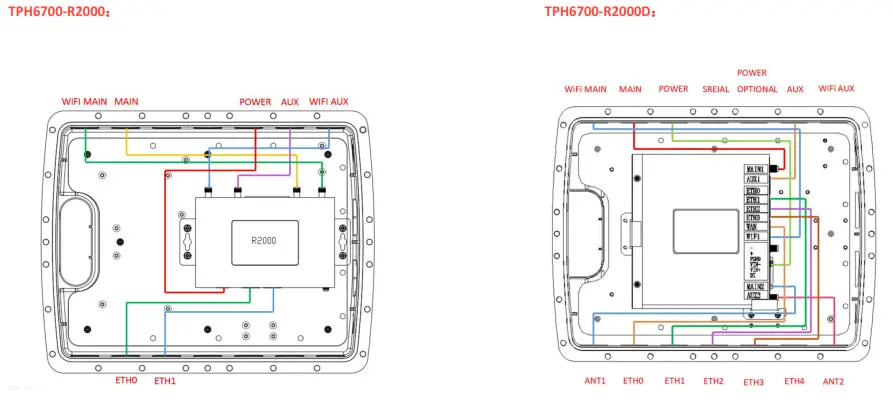
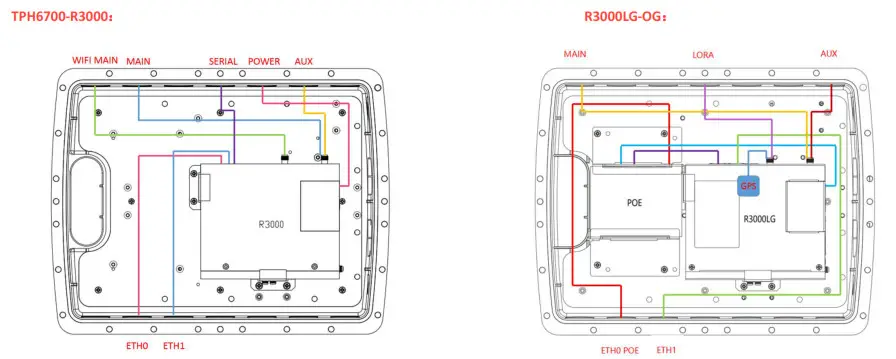
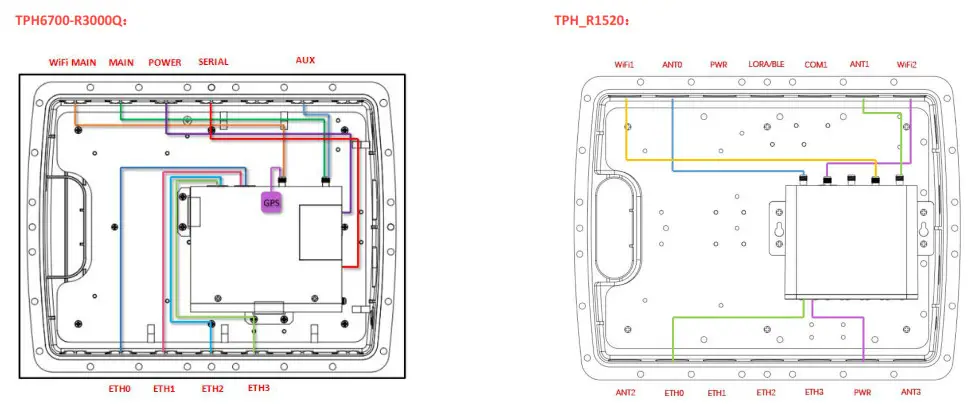
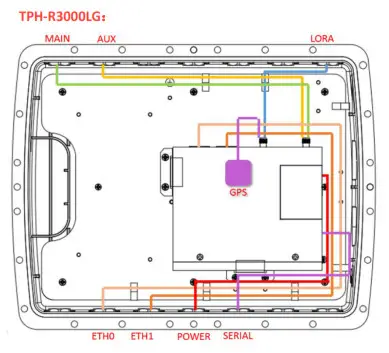
SIM Card Installation
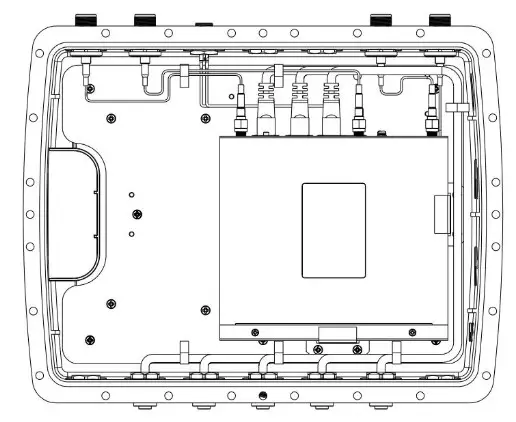
- Remove the detachable cover of the TPH6700 housing with a screwdriver.
Note: Your device has been installed into the enclosure before delivery.
- Disconnect all cables or wires of the router and take it out.
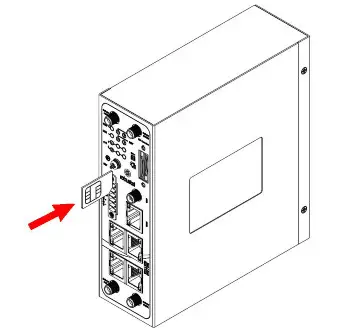
- Make sure the router is powered off. Find the SIM slot, insert the SIM card correctly, and press the card with your finger until you hear a click. If you need to remove the card push inward again and the card will pop out.
Note: For more details about inserting or removing SIM cards, please contact your Robustel sales representative for the relevant user guide.
- Put back the router and reconnect its cables or wires according to the original way.
- Place the detachable cover back on and tighten its screws to ensure it is protected from water and dust.
Antenna Installation
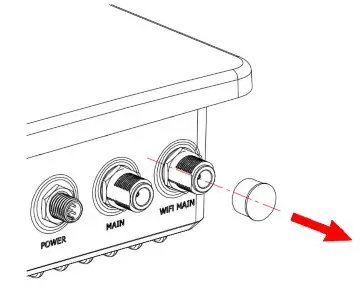
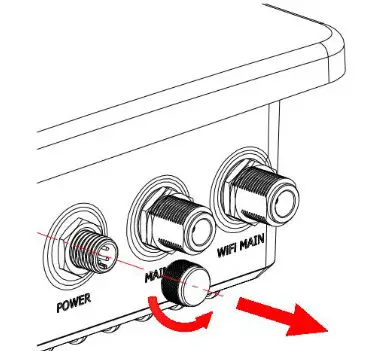
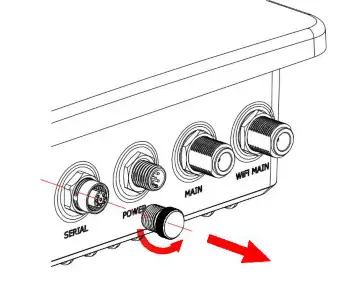
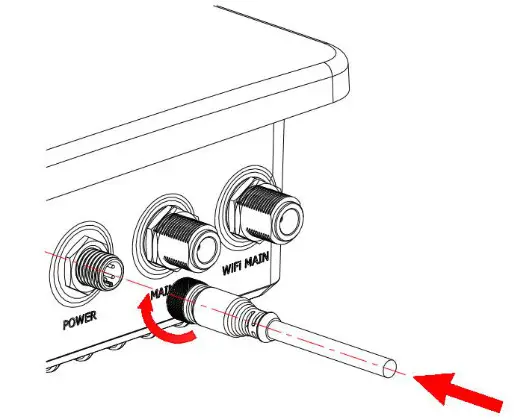
- Remove the protective caps from the cellular and Wi-Fi connectors. Here take the Wi-Fi connector as an installation example.

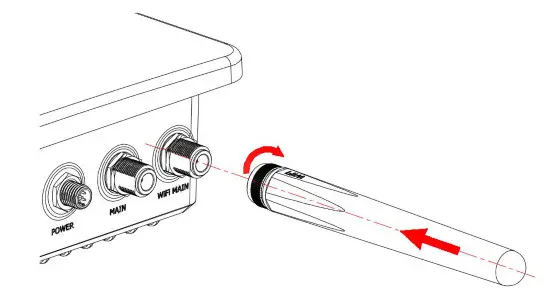
- Connect the antenna to the corresponding antenna connector by holding onto the metal part of the antenna and rotating it clockwise.
Note: Each antenna is labeled as 3G, 4G, or WiFi for easy installation.
Serial Port Connection
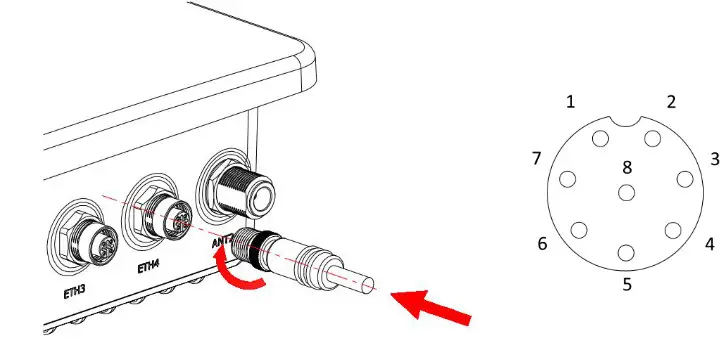
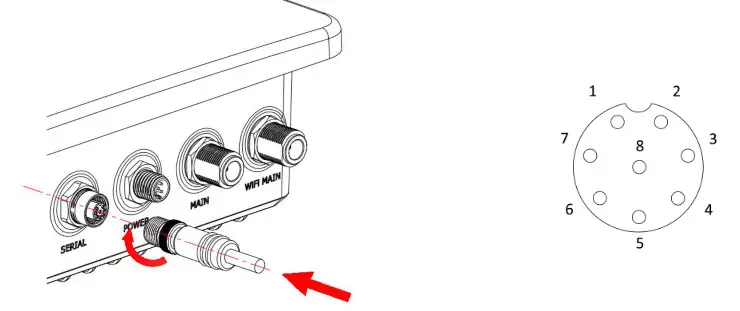
- Remove the protective cap from the serial port connector labeled SERIAL.

- Connect a serial port cable to the serial connector at the top of the enclosure, and rotate it clockwise.

- Connect the other end of the cable to your serial device.
R3000S:
When the serial port is RS232+RS485, the pins are defined as follows:
| PIN | Description |
| 1 | CTS |
| 2 | RTS |
| 3 | RDX |
| 4 | TXD |
| 5 | GND |
| 6 | A |
| 7 | B |
| 8 | NC |
When the serial port is RS232+ RS232, the pins are defined as follows:
| PIN | Description |
| 1 | CTS |
| 2 | RTS |
| 3 | RXD |
| 4 | TXD |
| 5 | GND |
| 6 | TX |
| 7 | RX |
| 8 | NC |
| PIN | Description |
| 1 | 0 |
| 2 | 0 |
| 3 | B1 |
| 4 | A1 |
| 5 | GND |
| 6 | A2 |
| 7 | B2 |
| 8 | NC |
R3000Q:
When the serial port is RS232, the pins are defined as follows:
| PIN | Description |
| 1 | CTS |
| 2 | RTS |
| 3 | RXD |
| 4 | TXD |
| 5 | GND |
| 6 | 0 |
| 7 | 0 |
| 8 | NC |
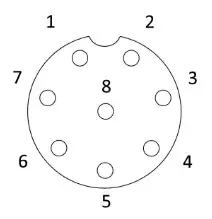
When the serial port is RS485, the pins are defined as follows:
| PIN | Description |
| 1 | 0 |
| 2 | 0 |
| 3 | B |
| 4 | A |
| 5 | GND |
| 6 | 0 |
| 7 | 0 |
| 8 | NC |
Ethernet Connection
- Remove the protective cap from the Ethernet connector(ETH0~ETH4

- Connect an Ethernet cable to any port marked ETH0~ETH4 at the bottom of the enclosure, and rotate it clockwise.

PIN Description 1 TX+ 2 TX- 3 RX+ 4 POE+ 5 POE+ 6 RX- 7 POE- 8 POE- - Connect the other end of the cable to your network interface, such as a personal computer.
Power Options
Note: For more details about power voltage, please contact your Robustel sales representative for the relevant datasheet.
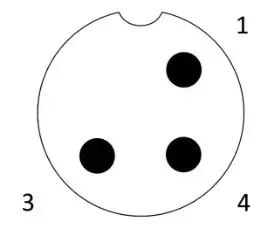
- Locate the power port marked POWER on the top of the enclosure and remove the protective cap to find the connection pins.
- Connect a power supply cable to the power port, and rotate it clockwise.


- Connect the other end of the cable to your specific power supply source.
| PIN | Description |
| 1 | L (VIN+) |
| 3 | PGND |
| 4 | N (VIN-) |
Mountings
Wall Mounting
Make sure you have a mounting bracket, bracket mounting screws, wall plugs, wall mounting screws, and other required tools.
- Before you start, make sure your SIM card has been inserted, your antennas have been attached and all cables have been disconnected from your enclosure.
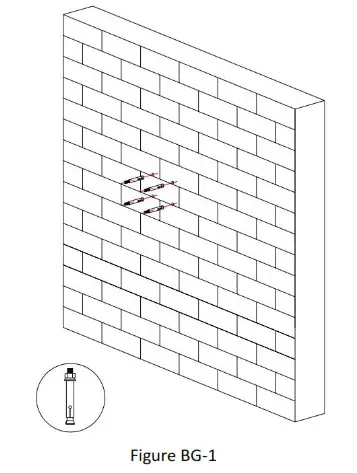
- Align the mounting bracket horizontally to the desired position on the wall, use a marker pen (or a pencil) to mark four mounting holes on the wall, and then remove the mounting bracket from the wall.
Note: The connecting lines of adjacent points are at right angles. - Drill the four holes with a depth of 60 mm by using your drill with an 8 mm drill bit on the positions you marked previously in the wall.
- Insert four wall plugs into the holes respectively, and make sure the exposed part is about 20 mm (Figure BG-1).

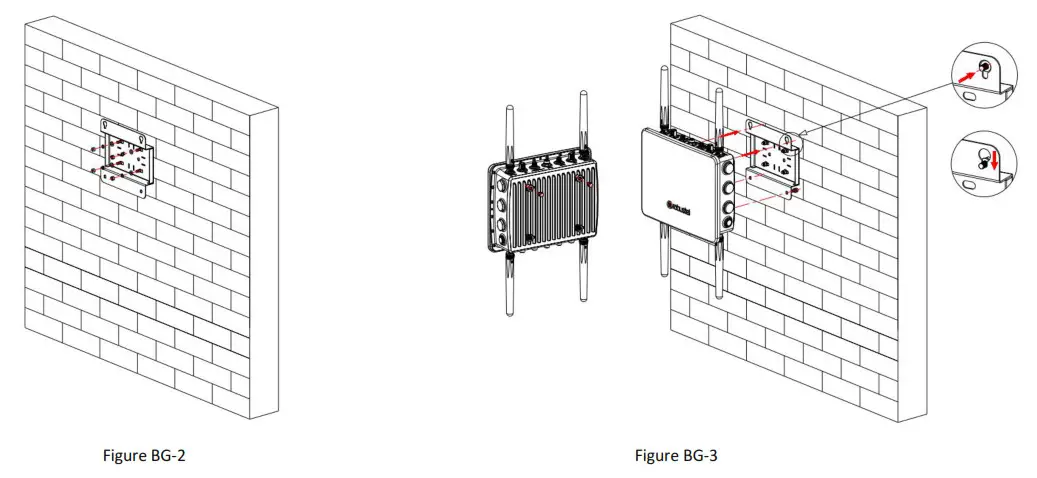
- Mount the mounting bracket horizontally to the wall by fixing the wall mounting screws into the wall plugs (Figure BG-2).

- Mount the enclosure to the mounting bracket with the bracket mounting screws (Figure BG-3). Note: Place the Ethernet port side down when installing.
- Reconnect the cables to your TPH6700.
Make sure you have a mounting bracket, bracket mounting screws, hose clamp, and other required tools.
- Before you start, make sure your SIM card has been inserted, your antennas have been attached and all cables have been disconnected from your enclosure.
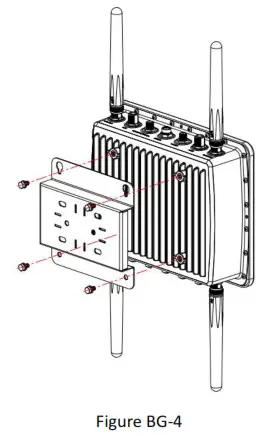
- Mount the mounting bracket vertically to the back of the enclosure with the bracket mounting screws.

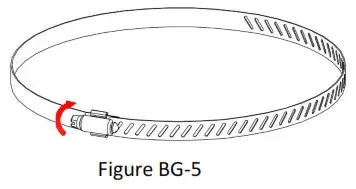
- Loosen the hose clamp by turning the locking mechanism counter-clockwise.

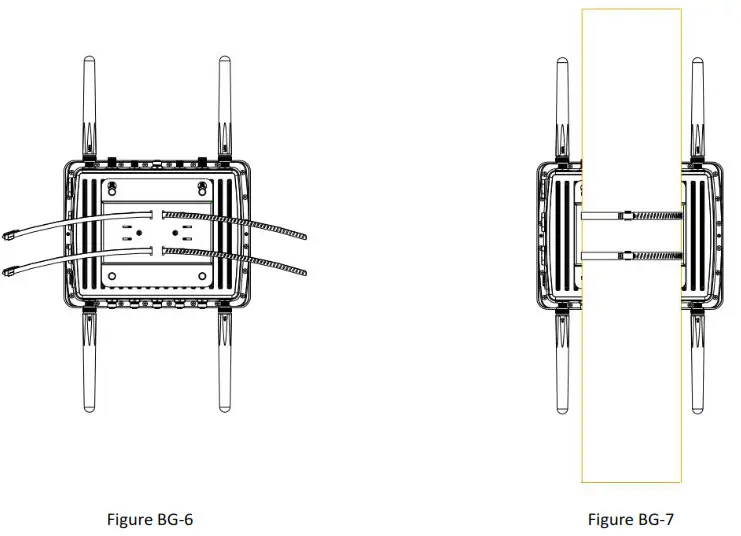
- Straighten out the hose clamp and slide it through the rectangular holes in the mounting bracket (Figure BG-6).

- Wrap the hose clamp around the pole (Figure BG-7).
- Use a screwdriver to tighten the locking mechanism by turning it clockwise.
- Reconnect the cables to your TPH6700.
Guangzhou Robustel Co., Ltd.
Add: 501, Building 2, No.63 Yong’an Avenue, Huangpu District, Guangzhou
Tel: 086-20-82321505
Email: [email protected]
Web: www.robustel.com