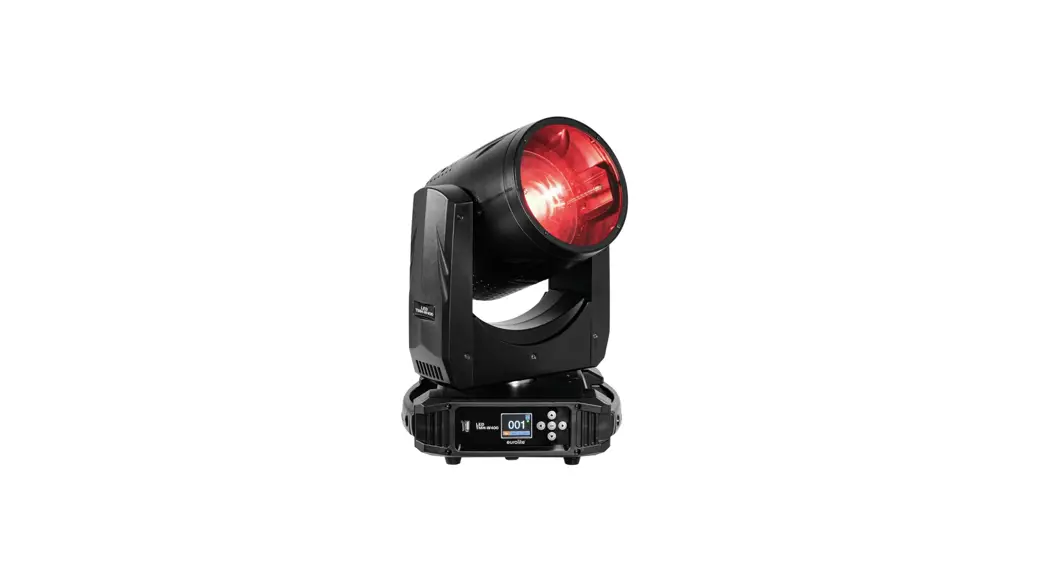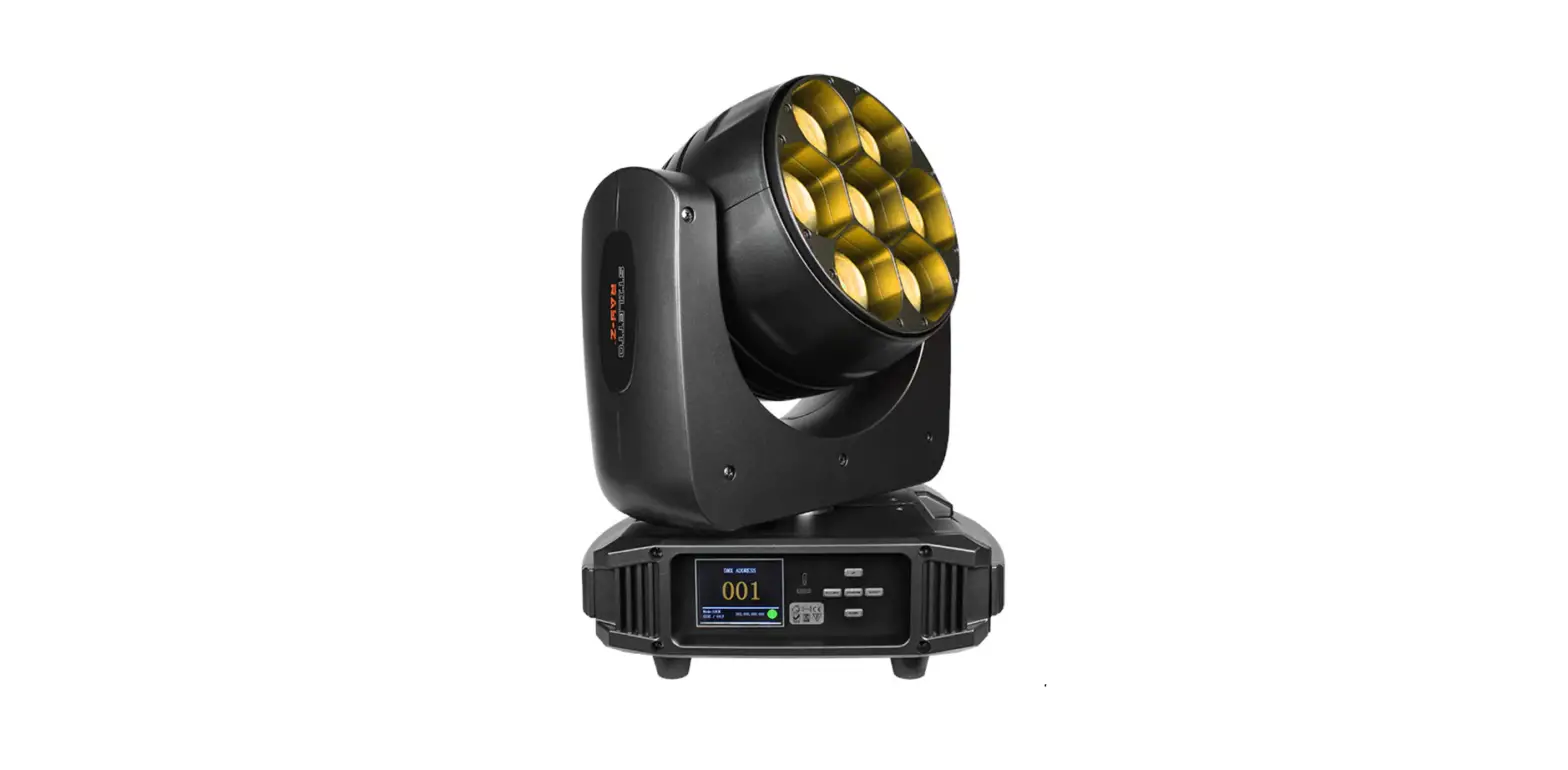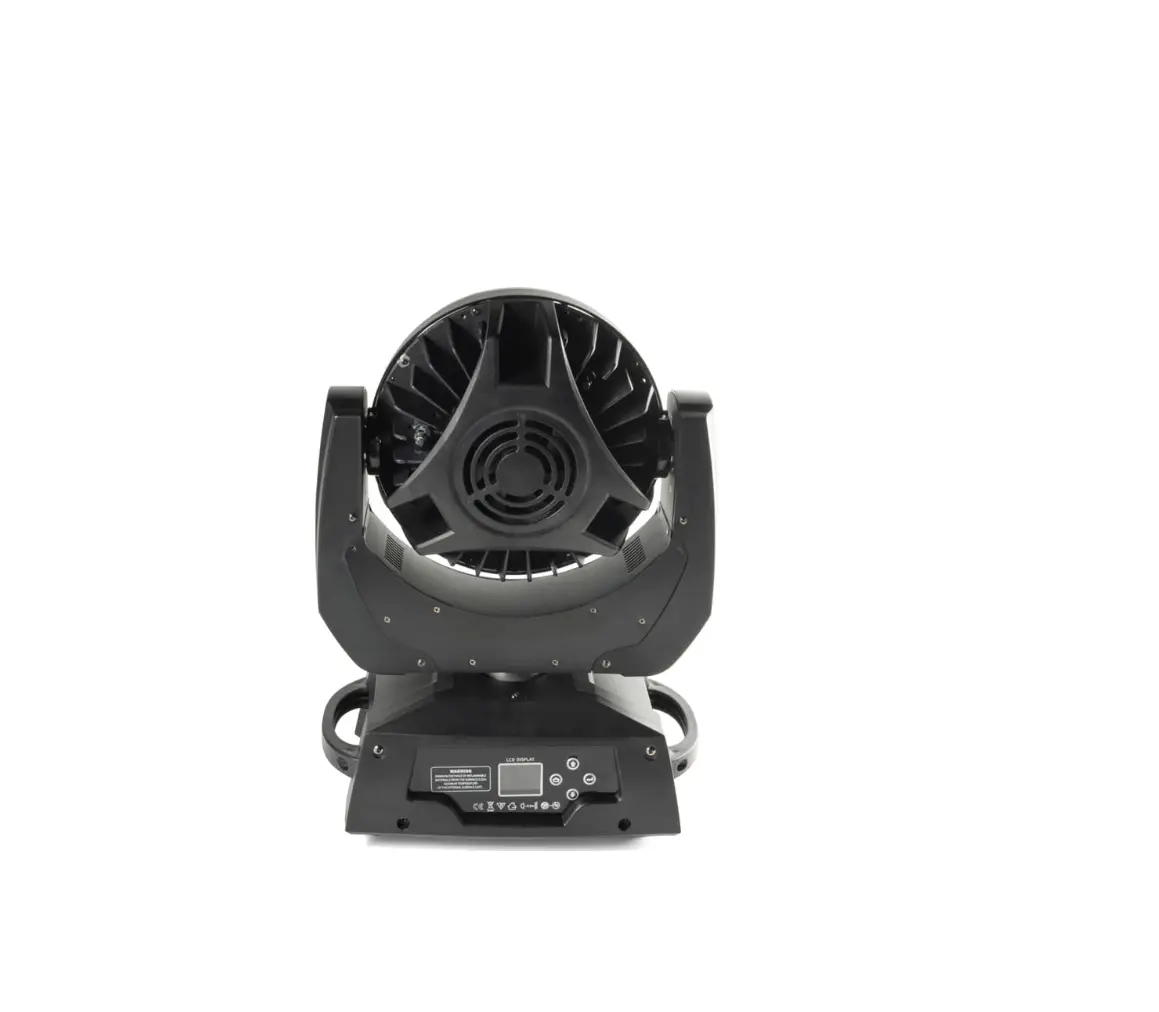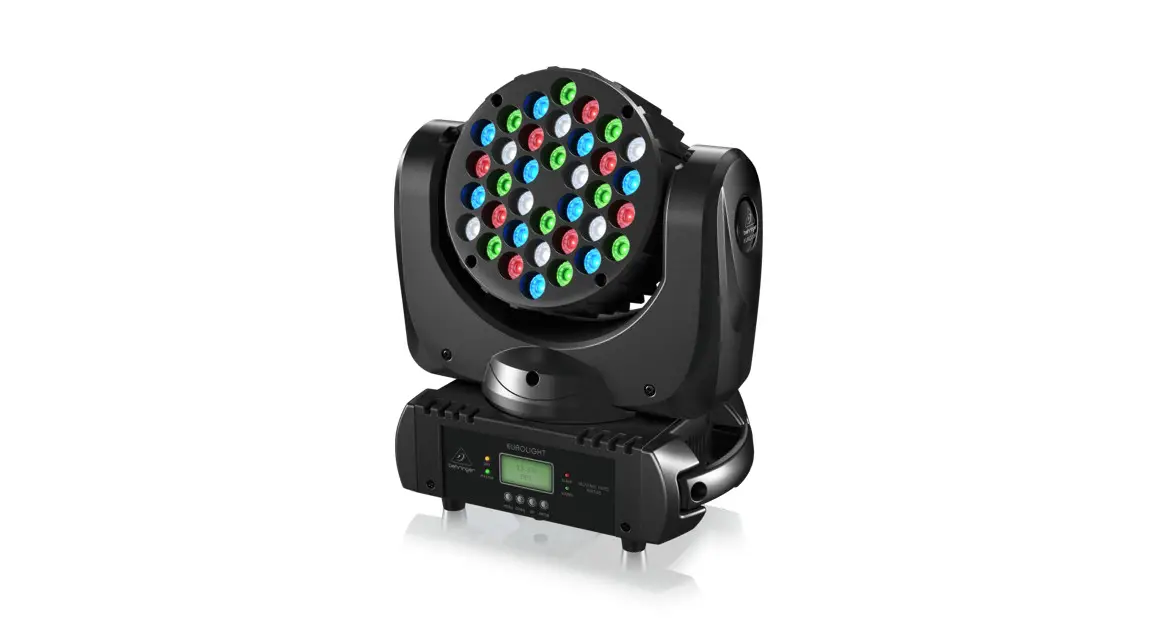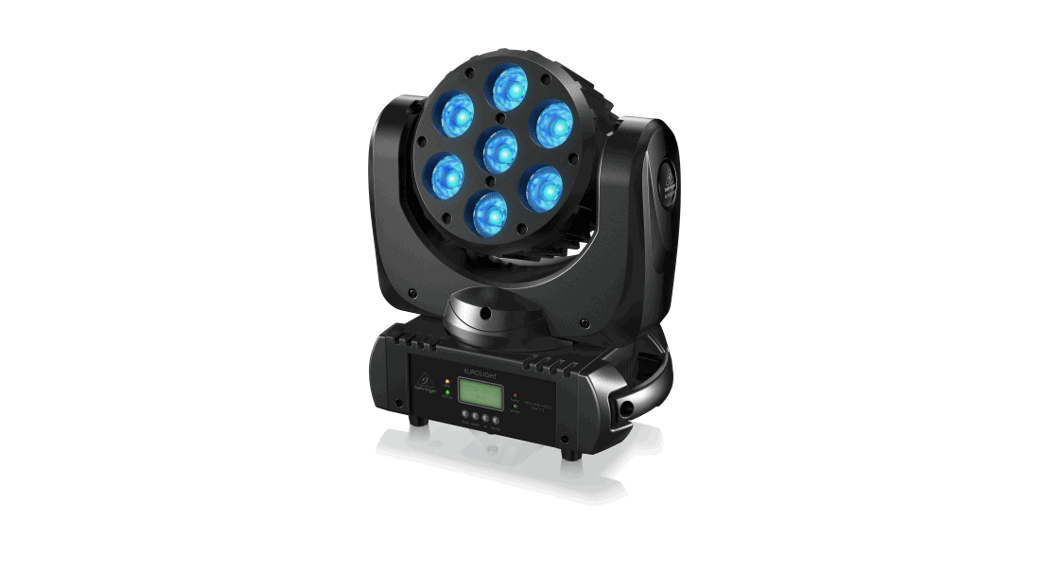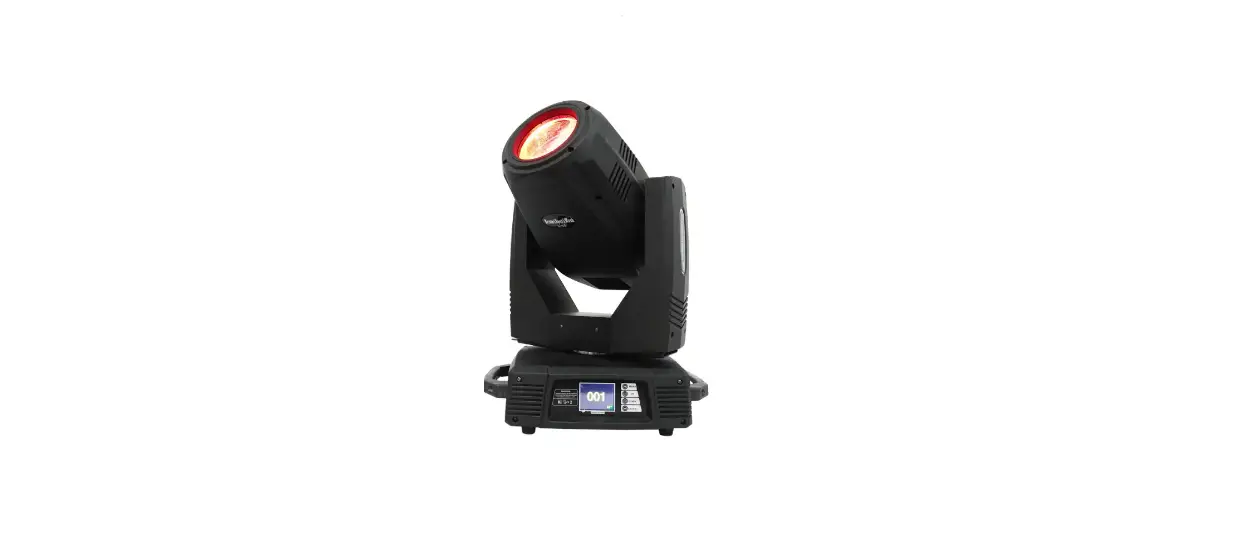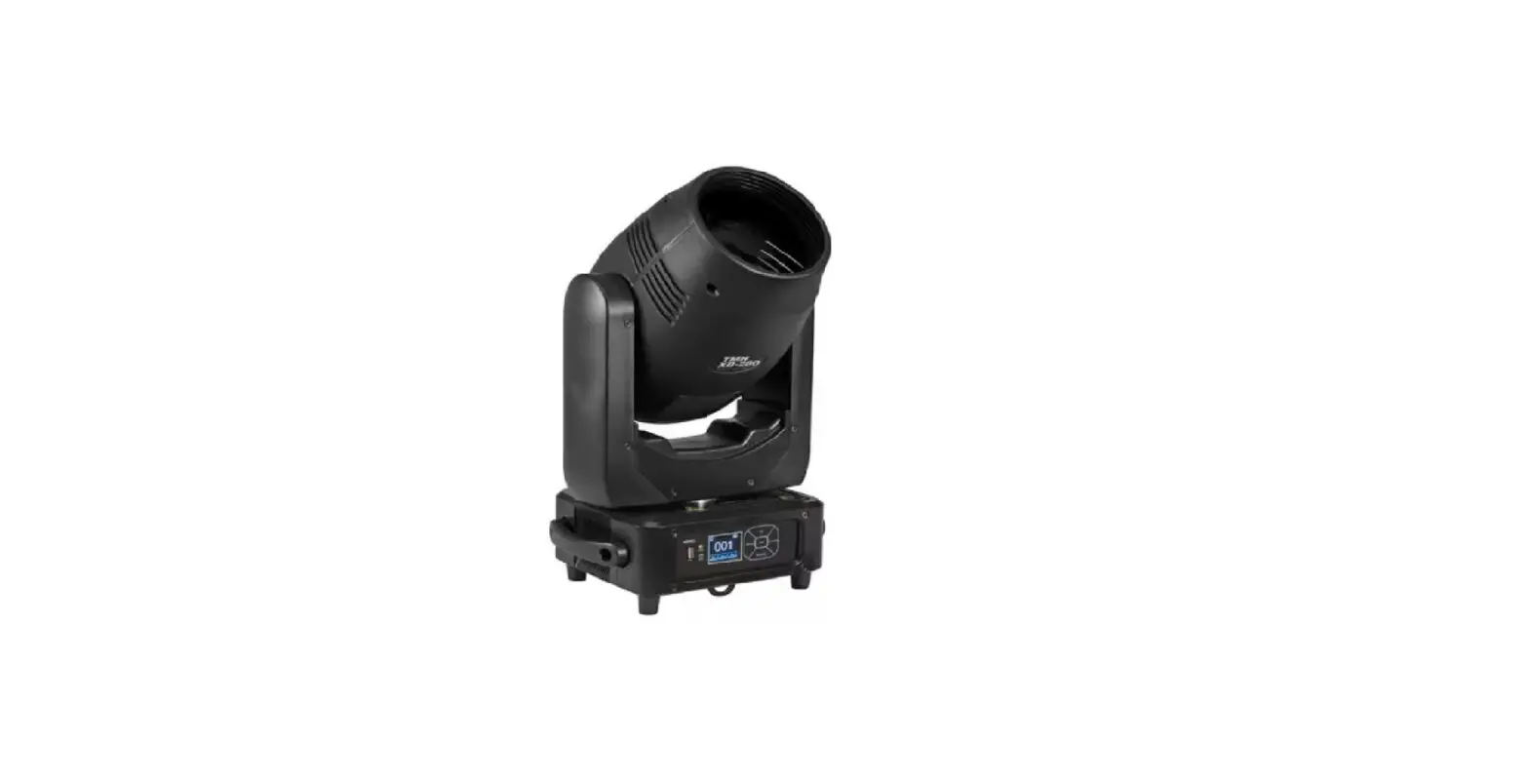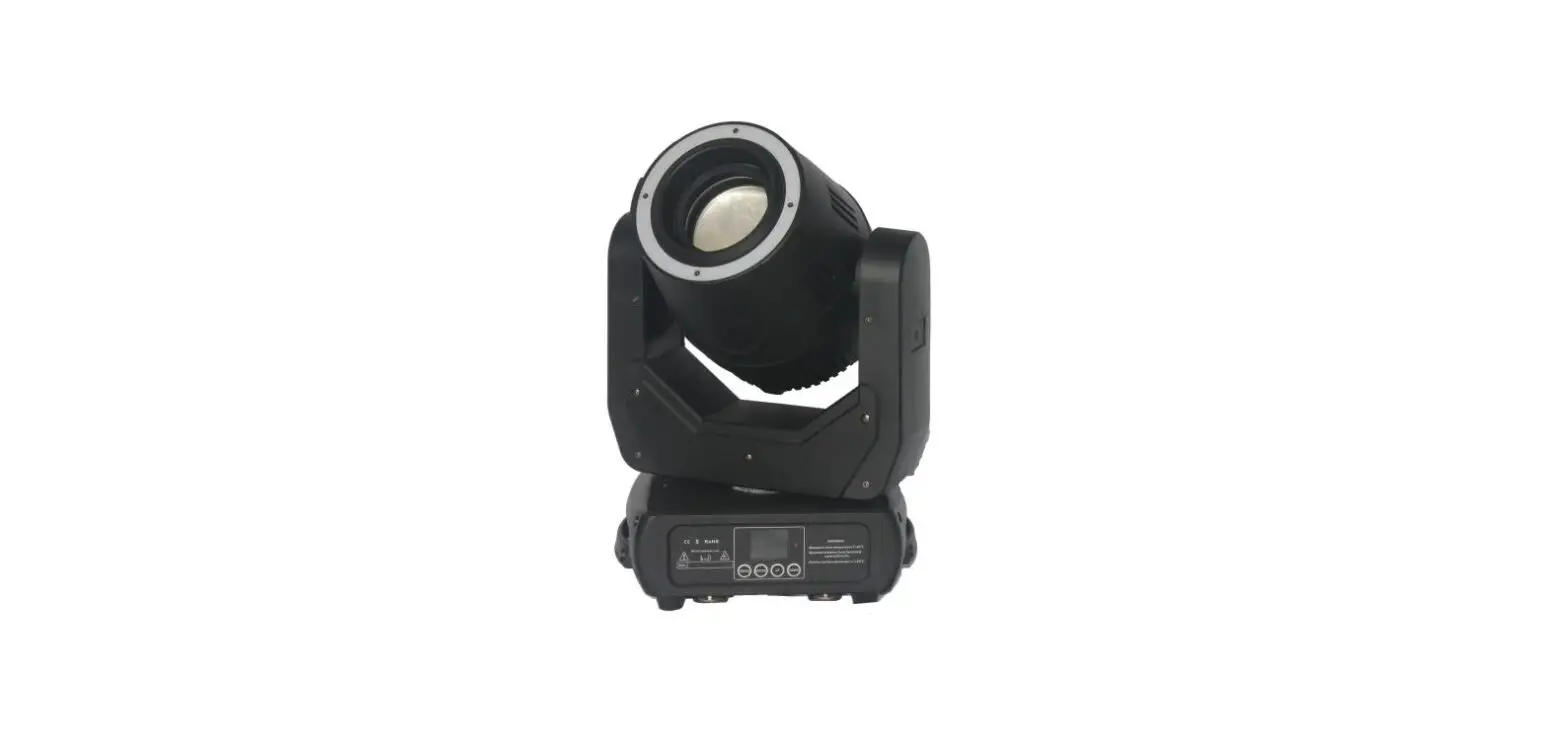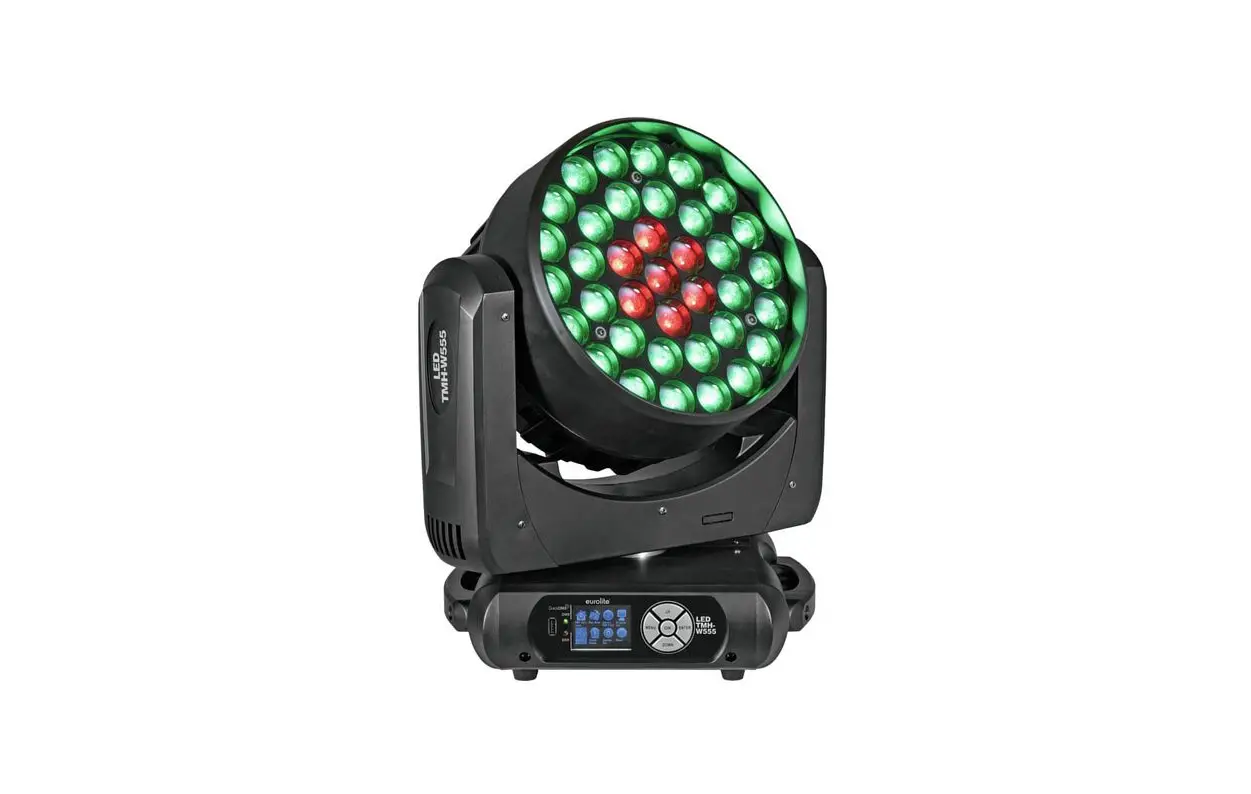

eurolite TMH-W555 LED Moving Head
DANGER! Electric shock caused by short-circuit
Be careful with your operations. With a dangerous voltage you can suffer a dangerous electric shock when touching the wires. Never open the housing. Keep the device away from rain and moisture.
Please read these instructions carefully before using the product. They contain important information for the correct use of the product.
Please read these instructions carefully before using the product. They contain important information for the correct use of the product.
- be qualified
- follow the instructions of this manual
- consider this manual to be part of the total product
- keep this manual for the entire service life of the product
- pass this manual on to every further owner or user of the product
- download the latest version of the user manual from the Internet
INTRODUCTION
Thank you for having chosen one of our products. If you follow the instructions given in this manual, we are sure that you will enjoy this device for a long period of time.
Product features
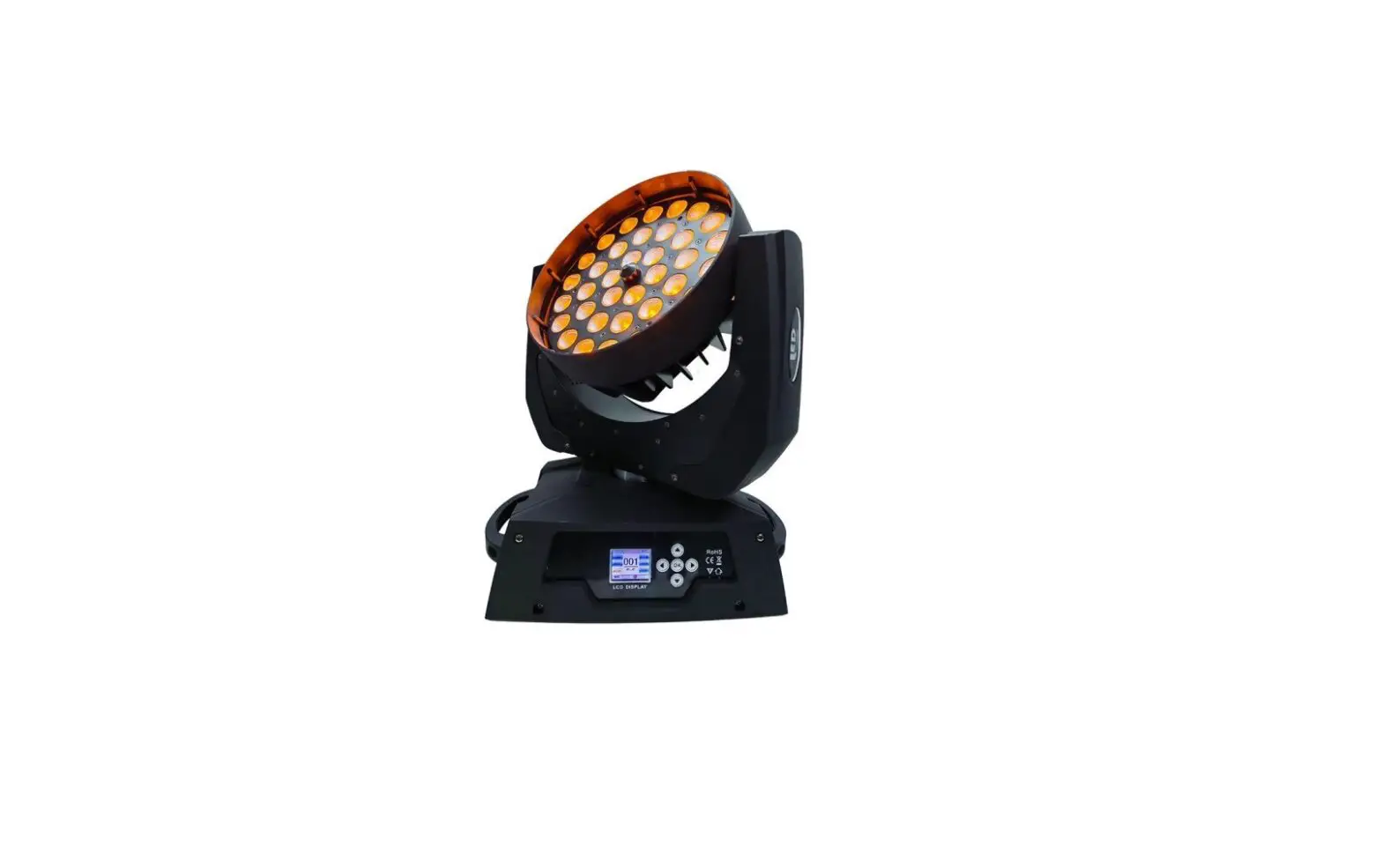
Washlight with 37 bright 15 W RGBW LEDs, zoom, macros, patterns and color temperature setting
- Equipped with 37 powerful 15 W LEDs in the colors red, green, blue and white
- Different LED segments, which can be controlled individually via DMX
- Positioning within 540° PAN and 270° TILT
- Functions: stepless RGBW color mixture, internal programs, automatic color changes, preset colors, color temperature setting, animated and static patterns, macros, strobe effect with variable speed, random strobe effect, dimmer
- Motorized zoom with 1-38° beam angle
- Color temperature steplessly adjustable between 2500 K and 10000 K
- Sound-control via built-in microphone; sensitivity adjustable
- Automatic position correction
- Exact positioning via 16 bit PAN/TILT movement resolution
- Supports QuickDMX – the wireless DMX system from Eurolite
- Built-in phantom-powered USB port for QuickDMX receivers (accessories)
- DMX-controlled operation or stand-alone operation with Master/Slave function
- Control board with color LCD for adjusting the DMX-starting address, PAN/TILT Reverse, Reset
- Switch-mode power supply for operation between 100 and 240 volts
- P-Con terminals for power linking up to 4 units
- LED: 37 x 15 W 4in1 QCL RGBW (homogenous color mix)
- Can be operated in 24; 36; 48 CH mode
- The device is cooled by temperature-controlled fan at the Head; cooling fan at the Base
- Controlling by DMX; Stand-alone; Sound to light via Microphone; QuickDMX via USB (optional); Master/slave function
- Flicker-free projection
SAFETY INSTRUCTIONS
WARNING!
Please read the safety warnings carefully and only use the product as described in this manual to avoid accidental injury or damage.
Intended use
- This device is a Moving Head for creating decorative lighting effects. This device is designed for professional use in the field of event technology, e.g. on stage. It is not suitable for household lighting.
- Only use the device according to the instructions given herein. Damages due to failure to follow these operating instructions will void the warranty! We do not assume any liability for any resulting damage.
- We do not assume any liability for material and personal damage caused by improper use or non-compliance with the safety instructions. In such cases, the warranty will be null and void.
- Unauthorized rebuilds or modifications of the device are not permitted for reasons of safety and render the warranty invalid.
Danger due to electricity
- The device is suitable for indoor use only. Do not use it outdoors. Never expose it to rain or moisture. Do not store it in rooms exposed to moisture.
- To reduce the risk of electric shock, do not open any part of the device. There are no serviceable parts inside the device.
- Only connect the device to a properly installed mains outlet. The outlet must be protected by residual current breaker (RCD). The voltage and frequency must exactly be the same as stated on the device. If the mains cable is equipped with an earthing contact, then it must be connected to an outlet with a protective ground. Never deactivate the protective ground of a mains cable. Failure to do so could possibly injure the user.
- The mains outlet must be easily accessible so that you can unplug the device quickly if need be.
- Never touch the mains plug with wet or damp hands. There is the risk of potentially fatal electric shock.
- The mains cable must not be bent or squeezed. Keep it away from hot surfaces or sharp edges.
- Never pull the mains cable to disconnect the mains plug from the mains outlet, always seize the plug.
- Unplug the device during lightning storms, when unused for long periods of time or before cleaning.
- Do not expose the device to any high temperatures, direct sunlight, dripping or splashing water, strong vibrations or heavy mechanical stress.
- Do not place any objects filled with liquids on the device.
- Do not place any open sources of fire, such as burning candles, on or directly next to the device.
- Make sure that objects cannot fall into the device, in particular metal parts.
- Only have repairs to the device or its mains cable carried out by qualified service personnel. Repairs are required when the device or the mains cable is visibly damaged, liquid has been spilled or objects have fallen into the device; when the device has been exposed to rain or moisture, has been dropped or malfunctions occur.
- Cleaning of the device is limited to the surface. Make sure that moisture does not come into contact with any areas of the terminal connections or mains voltage control parts. Only wipe off the product with a soft lint-free and moistened cloth. Never use solvents or aggressive detergents.
Danger to children and people with restricted abilities
- This product is not a toy. Keep it out of the reach of children and pets. Do not leave packaging material lying around carelessly. Never leave this device running unattended.
- This device may be used only by persons with sufficient physical, sensorial, and intellectual abilities and having corresponding knowledge and experience. Other persons may use this device only if they are supervised or instructed by a person who is responsible for their safety.
Warning – risk of burns and fire
- The admissible ambient temperature range (Ta) is -5 to +45°C. Do not operate the device outside of this temperature range.
- The housing temperature (Tc) can be up to 55°C during use. Avoid contact by persons and materials.
- Do not illuminate surfaces within 0.2 m of the device. This value is indicated on the device by the symbol.
- Do not use the device near highly flammable materials. Always place the device at a location where sufficient air circulation is ensured. Leave 50 cm of free space around the device. Never cover the air vents of the housing.
Warning – risk of injuries
- Do not look directly at the light source. Persons with light-sensitive epilepsy may suffer from epileptic seizures or fall unconscious.
- Make sure that the product is set up or installed safely and expertly and prevented from falling down. Comply with the standards and rules that apply in your country, in particular EN 60598-2-17.
- If you lack the qualification, do not attempt the installation yourself, but instead use a professional installer. Improper installation can result in bodily injury and or damage to property.
- The manufacturer cannot be made liable for damages caused by incorrect installations or insufficient safety precautions.
- For overhead use, always secure the device with a secondary safety attachment such as a safety bond or safety net.
- Make sure that the area below the installation place is blocked when rigging, derigging or servicing the device.
- For commercial use the country-specific accident prevention regulations of the government safety organization for electrical facilities must be complied with at all times.
Caution – material damage
- This device must not be connected to the mains voltage by means of a dimmer.
- Lighting effects are not designed for permanent operation. Consistent operation breaks will ensure that the device will serve you for a long time without defects.
- Never switch the device on and off in short intervals. This will considerably reduce the service life of the device.
- If the device has been exposed to drastic temperature fluctuation, do not switch it on immediately. The resulting condensation may destroy the device. Allow the device to reach room temperature before connecting it. Wait until the condensation has evaporated.
- Please use the original packaging to protect the device against vibration, dust and moisture during transportation or storage.
- If a serial number label is affixed to the device, do not remove the label as this would make the warranty void.
- Never lift the fixture by holding it at the projector-head, as the mechanics may be damaged. Always hold the fixture at the transport handles.
DESCRIPTION OF THE DEVICE
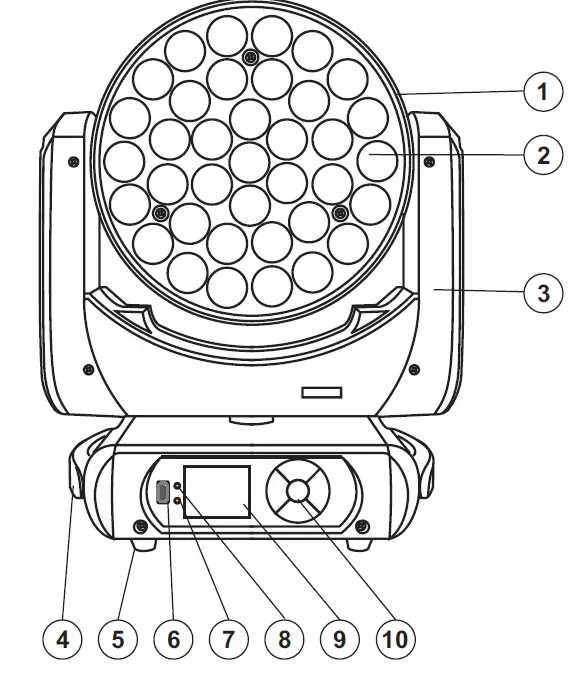
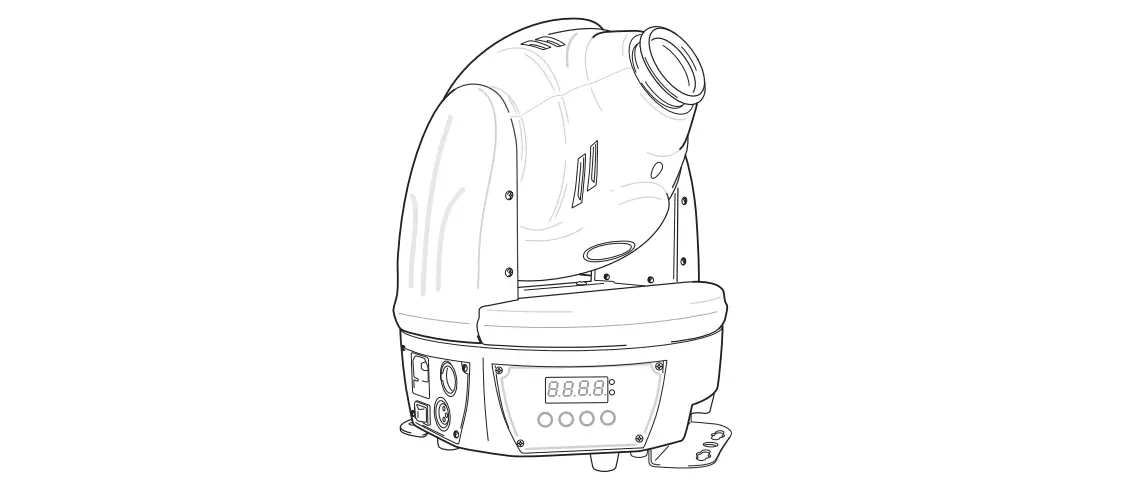
- Projector head
- Lens/LED
- Yoke
- Carrying handle
- Rubber foot
- USB port for QuickDMX receiver
- Error indicator
- DMX indicator
- LCD
- Operating buttons
- Base
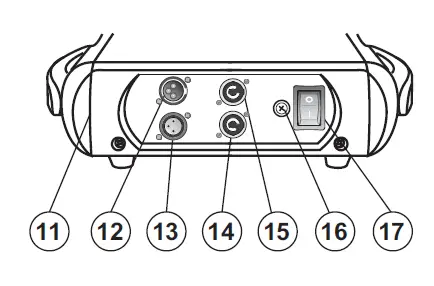
- DMX input
- DMX output
- Power output
- Power input
- Fuse holder
- Power switch
INSTALLATION
Rigging
WARNING! Risk of injury caused by falling objects
Devices in overhead installations may cause severe injuries when crashing down. Make sure that the device is installed securely and cannot fall down. The installation must be carried out by a specialist who is familiar with the hazards and the relevant regulations. 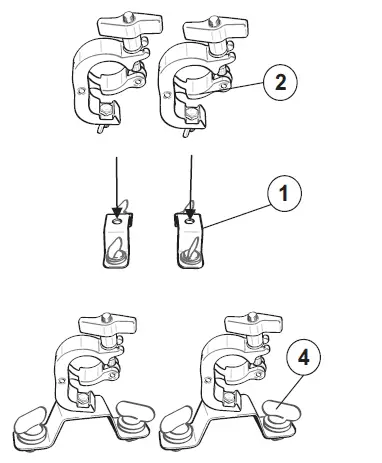
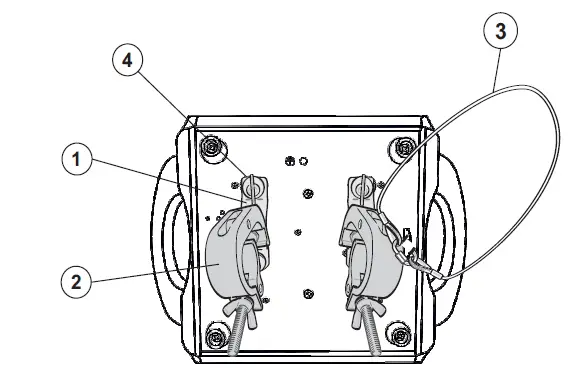
- Omega bracket
- Coupler
- Safety-rope
- Quick-lock fastener
The device may be placed on the floor or fastened to a truss or similar rigging structure. The device must never be fixed swinging freely in the room.
- The rigging structure must support at least 10 times the weight of all fixtures to be installed on it.
- Block access below the work area and work from a stable platform when installing the device.
- Use rigging hardware that is compatible with the structure and capable of bearing the weight of the device. Please refer to the “Accessories” section for a list of suitable rigging hardware and follow the instructions mentioned at the bottom of the base. Screw one coupler via a M10 screw and self-locking nut onto the Omega brackets. Insert the two quick-lock fasteners of the Omega brackets into the respective holes on the bottom of the device. Tighten the quick-lock fasteners fully clockwise.
- Secure the device with a safety bond or other secondary attachment. This secondary safety attachment must be sufficiently dimensioned in accordance with the latest industrial safety regulations and constructed in a way that no part of the installation can fall down if the main attachment fails. For the attachment of a safety bond, the supplied eyelet must first be mounted on the device. Install the safety bond by inserting the quick link in the eyelet on the bottom of the base. Pull the safety bond over the trussing system etc. Insert the end in the quick link and tighten the fixation screw. Fasten the safety bond in such a way that, in the event of a fall, the maximum drop distance of the device will not exceed 20 cm.
- After installation, the device requires inspections periodically to prevent the possibility of rot, deformation and looseness.
CONNECTIONS
DMX512 connection / connection between fixtures
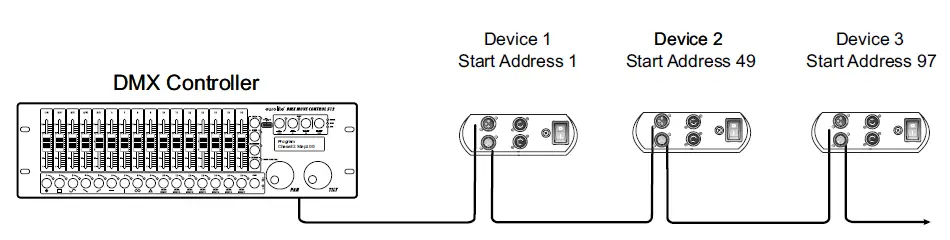
The wires must not come into contact with each other; otherwise the fixtures will not work at all, or will not work properly.
Please note the starting address depends upon which controller is being used.
DMX512 control
A DMX512 data link is required in order to control the device via DMX. The device provides 3-pin XLR connectors for DMX connection.
- Connect the output of your DMX controller to the DMX input DMX IN of the device with a DMX cable.
- Connect the DMX output DMX OUT of the device to the DMX input of the next unit in the chain. Always connect one output to the input of the next unit until all units are connected.
- At the last unit, the DMX cable has to be terminated. Plug the terminator with a 120 Ω resistor between Signal (–) and Signal (+) in the DMX output of the last unit.
- If the cable length exceeds 300 m or the number of DMX devices is greater than 32, it is recommended to insert a DMX level amplifier to ensure proper data transmission.
XLR connection: 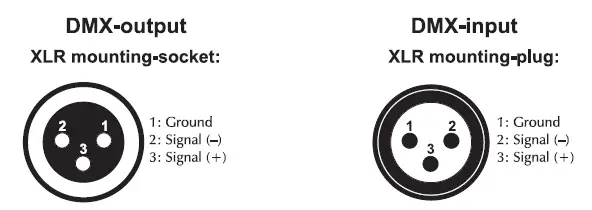
Wireless DMX transmission with QuickDMX
The device features an alternative DMX input for a QuickDMX receiver (sold separately). This connector allows for wireless transmission of DMX control signals to the device. The connector is designed as a USB port which provides the required 5 V operating voltage for the receiver. With QuickDMX devices, extensive cabling between the DMX controller and the device is not required.
Occupation of the USB port: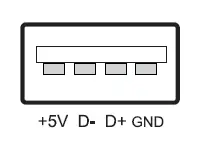
Connection to the mains
The device uses an auto-range power supply that accepts input voltages between 100 und 240 volts.
- Connect the device via the enclosed mains cable to a grounded mains socket.
- Do not connect the unit to the mains voltage via a dimmer. For a more convenient operation, use a mains outlet which is switchable.

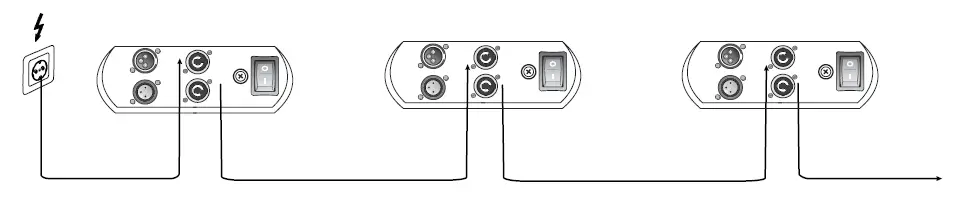
Power supply of further devices
The jack POWER OUT allows for power supply of further devices. To interconnect several devices, connect the jack POWER OUT to the input POWER IN of the next unit until all units are connected. Matching power cables with P-Con plugs are available as accessories. In this manner, up to 4 devices can be linked at 230/240 input voltage and up to 2 devices at 110/115 input voltage.
OPERATION
With the power switch, you can switch the device on and off. After you connected the effect to the mains, the device starts running. During the Reset, the motors are trimmed and the device is ready for use afterwards.
The operating modes can be selected by means of the display and the control buttons. All settings remain stored even if the device is disconnected from the mains.
The device has two operating modes. It can be operated in stand-alone mode via the control board or in DMX-controlled mode via any commercial DMX controller and wireless via QuickDMX with the optional available EUROLITE QuickDMX USB Wireless Transmitter/Receiver.
Stand-alone operation
In stand-alone mode, the device can be used without controller. Disconnect the device from the controller and call up the internal program. Please refer to the instructions under Control Board.
Master/Slave operation
The master/slave operation enables that several devices can be synchronized and controlled by one master device.
On the rear panel of the device you can find an XLR-jack (DMX Out) and an XLR-plug (DMX In), which can be used for connecting several devices.
Choose the device which is to control the effects. This device then works as master device and controls all other slave-devices, which are to be connected to the master device via a DMX cable. Connect the DMX OUT-jack with the DMX IN-plug of the next device.
Set the desired Master mode “Slow”, “Fast”, “Sound” or “Manual” for the master device. Set the respective mode “DMX” for all slave-devices. Please refer to the instructions under Control Board.
Control Board
The Control Board offers several features: you can easily set the starting address, run the pre-programmed program or make a reset.
Press OK until the display is lit. The main menu is accessed by pressing the Menu button. Browse through the main menu by pressing the Menu/Up/Down/Enter buttons. Press OK to enter the respective menu item of the main menu. You can change the selection by pressing the Up and Down buttons. Press OK in order to confirm. You can leave every mode by pressing the ENTER buttons. The functions provided are described in the following sections.
Default settings shaded.
| Main menu | Sub menu | Function | |
| DMX Settings | DMX 512 address | 001~ 512 | DMX address setting |
| Channel settings | 24/36/48 CH | Select DMX channel mode | |
| Run Mode | DMX/Slow/Fast/ Sound/Manual | DMX mode / auto program slow / auto program fast / music control / manual settings | |
| Invert PAN/TILT | Invert PAN | Yes/No | Reverse movement |
| Invert TILT | Yes/No | ||
| Display Set | Invert Word | Yes/No | Display reverse 180 degrees |
| English/Chinese | EN/CH | Display language select | |
| LCD Backlight on | Yes/No | Display shutoff | |
| Manual Set | PAN … | PAN = XXX … | Manual settings of the channels |
| Sound Sense | 00-99, 80 | Microphone sensitivity | |
| System Set | System Information | LEDNTC, Version, Pan/Tilt reset | Inside temperature, software version, PAN/TILT reset (service function only) |
| Default settings | Yes/No | Restore factory settings | |
| Reset | Yes/No | Reset |
DMX Settings
DMX address setting
With this function, you can adjust the desired DMX address via the Control Board.
DMX channel mode
With this function, you can select the desired DMX channel mode.
Run Mode
DMX512 mode
This mode allows the unit to be controlled via every standard DMX controller.
Auto mode (Slow/Fast)
With this function, you can run the internal program in two different speeds.
Sound
With this function, you can run the internal program sound-controlled.
Manual Mode
With this function the device can be adjusted and operated manually via the menu item “Manual Set”.
Invert PAN/TILT
Invert PAN
With this function, you can reverse the PAN-movement.
Invert TILT
With this function, you can reverse the TILT-movement.
Display Set
Invert word / display reverse
With this function, you can rotate the display by 180° for a better view when the fixture is hung from the truss or a ceiling.
Display language select
With this function, you can select the desired display language.
LCD Backlight / Display shutoff
With this function, you can adjust the display characteristics when the buttons are inactive:
No – shuts off the display after 30 seconds,
Yes – display always on.
Manual Set
Manual settings of the channels
With this function, you can set the values of the individual channels manually.
Sound Sense
Microphone sensitivity
With this function, you can select the desired microphone sensitivity to a value between 0 and 99.
System Set
System Information
LEDNTC / Show temperature
With this function, you can display the temperature in the projector-head.
Software version
With this function, you can display the software version of the device.
Default settings
With this function, you can restore the factory settings of the device. All settings will be set back to the default values (shaded).
Reset
With this function, you can reset the device via the Control Board.
DMX-controlled operation
You can control the projectors individually via your DMX controller. Every DMX channel has a different occupation with different features. The individual channels and their features are listed under DMX protocol.
The device has three DMX channel modes. The Control Board allows you to assign the DMX channel mode.
Addressing
The Control Board allows you to assign the DMX starting address, which is defined as the first channel from which the device will respond to the controller.
If you set, for example, the address in the 48 channel mode to channel 49, the device will use the channel 49 to 96 for control.
Please, be sure that you don’t have any overlapping channels in order to control each device correctly and independently from any other fixture on the DMX-chain. If several devices are addressed similarly, they will work synchronically.
Note:
After switching on, the device will automatically detect whether DMX 512 data is received or not. If there is data received at the DMX-input, the DMX indicator next to the display will light up. If there is no data received, the DMX indicator will not light up.
This situation can occur if:
- the XLR plug (cable with DMX signal from controller) is not connected with the input of the device.
- the controller is switched off or defective, if the cable or connector is defective or the signal wires are swap in the input connector.
The LEDs of the device are arranged in different segments depending on the DMX channel mode (see graphics) and can be individually controlled with the following DMX-protocol. 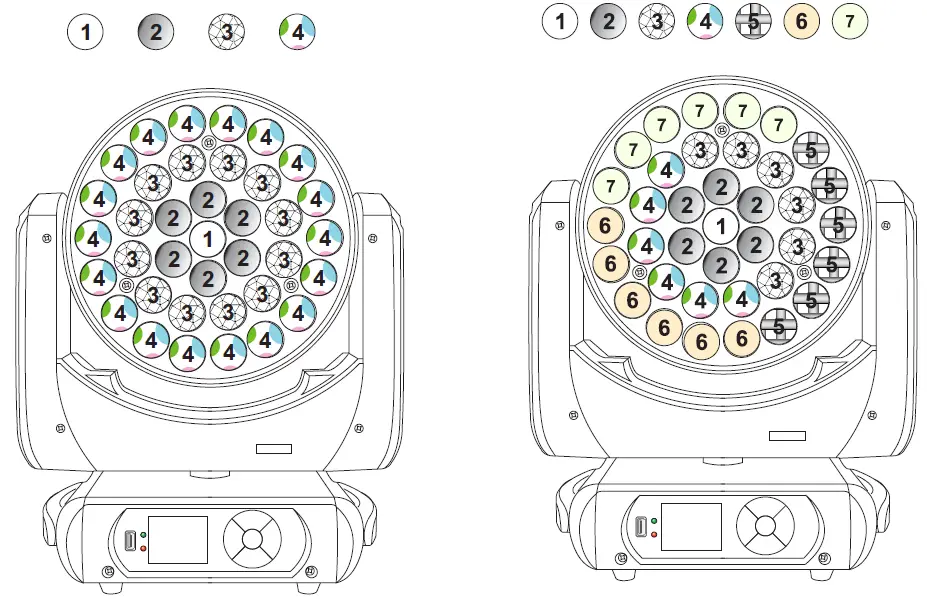
DMX protocol
| 24 CH | 36 CH | 48 CH | Wert/ Value | Feature | |
|
1 |
1 |
1 | Horizontal movement (PAN) | ||
| 0 | 255 | Push slider up in order to move the head horizontally (PAN). Gradual head adjustment from one end of the slider to the other (0-255, 128-center). The head can be stopped at any position you wish. | |||
| 2 | 2 | 2 | PAN-movement with 16-bit resolution | ||
| 0 | 255 | Fine indexing | |||
|
3 |
3 |
3 | Vertical movement (TILT) | ||
| 0 | 255 | Push slider up in order to move the head vertically (TILT). Gradual head adjustment from one end of the slider to the other (0-255, 128-center). The head can be stopped at any position you wish. | |||
| 4 | 4 | 4 | TILT-movement with 16-bit resolution | ||
| 0 | 255 | Fine indexing | |||
| 5 | 5 | 5 | PAN/TILT speed | ||
| 0 | 255 | Decreasing speed | |||
| 6 | 6 | 6 | Zoom | ||
| 0 | 255 | Gradual adjustment from big to small | |||
| 7 | 7 | 7 | Dimmer intensity | ||
| 0 | 255 | Gradual adjustment of the dimmer intensity from 0 to 100 % | |||
|
8 |
8 |
8 | Strobe | ||
| 0 | 9 | No function | |||
| 10 | 154 | Strobe effect with increasing speed | |||
| 155 | 204 | Random strobe effect | |||
| 205 | 255 | Pulse-effect in sequences | |||
| 9 | Red | ||||
| 0 | 255 | Red 0 – 100 % increasing | |||
| 10 | Green | ||||
| 0 | 255 | Green 0 – 100 % increasing | |||
| 11 | Blue | ||||
| 0 | 255 | Blue 0 – 100 % increasing | |||
| 12 | White | ||||
| 0 | 255 | White 0 – 100 % increasing | |||
| 9 | 9 | Red 1 | |||
| 0 | 255 | Red 0 – 100 % increasing | |||
| 10 | 10 | Green 1 | |||
| 0 | 255 | Green 0 – 100 % increasing | |||
| 11 | 11 | Blue 1 | |||
| 0 | 255 | Blue 0 – 100 % increasing | |||
| 12 | 12 | White 1 | |||
| 0 | 255 | White 0 – 100 % increasing | |||
| 13 | 13 | Red 2 | |||
| 0 | 255 | Red 0 – 100 % increasing | |||
| 14 | 14 | Green 2 | |||
| 0 | 255 | Green 0 – 100 % increasing | |||
| 15 | 15 | Blue 2 | |||
| 0 | 255 | Blue 0 – 100 % increasing | |||
| 16 | 16 | White 2 | |||
| 0 | 255 | White 0 – 100 % increasing | |||
| 17 | 17 | Red 3 | |||
| 0 | 255 | Red 0 – 100 % increasing | |||
| 18 | 18 | Green 3 | |||
| 0 | 255 | Green 0 – 100 % increasing | |||
| 19 | 19 | Blue 3 | |||
| 0 | 255 | Blue 0 – 100 % increasing | |||
| 20 | 20 | White 3 | |||
| 0 | 255 | White 0 – 100 % increasing | |||
| 21 | 21 | Red 4 | |||
| 0 | 255 | Red 0 – 100 % increasing | |||
| 22 | 22 | Green 4 | |||
| 0 | 255 | Green 0 – 100 % increasing | |||
| 23 | 23 | Blue 4 | |||
| 0 | 255 | Blue 0 – 100 % increasing | |||
| 24 | 24 | White 4 | |||
| 0 | 255 | White 0 – 100 % increasing | |||
| 25 | Red 5 | ||||
| 0 | 255 | Red 0 – 100 % increasing | |||
| 26 | Green 5 | ||||
| 0 | 255 | Green 0 – 100 % increasing | |||
| 27 | Blue 5 | ||||
| 0 | 255 | Blue 0 – 100 % increasing | |||
| 28 | White 5 | ||||
| 0 | 255 | White 0 – 100 % increasing | |||
| 29 | Red 6 | ||||
| 0 | 255 | Red 0 – 100 % increasing | |||
| 30 | Green 6 | ||||
| 0 | 255 | Green 0 – 100 % increasing | |||
| 31 | Blue 6 | ||||
| 0 | 255 | Blue 0 – 100 % increasing | |||
| 32 | White 6 | ||||
| 0 | 255 | White 0 – 100 % increasing | |||
| 33 | Red 7 | ||||
| 0 | 255 | Red 0 – 100 % increasing | |||
| 34 | Green 7 | ||||
| 0 | 255 | Green 0 – 100 % increasing | |||
| 35 | Blue 7 | ||||
| 0 | 255 | Blue 0 – 100 % increasing | |||
| 36 | White 7 | ||||
| 0 | 255 | White 0 – 100 % increasing | |||
| 13 | 25 | 37 | Color temperature correction (CTO) | ||
| 0 | 9 | No function | |||
| 10 | 255 | 10000K – 2500 K | |||
|
14 |
26 |
38 | Preset colors and internal color programs | ||
| 0 | 9 | No function | |||
| 10 | 19 | Red | |||
| 20 | 29 | Green | |||
| 30 | 39 | Blue | |||
| 40 | 49 | Yellow | |||
| 50 | 59 | Magenta | |||
| 60 | 69 | Cyan | |||
| 70 | 79 | Cold white | |||
| 80 | 89 | Orange red | |||
| 90 | 99 | Turquoise | |||
| 100 | 109 | Purple | |||
| 110 | 119 | Orange | |||
| 120 | 129 | Violet | |||
| 130 | 139 | Bluish green | |||
| 140 | 149 | Purplish red | |||
| 150 | 159 | Cyan purple | |||
| 160 | 169 | Light green | |||
| 170 | 179 | Aqua | |||
| 180 | 189 | Medium green | |||
| 190 | 199 | Light purplish red | |||
| 200 | 209 | Light brown | |||
| 210 | 224 | Color jump effect | |||
| 225 | 239 | Color pulse effect | |||
| 240 | 255 | Color shade effect | |||
|
15 |
27 |
39 | Static patterns and internal pattern program | ||
| 0 | 9 | No function | |||
| 10 | 19 | Pattern 1 | |||
| 20 | 29 | Pattern 2 | |||
| 30 | 39 | Pattern 3 | |||
| 40 | 49 | Pattern 4 | |||
| 50 | 59 | Pattern 5 | |||
| 60 | 69 | Pattern 6 | |||
| 70 | 79 | Pattern 7 | |||
| 80 | 89 | Pattern 8 | |||
| 90 | 99 | Pattern 9 | |||
| 100 | 109 | Pattern 10 | |||
| 110 | 119 | Pattern 11 | |||
| 120 | 129 | Pattern 12 | |||
| 130 | 139 | Pattern 13 | |||
| 140 | 149 | Pattern 14 | |||
| 150 | 159 | Pattern 15 | |||
| 160 | 169 | Pattern 16 | |||
| 170 | 179 | Pattern 17 | |||
| 180 | 189 | Pattern 18 | |||
| 190 | 199 | Pattern 19 | |||
| 200 | 209 | Pattern 20 | |||
| 210 | 255 | Internal pattern program | |||
|
16 |
28 |
40 | Animated patterns | ||
| 0 | 9 | No function | |||
| 10 | 21 | Pattern effect 1 | |||
| 22 | 33 | Pattern effect 2 | |||
| 34 | 45 | Pattern effect 3 | |||
| 46 | 57 | Pattern effect 4 | |||
| 58 | 69 | Pattern effect 5 | |||
| 70 | 81 | Pattern effect 6 | |||
| 82 | 93 | Pattern effect 7 | |||
| 94 | 105 | Pattern effect 8 | |||
| 106 | 117 | Pattern effect 9 | |||
| 118 | 129 | Pattern effect 10 | |||
| 130 | 141 | Pattern effect 11 | |||
| 142 | 153 | Pattern effect 12 | |||
| 154 | 165 | Pattern effect 13 | |||
| 166 | 177 | Pattern effect 14 | |||
| 178 | 189 | Pattern effect 15 | |||
| 190 | 201 | Pattern effect 16 | |||
| 202 | 213 | Pattern effect 17 | |||
| 214 | 225 | Pattern effect 18 | |||
| 226 | 237 | Pattern effect 19 | |||
| 238 | 255 | Pattern effect 20 | |||
| 17 | 29 | 41 | Backlight Red | ||
| 0 | 255 | Backlight according to patterns and values of channel 16/28/40 | |||
| 18 | 30 | 42 | Backlight Green | ||
| 0 | 255 | Backlight according to patterns and values of channel 16/28/40 | |||
| 19 | 31 | 43 | Backlight Blue | ||
| 0 | 255 | Backlight according to patterns and values of channel 16/28/40 | |||
| 20 | 32 | 44 | Backlight White | ||
| 0 | 255 | Backlight according to patterns and values of channel 16/28/40 | |||
| 21 | 33 | 45 | Direction setting animated patterns | ||
| 0 | 126 | Forwards pattern program | |||
| 126 | 255 | Backwards pattern program | |||
| 22 | 34 | 46 | Speed pattern programs | ||
| 0 | 255 | Decreasing speed | |||
|
23 |
35 |
47 | Macros | ||
| 0 | 9 | No function | |||
| 10 | 99 | Macro 1 | |||
| 100 | 199 | Macro 2 | |||
| 200 | 255 | Music control | |||
|
24 |
36 |
48 | Reset | ||
| 0 | 239 | No function | |||
| 240 | 250 | Reset | |||
| 251 | 255 | No function | |||
CLEANING AND MAINTENANCE
The outside of the device should be cleaned periodically to remove contaminants such as dust etc. The lenses, in particular, should be clean to ensure that light will be emitted at maximum brightness.
- Disconnect the device from power and allow it to cool before cleaning.
- Clean the surface with a soft lint-free and moistened cloth. Never use alcohol or solvents as these may damage the surface. Make sure that no liquids can enter the device.
- The device must be dry before reapplying power.
There are no serviceable parts inside. Do not open the housing. Do not try to repair the device by yourself as this may result in damage. Maintenance and service operations are only to be carried out by authorized dealers.
Should you need any spare parts, please use genuine parts. Should you have further questions, please contact your dealer.
Replacing the fuse
If the fine-wire fuse of the device fuses, only replace the fuse by a fuse of same type and rating.
- Disconnect the device from power and allow it to cool.
- Open the fuse holder of the mains connection with a fitting screwdriver.
- Remove the old fuse from the fuse holder and replace it with a new fuse.
- Carefully push the fuse holder back into its position before reapplying power.
PROTECTING THE ENVIRONMENT
Disposal of old equipment
When to be definitively put out of operation, take the product to a local recycling plant for a disposal which is not harmful to the environment. Devices marked with this symbol must not be disposed of as household waste. Contact your retailer or local authorities for more information. Remove any inserted batteries and dispose of them separately from the product.
You as the end user are required by law (Battery Ordinance) to return all used batteries/ rechargeable batteries. Disposing of them in the household waste is prohibited. You may return your used batteries free of charge to collection points in your municipality and anywhere where batteries/rechargeable batteries are sold. By disposing of used devices and batteries correctly, you contribute to the protection of the environment.
TECHNICAL SPECIFICATIONS
| Power supply: | 100-240 V AC, 50/60 Hz |
| Power consumption: | 490 W |
| IP classification: | IP20 |
| Protection class: | Class I |
| Power connection: | Mains input P-Con (blue), mounting version Power supply cord with safety plug (provided) |
| Power output: | P-Con (gray), mounting version |
| Fuse: | 5 x 20 mm, T 4 A Fuse replaceable |
| Lamp type: | LED lamp |
| LED: | 37 x 15 W 4in1 QCL RGBW (homogenous color mix) |
| Max. TILT movement: | Exact positioning (16 bit resolution) 270° |
| Max. PAN movement: | Exact positioning (16 bit resolution) 540° |
| DMX channels: | 24; 36; 48 |
| DMX input: | 3-pin XLR (M) mounting version |
| DMX output: | 3-pin XLR (F) mounting version |
| Cooling: | Temperature-controlled fan at the Head |
| Cooling fan at the Base | |
| Control: | DMX; Stand-alone; Sound to light via Microphone; QuickDMX via USB (optional); Master/slave function |
| Beam angle: | 1 – 38° |
| Beam angle (1/2 peak): | 1 – 20° |
| Beam angle (1/10 peak): | 8 – 38° |
|
Illuminance in Lux (lx): | Narrow R red 1m: 14703 lx, 3m: 6338 lx, 6m: 1581 lx |
| Narrow G green 1m: 36582 lx, 3m: 14313 lx, 6m: 3581 lx | |
| Narrow B blue 1m: 4622 lx, 3m: 2444 lx, 6m: 666 lx | |
| Narrow CW 1m: 47065 lx, 3m: 15572 lx, 6m: 3872 lx | |
| Narrow all 3m: 35914 lx, 6m: 9025 lx | |
| Wide R red 1m: 4769 lx, 3m: 624 lx, 6m: 165 lx | |
| Wide G green 1m: 10949 lx, 3m: 1431 lx, 6m: 386 lx | |
| Wide B blue 1m: 2021 lx, 3m: 274 lx, 6m: 77 lx | |
| Wide CW 1m: 11357 lx, 3m: 1505 lx, 6m: 397 lx | |
| Wide all 1m: 27092 lx, 3m: 3575 lx, 6m: 956 lx | |
| Housing color: | Black |
| Display type: | Multicolor LCD display |
| Dimension: | Width: 39.0 cm |
| Depth: 26.5 cm | |
| Height: 47.5 cm | |
| Weight: | 13.15 kg |
Accessories
| EUROLITE TPC-10 Coupler, silver | No. 59006856 |
| EUROLITE Safety Bond A 4x1000mm up to 15kg silver | No. 58010320 |
| EUROLITE DMX cable XLR 3pin 3m bk | No. 3022785H |
| PSSO DMX cable XLR 3pin 3m bk Neutrik | No. 30227810 |
| PSSO PowerCon Connection Cable 3×1.5 3m | No. 3023503R |
| EUROLITE QuickDMX USB Wireless Transmitter/Receiver | No. 70064704 |
| EUROLITE Omega bracket 39 | No. 51786554 |
| ROADINGER Flightcase 2x TMH-W555 | No. 31001079 |
Please note: All information is subject to change without prior notice. 08.06.2021 ©