MSTHOO GEBH592AB Sport Wireless Earbuds User Guide
AUTO PAIRING SETUP
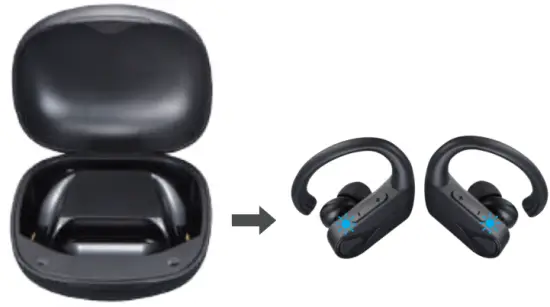
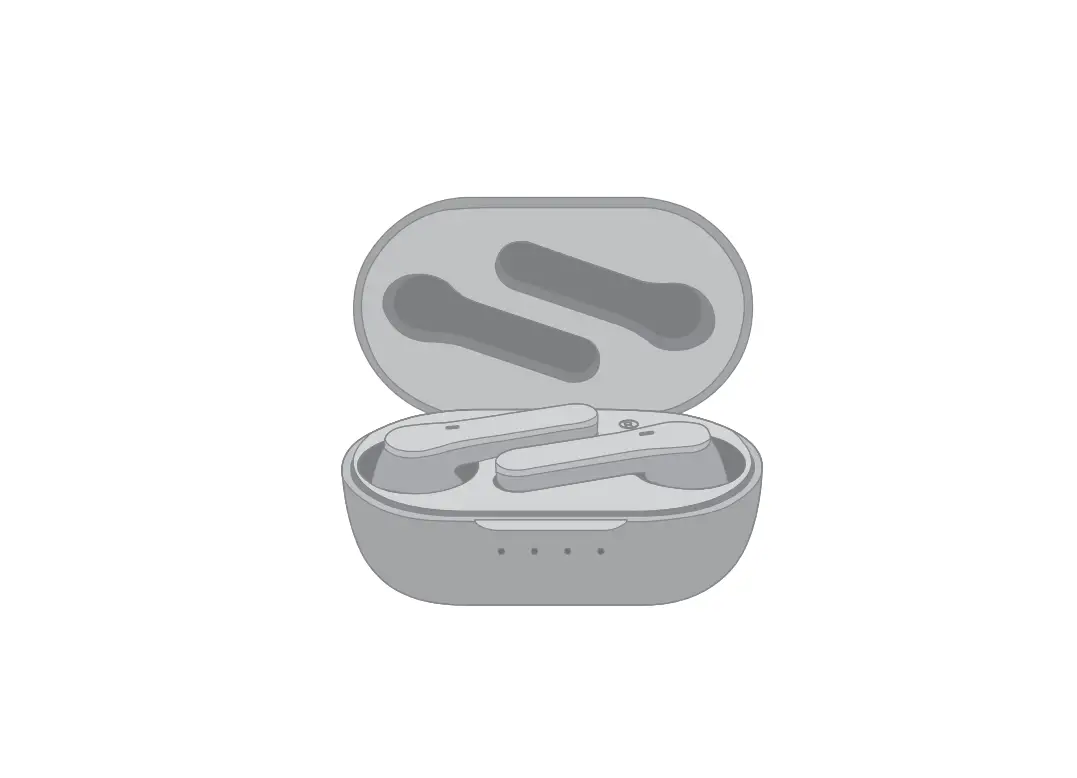
- Take out both earbuds from the charging case, both earbuds will power on and enter paring mode in which the LED flashes red and blue alternately.

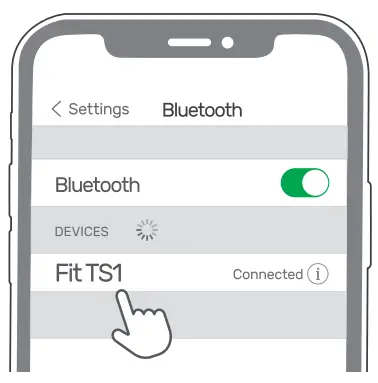
- Search Bluetooth name “Fit TS1” and select it in your mobile phone.

RESET
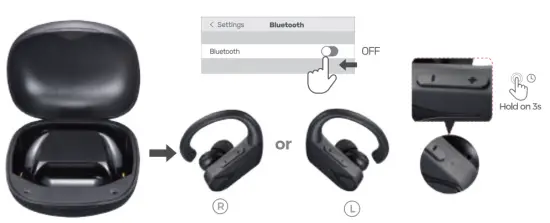
- Turn off your device’s Bluetooth function.
- Take out both earbuds from the charging case and the earbuds will automatically enter into the pairing mode in which LED flashes blue and red alternately.
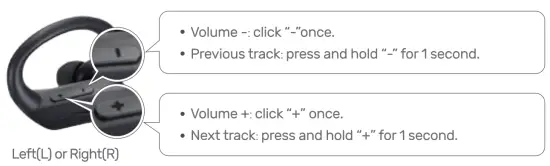
- Simultaneously keep pressing both volume up and volume down buttons of either earbud for 3 seconds.
- The paired information will be cleared and the earbuds will be off.
Q&A
Note: Remove the insulating film on the charging connectors on both earbuds before charging it.
Q1: Why doesn’t music stop when I put Fit TS1 back into the case .
Reason 1: Earbuds might not be placed properly and not in the status of charging.
Solution: Make sure Fit TS1 is being properly placed.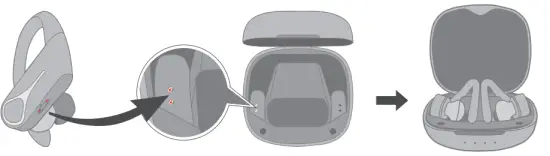
Reason 2: The charging case is out of battery.
Solution:
- To recharge the case.
- Or manually turn off the earbuds by keeping clicking the buttons on both earbuds for 5 seconds. The earbud’s light will keep on for 1 second and then goes out. with the voice prompt “Power off”.
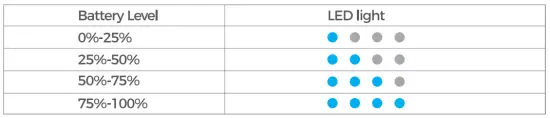
Q2: How to know the remaining battery of the charging case?
When you open or close the case, you will know the battery level by checking the indicator:
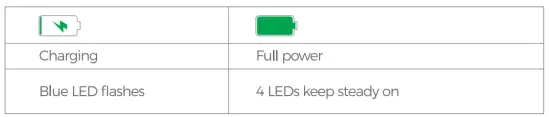
Q3: How to know the charging status and the full power status of the case?
Q4: How to operate if the Bluetooth disconnect or fail to reconnect?
Solution: Reset the earbuds by following the steps as previously mentioned.






![Merkury E038t Sport Wireless Earbuds Manual [xo-9922-1]](https://static-data1.manualsee.com/1/img/239/8242/2020/10/Merkury-E038T-Sport-Wireless-Earbuds.png "Merkury E038t Sport Wireless Earbuds Manual [xo-9922-1]")