
Quick Start Guide
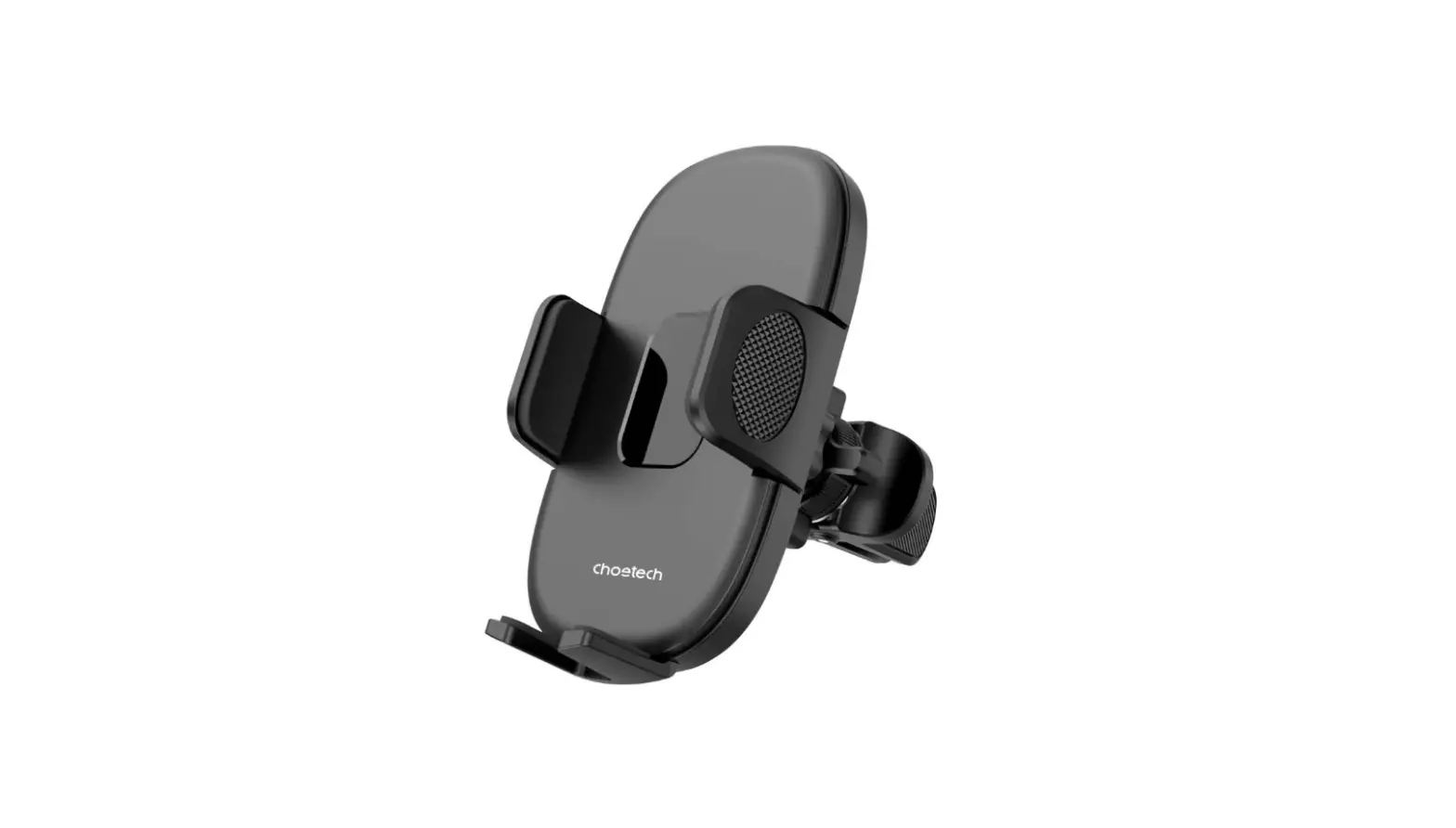
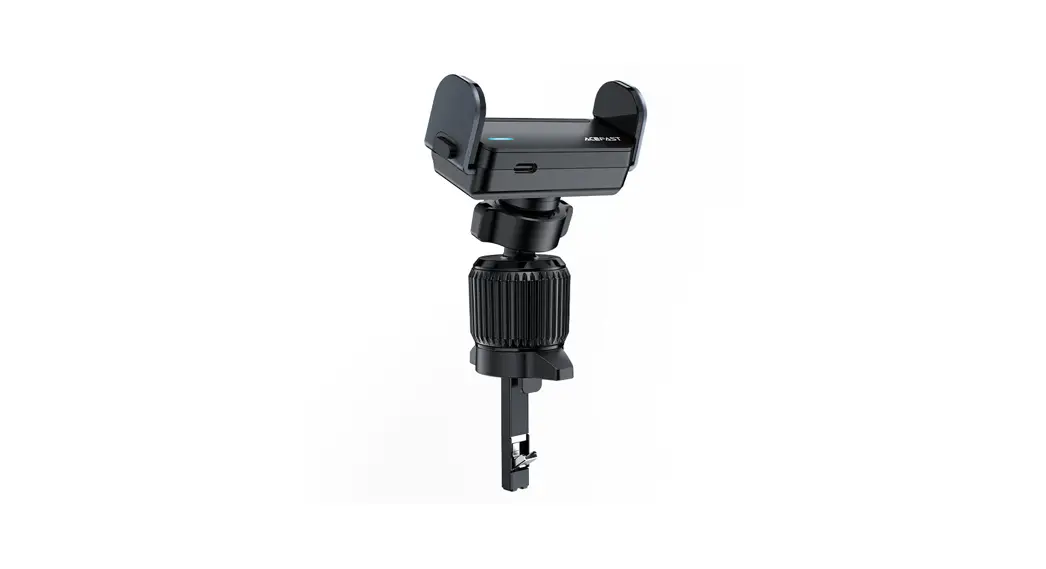
D9 in-car air vent electric holder
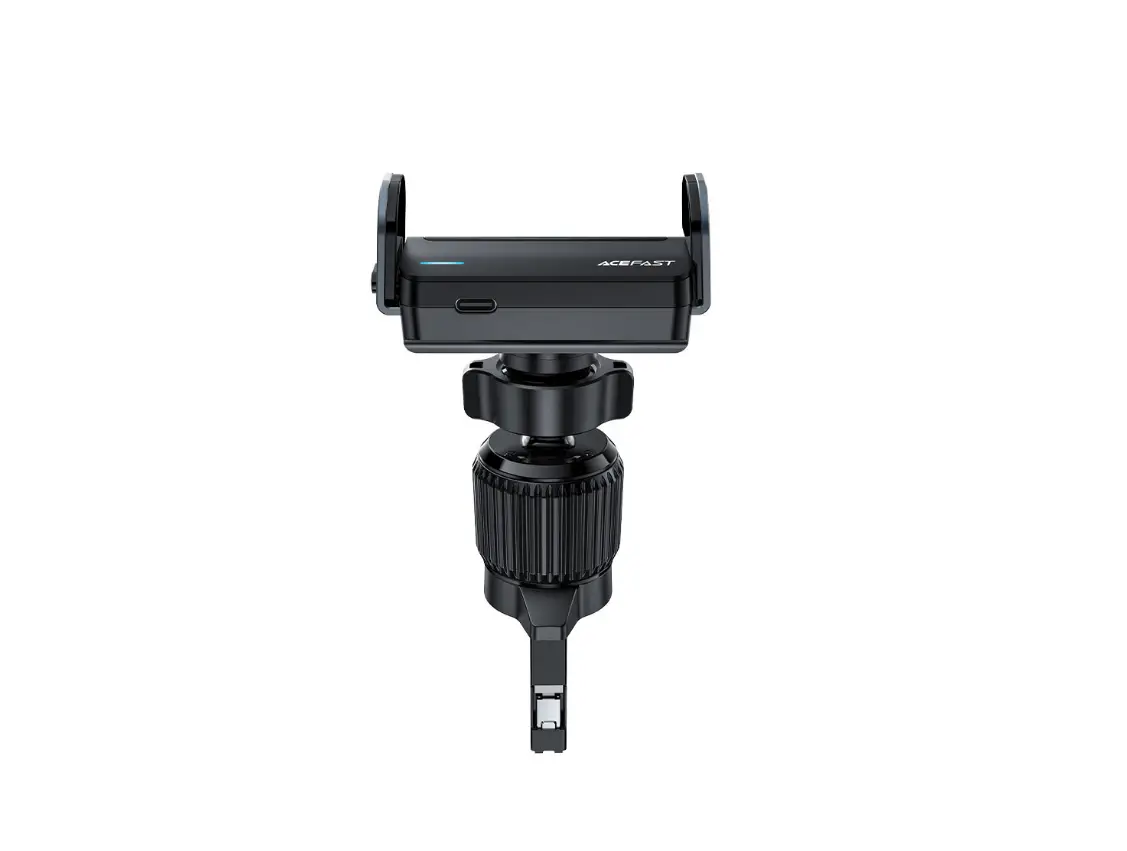
Product picture
Thank you for purchasing the product.
Please read this user manual carefully and keep it for future reference. If you need any assistance, please contact our support team with your product model number and Amazon order number.
Operating Instructions
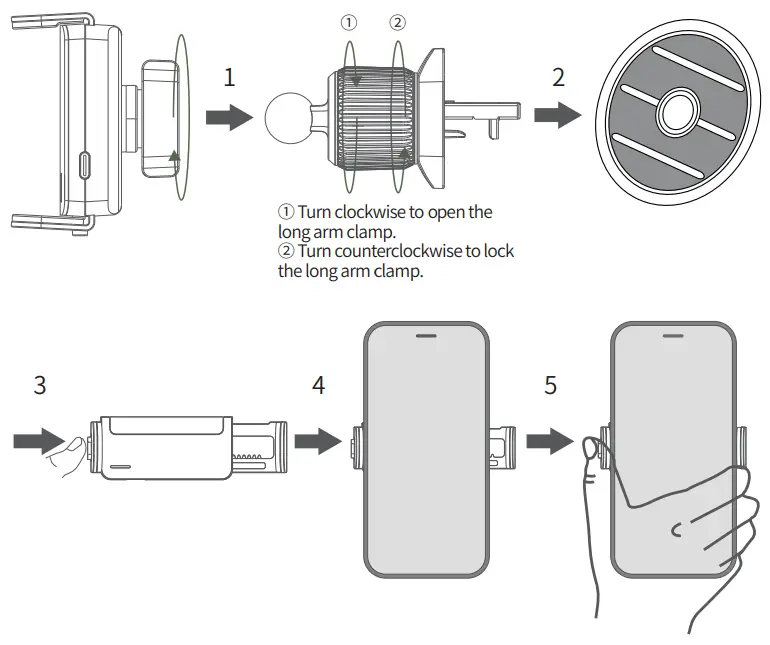
- Unscrew the fixing nut behind the back clip, put the universal ball joint in, and then tighten the nut.
- Choose a suitable location and place the holder on the air vent.
- Tap the button, and the clamp arm will automatically open.
- Put the phone into the phone holder, the holder will sense the phone and automatically close and clamp your phone.
- Press the button on the side of the holder, the clamp arm will automatically open and you can take out the phone.
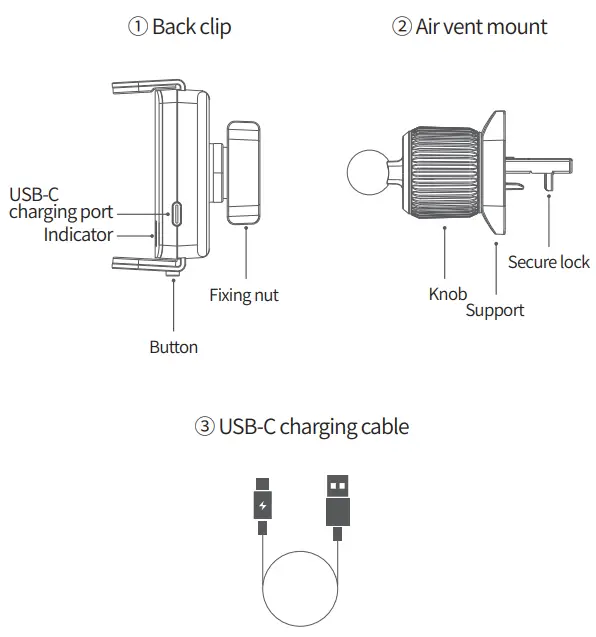
Note: when the power of the holder is low, please use the USB-C charging cable provided in the package to connect to the car charger.
LED light effect:
Blue light flashing: charging.
Blue light is always on: the battery is full.
The blue light is on for 3s: the button or induction takes effect.
Red light flashing: low battery.
Specifications
| Model | D9 |
| Colour | Black |
| Material | Plastic, silicone, metal |
| Place of mount | In-car air vent |
| Built-in battery | 250mAh / 0.925Wh |
| Input | 5V 1A |
| Size | Back clip closed size: 75x31x56mm/2.95×1.22×2.20in Back clip opened size: 98x31x56mm/3.86×1.22×2.20in Holder closed size: 81x36x36mm/3.19×1.42×1.42in Holder opened size: 105x36x36mm/4.13×1.42×1.42in |
| Weight | About 100g/3.53oz |
Precautions:
Do not disassemble or modify this product by yourself.
Do not place this product in a humid environment.
Please do not charge near a heat source.
Do not allow water or other liquids to flow into the product, otherwise, it will cause damage to the product.
Do not install this product in the area where the airbag is located.
Do not drop.
Do not scratch the surface of this product with sharp objects to avoid surface damage.
Warranty & Customer Support
For questions, support, or warranty claims, contact us at the mail below that corresponds with your region. Please include your order number and product model number.
Amazon US orders: [email protected]
Amazon EU orders: [email protected]
Amazon UK orders: [email protected]
Amazon CA orders: [email protected]
Amazon JP orders: [email protected]
Other region orders: [email protected]
*Please note, ACEFAST can provide after-sales service for products purchased from any official ACEFAST store. If you have purchased from a local seller, you can also contact them directly for service or warranty issues.
Shenzhen Houshuxia Technology Co., LTD
www.acefast.com | [email protected]
Rm203, 2nd Floor, Building C, Youth Pioneer Park,
Jianshe East Road, Tsinghua Community,
Longhua Street, Longhua District, Shenzhen, P. R. China
Shenzhen, 518000, China
 ACEFAST - High End Accessories