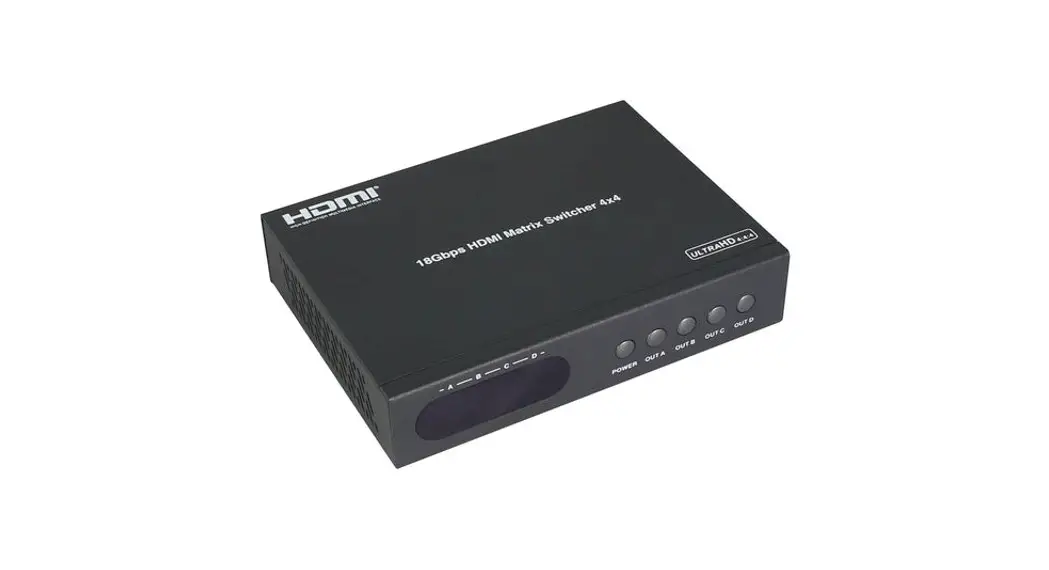

User Manual
HDMI MATRIX SWITCH
HDMI Matrix 4×4 (4K x 2K @60Hz)
ER2681 M44
Thank you for purchasing this product. For optimum performance and safety, please read the instructions carefully and keep the manual for future reference.
Important Safety Notice
Please read below safety instructions carefully before installation and operation:
- Please pay attention to all the warnings and hints on this device.
- Do not expose this unit to rain, moisture and liquid.
- Do not put any stuff into the device.
- Do not repaire the device or open the enclosure without professional person guidence to avoid electronic shock.
- Make sure good ventilation openings to avoid product overheating damage.
- Turn off power and make sure environment is safe before installation.
- Do not plug-in/out the connection cables when it is in using to avoid cables damage.
- Use DC12V/2A power adapter. Make sure the specification matched if using 3rd party DC adapters.
Introduction
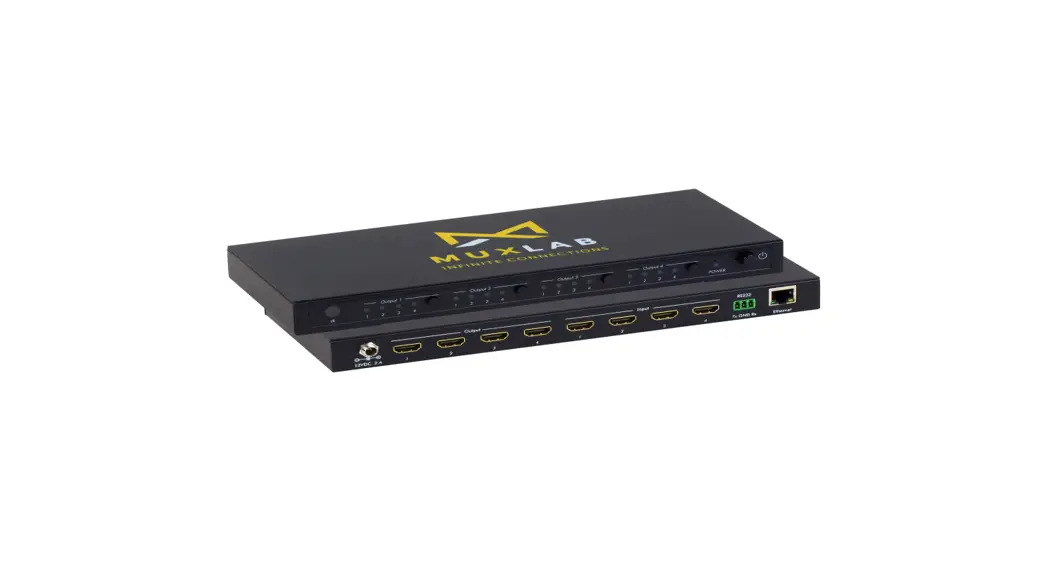
This product is a 4×4 HDMI2.0 Matrix Switch, supports resolution up to 4K x 2K@60Hz, with 4 HDMI inputs and 4 HDMI outputs. 4 HDMI inputs accommodate the simultaneous connection up to 4 high definition video sources, such as satellite systems and Blu-ray players. 4 HDMI outputs send the high definition A/V signals to 4 ultra HD displays. This Matrix Switch supports IR remote control, button control and RS232 for switching inputs and outputs. This product is perfect for security system, digital monitoring system, school education system, exhibition center, multimedia conference, command system etc.
Features
- Support up to 4 ways of HDMI signal switching or distributing to up to 4 HDMI displays.
- Supports up to ultra HD resolution 4Kx2K@60Hz.
- Transmission data rate up to 18Gbps.
- Pure hardware design, plug and play.
- Support IR remote and button control for switching inputs/outputs.
- Support R5232 control.
- Supports YUV 4:4:4.
- Support 3D.
Package Contents
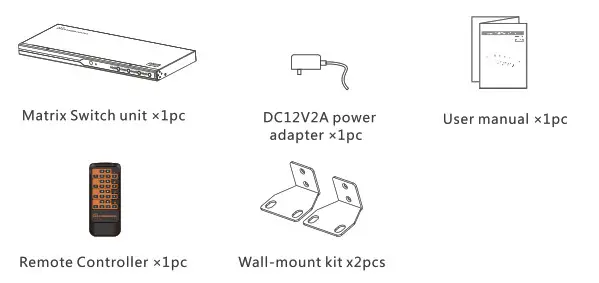
- Installation Requirement
1. HDMI source device (DVD, PS3, Set top box, PC etc)
2. HDMI display device like SDTV, HDTV, and projector with HDMI port.
• Panel Description
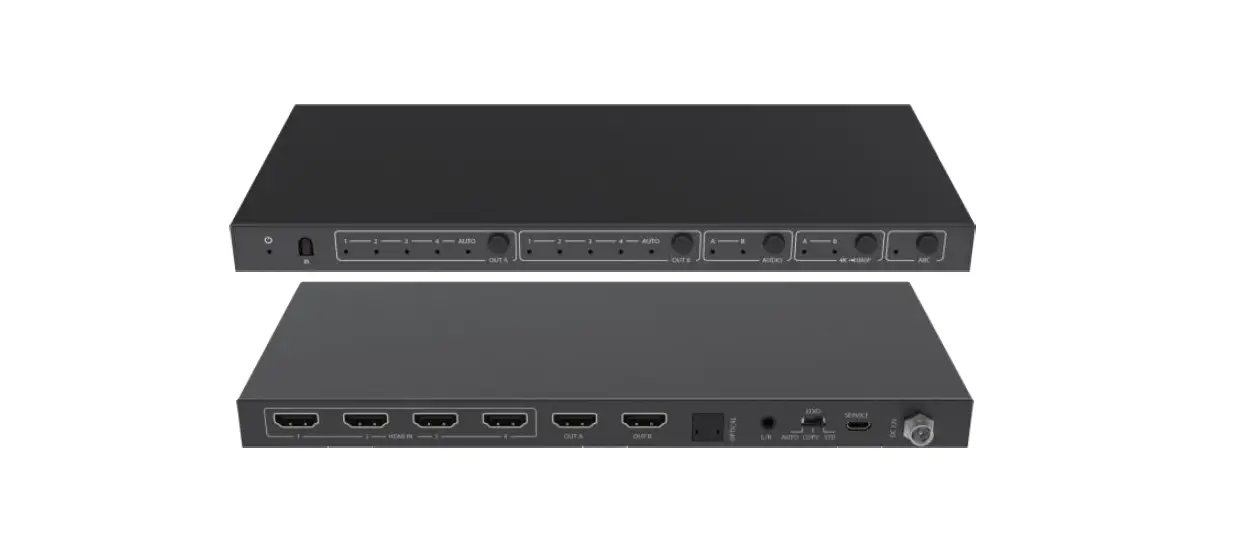
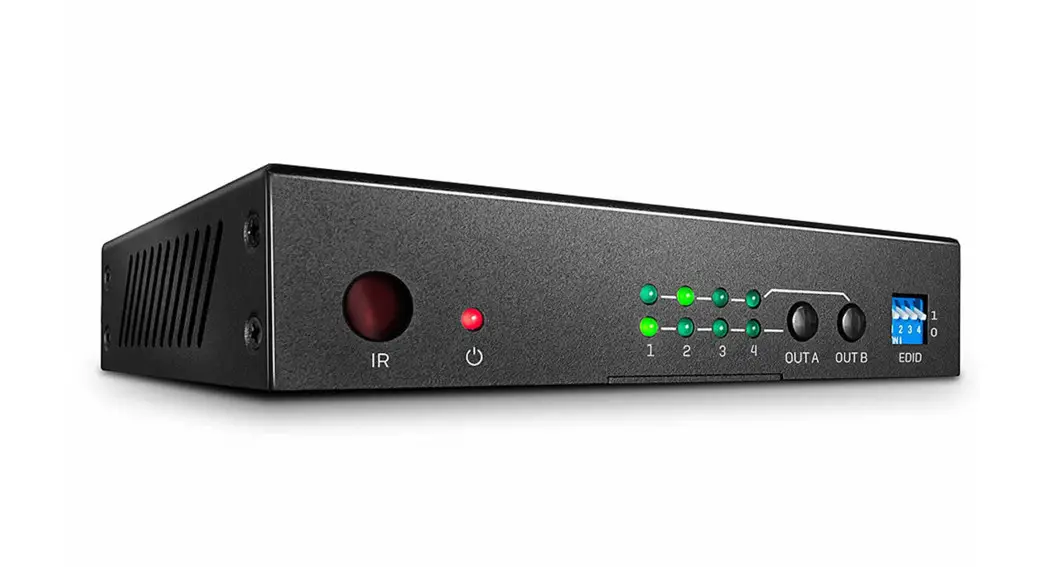
Front Panel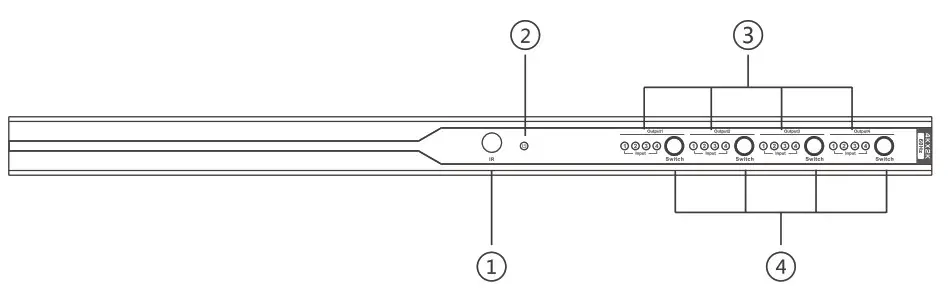
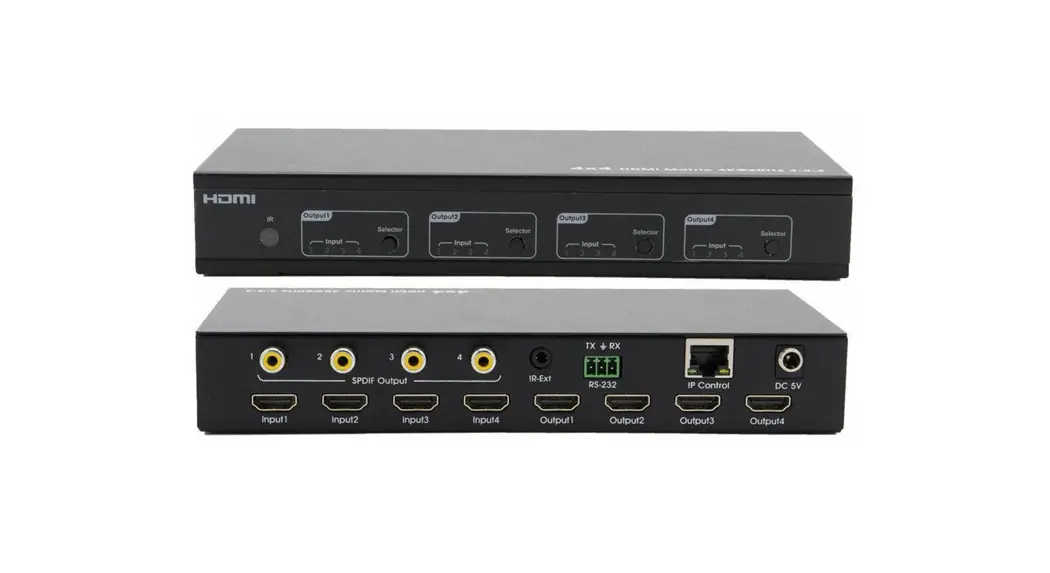
| 1 | IR receiver window | Receive IR signal |
| 2 | Power indicator | LED indicator turn on when power on |
| 3 | Output select indicator | Display corresponding input channel |
| 4 | Output button | To choose input channel |
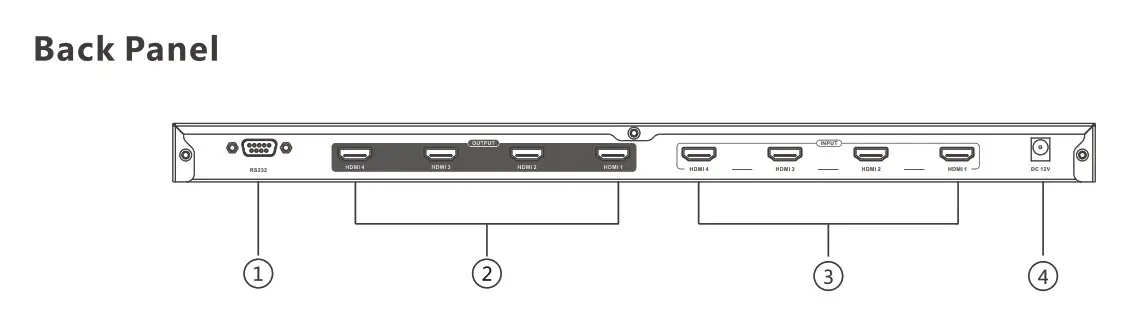
| (1) | RS232 | RS232 control |
| 2 | HDMI output | Connect with HDMI display device |
| 3 | HDM1 input | Connect with HDM1 source device |
| 4 | Power input | Connect with DC12V/2A power adapter |
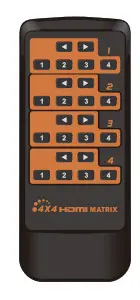
• Remote Controller
This remote controller is just used for inputs or outputs switched/selected.
- Connections

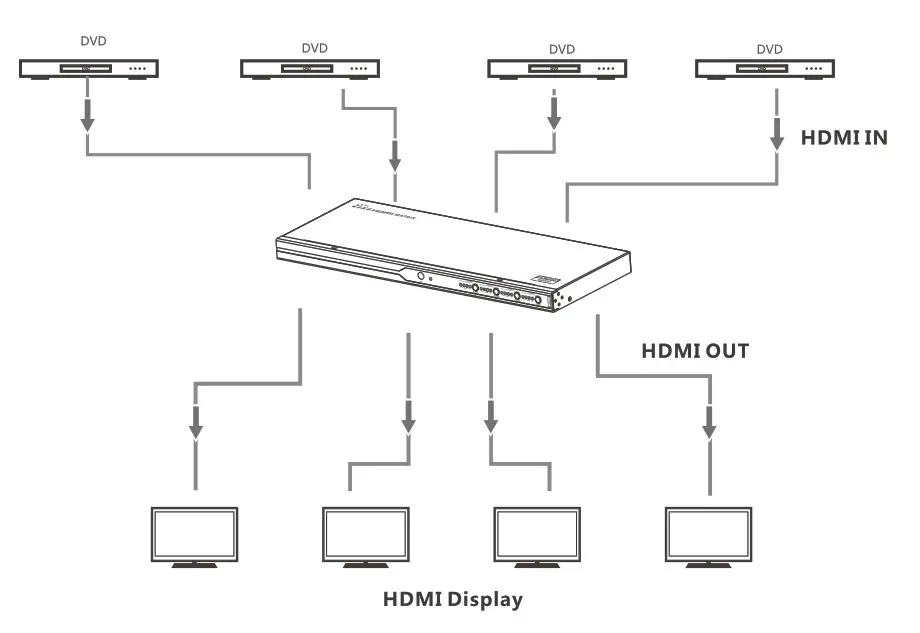
- Connection Drawing
 1) Connect all your HDMI source devices to this product’s inputs via HDMI cables.
2) Connect up to the HD display devices on the HDMI outputs via HDMI cables.
3) Power on all source device, this Matrix Switch and display device, then it works.
4) Select/switch inputs and outputs via IR remote , buttons or RS232 command - RS232 control
1) It supports RS232 control to select the input and output channel, the baud rate is 9600, and the connector is a 9-pin port.
2) Use the serial port software, please set COM firstly, and then correspond to the following figure in the various channel commands.
 1) Connect all your HDMI source devices to this product’s inputs via HDMI cables.
| Instruction list | ||||
| HDMI output | HDMI input I | HDMI input 2 | HDMI input 3 | HDM! input 4 |
| HDM! output 1 | PS11R | PS12R | PS13R | PS14R |
| HDMI output 2 | PS21R | PS22R | PS23R | PS24R |
| HDM! output 3 | PS31R | PS32R | PS33R | PS34R |
| HDMI output 4 | PS41R | PS42R | PS43R | PS44R |
| HDMI output 1 | PAIR | PA2R | PA3R | PA4R |
| HDMI output 2 | ||||
| HDMI output 3 | ||||
| HDMI output 4 | ||||
| Change all output/input states | PAPLP2P3P4R, Output 1 selects signal source P1 Output 2 selects signal source P2 Output 3 selects signal source P3 Output 4 selects signal source P4 | |||
| Gets the current output / input state | PA?R | |||
| Command return | All of the above commands, if they were sent successfully, the output status will be returned accordingly For example, send command” PA? R’ 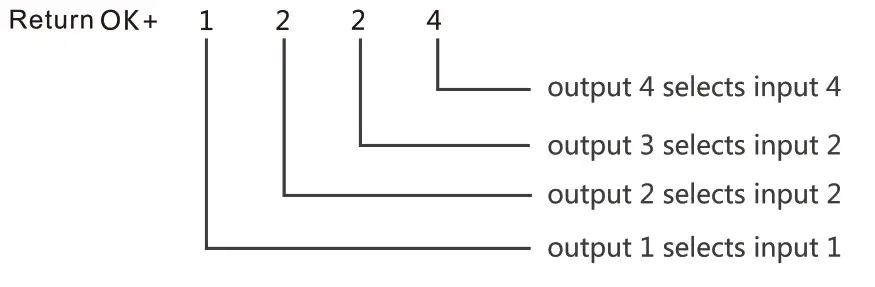 If the command is wrong, return” err’ | |||
FAQ
Q: No video/audio signal output on the displays?
– A: 1) Please check and make sure the Matrix Switch is connected well and powered on.
– 2) Please check and make sure all HDMI cables are connected well
– 3) Please check and make sure the input channel of displays are correct.
Q: Picture quality is not fluent and stable ?
– A: 1) Please check and make sure all HDMI cables are connected well
– 2) Try to connect the source device to display device directly, or change to another source device for a try to see the picture quality.
– 3) Please use high quality HDMI2.0 standard cable when HDMI 4Kx2K signal input.
Specification
| Items | Specification |
| HDMI signal | HDMI2.0, Full compatible with HDCP2.2 |
| Inputs | 4 HDMI |
| Outputs | 4 HDMI |
| Transmission rate | 18Gbps |
| Support resolution | 4801@60Hz, 480p4P60Hz, 576450Hz, 576p@50Hz, 720p@ 50/60Hz, 10801@50/60Hz 1080p@50/60Hz, 3840×2160@25/30/60Hz |
| Support audio format | DTS-HD/Dolby-true HD/LPCM7.1/DTS/Dolby-AC3/DSD |
| YUV | 4:04:04 |
| Video signal | 0.5- 1.5Vp-p(TM DS) |
| DDC signal | 5Vp-p(TTL) |
| Video bandwidth | 600MHZ |
| HDMI port | Type A 19 pin, female |
| RS232 | 9 pin serial port seat |
| Working temperature | 0°C -60°C |
| Working Humidity | 0-90% (no condensation) |
| Power supply | DC12V/2A |
| Power consumption | <20W |
| Product dimension | 429.8(L)X170.7(W)X28(H)mm |
| Weight | 1.6Skg |
| Color | Black |
Disclaimer
The product name and brand name may be registered trademark of related manufactures. Tm and may be omitted on the user manual. The pictures in this user manual are just for reference. The terms HDMI, HDMI High-Definition Multimedia Interface, and the HDMI Logo are trademarks or registered trademarks of HDMI Licensing Administrator, Inc. We reserve the rights to make changes without further notice to a product or system described herein to improve reliability, function or design.