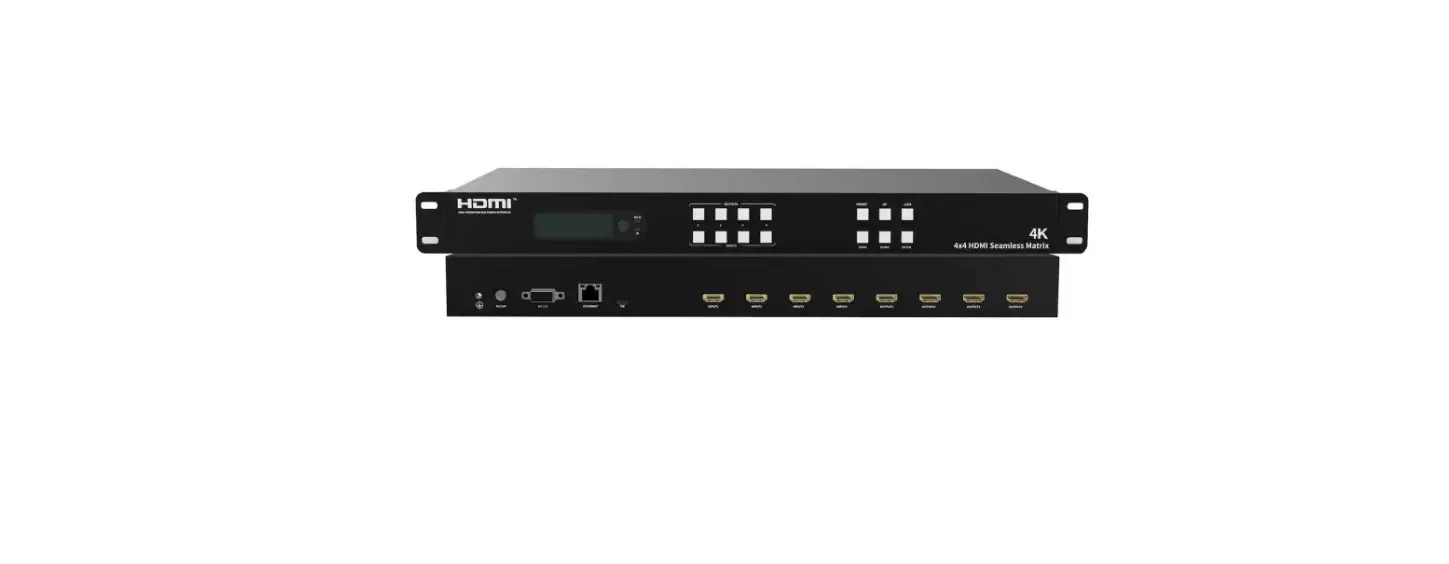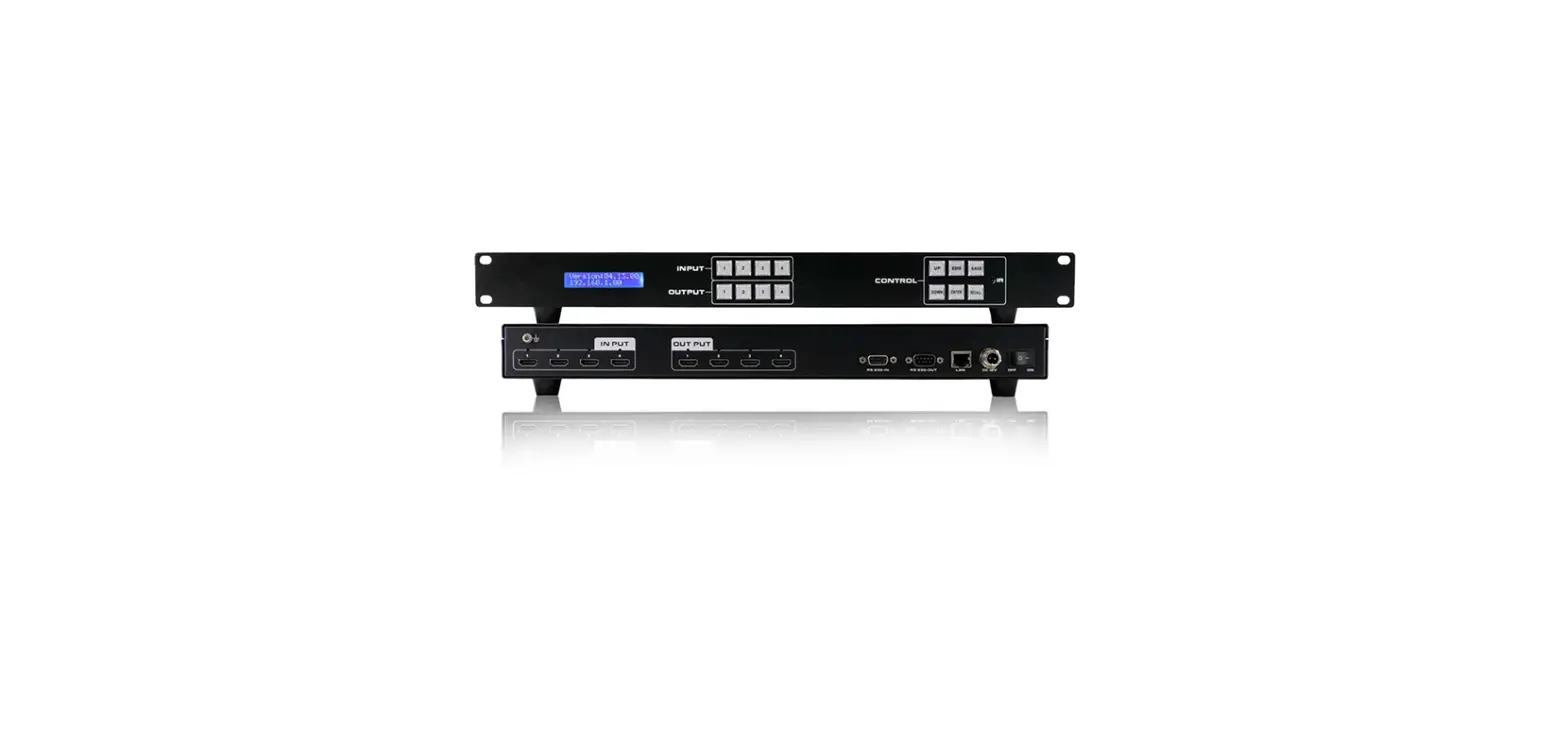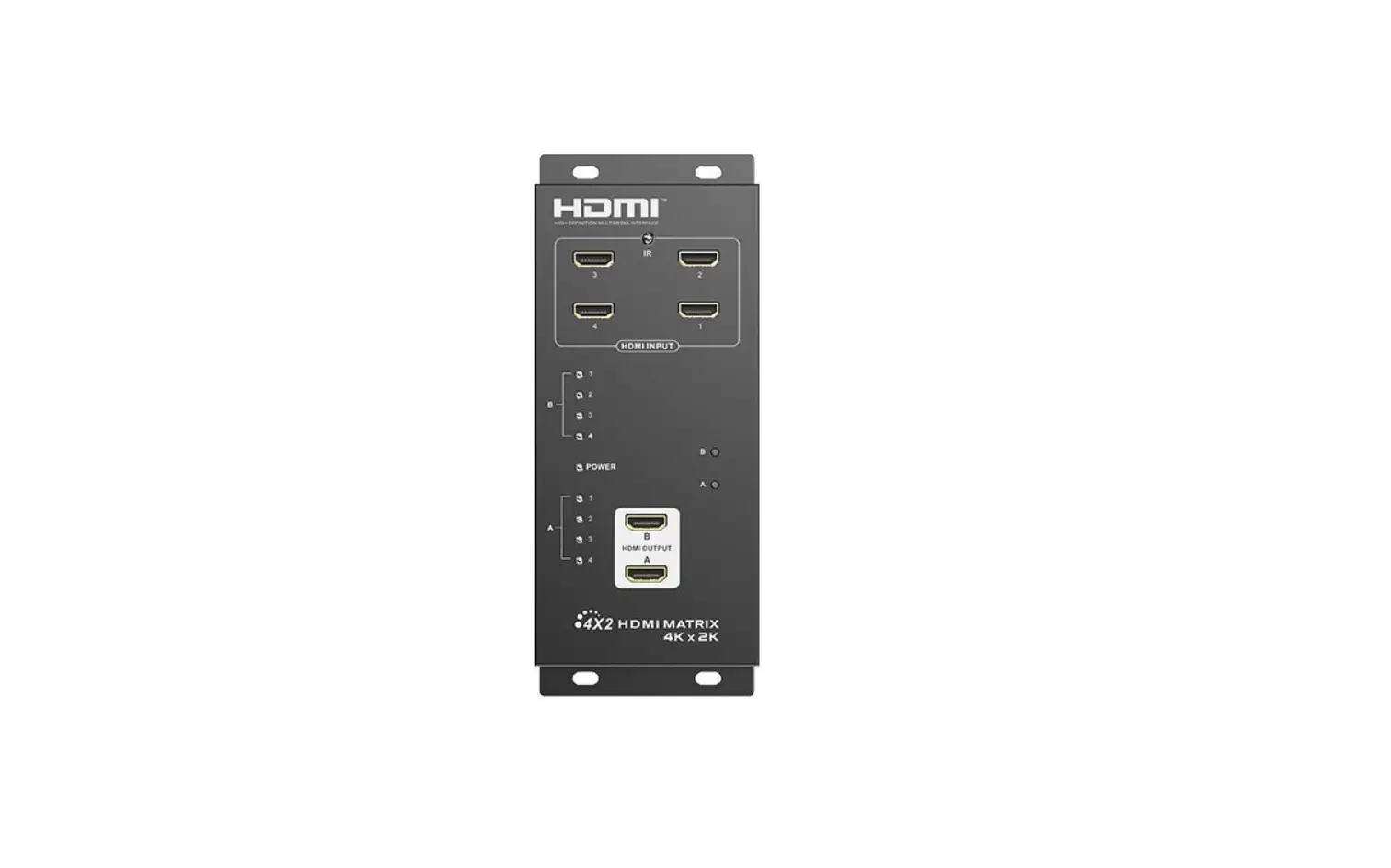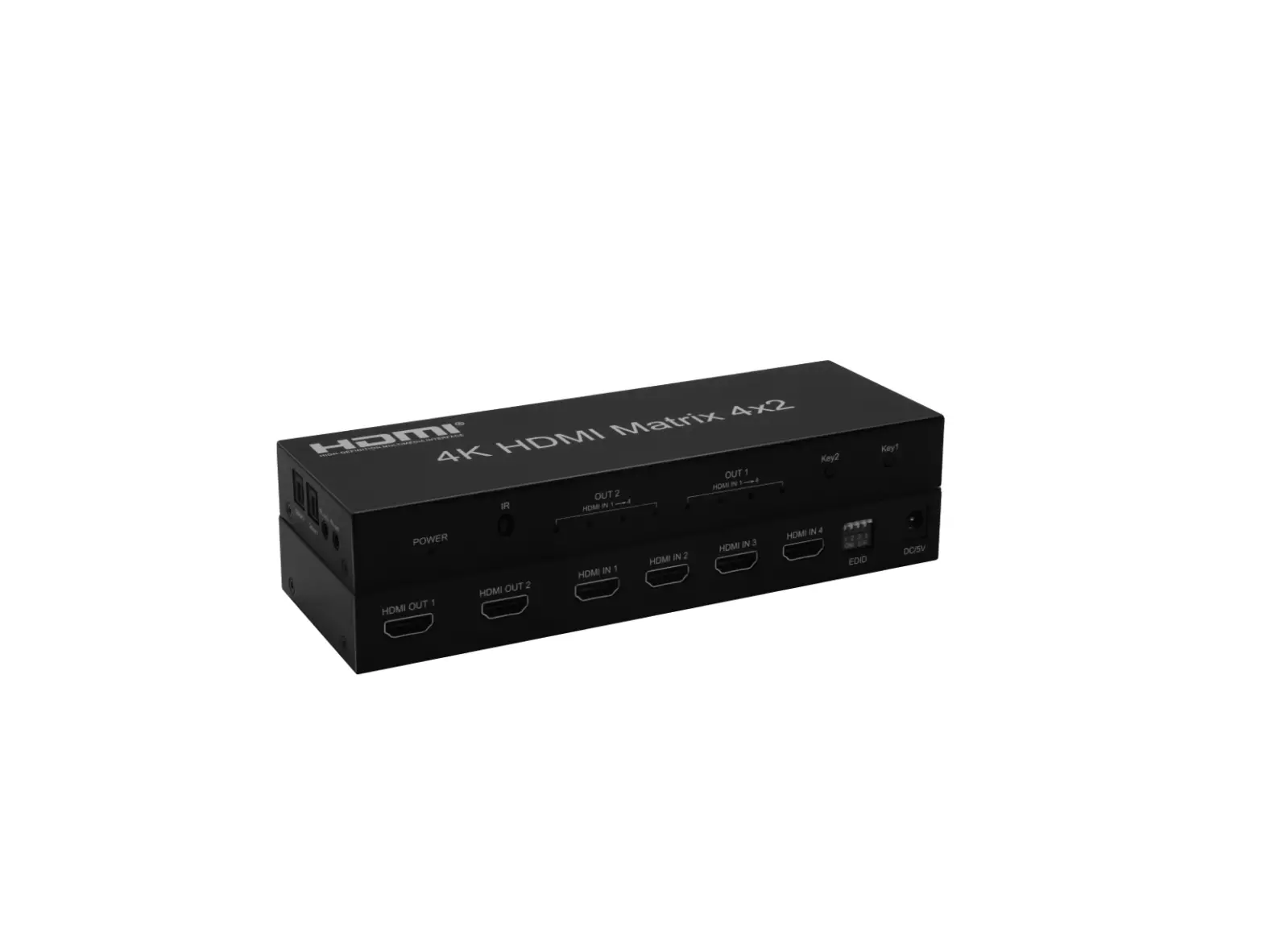

User Manual
WolfPack 8K 4×2 HDMI Matrix
Switch
 MODEL No. HDTVHDMX0016M1(Includes separate audio)
HDTVHDMX0017M1(No audio)
WolfPack 8K 4×2 MATRIX FEATURES:
HDTVHDMX0016M1(Includes audio)
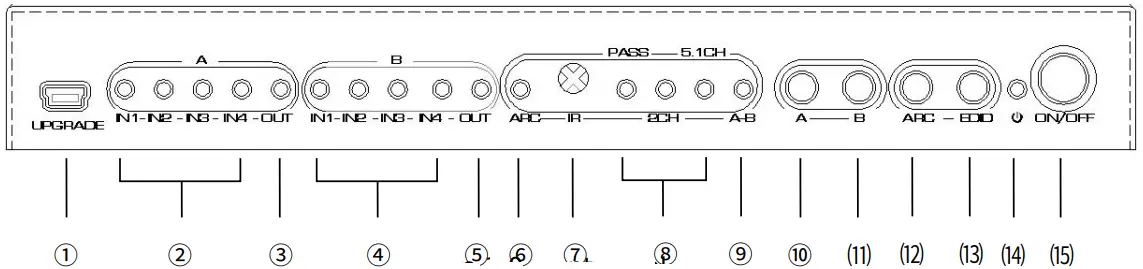
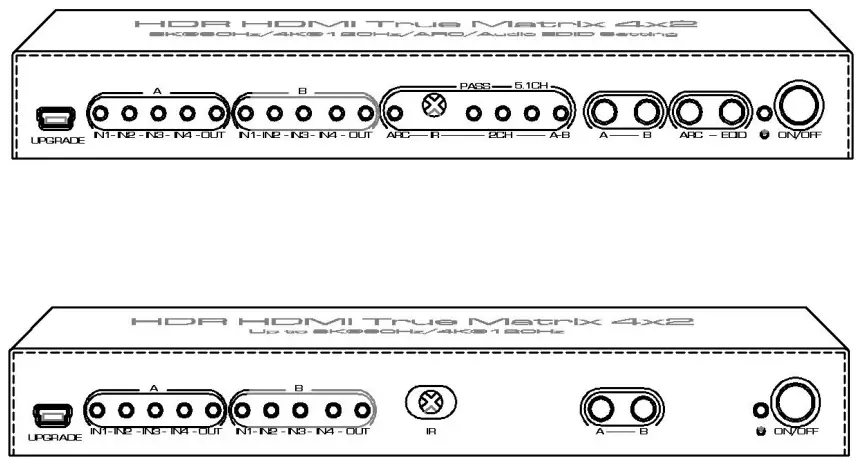
Picture 1.0 Front Panel
| No. | Description | Introduction |
| 1 | Mini USB port | Only for factory upgrade |
| 2 | HDMI input indicators for channel A | The selected input channel indicator will light up. |
| 3 | HDMI output indicator for channel A | Lit when HDMI OUT A has signal output. |
| 4 | HDMI input indicators for channel B | The selected input channel indicator will light up. |
| 5 | HDMI output indicator for channel B | Lit when HDMI OUT B has signal output. |
| 6 | ARC status indicator | Lit when ARC is on. |
| 7 | IR receiving window | Receive the commands sent by the infrared remote control. |
| 8 | EDID mode indicators | Include three audio EDID modes: PASS/2CH/S.1CH |
| 9 | Audio source channel indicator | Lit when Audio output is to HDMI OUT A. Light is off is to HDMI OUT B. |
| 10 | Input selection key of channel A | Loop to select the input channel of HDMI OUT A |
| 11 | Input selection key of channel B | Loop to select the input channel of HDMI OUT B |
| 12 | ARC on/off key | HDMI ARC (Audio return channel) functions on/off. |
| 13 | EDIDselection key mode | Supports three audio EDID mode switching: PASS/2CH/5.1CH. |
| 14 | Power status indicator | Lit when power on. |
| 15 | Power switch | Power self – the lock switch, turn it on when pressed, and turn it off when pressed. |
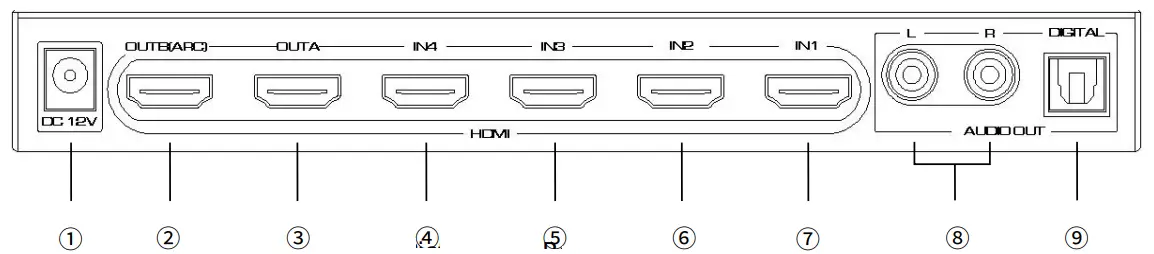
Picture 1.1 Rear Panel
| No. | Description | Introduction |
| 1 | Power jack | Requires 6-12V power supply |
| 2 | HDMI output port B | Connects to monitor with HDMI port. This port also supports ARC. |
| 3 | HDMI output port A | Connects to monitor with HDMI port |
| 4 | HDMI input port 4 | Connects to your source device by WolfPack 8K HDMI cable. |
| 5 | HDMI input port 3 | Connects to your source device by WolfPack 8K HDMI cable. |
| 6 | HDMI input port 2 | Connects to your source device by WolfPack 8K HDMI cable. |
| 7 | HDMI input port 1 | Connects to your source device by WolfPack 8K HDMI cable. |
| 8 | Analog audio ports | Synchronized output stereo analog audio which contains left and right channels. |
| 9 | Digital audio port | Synchronized output digital audio by fiber optic. |
HDTVHDMX0017M1(No audio)
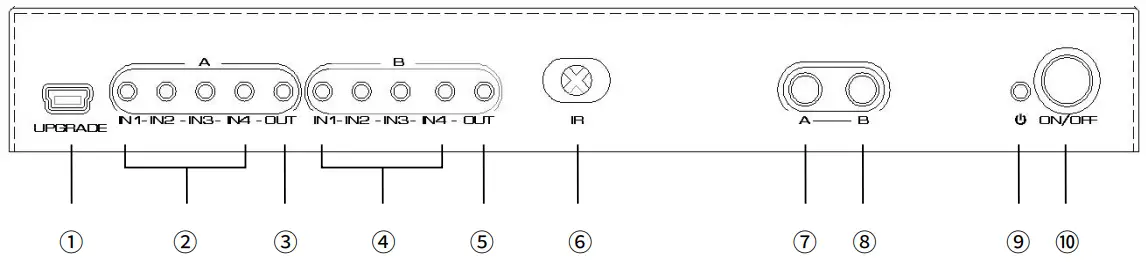
Picture 1.2 Front Panel
| No. | Description | Introduction |
| 1 | Mini USB port | Only for factory upgrade |
| 2 | HDMI input indicators for channel A | The selected input channel indicator will light up. |
| 3 | HDMI output indicator for channel A | Lit when HDMI OUTA has signal output. |
| 4 | HDMI input indicators for channel B | The selected input channel indicator will light up. |
| 5 | HDMI output indicator for channel B | Lit when HDMI OUT B has signal output. |
| 6 | IR receiving window | Receive the commands sent by the infrared remote control. |
| 7 | Input selection key of channel A | Loop to select the input channel of HDMI OUT A |
| 8 | Input selection key of channel B | Loop to select the input channel of HDMI OUT B |
| 9 | Power status indicator | Lit when power on. |
| 10 | Power switch | Power self – the lock switch, turn it on when pressed, and turn it off when pressed. |
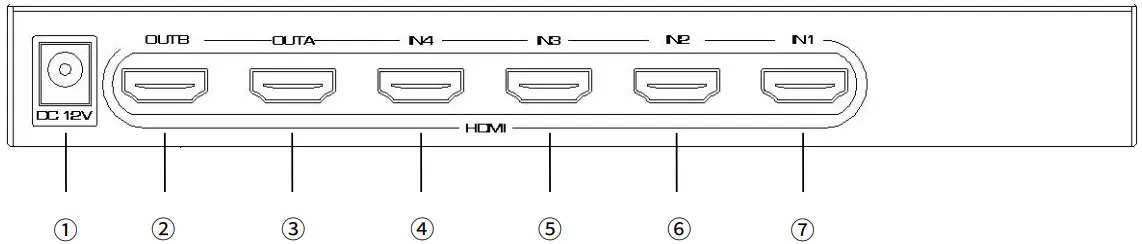
Picture 1.3 rear panel showing
| No. | Description | Introduction |
| 1 | Power jack | Requires 6-12V power supply |
| 2 | HDMI output port B | Connects to monitor with HDMI port. This port also supports ARC. |
| 3 | HDMI output port | Connects to monitor with HDMI po port |
| 4 | HDMI input port 4 | Connects to your source device by WolfPack 8K HDMI cable. |
| 5 | HDMI input port 3 | Connects to your source device by WolfPack 8K HDMI cable. |
| 6 | HDMI input port 2 | Connects to your source device by WolfPack 8K HDMI cable. |
| 7 | HDMI input port 1 | Connects to your source device by WolfPack 8K HDMI cable. |
Picture 1.4 IR panel showing and function introduction
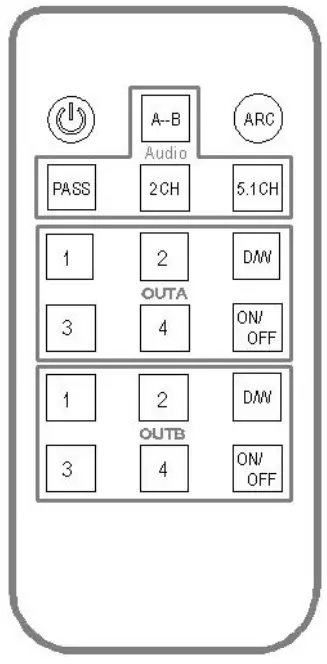
| Remote keys | Panel keys | Functional description |
| / | Power standby on/off button | |
| A-B | Press AUDIO key more than 3 seconds | Select A/B for the audio output source channel |
| ARC | Press ARC key | ARC turn on / turn off |
| PASS | Press AUDIO key | Audio EDID PASS mode. The audio output format is determined by the EDID information of the TV. |
| 2CH | Audio EDID 2CH mode. Priority output stereo audio in this mode. | |
| 5.1CH | Audio EDID 5.1CH mode. Priority output 5.1 channel bit stream in this mode. The analog output ports | |
| 1/2/3/4 | Press NB key | Input source selection of NB output channel. |
| D/W | Press NB key more than 3 seconds | HDMI1.4 compatibility mode turns on/off Try to turn on this mode when there is a problem using both HDMI1.4 signal source and HDMI2.0 TV. When turned on, the 5 LEDs in group NB will flash 4 times at the same time, and flash twice when turned off |
| ON/OFF | / | HDMI NB output port enabled or disabled |
* Please take out the film at the rear of the remote before you use it. Please insert the film to the remote rear if you do not use the remote for a long time.
WolfPack 8K 4×2 HDMI Matrix Switch Connection and Operation:
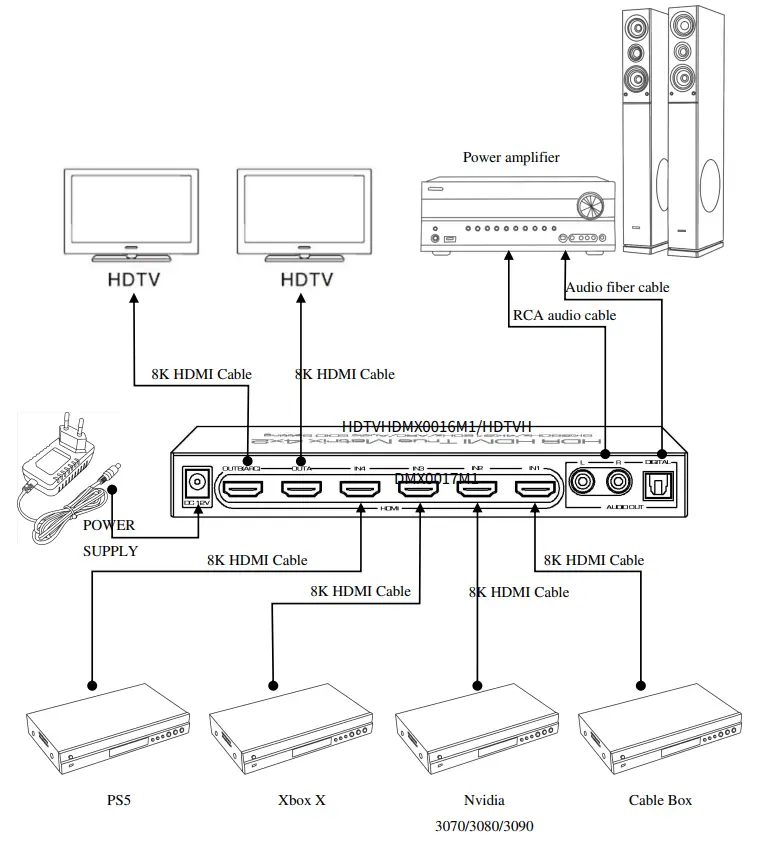
NOTE:
- Please use 8K HDMI cables and connect the cables before powering the equipment.
- In the matrix mode (In this mode, the outputs of A and B are different), output ports A and B cannot output 8K signals at the same time. Only one group is allowed to output 8K and the other group output 4K or less.
- The product has a power-off memory function. The setting state of the output channel is recorded and saved. After the power is off, the saved data will be automatically retrieved for configuration.
- The optional AUDIO OUT is a set of multiplexed ports that allows you to select HDMI OUT A & B sounds by using the “A-B” key.
- The Audio EDID mode selection is also available for multiplexing. When the audio source selects channel A, the audio EDID mode is valid for channel A. When the audio source selects channel B, the audio EDID mode is valid for channel B.
- Analog audio can only be outputted when the audio format is LPCM, so choose the EDID mode in 2CH mode when using the analog audio output.
- If you want to use ARC or CEC, you must connect the TV to the OUTA port. Before using ARC, make sure your TV HDMI port supports ARC and the ARC has been turned on.
WolfPack 8K 4×2 HDMI MATRIX SWITCH SPECIFICATIONS:
| Model No. | HDTVHDMX0016M1 (Includes separate audio) HDTVHDMX0017M1 (No separate audio) |
| Model name | 8K HDR 4×2 HDMI True Matrix Switch |
| Input ports | 4-HDMI |
| Output ports | 2-HDMI RCAX2, Optical X1 (Only for HDIVHDMX0016M1) |
| Video format | 480p/720p/1080p/2160p@24/25/30/50/60/100/120Hz Up to 4320p@50/60Hz. Supports HDR & Dolby Vision |
| Deep color | 8/10/12/16Bit@2160p 8/10bit@4320p |
| Audio format | Dolby HD/DTS HD/Dolby Atmos/Dolby AC3/DTS/LPCM Etc. |
| Transmission bandwidth | 1200MHz Max. |
| Transmission rate | 48Gbps Max. |
| IR distance | ≤5m |
| Input cable length | 2160P/AWG 26 ≤5m ; 1080P/AWG 26 510m |
| Output cable length | 2160P/AWG 26 ≤5m ; 1080P/AWG 26 512m |
| Power adapter specification | Input: AC 100∼ 240V Output: DC 12V/1.5A |
| Max working current | 500mA |
| Working temperature range | -5 ∼ +40°C |
| Working humidity range | 5 to 85%RH ( No Condensation ) |
| Storage temperature | -15 to 55°C |
| Storage humidity | 5 —95%RH (No Condensation) |
| Size | 250x75x30 (mm) |
| Weight | 440g |
| Accessories | Manual, Remote, Power Adaptor |
YOUR NOTES: