 Installation Guide
ZKBioSecurity
Date: February 2021
Doc Version: 1.0
Software Version: V5000_4.0.0_R
Thank you for choosing our product. Please read the instructions carefully before operation. Follow these instructions to ensure that the product is functioning properly. The images shown in this manual are for illustrative purposes only. For further details, please visit our Company’s website www.zkteco.com.
Copyright © 2020 ZKTECO CO., LTD. All rights reserved.
Without the prior written consent of ZKTeco, no portion of this manual can be copied or forwarded in any way or form. All parts of this manual belong to ZKTeco and its subsidiaries (hereinafter the “Company” or “ZKTeco”).
Trademark is a registered trademark of ZKTeco. Other trademarks involved in this manual are owned by their respective owners.
Disclaimer
This manual contains information on the operation and maintenance of the ZKTeco equipment. The copyright in all the documents, drawings, etc. in relation to the ZKTeco supplied equipment vests in and is the property of ZKTeco. The contents hereof should not be used or shared by the receiver with any third party without express written permission of ZKTeco.
The contents of this manual must be read as a whole before starting the operation and maintenance of the supplied equipment. If any of the content(s) of the manual seems unclear or incomplete, please contact ZKTeco before starting the operation and maintenance of the said equipment.
It is an essential pre-requisite for the satisfactory operation and maintenance that the operating and maintenance personnel are fully familiar with the design and that the said personnel have received thorough training in operating and maintaining the machine/unit/equipment. It is further essential for the safe operation of the machine/unit/equipment that personnel has read, understood and followed the safety instructions contained in the manual.
In case of any conflict between terms and conditions of this manual and the contract specifications, drawings, instruction sheets or any other contract-related documents, the contract conditions/documents shall prevail. The contract-specific conditions/documents shall apply in priority.
ZKTeco offers no warranty, guarantee or representation regarding the completeness of any information contained in this manual or any of the amendments made thereto. ZKTeco does not extend the warranty of any kind, including, without limitation, any warranty of design, merchantability or fitness for a particular purpose.
ZKTeco does not assume responsibility for any errors or omissions in the information or documents which are referenced by or linked to this manual. The entire risk as to the results and performance obtained from using the information is assumed by the user.
ZKTeco in no event shall be liable to the user or any third party for any incidental, consequential, indirect, special, or exemplary damages, including, without limitation, loss of business, loss of profits, business interruption, loss of business information or any pecuniary loss, arising out of, in connection with, or relating to the use of the information contained in or referenced by this manual, even if ZKTeco has been advised of the possibility of such damages.
This manual and the information contained therein may include technical, other inaccuracies or typographical errors. ZKTeco periodically changes the information herein which will be incorporated into new additions/amendments to the manual. ZKTeco reserves the right to add, delete, amend or modify the information contained in the manual from time to time in the form of circulars, letters, notes, etc. for better operation and safety of the machine/unit/equipment. The said additions or amendments are meant for improvement /better operations of the machine/unit/equipment and such amendments shall not give any right to claim any compensation or damages under any circumstances.
ZKTeco shall in no way be responsible (i) in case the machine/unit/equipment malfunctions due to any non-compliance of the instructions contained in this manual (ii) in case of operation of the machine/unit/equipment beyond the rate limits (iii) in case of operation of the machine and equipment in conditions different from the prescribed conditions of the manual.
The product will be updated from time to time without prior notice. The latest operation procedures and relevant documents are available on http://www.zkteco.com.
If there is any issue related to the product, please contact us.
ZKTeco Headquarters
| Address | ZKTeco Industrial Park, No. 26, 188 Industrial Road, Tangxia Town, Dongguan, China. |
| Phone | +86 769 – 82109991 |
| Fax | +86 755 – 89602394 |
For business-related queries, please write to us at: [email protected].
To know more about our global branches, visit www.zkteco.com.
About the Company
ZKTeco is one of the world’s largest manufacturers of RFID and Biometric (Fingerprint, Facial, Finger-vein) readers. Product offerings include Access Control readers and panels, Near & Far-range Facial Recognition Cameras, Elevator/floor access controllers, Turnstiles, License Plate Recognition (LPR) gate controllers, and Consumer products including battery-operated fingerprint and face-reader Door Locks. Our security solutions are multi-lingual and localized in over 18 different languages. At the ZKTeco state-of-the-art 700,000 square foot ISO9001-certified manufacturing facility, we control manufacturing, product design, component assembly, and logistics/shipping, all under one roof.
The founders of ZKTeco have been determined for independent research and development of biometric verification procedures and the productization of biometric verification SDK, which was initially widely applied in PC security and identity authentication fields. With the continuous enhancement of the development and plenty of market applications, the team has gradually constructed an identity authentication ecosystem and smart security ecosystem, which are based on biometric verification techniques. With years of experience in the industrialization of biometric verifications, ZKTeco was officially established in 2007 and now has been one of the globally leading enterprises in the biometric verification industry owning various patents and being selected as the National High-tech Enterprise for 6 consecutive years. Its products are protected by intellectual property rights.
About the Manual
This manual introduces the installation of ZKBioSecurity V5000_4.0.0_R software.
All figures displayed are for illustration purposes only. Figures in this manual may not be exactly consistent with the actual products.
Document Conventions
Conventions Used in this manual are listed below:
GUI Conventions
| For Software | |
| Convention | Description |
| Bold font | Used to identify software interface names e.g. OK, Confirm, Cancel |
| > | Multi-level menus are separated by these brackets. For example, File > Create > Folder. |
| For Device | |
| Convention | Description |
| < > | Button or key names for devices. For example, press <OK> |
| [ ] | Window names, menu items, data table, and field names are inside square brackets. For example, pop up the [New User] window |
| / | Multi-level menus are separated by forwarding slashes. For example, [File/Create/Folder]. |
Symbols
| Convention | Description |
 | This implies about the notice or pays attention to, in the manual |
 | The general information which helps in performing the operations faster |
 | The significant information |
 | Care taken to avoid danger or mistakes |
 | The statement or event that warns of something or that serves as a cautionary example. |
Installation Setup
Hardware Requirements
1.1.1 Without the VMS module
CPU: Master frequency of 2.0GHz or above
RAM: 4GB or above
Memory: Available space of 30GB or above. We recommend using the NTFS hard disk partition as the software installation directory
Monitor Resolution:1024*768 pixels or above
1.1.2 With the VMS module
CPU: Intel(R) Core (TM) i5 6500 @ 2.6GHz or above
RAM: 8GB or above
Memory: Available space of 30GB or above. We recommend using the NTFS hard disk partition as the software-installation directory
GPU: NVIDIA GTX750 or above
Monitor Resolution: 1024*768 pixels or above
Software Requirements
Supported Operating Systems: Windows7/ Windows8/ Windows8.1/ Windows10/ Windows Server
2008/ Windows Server 2012/ Windows Server 2016/ Windows Server 2019
Supported Databases: PostgreSQL/ MS SQL Server/ Oracle
Recommended browser versions: Internet Explorer11+/Firefox27+/Chrome33+
Note:
- Avoid installing software on a Virtual Machine
Installation Steps
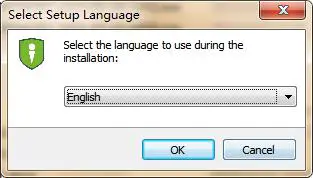
- Right-click the step.exe file and select Run as Administrator. Select the set language to use during the installation. Click OK to start the installation progress.

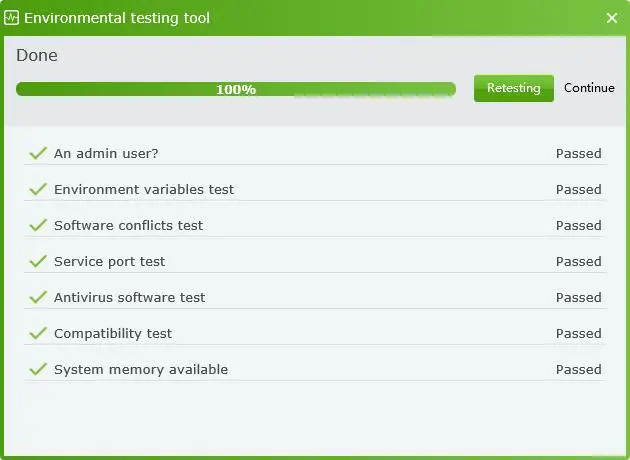
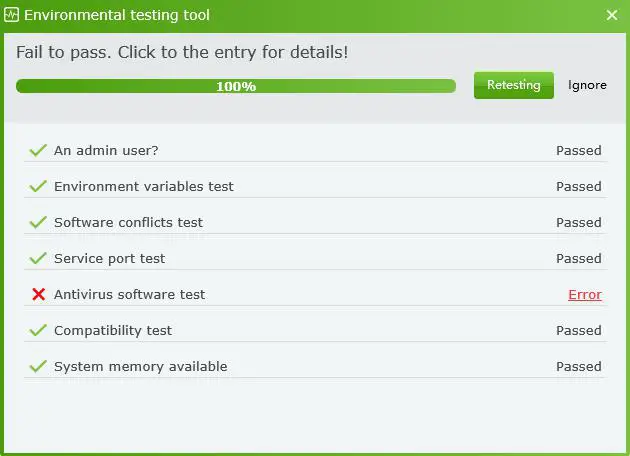
- This is the Environmental testing tool, and it can check out whether your computer conforms to the installation standards of the software.

Note:
•Before installing the software, disable the anti-virus.
• If the % System Root % \ system32 does not exist in the environment variable path, add the same.
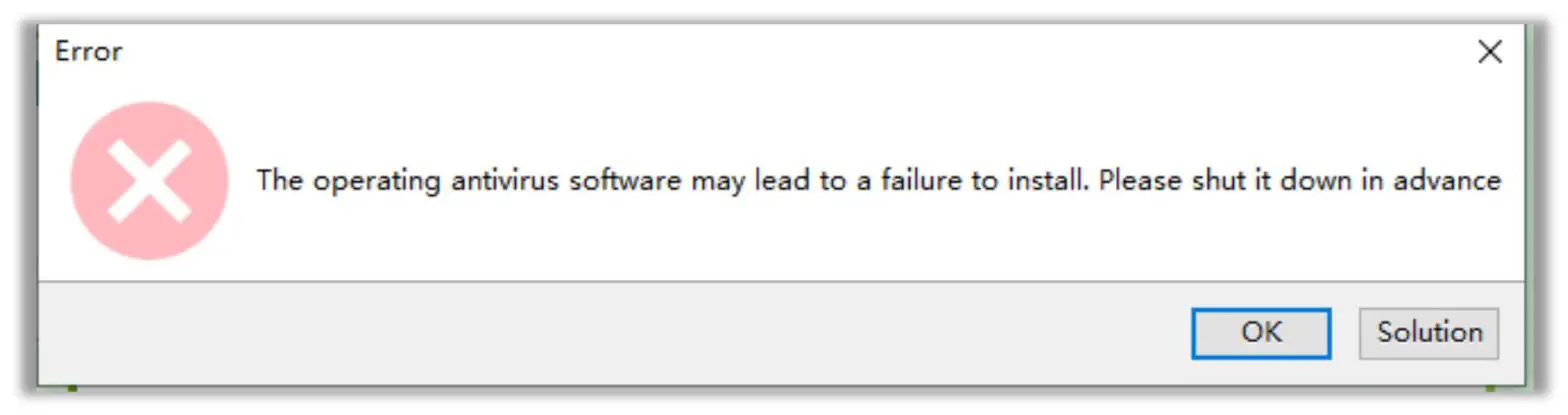
• When the ports are occupied, make the ports available. - If there is any anomaly detection, the following error prompt pops up:


- If there is no anomaly detection, click Continue.
- Click Next to start setting the installation parameters.

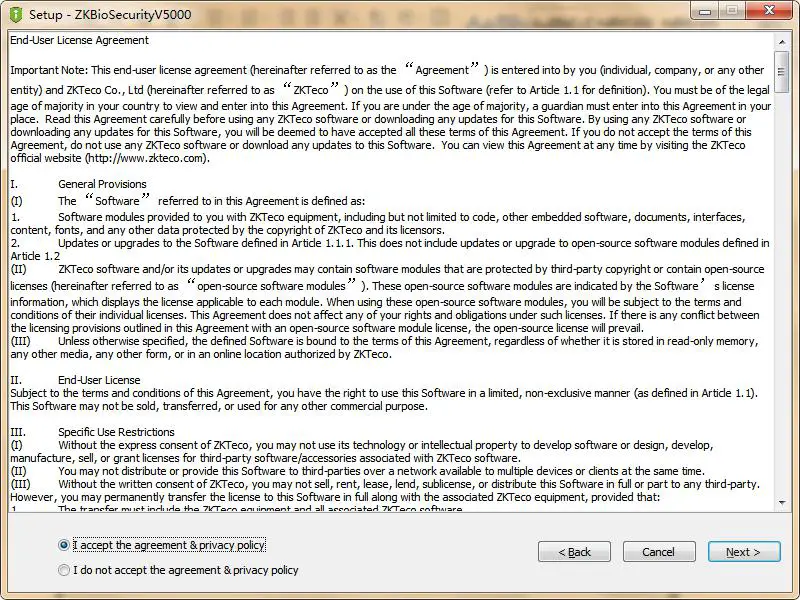
- Select the radio button to accept the agreement and privacy policy, then click Next to continue.

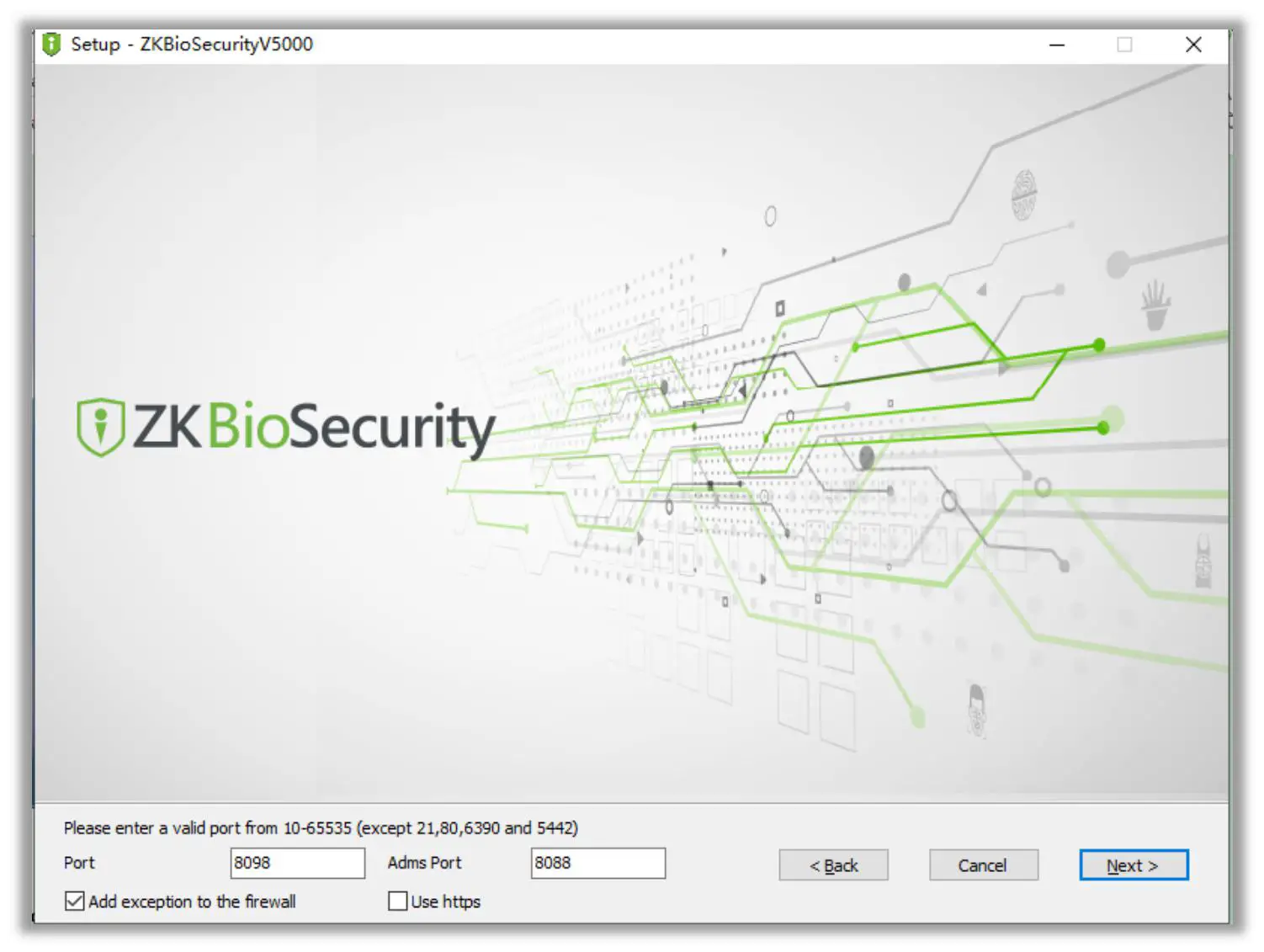
- Set the Access Port number.

 Note:
Note:
• The Server Port is 8098 by default. Make sure not to use any occupied port. It can’t be the same with the Database Port 5432, Redis Port 6380, Port 21, Port 80, and Port 8088.
• Add an exception in the Firewall to avoid blocking the program.
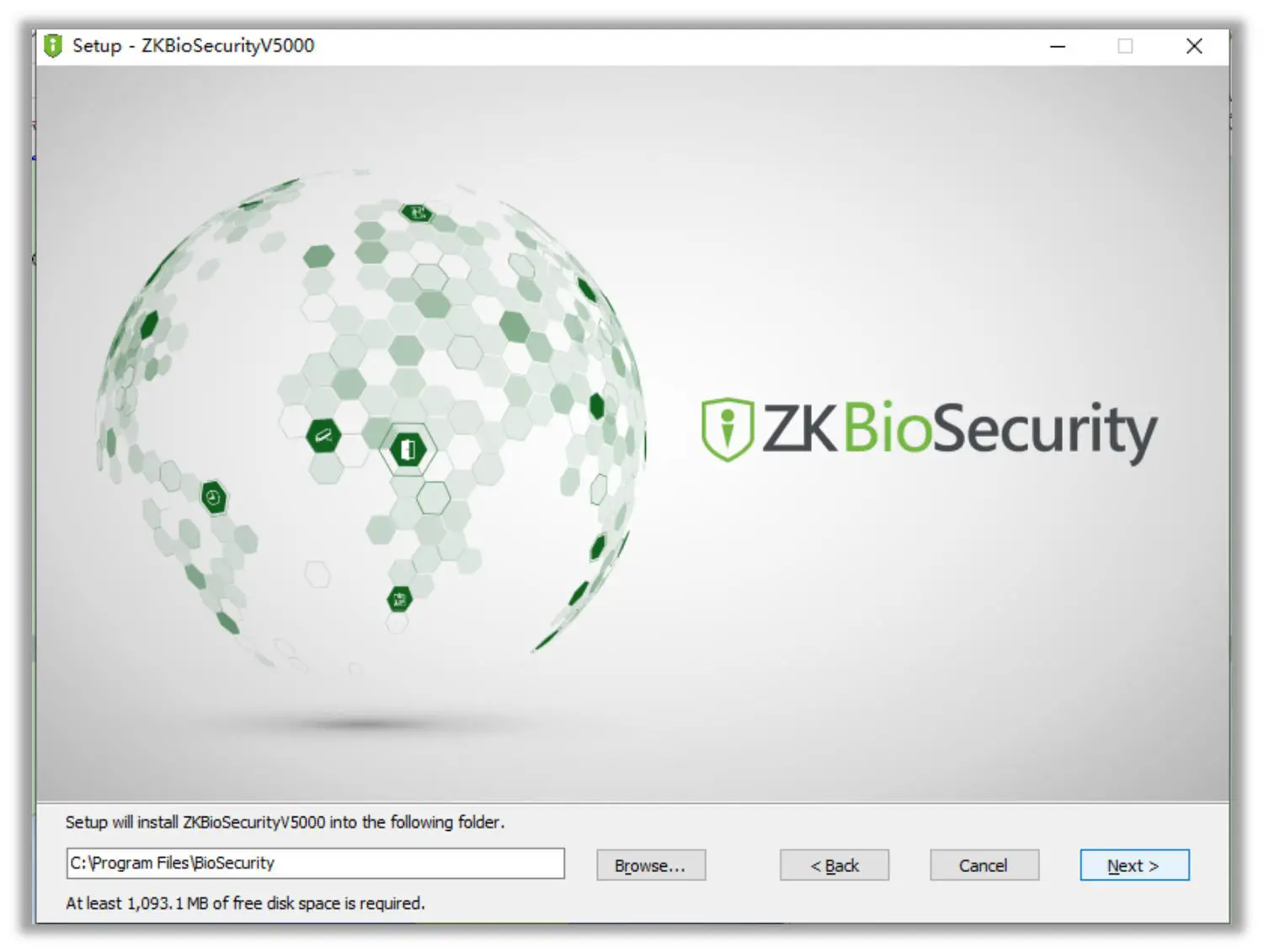
• The ADMS Port is used to connect the device and the Web access port which is used to access the website. You can define the port except the port numbers 21, 80, 6380, 8098, and 5432. - Click Next to select the installation path.
 Note:
Note:
• You can select the installation path as you wish.
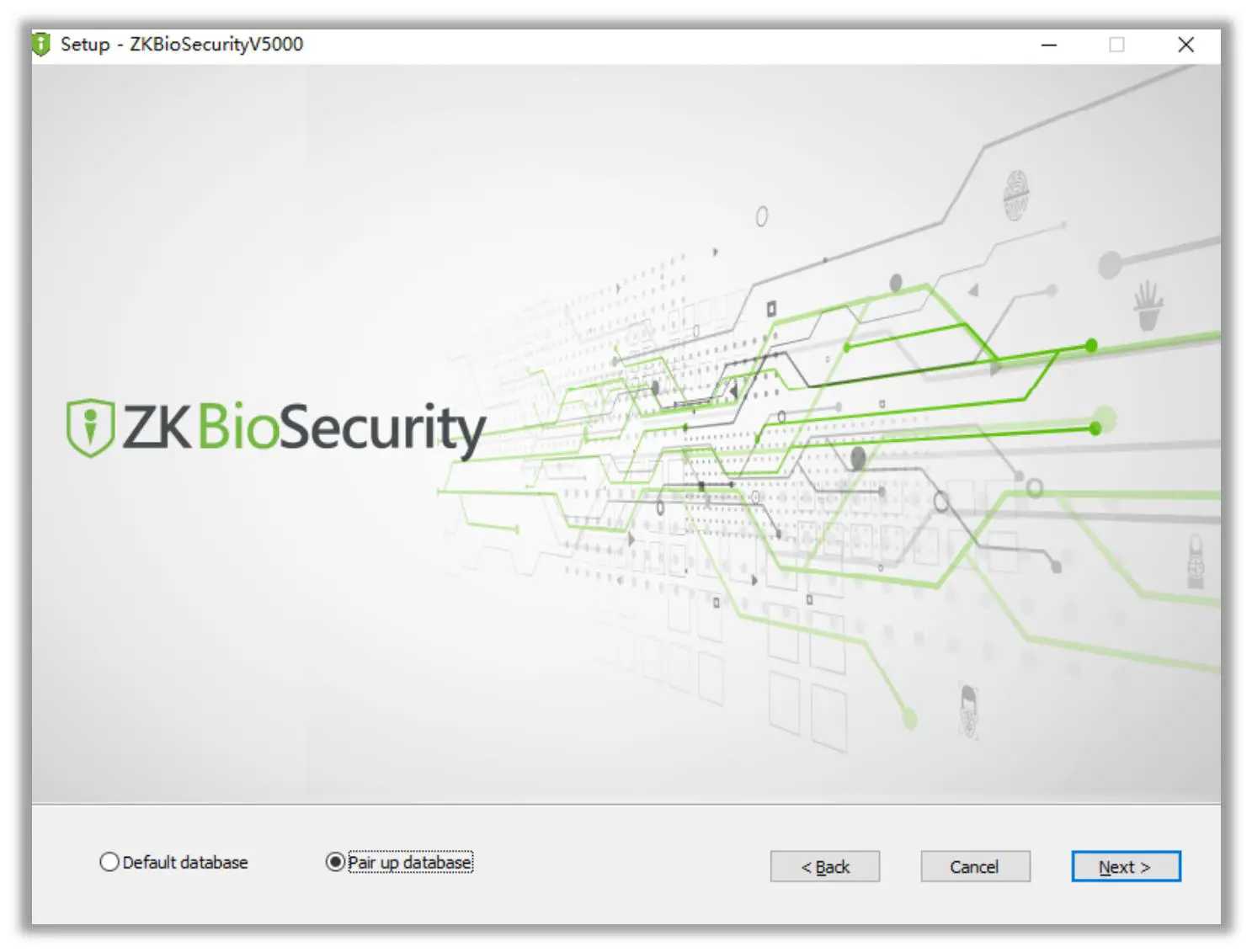
• The Software requires at least 1093.1MB space. Make sure that the installation path has enough memory. - Select the Database type. The supported types are PostgreSQL, MS SQL Server, and Oracle.

- Click Next to set the backup path.
 Notes:
• Select the installation path as you wish.
• The Software looks for the largest available space and creates a folder named SecurityDBBack. - Click Next.
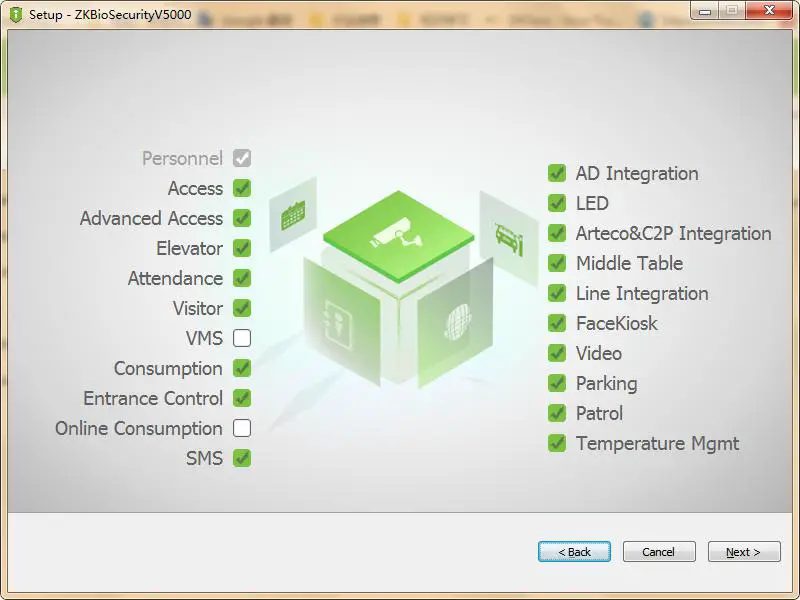
- Select the required modules before installation and click Next. Notes:
• VMS and Video modules are alternatives.
• Consumption and Online Consumption are alternatives.
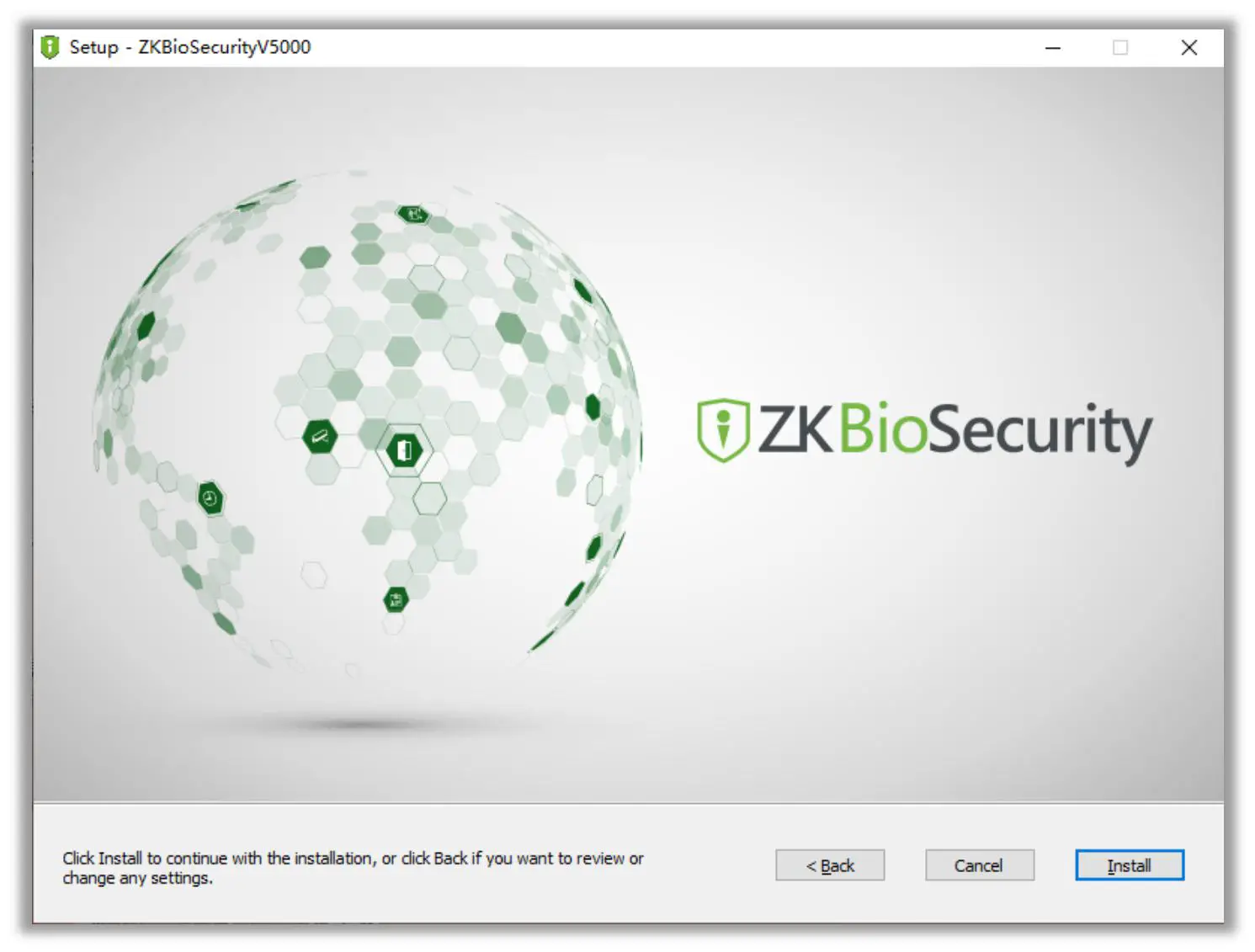
• After completing the installation, you can open the Controller to add a new module as required. - Click Next to continue the installation process.
 Notes:
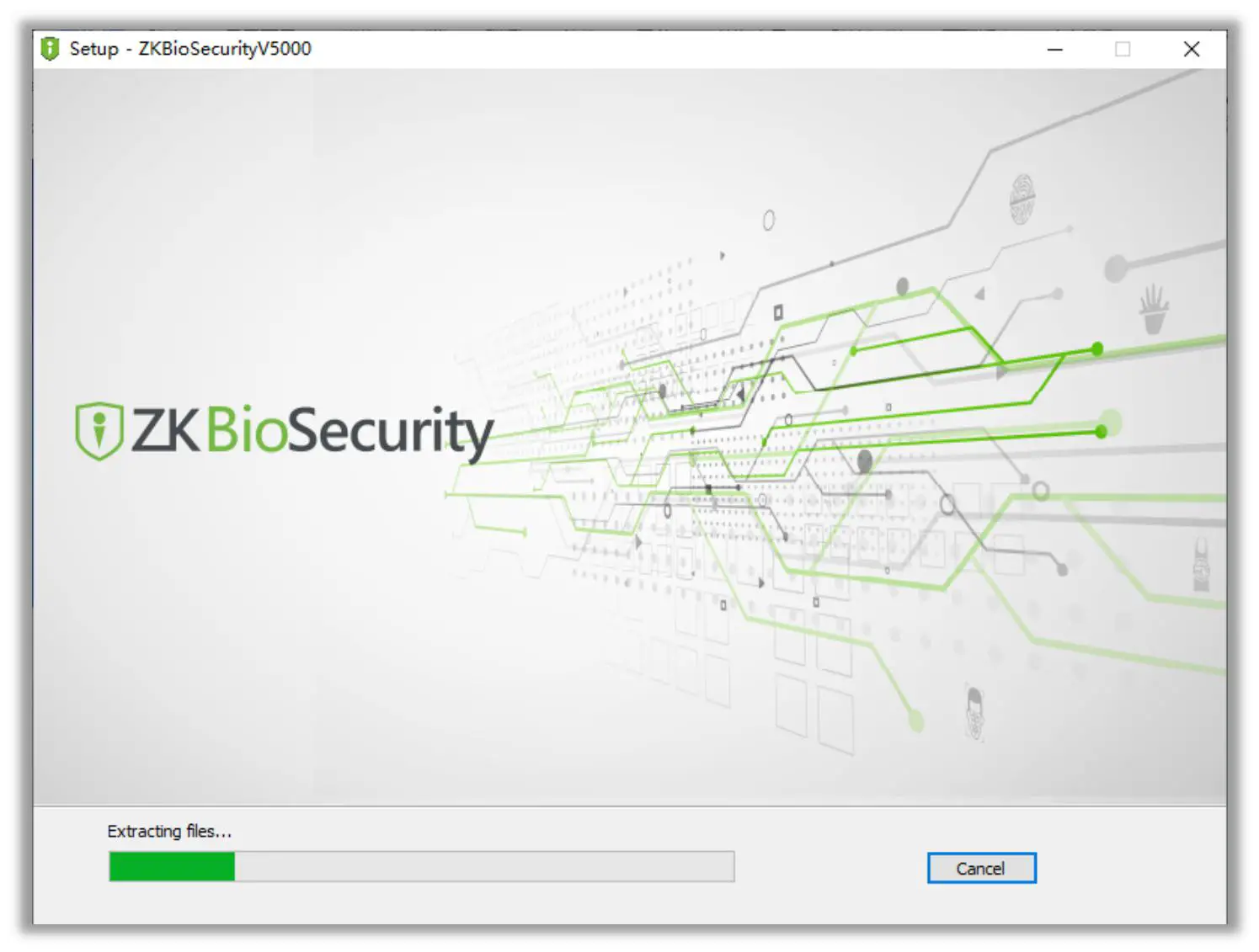
• Click Cancel to quit the installation or click Back to reset the settings. - Click Install to start installing the software.

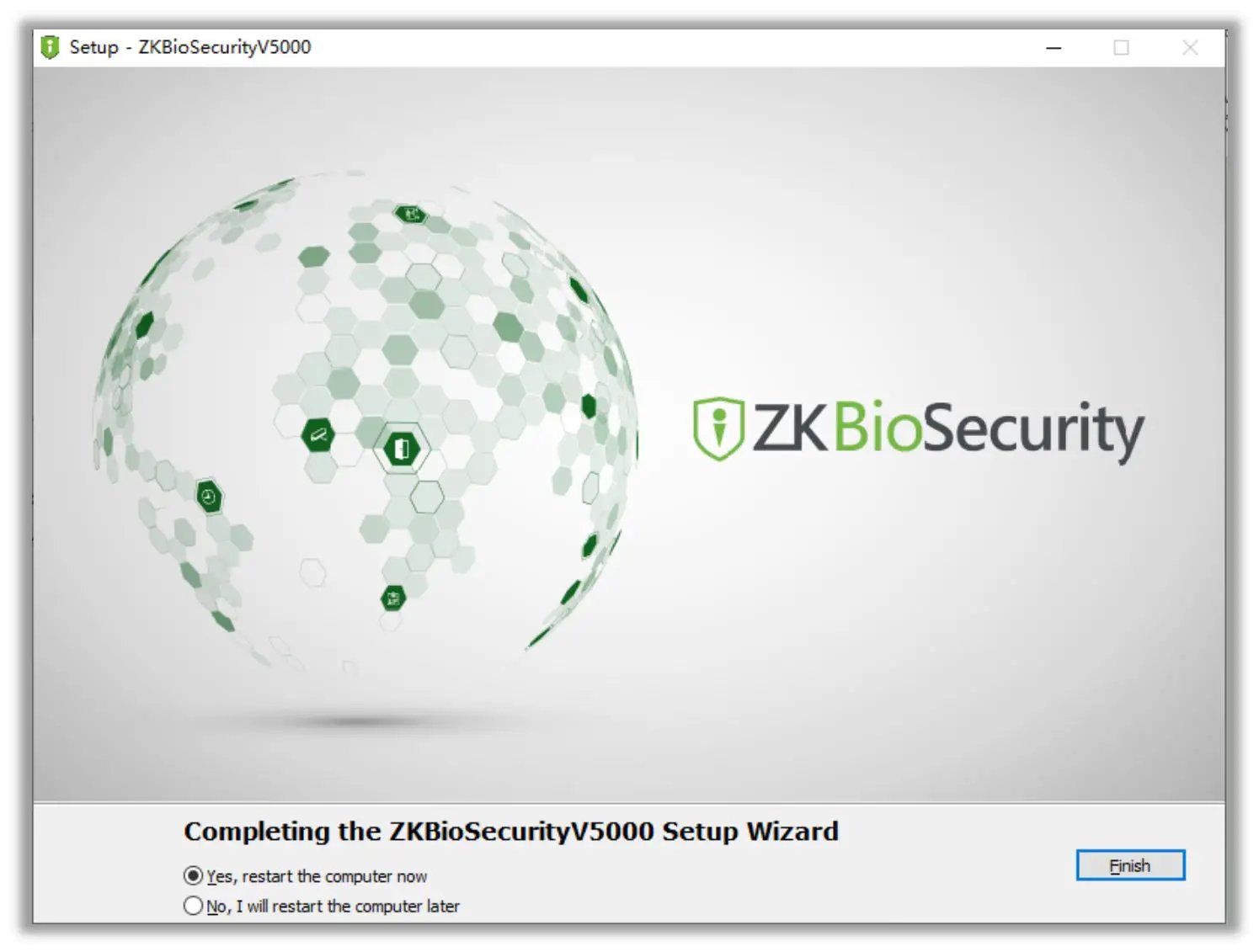
- After installation, click Finish and restart the Server to complete the installation.



Copyright©2020 ZKTECO CO., LTD. All rights reserved.
ZKTeco Industrial Park, No. 26, 188 Industrial Road,
Tangxia Town, Dongguan, China.
Phone : +86 769 – 82109991
Fax : +86 755 – 89602394
www.zkteco.com
Copyright © 2020 ZKTECO CO., LTD. All Rights Reserved.