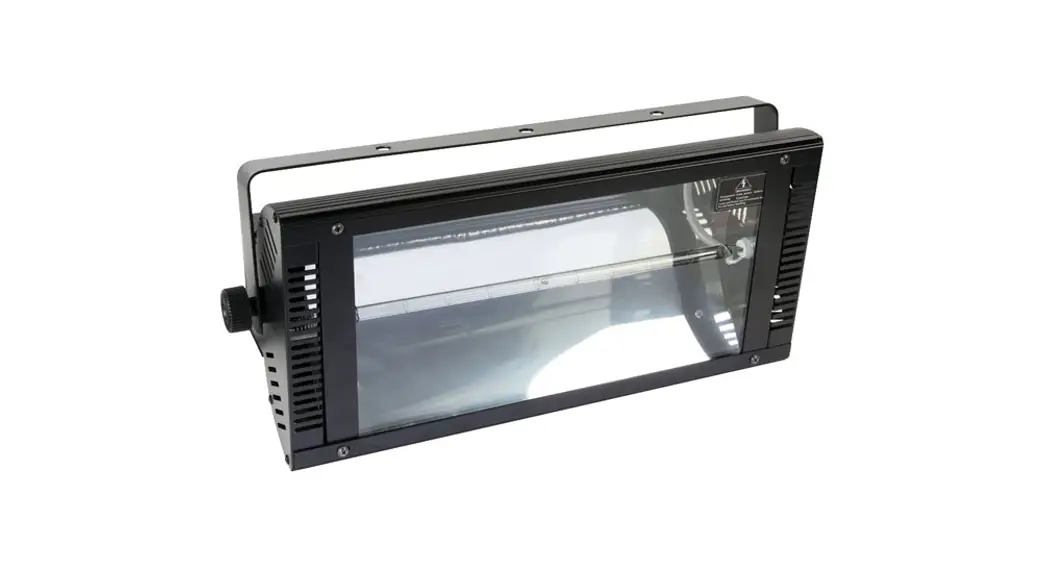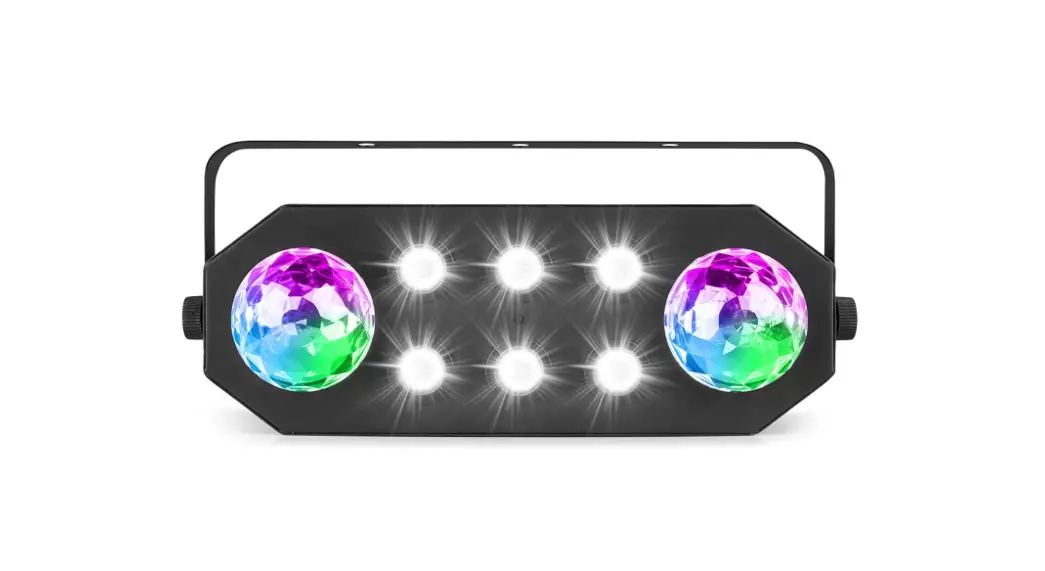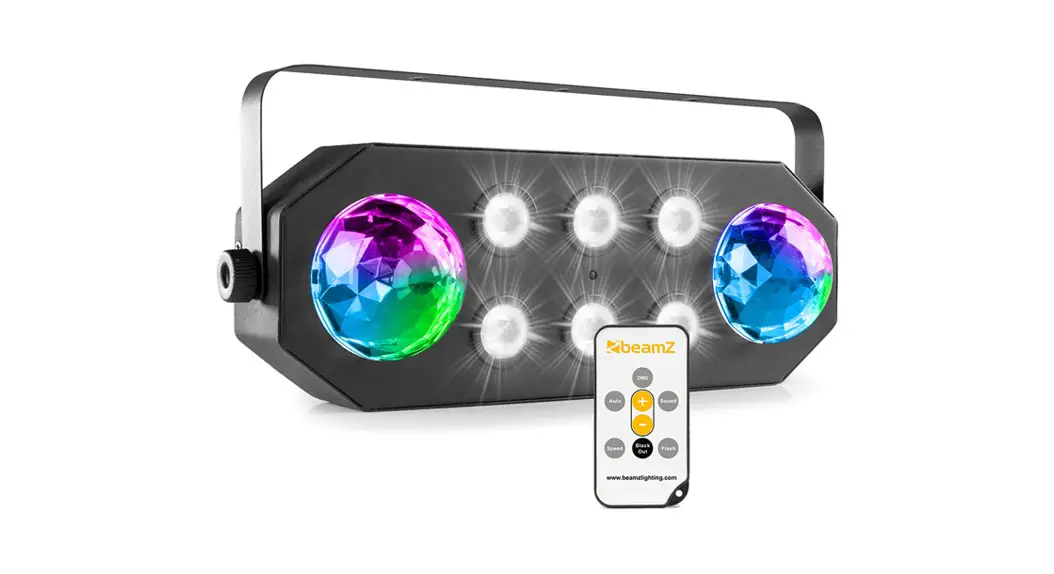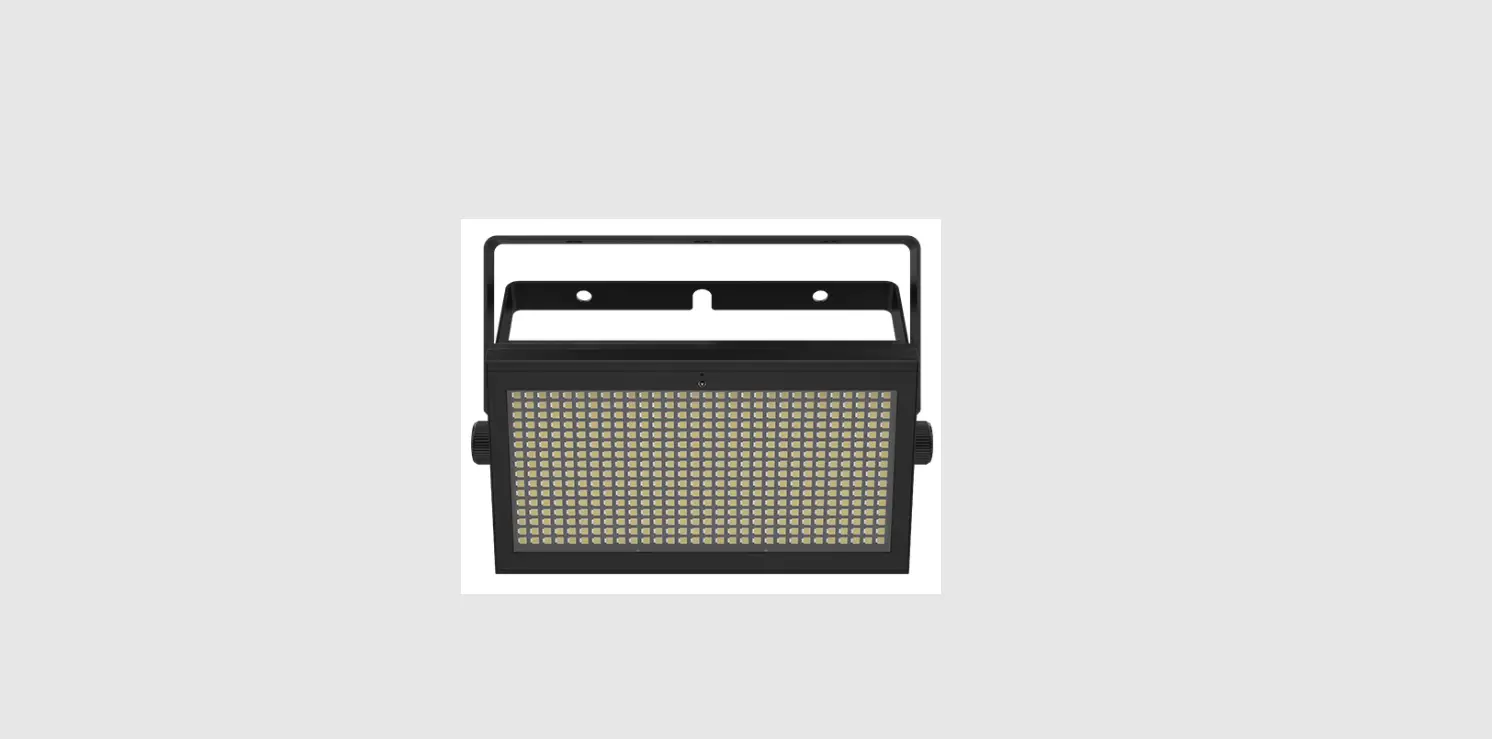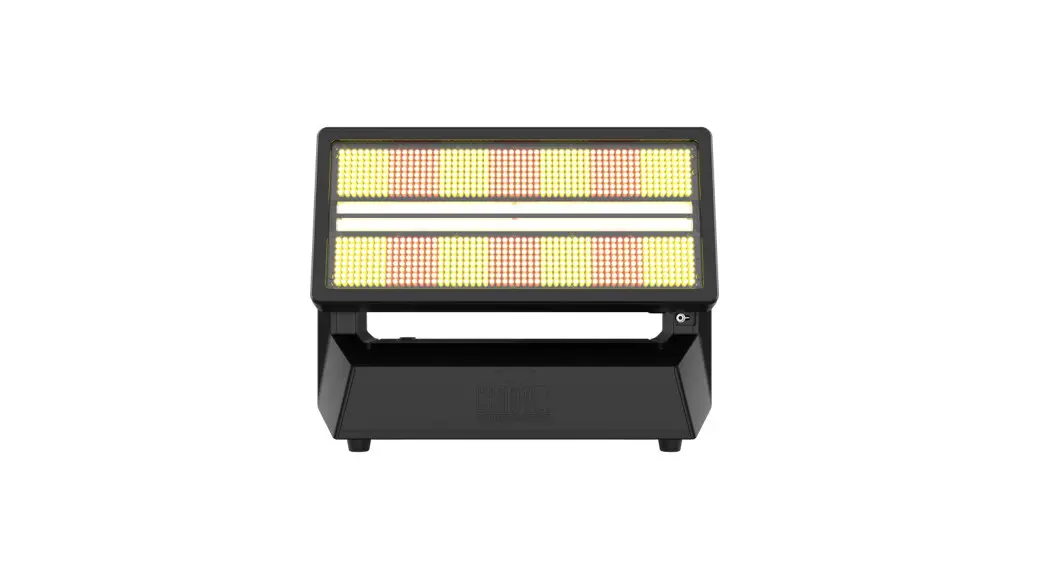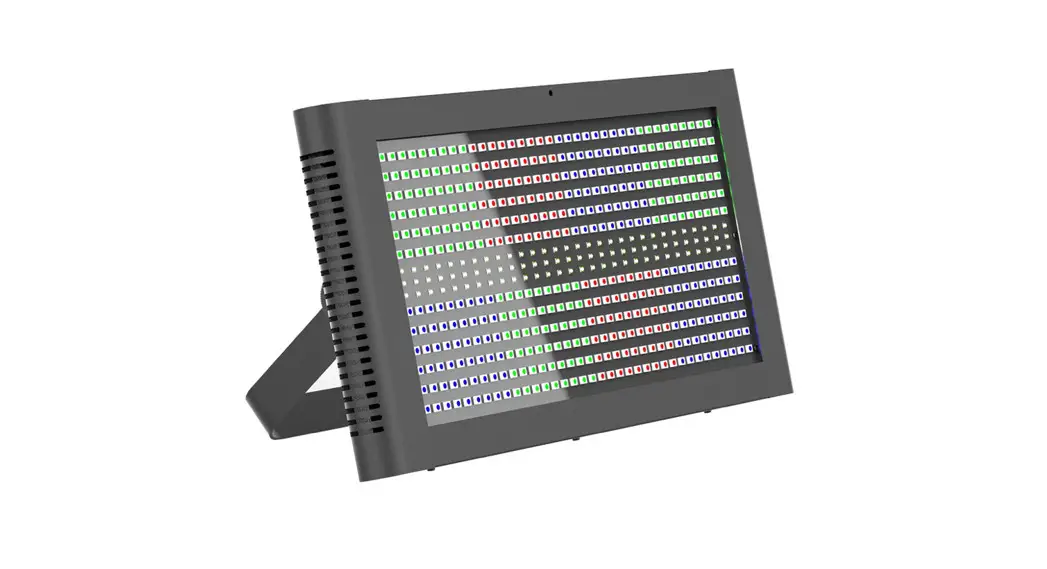
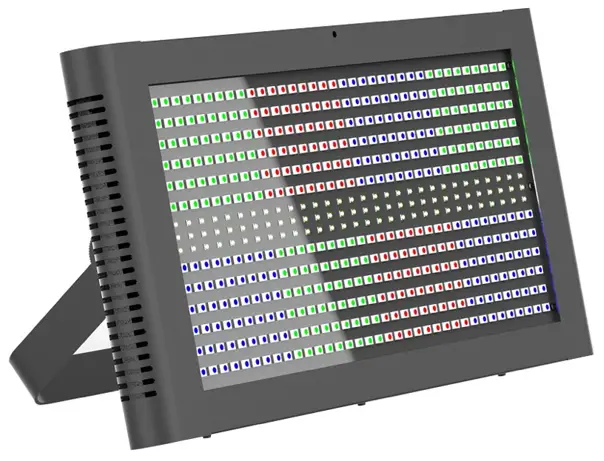
STUNNER400
Hybrid strobe and 36 section eye-candy effect
USER MANUAL
For safety, please read this user manual carefully before initial use.
Event Lighting reserves the right to revise the manual at any time. Information and specifications within this manual are subject to change without notice. Event Lighting assumes no liability or responsibility for any errors or omissions. Please consult Event Lighting for any clarification or information regarding this item.
Version: 10 (28 Sep. 2020)
Safety Instructions
Warning
- Do not open this device, there are no user-serviceable parts inside.
- Do not look at the light source when the device is on.
- This unit’s housing may be hot during and after the operation.
- Install this device in a location with adequate ventilation, at least 20 inches (50 cm) from adjacent surfaces.
- Do not leave any flammable material within 50 cm of this unit while operating or connected to power.
- Do not operate this device outdoors or in any location where dust, excessive heat, water, or humidity may affect it.
- Do not operate this device if the housing, lenses, or cables appear damaged.
- Do not connect this device to a dimmer or rheostat.
- ONLY connect this device to a grounded and protected circuit.
- ONLY use the hanging bracket to carry this device.
- In case of a serious operating problem, stop using immediately.
- The maximum ambient temperature is 104° F (40° C). Do not operate this device at higher temperatures.
- Keep the device out of direct sunlight. Due to the magnifying type lens, direct sunlight can cause heat to build up and damage the unit.
Power Input and Power Linking
This device has an auto-switching power supply work with input voltage range of 100~240 VAC,
50/60 Hz. Link up to the maximum of 8A. Do not exceed this.
Product Installation
- This device can be mounted in many orientations provided each individual device is secured by the use of the correct mounting bracket.
- Use a safety chain when mounting this device overhead.
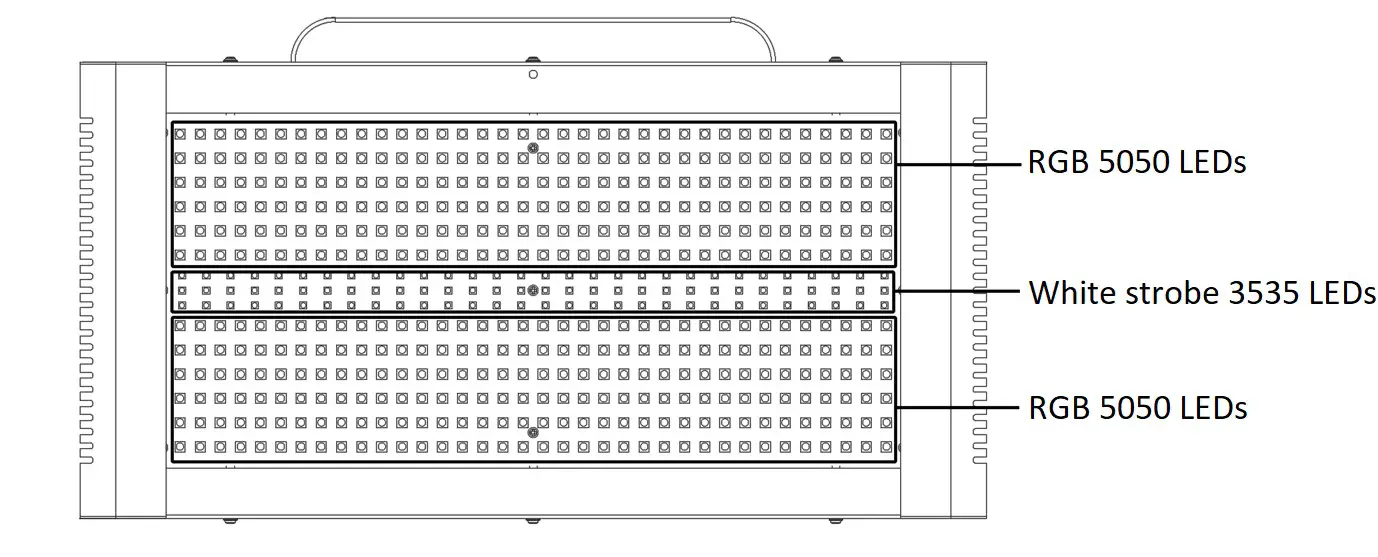
Overview
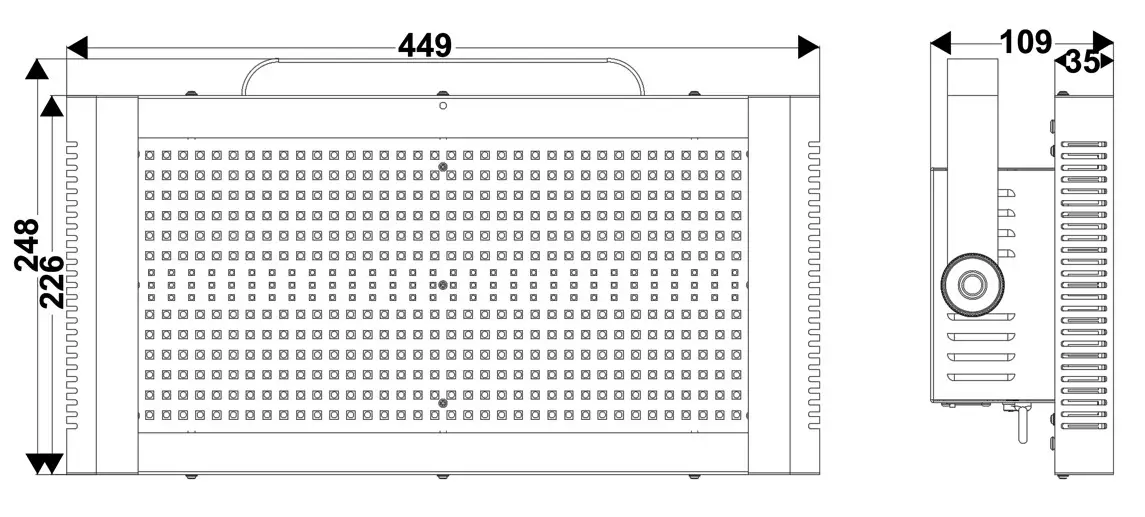
Dimensions
 Lux Chart
| Distance | 1m | 2m |
| R | 95 | 35 |
| G | 290 | 90 |
| B | 12 | 9 |
| W | 3300 | 900 |
| RGB | 375 | 110 |
| Full | 3400 | 950 |
Menu Operation
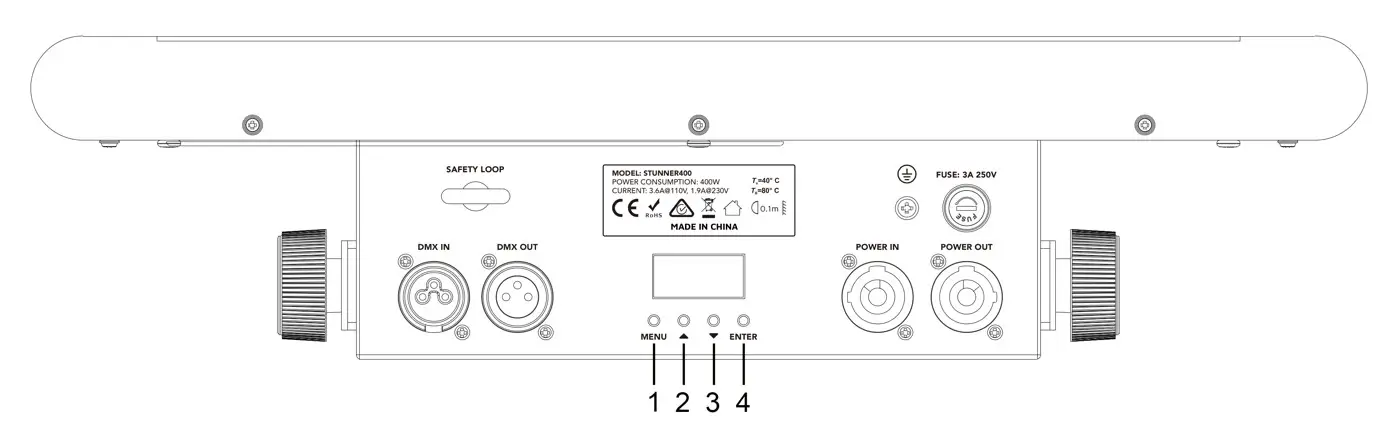
- Menu – Move up a level.
- Up – Move selection up one item.
- Down – Move selection down one item.
- Enter – Select / Move down a level.
Menu
Display | OptionsNalues | Description |
| Address | A001 — A512 | Set the DMX address. |
| Chad | 12ch/45ch/117ch | Set the DMX channel mode. |
| Mode | Mast/d512 | Set master/slave mode. |
| sound | Su 0 … Su59 Se00 … Se99 | Set sound active mode. Set sound sensitivity. |
| Auto | Au 0 … Au59 Sp 1 … Sp 9 | Set auto mode. Auto speed adjustment. |
| Colo | Co 1 … Co 7 | Set a static color. |
| Muan | rEd 0 … 255 grEE 0 … 255 bluE 0 … 255 Whit 0 … 255 to 0 … 255 | Red dimmer. Green dimmer. Blue dimmer. White dimmer. Strobe. |
| Disp | Disp/IP | Reverse display. |
| Ver | V10 | Display software version. |
Colour | Description |
| Co 1 | Red + strobe |
| Co 2 | Green + strobe |
| Co 3 | Blue + strobe |
| Co 4 | Red + green + strobe |
| Co 5 | Red + blue + strobe |
| Co 6 | Green + blue + strobe |
| Co 7 | Red + green + blue + strobe |
Master/Slave Operation
Master/Slave mode allows you to link up to 12 fixtures and operate them without a controller. In Master/Slave mode, the first fixture will control the others. To set up Master/Slave mode, connect each fixture to the previous one using a DMX cable. Leave the first fixture’s DMX input unconnected. The other fixtures will be set to slave mode automatically.
DMX Chart
The device is controlled by universal DMX 512 protocol, DMX address is the start channel used to receive instructions from the external controller. For independent control, each fixture must be assigned its unique address control channels. For example, this device has three channel modes: 12/45/117, if we set the mode to 12 channel mode, and there are several models that need to be independently controlled, we just simply address the first fixture at 1, and the second fixture at 13, the third one at 25, etc.
- If the devices have the same address, they will behave synchronically.
- Display is flashing when no DMX signal is received.
| MODE / CHANNEL | VALUE | FUNCTION | |||
| 12CH | 45CH | 117CH | |||
| 1 | 1 | 1 | 000 | 255 | Master dimmer 0% ~ 100% |
| 2 | 000 | 008 | None | ||
| 009 | 255 | RGB 5050 strobe, slow to fast | |||
| 3 | 000 | 255 | RGB 5050 red dimmer 0% ~ 100% | ||
| 4 | 000 | 255 | RGB 5050 green dimmer 0% ~ 100% | ||
| 5 | 000 | 255 | RGB 5050 blue dimmer 0% ~ 100% | ||
| 6 | 000 | 255 | White 3535 dimmer 0% ~ 100% | ||
| 7 | 000 | 008 | White 3535 no strobe | ||
| 009 | 009 | White 3535 strobe | |||
| 010 | 012 | White 3535 strobe, slow to fast | |||
| 013 | 013 | White 3535 no strobe | |||
| 014 | 131 | White 3535 strobe, slow to fast | |||
| 132 | 139 | White 3535 no strobe | |||
| 140 | 181 | White 3535 pulse strobe from slow to fast, fade in | |||
| 182 | 189 | White 3535 no strobe | |||
| 190 | 231 | White 3535 pulse strobe from slow to fast, fade out | |||
| 232 | 255 | White 3535 no strobe | |||
| 2 | 2 | 000 | 008 | RGB 5050 none | |
| 009 | 255 | RGB 5050 strobe, slow to fast | |||
| 3 | 3 | 000 | 255 | White 3535 dimmer 0% ~ 100% | |
| 4 | 4 | 000 | 008 | White 3535 no strobe | |
| 009 | 009 | White 3535 strobe | |||
| 010 | 012 | White 3535 strobe, slow to fast | |||
| 013 | 013 | White 3535 no strobe | |||
| 014 | 131 | White 3535 strobe, slow to fast | |||
| 132 | 139 | White 3535 no strobe | |||
| 140 | 181 | White 3535 pulse strobe from slow to fast, fade in | |||
| 182 | 189 | White 3535 no strobe | |||
| 190 | 231 | White 3535 pulse strobe from slow to fast, fade out | |||
| 232 | 255 | White 3535 no strobe | |||
| 000 | 015 | Segment 1 color – White | |||
| 016 | 031 | Segment 1 color – Red | |||
| 032 | 047 | Segment 1 color – Green | |||
| 048 | 063 | Segment 1 color – Blue | |||
| 064 | 079 | Segment 1 colour – Red + green (1) | |||
| 080 | 095 | Segment 1 colour – Red + green (2) | |||
| 096 | 111 | Segment 1 colour – Red + green (3) | |||
| 112 | 127 | Segment 1 colour – Red + blue (1) | |||
| 128 | 143 | Segment 1 colour – Red + blue (2) | |||
| 144 | 159 | Segment 1 colour – Red + blue (3) | |||
| 160 | 175 | Segment 1 colour – Green + blue (1) | |||
| 176 | 191 | Segment 1 colour – Green + blue (2) | |||
| 192 | 207 | Segment 1 colour – Green + blue (3) | |||
| 208 | 255 | Segment 1 color – White | |||
| 6 | 000 | 015 | Segment 2 color – White | ||
| 016 | 031 | Segment 2 color – Red | |||
| 032 | 047 | Segment 2 color – Green | |||
| 048 | 063 | Segment 2 color – Blue | |||
| 064 | 079 | Segment 2 colour – Red + green (1) | |||
| 080 | 095 | Segment 2 colour – Red + green (2) | |||
| 096 | 111 | Segment 2 colour – Red + green (3) | |||
| 112 | 127 | Segment 2 colour – Red + blue (1) | |||
| 128 | 143 | Segment 2 colour – Red + blue (2) | |||
| 144 | 159 | Segment 2 colour – Red + blue (3) | |||
| 160 | 175 | Segment 2 colour – Green + blue (1) | |||
| 176 | 191 | Segment 2 colour – Green + blue (2) | |||
| 192 | 207 | Segment 2 colour – Green + blue (3) | |||
| 208 | 255 | Segment 2 color – White | |||
| … | … | … | … | ||
| 40 | 000 | 015 | Segment 36 color – White | ||
| 016 | 031 | Segment 36 color – Red | |||
| 032 | 047 | Segment 36 color – Green | |||
| 048 | 063 | Segment 36 color – Blue | |||
| 064 | 079 | Segment 36 colour – Red + green (1) | |||
| 080 | 095 | Segment 36 colour – Red + green (2) | |||
| 096 | 111 | Segment 36 colour – Red + green (3) | |||
| 112 | 127 | Segment 36 colour – Red + blue (1) | |||
| 128 | 143 | Segment 36 colour – Red + blue (2) | |||
| 144 | 159 | Segment 36 colour – Red + blue (3) | |||
| 160 | 175 | Segment 36 colour – Green + blue (1) | |||
| 176 | 191 | Segment 36 colour – Green + blue (2) | |||
| 192 | 207 | Segment 36 colour – Green + blue (3) | |||
| 208 | 255 | Segment 36 color – White | |||
| 5 | 000 | 255 | Segment 1, red 0% ~ 100% | ||
| 6 | 000 | 255 | Segment 1, green 0% ~ 100% | ||
| 7 | 000 | 255 | Segment 1, blue 0% ~ 100% | ||
| 8 | 000 | 255 | Segment 2, red 0% ~ 100% | ||
| 9 | 000 | 255 | Segment 2, green 0% ~ 100% | ||
| 10 | 000 | 255 | Segment 2, blue 0% ~ 100% | ||
| … | … | … | … | ||
| 110 | 000 | 255 | Segment 36, red 0% ~ 100% | ||
| 111 | 000 | 255 | Segment 36, green 0% ~ 100% | ||
| 112 | 000 | 255 | Segment 36, blue 0% ~ 100% | ||
| 8 | 41 | 113 | 000 | 007 | No function |
| 008 | 012 | Chase 1 | |||
| 013 | 016 | Chase 2 | |||
| 017 | 020 | Chase 3 | |||
| 021 | 024 | Chase 4 | |||
| 025 | 028 | Chase 5 | |||
| 029 | 032 | Chase 6 | |||
| 033 | 036 | Chase 7 | |||
| 037 | 040 | Chase 8 | |||
| 041 | 044 | Chase 9 | |||
| 045 | 048 | Chase 10 | |||
| 049 | 052 | Chase 11 | |||
| 053 | 056 | Chase 12 | |||
| 057 | 060 | Chase 13 | |||
| 061 | 064 | Chase 14 | |||
| 065 | 068 | Chase 15 | |||
| 069 | 072 | Chase 16 | |||
| 073 | 076 | Chase 17 | |||
| 077 | 080 | Chase 18 | |||
| 081 | 085 | Chase 19 | |||
| 086 | 089 | Chase 20 | |||
| 090 | 093 | Chase 21 | |||
| 094 | 097 | Chase 22 | |||
| 098 | 101 | Chase 23 | |||
| 102 | 105 | Chase 24 | |||
| 106 | 109 | Chase 25 | |||
| 110 | 113 | Chase 26 | |||
| 114 | 117 | Chase 27 | |||
| 118 | 121 | Chase 28 | |||
| 122 | 125 | Chase 29 | |||
| 126 | 129 | Chase 30 | |||
| 130 | 133 | Chase 31 | |||
| 134 | 137 | Chase 32 | |||
| 138 | 141 | Chase 33 | |||
| 142 | 145 | Chase 34 | |||
| 146 | 149 | Chase 35 | |||
| 150 | 153 | Chase 36 | |||
| 154 | 158 | Chase 37 | |||
| 159 | 162 | Chase 38 | |||
| 163 | 166 | Chase 39 | |||
| 167 | 170 | Chase 40 | |||
| 171 | 174 | Chase 41 | |||
| 175 | 178 | Chase 42 | |||
| 179 | 182 | Chase 43 | |||
| 183 | 186 | Chase 44 | |||
| 187 | 190 | Chase 45 | |||
| 191 | 194 | Chase 46 | |||
| 195 | 198 | Chase 47 | |||
| 199 | 202 | Chase 48 | |||
| 203 | 206 | Chase 49 | |||
| 207 | 210 | Chase 50 | |||
| 211 | 214 | Chase 51 | |||
| 215 | 218 | Chase 52 | |||
| 219 | 222 | Chase 53 | |||
| 223 | 226 | Chase 54 | |||
| 227 | 231 | Chase 55 | |||
| 232 | 235 | Chase 56 | |||
| 236 | 239 | Chase 57 | |||
| 240 | 243 | Chase 58 | |||
| 244 | 247 | Chase 59 | |||
| 248 | 255 | Auto Run | |||
| 9 | 42 | 114 | 000 | 007 | No function |
| 008 | 012 | Pattern 1 | |||
| 013 | 016 | Pattern 2 | |||
| 017 | 020 | Pattern 3 | |||
| 021 | 024 | Pattern 4 | |||
| 025 | 028 | Pattern 5 | |||
| 029 | 032 | Pattern 6 | |||
| 033 | 036 | Pattern 7 | |||
| 037 | 040 | Pattern 8 | |||
| 041 | 044 | Pattern 9 | |||
| 045 | 048 | Pattern 10 | |||
| 049 | 052 | Pattern 11 | |||
| 053 | 056 | Pattern 12 | |||
| 057 | 060 | Pattern 13 | |||
| 061 | 064 | Pattern 14 | |||
| 065 | 068 | Pattern 15 | |||
| 069 | 072 | Pattern 16 | |||
| 073 | 076 | Pattern 17 | |||
| 077 | 080 | Pattern 18 | |||
| 081 | 085 | Pattern 19 | |||
| 086 | 089 | Pattern 20 | |||
| 090 | 093 | Pattern 21 | |||
| 094 | 097 | Pattern 22 | |||
| 098 | 101 | Pattern 23 | |||
| 102 | 105 | Pattern 24 | |||
| 106 | 109 | Pattern 25 | |||
| 110 | 113 | Pattern 26 | |||
| 114 | 117 | Pattern 27 | |||
| 118 | 121 | Pattern 28 | |||
| 122 | 125 | Pattern 29 | |||
| 126 | 129 | Pattern 30 | |||
| 130 | 133 | Pattern 31 | |||
| 134 | 137 | Pattern 32 | |||
| 138 | 141 | Pattern 33 | |||
| 142 | 145 | Pattern 34 | |||
| 146 | 149 | Pattern 35 | |||
| 150 | 153 | Pattern 36 | |||
| 154 | 158 | Pattern 37 | |||
| 159 | 162 | Pattern 38 | |||
| 163 | 166 | Pattern 39 | |||
| 167 | 170 | Pattern 40 | |||
| 171 | 174 | Pattern 41 | |||
| 175 | 178 | Pattern 42 | |||
| 179 | 182 | Pattern 43 | |||
| 183 | 186 | Pattern 44 | |||
| 187 | 190 | Pattern 45 | |||
| 191 | 194 | Pattern 46 | |||
| 195 | 198 | Pattern 47 | |||
| 199 | 202 | Pattern 48 | |||
| 203 | 206 | Pattern 49 | |||
| 207 | 210 | Pattern 50 | |||
| 211 | 214 | Pattern 51 | |||
| 215 | 218 | Pattern 52 | |||
| 219 | 222 | Pattern 53 | |||
| 223 | 226 | Pattern 54 | |||
| 227 | 231 | Pattern 55 | |||
| 232 | 235 | Pattern 56 | |||
| 236 | 239 | Pattern 57 | |||
| 240 | 243 | Pattern 58 | |||
| 244 | 247 | Pattern 59 | |||
| 248 | 251 | Pattern 60 | |||
| 252 | 255 | Pattern 61 | |||
| 10 | 43 | 115 | 000 | 015 | Pattern Colour 1 – White |
| 016 | 031 | Pattern Colour 2 – Red | |||
| 032 | 047 | Pattern Colour 3 – Green | |||
| 048 | 063 | Pattern Colour 4 – Blue | |||
| 064 | 079 | Pattern Colour 5 – Red + green (1) | |||
| 080 | 095 | Pattern Colour 6 – Red + green (2) | |||
| 096 | 111 | Pattern Colour 7 – Red + green (3) | |||
| 112 | 127 | Pattern Colour 8 – Red + blue (1) | |||
| 128 | 143 | Pattern Colour 9 – Red + blue (2) | |||
| 144 | 159 | Pattern Colour 10 – Red + blue (3) | |||
| 160 | 175 | Pattern Colour 11 – Green + blue (1) | |||
| 176 | 191 | Pattern Colour 12 – Green + blue (2) | |||
| 192 | 207 | Pattern Colour 13 – Green + blue (3) | |||
| 208 | 255 | Pattern Colour 14 – White | |||
| 11 | 44 | 116 | 000 | 015 | Background Colour 1 – White |
| 016 | 031 | Background Colour 2 -Red | |||
| 032 | 047 | Background Colour 3 – Green | |||
| 048 | 063 | Background Colour 4 – Blue | |||
| 064 | 079 | Background Colour 5 – Red + green (1) | |||
| 080 | 095 | Background Colour 6 – Red + green (2) | |||
| 096 | 111 | Background Colour 7 – Red + green (3) | |||
| 112 | 127 | Background Colour 8 – Red + blue (1) | |||
| 128 | 143 | Background Colour 9 – Red + blue (2) | |||
| 144 | 159 | Background Colour 10 – Red + blue (3) | |||
| 160 | 175 | Background Colour 11 – Green + blue (1) | |||
| 176 | 191 | Background Colour 12 – Green + blue (2) | |||
| 192 | 207 | Background Colour 13 – Green + blue (3) | |||
| 208 | 255 | Background Colour 14 – White | |||
| 12 | 45 | 117 | 000 | 255 | Pattern running speed from slow to fast |
PowerTechnical Specifications
- Power supply: 100-240v AC, 50/60Hz
- Power consumption: 400W
Photometrics
- Light Source:
o RGB: 432x 0.2W SMD5050 RGB LEDs
o Strobe: 90x 3W SMD3535 White LEDs, 6,500-7,500K - Output: 3,400 lux @ 1m, full on
- LED Lifespan: 50,000 hours
Effects
- Dimming: 0-100%
- Strobe: 0-20hz
Control
- Protocol: DMX512
- DMX Channels: 12/45/117
- Interface: 3-pin DMX in/out
- Operation Modes: DMX, Manual, Auto, Sound Active, Master/Slave
- Display: 4-digit LED display with 4-button control
Housing
- Dimensions: 449*248*109mm
- Weight: 4.55kg
Warranty
Please refer to your local dealer or contact Event Lighting Pty Ltd.
 Australia Entertainment Lighting Wholesaler | Event Lighting