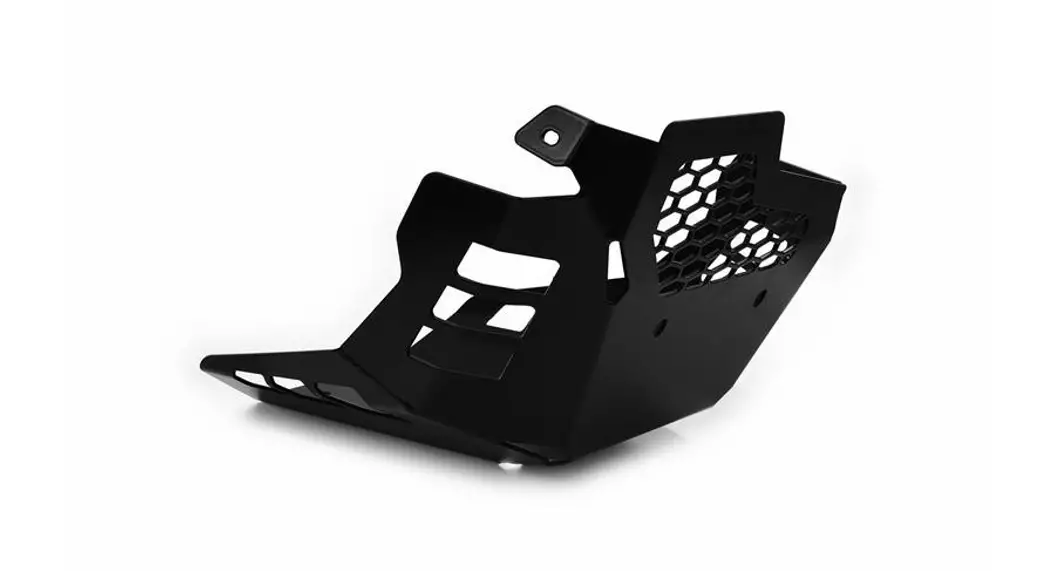
256-1033 Light Guard Kit
Panstop/Light Guard Kit (256-1033)
The Panstop/Light Guard Kit is designed to provide protection
for the light fixtures in your oven. It prevents any residue or
debris from coming into contact with the light fixtures, ensuring
their longevity and optimal performance. The kit includes a
Pan-stop/Light Guard, screws, and optional new gaskets for the
light globes.
Product Usage Instructions:
- Notice if there is any residue of the gasket material remaining
around the light fixture or on the light globe itself. If so,
remove it with a soft cloth. - Then remove the screws from only the lower light fixture and
set them aside for reinstallation later. DO NOT REMOVE THE
SCREWS FROM THE UPPER LIGHT FIXTURE. - Remove the plastic material from the Pan-stop/Light Guard.
- Place the Pan-stop/Light Guard over the light fixtures allowing
the screws of the top light fixture to sit on the corresponding
holes of the Pan-stop/Light Guard. - Then replace the two screws through the Pan-stop/Light Guard
lower holes to secure it to the oven wall and light fixture.
Tighten securely, but do not overtighten. - Then replace the light gaskets with new gaskets onto the light
globes and reinstall them onto the light fixtures.
Note: New gaskets are not required if existing gaskets are not
damaged.
Rev date: 3/17/2023
Panstop/Light Guard Kit (256-1033)
These instructions are designed to assist you with the installation of the Pan-stop/Light Guard (112-0458-A). 1. Prior to beginning: a. Turn off the power at the OFF/ON switch on the control panel of the unit. b. If the oven has been in use recently, allow the oven to cool sufficiently before proceeding. c. Verify that all parts of the Light Guard (112-0458-A) kit are present a. 112-0458-A Light Guard Qty 1 b. 112-0318-A Gasket Qty 2 2. Remove the Light covers from the light fixtures inside of the oven cavity by turning them in a counterclockwise () direction.
3. Notice if there is any residue of the gasket material remaining around the light fixture or on the light globe itself. If so, remove it with a soft cloth.
Rev date: 3/17/2023
4. Then remove the screws from only the lower light fixture and set them aside for reinstallation later.
DO NOT REMOVE THE SCREWS FROM THE UPPER LIGHT FIXTURE.
5. Remove the plastic material from the Pan-stop/Light Guard.
6. Place the Pan-stop/Light Guard over the light fixtures allowing the screws of the top light fixture to sit on the corresponding holes of the Pan-stop/Light Guard.
Rev date: 3/17/2023
7. Then replace the two screws through the Pan-stop/Light Guard lower holes to secure it to the oven wall and light fixture. Tighten securely, but do not overtighten.
8. Then replace the light gaskets with new gaskets onto the light globes and reinstall them onto the light fixtures.
Note: New gaskets are not required if existing gaskets are not damaged
Rev date: 3/17/2023