PWH-303 Pure Water Hardness
Product Information
| Model | PWH-303 |
|---|---|
| Features |
|
| Specifications |
|
| Standard Accessories |
|
| Optional Accessories |
|
Product Usage Instructions
To use the Pure Water / Hardness Meter (Model: PWH-303), please
follow the instructions below:
- Ensure that the Meter is powered by inserting four DC 1.5V
batteries (UM4/AAA) into the designated battery slots. - Turn on the Meter by pressing the power button.
- Select the desired measurement mode by choosing between Pure
Water (uS) or Hardness (ppm). - Dip the conductivity probe into the water sample to be
measured. - Wait for the reading to stabilize on the LCD display.
- If needed, use the built-in temperature sensor for temperature
measurement. - Use the data hold function to freeze the desired value on the
display. - After use, turn off the Meter to save battery life by pressing
the power button.
The Pure Water / Hardness Meter is suitable for various
applications such as aquariums, beverages, fish hatcheries, food
processing, photography, laboratory work, quality control, schools
& colleges, swimming pools, and water conditions.
pen type
Pure Water / Hardness
Model : PWH-303
Your purchase of this Pure Water / Hardness . marks a step forward for you into the field of precision measurement. Although this Meter is a complex and delicate instrument, its durable structure will allow many years of use if proper operating techniques are developed. Please read the following instructions carefully and always keep this manual within easy reach.
OPERATION MANUAL
TABLE OF CONTENTS
1. FEATURES……………………………………………………………………………………….1…………
2. SPECIFICATIONS……………………………………………………………………………..2…………
3. FRONT PANEL DESCRIPTIONS………………………………………………………..5………… 3-1 Battery compartment/Cover………………………………………………………….5…………. 3-2 Display……………………………………………………………………………………….5…………. 3-3 Power Button………………………………………………………………………………5…………. 3-4 Hold Button, Func. Button…………………………………………………………….5…………. 3-5 REC Button ( Unit Button )……………………………………………………………5…………. 3-6 Conductivity Electrode input socket……………………………………………….5…………. 3-7 Conductivity Electrode head………………………………………………………….5………… 3-8 Conductivity Electrode plug…………………………………………………………..5………… 3-9 Conductivity Electrode handle……………………………………………………….5…………
4. MEASURING PROCEDURE………………………………………………………………6………… 4-1 Pure water measurement……………………………………………………………..6…………. 4-2 Hardness measurement……………………………………………………………….7…………. 4-3 Data hold……………………………………………………………………………………8…………. 4-4 Data record ( Max., Min. reading )………………………………………………….8………… 4-5 Change Temp. unit , ……………………………………………………………..9………… 4-6 Auto power off management…………………………………………………………9………….
5. CALIBRATION………………………………………………………………………………….9…………
6. REPLACEMENT OF BATTERY…………………………………………………………..1..0……….
7. OPTIONAL ACCESSORIES……………………………………………………………….1…0……….
1. FEATURES
* All in one pen type Pure water meter provides fast, accurate readings with digital reading.
* Pure water measurement ( uS ) or Hardness ( ppm ) can be selected.
* Pure water : 2,000 uS. * Hardness : 1,000 ppm. * Pt glass electrode for long life. * Build in temperature sensor, ATC ( auto temperature
compensation ). * Temperature measurement, , . * IP67, water proof and protection. * LCD with two displays show conductivity and Temp.
value at same time. * Data hold function for freezing the desired value. * Auto power off to save the battery life. * Records max. and min. value with recall. * Microcomputer circuit, intelligent function, high accuracy. * Compact size, light weight. * Power supply by DC 1.5 V battery ( UM4/AAA ) x 4 PCs, * Available for wide applications, such as aquarium,
beverage, fish hatcheries, food processing, photography, laboratory, quality control, school & colleges, swimming pools, water conditions.
1
2. SPECIFICATIONS
Display Measurement
Ranges
Accuracy
* 23 ±5
Temperature Compensation
Conductivity Probe Structure Data Hold Memory Recall Sampling Time Circuit
Power off
Operating Temperature Operating Humidity
LCD, size : 20 mm x 28 mm. * Conductivity ( uS ) * Hardness (ppm ) * Temperature ( ,) Conductivity:
2000 uS Hardness :
1,000 ppm ± ( 2% FS + 1 d ) * FS : full scale Automatic from 0 to 60 (32 – 140 ), with temperature compensation factor variable between 0 to 5.0% per C. Pt glass electrode for long life.
Freeze the display reading. Maximum & Minimum value. Approx. 0.8 second.
Custom one-chip of microprocessor LSI circuit. Auto shut off saves battery life or manual off by push button. * Power will off automatically after
10 min., if no button be pressed. 0 to 50 ( 32 to 140 ).
Less than 80% RH.
2
Power Supply Power Consumption Dimension
Weight Standard Accessories Power off
Optional Accessories
DC 1.5V battery ( UM-4/AAA ) x 4 PCs. Approx. 5.7 mA.
190 x 40 x 40 mm ( 7.5 x 1.6 x 1.6 inch ). 171 g/0.38 LB. Instruction Manual…………………………………………….1…P…C………… CDPB-04…………………………………………………………1…P…C………… Auto shut off saves battery life or manual off by push button. * Power will off automatically after
10 min., if no button be pressed. * Soft carrying case with sash
( 210 x 80 x 50 mm ), Model : CA-52A * Hard carrying case
( 280 x 195 x 65 mm ), Model : CA-06 * 1.413 mS Conductivity Standard
Solution, Model : CD-14A
2-2 Electrical Specifications (23±5 )
A. Conductivity
Range
Measurement
2000 uS
0 to 2000 uS
Resolution 1 uS
* Auto range.
* Temperature Compensation :
Automatic from 0 to 60 ( 32 – 140 ), with temperature
compensation factor variable between 0 to 5.0% per C.
* mS – milli Simens
* uS – micro Simens
* 23±5
Accuracy ±(3% F.S.+1d) * F.S. – Full scale
3
B. HARDNESS (ppm )
Range
Measurement
1,000 ppm
0 to 1,000 ppm
Resolution 1 ppm
* Auto range.
* Temperature Compensation :
Automatic from 0 to 60 ( 32 – 140 ), with temperature
compensation factor variable between 0 to 5.0% per .
* ppm – parts per million
* 23±5
Accuracy ±(3% F.S.+1d) * F.S. – Full scale
Remark:
general the following table describes the water hardness measurement.
Conductivity(uS)
Hardness(ppm)
Water Hardness
0-140
0-70
Very Soft
140-300
70-150
Soft
300-500
150-250
Slightly Hard
500-640
250-320
Moderately Hard
640-840
320-420
Hard
Above 840
Above 840
Very Hard
C. Temperature
Function
Measuring Range
0 to 60
* @ 23±5
32 to 140
Resolution 0.1 0.1
Accuracy 0.8 1.5
* Above specification tests under the environment RF Field Strength less than 3 V/M
& frequency less than 30 MHz only.
4
3. FRONT PANEL DESCRIPTION
Fig. 1 3-1 Battery compartment/Cover 3-2 Display 3-3 Power Button 3-4 Hold Button, Func. Button 3-5 REC Button ( Unit Button ) 3-6 Conductivity Electrode input socket 3-7 Conductivity Electrode head 3-8 Conductivity Electrode plug 3-9 Conductivity Electrode handle
5
4. MEASURING PROCEDURE
4-1 Conductivity measurement 1) Turn on the meter by pressing the ” Power Button ”
( 3-3, Fig. 1 ) momentarily.
* Press the ” Power Button ” ( 3-3, Fig. 1 ) momentarily again will turn off the meter.
The ” Display ” ( 3-2, Fig. 1 ) will show the unit as :
uS
0
xx,x
Now the meter is ready for the conductivity measurement.
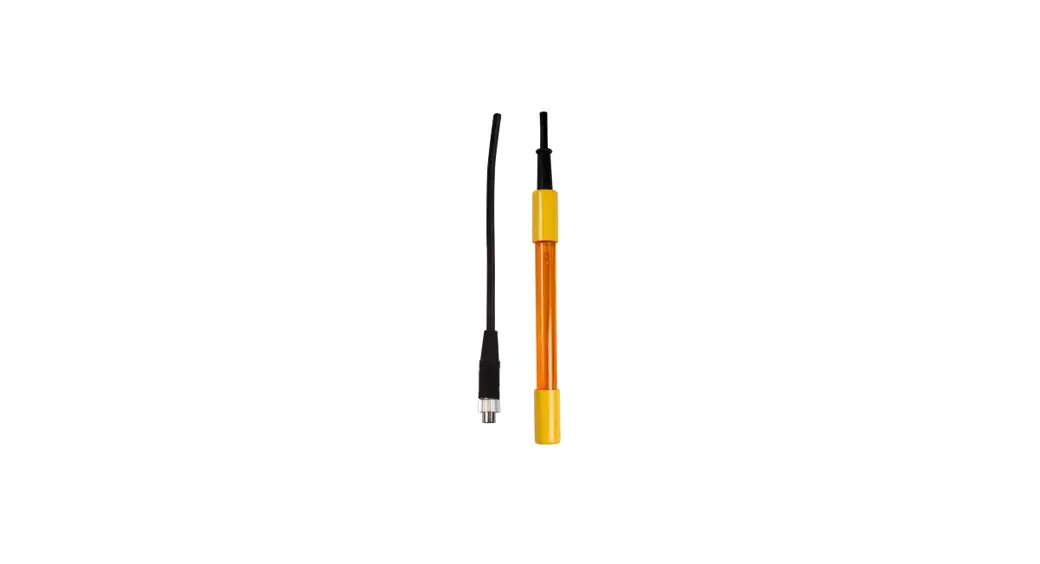
2) Electrode probe plug ( 3-8 Fig 1 ) into the meter conductivity Electrode input socket ( 3-6 Fig 1),Hold the conductivity Electrode probe by hand and immerse the ” Sensing Electrode head ” ( 3-7, Fig. 1 ) immersed wholly into the measured solution. Shake the ” Sensing Electrode ” to let the electrode’s internal air bubble drift out from the sensing Electrode. ” Display ” ( 3-2, Fig. 1 ) will show the conductivity ( uS ) values, at the same time the left bottom display will show the Temp. value of the measured solution.
6
When make the measurement should immerse the ” Sensing Electrode ” immersed wholly into the measured solution.
4-2 Hardness measurement Same procedures as above ” 4-1 Conductivity measurement ” but should select the measuring unit to ” ppm ” at first, the procedures are following :
Press ” Func Button ” ( 3-4, Fig. 1 ) continuously at least two seconds until the ” Display ” show the unit ” ppm ” instead of ” uS “, then release the button. Now the meter is ready for Hardness (ppm) measurement.
7
4-3 Data Hold 1) During the measurement, press the ” Hold Button ”
( 3-4, Fig. 1 ) momentarily to hold the measured value. The LCD will show a ” HOLD ” symbol. 2) Press the ” Hold Button ” once again to release the data hold function.
4-4 Data Record ( Max., Min. reading ) 1) The data record function records the maximum and
minimum readings. Press the ” REC Button ” ( 3-5, Fig. 1 ) momentarily to start the Data Record function, shows ” REC ” on the display. 2) With the ” REC ” symbol on the display. a) Press the ” REC Button ” ( 3-5, Fig. 1 ) momentarily,
the ” REC MAX ” symbol along with the maximum value will appear on the display. b) Press the ” REC Button ” ( 3-5, Fig. 1 ) momentarily again, the ” REC MIN ” symbol along with the minimum value will appear on the display. * When display shows ” REC MAX ” or ” REC MIN “,
press the ” Hold Button ” ( 3-4, Fig. 1 ) momentarily will delete the max. ( min. ) value, the display will show the ” REC. ” only and execute the memory function continuously.
c) To exit the memory record function, press the ” REC ” button for 2 seconds at least. The display will revert to the current reading, not show ” REC ” indicator.
8
4-5 Change Temp. unit , 1) The temperature units can be selected to
or . 2) Pressing the ” REC Button, Unit Button ” ( 3-5, Fig. 1 )
continuously at least 2 seconds, then Temp. unit will change from to or to . 3) After the temperature unit is selected, it will be memorized into the memory circuit . If power off and on again will present the existing selection Temp. unit. 4-6 Auto power off management The meter has built-in “Auto Power Shut-off ” function in order to prolong battery life. The meter will switch off automatically if none of the buttons are pressed within 10 min..
5. CALIBRATION
The meter already made the calibration precisely during the production in the factory. When the user get the meter, the calibration are not necessary. However after use the meter for a long period, if necessary to make the calibration, please contact the distributor and should calibrated by the authorized technician people only.
9
6. REPLACEMENT OF BATTERY
1) When the LCD display show ”
” ,
it is necessary to replace the battery. However, in-spec
measurement may still be made for several hours after
Low Battery Indicator appears before the instruments
instrument become inaccurate.
2) To replace the battery, rotate and remove the
” Battery Cover ” ( 3-1, Fig. 1 ), take out the old
batteries, install new batteries :
DC 1.5V battery ( UM-4/AAA ) x 4 PCs.
3) When install the batteries, should make attention
the battery polarity.
4) After install the batteries, reinstall the battery cover
again.
7. OPTIONAL ACCESSORIES
Hard carrying case. Model : CA-06 280 x195 x 65 mm
Soft carrying case. Model : CA-52A 210 x 80 x 50 mm
10
151225-PWH303