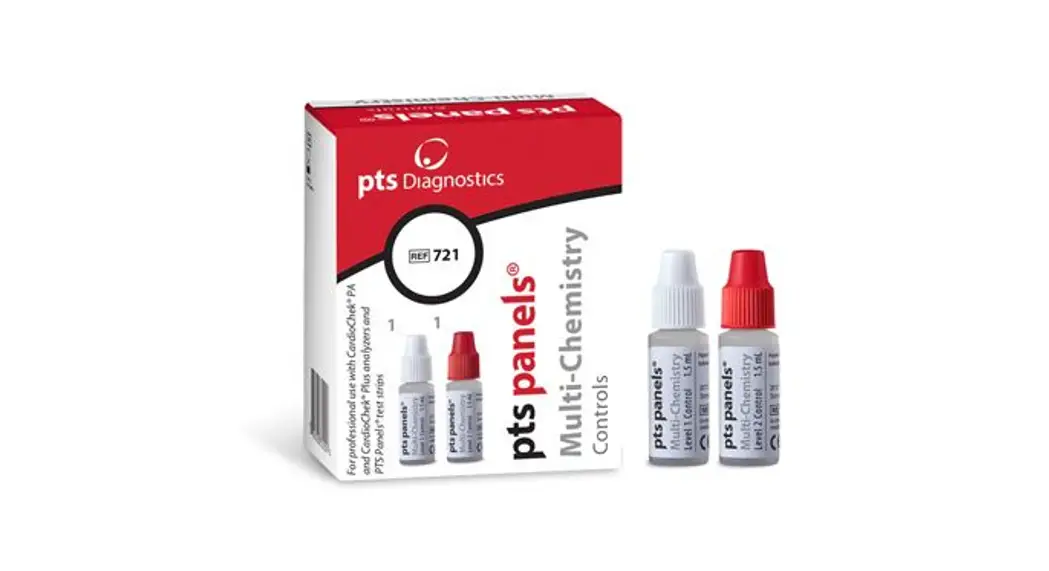

PS-000597-E Multi-Chemistry Controls
Instruction Manual
PS-000597 E Rev. 13 02/19
For professional use with CardioChek® PA and CardioChek® Plus professional analyzers
INTENDED USE
For use with PTS Panels® professional test strips as quality control materials to estimate precision and to detect systematic analytical deviations of your test system.
SUMMARY AND EXPLANATION
PTS Panels professional multi-chemistry controls contain cholesterol, triglycerides, and glucose, which react with test strips to produce color or an electrical current depending on the test strips used. The result for each level of control should be in the range specified on the quality control range card included with these materials. Controls should be run to verify the test system performance, when results are questionable, to comply with your facility’s quality control requirements, or as required by local accrediting and regulatory bodies.
Note: HDL cholesterol results are reported when using multi-chemistry controls (Lot MC24 and up) on CardioChek® Plus v. 1.09 analyzers and above. HDL cholesterol controls are required for all other CardioChek professional analyzers.
CHEMICAL COMPOSITION
| PTS Panels’ multi-chemistry controls contain: | |
| Glucose (from corn) | ≥ 60 mg/dL |
| Glycerol (synthetic) | ≥ 12.35 mg/dL |
| Cholesterol (from sheep’s wool) | ≥ 140 mg/dL |
| DL-β hydroxybutyric acid (synthetic) | ≥ 11 mg/dL |
| Preservatives (isothiozolones) Inert ingredients | ≤ 0.01% |
Note that levels are variable
PRECAUTIONS
- For in vitro diagnostic use. Intended for professional use only.
- Do not eat or drink contents.
- Avoid contact with eyes or skin.
- Materials may be disposed of in normal trash.
STORAGE AND HANDLING
Store in a cool, dry place at room temperature of 20-30°C (68-86°F). May be stored in a refrigerator at 2-8°C (35-46°F). Do not freeze. Product is ready to use and is clear. Recap after using. Use care not to contaminate the dropper tip. Do not use beyond the expiration date on the vial. Opened product is stable for at least ten months at room temperature.
MATERIALS PROVIDED
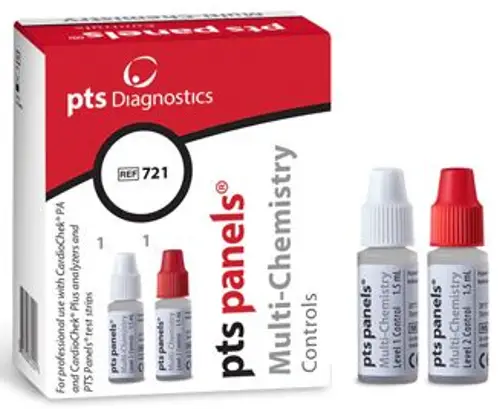
Two (2) vials of multi-chemistry controls (one each of Level 1 and Level 2)
MATERIALS NEEDED BUT NOT PROVIDED
- CardioChek PA or CardioChek Plus professional analyzer
- PTS Panels professional test strips and MEMo Chip® of the same lot number
PROCEDURE
IMPORTANT: Read all instructions carefully before testing.
Multi-Chemistry Controls Test Procedure
- Press one of the two buttons to turn the instrument ON.
- Press the Next button until the display reads UTILITY.
- Press the Enter button.
- Press the Next button until RUN CONTROL is displayed
- Insert MEMo Chip that matches a lot of strips.
- At the RUN CONTROL analyzer display option, press Enter.
- Insert the test strip into the analyzer.
- Wait until the analyzer displays APPLY SAMPLE.
- Invert to mix control.
- Remove the cap and turn the bottle upside down straight above the reflectance test strip sample application window or to the tip of the electrochemical test strip.
- Carefully squeeze the vial to deliver the control solution on the test strip. Use one drop of control solution for single-analyte test strips and two drops for multi-analyte test strips and one drop of control solution to the tip of the electrochemical test strip.
- Replace the control vial cap
- Results will be displayed on the screen.
Reflectance test strip
Electrochemical test strip Note: If testing PTS Panels Lipid+eGLU smart bundle professional test strips, skip the eGLU test by pressing and holding the Next button when the INSERT STRIP icon for the lipid panel test strip appears.
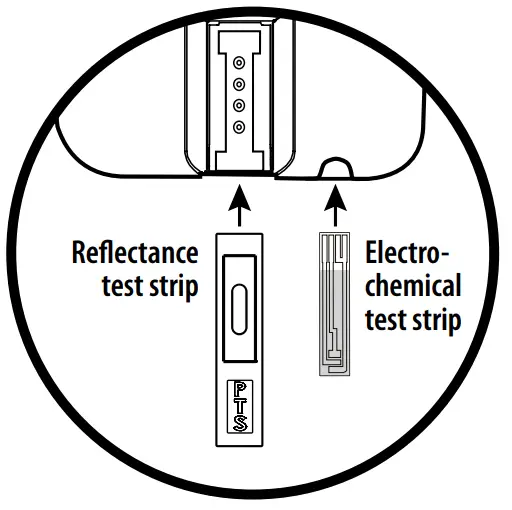 Note: If testing PTS Panels Lipid+eGLU smart bundle professional test strips, skip the eGLU test by pressing and holding the Next button when the INSERT STRIP icon for the lipid panel test strip appears.
Caution: Handle and dispose of all materials coming in contact with blood according to universal precautions and guidelines.
USA: RX ONLY
Caution: Federal law restricts this device to sale by or on the order of a licensed healthcare practitioner.
EXPECTED RESULTS
Results for the control should be in the range specified on the quality control range card. The most up-to-date control results are available on the PTS Diagnostics website: www.ptsdiagnostics.com. If test results are above or below the range specified, check to see if the test strips or controls are expired. If they are expired, test again with unexpired strips and controls. Clean the analyzer before retesting (see user guide).
For assistance with the PTS Panels professional multi-chemistry controls, please contact PTS Diagnostics Customer Service (M-F, 6 a.m. – 9 p.m. US EST) or your local authorized dealer.
1-877-870-5610 (Toll-free inside the USA)
+1-317-870-5610 (Direct)
+1-317-870-5608 (Fax)
E-mail: [email protected]
PTS Panels, CardioChek, and MEMo Chip are trademarks of Polymer Technology Systems, Inc.
© 2019 Polymer Technology Systems, Inc.
 Polymer Technology Systems, Inc.
4600 Anson Boulevard
Whitestown, IN 46075 USA
1-317-870-5610
 MDSS GmbH
Schiffgraben 41
30175 Hannover, Germany
EXPLANATION OF SYMBOLS
 | Use by |
 | Batch code |
 | In vitro diagnostic medical device |
 | Catalog number |
 | Consult instructions for use |
| Control | Control |
| This product fulfills the requirements of European Directive 98/79/EC for in vitro diagnostic medical devices |
| Manufacturer |
 | Temperature limitation |
 | Caution |
| Authorized representative in the European Community |
 | Prescription required (USA only) |
 PTS Diagnostics – Fast, accurate, point-of-care testing