PXN S-2119PRO-V6-230302 Flight Simulator Controls User Manual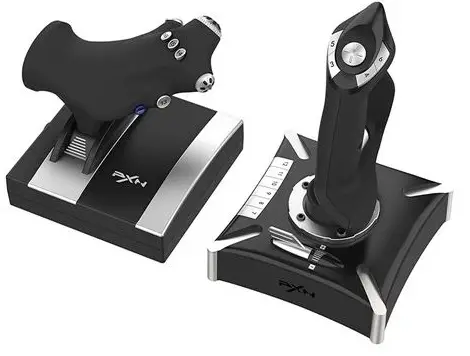
System Requirements
| Compatible Platforms | PC ,PS4 ,XBOX ONE |
| System Requirement on PC | Windows 7 / 8 / 10 /11 |
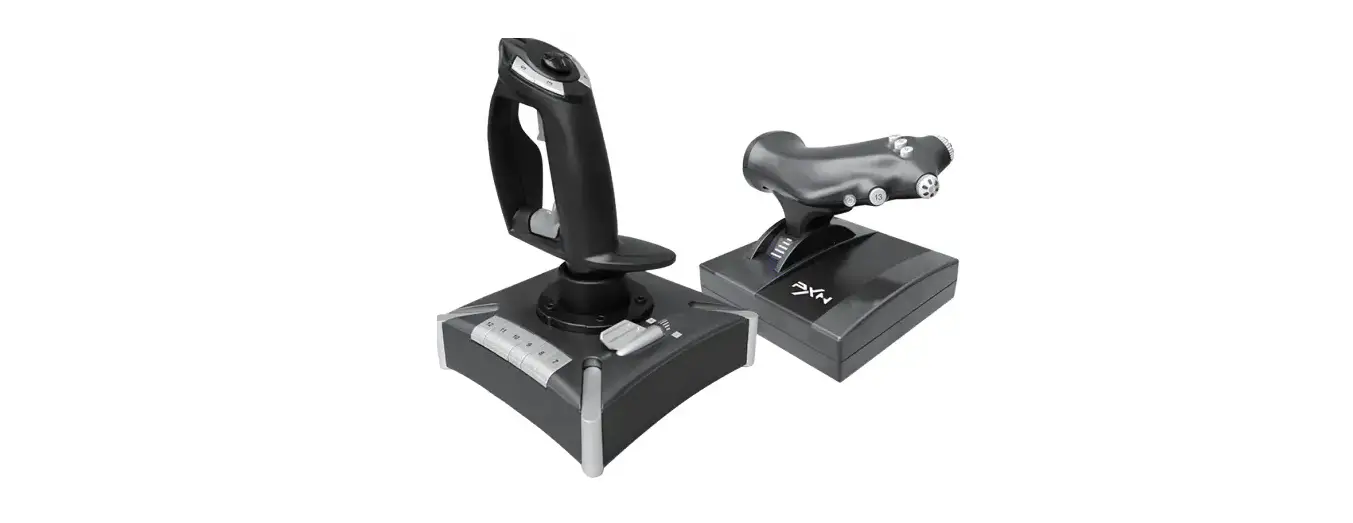
Product Overview
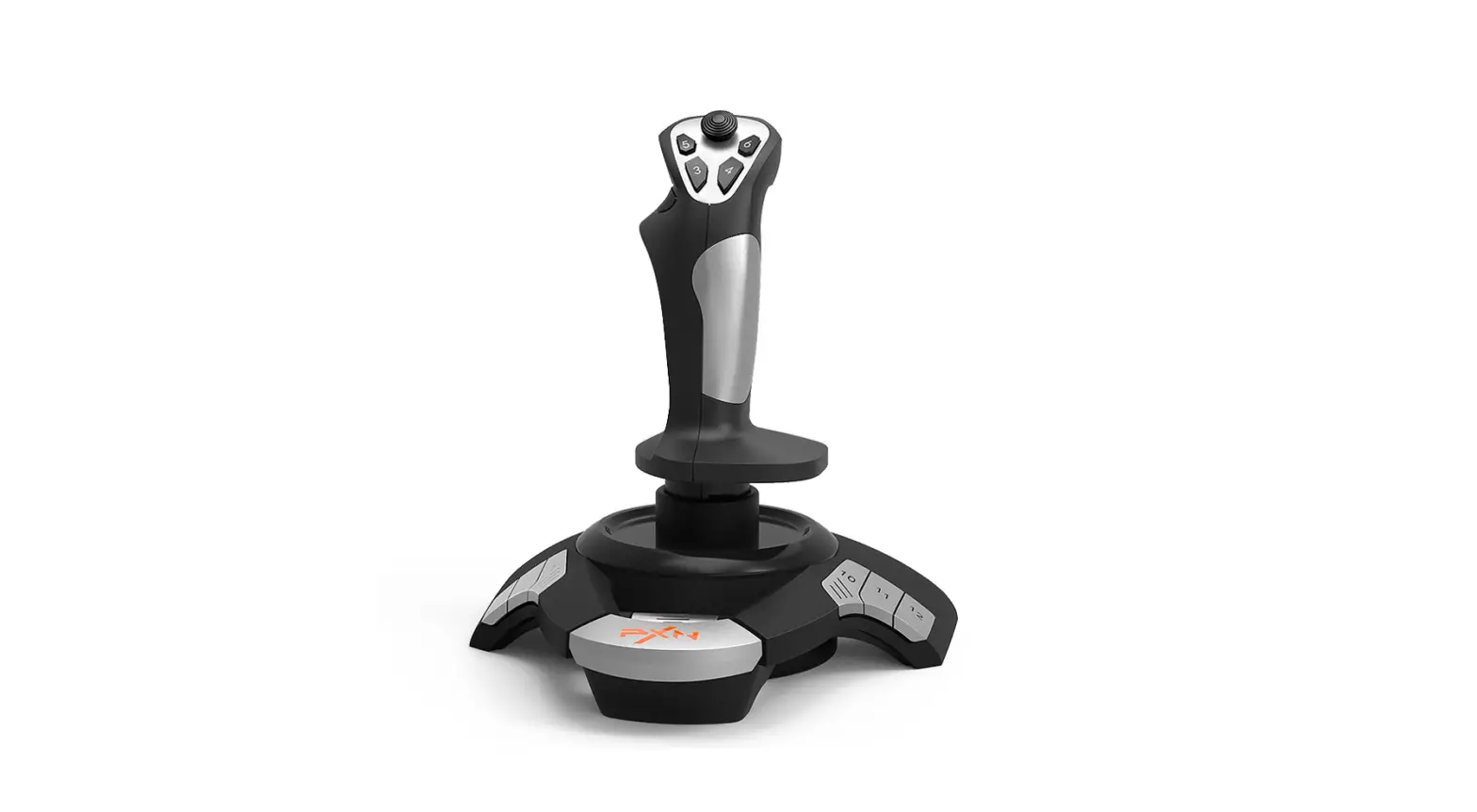
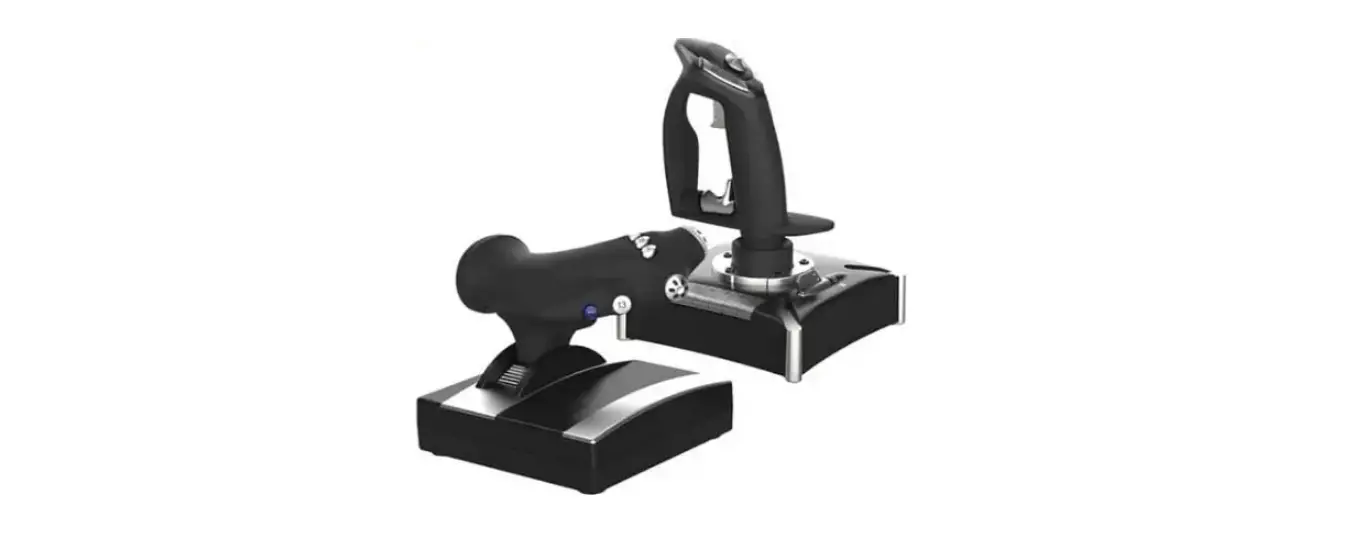
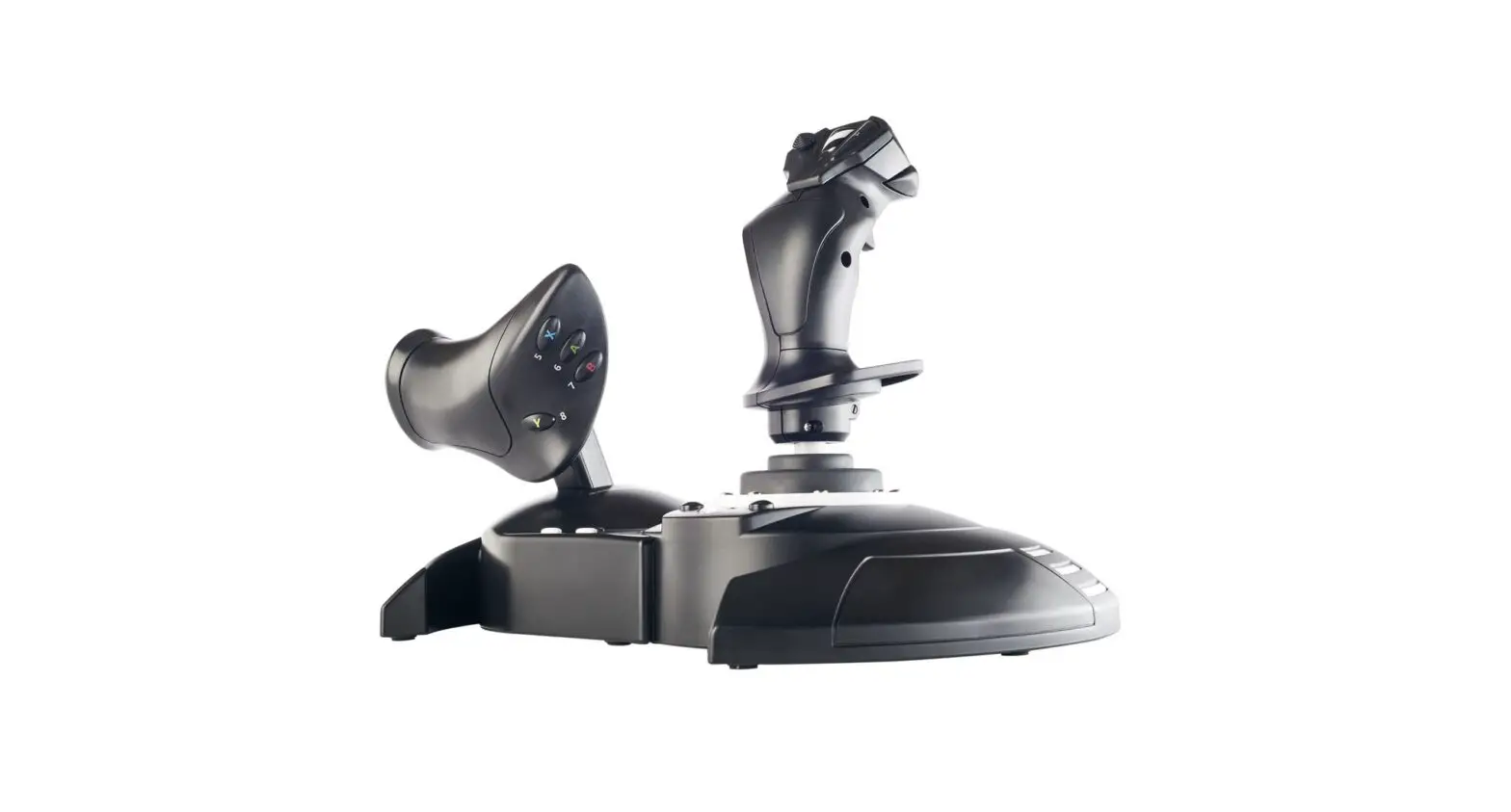
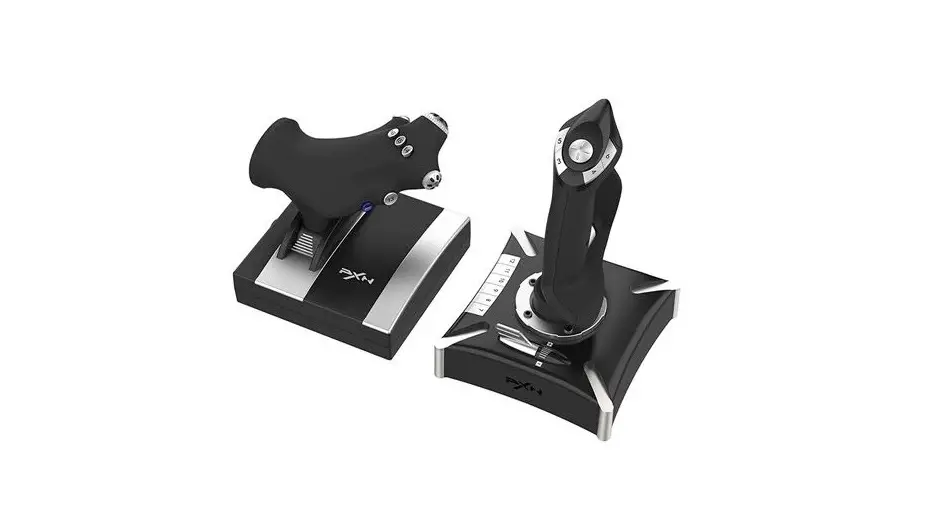
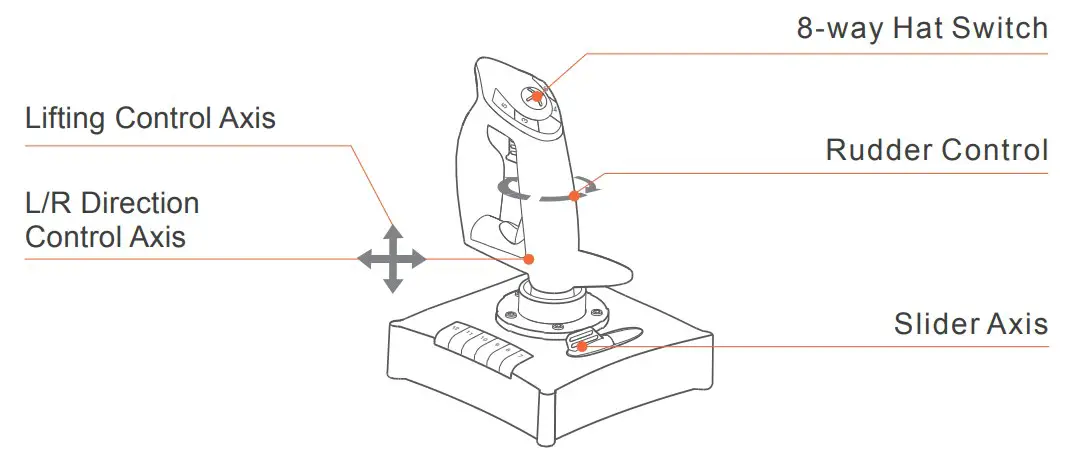
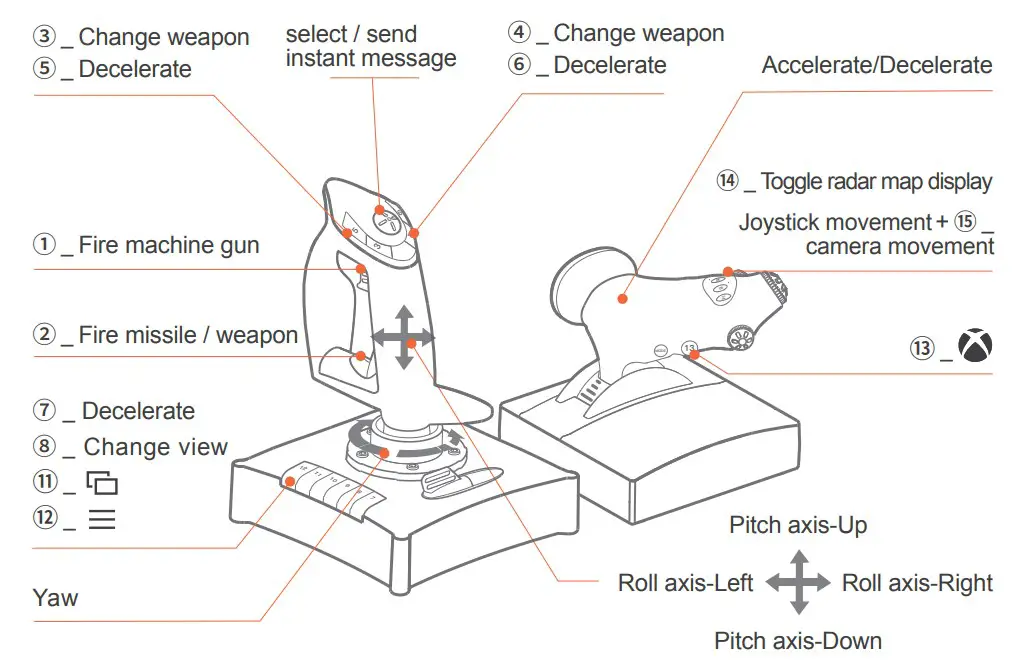
Joystick
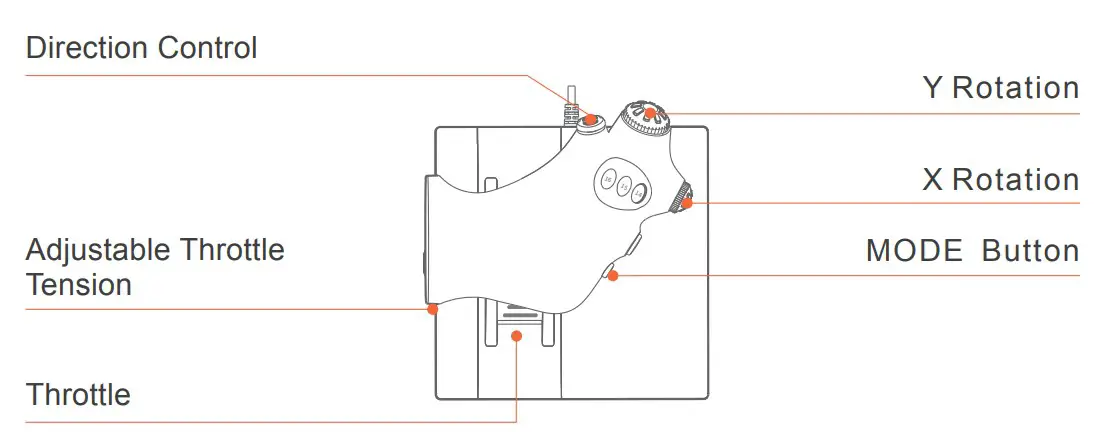
Accelerator Rudder
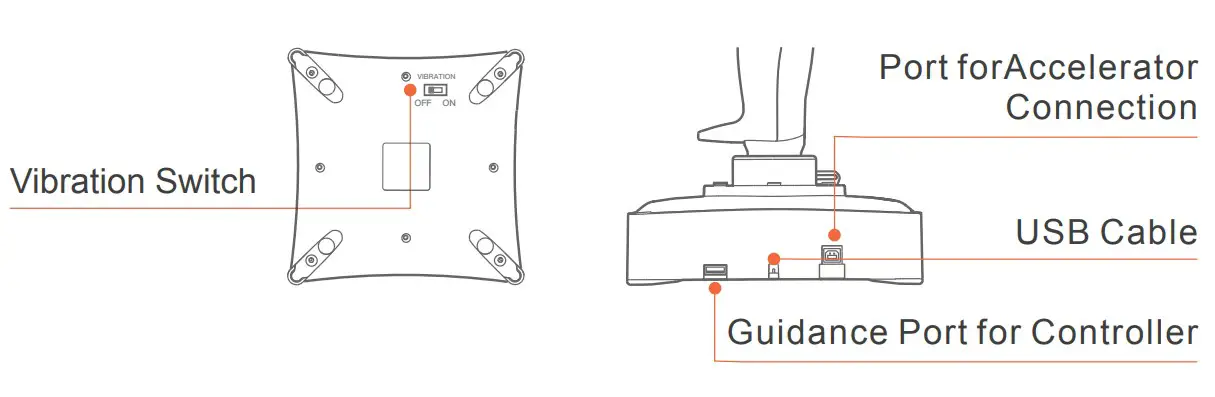
Instructions
- Connect with PC
Step 1: Enter PXN official website (https://www.e-pxn.com) to download the driver “PXNJoystick”, and extract the file for installation.
Step 2: Plug the PXN Flight Joystick into PC USB port, computer will prompt new hardware and install automatically.
Step 3: Then you can play game or conduct joystick settings in PXNJoystick.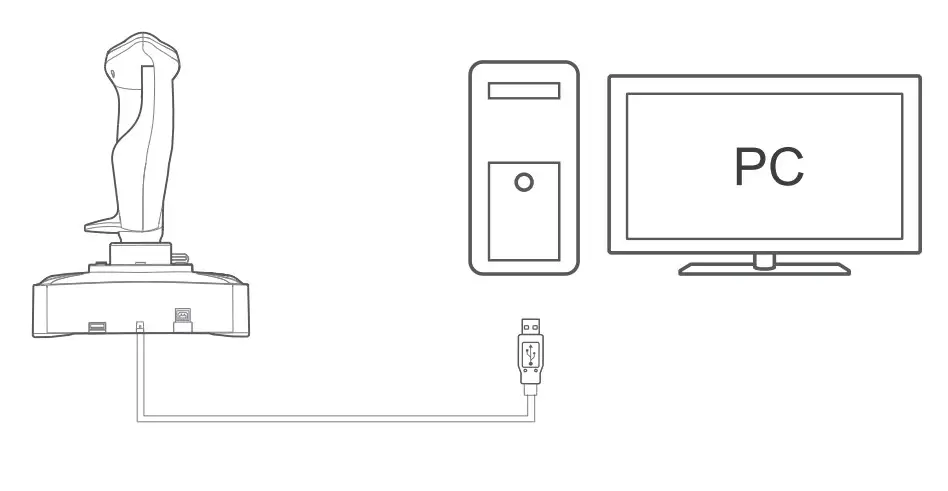
Connect with PS4
Step 1: Plug the throttle into joystick, then plug the PS4 original controller into guidance port. (Original controller should be powered OFF)
Step 2: Plug the joystick into PS4 console USB port.
Step 3: Press No. 12 button on joystick launching game to play.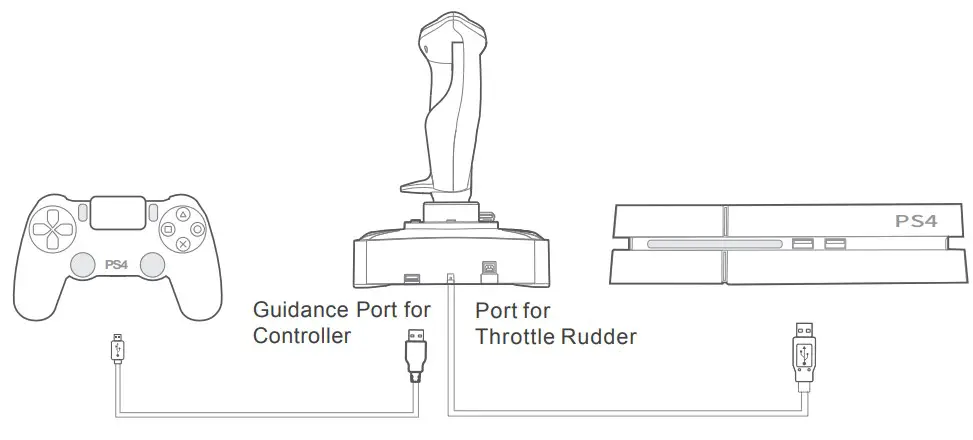
Acecombat : Skies Unknown-PS4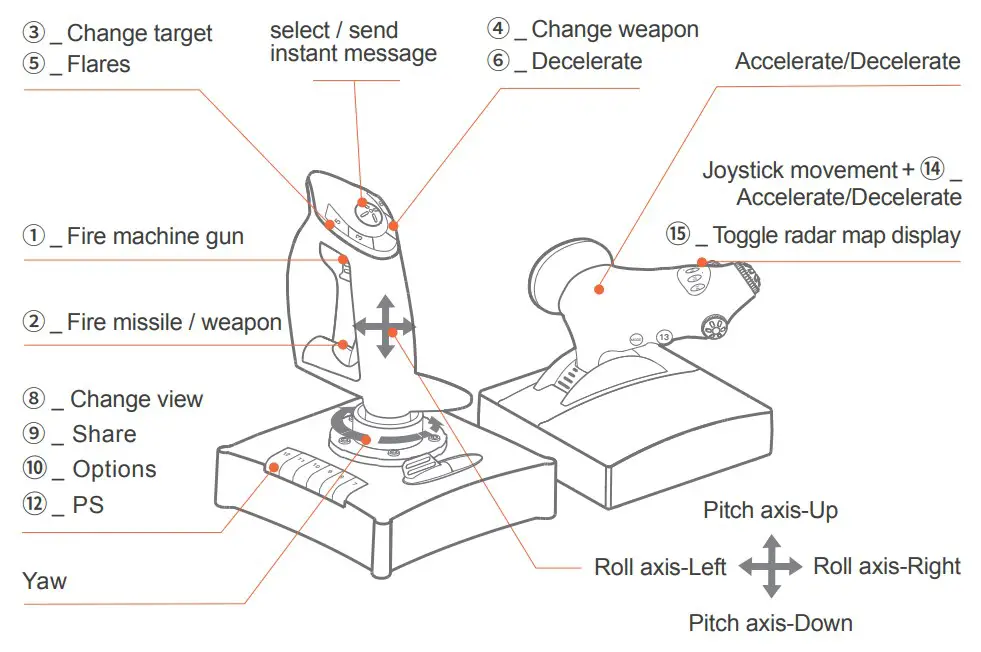
Connect with XBOX ONE
Step 1: Plug the throttle into joystick, then plug the XBOX ONE original controller into guidance port. (Original controller should be powered OFF)
Step 2: Plug the joystick into XBOX ONE console USB port.
Step 3: Press No. 13 button on joystick launching game to play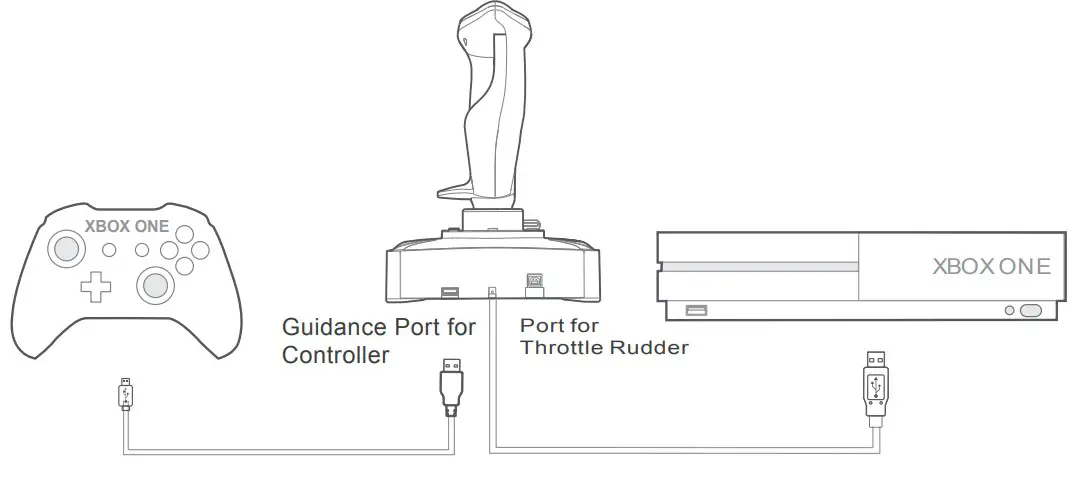
Acecombat : Skies Unknown-XBOX ONE
Function Testing Instruction
| Function | Specification |
| Key: 1~16 | Press function button on joystick Corresponding button on testing screen will be lighted. |
| POV1/POV2 | Pull POV toward different direction, corresponding arrow on testing screen will be lighted. POV 1 used to be defined as point of view POV 2 can be assigned different function |
| MODE | Three modes are available by default, you can extend button to extra 16*3 functional button. MODE 0: Blue Indicator OFF MODE 1: Blue Indicator ON MODE 2: Blue Indicator Flash |
| X/Y Axis | For Joystick forward /Backward /Left /Right movement “+” Arrow move along under X/Y Axis movement |
| Twist | Move the joystick left or right Used for plane turning left or right movement in game |
| Slide | Slider Axis Used to control tilt or fuel mixture (requires game support) |
| Throttle | Push forward or backward Used to increase and decrease accelerator |
| Rotary X/Y | X/Y Rotation Used to control trim and pitch (requires game support) |
Attention
- Avoid strong vibration, do not disassemble, refit or repair on your own.
- Avoid water or other liquid In or around the steering wheel – it may affect the performance of the steering wheel.
- Keep out of humid, high temperature or soot place.
- If have any set-up or quality problem, please contact with seller or after-sales service
PRODUCT SPECIFICATION
| Model | PXN-2119PRO |
| Connect Type | USB wired, joystick cable is about 1.8m, accelerator cable is about 1.6m |
| Working Current | 20mA -100mA |
| Packaging Size | About 360 * 190 * 250 mm |
| Product Size | Joystick About 176 * 176 * 239 mm Accelerator About 170 * 170 * 159 mm |
| Unit Weight | About 1490 g |
| Usage Temperature | 10 – 40 ℃ |
| Usage Humidity | 20 ~ 80 % |
 is a registered trademark of ShenZhen PXN Electronics Technology Co., Ltd
PS4 is a registered trademark of Sony Computer Entertainment Inc.
Xbox is a registered trademark of Microsoft Corporation.
All trademarks are the property of their respective owner. Technical specifications are subject to change. Information contained herein is subject to change without prior notice. ShenZhen PXN Electronics Technology Co., Ltd. shall not be made liable for any errors that may appear.
Please keep this information for later reference.
 Shenzhen PXN Electronic Technology Co., Ltd | PXN Racing Wheel, Game Controller, Arcade Stick for Xbox One, PS4 Switch, PC
 莱仕达-专业游戏外设品牌|游戏方向盘|手柄|摇杆|安卓手柄|PS4|Xbox One|苹果手柄