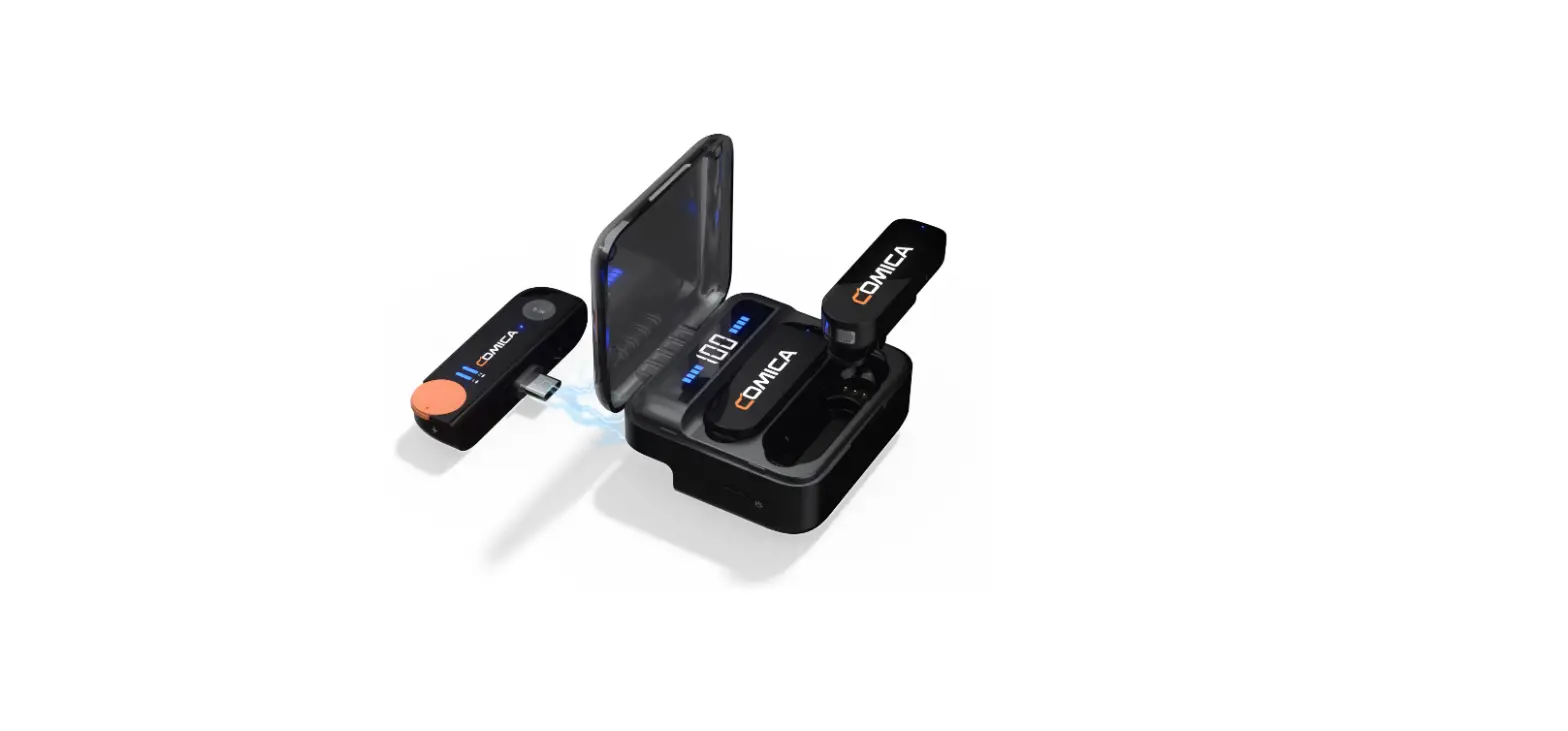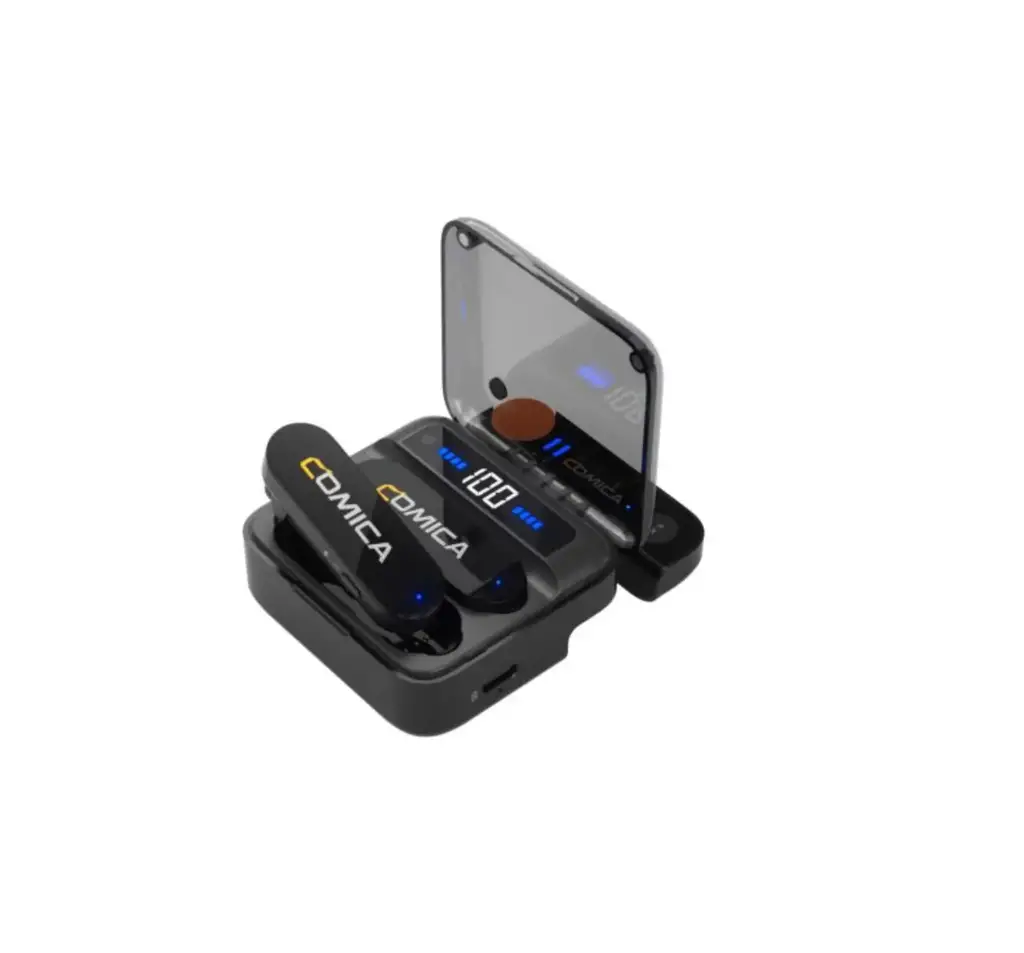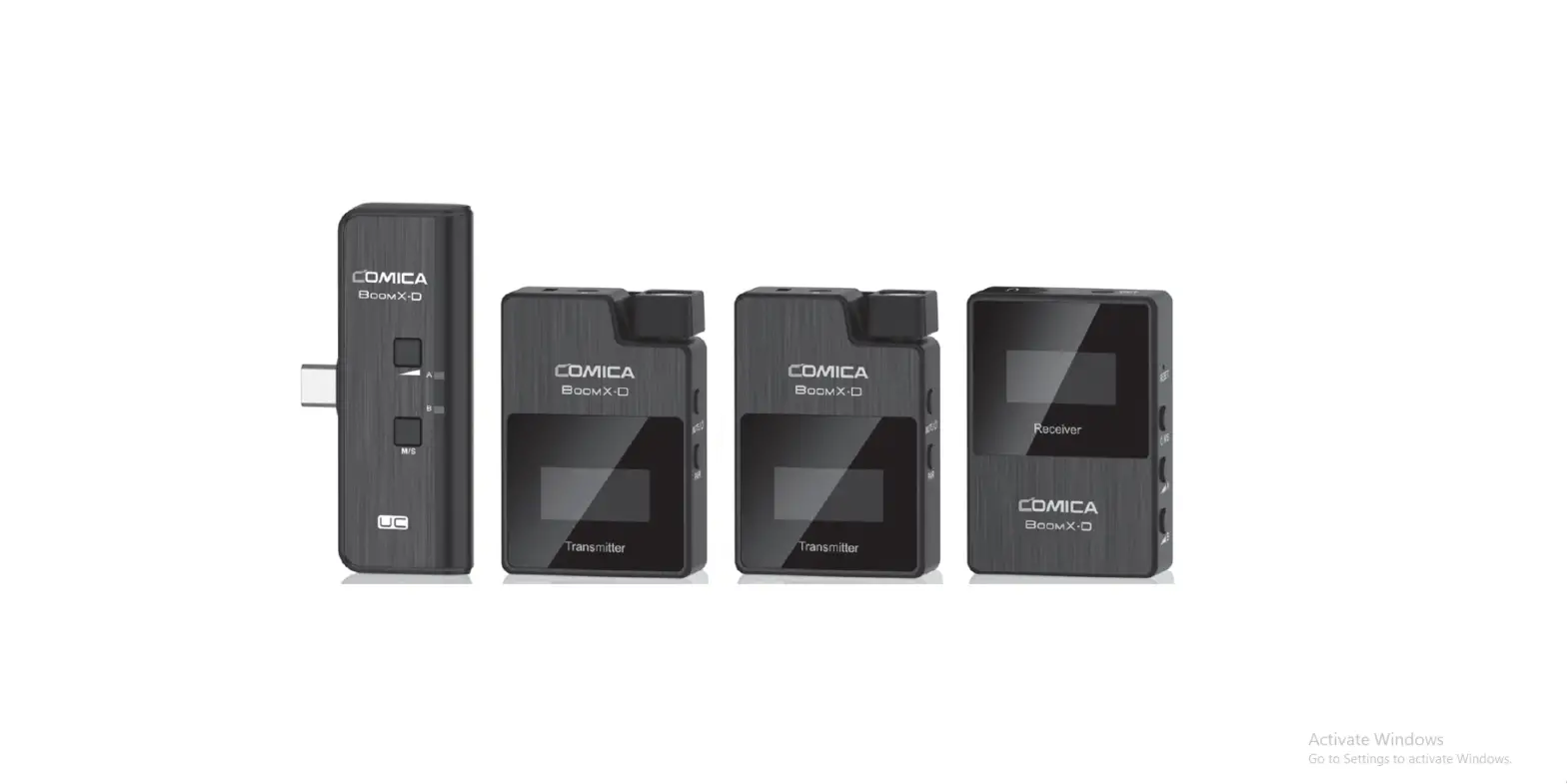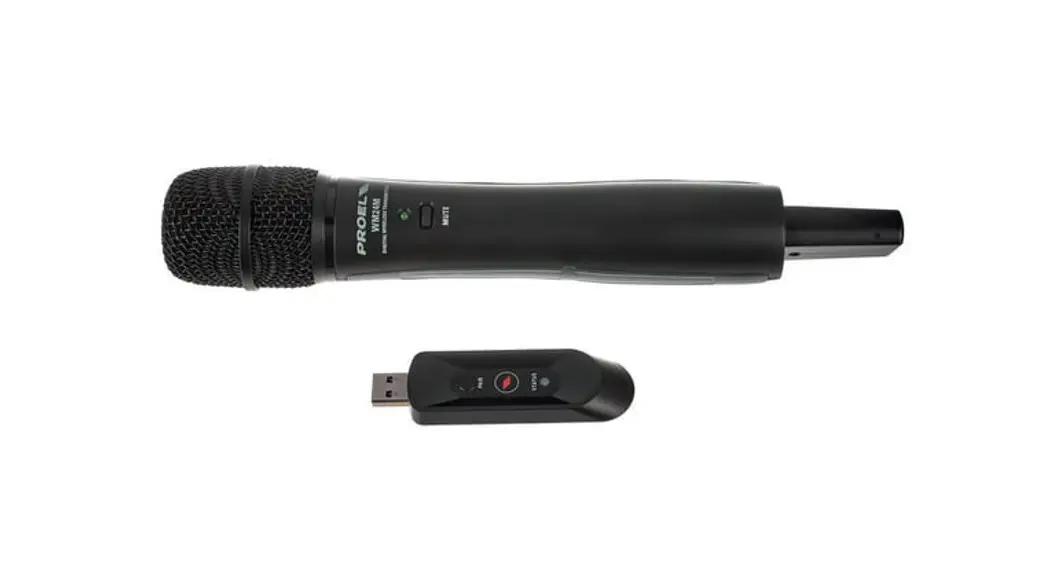

COMICA VDLive 10 USB Versatile 2.4G Wireless USB Microphone
Foreword
Thanks for purchasing Comica VDLive10 USB
Main Features
- Dual-channel 2.4G Wireless USB Microphone, Global Free Frequency
- Switchable Simplex / Duplex Transmission, Support Two-way Monitoring and Interaction
- Wide Compatibility for Phone, Computer, Camera, etc.
- Intelligent Noise Reduction, Working Distance Up to 50m (Open Area)
- 3.5mm Analog and USB Digital Two Output Modes
- Support Stereo Mode for all Compatible Devices
- Rechargeable Storage Case
- IPS Screen for Intuitive Operation and Usage
- Mono/Stereo Switch, Volume Adjustment and Mute Functions,etc.
- Internal and External MIC Two Input Modes
- Low Latency<20ms, Stable Transmission
Notice
- Some cameras are not compatible with 3.5mm TRRS-TRRS audio cable, it’s necessary to purchase 3.5mm TRS-TRS audio cable by yourself
- Don’t block the antenna position to avoid any poor signal generated when using
- Please power the transmitter and receiver off when charging
Tips
- VDLive10 USB is universal for USB and 3.5mm interface devices. When used in smartphone, the system will compulsorily choose VDLive10 USB
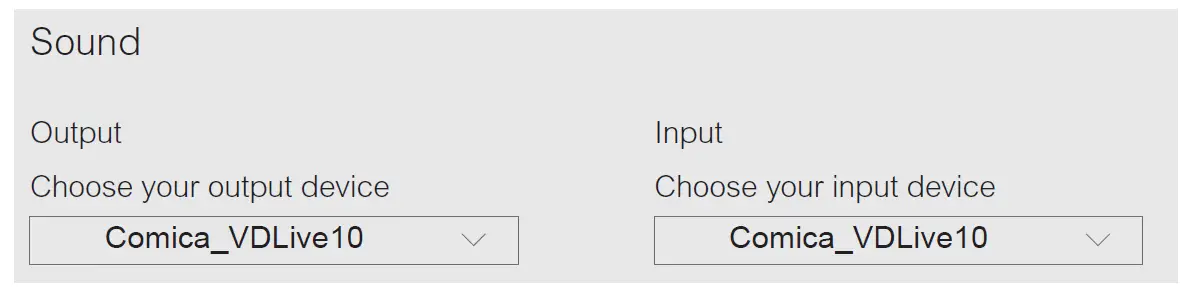
- When used in computer, please follow the steps below:
- Insert VDLive10 USB into the computer
- Click sound setting and set the “Comica_VDLive10” as the input and output device

Packing List
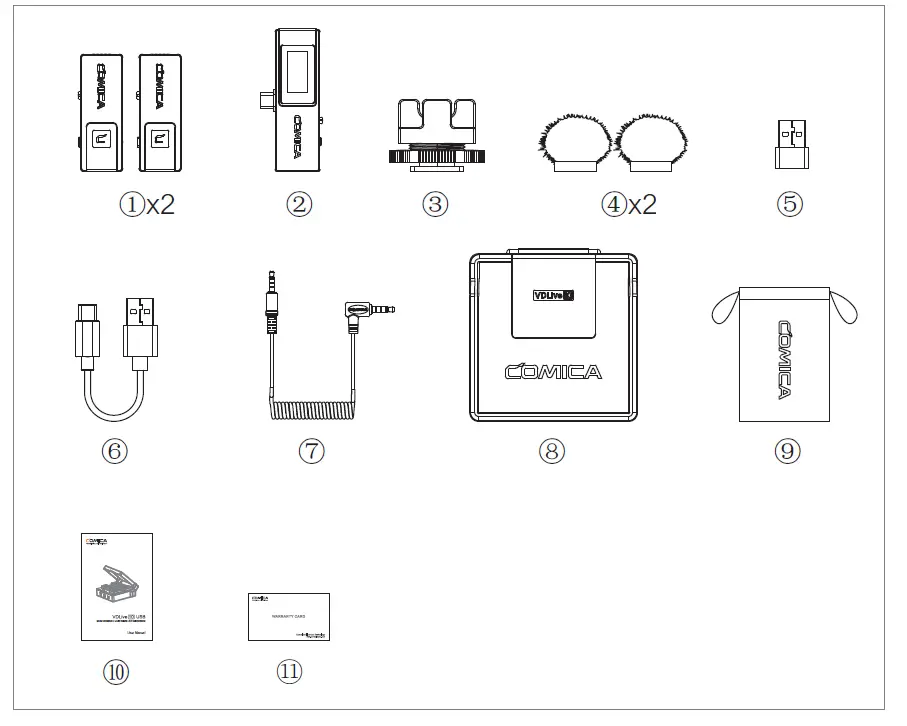
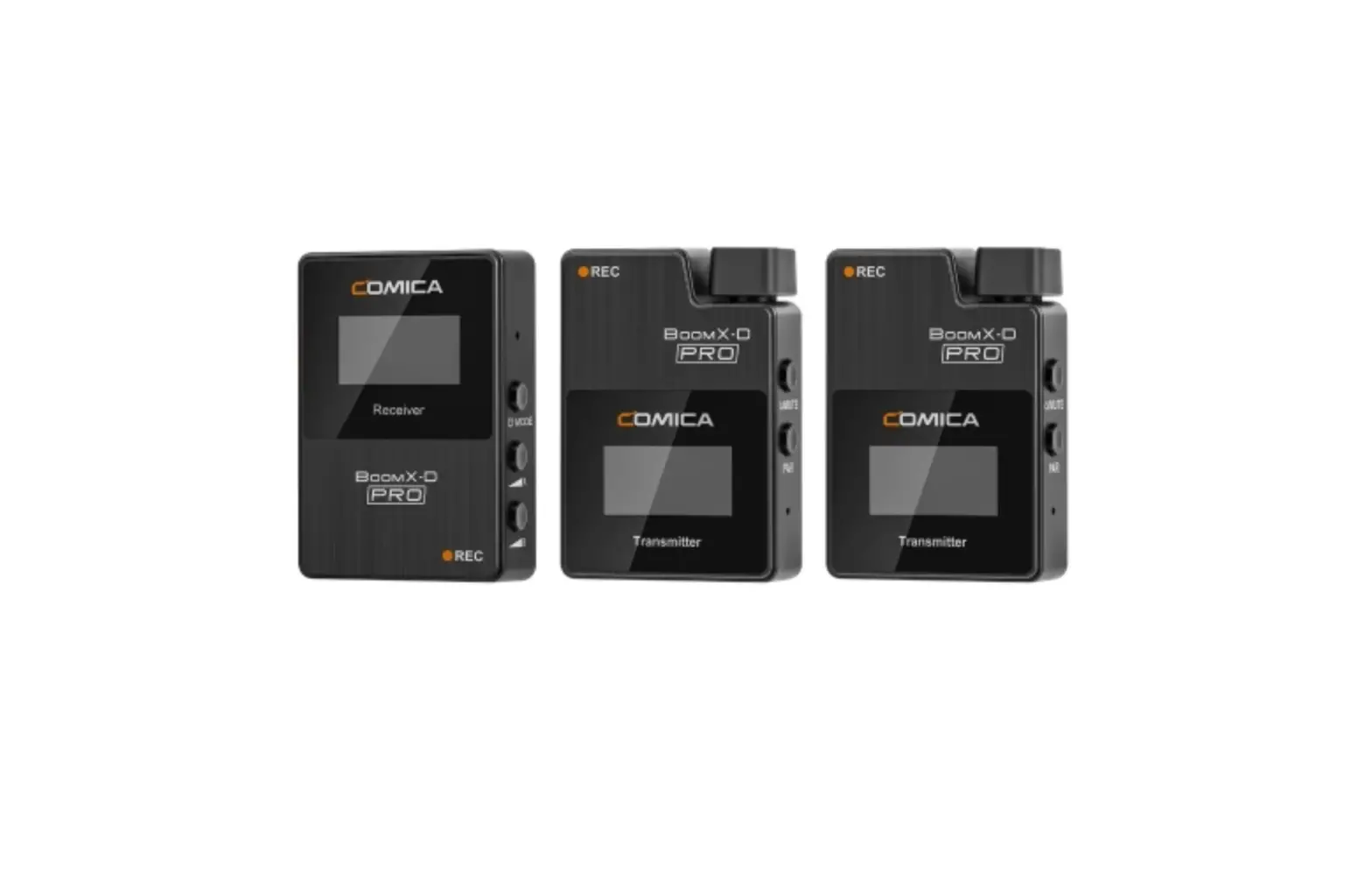
- Transmitter(TX)
- Receiver (RX)
- Cold Shoe Mount
- Wind Muff
- USB C-USB A Adapter
- Charging Cable
- 3.5mm TRRS-TRRS Audio Cable
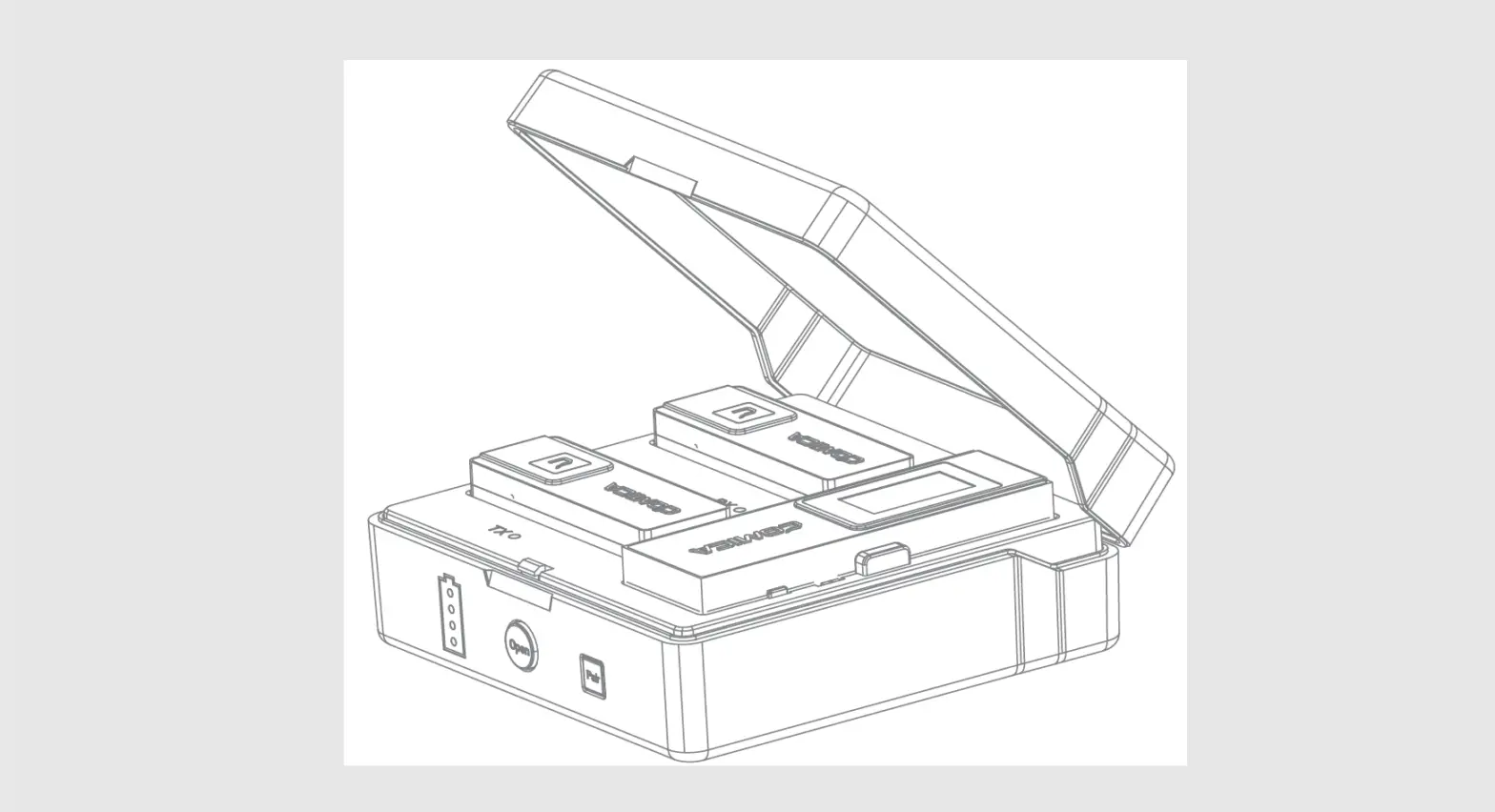
- Charging Case
- Carry Case
- User Manual
- Warranty Card
Components and Instruction
Transmitter(TX):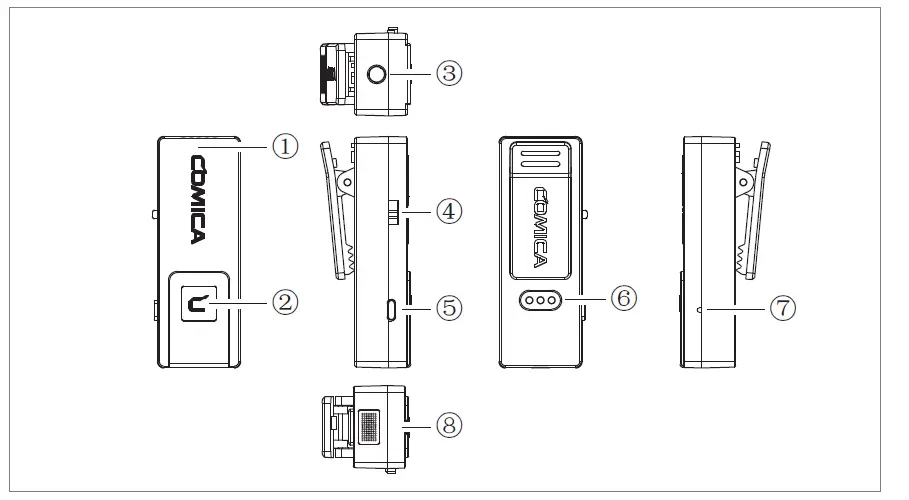
- Built-in Antenna
- Working Status Indicator Light (Orange light on: paired; Orange light flashing: unpaired; Red light on: MIC mute)
- 3.5mm TRS External Mic Port(Simplex Mode) Monitoring Port(Duplex Mode)
- S↑/ OFF / D↑↓ Switch Button ( S↑: Simplex mode; OFF: Power off;D↑↓: Duplex mode)
- Volume / Mute Adjustment Button (Short press to adjust 4-level volume; long press to mute)
- Charging Metal Contact
- Reset Hole
- Internal Mic
Simplex mode: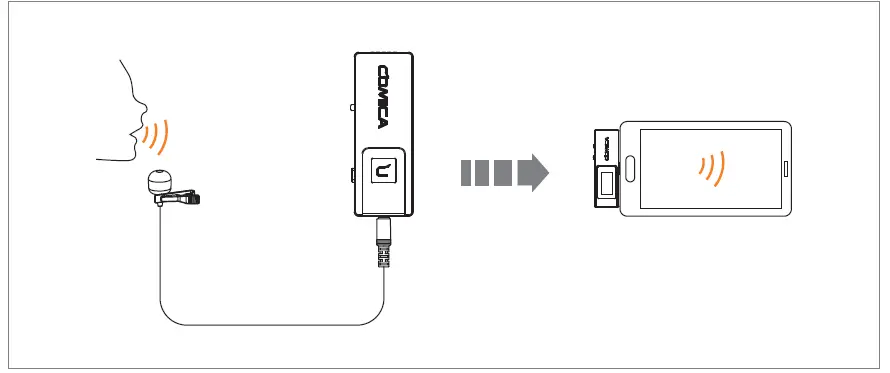
The transmitter audio is transmitted to the receiver unidirectionally, audio can only be monitored in receiver Simplex mode monitoring: audio of transmitter
Duplex mode: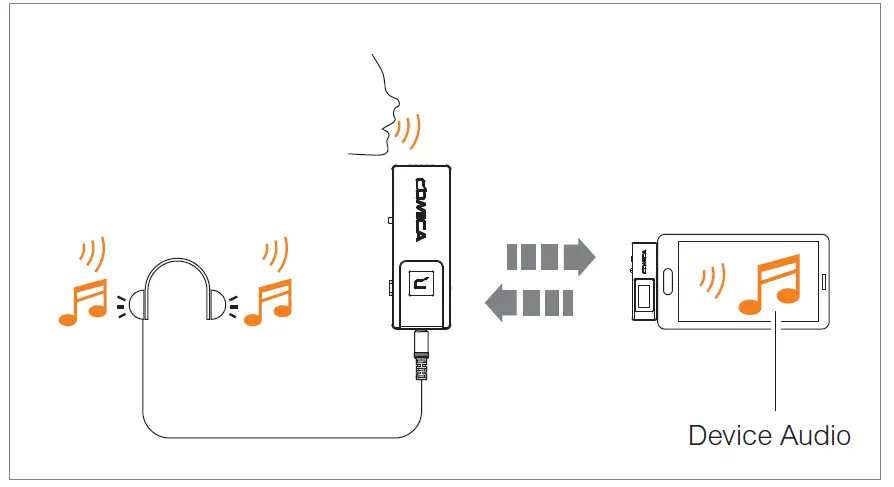
Two way transmission of audio between transmitter and receiver, audio can be monitored in transmitter and receiver Duplex mode monitoring: audio of transmitter + audio of the platform on the device connected by the receiver
Receiver (RX)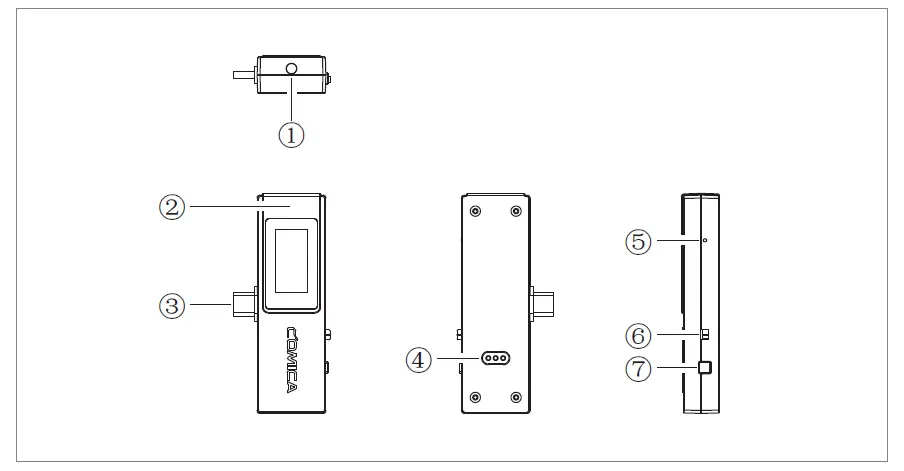
- 3.5mm Audio Output Port ( 3.5mm analog output mode) Monitoring Port ( USB digital output mode)
- Built-in Antenna
- USB-C Plug
- Charging Metal Contact
- Reset Hole
- ON/OFF Switch Button (ON: Power on; OFF: Power off )
- M/S Switch Button (M: mono mode; S: stereo mode; Short press to switch)
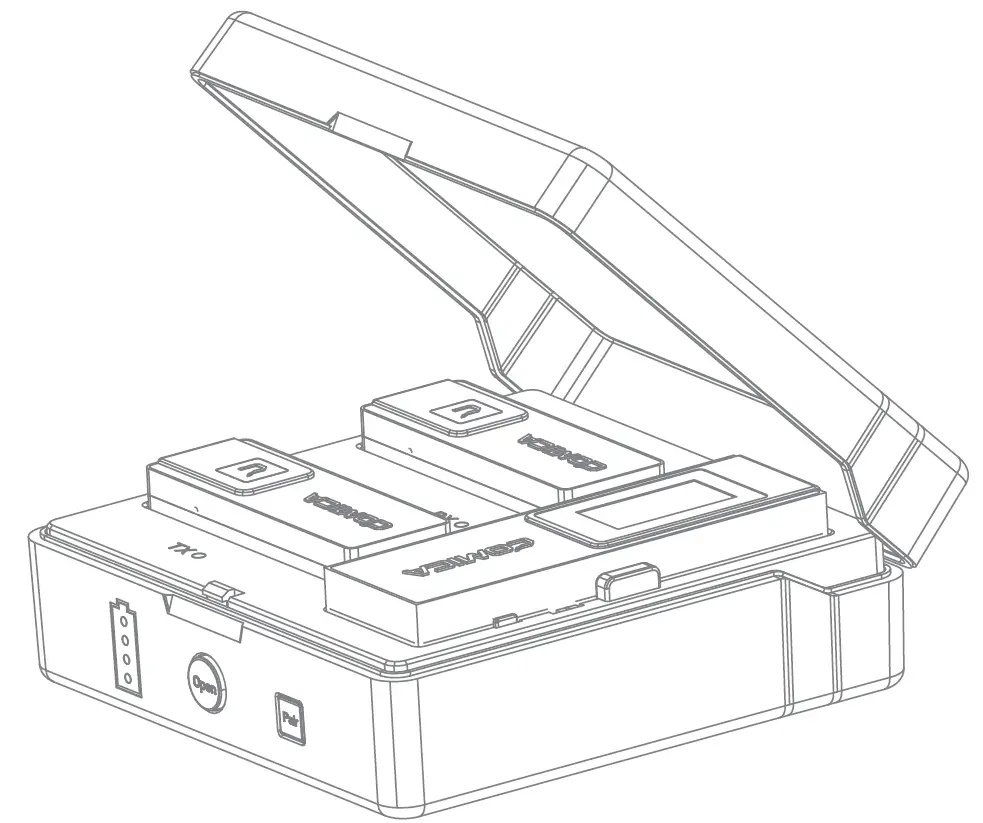
Charging Case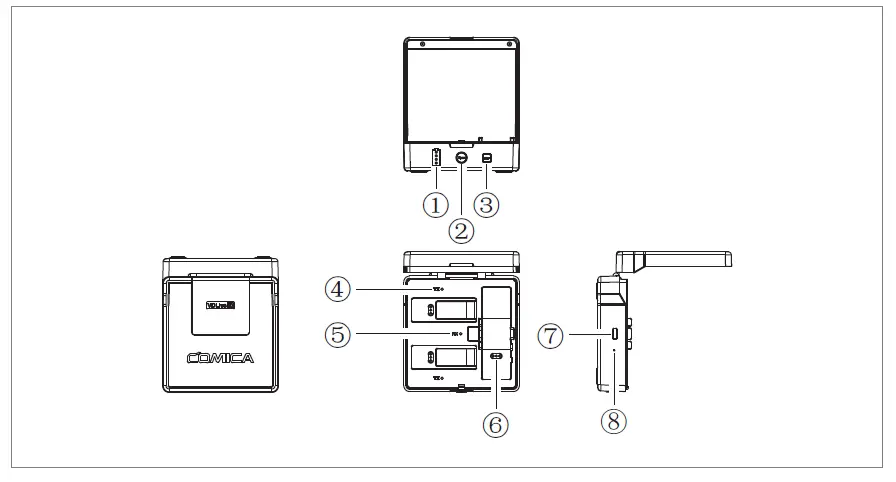
- Power Indicator Light (There are four power indicator lights, one of which represents 25% of the power)
- Switch Button (Press it to open the charging case)
- Pairing Button (Long press to pair)
- Transmitter Charging Status Indicator Light (Red light on: charging; Blue light on: fully charged)
- Receiver Charging Status Indicator Light (Red light on: charging; Blue light on: fully charged)
- Charging Metal Contact
- USB-C Charging Port
- Reset Hole
Please power the transmitter and receiver off when charging
Pairing Method
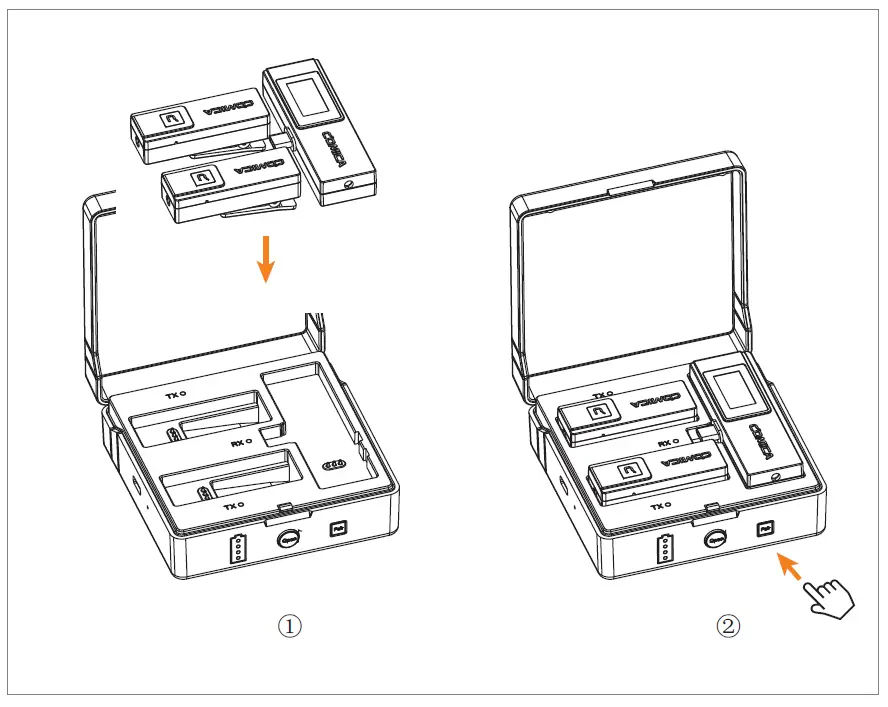
- Put the transmitter and receiver into the charging case
- Long press the pairing button to pair
Screen Display Instruction of Receiver (RX)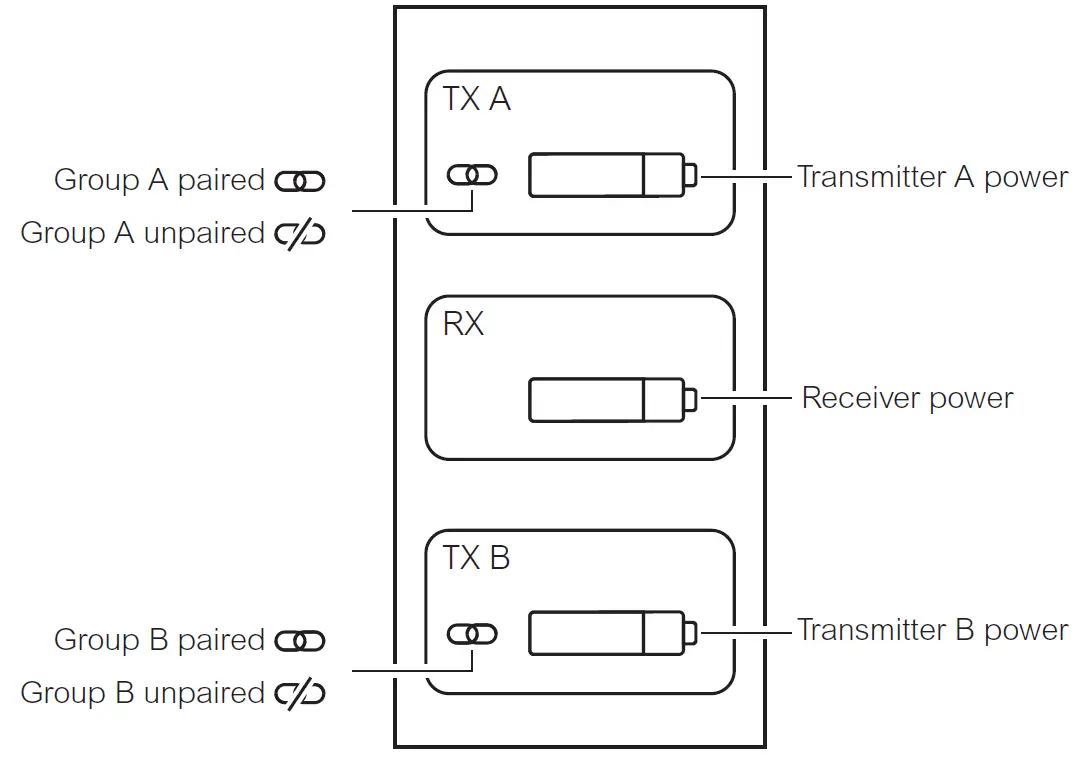
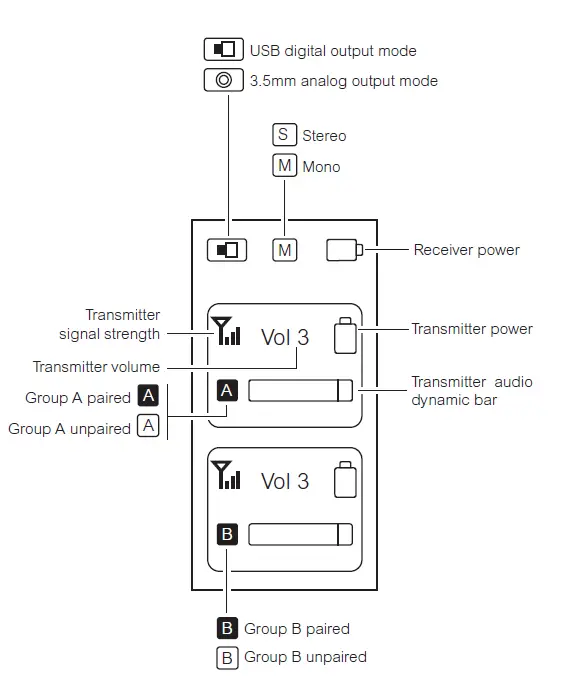
Group A is left channel and group B is right channel
Installation
Transmitter(TX) 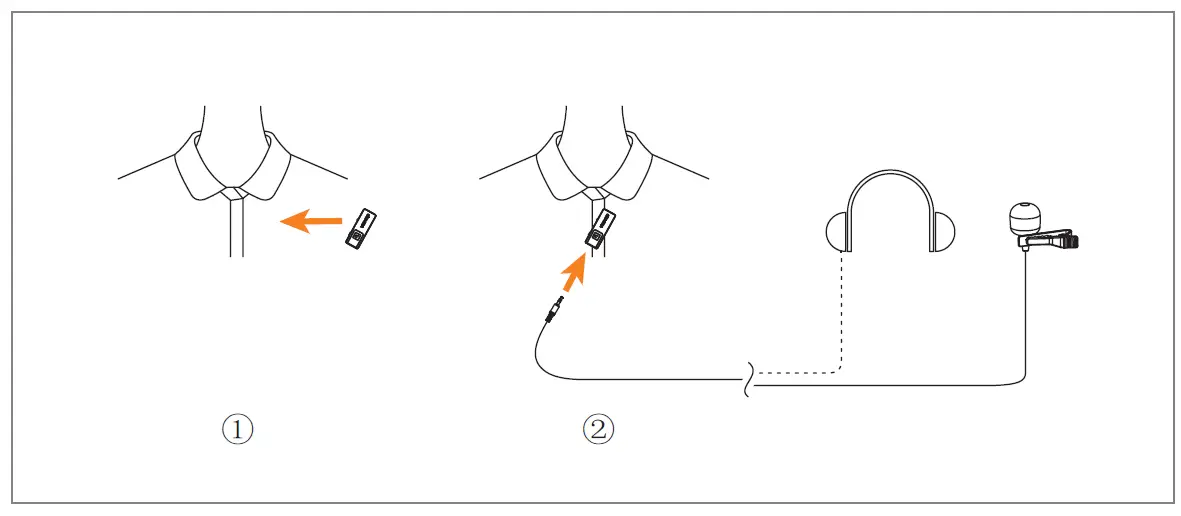
- In Simplex Mode
- Switch the S↑/OFF/D↑↓ switch button to S↑ a(Simplex mode)
- You can choose to use internal mic or external mic to satisfy your recording demands When using an external mic, the internal mic is automatically turned off
- In Duplex Mode
- Switch the S↑/OFF/D↑↓ switch button to D↑↓ Duplex mode)
- Install the transmitter on the collar so that the internal mic points to the sound source
- Insert the headphone into the monitoring port to monitor
Receiver (RX)
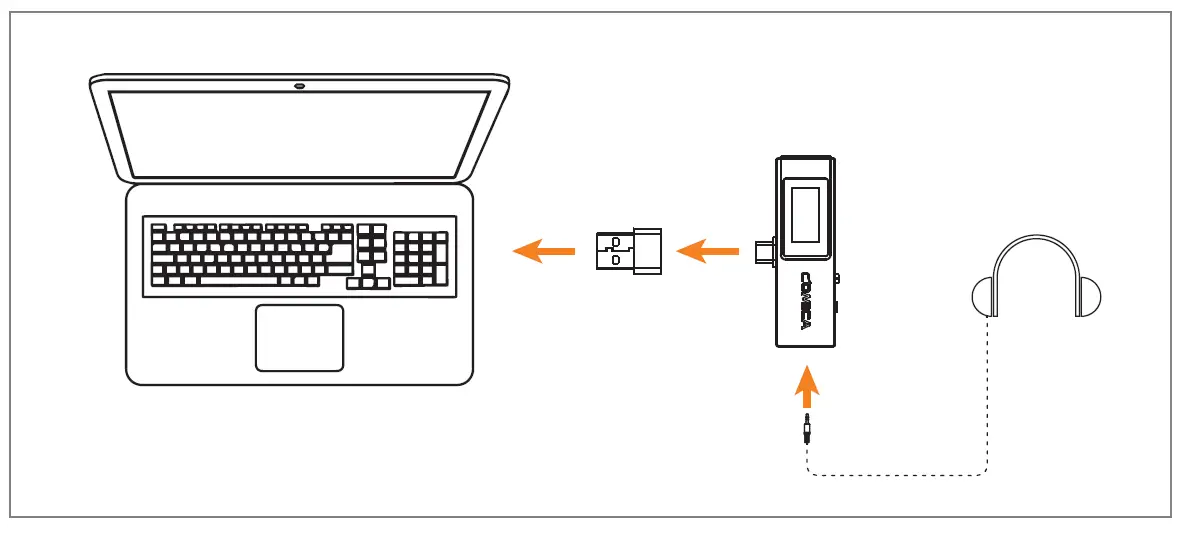
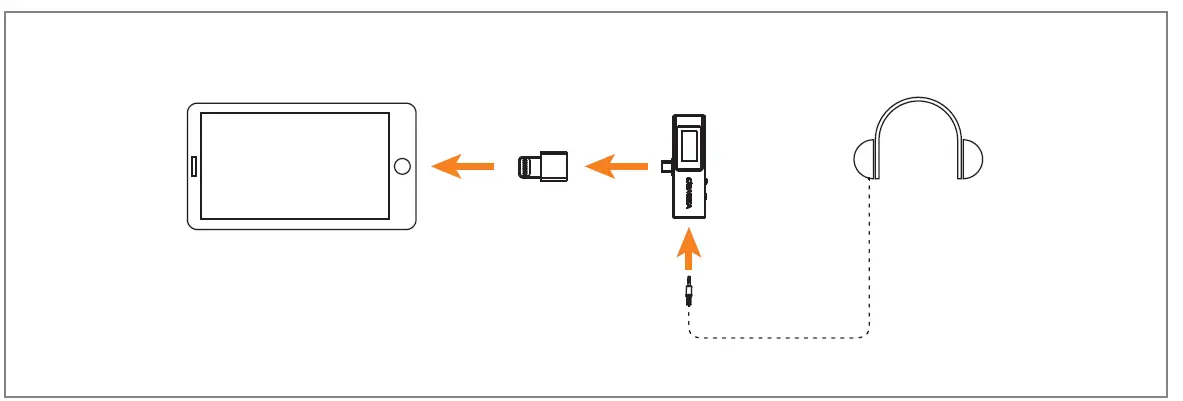
- USB Digital Output Mode

- USB-C device
- Insert the receiver to the USB-C device
- You can choose to whether insert the headphone to monitor or not based on your needs
- USB-A device

- Connect the receiver and USB-A device via the USB C-USB A adapter
- You can choose to whether insert the headphone to monitor or not based on your needs
- Lightning device

- Connect the receiver and Lightning device via the USB C
- lightning adapter(Please purchase USB C-Lightning adapter by yourself)
- You can choose to whether insert the headphone to monitor or not based on your needs
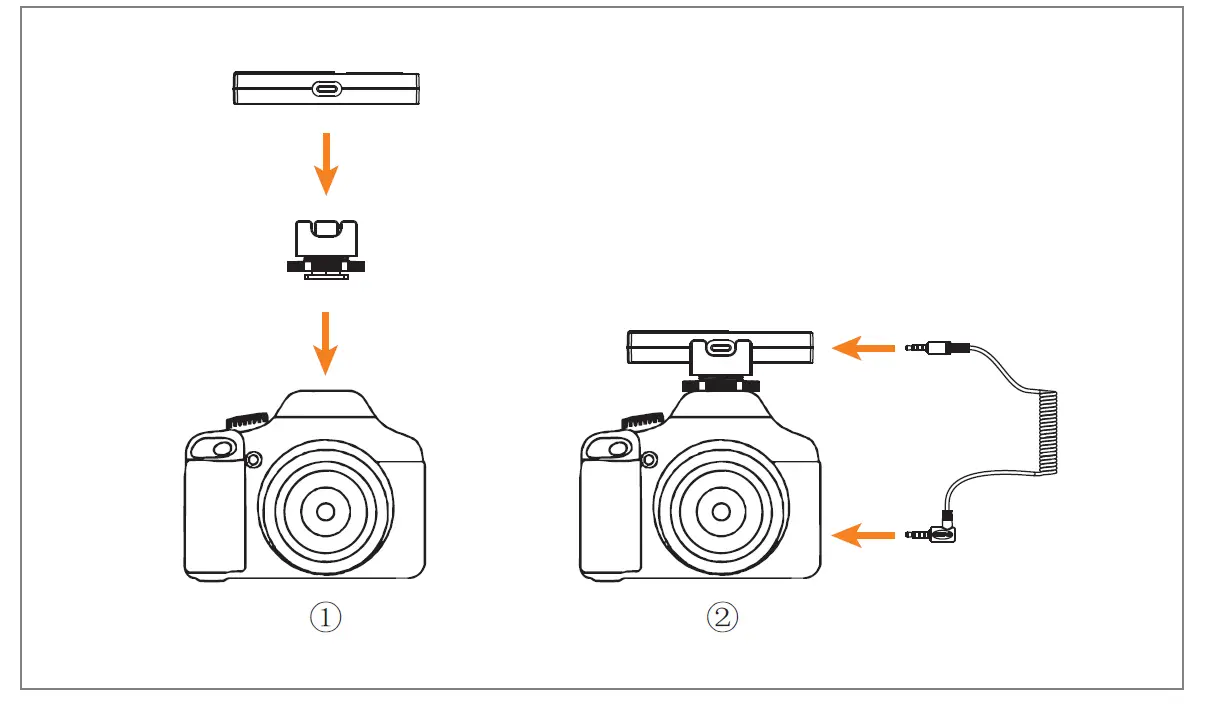
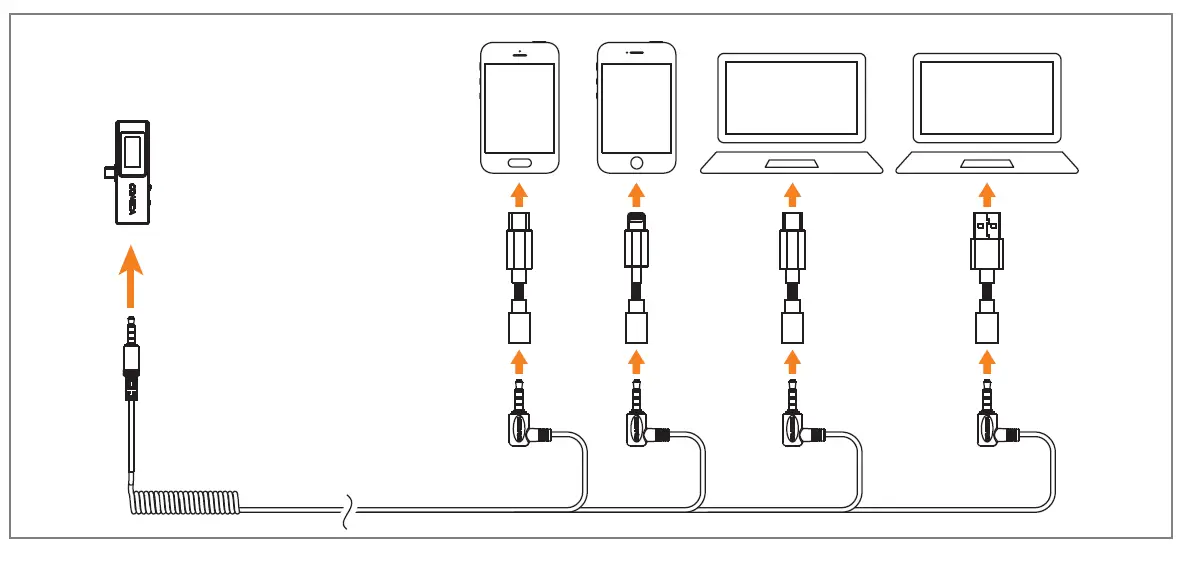
- 3.5mm Analog Output Mode
- 3.5mm TRS camera

- Mount the receiver to the camera through the cold shoe mount
- Connect the receiver and camera via 3.5mm TRRS-TRRS audio cable or 3.5mm TRS-TRS audio cable (Please purchase 3.5mm TRS-TRS audio cable by yourself) Some cameras are not compatible with 3.5mm TRRS-TRRS audio cable, it’s necessary to purchase 3.5mm TRS-TRS audio cable by yourself
- USB devices

- Work with USB devices via corresponding adapter (Please purchase adapter by yourself)
- 3.5mm TRS camera
Specification
| Wireless Type | 2.4GHz |
| Antenna | Built-in Antenna |
| Polar Pattern | Omnidirectional |
| Frequency Response | 80Hz ~ 20kHz |
| S/N | 70dB |
| Equivalent Noise | 24dBA |
| SPL | Internal Mic: 110dB |
| Dynamic Range | Internal Mic: 86dB |
| Sound Delay | <20ms |
| Sensitivity | Internal Mic: -30±2dB |
| Interface | TX: 3.5mm RX: USB-C & 3.5mm Charging Case: USB-C |
| Battery | TX: 95mAh 3.8V RX: 90mAh 3.7V Charging Case: 1000mAh 3.7V |
| Charging Time | TX: 2 Hours RX: 2 Hours Charging Case: 4 Hours |
| Standby Time | TX: 5 Hours RX: 5 Hours Charging Case: 3 times for two transmitters and one receiver charged simultaneously |
| Net Weight | TX: 14g RX: 20g Charging Case: 167g |
| Dimension | TX: 20x53x21 mm RX: 33x76x13 mm Charging Case: 96x99x37 mm |
| Operating Temperature | 0℃ ~ 50℃ |
| Storage Temperature | -20℃ ~ 60℃ |
 audio.com - a better way to upload and share audio online