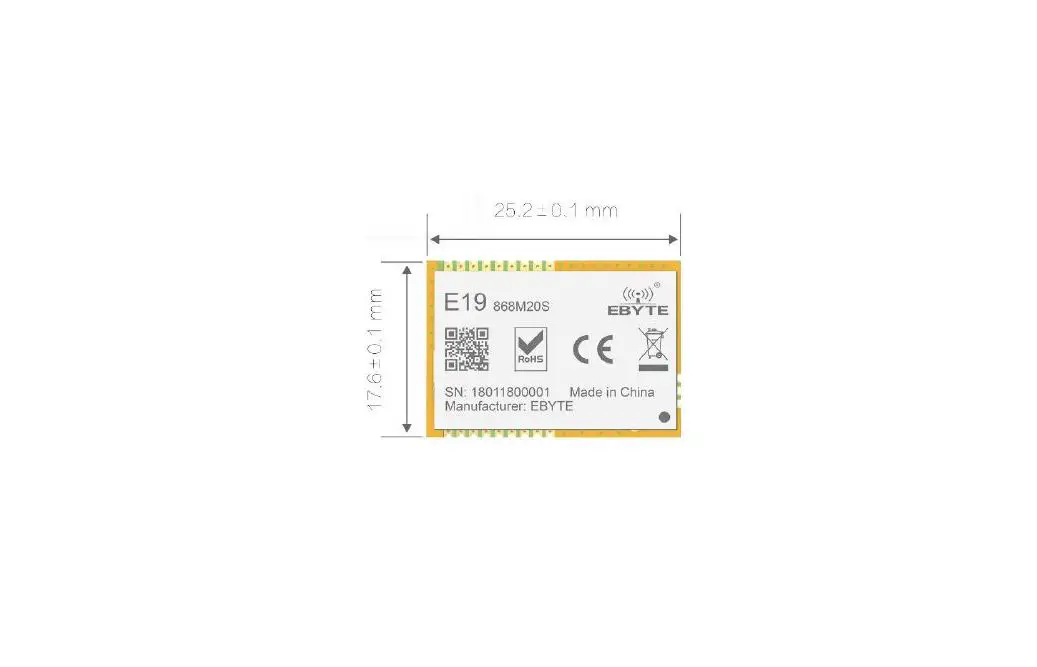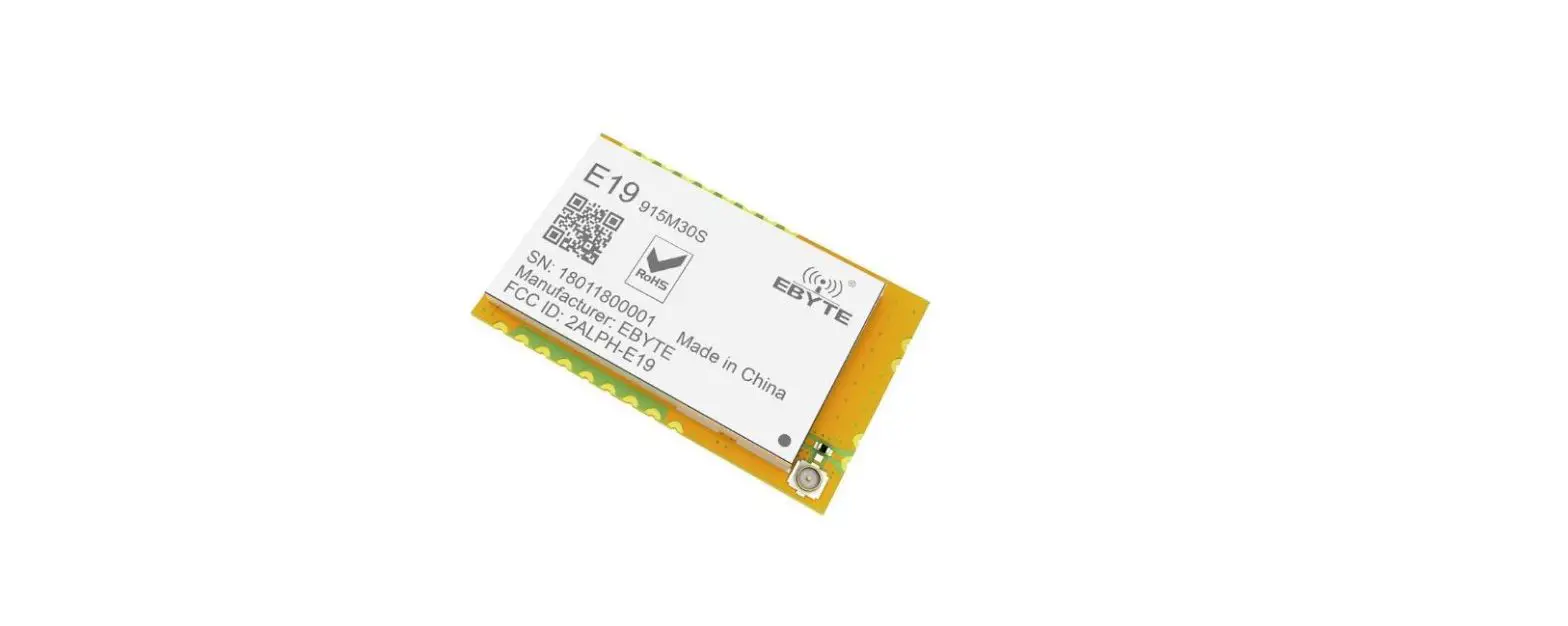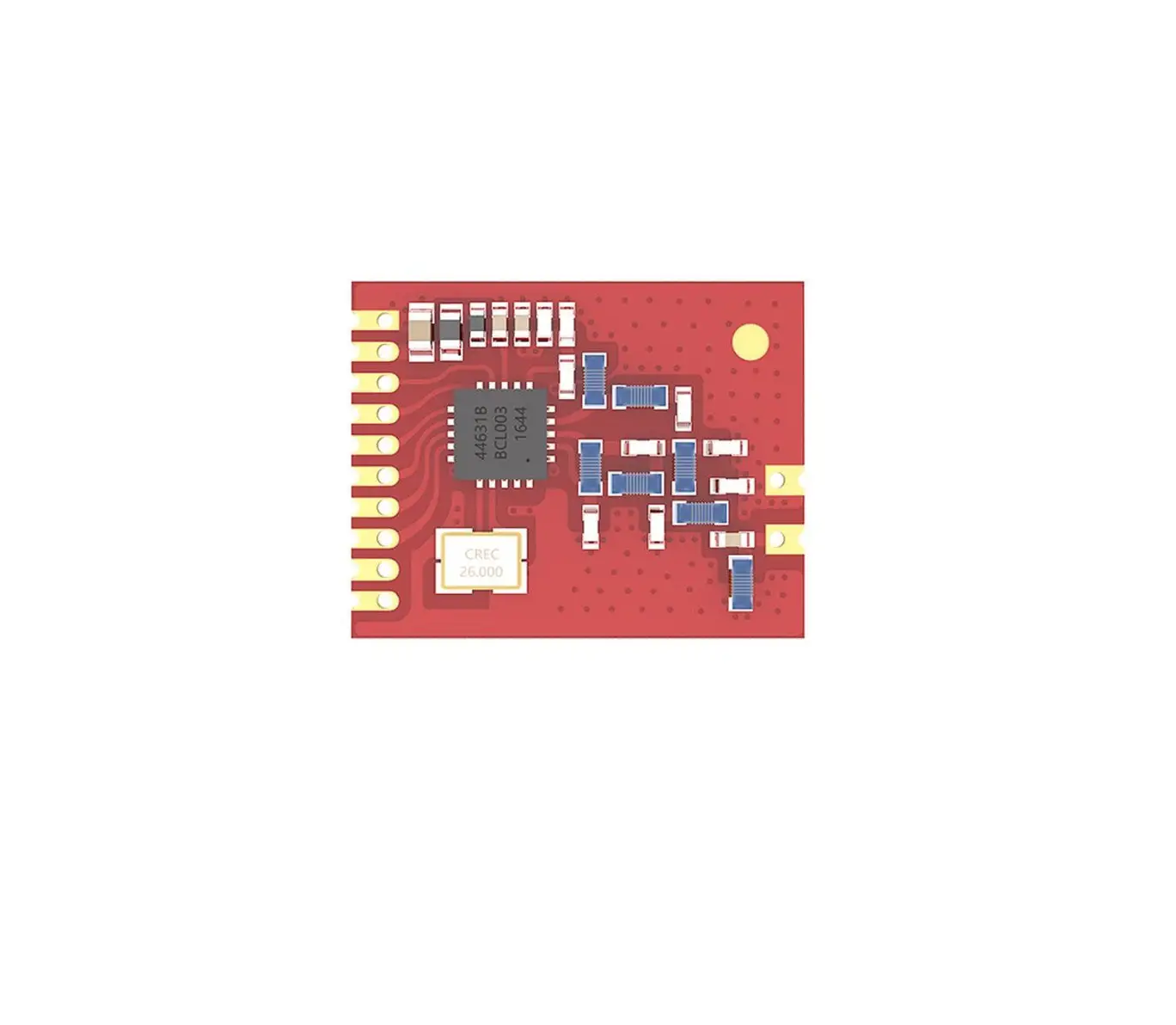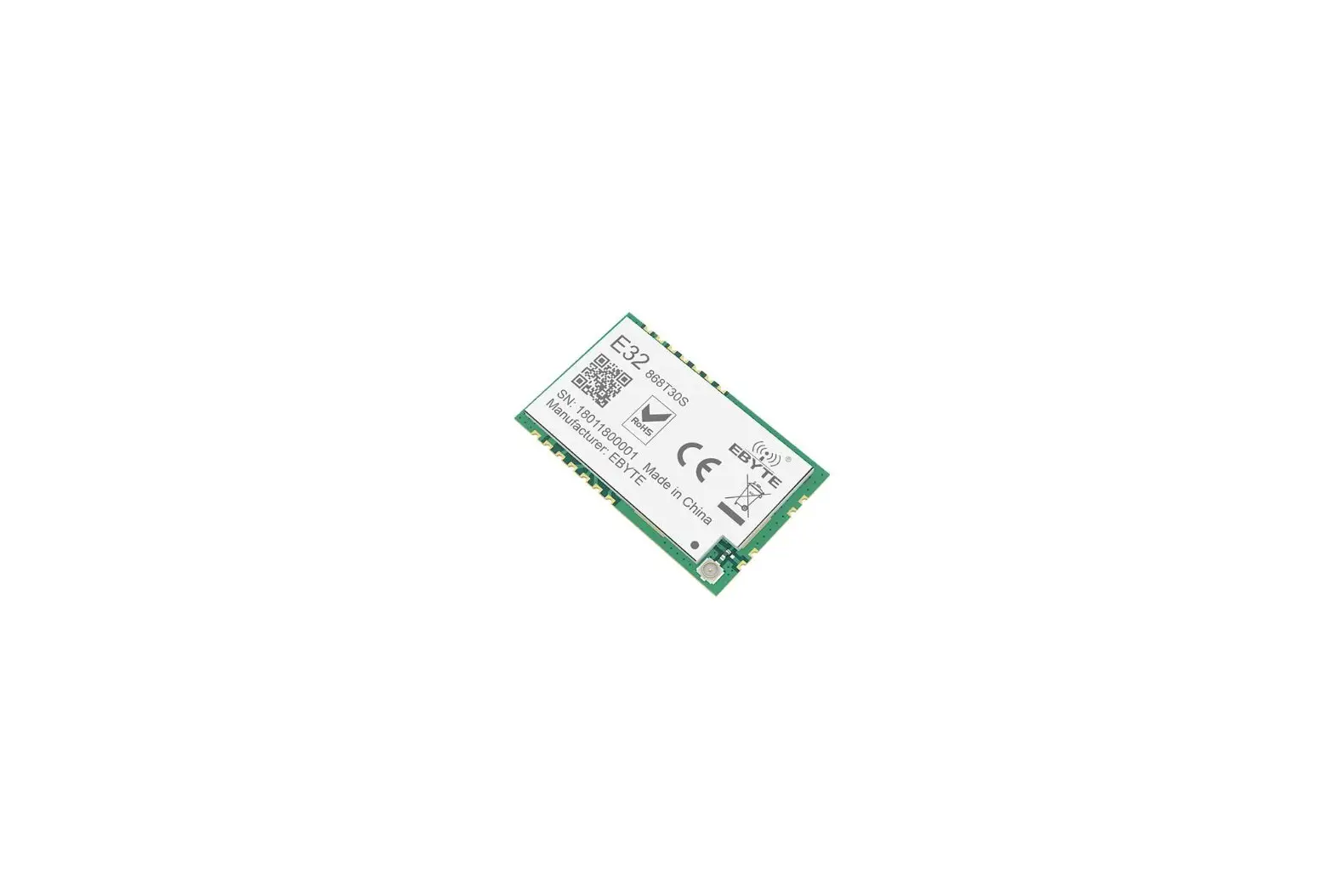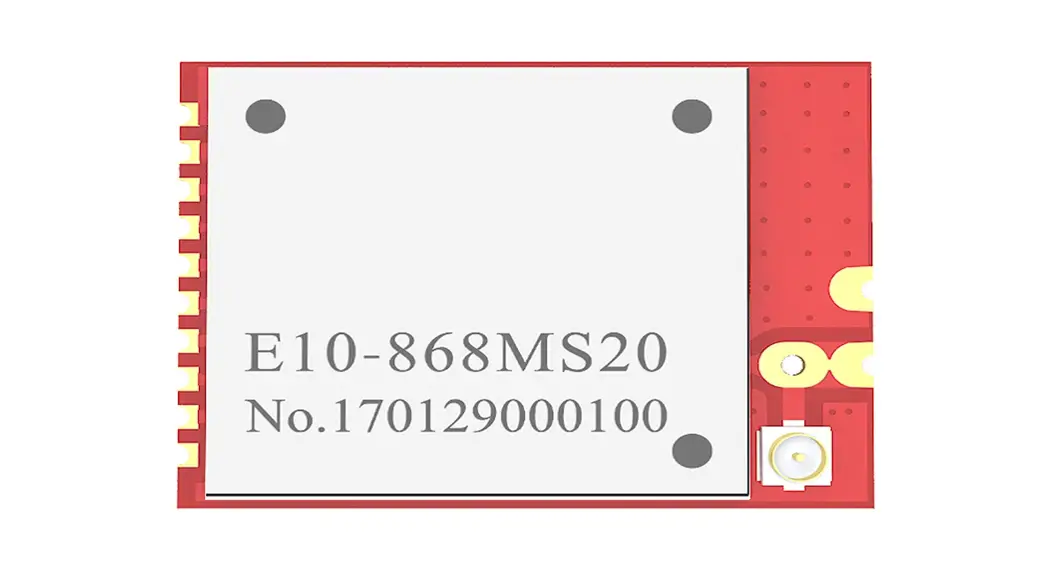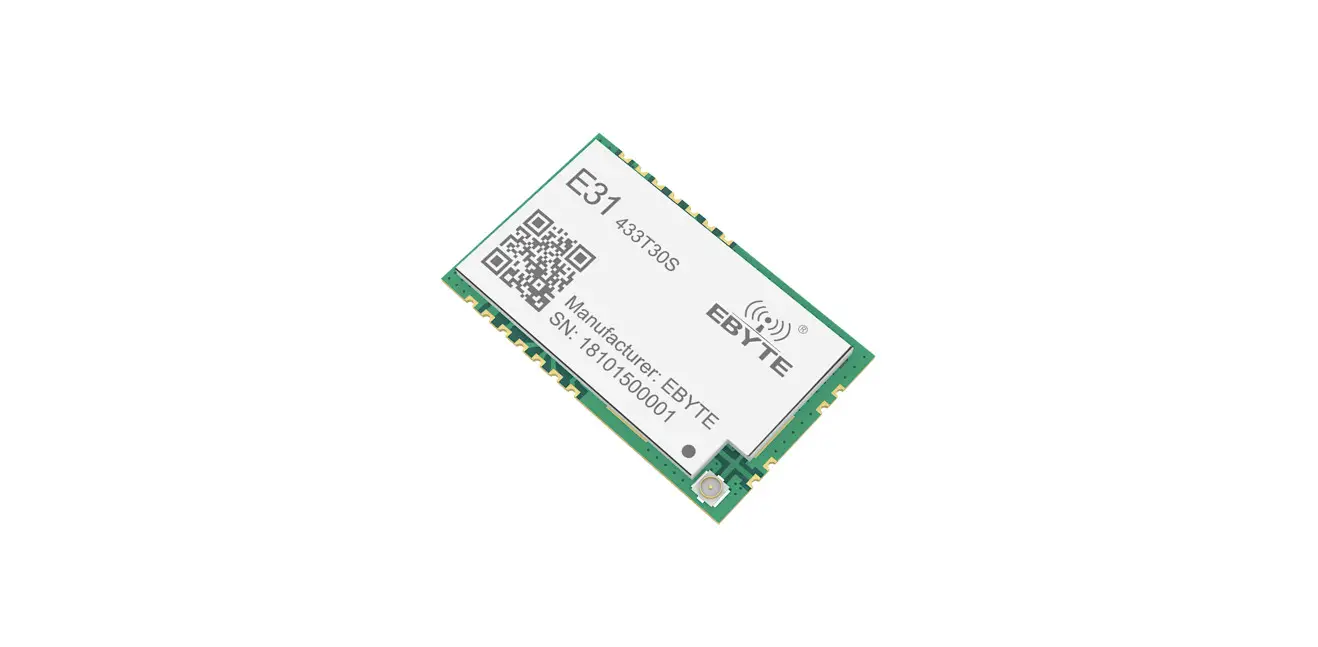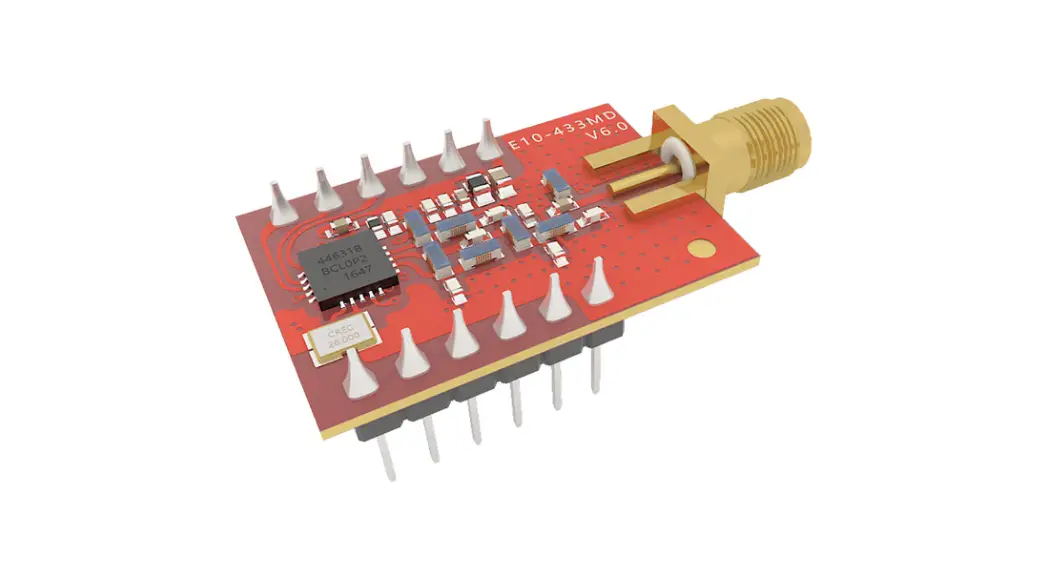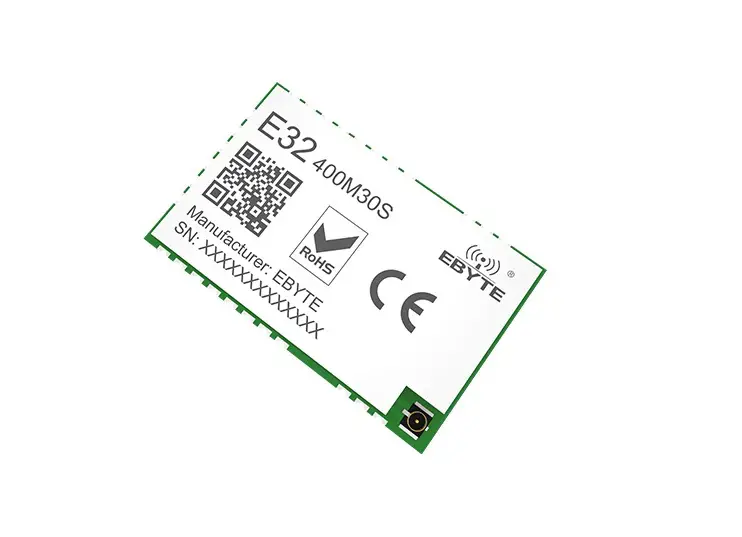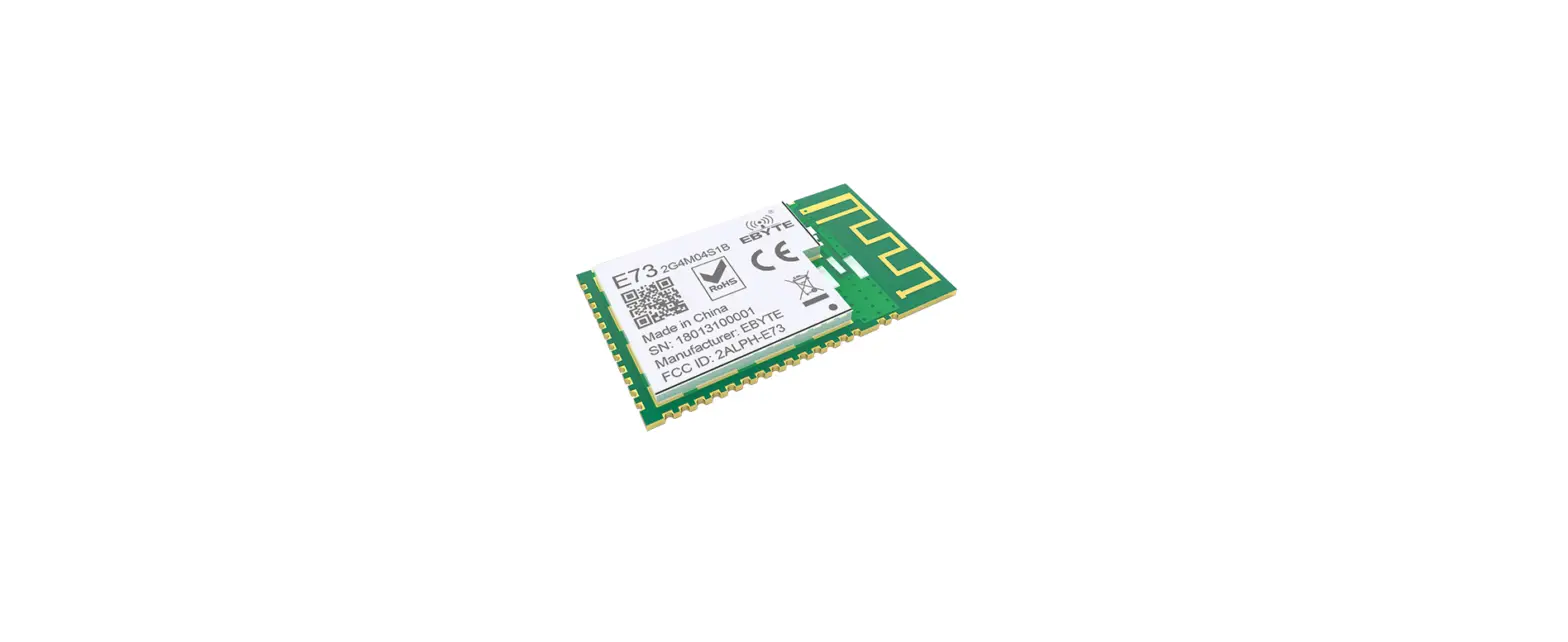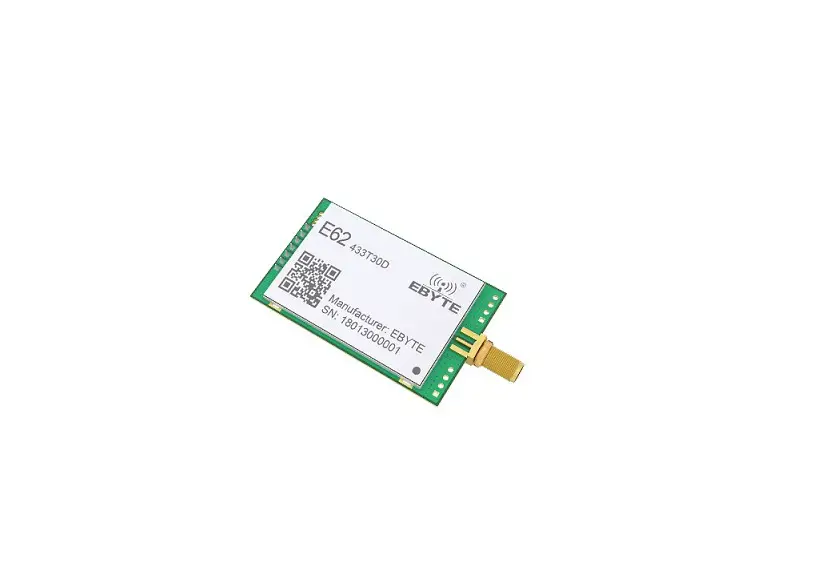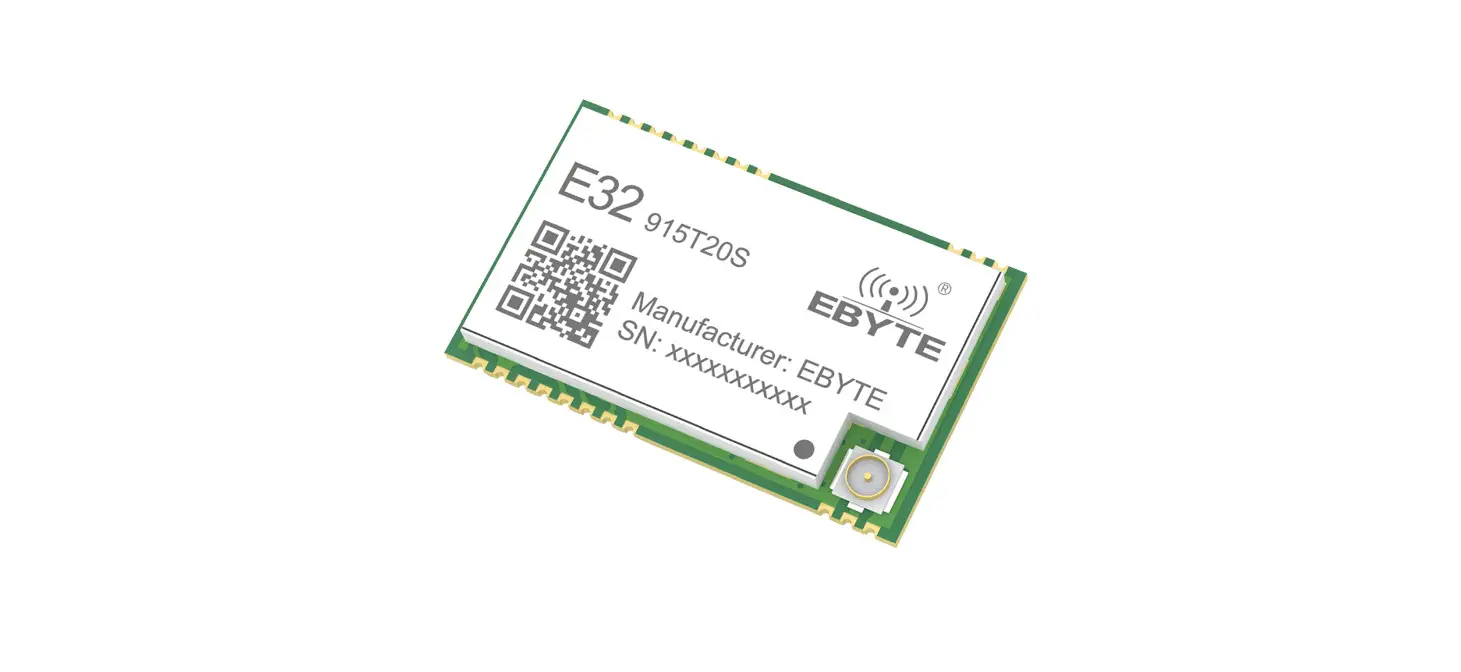
 E32-915T20S 915MHz 100mW SMD Wireless Module
User Manual
Overview
Introduction
E32-9 1 5T2OS is a wireless serial port module (UART) based on SEMTECH’s SX1276 RF chip. It has multiple transmission modes, working in the 900MHz-931MHz, (default 915MHz), LoRa spread spectrum technology, TTL output, compatible with 3.3v and 5v 10.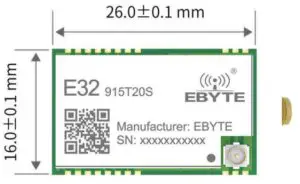 SX1276 features LoRang, which will bring longer communication distance, and has the advantages of concentrated power density, meanwhile, it has very strong confidentiality. the modules of 20dBm transmitting power adopt industrial grade crystal oscillators to ensure stability and consistency, its precision is lower than the widely adopted lOppm.E32-915T2OS is in stable bulk production and are widely applied in utility meters, loT renovation, smart home, etc. The modules feature data encryption and compression. The data transmitted in air features randomness. air Data Rate (Default 2.4kps). The encryption-decryption algorithm makes data interception meaningless. And the data compression enables shorter transmitting time and a lower rate of being interfered, which increased the reliability and transmitting efficiency.
E32-915T20S strictly follows the design standards of FCC and meets various RF certification requirements for exporting.
Features
- Communication distance tested is up to 3km
- Maximum transmission power of 100mW, software multi-level adjustable:
- Support the global license-free ISM 915MHz band:
- Support air date rate of 0.3kbps-19.2kbps:
- Support new generation LoRa technology.
- Low power consumption for battery supplied applications:
- Support 33V-5.2V power supply, power supply over 5.0 V can guarantee the best performance:
- Industrial grade standard design, support -40 — 85 °C for working over a long time:
- IPEX and stamp hole optional, good for secondary development and
Application
- Home security alarm and remote keyless entry:
- Smart home and industrial sensors:
- Wireless alarm security system:
- Building automation solutions:
- Wireless industrial-grade remote control:
- Health care products:
- Advanced Meter Reading Architecture(AMI):
- Automotive industry applications.
Specification and parameter
Limit parameter
| Main parameter | Performance | Remark | |
| Min. | Max. | ||
| Power supply (V) | 0 | 5.2 | Voltage over 5.2V will cause permanent damage to module |
| Blocking power (dBm) | -10 | Chances of burn is slim when modules are used in short distance | |
| Operating temperature ( r ) | -40 | 85 | |
Operating parameter
| Main parameter | Performance | Remark | |||
| Min | Typ. | Max. | |||
| Operating voltage ( V) | 3. | 5.0 | 5.2≥ | 5.0 V ensures output power | |
| Communication level (V) | 3.3 | For 5V TTL, it may be at risk of burning down | |||
| Operating temperature (°C) | -40 | – | 85 | Industrial design | |
| Operating frequency (MHz) | 900 | 915 | 931 | Support ISM band | |
| Power consumption | Transmitting current [mA] | 118 | Instant power consumption | ||
| Receiving current [mA] | 14 | ||||
| Turn-off current [M] | 4 | Software is shut down | |||
| Max Tx Power (dBm) | 19.0 | – | 20.0 | ||
| Receiving sensitivity (dBm) | -144 | -146 | -147 | Air data rate is 0.3kbps | |
| Air data rate (bps) | 0.3k | 2.4k | 19.2k | ||
| Main parameter | Description | Remark |
| Distance for reference | 3000m | Test condition: clear and open area, antenna gain: 5dBi, antenna height: 2.5m, air data rate: 2.4kbps |
| TX length | 58 Byte | Maximum capacity of a single package |
| Buffer | 512 Byte | |
| Modulation | LoRand | |
| Communication interface | TTL | @3.3V |
| Package | SMT | |
| Connector | I.27nun | |
| Size | 16*26mm | |
| Antenna | IPE7Ustamp hole | 50-ohm impedance |
Size and pin definition
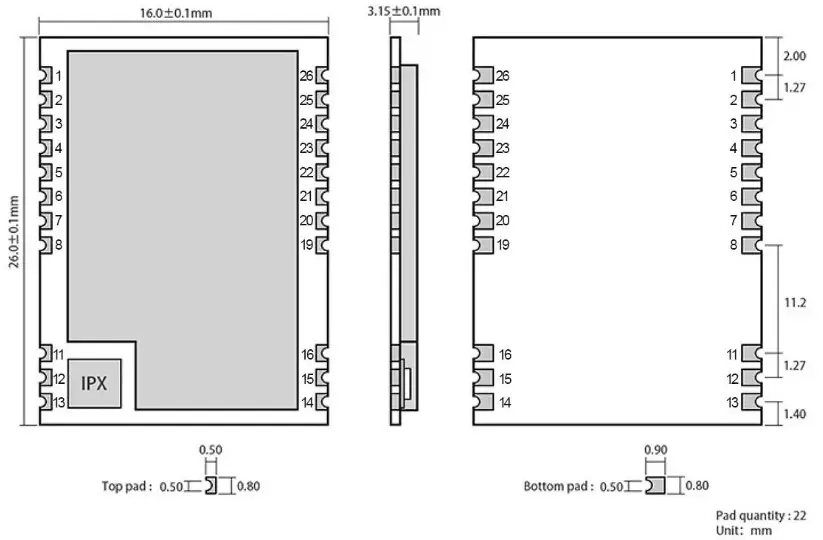
| No. | Name | Direction | Features |
| 1 | NC | – | Empty Pin |
| 2 | GND | – | Ground |
| 3 | NC | – | Empty Pin |
| 4 | NC | – | Empty Pin |
| 5 | NC | – | Empty Pin |
| 6 | NC | – | Empty Pin |
| 7 | NC | – | Empty Pin |
| 8 | GND | – | Ground |
| 11 | GND | – | Ground |
| 12 | ANT | – | Antenna |
| 13 | GND | – | Ground |
| 14 | GND | – | Ground |
| 15 | GND | – | Ground |
| 16 | GND | – | Ground |
| 19 | GN D | – | Ground |
| 20 | MO | Input (weak pull-up) | Work with M1 to decide 4 working modes of the module (not suspended, if not used, could be grounded). |
| 21 | M1 | Input (weak pull-up) | Work with MO to decide 4 working modes of the module (not suspended, if not used, could be grounded). |
| 22 | RXD | Input | TTL UART inputs connect to external (MCU, PC) RDX output pin. |
| 23 | TXD | Output | TTL UART outputs connect to external RDX (MCU, PC) input pin. |
| 24 | AL \ | Output | Used to indicate the working status of the module; The user wakes up the external MCU and outputs a low level during power-on self-check initialization; (can be left floating) |
| 25 | VCC | – | Power supply: 2.3— 5.5V DC |
| 26 | GND | – | Ground |
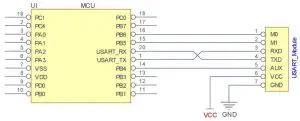
Connect to MCU
| No. | Description (STM8L MCU) |
| 1 | The UART module is TTL level. |
| 2 | For some MCU works at 5VDC, it may need to add 4- I OK pull-up resistor for the TXD & AUX pin. |
Function description
Fixed transmission
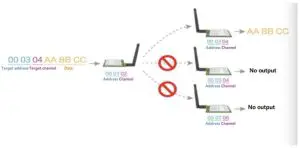
Broadcasting transmission
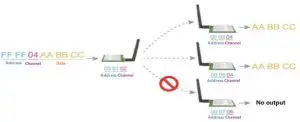
Broadcasting address
- For example: Set the address of module A as OxFFFF, and the channel as 0x04;
- When module is the transmitter (transparent transmission), all modules under channel 0x04 will receive the data, the purpose of broadcast is realized.
Monitor address
- For example: Set the address of module A as OxFFFF, and the channel as 0x04;
- When module A is the receiver, it can receive the data sent from all modules under channel 0x04, the purpose of a monitor is realized.
Reset
- When the module is powered, AUX outputs low level immediately, conducts hardware self-check, and sets the operating mode based on the user’s parameters. During the process, the AUX remains low level. After the process is completed, the AUX outputs high level and starts to work as per the operating mode combined by M I and MO. Therefore, users need to wait for the AUX rising edge as the start of the module’s normal work.
AUX description
- AUX Pin can be used as an indication for wireless send & receive buffer and self-check.
- It can indicate whether there are data that are not sent yet via wireless way, whether all wireless data has been sent through UART, or whether the module is still in the process of self-check initialization.
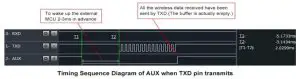
Indication of UART output
- To wake up external MCU
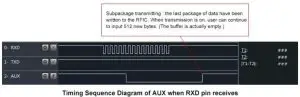
Indication of wireless transmitting
- Buffer (empty): the internal 512 bytes data in the buffer are written to the RFIC (Auto sub-packaging).
- When AUX=1, the user can input data less than 512 bytes continuously without overflow. Buffer (not empty): when AUX=O, the internal 512 bytes data in the buffer have not been written to the RFIC completely. If the user starts to transmit data at this circumstance, it may cause overtime when the module is waiting for the user data, or transmitting wireless subpackage.
- When AUX = 1, it does not mean that all the UART data of the module have been transmitted already, perhaps the last packet of data is still in transmission.
Configuration procedure of module
- Only happened when power-on resetting or exiting sleep mode
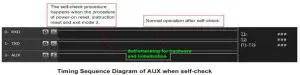
Notes for Aux
| No. | Description |
| 1 | For function I & function 2 mentioned above, the priority should be given to the one with low-level output, which means if it meets each of any low-level output conditions, AUX outputs a low level, if none of the low-level conditions is met, AUX outputs high level. |
| 2 | When AUX outputs a low level, it means the module is busy & cannot conduct operating mode checking. Within 1 ms since AUX outputs a high level, the mode switch will be completed. |
| 3 | After switching to the new operating model, it will not work in the new mode immediately until AUX’s rising edge lasts for 2ms. If AUX stays on the high level, the operating mode switch can be effected immediately. |
| 4 | When the user switches to other operating modes from mode 3 (sleep mode) or it’s still in the reset process, the module will reset user parameters, during which AUX outputs a low level. |
Operating mode
There are operating modes, which are set by M1 and M0, the details are as follow:
| Mode (0-3) | MO | NI I | Mode introduction | Remark |
| 0 Normal | 0 | 1 | UART and wireless channels are open, transparent transmission is on | The receiver must work in mode 0 or mode 1 |
| 1 Wake up | 1 | 0 | UART and wireless channels are open, the only the difference with mode 0 is that before transmitting data, increasing the wake-up code automatically so that it can awake the receiver under mode 3. | The receiver could be 0,1 or 2 |
| 2 Power saving | 0 | 1 | UART close, wireless is under the air-awaken mode, after receiving data, UART opens and sends data. | the transmitter must be mode 1, unable to transmit in this mode. |
| 3 Sleep | 1 | 1 | sleep mode, receiving parameter setting command is available. | more details on parameter specification. |
Mode switch
- The user can decide the operating mode by the combination of M 1 and MO. The two GPIO of MCU can be used to switch modes. After modifying MI or MO, it will start to work in a new mode 1ms later if the module is free. If there are any serial data that is yet to finish wireless transmitting, it will start to work in the new model after the UART transmitting is finished. After the module receives the wireless data & transmits the data through a serial port, it will start to work in new model after the transmitting finished. Therefore, the mode-switch is only valid when AUX outputs I, otherwise it will delay.
- For example, in mode 0 or mode I, if the user inputs massive data consecutively and switches operating mode at the same time, the mode-switch operation is invalid. New mode checking can only be started after all the user’s data process is completed. It is recommended to check AUX pin-out status and wait 2ms after AUX outputs a high level before switching the mode.
- If the module switches from other modes to standby mode, it will work in standby mode only after all the remained data process completed. The feature can be used to save power consumption. For example, when the transmitter works in mode 0, after the external MCU transmits data “12345”, it can switch to sleep mode immediately without waiting for the rising edge of the AUX pin, also the user’s main MCU will go dormancy immediately. Then the module will transmit all the data through wireless transmission & go dormancy 1 ms later automatically, which reduces MCU working time & save power.
- Likewise, this feature can be used in any mode switch. The module will start to work in a new mode within I ms after completing the present mode task, which enables the user to omit the procedure of AUX inquiry and switch-mode swiftly. For example, when switching from transmitting mode to receiving mode, the user MCU can go dormancy before mode-switch, using external interrupt function to get AUX change so that the mode-switch can be realized.
- This operation is very flexible and efficient. It is totally designed on the basis of the user MCU’s convenience, at the same time the workload and power consumption of the whole system has been reduced and the efficiency of the whole system is largely improved.
Normal mode ( mode 0)
| When MI = 0 & MO = 0, module works in mode 0 | |
| Transmitting | The module can receive the user data via serial port, and transmit a wireless data package of 58 bytes. When the data inputted by the user is up to 58 bytes, the module will stan wireless transmission. During which the user can input data continuously for transmission. When the required transmission bytes are less than 58 bytes, the module will wait a 3-byte time and treat it as data termination unless continuous data is inputted by a user. Then the module will transmit all the data through a wireless Transmitting channel. When the module receives the first data packet from the user, the AUX outputs a low level. After all the data are transmitted into the RF chip and transmission starts, AUX outputs a high level. At this time, it means that the last wireless data package transmission is started, which enables the user to input another 512 bytes continuously. The data package transmitted from the module working in mode 0 can only be received by the module working in mode 0 or 1. |
| Receiving | The wireless receiving function of the module is on, the data packet transmitted from the module working in mode 0 & mode I can be received. Receiving After the data packet is received, the AUX outputs a low level, 5ms later the module starts to transmit wireless data through serial port DID pin. After all the wireless data have been transmitted via serial port, the AUX outputs a high level. |
Wake-up mode ( mode 1)
| When Ml = 0 & MO = 1, module works in mode 1 | |
| Transmitting | The condition of data packet transmission & AUX function is the same as mode 0. The only difference is that the module will add preamble code before each data packet automatically. The preamble code length depends on the wake-up time set in the user parameters. The purpose of the preamble code is to wake up the receiving module works in mode 2. Therefore, the data package transmitted from mode 1 can be received by mode 0, model, and mode 2. |
| Receiving | The same as that in mode 0. |
Power-saving mode ( mode 2 )
| When MI = 1 & MO = 0, module works in mode 2 | |
| Transmitting | UART is closed, the module cannot receive any serial port data from outside MCU. Hence the function of wireless transmission is not available for the module working in this mode. |
| Receiving | In mode 2, it is required the data transmitter work in mode 1. The wireless module monitors the preamble code at a regular time. Once it gets the preamble code, it will remain as receiving status and waiting for the completion of receiving the entire valid data package. Then the AUX outputs a low level, 5ms later the serial port is open to transmit received wireless data through TXD. Finally, AUX outputs a high level after the process is completed. The wireless module stays in “power-saving — monitoring” working status (polling). By setting different wake-up times, the module will have different receiving response delays (2s in maximum) and average power consumption (30uA in minimum). The user needs to achieve a balance between communication delay time & average power consumption. |
Sleep mode ( mode 3 )
| When M1=1, M0=1, module works in mode 3 | |
| Transmitting | N/A |
| Receiving | N/A |
| Parameter setting | This mode can be used for parameter setting. It uses serial ports 9600 & 8N 1 to set module working parameters through a specific instruction format. (pls refer to parameters setting for details) |
| Notes | When the mode changes from standby mode to others, the module will reset its parameters, during which the AUX keeps a low level and then outputs a high level after reset is completed. It is recommended to check the AUX rising edge for users. |
Command format
In sleep mode ( Mode 3: M1=1, M0=1 ), it supports the below instructions on the list.
(Only support 9600 and 8N1 format when setting)
| No. | Instruction format | Illustration |
| I | CO+working parameters | CO + 5 bytes working parameters are sent in hexadecimal format. 6 bytes in total and must be sent in succession, ( Save the parameters when power-down ). |
| 2 | Cl+Cl+CI | ( Save the parameters when power-down ) |
| 3 | C2+working parameters | Three Cl are sent in hexadecimal format. The module returns the saved parameters and must be sent in succession. |
| 4 | C3+C3+C3 | C2 + 5 bytes working parameters are sent in hexadecimal format. 6 bytes in total and must be sent in succession. ( Do not save the parameters when power-down ) |
| 5 | C4+C4+C4 | Three C3 are sent in hexadecimal format. The module returns the version information and they must be sent in succession. |
Default Parameters
| Type | Default parameter values: : CO 00 00 IA 17 44 | ||||||
| Model | Frequency I Address | Channel | Air data rate | Baud rate | Parity | Transmitting power | |
| E32-915T20S | 9I5MHz | Ox0000 | OxOF | 2.4kbps | 9600 | 8N1 | 100mW |
Reading operating parameters
| Instruction format | Description |
| Cl+Cl+CI | In sleep mode (M0=1, M1=1), User gives the module instruction (HEX format): Cl CI Cl, Module returns the present configuration parameters. For example, CO 00 00 1A 17 44. |
Reading version number
| Instruction format | Description |
| C3+C3+C3 | In sleep mode (M0=1, M1=1 ) , the User gives the module instruction (HEX format): C3 C3 C3, Module returns its present version number, for example, C3 32 xx yy. the second byte means frequency. 32 here means the frequency is 433MHZ, 38 means frequency is 470MHz, 45 means frequency is; 868MHz, 44 means the frequency is 915 MHz, 46 means the frequency is 170MHz; xx is the version number, and yy refers to the other module features. |
Reset Command
| Instruction format | Description |
| C4+C4+C4 | In sleep mode (M0=1, M1=1), User gives the module instruction (HEX format): C4 C4 C4, the module resets for one time. During the reset process, the module will conduct a self-check, AUX outputs low level. After reset completing, the AUX outputs a high level, then the module starts to work regularly and the working mode can be switched or be given another instruction. |
Parameter setting command
| No. | Item | Description | Remark | ||
| 0 | HEAD | Fix OxCO or OxC2, it means this frame data is a control command | Must be OxCO or OxC2 CO: Save the parameters when power-down C2: Do not save the parameters when power-down | ||
| I | ADDH | High address byte of the module ( the default 00H ) | 00H-FF H | ||
| 0′ I | ADDL | Low address byte of module ( the default OOH ) | 00H-FFH | ||
| 3 | SPED | 7 | 6 | UART parity bit | UART mode can be different between communication parties |
| 0 | 0 | 8N1 (default) | |||
| 0 | I | 801 | |||
| 1 | 0 | 8 El | ||||
| 1 | 1 | 8N1 (equal to 00) | ||||
| 5 | 4 | 3 | TTL UART baud rate ( bps ) | •UART baud rate can be different between communication parties •The UART baud rate has nothing to do with wireless transmission parameters & won’t affect the wireless transmit/receive features. | ||
| 0 | 0 | 0 | 1200 | |||
| 0 | 0 | 1 | 2400 | |||
| 0 | 1 | 0 | 4800 | |||
| 0 | 1 | 1 | 9600 (default) | |||
| 1 | 0 | 0 | 19200 | |||
| 1 | 0 | 1 | 38400 | |||
| 1 | 1 | 0 | 57600 | |||
| 1 | 1 | 1 | 115200 | |||
| 2 | 1 | 0 | Air data rate ( bps ) | •The lower the air data rate, the longer the transmitting distance, better anti-interference performance, and longer transmitting time •The air data rate must keep the same for both communication parties. | ||
| 0 | 0 | 0 | 03k | |||
| 0 | 0 | 1 | 1.2k | |||
| 0 | 1 | 0 | 2.4k (default) | |||
| 0 | 1 | I | 4.8k | |||
| 1 | 0 | 0 | 9.6k | |||
| 1 | 0 | I | 19.2k | |||
| I | 1 | 0 | 19.2k (same to 101) | |||
| 1 | 1 | I | 19.2k (same to 101) | |||
| General Specifications | Except for E32 (400120S) | |||||
| 4 | CHAN | 7 | 6 | 5 | reserved | Write 0 |
| Communication channel | 00H-1FH, correspond to 900-931MHz | |||||
| 4 -4), channel (900MHz+CHAN * 1MHz), default OFH (915MHz) | ||||||
| 5 | OPTIO N | 7 | Fixed transmission enabling bit ( similar to MODBUS ) | •In fixed transmission mode, the first three bytes of each user’s data frame can be used as high/low address and channel. The module changes its address and channel when transmit. And it will revert to original setting after complete the process. | ||
| 0 | Transparent transmission mode | |||||
| 1 | Fixed transmission mode | |||||
| 6 | I0 drive mode (default 1) | •This bit is used to the module internal pull-up resistor. It also increases the level’s adaptability in case of an open drain. But in some cases, it may need an external pull-up resistor. | ||||
| 1 | TXD and AUX push-pull outputs, RDX pull-up inputs | |||||
| 0 | TXD, AUX open-collector outputs, RDX open-collector inputs | |||||
| 5 | 4 | 3 | wireless wake-up time | •The transmit & receive module work in mode 0, whose delay time is invalid & can be an arbitrary value. •The transmitter works in mode 1 can transmit the preamble code of the corresponding time continuously. •When the receiver works in mode 2, the time | ||
| 0 | 0 | 0 | 250ms (default) | |||
| 0 | 0 | 1 | 500ms | |||
| 0 | 1 | 0 | 750ms | |||
| 0 | 1 | 1 | 1000ms | |||
| 1 | 0 | 0 | 1250ms | |||
| 1 | 0 | 1 | 1500ms | |||
| 1 | 1 | 0 | 1750ms | means the monitor interval time (wireless wake-up). Only the data from transmitter that works in mode 1 can be received. | |||||||||||
| 1 | 1 | 1 | 2000ms | ||||||||||||
| 2 | FEC switch | •After turn off FEC, the actual data transmission rate increases while anti-interference ability decreases. Also the transmission distance is relatively short. •Both communication parties must keep on the same pages about turn-on or turn-off FEC. | |||||||||||||
| 0 | Turn off FEC | ||||||||||||||
| 1 | Turn on FEC (default) | ||||||||||||||
| 1 | 0 | Transmission power (approximation) | The external power must make sure the ability of current output more than 250mA and ensure the power supply ripple within 1 00mV. Low power transmission is not recommended due to its low power supply efficiency. | ||||||||||||
| 0 | 0 | 20dBm (default) | |||||||||||||
| 0 | 1 | 17dBm | |||||||||||||
| 1 | 0 | 14dBm | |||||||||||||
| 1 | 1 | 10dBm | |||||||||||||
| For example: The meaning of No.3 “SPED” byte: | |||||||||||||||
| The binary bit of the byte | 7 | 6 | 5 | 4 | 3 | 2 | 1 | 0 | |||||||
| Configures by user | 0 | 0 | 0 | 1 | 1 | 0 | 1 | 0 | |||||||
| Meaning | UART parity bit 8N 1 | UART baud rate e is 9600 | Air data rate is 2.4k | ||||||||||||
| Corresponding hexadecimal | 1 | A | |||||||||||||
Hardware design
- It is recommended to use a DC stabilized power supply. The power supply ripple factor is as small as possible, and the module needs to be reliably grounded. ;
- Please pay attention to the correct connection of the positive and negative poles of the power supply. The reverse connection may cause permanent damage to the module;
- Please check the power supply to ensure it is within the recommended voltage otherwise when it exceeds the maximum value the module will be permanently damaged;
- Please check the stability of the power supply, the voltage can not fluctuate frequently ;
- When designing the power supply circuit for the module, it is often recommended to reserve more than 30% of the margin, so the whole machine is beneficial for long-term stable operation. ;
- The module should be as far away as possible from the power supply, transformers, high-frequency wiring, and other parts with large electromagnetic interference. ;
- High-frequency digital routing, high-frequency analog routing, and power routing must be avoided under the module. If it is necessary to pass through the module, assume that the module is soldered to the Top Layer, and the copper is spread on the Top Layer of the module contact part(well-grounded), it must be close to the digital part of the module and routed in the Bottom Layer;
- Assuming the module is soldered or placed over the Top Layer, it is wrong to randomly route over the Bottom Layer or other layers, which will affect the module’s spurs and receiving sensitivity to varying degrees ;
- It is assumed that there are devices with large electromagnetic interference around the module that will greatly affect the performance. It is recommended to keep them away from the module according to the strength of the interference. If necessary, appropriate isolation and shielding can be done ;
- Assume that there are traces with large electromagnetic interference (high-frequency digital, high-frequency analog, power traces) around the module that will greatly affect the performance of the module. It is recommended to stay away from the module according to the strength of the interference. If necessary, appropriate isolation and shielding can be done.
- If the communication line uses a 5V level, a lk-5.1k resistor must be connected in series (not recommended, there is still a risk of damage) ;
- Try to stay away from some physical layers such as TTL protocol at 2.4GHz, for example, USB3.0 ;
- The mounting structure of the antenna has a great influence on the performance of the module. It is necessary to ensure that the antenna is exposed, preferably vertically upward. When the module is mounted inside the case, use a good antenna extension cable to extend the antenna to the outside ;
- The antenna must not be installed inside the metal case, which will cause the transmission distance to be greatly weakened.
FAQ
The communication range is too short
- The communication distance will be affected when an obstacle exists.
- Data loss rate will be affected by temperature, humidity, and co-channel interference.
- The ground will absorb and reflect wireless radio waves, so the performance will be poor when testing near the ground.
- Seawater has a great ability in absorbing wireless radio waves, so performance will be poor when testing near the sea.
- The signal will be affected when the antenna is near a metal object or put in a metal case.
- The power register was set incorrectly, air data rate is set as too high (the higher the air data rate, the shorter the distance).
- The power supply low voltage under room temperature is lower than 2.5V, the lower the voltage, the lower the transmitting power.
- Due to antenna quality or poor matching between antenna and module.
The module is easy to damage
- Please check the power supply source, ensure it is 2.0V-3.6V, voltage higher than 3.6V will damage the module.
- Please check the stability of the power source, the voltage cannot fluctuate too much.
- Please make sure antistatic measures are taken when installing and using, high-frequency devices that have electrostatic susceptibility.
- Please ensure the humidity is within a limited range, some parts are sensitive to humidity.
- Please avoid using modules under too high or too low temperatures.
BER(Bit Error Rate) is high
- There is co-channel signal interference nearby, please be away from interference sources or modify frequency and channel to avoid interference;
- The poor power supply may cause messy code. Make sure that the power supply is reliable.
- The extension line and feeder quality are poor or too long, so the bit error rate is high;
Production guidance
Reflow soldering temperature
| Profile Feature | Curve characteristics | Sn-Pb Assembly | Pb-Free Assembly |
| Solder Paste | Solder paste | Sn63/Pb37 | Sn96.5/Ag3/Cu0.5 |
| Preheat Temperature min (Tsmin) | Min preheating temp. | 100°C | 150°C |
| Preheat temperature max (Tsmax) | Mx preheating temp. | 150°C | 200°C |
| Preheat Time (Tsmin to TsmaxXts) | Preheating time | 60-120 sec | 60-120 sec |
| Average ramp-up rate(Tsmax to Tp) | Average ramp-up rate | 3r/second max | 3’C/second max |
| Liquidous Temperature (TL) | Liquid phase temp. | 183°C | 2170 |
| Time (tL) Maintained Above (TL) | Time below liquid phase line | 60-90 sec | 30-90 sec |
| Peak temperature (Tp) | Peak temp. | 220-235°C | 230-2500 |
| Average ramp-down rate (Tp to Tsmax) | Average ramp-down rate | 6r/second max | 6r/second max |
| Time 25r to peak temperature | Time to peak temperature for 25°C | max 6 minutes | max 8 minutes |
Reflow soldering curve
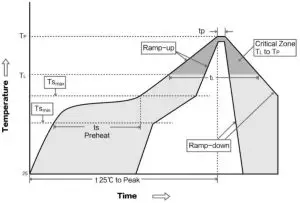
E32 series
| Model No. L | Core IC | Frequency Hz | Tx power dBm | Distance km | Data Rate | Package | Size mm | Interface |
| E32-868T20S | SX1276 | 868M | 20 | 0.3k~19.2k | SMD | 16 * 26 | UART | |
| E32-915T20S | SX1276 | 915M | 20 | 0.3k~19.2k | SMD | 16 * 26 | UART | |
| E32-400T20S | SX1278 | 433M 470M | 20 | 0.3k~19.2k | SMD | 16 * 26 | UART | |
| E32-915T30S | SX1276 | 915M | 30 | s | 0.3k~19.2k | SMD | 25 * 40.3 | UART |
| E32-868T30S | SX1276 | 868M | 30 | s | 0.3k~19.2k | SMD | 25 * 40.3 | UART |
| E32-433T30S | SX1278 | 433M | 30 | 8 | 0.3k-19.2k | SMD | 25 * 40.3 | UART |
| E32-433T20S2T | SX1278 | 433M | 20 | 3 | 0.3k~49.2k | SMD | 17 * 30 | UART |
| E32-868T30D | SX1276 | 868M | 30 | 8 | 0.3~19.2k | DIP | 24 * 43 | SMA-K |
| E32-915T30D | SX1276 | 915M | 30 | 8 | 0.3~19.2k | DIP | 24 * 43 | SMA-K |
| E32-170T30D | SX1278 | 170M | 30 | 8 | 0.3k~9.6k | DIP | 24 * 43 | SMA-K |
| E32-868T20D | SX1276 | 868M | 20 | 3 | 0.3~19.2k | DIP | 21 * 36 | SMA-K |
| E32-915T20D | SX1276 | 915M | 20 | 3 | 0.3~19.2k | DIP | 21 * 36 | SMA-K |
| E32- 433T2ODC | SX1278 | 433M | 20 | 3 | 0.3k~19.2k | DIP | 21 * 36 | SMA-K |
| E32- 433T30D | SX1278 | 433M | 30 | 8 | 0.3k-19.2k | DIP | 24 * 43 | SMA-K |
| E32-433T27D | SX1278 | 433M | 27 | 5 | 0.3k-19.2k | DIP | 24 * 43 | SMA-K |
| E32-433T20S I | SX1278 | 433M | 20 | 3 | 0.3k-19.2k | SND | 17 * 25.5 | SMA-K |
Antenna recommendation
The antenna is an important role in the communication process. A good antenna can largely improve the communication system. Therefore, we recommend some antennas for wireless modules with excellent performance and reasonable prices.
| Model No. | Type | Frequency Hz | Interface | Gain dBi | Height | Cable | Function feature |
| TX915-XP- 100 | Sucker antenna | 915M | SMA-J | 4. | 25cm | 100 | Sucker antenna, High gain |
| TX915-JK-20 | Rubber antenna | 915M | SMA-J | 3 | 210mm | – | Flexible &omnidirectional |
| TX915-JK-11 | Rubber antenna | 915M | SMA-J | 3. | 110mm | – | Flexible &omnidirectional |
| TX915-JZ-5 | Rubber antenna | 9I5M | SMA-J | 2 | 50mm | Short straight &omnidirectional |
Package for batch order
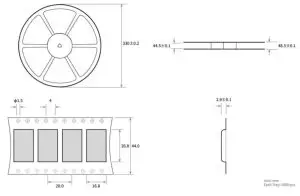
Revision history
| Version | Date | Description | Issued by |
| 1.00 | 2017-11-10 | Initial version | huaa |
| 1.10 | 2018-01-11 | Updating E32 (868T30S)/E32 (915T30S) | huaa |
| 1.20 | 2018-01-15 | Updating E32 (868T20S)/E32 (915T20S)/ E32 (400T20S) | huaa |
| 1.30 | 2018-01-22 | Updating E32 (868T20D)/ E32 (868T30D) E32 (915T20D)/ E32 (915T30D)/ E32 (170T30D) | huaa |
| 1.40 | 2018-05-24 | Updating antenna option | huaa |
| 1.50 | 2018-10-11 | Manual dividing | huaa |
| 1.60 | 2020-04-13 | Ren |
About us
Technical support: supportakdebyte.com
Documents and RF Setting download link: www.ebyte.com
Thank you for using Ebyte products! Please contact us with any questions or suggestions: infoatcdebyte.com
Fax: 028-64146160 ext. 821
Web: www.ebyte.com
Address: Innovation Center D347, 4# XI-XIN Road, Chengdu, Sichuan, ChinaChengdu Ebyte Electronic Technology Co., Ltd.