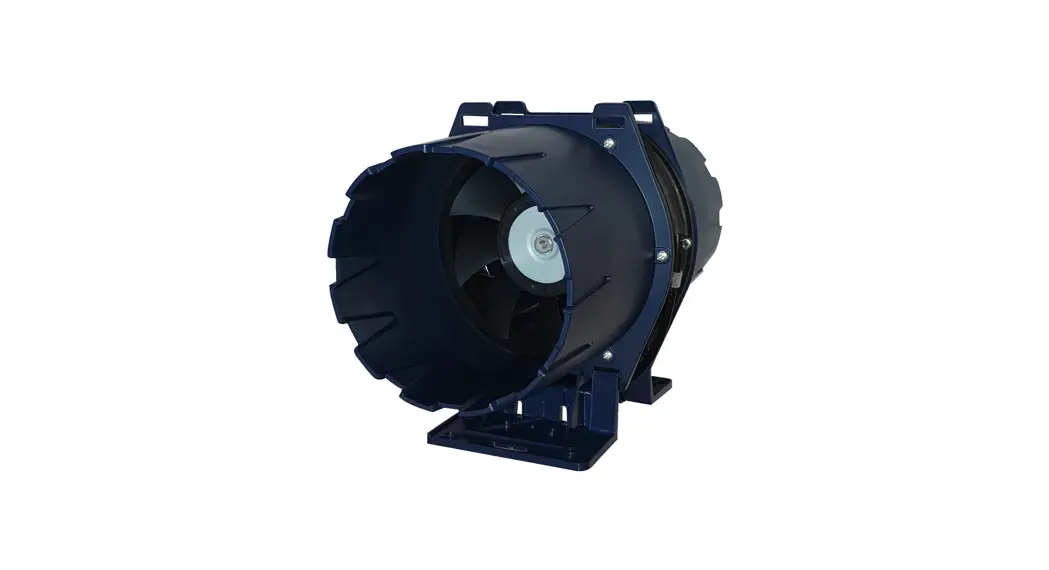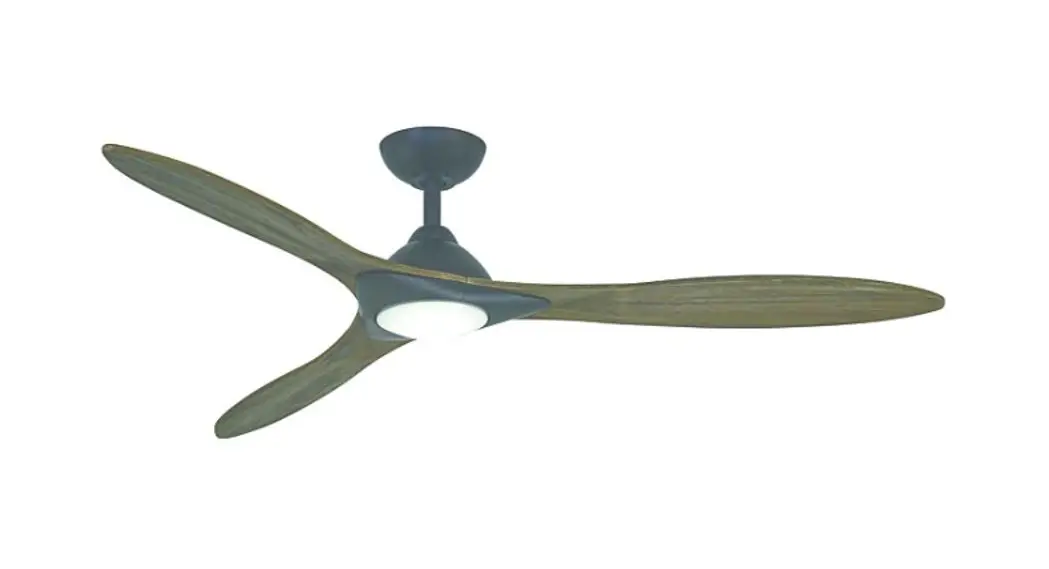

CLF LIGHTING TURBINE Powerful Touring Fan
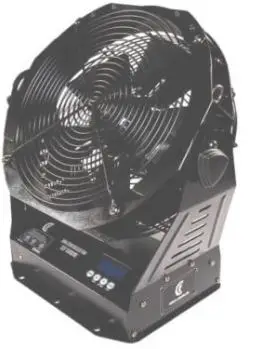
MACHINE OVERVIEW
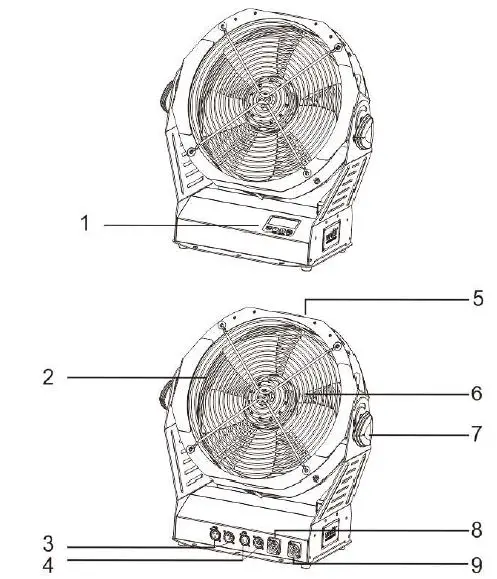
- LCD display
- Fan grill
- 3-pin OMX socket
- 5 pin OMX socket
- Grip
- Fan protector
- Adjusting knob
- PowerCon input
- PowerCon output
SAFETY INSTRUCTION
The following symbols are used to identify important safety information on the product.
 DANGER
Safety hazard. Risk of severe injury or death 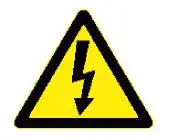 DANGER
Hazardous voltage
Risk of lethal or severe electric shock. 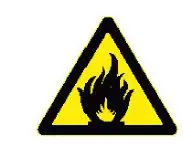 WARNING
Fire hazard  WARNING
LED light Burn hazard
Hot emission
Risk of surface. Do not eye injury. touch  WARNING
Wear protective eyewear. WARNING
Refer to user manual.
USING FOR THE FIRST TIME
This product is for professional use only. It is not for household use. This product presents risks of severe injury or death due to fire and burn hazards, electric shock and falls.
before installing, powering or servicing the fixture, follow the safety precautions listed below and observe all warnings in this manual and printed on the fixture. If you have questions about how to operate the fixture safely, please contact your supplier.
PROTECTION FROM ELECTRIC SHOCK
- Disconnect the machine from AC power before removing or installing any cover or part and when not in use
- Always ground (earth) the fixture electrically.
- Use only a source of AC power that complies with local building and electrical codes and has both overload and ground-fault earth fault protection.
- Before using the machine check that all power distribution equipment and cables are in perfect condition and rated for the current requirements of all connected devices.
- Power input and throughput cables must be rated 20 A minimum, have three conductors 1.5 mm 16 AWG minimum conductor size and an outer cable diameter of 5 – 15 mm .
- Cables must be hard usage type (SJT or equivalent) and heat-resistant to 90° C minimum.
- Use only PowerCON® cable connectors to connect to power input sockets.
- Use only PowerCON cable connectors to connect to power through put sockets.
- Isolate the machine from power immediately if the power plug or any seal, cover, cable, or other component is damaged, defective, deformed, wet or showing signs of overheating.
- Do not reapply power until repairs have been completed.
- DO NOT EXPOSE THE FIXTURE TO RRIN OR MOISTURE
- CLF Turbine has an IP20 rating, indoor use only.
PROTECTION FROM BURNS RNO FIRE
- Do not operate the machine if the ambient temperature Ta exceeds 45 ° C.
- The exterior of the machine becomes hot during use.
- Avoid contact by persons and materials.
- Allow the machine to cool for at least 1 0 minutes before handling.
- Keep all combustible materials (e.g. fabric, wood, paper) at least 100 mm away from the nozzle
- Keep flammable materials well away from the machine
- Ensure that there is free and unobstructed airflow around the machine
- Do not place objects within 200 mm of the machine
- Do not attempt to bypass thermostatic switches or fuses.
- If you relay power from one machine to another using power throughput sockets, do not connect more than machines in total to each other in an interconnected chain.
- Connect only other machines to fixture power throughput sockets.
- Do not connect any other type of device to these sockets.
- Do not connect any other type of device to these sockets.
- Do not stick filters, masks or other materials onto any optical component.
- Do not modify the machine in any way not described.
- Do not connect machine to a dimme
PROTECTION FROM INJURY
- Fasten the fixture securely to a fixed surface or structure when in use.
- The fixture is not portable when installed.
- Ensure that any supporting structure and/or hardware used can hold at least 10 times the weight of all the devices they support.
- Allow enough clearance around the head to ensure that it cannot collide with an object or another fixture when it moves.
- Check that all external covers and rigging hardware are securely fastened.
- Block access below the work area and work from a stable platform whenever installing, servicing or moving the machine.
- Do not operate the machine with missing or damaged covers, shields or any optical component.
RC POWER
POWER VOLTAGE
Check that the voltage range specified on the machine serial number label matches the local AC mains power voltage before applying power to the fixture. The machine accepts AC mains power at 100-240 V nominal. 50/60 Hz. Do not apply AC mains power to the machine at any other voltage than specified.
POWER CABLES
Power input and throughput cables must be rated 20 A minimum, have three conductors 1.5 mm 2 16 AWG minimum conductor size and an outer cable diameter of 5 – 15 mm. Cables must be hard usage type SJT or equivalent and heat resistant to so·c minimum. In the EU the cable must be HAR approved or equivalent. If you install a power plug on the power cable, install a grounding-type (earthed) plug that is rated 20 A minimum. Follow the plug manufacturer’s instructions. Table 1 shows standard wire color-coding schemes and some possible pin identification schemes; if pins are not clearly identified, or if you have any doubts.
| Wire color EU models | Wire color US models | Conductor | Symbol | Screw US |
| Brown | Black | Live | L | Yellow or Brass |
| Blue | White | Neutral | N | Silver |
| Yellow / green | Green | Ground earth |  | Green |
ORTALINI
A DMX 512 data link is required in order to control a machine via DMX. The machine has 3 & 5-pin XLR connectors for DMX data
input and output. The pin-out on all connectors is pin 1 = shield, pin 2 = cold (-), and pin 3 = hot(+) Pins 4 and 5 in the 5-pin XLR
connectors are not used.
TIPS FOR RELIABLE DATR TRANSMISSION
To connect the machine to data
- Connect the DMX data output from the controller to the closest machines male 3 & 5 pin XLR DMX input connector.
- Connect the DMX output of the machine closest to the controller to the DMX input of the next machine and continue connecting machines output to input.
PHYSICAL INSTALLATION
Warning
The machine must be either fastened to a flat surface such as a stage or wall, or clamped to a truss or similar structure in any orientation using a rigging clamp warning.At all times machine can cause injury or damage it if falls, attach an approved safety cable to one of the safety cable attachment points on the base overview. Check that all surfaces more far aways then a minimum of 200 mm. from the machine, that combustible materials wood, fabric, paper, etc.) are minimum 100 mm. from the nozzle, that there is free airflow around the machine and that there are no flammable materials nearby.
FRSTENING THE MRCHINE TO R FLRT SURFRCE
The machine can be fastened to a fixed flat surface that is oriented at any angle. Check that the surface can support at least 10 times the weight of all machines and equipment to be installed on it. The supporting surface must be flat otherwise the air vents in the base may be blocked, which will cause overheating. Fasten the machine securely. Do not place it on a surface or leave it where it can be moved or can fall over. Attach a securely anchored safety cable to the safety cable attachment point. If the machine is installed in any location where ii may fall and cause injury or damage if the primary attachment fails
- Block access under the work area. Working from a stable platform.
- Secure the machine with a secondary attachment such as an approved safety cable that is rated for the weight of the machine using one of the attachment points at the edges of the base.
- Do not use any other part of the machine as a safety cable attachment point.
OPERATING INSTRUCTIONS
- After checking that all the parts are intact and complete, position the machine on a flat surface.
- Connecting the power cord. Before power on, make sure it is connected with the rated voltage.
- MENU button: Press “menu” button to enter the page “ADDR”
- UP button: Increase the relevant value of each page
- DOWN button: Decrease the relevant value of each pag
- ENTER button: Enter or exit each page.
- MENU: Scroll through setting menu
- UP:Increase, multiplex TIMER button
- DOWN:Decrease, multiplex VOLUME button
- ENTER:In/Out, multiplex stop button
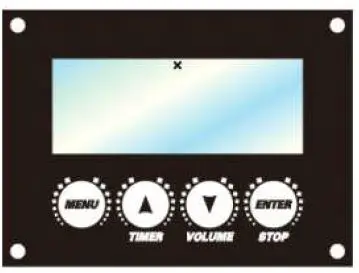
Press MENU button to switch different pages, 5 pages in total
- Ready To Work: The machine is ready to work
- DMX512 Address: The DMX address can be set up from 1 to 512
- Volume out: Set the haze fog output from 1 – 100% under Volume mode
- Vllireless Set: Set the wireless function ON or OFF
- Language: Select the language saved by Enter
OMX CHANNELS
| Channel | Function | Value | Percentage | Remark |
| CH 1 | FAN output | 006- 255 | 0-100% | 000 – 009 = OFF |
EXPLODED VIEW
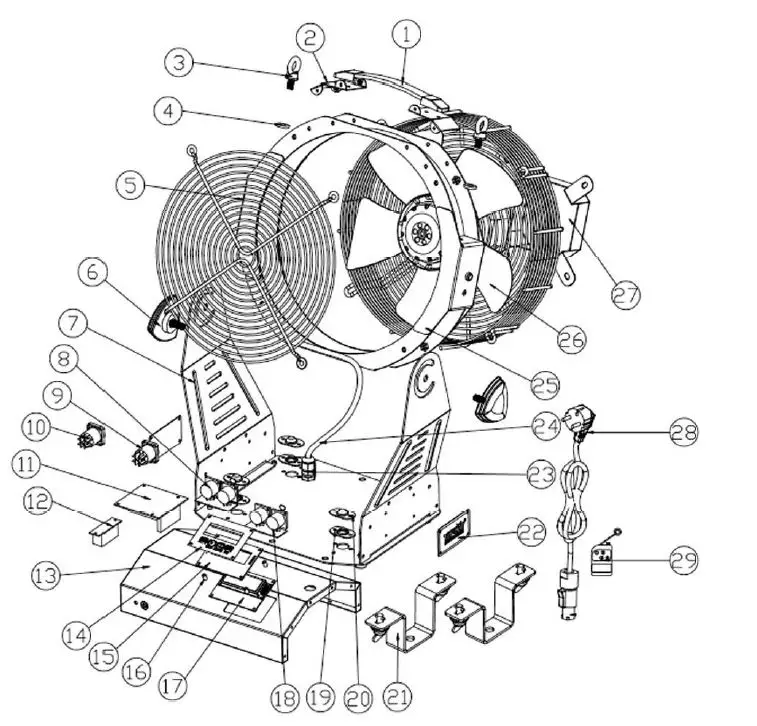
| No. | Desription | Part number CLF |
| Handle | CLF-70-002 | |
| Handle fixing plate | CLF-70-003 | |
| Safety eye | CLF-70-004 | |
| Plastic ring for safety eye | CLF-70-005 | |
| Fan cover front | CLF-70-006 | |
| Knob | CLF-70-007 | |
| Base (stand) | CLF-70-008 | |
| 5-pin OMX PCB (maleffemale) | CLF-70-009 | |
| PowerCON output socket white | CLF-70-010 | |
| 10 | PowerCON input socket blue | CLF-70-011 |
| 11 | Main PCB/ power supply | CLF-70-012 |
| 12 | Wireless board | CLF-70-013 |
| 13 | over base | CLF-70-014 |
| 14 | Display sticker | CLF-70-015 |
| 15 | LCD support plate | CLF-70-016 |
| 16 | Plastic display support | CLF-70-017 |
| 17 | Display PCB | CLF-70-018 |
| 18 | 3-pin OMX PCB (male/female) | CLF-70-019 |
| 19 | Quick lock pedestal | CLF-70-020 |
| 20 | Quick lock cover | CLF-70-021 |
| 21 | Brackets 2pcs each fixture | CLF-70-022 |
| 22 | Name plate | CLF-70-023 |
| 23 | Cable gland base | CLF-70-024 |
| 24 | Power cable base / fan | CLF-70-025 |
| 25 | Fan housing | CLF-70-026 |
| 26 | Fan | CLF-70-027 |
| 27 | Fan motor cover | CLF-70-028 |
| 28 | Schuko-PowerCON connection cable 3×1,5mm2, 1,8 mtr length | 911140 |
| 29 | Wireless remote | CLF-70-029 |
SPECIFICATIONS
| Power | 150W |
| Voltage I frequency | AC1DOV – 240V – 50/60Hz |
| Fuse | 2A/250V |
| Stand by power consumption | <15W |
| AC power input | PowerCON |
| DMX data in/out | 5 pin & 3 pin locking XLR |
| Netto weight | 11kg |
| Size | 443x250x470mm |
| Control | DMX |
| Channel | 1 channel |
| Output | 1350R/min to 1S00R/min Airflow 0Pa m3/hour ±10%: 2200 |
| Settings and addressing | Control panel with backlit character LCD |
| Protocol | USITT DMX512-A |
| Color | Black |
| Housing | High strenght die casting aluminium and metal |
| Protection rating | IP20 |
| Orientation | Floor & hanging |
| Min distance to combustable materials | 300mm from machine |
| Min distance to iluminated surfaces | 400mm from machine |
| Wireless remote | None |
| Air angle | 0° to 270° |