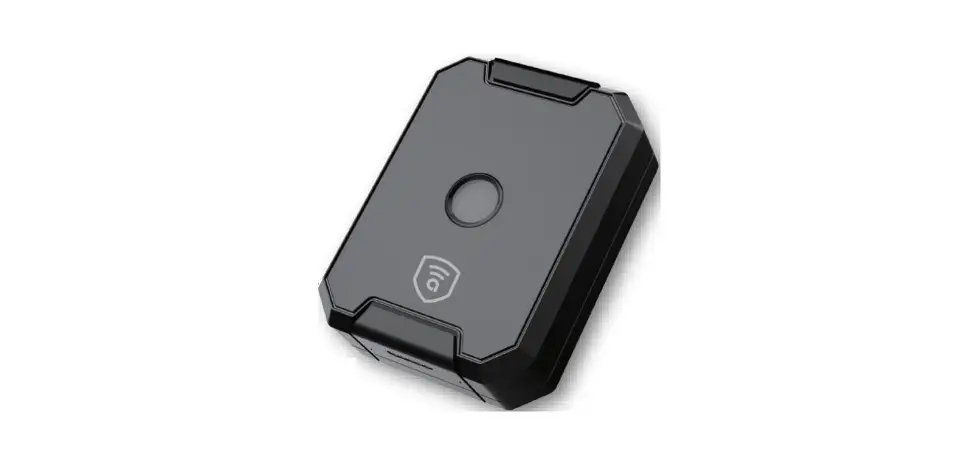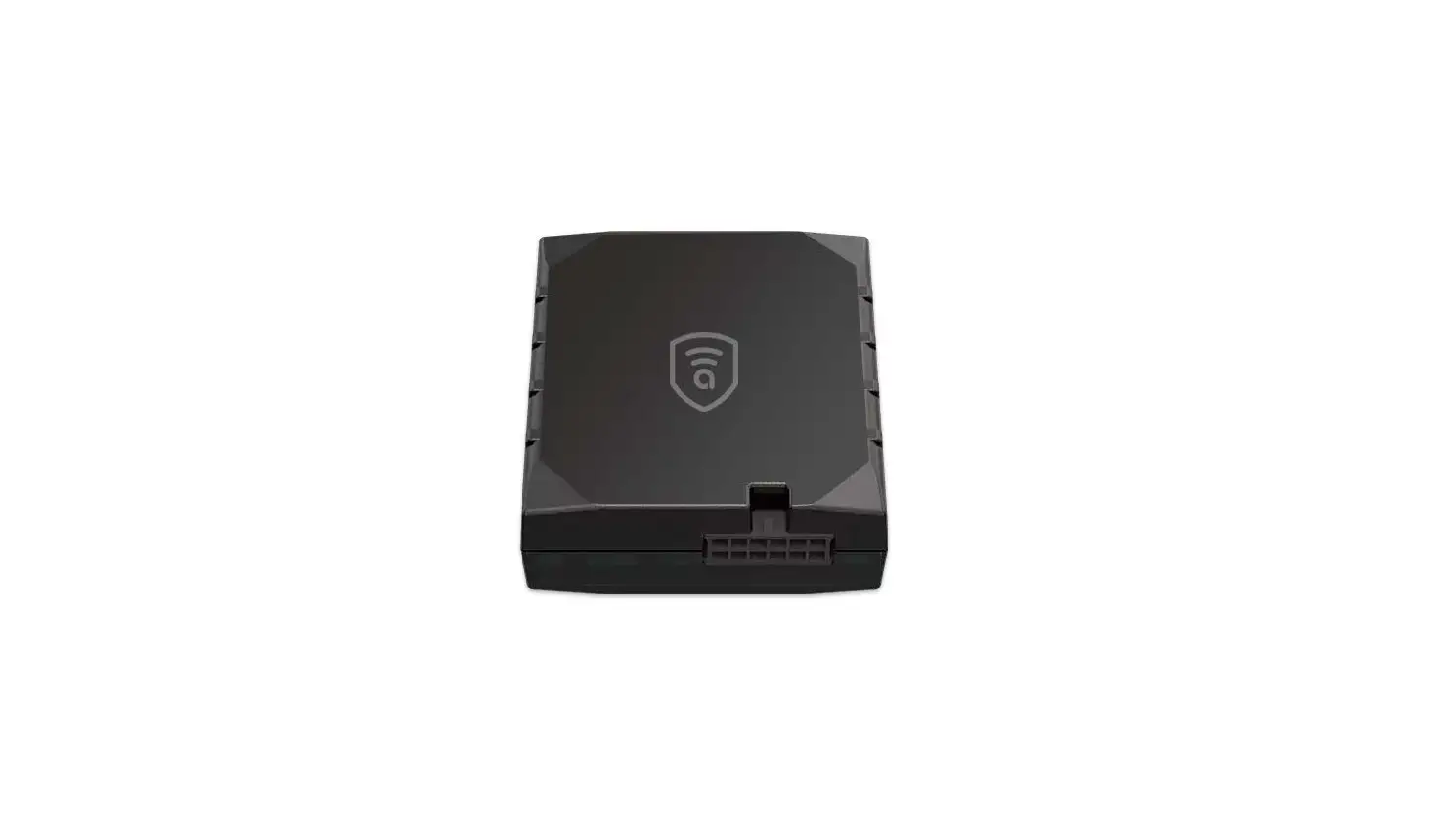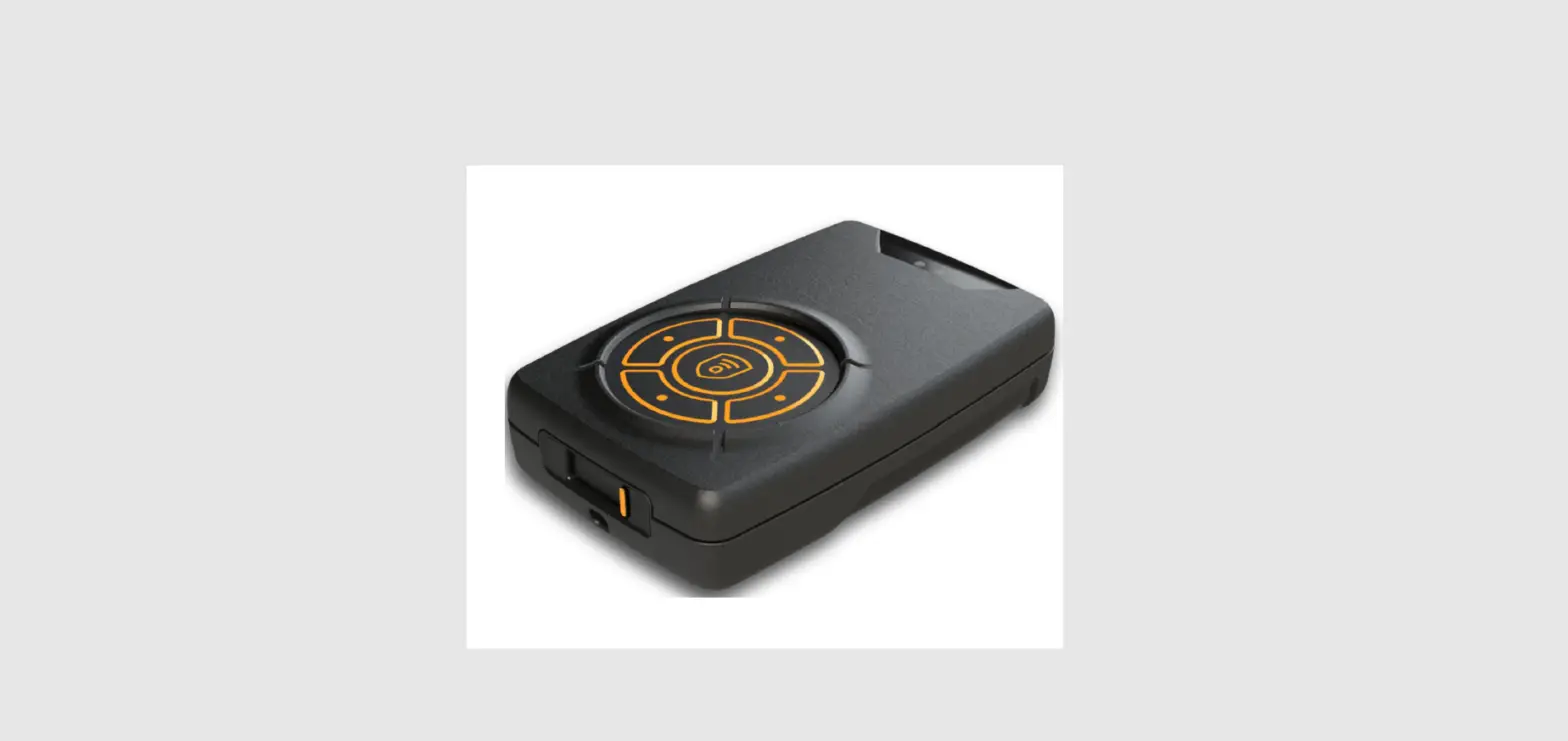
 ACC200
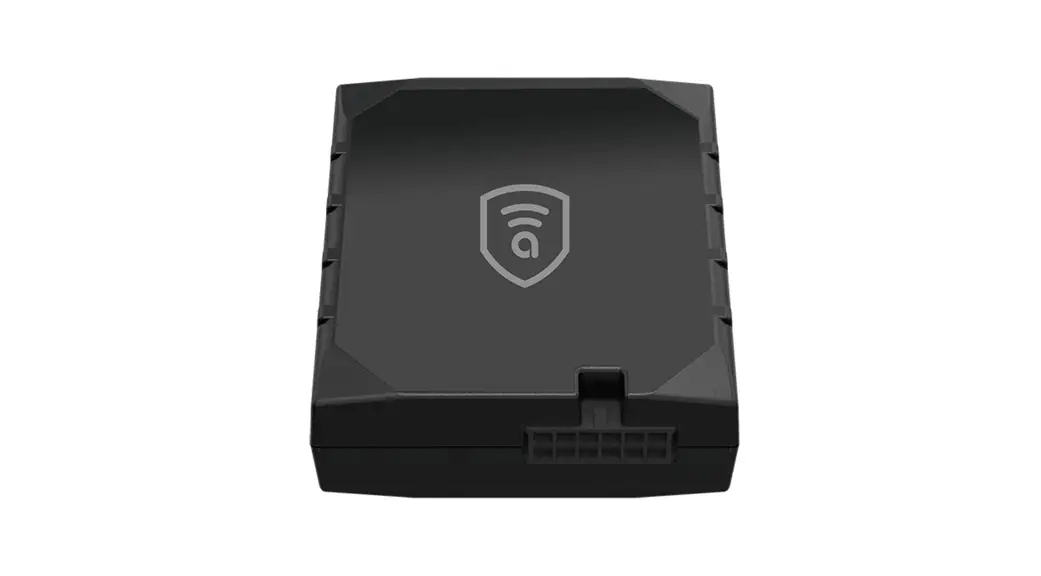
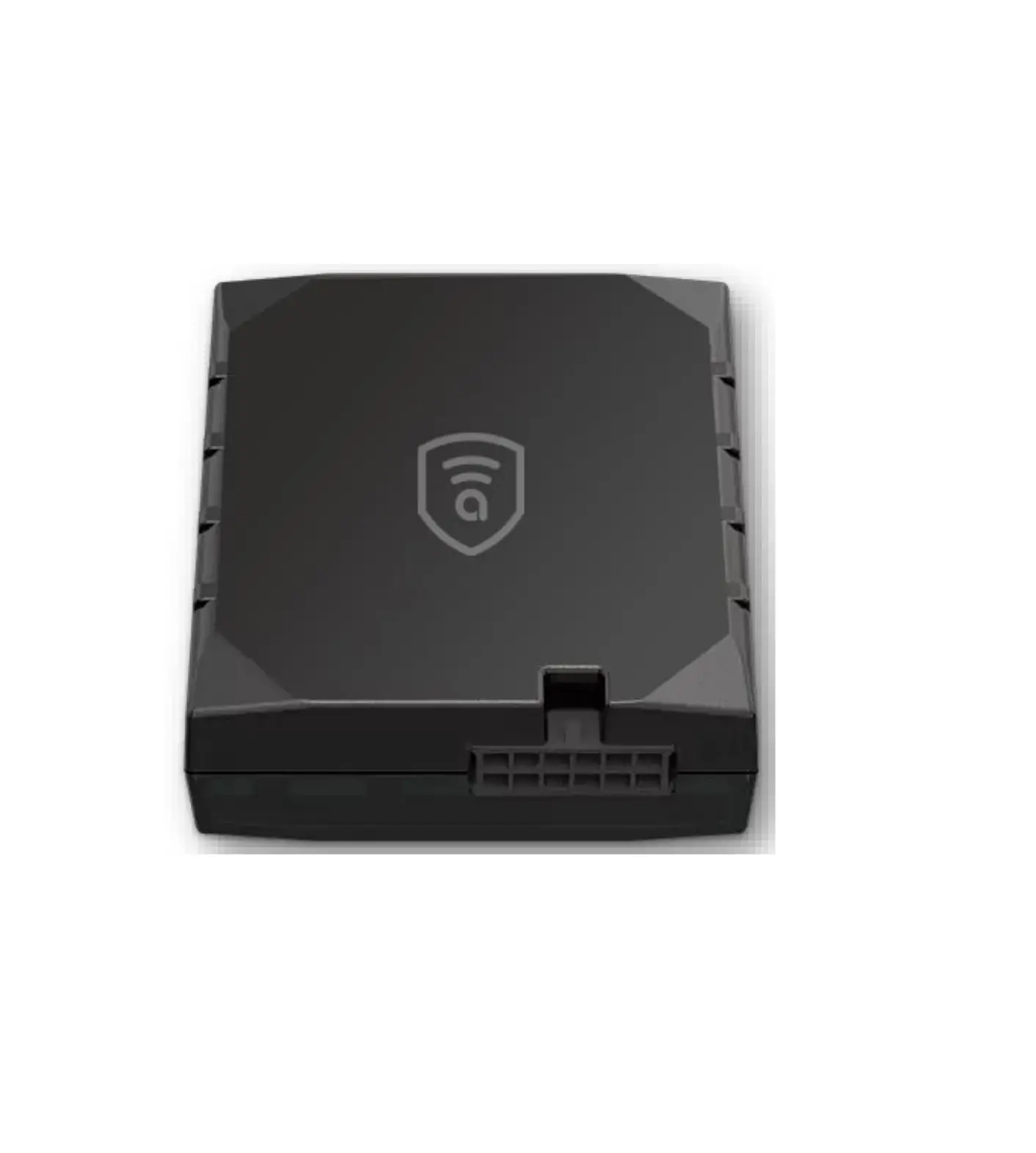
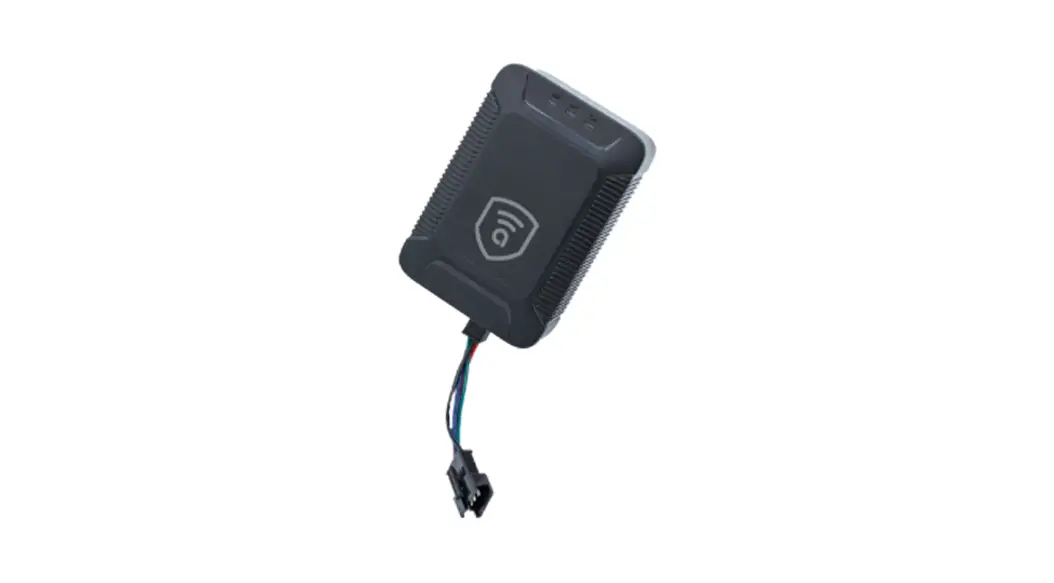
Amber Covert C200
Smart GNSS Tracker
Quick Start Guide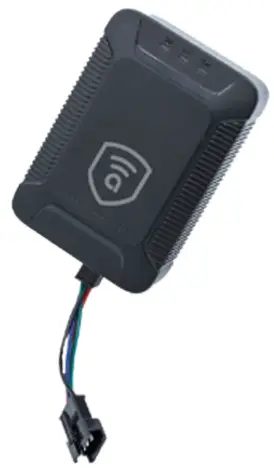
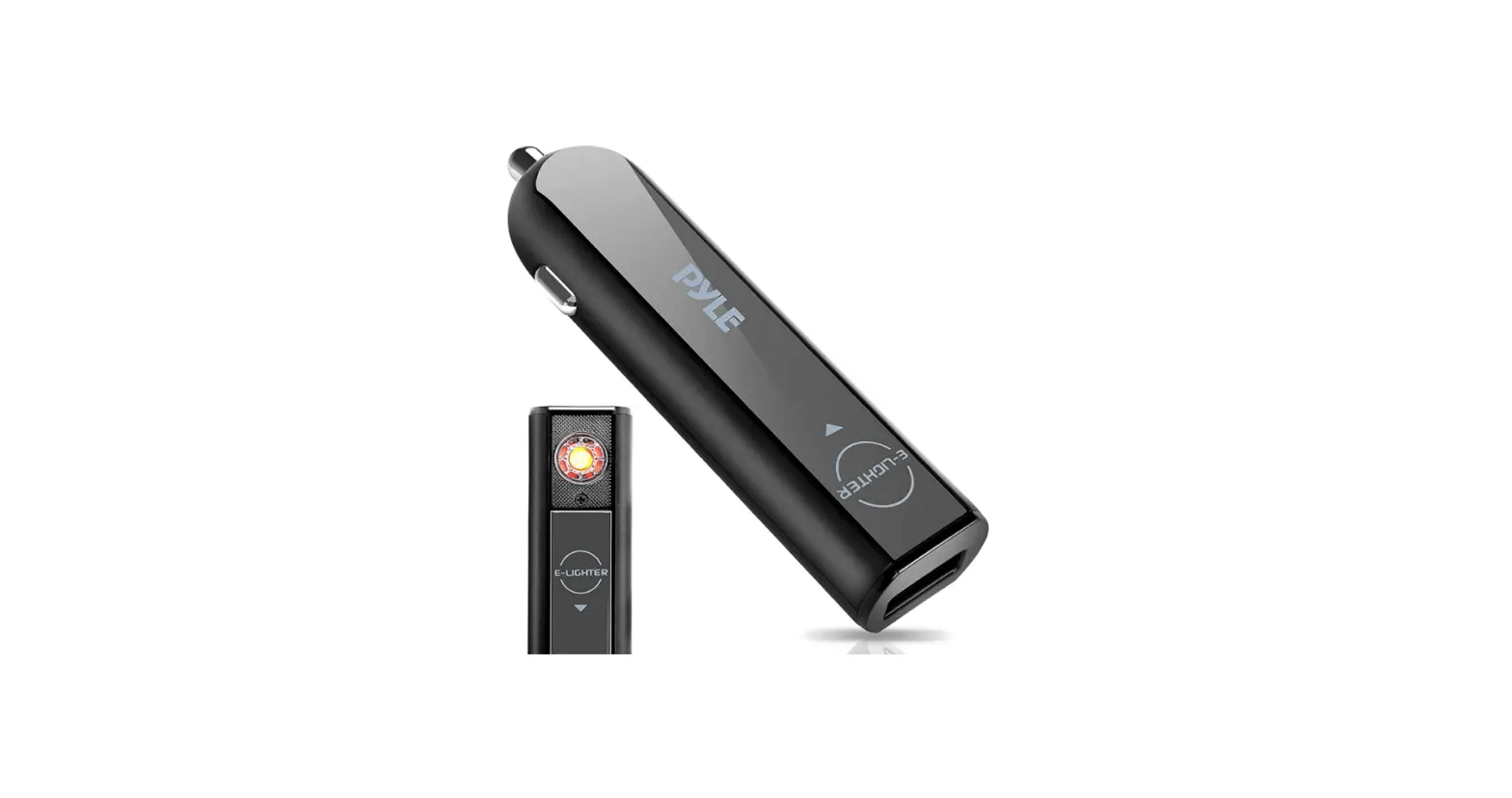
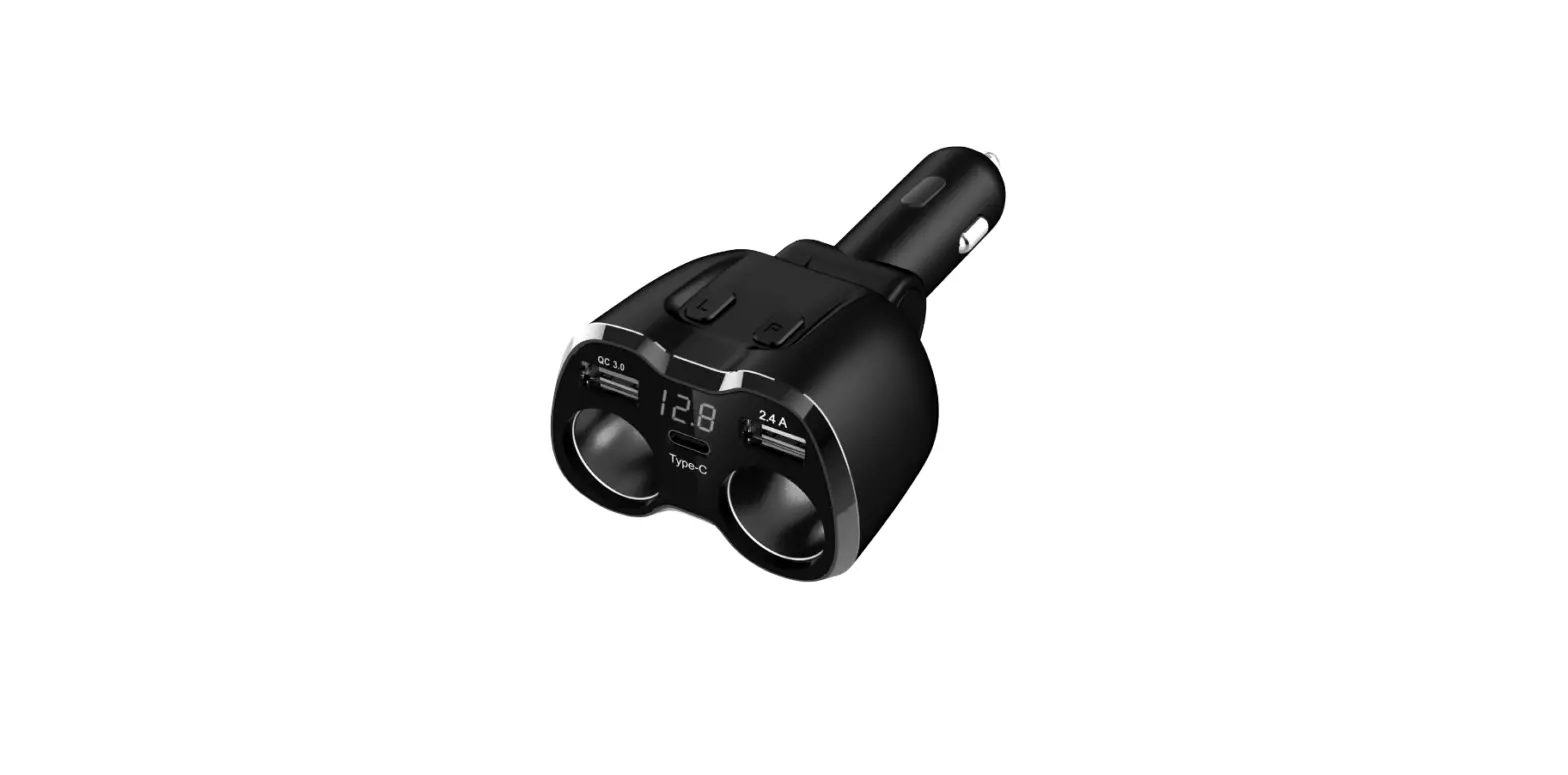
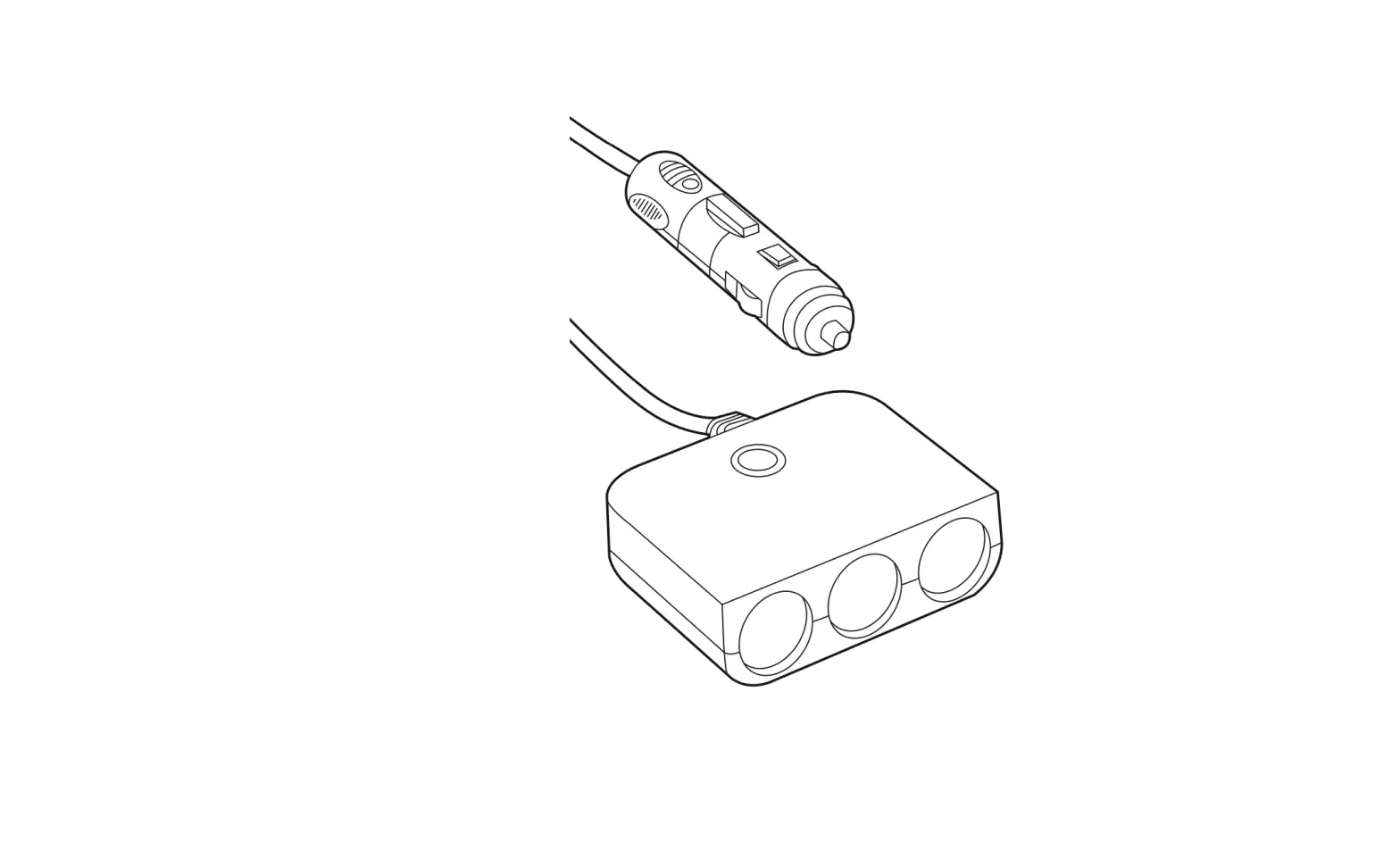
C200 Instant Cigarette Lighter
- Install your device
- Download Amber Connect app
- Active the device
Introducing Your Device
Learn about your device’s layout, indications and specifications
Inside the Box
Check your product box for the following items:
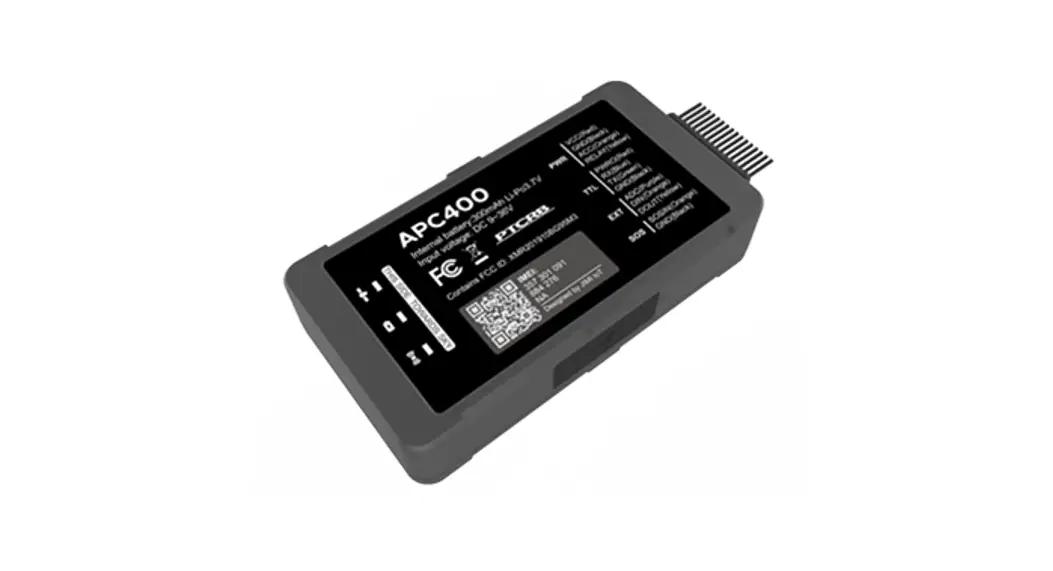
- Device
- Charging cable
- Relay
- Relay socket
- User manual
Overview
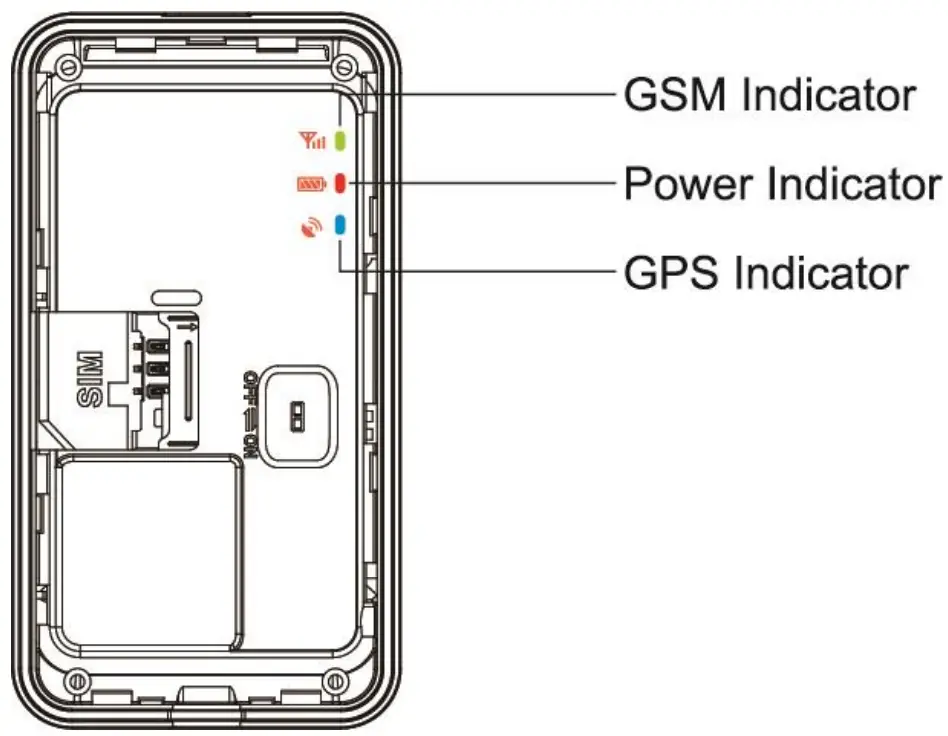
LED Indicator
| Power indicator (red) | Indication |
| Quick Flashing (flash 0.3s at interval of 0.3s) | Low battery |
| Solid red | Charging |
| Flashing (flash ls at interval of 3s) | Full charge |
| OFF | Power off or low battery |
| Slow flashing (flash O.ls at interval of 3s) | Working normally |
| GPS indicator (blue) | Indication |
| Flashing (ON:0.3S, OFF:0.3SJ | Searching GPS signal |
| Slow flashing (flash O.ls at interval of 3s) | Receive GPS signal normally |
| OFF | No GPS Signal |
| GSM indicator (green) | Indication |
| Quick Flashing (flash 0.3s at interval of 0.3s) | GSM initializing |
| Flashing (flash ls at interval of 3s) | Receive GSM signal normally |
| Solid green | In communication with phones |
| OFF | No GSM signal or no SIM card |
| Slow flashing (flash O.ls at interval of 3s) | GPRS on line |
Specifications
| Dimension | 78.0(L) x 41.0(W) x13.0(H) mm |
| Weight | 38g |
| Working voltage | 9-90V |
| Backup Battery | 270mAh / 3.7V |
| Operation Temperature | -2o·c – 70″C |
| Humidity | 20%-80% |
| Standby Time | 60 hours |
| GSM Frequencies | 850/900/1800/1900 MHz |
| GPRS | Class 12, TCP/IP |
| GPS Channel | 32 |
| GPS Sensitivity | -162dBm |
| Acquisition Sensitivity | -148d8m |
| Position Accuracy | <10m |
| TTFF (Open Sky) | Cold Start <3Ss |
| Hot Start: <ls | |
| GSM/GPS Antenna | Built-in design |
| LED Indicator | GSM-green, GPS-blue, Power-red |
| Data Transmit | TCP, SMS |
| Geo-fce Alarm | Alarm when get in or get out a specified area |
| Speeding Alarm | Report when speeds higher than the pre-set value. |
| Low Power Alarm | Alarm when backup battery is running out |
| Non-movement Detection | Movement alarm based on built-in 3D motion sensor |
| Mileage Report | Track by time/distance interval |
| Remote Control | Cut off petrol/electricity |
Getting Started
Switch on
Get started by assembling and setting up your device for its first use.
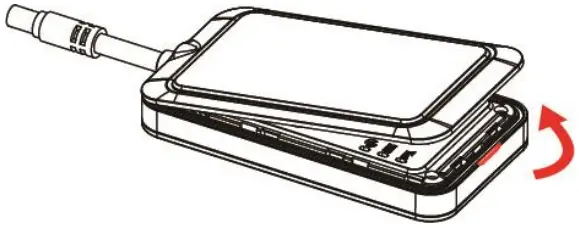
- Open the SIM card cover

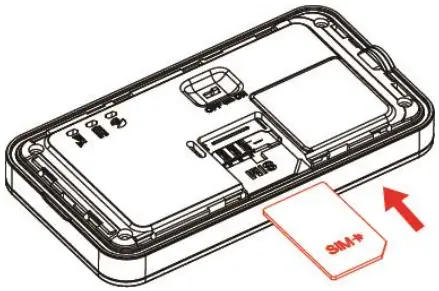
- lnsert the SIM card.
 NOTE:
NOTE:
SIM card should be equipped with GPRS and SMS functions. - Turn the battery switch to ON

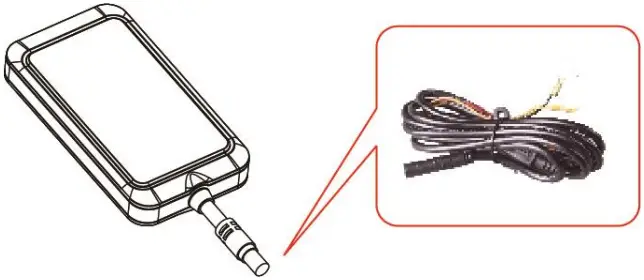
- Close the SIM card cover and connect the device with the external power line which will be used to charge the terminal and built-in battery.

 NOTE:
NOTE: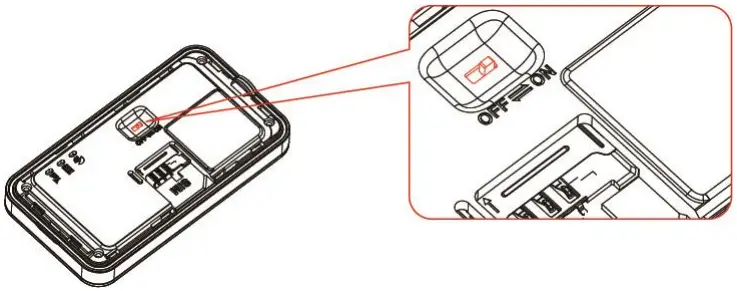
Switch off
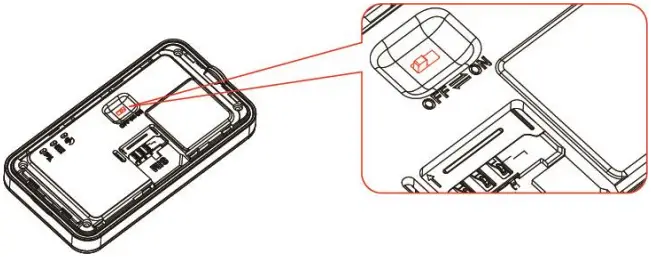
- Toggle the battery switch to OFF.

- Charge the device
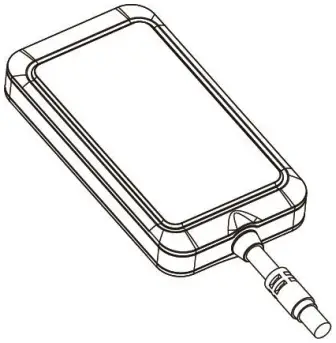
Plug the device connector into a charging cable.
The charging cable with 1A FUSE for short-circuit over current protection. NOTE:Improperly connecting the charging cable can cause serious damage to the device. Any damages by misuse are not covered by the warranty.
 - Install the device
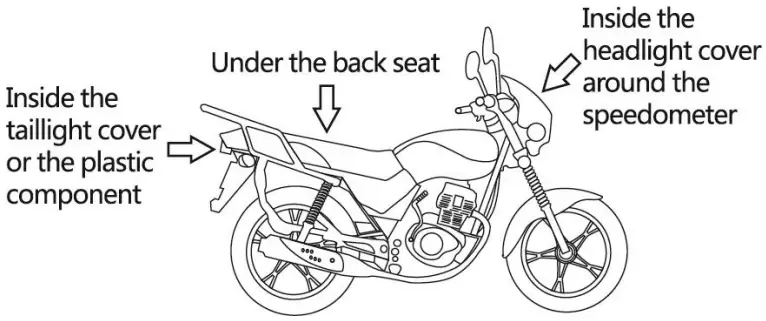
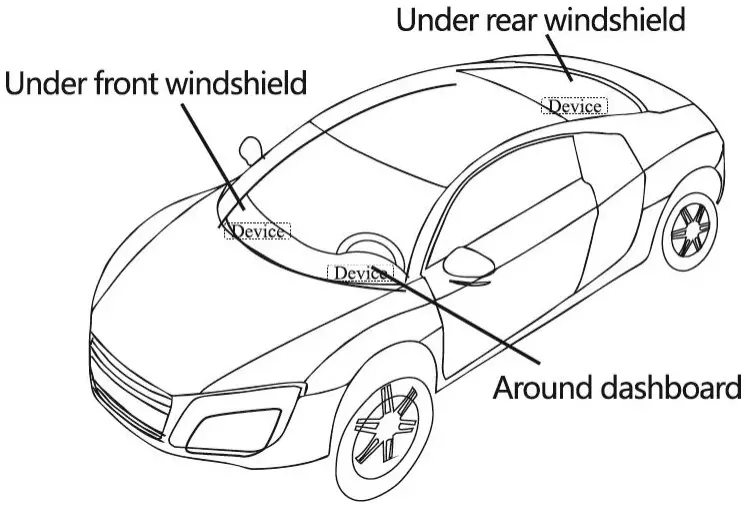
You need to choose somewhere that it won’t be found.
Your device has built-in GSM antenna and GPS antenna. During installation, please make sure the receiving side face is up; any high power devices such as reversing radar, anti-theft device or communication equipment would affect the signal of the device.
All metallic cases of the windshield will attenuate the signal on the tracking device.
It’s simply due to the shielding effects of the metal compound of the case.
The device should be fixed into position with cable ties or wide double-side tape. - Installation please refers to below picture.


Under the dash board below the front windshield;
In the parcel shelf in the rear;
In the front bumper (non-material face), make sure the device does not get wet;
Under the wiper version (non-metal), make sure the device does not get wet;
Non Covert Installation – fix the device on the dashboard below windshield. - Device Wiring
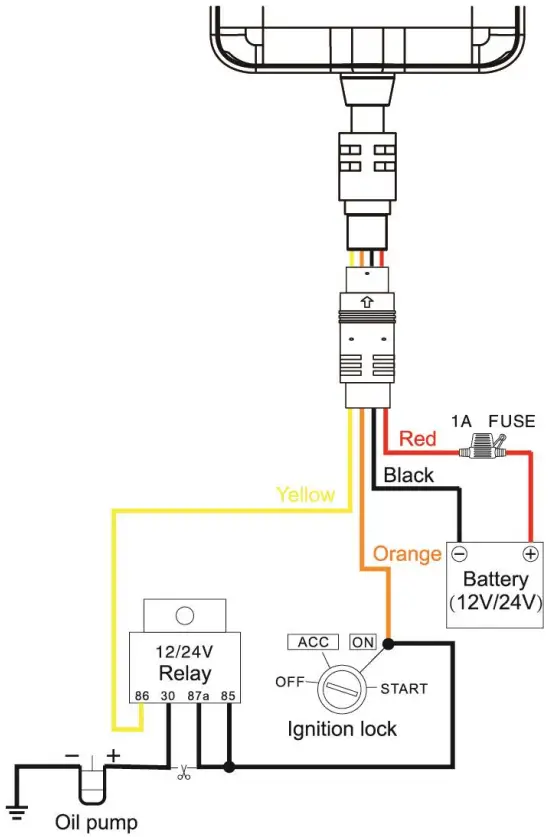
Since the recharging voltage can be much higher than the working voltage, for your safety, please use with vehicle battery voltage no more than 72V. The red wire is the positive, the black wire is the negative.
Connect the black wire to ground. - Device wiring diagram
NOTE:
Please pay attention to the diagram description, battery is no more than 72V and relay remains 12V / 24V.
Power/ACC/Tele-cutoff(petrol / electricity) control Line (4 pin)
Your device comes with a power cord and is designed to use only manufacturer-specified original device. The red line is positive while the black one is negative (the side should not be connected with ground wire).
The ACC line (orange) connects to ACC switch of the vehicle. Please be sure to connect the ACC line; otherwise the device won’t enter ignition detection status when disconnect the ACC line. If you don’t need to anti-theft temporarily, just connect the ACC line to the positive side in parallel.
Tele-cutoff (petrol/ electricity) control line (yellow) is connected to pin 86 of the Telecutoff (petrol/ electricity) relay (equal to the yellow line of the relay socket).
Quick Operation Instructions
To properly use the device, common parameters should be set before initial use. This can be done by using the parameter editor or by sending SMS commands to the device.
(“,”should be English comma and no space before and after the comma)
- Add SOS number
SMS command to the device to add the SOS number. SOS, A, No.1, No.2, No.3# “A” means to add new numbers, for example:
SOS, A, 18165542975, 18165542976, 18165542977#
It will reply
“OK! S0S1: 18165S42975 S0S2: 18165542976 SOS3: 18165542977”
After set successfully. - APN setting
To ensure GPRS is activated, please make sure APN is correct You can send SMS command to set APN:
APN command format APN, APN’s Name#
Eg: APN, inrernet# ( “internet” is the APN of carrier) The device will reply “OK” if setting successfully. - Server setting
Default platform is www.tracksolid.com
To connect to other platform, please send the SMS command to change the DNS or server IP:
DNS : SERVER.l,DNS,Port.0#
Eg: SERVER.1,gpsdev.tracksolid.com,21100,0#
IP: SERVER,0,IP.Port.0#
It will reply “OK” after set successfully. - Set the center number
If you want to cut off/restore oil by SMS command, you have to set a center number firstly. Only the center number can send the cut off/restore oil command to the device.
You can set your own mobile number as center number.
The command for setting center number is: CENTER. A. mobile number#
E.g. CENTER, A. 18165542976#
If set successfully, there is an “OK” reply message.
NOTE:
Only the SOS number can be used to add or delete center number successfully.
There is only one center number can be set. - Locator Data Upload Interval
Users can modify GPRS uploading time interval by SMS TIMER.TI.T2#
T1ranges 5-18000 or 0(seconds), upload interval when ACC ON, 0 means no upload, default is 20;
T2 ranges 5-18000 or 0(seconds), upload interval when ACC OFF, 0 means no upload, default is 20. - Arming time setting
Delay time for device entering arming state after the vehicle power is off and ACC is in low-level. In the arming state, if the vehicle vibrates for a few times, it will activate the vibration alarm system. If the vehicle battery is still not on (ACC is in low level) after 3 minutes, the device will start vibration alarm.
SMS format:
DEFENSE.TIME#
The time ranges from 1 to 60 minutes, default is 1.
Note:
1. Preset SOS numbers before sending SMS alarm
2. lf there is no need for vibration alarm, please SMS SENALM,OFF# to close it - Check parameter setting
You can check the parameter setting by command: PARAM#
Example: PARAM#
Information replied:
IMEI:358735070292023; TIMER:20,20; SENDS:3; SOS:,,; Center Number:;
Sensorset:10,3,5,1; Defense time:1; TimeZone:F,8,0;
The replied information contains !MEI number, GPS data uploading Interval, GPS working time, SOS number, center number, sensor time interval. defense time and time zone info. - Check GPRS parameters SMS command format : GPRSSET#
Example: GPRSSET#
Reply message:
GPRS:ON; Currently use APN:cmmtm,,; Server:1,
GPSDEv.TRACKSOUD.COM,21100,0; URL:http://maps.google.com/maps?q=;
Operation of Device
6.1 Power on/ Power off
Power on: Once insert a valid SIM card and connect all the wires, tum on the device, then Power LED will flash first, during signal searching process, GSM and GPS LED will flash. Once GPS LED keeps slow flashing, it means the device has been located and it starts to work.
Power off: Just turn off the power switch.
The device will begin to upload positioning data to server once inserting a valid SIM card and power on. During the working time, it can upload data to server every 10 seconds.
NOTE:
To power on / power oft please remove the back cover first, refer to 4. Getting Started.
6.2 Check location
1. Via SMS
1.1 SMS “WHERE#” to the SIM number of device. The device will send a location message automatically. You can get the coordinates. If the device does not search any information of location, it will send ‘No data” to the cell phone.
Example:
Current position!
LatN22.577156,Lon:Ell3.916748,Course:131.99,Speed:0. 00Km/1,,Date
Time:2013-10-08 17:35:32
1.2 SMS ‘URL#” to the SIM number of device. The device will send a location Google Map link. If the device does not search any information of location, it will send “No data” to the cell phone.
Example:
<10-08
17:36>http://maps.google.com/maps?q=N22.577l56,E1 13.916748
2. Via platform
Go to the platform website offered by dealers to check your vehicle location.
6.3 Wire art-off alarm
When the electricity supply of device is cut off, it will activate cut-off alarm. In this case, the device will send related SMS to the SOS numbers and dial the numbers in circles. If nobody answers, the call just keeps 3 loops at most. At the meantime, the device will upload power cut off alarm data to the server. And it will send: Cut Power ! <Date Time:13-06-17 14 : 53 : 06>, http://maps.google.com/maps?q=N22576713,E1l3.9l65 85
NOTE:
The SOS numbers should be preset, please refer to 5.1.
6.4 Low battery alarm
When the device is only working with battery, once the internal voltage of battery is less than 3.7V, device will send low battery alarm SMS to SOS number and alamn on platform.
Low battery alarm SMS content example:”Attention!!!Battery is too low, please charge.”
Which means the battery is too low, inform user charging it in time.
NOTE:
The SOS numbers should be preset, please refer to 5.1.
6.5 Vibration alarm
The vibration alarm function is off by default. To activate this function, please send the following command: SENALM, ON#
ACC OFF & in arming state
If 5 times (times can be set) of vibration detected in 10 seconds, 1) ACC OFF in the following 30 seconds, the device will send vibration alarm. 2) ACC ON in within 30 seconds, no vibration alarm will be triggered.
NOTE:
- The SOS numbers should be preset.
- Send “SENALM, OFF#’ to turn off the vibration alarm if don’t need.
6.6 Oil cut-off
- via platform
Send oil cut-off command on platform. To make sure the security of vehicle, tracker can only indicate to cut off oil when GPS is in valid position status, and the speed is less than 20KM/H or in static. Platform account password is needed when sending oil cut off command. - via SMS
Firstly, you should set a center number. Please refer to SA Only center number can send the command to the device to cut off and restore oil.
The format is: RELAY,1#
After the command is carried out, it will reply ‘Cut off the fuel supply: Success! Speed:0 Km/h’. If the command didn’t carry out, it will reply the reason about fail to carry out.
NOTE:
To ensure the safety of the driver and the car, this command is valid only under two conditions: the GPS is located; the speed is less than 20km/h.
6.7 Restoring Oil
- via platform
When the alarm is off, sending recover oil commands manually. Device will restore oil supplying, and vehicle will work normally again.
Platform account password is needed when sending oil cut off command. - via SMS
Only center number can send the command to the device to restore oil.
The format is: RELAY,0#
After the command is carried out, it will receive ‘Restore fuel supply: Success!·
6.8 Over Speed Alarm
When the car is moving over a limited speed in average in a limited time period, then the device will send over speed alarm SMS to user.
To turn on the over speed function, please send below SMS command:
SPEED,ON,Time,Umited speed.way of alarm#
Time range (Second) : 5-600s (default as 20s). Limited speed range ( km/h ) : 1-255, default : 50.
Way of alarm: 0, GPRS only; 1, SMS+GPRS; default : 1. Example: SPEED,ON,10,120,l#
Means when the car is moving over 5Okm/h in average in 10 seconds, the device will send over speed alarm to user.
6.9 Restore to factory setting
SMS command formant: ‘FACTORY#” to set all parameter to default factory value.
Once received “OK! The terminal will restart after 60s!” it succeeds.
6.10 Reboot device
When there is something wrong with the link of GPRS, e.g., the parameter setting of the device is correct, but you can’t track the car on the platform. At this moment you can
send a command to the device to reboot the device. The format is: RESET#
After receiving this command, the device will reboot after 20 seconds
Platform
Login www.tracksolid.com by account name and password. The function on the GPS platform can be realized as follows:
► Real-time Tracking
► Report and Statistics
► Online Configuration
Troubleshooting
If you are having trouble with your device, try these troubleshooting procedures before contacting a service professional.
| Problems | Causes | Solutions |
| Red LED does not work when power connected | The fuse blows | Replace the fuse |
| Fail to connect network | Wrong installation of SIM card | Check SIM card installation ( ► 4.1 Install SIM card) |
| Filth on the SIM card from surface | Clean it | |
| Useless SIM | Contact internet service provider | |
| Improper installation | Check installation of device(► 4.4 Install the device) | |
| Beyond GSM service area | Use it in effective GSM service offer area | |
| Bad signal | Try again in a better signal area | |
| Fail to charge | The voltage is unsuitable | Connect with power with suitable voltage |
| Improper connection | Check connection with charger |
 Need help? Contact 21417 live support!
In App Chat
[email protected]
Chat via website www.arnberconnect.com http://onelink.to/ng48h2
Scan this PR code to download your App Amber Connect
©2022 Amber Connect Limited. All rights reserved
Works with Android phones and tablets, iPhone, iPad.
Compatible with Chrome, Mac and PC web browsers.
 Tracksolid