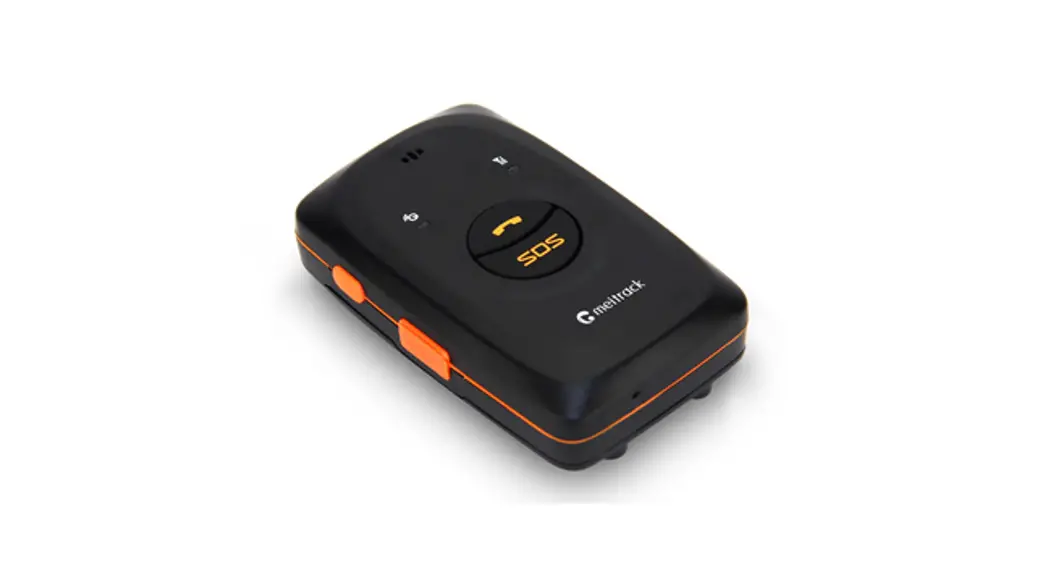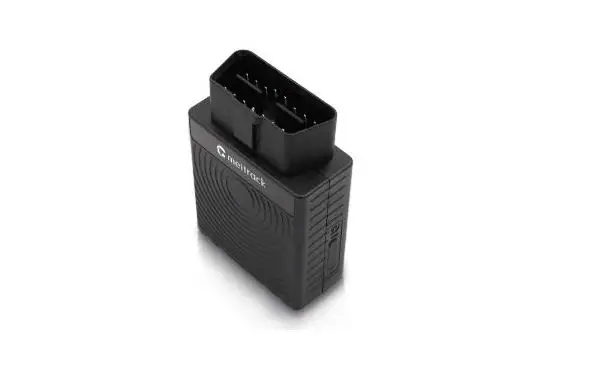

Meitrack TC68L Plug-and-Play Vehicle GPS
Change History
| File Name | MEITRACK TC68L/TC68SL Plug-and-Play Vehicle GPS Tracker User Guide | ||
| Project | TC68L/TC68SL | Creation Date Update Date | 2019-05-06 2021-09-01 |
| Subproject | User Guide | Total Pages | 15 |
| Version | V1.3 | Confidential | External Documentation |
Copyright and Disclaimer
Copyright © 2021 MEITRACK. All rights reserved. are trademarks that belong to Meitrack Group and its subsidiary. The user manual may be changed without notice. Without prior written consent of Meitrack Group, this user manual, or any part thereof, may not be reproduced for any purpose whatsoever or transmitted in any form, either electronically or mechanically, including photocopying and recording. Meitrack Group shall not be liable for direct, indirect, special, incidental, or consequential damages (including but not limited to economic losses, personal injuries, and loss of assets and property) caused by the use, inability, or illegality to use the product or documentation.
Friendly Reminder
Use Notice
- Power off the device before you go to a gas station, hazard zone, or a place where wireless products are prohibited.
- Do not expose the device to rain or extremely hot temperatures.
- The device’s tracking function may be unavailable due to force majeure (like bad weather and GPS blind spots).
- To strengthen the device signal, keep away from a metal-covered place when you use an extension cord.
- The device’s operating voltage is DC 11.5–36 V, and you can install it into a 12 V/24 V vehicle.
- Ensure that the vehicle engine is cut off before installation.
- The device’s extension cord you purchase additionally can be used to strengthen the GPS signal.
Device and Accessories
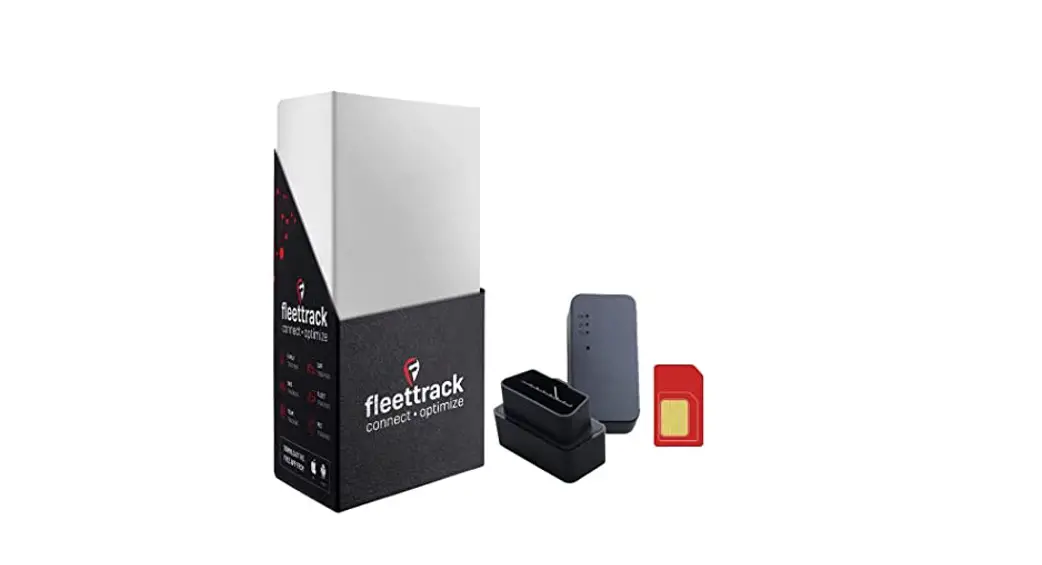
Check whether the product and standard accessories are included according to the following table. You can additionally purchase optional accessories as required.
| Device and Standard Accessories | ||
| NO. | Item | Quantity |
| 1 | TC68L/TC68SL tracker | 1 |
| 2 | USB cable | 1 |
| 3 | Packing box | 1 |
| 4 | CD download card | 1 |
| Optional Accessories | ||
| NO. | Item | Quantity |
| 1 | OBD extension cord | 1 |
| 2 | Velcro | 1 |
Product Introduction
Product Overview
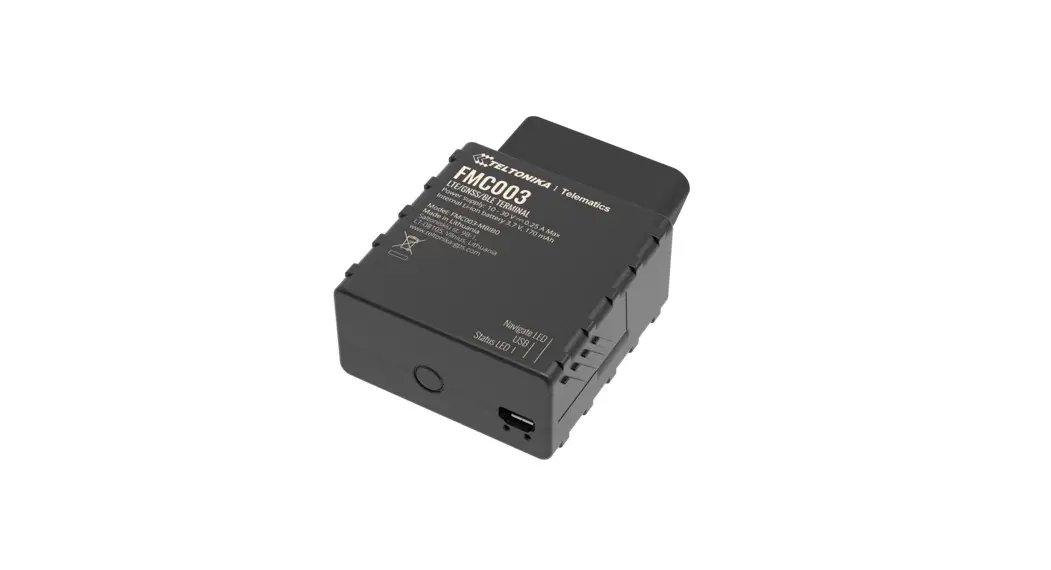
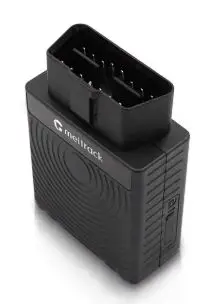
The TC68L/TC68SL is a plug-and-play vehicle GPS tracker equipped with an OBD II plug, which supports vehicle positioning, live tracking, and anti-theft functions.
With a standard OBD II plug, it can be easily installed. The device has an internal battery that supplies power to it for a limited time period. When the device is removed, an instant alert will be received.
The TC68L/TC68SL tracker is a perfect choice for private cars and other motor vehicles equipped with an OBD II connector. The TC68L tracker supports the OBD function, while the TC68SL tracker does not support this function.
Product Specifications
| Item | Specifications | |
| Dimension | 67 mm x 51 mm x 23.5 mm | |
| Weight | 60g | |
| Power supply | DC 11.5–36 V / 1 A | |
| Backup battery | 200 mAh/3.7 V | |
| Battery life | Power-saving mode: 20 hours Normal working mode: 2 hours | |
| Power consumption | Current in standby mode: 100 mA | |
| Operating temperature | -20°C to 55°C | |
| Operating humidity | 5%–95% | |
| LED indicator | 2 LED indicators showing GSM and GPS status | |
| Button/Switch | 1 SOS button | |
| Memory | 8 MB | |
| Sensor | 3-axis accelerometer | |
| Frequency band | No WiFi version band: | WiFi version band: |
| TC68L\TC68SL-E: | TC68L\TC68SL-E: | |
| LTE FDD:B1/B3/B7/B8/B20/B28A | LTE FDD:B1/B3/B5/B7/B8/B20/ | |
| WCDMA: B1/B8 | WCDMA: B1/B5/B8 | |
| GSM/GPRS: B3/B8 | GSM/GPRS: B3/B8 | |
| TC68L\TC68SL-A: | TC68L\TC68SL-A: | |
| LTE FDD:B2/B4/B12 | LTE FDD:B2/B4/B12 | |
| WCDMA: B2/B4/B5 | WCDMA: B2/B4/B5 | |
| TC68L\TC68SL-AU: | TC68L\TC68SL-AU: | |
| LTE FDD:B1/B2/B3/B4/B5/B7/B8/B28 | LTE FDD:B1/B2/B3/B4/B5/B7/B8/B28 | |
| LTE TDD:B40 | LTE TDD:B40 | |
| WCDMA: B1/B2/B5/B8 | WCDMA: B1/B2/B5/B8 | |
| GSM/GPRS: B2/B3/B5/B8 | GSM/GPRS: B2/B3/B5/B8 | |
| TC68L\TC68SL-J: | TC68L\TC68SL-J: | |
| LTE FDD: B1/B3/B8/B18/B19/26 | LTE FDD: B1/B3/B8/B18/B19/26 | |
| WCDMA: B1/B6/B8/19 | ||
| TDD:B41 | ||
| GPS sensitivity | -161 dB | |
| Positioning accuracy | 2.5 meters | |
| I/O port | 1 USB port | |
| WiFi function (optional) | 2.4 GHz WiFi hotspot | |
Product Functions Position Tracking
| Function | Description |
| Real-time tracking | After sending a command, you can query the current device location from the platform or your mobile phone. |
| Tracking by time interval | After you set the time interval, the device will report its location information to the platform or mobile phone at the preset time interval. |
| Tracking by distance | After you set the distance, the device will report its location information to the platform based on the preset distance. |
| Cornering report | Set the cornering angle. When the driving angle is greater than the preset value, the device will report its location information. This report is used to make the driving route smoother when no data is sent at the preset time interval or distance interval while the vehicle corners. |
Alerts
| Function | Description |
| External power supply cut-off alert | When the device is removed from the OBD connector, an alert will be reported to the platform or be notified to the user. |
| Speeding | You can set the maximum speed threshold by using the platform, Meitrack Manager software or SMS. When the driving speed exceeds the preset value, an alert will be sent. |
| Geo-fence | With a coordinate and radius, you can set a circular geo-fence. When the vehicle enters or exits the preset geo-fence, an alert will be reported to the platform or be notified to the user by SMS. A maximum of eight circular geo-fences can be set. |
| SOS alert | When the SOS button is pressed, an alert will be sent. |
| Low battery alert for the external power supply | When the voltage of the external power supply is lower than 11.4 V, an alert will be sent. |
| Device status alert | When the device is powered on or powered off, a device status alert will be sent. When the internal battery power is low, a low battery alert will be sent. |
| Harsh acceleration/braking alert | When the driving speed exceeds the preset harsh acceleration/braking threshold, an alert will be sent. The TC68L supports this function because it can obtain OBD data. However, the TC68SL does not support this function. |
Other Functions
| Function | Description |
| Over-the-Air (OTA) update | Update the device firmware by OTA. |
| GPS log | When the GPS is valid, the device will record the driving routes at the preset time interval. You can use Meitrack Manager software to read these records. A maximum of 130,000 records can be stored. |
| GPS + LBS positioning | When a valid GPS signal cannot be received, the GSM base station will be used for assisted positioning to ensure that the vehicle can be located at any time. |
| GPS blind spot report | When the vehicle enters or exits an area without GPS signal, the device will send a report to the platform. |
| Auto data storage in a GSM blind spot/Data resending | When data fails to be sent to the platform in a GSM blind spot, the data will be automatically stored. When the GSM becomes valid, the data will be automatically sent to the platform. The built-in 8 MB flash memory can store 8,192 pieces of GPRS data and 256 SMS messages. |
| Mileage report | All the GPRS data contains the vehicle mileage. For the first use, you can modify the default mileage. |
| Maintenance report | You can set the maintenance mileage and time by using the platform. When the vehicle maintenance mileage or time reaches the preset value, the device will send a maintenance alert. |
| External power protection | When the device detects that the voltage of the external power supply is lower than the rated voltage and the device stops moving, it will automatically enter the deep sleep mode. |
| WiFi function (optional) | The device supports the 2.4 GHz WiFi hotspot function, and a maximum of eight WiFi networks can be connected. You can use Meitrack Manager software to configure the WiFi function. |
Appearance
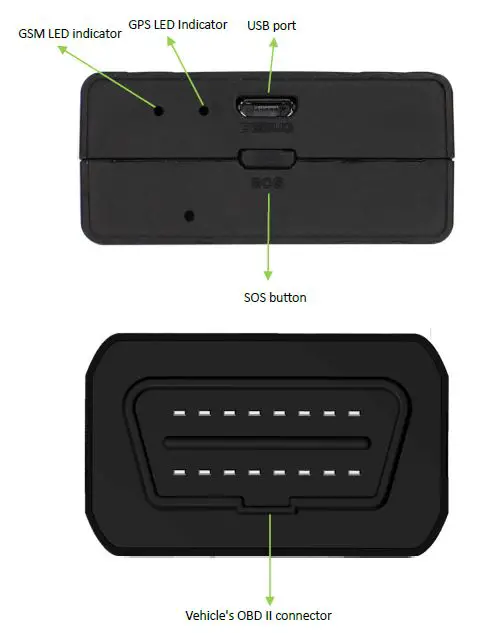
| NO. | Item | Description |
| 1 | USB port | The USB port is used to charge the device, configure device parameters, and upgrade software. |
| 2 | GSM LED indicator (green) | Indicates the GSM status. For details, see the section 5.2 “LED Indicator.” |
| 3 | GPS LED indicator (blue) | Indicates the GPS status. For details, see the section 5.2 “LED Indicator.” |
| 4 | SOS button | Press and hold down the button for two seconds in the case of emergency. Then the device will beep once. The device will also dial three authorized phone numbers 1, 2, and 3 in sequence. It will stop dialing when a phone number responds. Meanwhile, the device will send an SMS with positioning information to authorized phone numbers. If the GPRS function is enabled, the device will send a GPRS message to the server. |
| In the sleep mode, short press the button to wake the device up. | ||
| 5 | Vehicle’s OBD II connector | After you plug the device into the vehicle’s OBD II connector, the device will be always powered on by the vehicle’s battery. |
How to Use
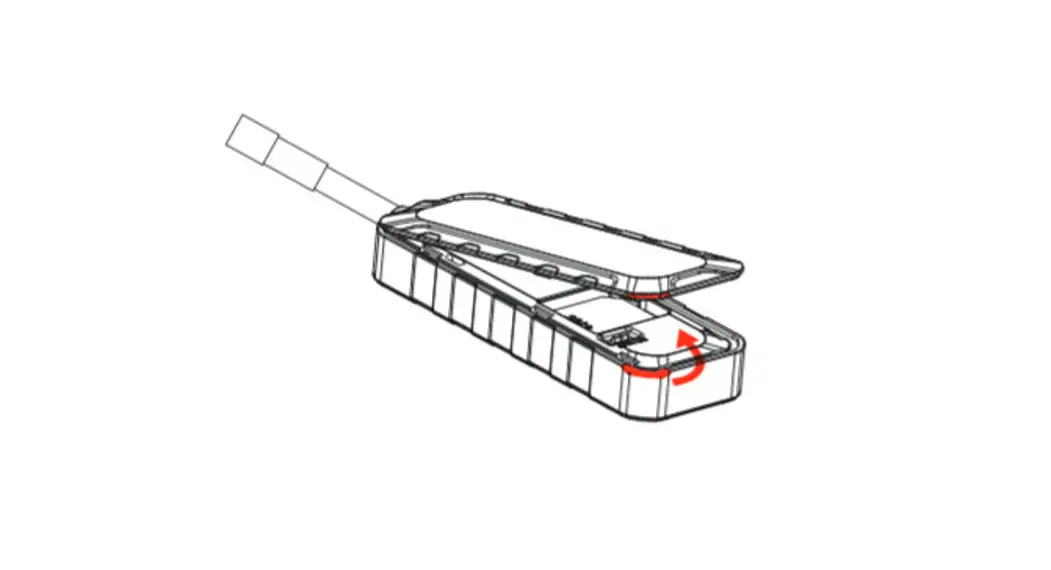
Installing a SIM Card To install a SIM card, open the SIM card cover, insert the card (card chip facing up), and close the card cover. 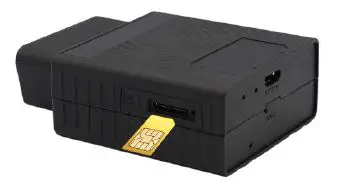
Note:
- Ensure that the SIM card has sufficient balance.
- Ensure that the phone card PIN lock has been closed properly.
- Ensure that the SIM card in the device has subscribed to the caller ID service if you want to use your authorized phone number to call the device.
- Power off the device before installing the SIM card.
LED Indicator
| GPS LED Indicator (Blue) | |
| Steady on | A button or an input is triggered. |
| Blink fast (once every 0.1 seconds) | The device is being initialized, or the battery power is low. |
| Blink fast (0.1 seconds on and 2.9 seconds off) | A GPS signal is received. |
| Blink slowly (1 second on and 2 seconds off) | No GPS signal is received. |
| GSM LED Indicator (Green) | |
| Steady on | There is an incoming call, or the subscriber you dialed is busy now. |
| Blink fast (once every 0.1 seconds) | The device is being initialized. |
| Blink fast (0.1 seconds on and 2.9 seconds off) | A GSM signal is received. |
| Blink slowly (1 second on and 2 seconds off) | No GSM signal is received. |
Note: When the device is in sleep mode, the GSM and GPS LED indicators are off.
Tracking by Mobile Phone
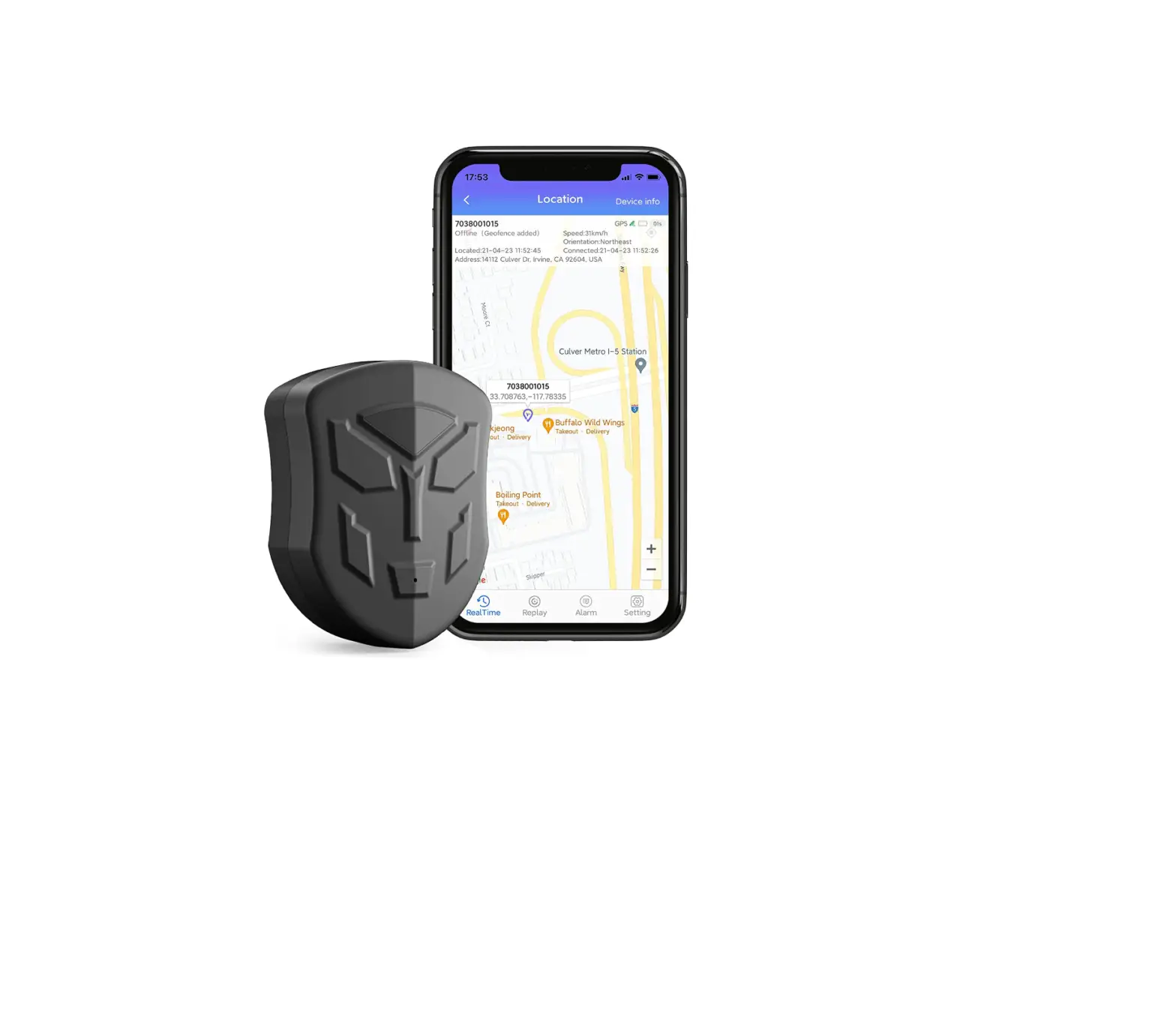
MEN TRACK TC68L/TC68SL Plug-and-Play Vehicle GPS Tracker User Guide with a map link. Click the SMS link. The device’s location will be displayed on Google Maps on your mobile phone. 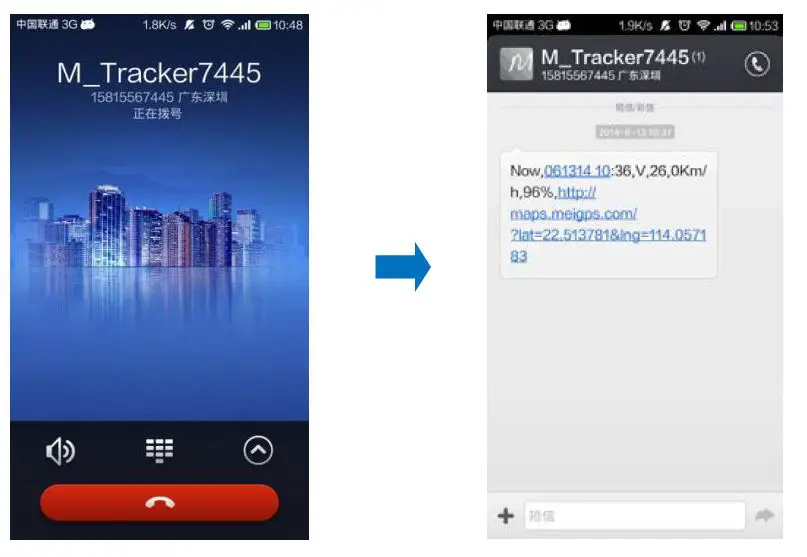
SMS example: Now,110721 16:40,V,10,0Km/h,97%,http://maps.meigps.com/?lat=22.513015&lng=114.057235 The following table describes the SMS format:
| Parameter | Description | Remarks |
| Now | Indicates the current location. | SMS header: indicates the current location or the alert type. For details about the SMS header, see the MEITRACK SMS Protocol and MEITRACK GPRS Protocol. |
| 110721 16:40 | Indicates the date and time in MMDDYY hh:mm format. | Time format: MMDDYY hh:mm |
| V | The GPS is invalid. | A = Valid V = Invalid |
| 10 | Indicates the GSM signal strength. | Value range: 1–32 The larger the value is, the stronger the signal is. If the parameter value is greater than 12, GPRS reaches the normal level. |
| 0Km/h | Indicates the speed. | Unit: km/h. The speed is 0. |
| 97% | Indicates the remaining battery capacity. | The remaining battery capacity is 97%. |
| http://maps.meigps.c om/?lat=22.513015& l ng=114.057235 | This is a map link with a latitude and longitude. lat indicates the latitude. Latitude: 22.513015. lng indicates the longitude. Longitude: 114.057235. | You can visit the map through a mobile phone. |
If your mobile phone does not support HTTP, enter the latitude and longitude on Google Maps to query a location. 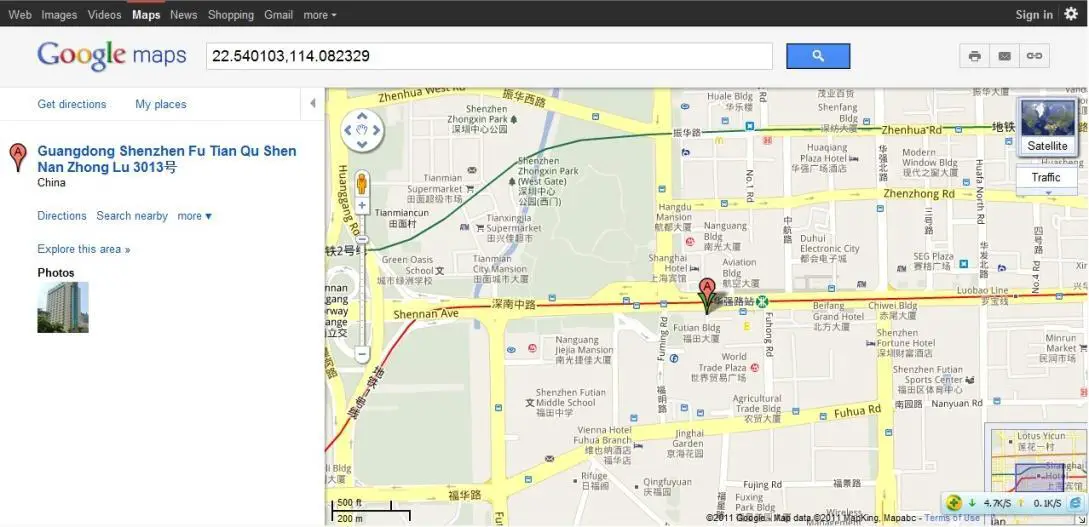
More SMS commands
You can configure the device on a mobile phone or on a computer by using Meitrack Manager. For details, see section 5.4 “Configuring Device Parameters by Meitrack Manager.”
Note:
- The default SMS command password is 0000. You can change the password by using the Meitrack Manager or SMS command.
- The device can be configured by an SMS command with the correct password. After an authorized phone number is set, only the authorized phone number can receive the preset SMS event report.
Setting Authorized Phone Numbers – A71
- SMS sending: 0000,A71,Phone number 1,Phone number 2,Phone number 3
- SMS reply: IMEI,A71,OK
- Description: Phone number: A phone number has a maximum of 16 bytes. If no phone numbers are set, leave them blank. Phone numbers are empty by default.
- Phone number 1: SOS phone number. When you call the device by using the phone number, you will receive an SMS notification about the location, geo-fence alert, and low battery alert.
- Phone number 2/3: When you call the device by using these phone numbers, you will receive an SMS notification about location information. If you need to delete all authorized phone numbers, send 0000, A71. When the SOS button is pressed, the device will dial phone numbers 1, 2, and 3 in sequence. It will stop dialing when a phone number responds. Meanwhile, the device will send an alert to phone number 1.
- Example: SMS sending: 0000,A71,13811111111,13822222222,13833333333 SMS reply: 353358017784062,A71,OK
Setting the Smart Sleep Mode – A73
- SMS sending: 0000,A73,Sleep level
- SMS reply: IMEI,A73,OK
- Description: The device equipped with an OBD II plug is always powered on by the vehicle’s battery. You are advised to enable the sleep function of the device to save battery power.
- Sleep level = 0: The sleep mode is disabled (default).
- Sleep level = 1: The device enters the normal sleep mode. The GPS module works for five minutes, then the device will stop working for five minutes. The above actions will be cycled, but the
- GSM module always works. GPRS and SMS scheduling functions are not affected.
- Sleep level = 2: The device enters the deep sleep mode. If no event (such as the SOS, button triggered, incoming calls, vibration, or SMS messages) is triggered after five minutes, the GPS module will stop working and the GSM module will enter the sleep mode. Once an event is triggered, the GPS and GSM modules will be woken up. Then the above actions will be cycled.
- In any condition, you can disable the sleep mode, and then the device exits the sleep mode and returns to the normal working mode.
- In the deep sleep mode, if you want to obtain the location by the SMS or call when the GPS is valid, the device will reply to a GPS map link; when the GPS is invalid, it will reply to the most recent GPS map link.
- After the device enters the deep sleep mode, functions of Tracking By Time Interval, Tracking By Distance, and GPSLog are not available until the device is woken up from the deep sleep mode.
- The device can be woken up from sleep mode by pressing a button, making a call, or sending an SMS message. After events are handled, the device will enter the sleep mode again.
- Example:
- SMS sending: 0000,A73,2
- SMS reply: 353358017784062,A73,OK
Setting the SMS Time Zone – B35
- SMS sending: 0000,B35,SMS minute
- SMS reply: IMEI,B35,OK
Description: The default time zone of the device is GMT 0 (480 minutes). This command is used to change the time zone of SMS reports to the local time zone. The time zone of SMS reports is different from that of GPRS data packets. In addition, the GPS Log time zone is GMT 0. - SMS minute = 0: The time zone is GMT 0.
SMS minute = [-32768…32767], set time zones. Set the China time zone value to 480. - Example: SMS sending: 0000,B35,480
- SMS reply: 353358017784062, B35, OK (set the Beijing time zone) For details about SMS commands, see the MEITRACK SMS Protocol.
Configuring Device Parameters by Meitrack Manager
This section describes how to use Meitrack Manager to configure the device on a computer. For details about Meitrack Manager, see the MEITRACK Manager User Guide. Operation steps:
- Install the USB driver and Meitrack Manager.
- Connect the device to a computer by using the USB cable.
- Run Meitrack Manager, then the following dialog box will appear:
- Turn on the device, then Meitrack Manager will automatically detect the device model and the parameter page will appear accordingly.
- MEN TRACK TC68L/TC68SL Plug-and-Play Vehicle GPS Tracker User Guide


Setting the IP Address and Port Set the MS03 server IP address to 67.203.15.7 and the port to 10003, as shown in the following figure. 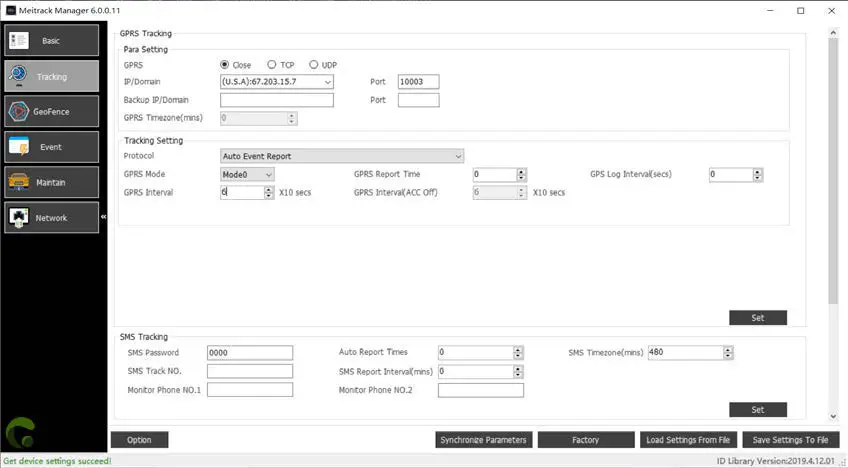
Setting the WiFi Network Set the WiFi network, as shown in the following figure. 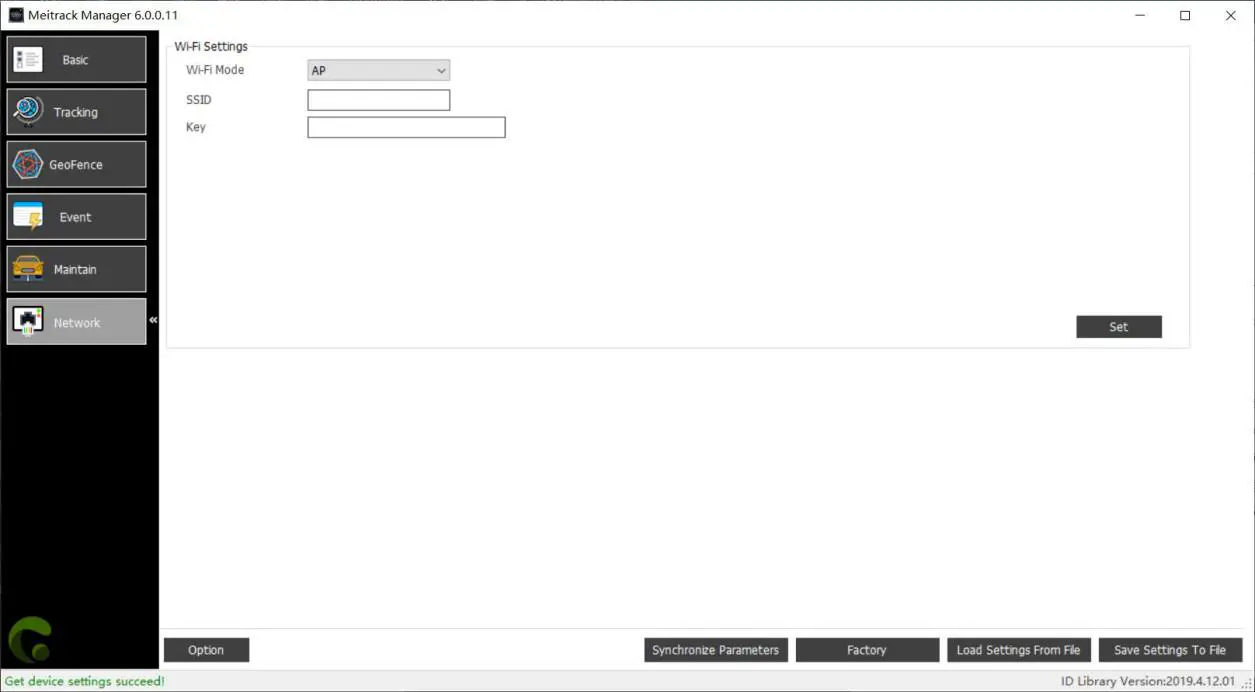
Logging In to MS03 Tracking System
Visit http://ms03.trackingmate.com, enter the user name and password, and log in to the MS03. (Please purchase a login account from your supplier.) For more information about how to add a device, see the MEITRACK GPS Tracking System MS03 User Guide (chapter 4 “Getting Started”).
The MS03 platform supports the following functions:
- Track by time interval or distance.
- Query historical trips.
- Set polygonal geofences.
- Bind driver and vehicle information.
- View different types of reports.
- Send commands in batches.
- Support OTA updates. For details, see the MEITRACK GPS Tracking System MS03 User Guide.
OBD Function
Only the TC68L tracker supports the OBD function. The function list supported is as follows:
- Harsh acceleration alert
- Harsh braking alert
- Ignition on alert
- Ignition off alert
- High coolant temperature alert
- Engine speeding alert
- Idling overtime alert
- Driver fatigue alert
- Start moving alert
- Stop moving alert
- Distance of a journey
- Travel time of a journey
- Fuel consumption per 100 km
Device Installation
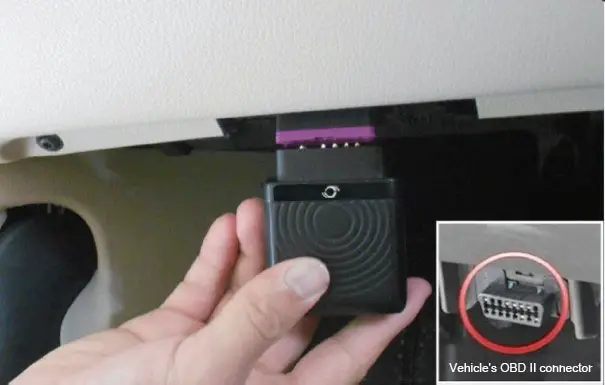
- The device is a plug-and-play device without wiring.
- After the device is plugged into the vehicle’s OBD II connector, the device will beep once and all LED indicators will blink, which means that the device is installed successfully.
- Note: Ensure that the device is firmly connected to the vehicle connector.

If you have any questions, do not hesitate to email us at [email protected].