


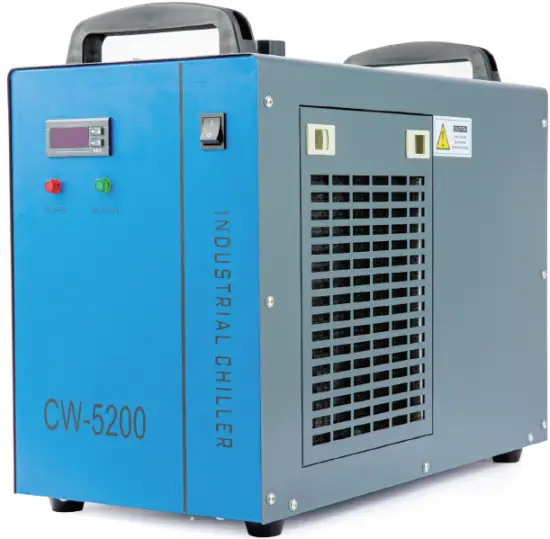
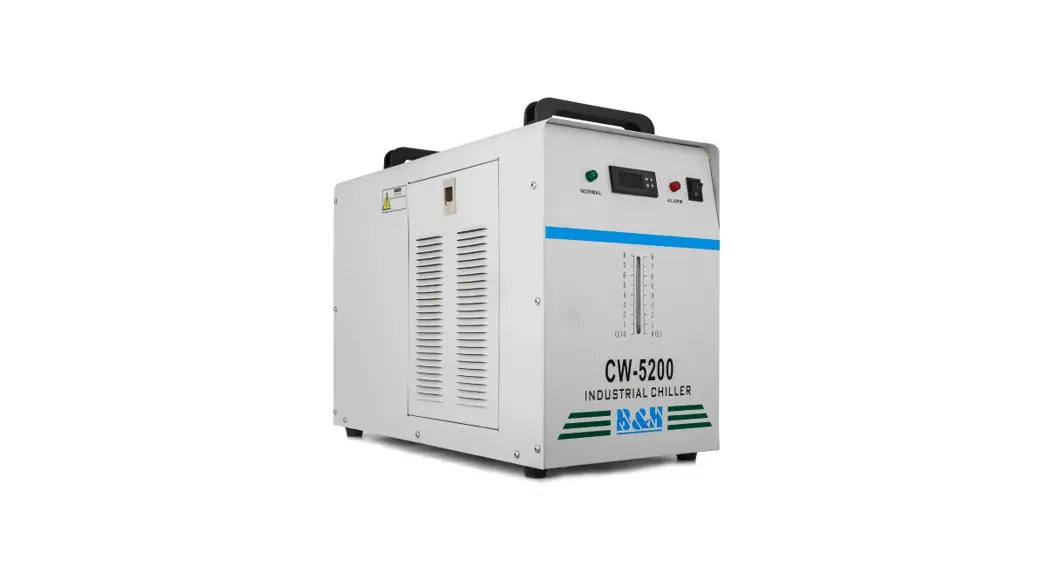
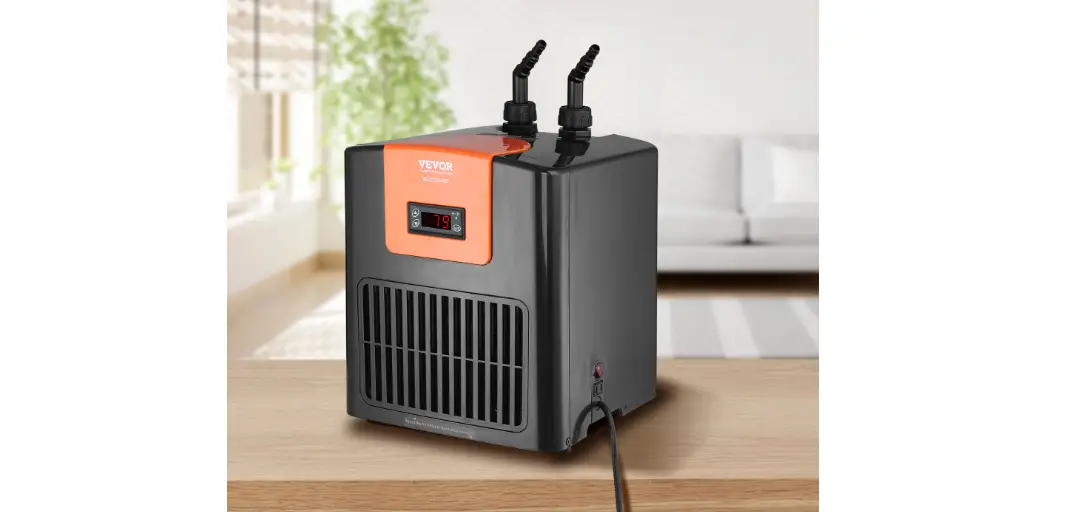
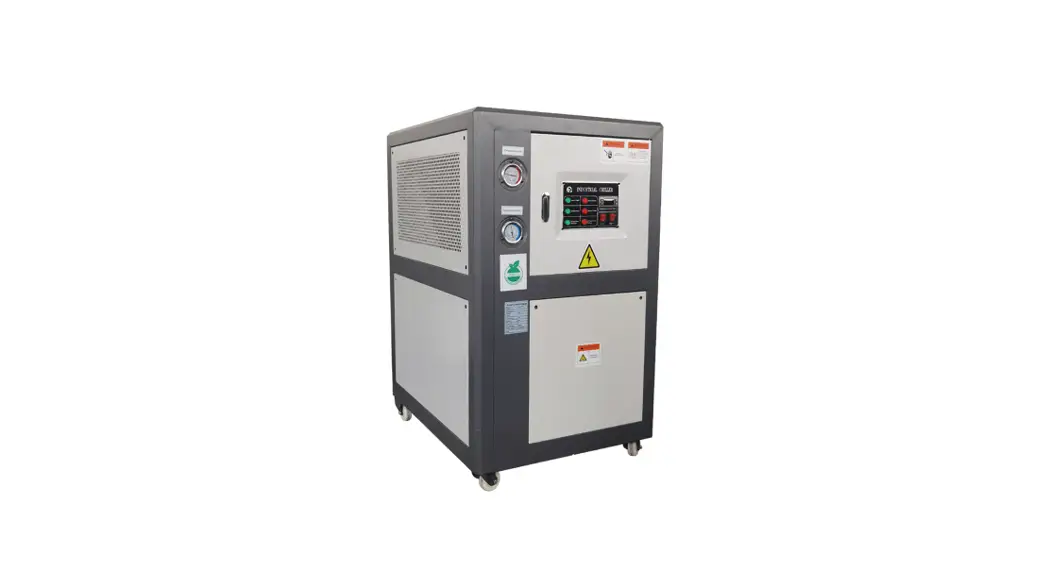
VEVOR CW-5200 Series Industrial Refrigeration Chiller
SAFETY INFORMATION
Warning
DO NOT run this chiller without first providing adequate water. (See page 3.) Deionized or distilled water is preferrable. ONLY use with stable, compatible, and well-grounded power supplies. See page 5 for the correct voltage for your model. Place this chiller in a well-ventilated, dry environment away from heat sources but warm enough to avoid freezing temperatures. at least 1 foot (30 cm) of space behind the rear air outlet. Leave at least 4 inches (10 cm) of space around the two side air inlets. Do not allow children or untrained persons to use this chiller. Pay attention to possible condensation on the chiller and its water lines. If condensation is observed, raise the water temperature, keep the water lines and cooled components warmer, or reduce ambient humidity until no condensation occurs. When cooling a laser engraver, take care that this device does not cause the room’s humidity to exceed safe levels. Do not all the air filter to become blocked by dust. Clean it regularly. Disconnect the power and drain all water from the chiller before storage or transport.
Caution
Remember that the OUTLET of the water chiller should connect to the INLET of the product to be cooled. Similarly, the water chiller’s inlet should be connected to the other machine’s water outlet.
PACKAGE LIST
- Industrial Chiller
- Power Cord
- Alarm Signal Output Plug
- Spare Fuse (held near the rear power socket)
- Instruction Manual
PARTS DIAGRAM
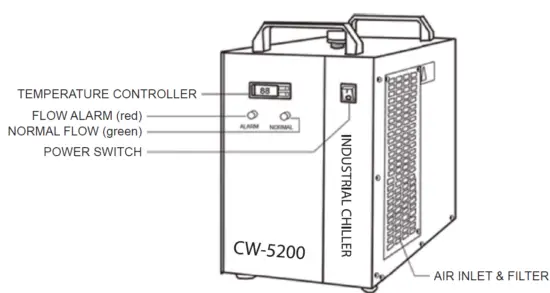
- Front

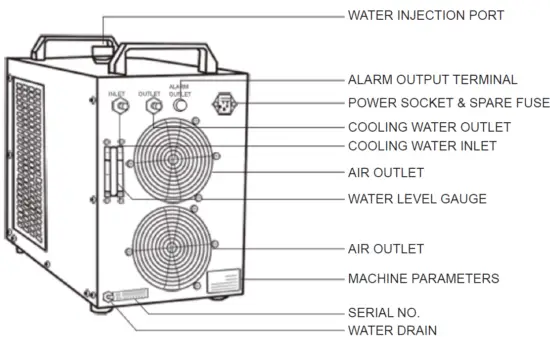
- Back
INSTALLATION
It is very simple to install this industrial chiller.
- Open the package to check that the machine is intact and all the necessary accessories are included

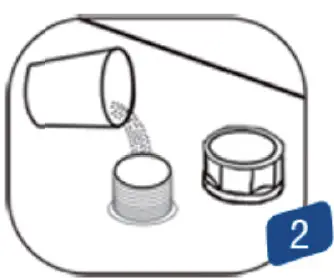
- Open the injection port and add water. For best results, use deionized water.
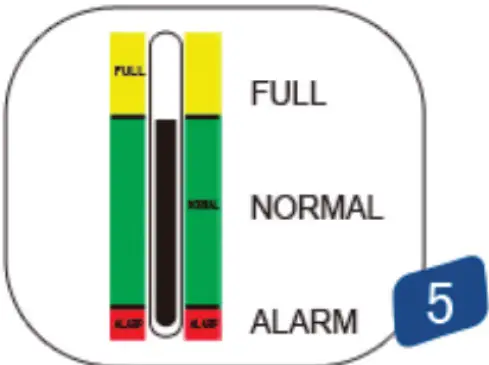
Use the water level gauge and ensure the level is in the middle or top of the NORMAL (green) area. Pour slowly and do not allow the water to overflow.
For cooling carbon steel equipment, the water should have the appropriate amount of anticorrosive additive.
- Connect the water inlet and outlet pipes to the system you wish to cool. Be sure to connect the chiller’s OUTLET pipe to your system’s INLET port and the chiller’s inlet pipe to the system’s outlet port.

- Plug in the power and flip the power switch. The pump will begin working.
There may be some bubbles at first. These should disappear after a minute or two. Don’t worry if the fans and other components of the chiller do not activate. They are usually automatically controlled (see p. 5) and will not begin working until they are needed by the machine.
In different conditions, the time for startup may vary from seconds to a few minutes. Do not become frustrated and switch the machine on and off, except when necessary to add water.
- Check the water level of the water tank again, as in Step 2 above. The water level of the chiller will lower somewhat as it fills the cooling path of your machine. If necessary, carefully add more water to the chiller to maintain the level in the NORMAL (green) area.
If the water level drops sharply or continues to go down during normal use, turn off your devices and examine the water pipes and cooling path for leakage. Repair any such leaks before restarting the devices and continuing work.
- Adjust the parameters of the device as needed. The CW-5200 has an intelligent thermostat and normally does not need any adjustment. If it becomes necessary,


OPERATION AND ADJUSTMENT
The new P-801 intelligent temperature controller does not need to adjust its parameters in normal circumstances. It will self-adjust its parameters according to the ambient room temperature to meet its cooling requirements. The new P-802 intelligent temperature controller has a separate default, maintaining a constant 77°F (25°C). Users can adjust this value as needed. The two controllers have the same functions and operating system, apart from their default modes
CONTROL PANEL
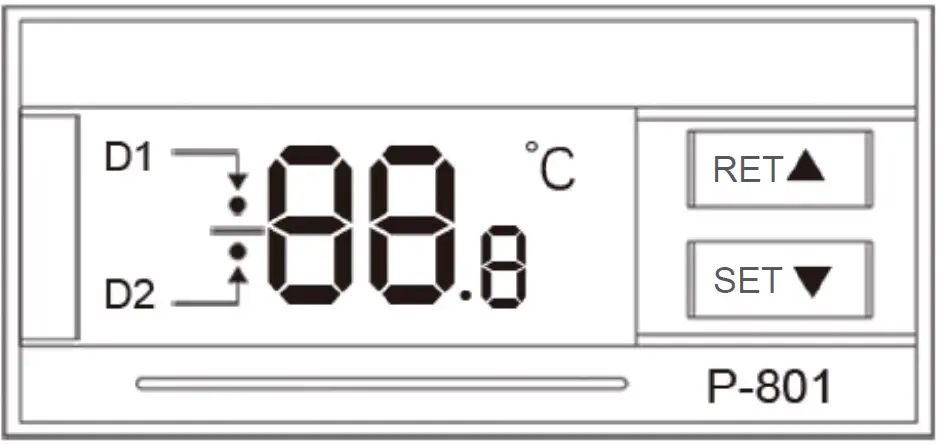
- Indicators D1 & D2 above convey the following information:
- D1
ON: The thermostat is adjusting water temperature reset according to the room temperature.
OFF: The thermostat is maintaining a constant water temperature.
FLASHING: The thermostat is accepting new parameters from the user or showing the - D2
ON: The chiller is working in its refrigeration mode.
OFF: The chiller is working in its insulation mode.
FLASHING: The chiller is working in its energy-saving mode
- D1
- Press ▼ to show the ambient room temperature. D1 will flash. After 3 seconds, the display will revert to its previous default.
- ▲ and ▼ adjust the display status and the values of the parameters.
- RET enters commands.
- SET allows parameters to be changed and reset
Restoring factory settings
Before the machine starts up, press and hold ▲ and ▼ until the controller displays rE. 3 seconds after releasing the buttons, the control panel will resume working with all parameters restored to their factory defaults.
Thermostat parameters list
| Order | Code | Item | Range | P-801 Defaults | P-802 Defaults | Note(s) |
1 | F0 | Water Temperature | F9–F8 | 25 | 25 | Celsius value of constant temperature mode |
2 | F1 | Temperature Difference | −15 to +5 | −2 | −2 | Celsius value of the difference between water and air temperatures in intelligent control mode |
| 3 | F2 | Cooling Hysteresis | 0.1–3.0 | 0.8 | 0.1 | |
4 | F3 | Control Mode | 0–1 | 1 | 0 | 1 is intelligent control mode 0 is constant temperature mode |
| 5 | F4 | Overheated Water Alarm | 1–20 | 10 | 10 | |
| 6 | F5 | Overchilled Water Alarm | 1–20 | 15 | 15 | |
| 7 | F6 | Overheated Room Alarm | 40–50 | 45 | 45 | |
| 8 | F7 | Password | 00–99 | 8 | 8 | |
| 9 | F8 | Highest Allowed Water Temperature | F0–40 | 30 | 30 | |
| 10 | F9 | Lowest Allowed Water Temperature | 1–F0 | 20 | 20 |
General settings adjustment
- Press SET to enter the user-defined parameter mode. D1 will flash.
- In constant temperature mode, the first screen will be F0, showing the temperature the chiller will keep the water. Press ▲ or ▼ to change the value. After you have chosen a value, press RET to save it and exit. Pressing SET will exit without saving your changes. Waiting more than 20 seconds to choose an action will also exit without saving any changes.
- In intelligent control mode, the first screen will be F1, showing the control panel for the set temperature difference between the water and air in degrees Celsius. Adjust its value in the same way
Advanced settings adjustment
- Press ▲ and then hold SET until 0 is displayed.
- Press ▲ to choose the one or two digit passcode. (The factory default is 8.) Press SET again.
- If the password is correct, F0 is shown and D1 will flash. (If the password is incorrect, the system will exit to its default display.)
- Press ▲ or ▼ to cycle through the parameters mentioned on p. 6.
- Press SET to select one of these parameters to adjust.
- Press ▲ or ▼ to adjust its value. Press RET to save your changes and exit. Pressing SET will exit to the previous menu level without saving your changes. Waiting more than 20 seconds to choose an action will also exit without saving any changes.
- No changes will take effect until you have used RET to save the changes and exited parameter adjustment, returning to normal operation.
Advanced parameters adjustment examples
Order | Code | Item | Range | P-801 | P-802 | Value in Case 1 | Value in Case 2 | Value in Case 3 |
| 1 | F0 | Water Temperature | F9–F8 | 25 | 25 | 28 | 25 | |
| 2 | F1 | Temperature Difference | −15 to +5 | −2 | −2 | -3 | ||
| 3 | F2 | Cooling Hysteresis | 0.1–3.0 | 0.8 | 0.1 | 0.5 | 2.0 | 1.0 |
| 4 | F3 | Control Mode | 0–1 | 1 | 0 | 1 | 0 | 0 |
| 5 | F4 | Overheated Water Alarm | 1–20 | 10 | 10 | 10 | 5 | 4 |
| 6 | F5 | Overchilled Water Alarm | 1–20 | 15 | 15 | 10 | 10 | 14 |
| 7 | F6 | Overheated Room Alarm | 40–50 | 45 | 45 | 45 | 45 | 45 |
| 8 | F7 | Password | 00–99 | 8 | 8 | 8 | 8 | 8 |
| 9 | F8 | Highest Allowed Water Temperature | F0–40 | 30 | 30 | 31 | 30 | 30 |
| 10 | F9 | Lowest Allowed Water Temperature | 1–F0 | 20 | 20 | 25 | 5 | 5 |
Case 1: The chiller is in intelligent control mode and requires the water to be between 77–88°F (25–31°C). With the ambient room temperature kept constant, the water temperature will remain 5°F (3°C) lower with a deviation of ±0.9°F (±0.5°C). An alarm will sound if the water temperature is 18°F (10°C) higher or lower than this target.
Case 2: The chiller is in constant temperature mode and requires the water to be at 82°F (28°C) with a deviation of ±3.6°F (±2°C). An alarm will sound if the water temperature is 9.6°F (5°C) higher than this target or if the water is 18°F (10°C) lower than this target.
Case 3: The chiller is in constant temperature mode and requires the water to be at 77°F (25°C) with a deviation of ±1.8°F (±1°C). An alarm will sound if the water temperature goes above 86°F
ALARMS
- Alarm display
When an alarm occurs, the display will alternate between the water temperature and the error.
| E1 | E2 | E3 | E4 | E5 |
| Overheated room temperature | Overheated water temperature | Overchilled water temperature | Room temperature sensor failure | Water temperature sensor failure |
There will also be a separate alarm if the chiller senses that there is insufficient flow of water.
- Turning off an alarm
To silence the noise from an alarm, push any button. The display will continue to show the error until the underlying problem is corrected.
- Flow alarm ports and wiring diagram

- Flow alarm causes
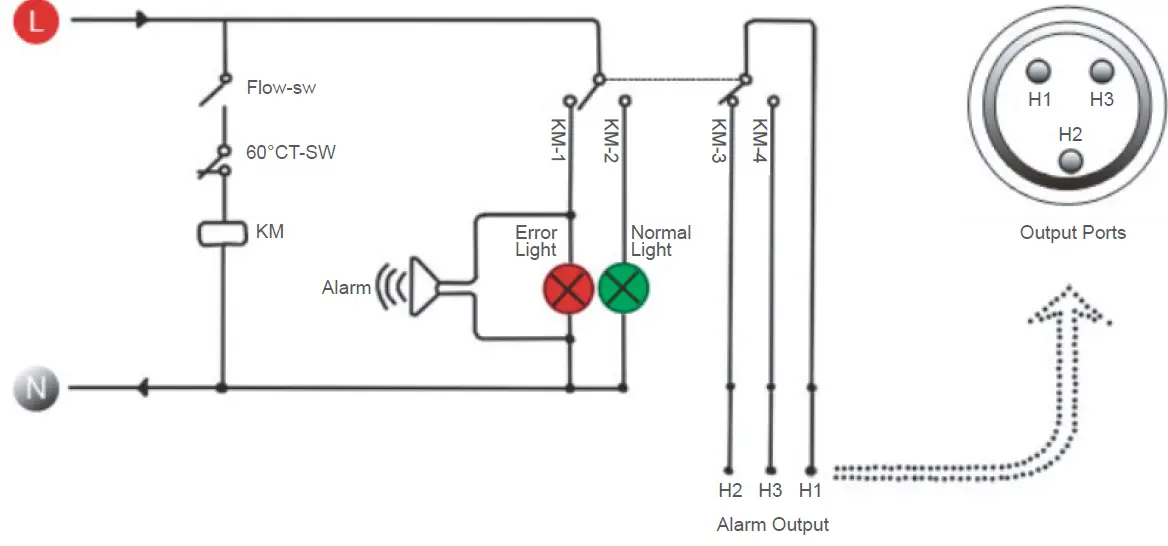
DISPLAY CONDITION | Indicator Lights | Alarm | H1/H2 | H1/H3 |
| Normal | On Off | None | Off | On |
| Blocked pathway | Off On | Buzzing | On | Off |
| Water shortage | Off On | Buzzing | On | Off |
| Faulty pump | Off On | Buzzing | On | Off |
| Power interruption | On | Off |
Note: that the flow alarm is connected to relay contacts requiring that the operating current be less than 5A and working voltage less than 300V
SPECIFICATIONS
| Model | CW-5200AG | CW-5200BG | CW-5200DG | CW-5200AI | CW-5200BI | CW-5200DI | CW-5200AK | CW-5200BK | CW-5200DK |
| Voltage | 220V | 220V | 110V | 220V | 220V | 110V | 220V | 220V | 110V |
| Frequency | 50Hz | 60Hz | 60Hz | 50Hz | 60Hz | 60Hz | 50Hz | 60Hz | 60Hz |
| Current | 2.4–3.1A | 2.6–3.3A | 4.5–6.5A | 2.4–3.1A | 2.6–3.3A | 4.5–6.5A | 2.4–3.1A | 2.6–3.3A | 4.5–6.5A |
Compressor Power | 0.52kW | 0.50kW | 0.68kW | 0.52kW | 0.5kW | 0.68kW | 0.52kW | 0.5kW | 0.68kW |
| 0.71 hp | 0.68 hp | 0.93 hp | 0.71 hp | 0.6 hp | 0.93 hp | 0.71 hp | 0.68 hp | 0.93 hp | |
Refrigeration Capacity | 5084 BTU/h | 4982 BTU/h | 5186 BTU/h | 5084 BTU/h | 4982 BTU/h | 5186 BTU/h | 5084 BTU/h | 4982 BTU/h | 5186 BTU/h |
| 1.49kW | 1.46kW | 1.52kW | 1.49kW | 1.46kW | 1.52kW | 1.49kW | 1.46kW | 1.52kW | |
| 1281kcal/h | 1256 kcal/h | 1307 kcal/h | 1281 kcal/h | 1256 kcal/h | 1307 kcal/h | 1256 kcal/h | 1256 kcal/h | 1307 kcal/h | |
| Refrigerant | R-22/R134a/R410a | ||||||||
| Refrig-Charge | 360 g | 380 g | 350 g | 360 g | 380 g | 350 g | 360 g | 380 g | 350 g |
| Precision | ±0.5°F (±0.3°C) | ||||||||
| Pump Power | 0.03kW | 0.1kW | 0.05kW | ||||||
| Capacity | 1.6 US gal. (6L) | ||||||||
| Port Dia. | 10 mm | 8 mm | |||||||
| Max. Lift | 32.8 ft. (10 m) | 82 ft. (25 m) | 229.7 ft. (70 m) | ||||||
| Max. Flow | 2.6 gpm (10L/min.) | 4.2 gpm (16 L/min.) | 5.3 gpm (20 L/min.) | ||||||
| Net Weight | 66.1 lb. (30 kg) | 72.8 lb. (33 kg) | |||||||
| Dimensions | 22×11.4×17 in. (55.9×29×43.2 cm | ||||||||
TROUBLESHOOTING
Never use a dangerous system like a laser engraver if the water cooling system is malfunctioning. If the laser or other dangerous device is already on, shut it down immediately and correct the problem with the chiller before using it again
| Failure | Approach |
| The machine has no power. | Check that the power cord is firmly connected. |
| Cut the device’s power and pull out the fuse box from the back of the machine. If the fuse has blown, ensure that the power supply is stable or install a voltage regulator. Replace the fuse with the spare stored in the fuse box. | |
| The machine is on, but the water does not flow. | Check that there are no leaks in the water pipes or cooling pathway. Then add more water until the water gauge rises to the correct height. |
| The water is flowing but there is an alarm. | Check that there are no leaks in the pipes and add more water. |
| The water temperature is too high. | Check that the chiller has proper room for ventilation and the air filter is clean. |
| Ensure that the power supply is stable or install a voltage regulator. | |
| Restore the factory default parameters | |
| Ensure that there is sufficient time for refrigerator to occur before activating the device you want to cool. At most, with a functioning machine, this should take less than 5 minutes. | |
| The fan does not turn on. | Reduce the heat load or upgrade to a stronger chiller. |
| The room temperature is too high. | Ensure the chiller has proper room for ventilation . If it already does, take action to cool the surrounding work space. |
| There is constant condensation around the machine and the water lines. | Increase the water temperature or heat the area around the cooling path. Failing this, take action to reduce the ambient humidity of the surrounding work space. |
| Water drains slowly. | Open the injection port. |
CONTACT US
If you have any questions or comments, contact us at [email protected] and we’ll resolve your issue ASAP!
For a .pdf copy of the latest version of these instructions, use the appropriate app on your smartphone to scan the QR code to the right.
 Transparent outsourced web hosting tech support |SupportPRO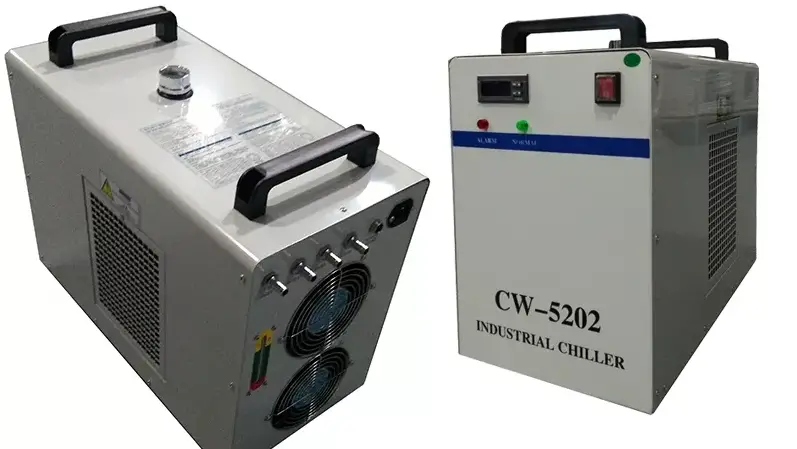

![Personal Chiller Mini Fridge [k6101wh, K6102cl, K6103bl] User Manual](https://static-data1.manualsee.com/1/img/182/17342/2020/12/00-41.jpg "Personal Chiller Mini Fridge [k6101wh, K6102cl, K6103bl] User Manual")