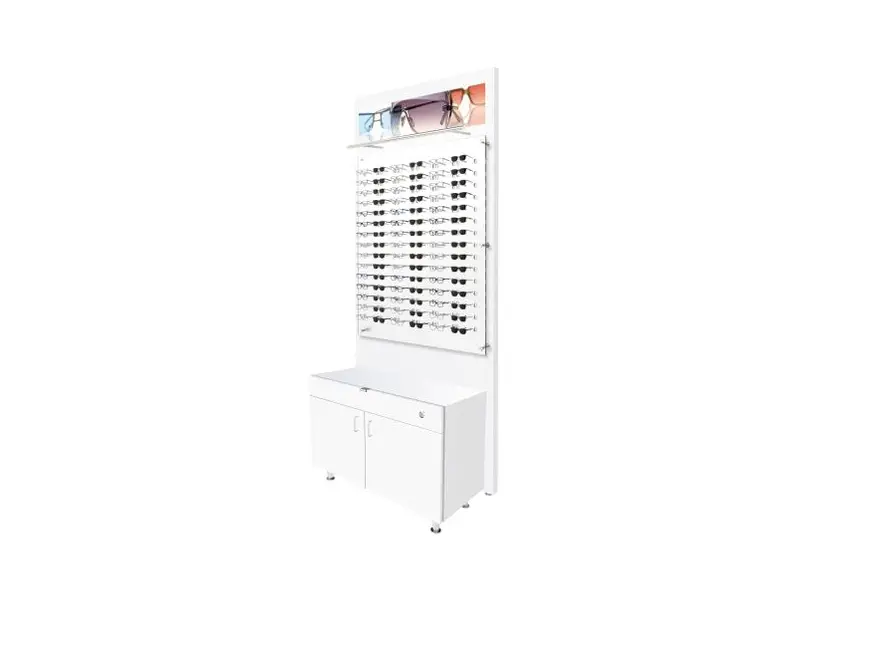

Frame Displays Dw-pnl-3-dw-cab-3 Lit Back Panels Instruction Manual

Frame Displays Dw-pnl-3-dw-cab-3 Lit Back Panels Instruction Manual

frame-displays-LOGO

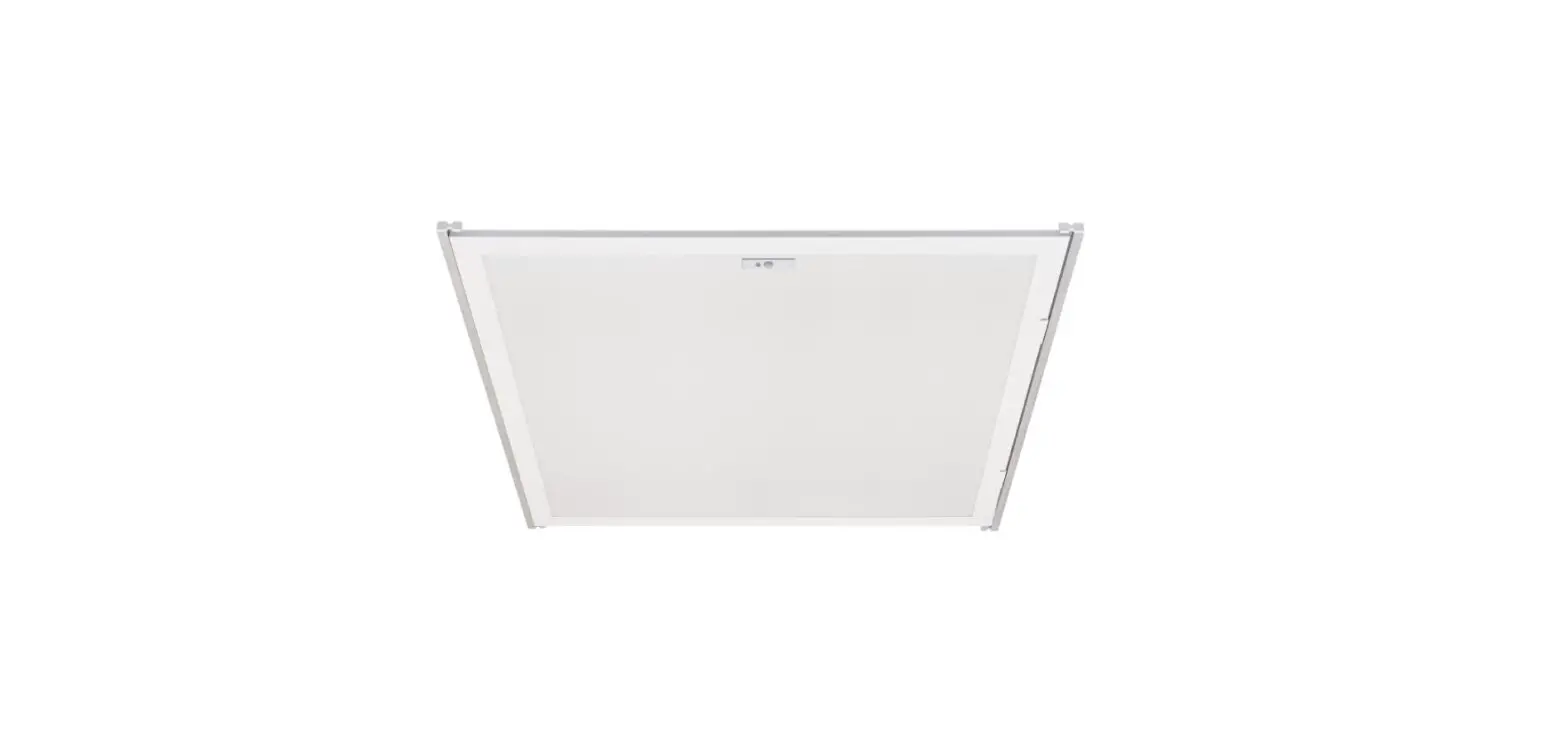
frame displays DW-PNL-3-DW-CAB-3 Lit Back Panels
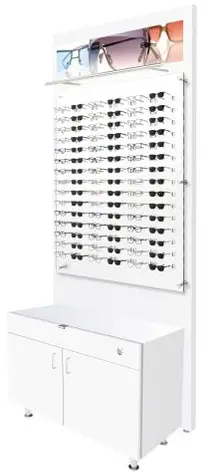
frame-displays-DW-PNL-3-DW-CAB-3-Lit-Back-Panels-PRODUCT

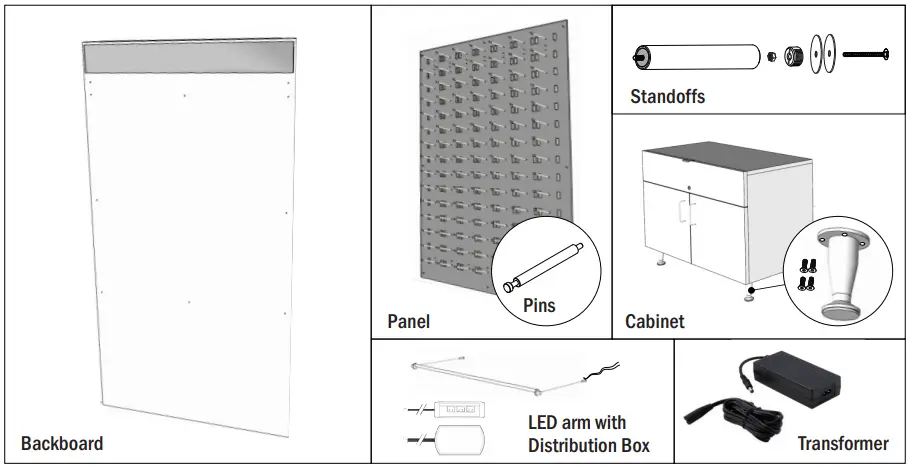
DW backboards with Cabinetsframe-displays-DW-PNL-3-DW-CAB-3-Lit-Back-Panels-FIG-1

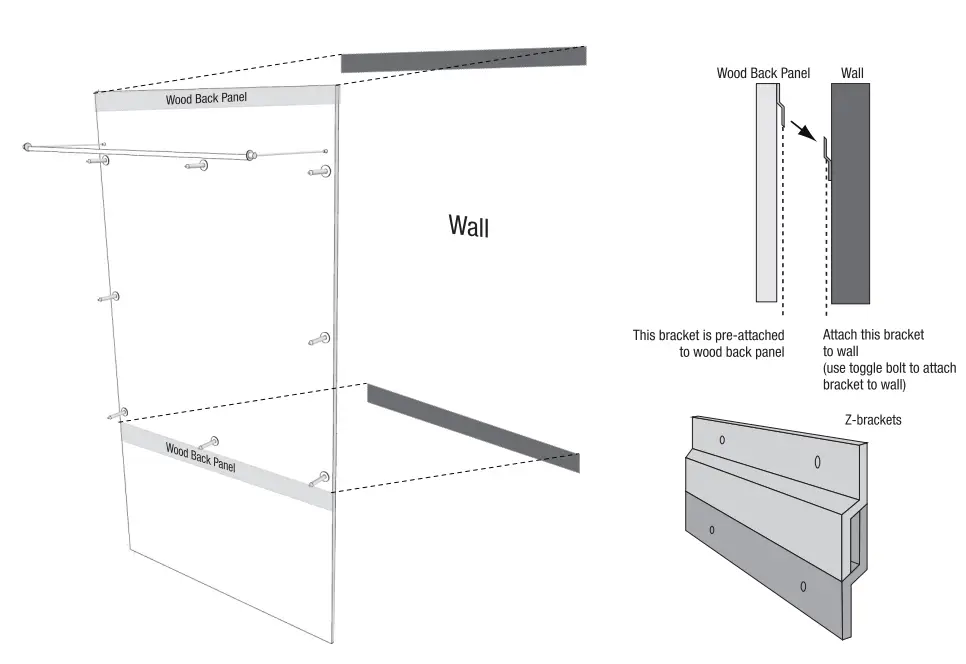
Step 1 use toggle bolts to attach Z-Brackets to the walframe-displays-DW-PNL-3-DW-CAB-3-Lit-Back-Panels-FIG-2
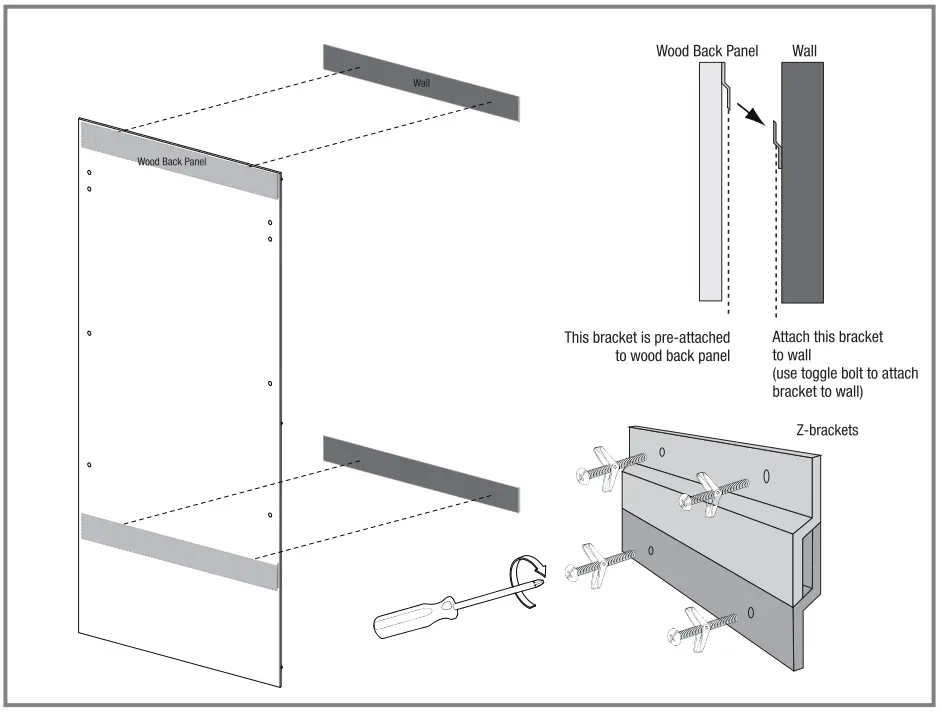
Step 2 Attach standoffs to the backboard (long bolt, washers, and nut)frame-displays-DW-PNL-3-DW-CAB-3-Lit-Back-Panels-FIG-3
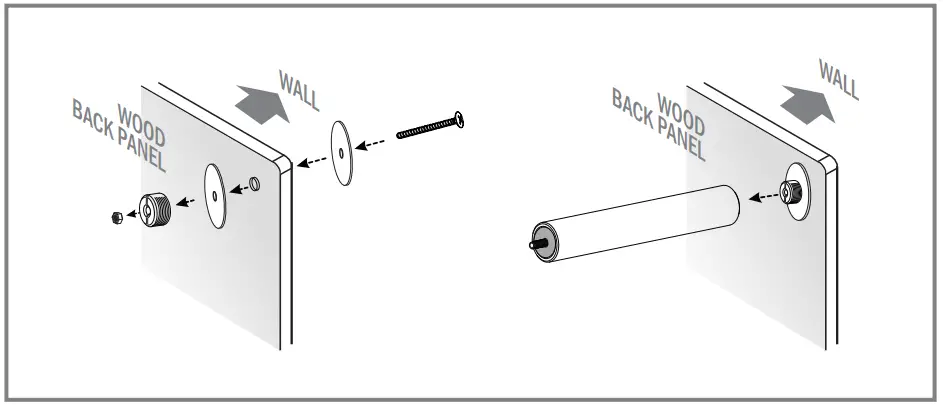
Step 3 Attach LED Arms to the backboardframe-displays-DW-PNL-3-DW-CAB-3-Lit-Back-Panels-FIG-4
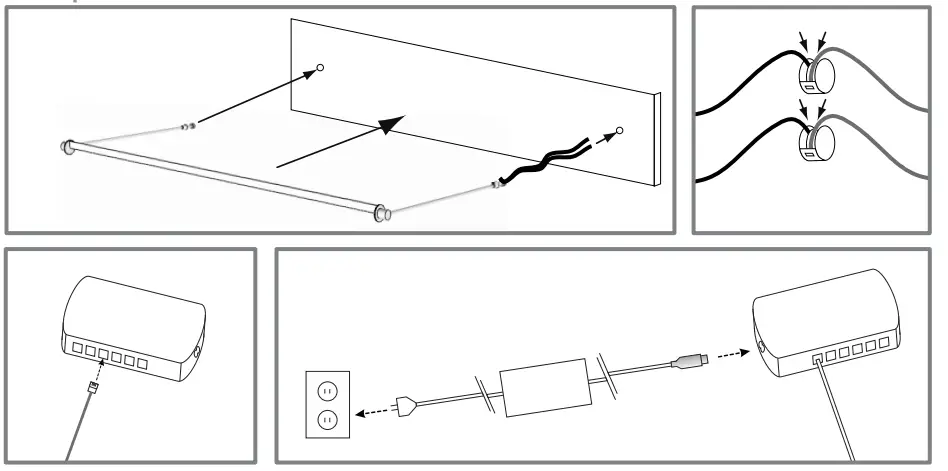
Step 4 Hang the backboard with the LED arm on the Z-brackets from step 1frame-displays-DW-PNL-3-DW-CAB-3-Lit-Back-Panels-FIG-5
Step 5 Attach the Pins to the acrylic panelframe-displays-DW-PNL-3-DW-CAB-3-Lit-Back-Panels-FIG-6
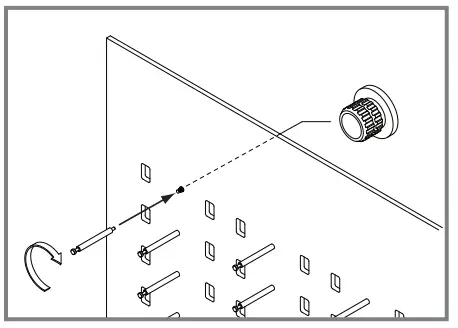
Step 6 Attach and secure the acrylic panel to the standoffs on the backboardframe-displays-DW-PNL-3-DW-CAB-3-Lit-Back-Panels-FIG-7
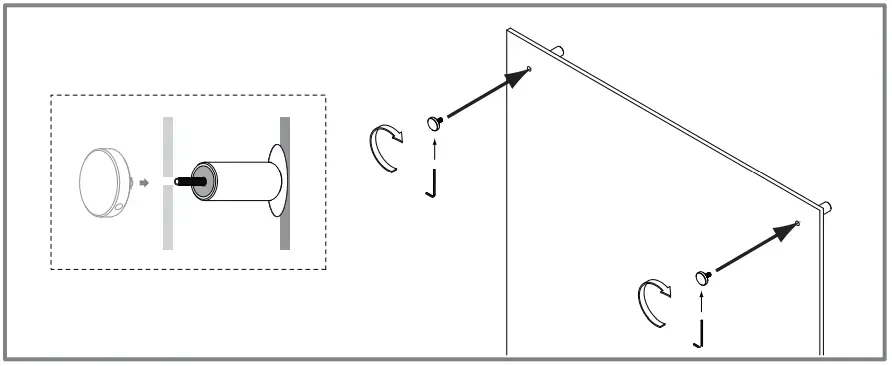
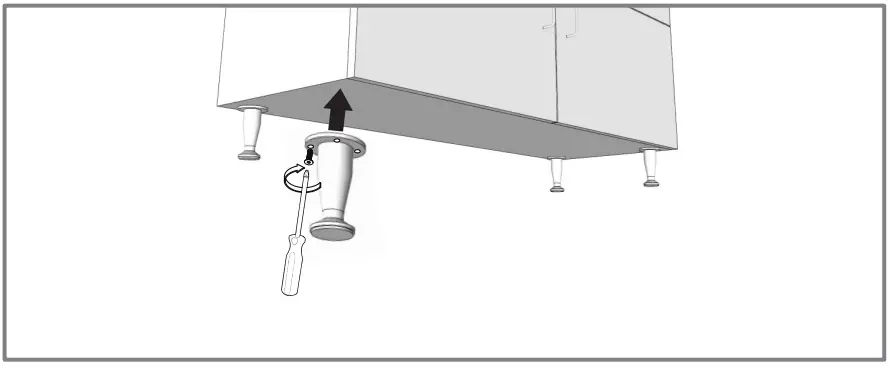
Step 7 Screw in the Cabinet legsframe-displays-DW-PNL-3-DW-CAB-3-Lit-Back-Panels-FIG-8
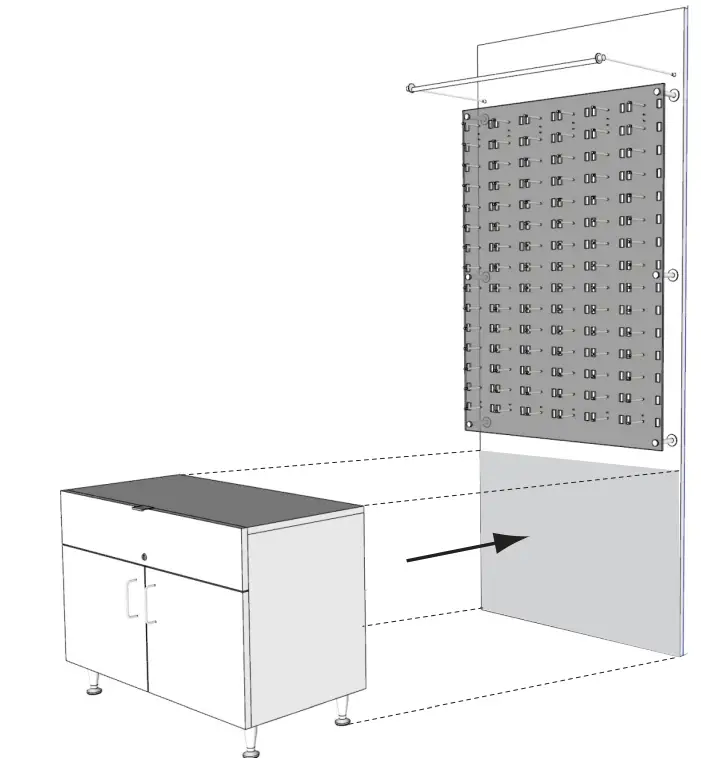
Step 8 Place the cabinet below DW panelframe-displays-DW-PNL-3-DW-CAB-3-Lit-Back-Panels-FIG-9
Documents / Resouces

Download manual
Here you can download full pdf version of manual, it may contain additional safety instructions, warranty information, FCC rules, etc.


Related Manuals