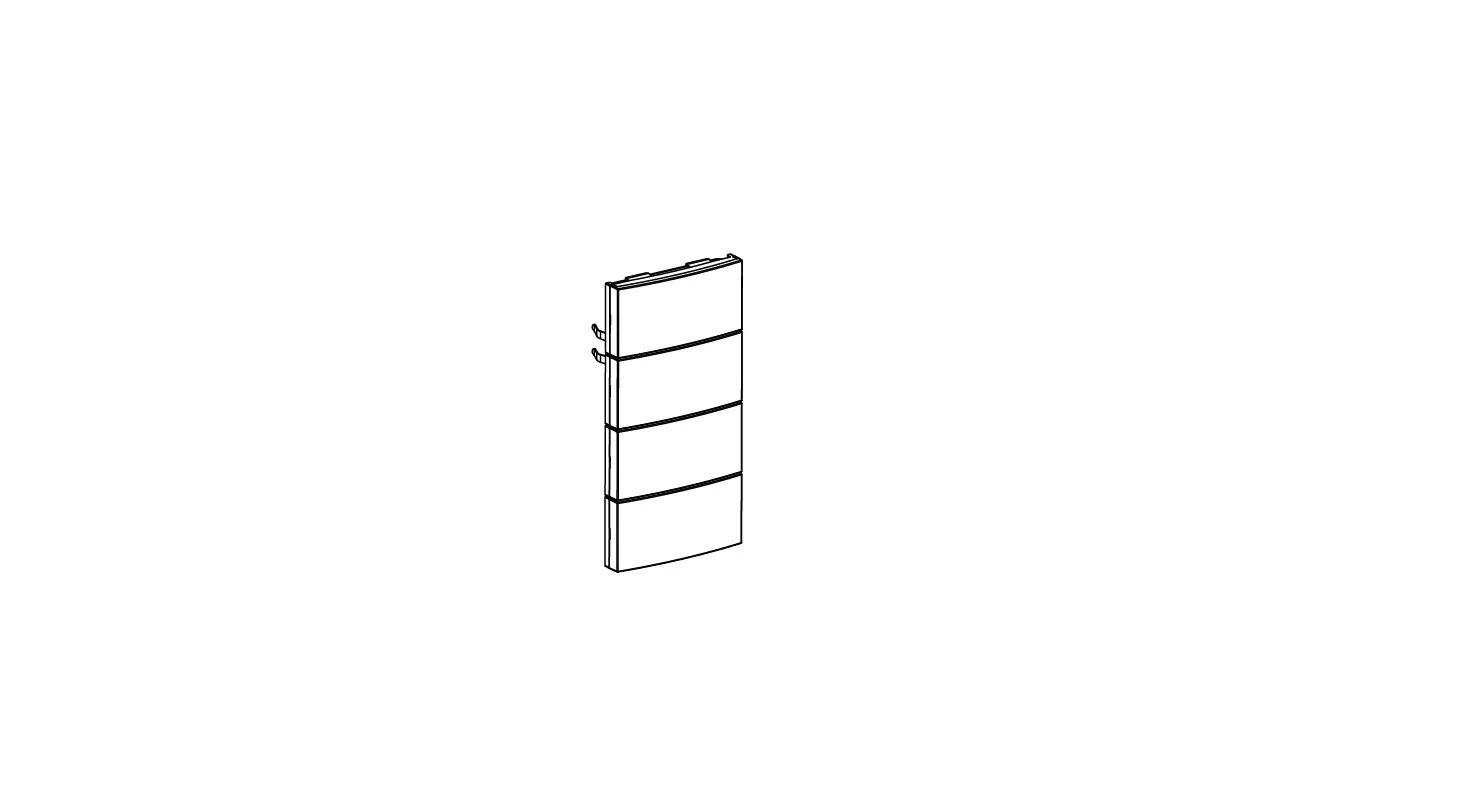
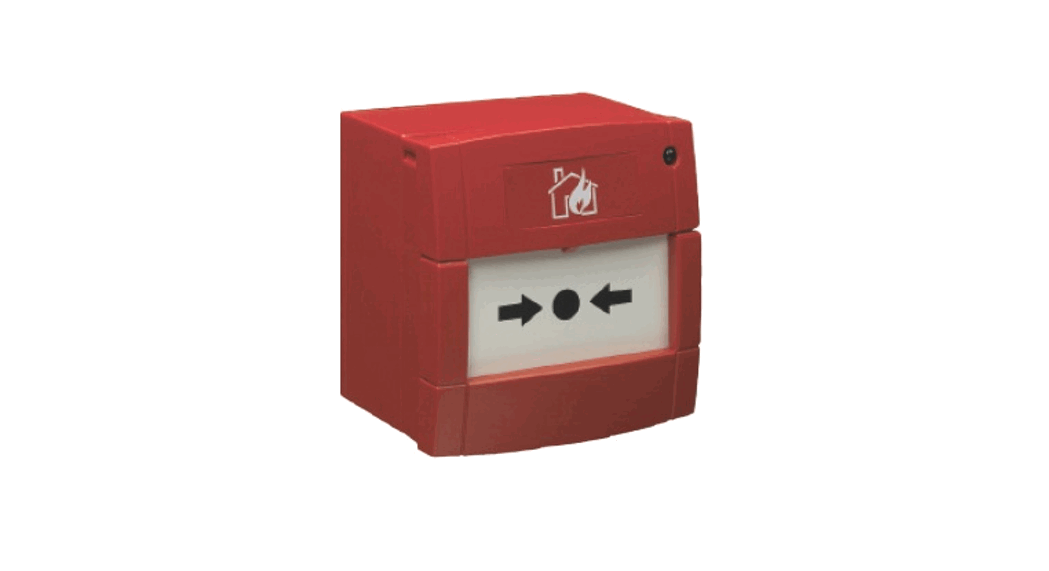
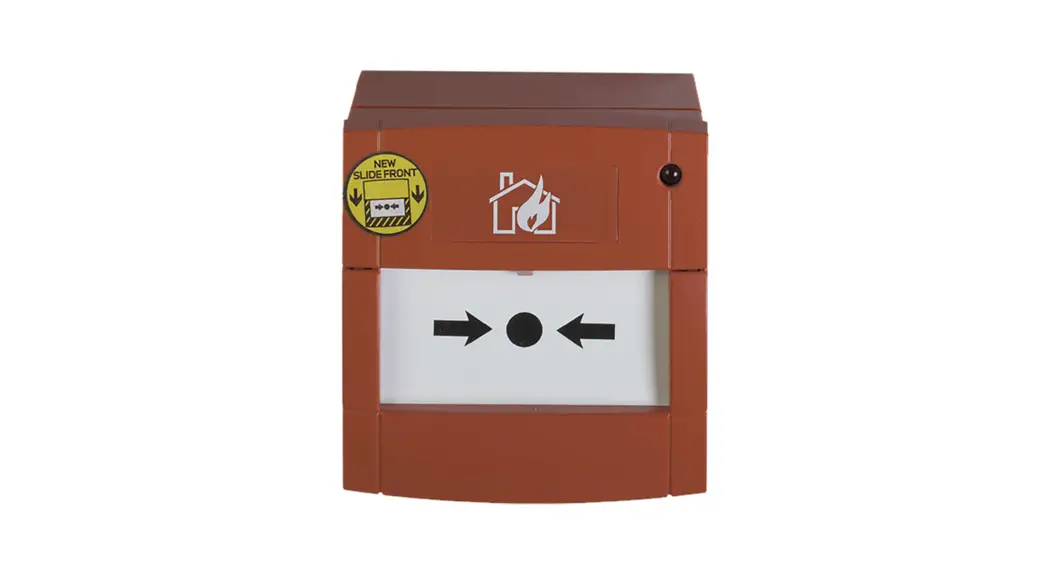
5200xx Emergency Call Set
Product Information
The emergency call set is a wired call system consisting of
multiple devices:
| Device | Model | Description |
|---|---|---|
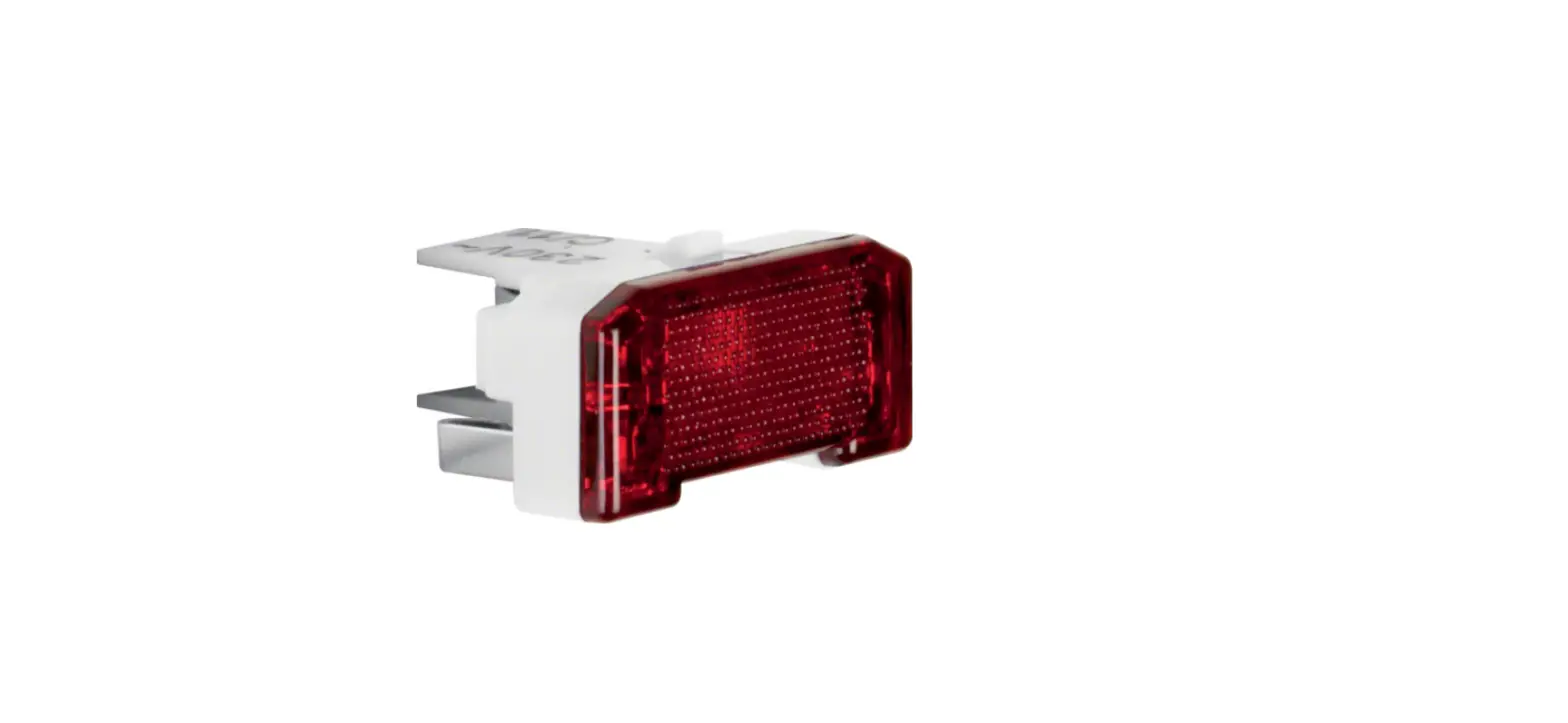
| Pilot lamp with frame (LS) | 5203 xx | The pilot lamp with frame serves as a visual indicator for emergency calls. It has various connections for power supply and signal transmission. |
| Pullcord push-button with frame (ZT) | 5200 xx | The pullcord push-button with frame is used to trigger an emergency call by pulling the cord. It is designed for easy access and activation. |
| Shut-off push-button with frame (AT) | 5200 xx | The shut-off push-button with frame is used to stop an ongoing emergency call. It provides a quick and convenient way to cancel an activated call. |
| Power supply unit with frame (NT) | 5200 xx | The power supply unit with frame is responsible for providing the necessary power to operate the emergency call system. It ensures a reliable power source for all connected devices. |
| Uninterruptible power supply (UPS) | N/A | The uninterruptible power supply is an optional accessory that can be used to ensure continuous power supply even in case of power outages. It provides backup power to the emergency call system. |
| Call push-button (RT) | N/A | The call push-button is an optional accessory that can be installed in additional locations for convenient activation of emergency calls. It is connected to the main emergency call set. |
| Duty room unit (DE) | N/A | The duty room unit is an optional accessory that allows monitoring and control of the emergency call system from a central location. It provides status information and allows communication with the caller. |
Product Usage Instructions
Using the emergency call set
- Ensure that the power supply unit is properly connected to a
reliable power source. - Locate the desired emergency call device (e.g., pullcord
push-button, shut-off push-button, call push-button) and activate
it according to the specific instructions provided with each
device. - The pilot lamp with frame will visually indicate the activation
of an emergency call. It may emit a continuous tone or flash/pulse,
depending on the factory settings. - If necessary, use the duty room unit to monitor and respond to
the emergency call. The duty room unit provides additional
functionality for managing and handling emergency calls. - To stop an ongoing emergency call, press the shut-off
push-button with frame. This will deactivate the pilot lamp and
stop any audible alerts.
Information for electricians
For installation, please refer to the installation section in
the user manual.
The emergency call set should be connected according to the
instructions provided in the user manual. Ensure that all
connections are secure and properly insulated.
If you need to extend the emergency call set, follow the
guidelines provided in the user manual for extending the system.
Additional devices can be connected to the main emergency call
set.
Before commissioning the system, make sure that all connections
are properly installed and tested. Verify the functionality of each
device and ensure that the emergency call set is ready for
operation.
Appendix
The user manual provides additional information on accessories
and technical data related to the emergency call set. Please refer
to the manual for further details.
Operating and installation instructions
Clinical installation Emergency call set
Emergency call set with frame 5200xx
z
01
01.01
02
02.01 02.02 02.03 02.04
03
03.01 03.02 03.03
04
04.01 04.02 04.03
05
05.01
06
06.01 06.02 06.03 06.04
07
07.01 07.02
Table of Content
Safety
Safety instructions …………………………………………………………….. 04
Design and layout of the device
Pilot lamp with frame (LS) ………………………………………………….. 05 Pullcord push-button with frame (ZT) …………………………………. 06 Shut-off push-button with frame (AT)………………………………….. 06 Power supply unit with frame (NT) ……………………………………… 07
Supplementary products
Uninterruptible power supply (UPS) ……………………………………. 08 Call push-button (RT)…………………………………………………………. 08 Duty room unit (DE)……………………………………………………………. 09
Function
Correct use ……………………………………………………………………….. 10 Product characteristics ……………………………………………………… 10 How the system components work…………………………………….. 10
Operation
Using the emergency call set……………………………………………… 11
Information for electricians
Installation ………………………………………………………………………… 12 Connecting the emergency call set…………………………………….. 12 Extending the emergency call set ………………………………………. 14 Commissioning …………………………………………………………………. 18
Appendix
Accessories ………………………………………………………………………. 18 Technical data …………………………………………………………………… 19
Emergency call set
03
Safety Safety instructions s
01 Safety
01.01 Safety instructions
Electrical equipment may only be installed and assembled by a qualified electrician in accordance with the relevant installation standards, regulations, directives and safety and accident prevention directives of the country. Failure to comply with these installation instructions may result in damage to the device, fire or other hazards. When installing call systems, comply with the general safety regulations for telecommunications systems according to DIN VDE 0800. These operating instructions are an integral component of the product, and must be retained by the end user.
04
Emergency call set
Design and layout of the device Pilot lamp with frame (LS) )
02 Design and layout of the device
The emergency call set is a wired call system consisting of the following devices:
02.01 Pilot lamp with frame (LS)
1
2
5203 xx
Figure 1: Pilot lamp cover with frame
Figure 2: Rear view of pilot lamp insert
Design and layout Connections:
of the device:
1 Frame
Shut-off push-button
2 Pilot lamp cover
Call LED red
with intermediate
ring
Call push-button
Output voltage – secured
Output voltage + secured
Input voltage +
Input voltage –
Signal line to duty room unit
Potential-free relay* base contact
Relay, NC contact
Relay, NO contact Closed: Pilot lamp buzzer activated Open: Pilot lamp buzzer deactivated (factory setting) Closed: Call LED and buzzer continuous tone (also on
duty room unit) (factory setting) Open: Call LED and buzzer flashing/pulsing (including
on duty room unit)
* Potential-free contact 24 V/1 A for connecting external devices, e.g. telephone dialler.
Tip: The use of a deep wall box is recommended for the pilot lamp.
Emergency call set
05
Design and layout of the device Pullcord push-button with frame (ZT) ) 02.02 Pullcord push-button with frame (ZT)
1 3 4
5
5202 xx
Figure 3: Pullcord push-button cover with frame
Figure 4: Rear view of pullcord pushbutton insert
Design and layout of the device: 1 Frame 3 Centre plate 4 Reassurance LED red
(weak orientation light in idle state) 5 Pullcord
Connections: Supply voltage + Call push-button OUT Call push-button IN
Call LED (pilot lamp)
02.03 Shut-off push-button with frame (AT)
1
3
5201 xx 6
Figure 5: Shut-off push-button cover with frame
Figure 6: Rear view of shut-off pushbutton insert
Design and layout of the device: 1 Frame 3 Centre plate 6 Green shut-off button
without LED
Connections/settings:
Supply voltage + Call push-button OUT Jumper right working current (factory setting) or left quiescent current (no function)
06
Emergency call set
Design and layout of the device Power supply unit with frame (NT) )
02.04 Power supply unit with frame (NT)
1
3
Figure 7: Power supply unit cover with frame
Figure 8: Rear view of power supply unit insert
Design and layout of the device: 1 Frame
3 Centre plate
Connections: Primary AC voltage, input Phase IN white Neutral conductor IN white Secondary DC voltage, output + conductor OUT red Ground conductor OUT black
Tip: The use of a deep wall box is recommended for the power supply unit.
Emergency call set
07
Supplementary products Uninterruptible power supply (UPS) )
03 Supplementary products
03.01 Uninterruptible power supply (UPS)
1 7
3
8
5214 xx
Figure 9: UPS cover with frame Design and layout of the device: 1 Frame 3 Centre plate 7 Storage battery connector 8 Storage battery
03.02 Call push-button (RT)
1
3
4
Figure 10: Rear view of UPS insert Connections:
Output voltage + Output voltage Signal line to the pilot lamp
Input voltage + Input voltage –
5206 xx
9
Figure 11: Call push-button cover with frame
Figure 12: Rear view of call push-button insert
08
Emergency call set
Supplementary products Duty room unit (DE)
Design and layout of the device: 1 Frame 3 Centre plate
4 Reassurance LED red (weak orientation light in idle state)
9 Call button red
Connections/settings:
Supply voltage + Call push-button IN Call push-button OUT
Call LED (pilot lamp) Jumper right: Quiescent current (contact-
monitored, factory setting) Jumper left: Working current (not monitored)
03.03 Duty room unit (DE)
1 3
5205 xx
Figure 13: Duty room unit cover with frame Figure 14: Rear view of duty room unit insert
Design and layout of the device: 1 Frame 3 Centre plate : Call LED red, lights up as long as an
emergency call is pending (even when mute is activated) ; Mute button yellow, suppresses the duty room unit buzzer for 20 seconds
< Presence button green activation = Presence LED green lights up when
activated
Connections: Supply voltage + Supply voltage, ground Signal line to the pilot lamp
Emergency call set
09
Function Correct use e
04 Function
04.01 Correct use
The emergency call set is suitable for applications in which the installation of an emergency call system according to DIN VDE 0834 is not explicitly specified, but its use is strictly recommended due to sufficient hazard potential. This applies in particular to WCs in publicly accessible buildings such as offices, restaurants and department stores or in medical facilities such as doctors’ practices and nursing homes, and also to public WCs in swimming pools. The installation of the emergency call set is recommended wherever people without visual or acoustic contact with the environment can get into emergency situations.
– Flush-mounting in wall box according to DIN 49073 – Separate cable routing of mains voltage and extra-low voltage – Fire-safe installation in escape routes – Emergency call system for disabled WCs in public buildings according to
DIN VDE 0834
04.02 Product characteristics
– Pilot lamp buzzer ON/OFF, continuous tone/pulsing, adjustable via jumper – Potential-free relay contact, e.g. for forwarding the emergency call to a tele-
phone dialler (not included in the scope of delivery) – Maintenance of a triggered call or confirmation of presence in the event of
power failure and recovery – Monitoring of call-triggering devices for wire-break, displayed by permanent
red and, if set, also by continuous acoustic tone at the pilot lamp
04.03 How the system components work
Alarms can be triggered and displayed with the emergency call set in order to get help in case of an emergency. If the pullcord or call push-button is pressed during an emergency call, its reassurance LED lights up and the red pilot lamp lights up outside the room, which can also be supported by the integrated buzzer. The emergency call set can be optionally extended with an uninterruptible power supply (UPS) and other pullcord push-buttons, call push-buttons, shut-off push-buttons or duty room units that send, shut off or receive an emergency call and, e.g. can provide acoustic and visual displays in a duty room. The buzzer tone of the duty room unit can be suppressed for approx. 20 seconds using the yellow mute button. However, the emergency call can only be cancelled via the green shut-off push-button at the location of the emergency. A triggered call is retained after a power failure.
10
Emergency call set
05 Operation
Operation Using the emergency call set
t
05.01 Using the emergency call set
· In an emergency situation, pull on the cord of the pullcord push-button (Figure 3, 5) or press the red button of the optional call push-button (Figure 11, 9).
The red reassurance LED (Figure 3/11, 4) lights up brightly. The red pilot lamp outside the room flashes, and is supported by a buzzer tone when this setting is enabled. Furthermore: If installed, the call for help is signalled in the duty room or a central unit by the red LED in the yellow button and a buzzer tone on the duty room unit.
· Press the yellow mute button in the duty room (Figure 13, 11). The buzzer tone of the duty room unit is suppressed for approx. 20 seconds.
Information Presence is only marked once the green button is pressed, meaning that a buzzer tone sounds on the duty room unit in an emergency.
· When you have arrived at the location of the emergency, press the green shut-off button (Figure 5, 6). The emergency call is shut off.
Emergency call set
11
Information for electricians Installation n
06 Information for electricians
06.01 Installation
Installation heights in accordance with DIN VDE 0834 (call systems in hospitals, care homes and similar facilities) must be observed. Pullcord push-button – At least 20 cm above the maximum shower head height – Allow the pullcord to hang a maximum of 10 cm above the ground so that it
can be reached when lying down Operating sections (call push-button, shut-off push-button, duty room unit) – 0.7 to 1.5 m above the ground Signal lights (pilot lamp) – 1.5 to 2.2 m above the ground
Information Please comply as required with the installation height of the operating sections of 0.85 m for wheelchair users according to DIN 18024-2 Construction of accessible buildings.
The knob at the end of the pullcord of the pullcord push-button must be secured with a double knot.
06.02 Connecting the emergency call set
Danger! Risk to life from electric shock. If live parts are touched, an electric shock may result in death.
· Before working on the device, disconnect all associated miniature circuit breakers, check that they are volt-free and secure them against restarting.
The basic equipment of the emergency call system must be installed in the WC and in front of the WC door.
· Select locations for installation as required.
12
Emergency call set
Information for electricians Connecting the emergency call set
t
Information Make sure that the pilot lamp is placed outside the room, is clearly visible to other people and is freely accessible to the electrician.
· Connect devices according to wiring diagram (Figure 15). · Mount devices in wall box in accordance with DIN 49073.
WC ZT
DZ
AT NT LS
5202 xx
5201 xx
5203 xx
5204 xx
230 V~
Figure 15: Wiring of standard WC system
Emergency call set
13
Information for electricians
Extending the emergency call set
t
· Install the power supply unit into the wall box so that the connection of
the 230-V cables is kept separate from the 24-V cables. To do this, use
the power supply unit for isolation (Figure 16).
5204 xx
Figure 16: Isolation 230 V~ and 24 V= by means of power supply unit
06.03 Extending the emergency call set
Extension with pullcord push-buttons, call push-buttons, shut-off push-buttons and duty room unit The installation can be supplemented with additional pullcord push-buttons or call push-buttons at a location that is at risk of an emergency, e.g. to place an emergency-triggering operating section in the shower area as well as in the toilet or wash basin area. For example, adjacent WC and shower rooms (DU) can also be connected to an emergency call system in this way. A shut-off push-button must be provided in each room.
· Connect supplementary devices according to wiring diagram (Figure 8). Multiple pullcord/call push-buttons are wired in series, multiple shut-off push-buttons are wired in parallel.
If an emergency call signal is not only to be displayed in the hallway, but also in a more distant central unit (Z) or a duty room (DZ), one or more duty room units can also be connected.
14
Emergency call set
Information for electricians
Extending the emergency call set
· Connect one or more duty room units (Figure 8, shown with a dotted line)
t
in accordance with the wiring diagram.
Information
The distance between the pilot lamp and duty room unit must not exceed 500 m.
DU
ZT
WC
DZ
RT
DE
AT
AT
LS UV NT
Z
DE
Figure 17: Floor plan of emergency call set extension
Emergency call set
15
Information for electricians Extending the emergency call set t
5205 xx
5206 xx
5201 xx
5205 xx
5202 xx
5201 xx
5203 xx
optional 5214 xx
5204 xx
Figure 18: Extension with pullcord push-button, call push-buttons, shut-off push-buttons, duty room unit and uninterruptible power supply (UPS)
Extension with uninterruptible power supply Without a higher-level emergency power supply, the power supply unit of the emergency call set should be extended with an uninterruptible power supply (UPS) (Figure 17 and 18) so that functioning of the emergency call set is guaranteed in the event of a power failure. The uninterruptible power supply does not reach full emergency power readiness until the supply voltage has been applied for 6 hours. In the event of a mains voltage failure, the emergency call set continues to be supplied with the necessary voltage without interruption for
16
Emergency call set
Information for electricians Extending the emergency call set
t
approx. 1560 minutes, depending on the load. Operating statuses are signalled on connected and switched-on duty room units via the signalling contact (M): – UPS active
The 24-V supply voltage from the power supply unit of the emergency call set is not present. 1 signal tone of 1 second in length, repeated approx. every 10 seconds. – Storage battery empty, not connected or faulty The 24-V supply voltage from the power supply unit of the emergency call set is present. 2 signal tones of 1 second in length, repeated approx. every 10 seconds.
CAUTION! Observe the connection sequence. The storage battery could be damaged through deep discharge.
· The 24-V input voltage must be connected before the storage battery is connected to the insert using the connector.
Assembling the device
Figure 19: Assembly, shown using the pilot lamp as an example
T Cover, pilot lamp Y Adapter ring U Frame I Pilot lamp insert
Emergency call set
17
Appendix
Commissioning
· g Screw insert (Figure 19, 17) of the device on the supporting ring to the wall box. A deep wall box is recommended for the pilot lamp. · Hold the frame and adapter ring over the supporting ring and attach the central plate (Figure 19, 1416).
06.04 Commissioning
Setting of the call signals On the pilot lamp board, there are two jumpers that can be used to connect the acoustic signal and change the pilot lamp and buzzer tone.
Jumper 1 (Figure 1, JP1):
– Closed:
Buzzer activated
– Open:Buzzer deactivated (factory setting)
Jumper 2 (Figure 1, JP2):
– Closed:
Pilot lamp/buzzer with continuous signal (factory setting)
including in duty room
– Open:Flashing/pulsing pilot lamp/buzzer including in duty room
Performing a functional test
· The value of the measured supply voltage must not fall below 21.6 V. · The red LED on the pullcord push-button and call push-button must light
up weakly (orientation light)
· Before commissioning, trigger and check all functions and displays (see Using the emergency call set).
07 Appendix
07.01 Accessories
All devices of the emergency call set can be ordered individually to supple-
ment the installation or if a replacement is required.
Pilot lamp with frame
5203 xx
Pullcord push-button with frame
5202 xx
Shut-off push-button with frame
5201 xx
Power supply unit with frame
5204 xx
Call push-button with frame
5206 xx
Duty room unit with frame
5205 xx
Uninterruptible power supply (UPS) with frame
5214 xx
Replacement storage battery for UPS
5214 00 00
18
Emergency call set
Appendix
Technical data
a 07.02 Technical data
Operating temperature
+5 to +40°C
Storage temperature
-25 to +70°C
Distance of pilot lamp to duty room unit
max. 500 m
Supply voltage
DC 24 V=
24-V connection, single stranded
0.3 to 1.4 mm
Connecting terminals
Screw terminals
24-V cable
J-Y(St)Y, 2 x 2 x 0.6 mm / 4 x 2 x 0.6 mm
Power supply unit Input voltage Mains frequency Input current Output voltage Output current Ambient temperature EU approvals
AC 100 to 240 V~ 50/60 Hz 180 mA DC 24 V=
max. 250 mA -25 to +50°C EN 60950, EN 60335
Current consumption of the devices
Device
Pilot lamp Pullcord push-button Shut-off push-button Call push-button Duty room unit
Standby [mA]
8 1.1
0
3 5
Active [mA] 48 17.6
1.6
19 25
With active buzzer [mA] 65
57
Note
Storage batteries must be exchanged annually according to DIN VDE 0834. Use the storage battery spare part as specified under Accessories.
Immediately remove empty batteries and dispose of in an environmentally acceptable manner. Do not throw away batteries in household waste. The local authorities provide information about environmentally friendly disposal. According to statutory requirements, the end consumer is obliged to return used batteries.
Emergency call set
19
Berker GmbH & Co.KG Zum Gunterstal 66440 Blieskastel Germany T +49 6842 945 0 F +49 6842 945 4625 [email protected] berker.com
12.2022
6LE009167A
 Welcome to Adeb Design