 WIRELESS FM
TRANSMITTER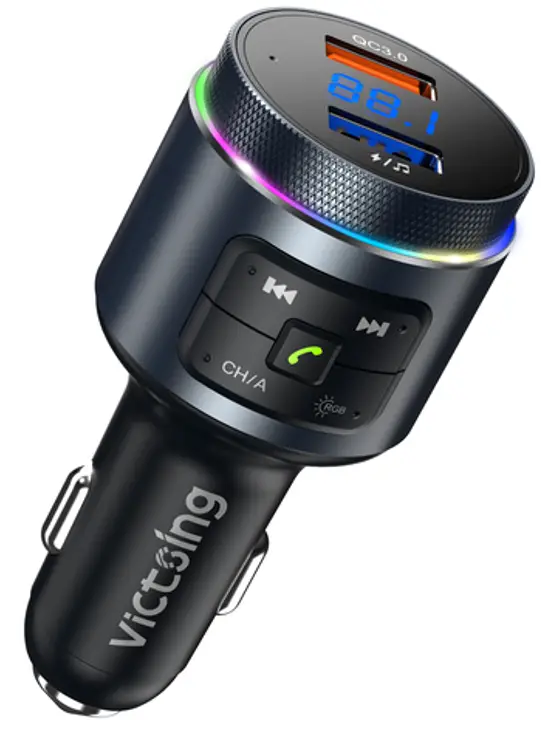 USER MANUAL
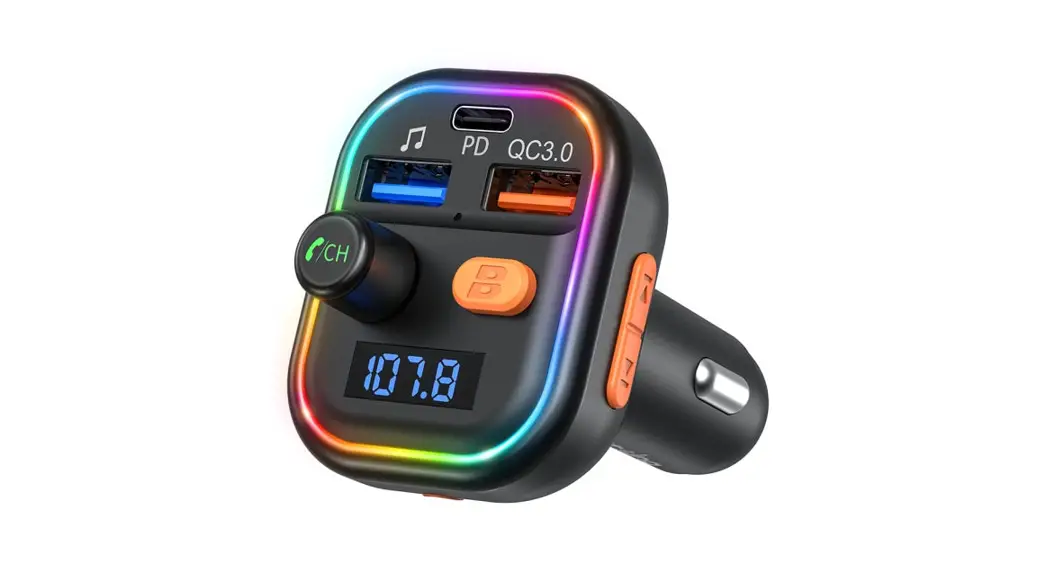
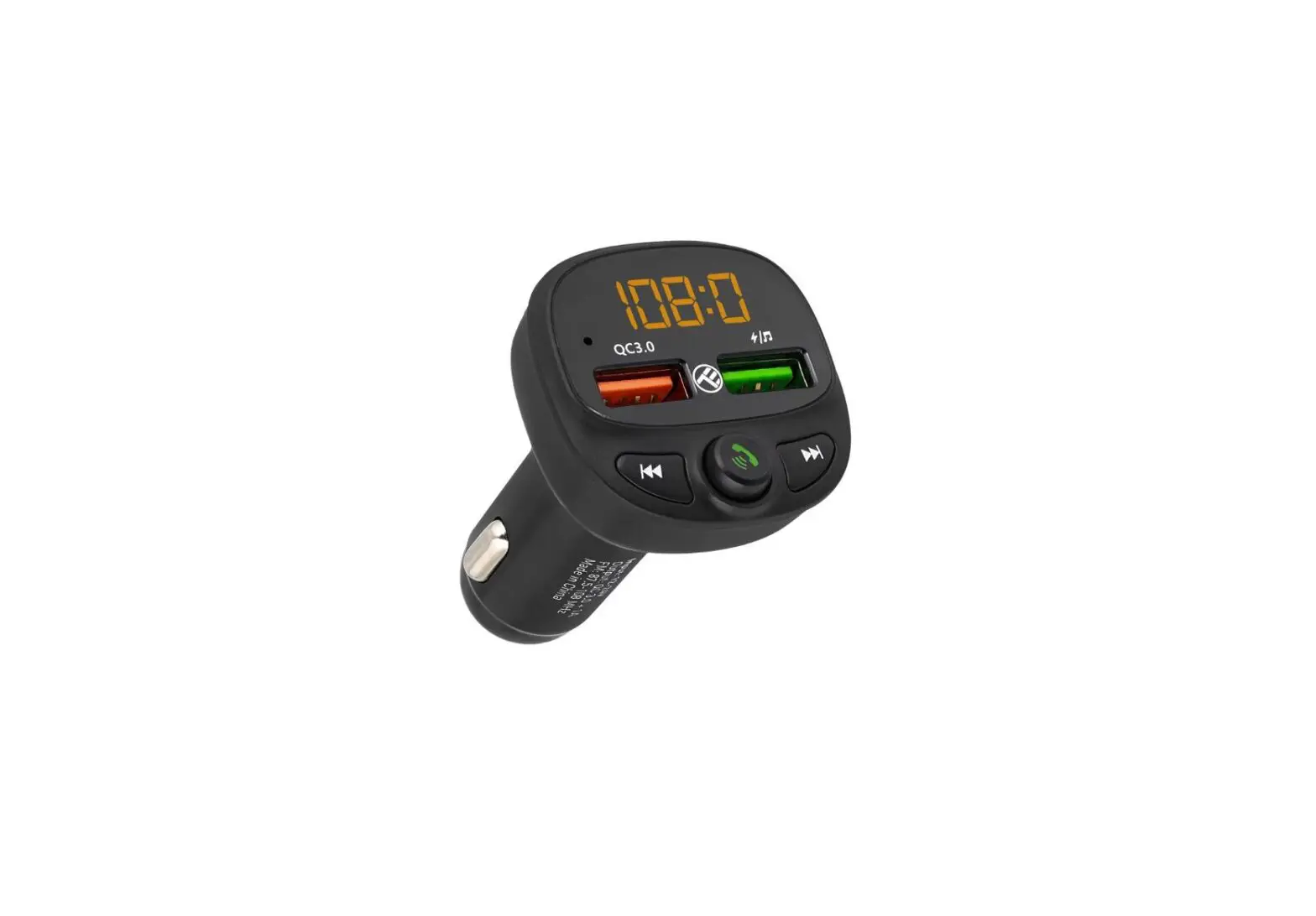
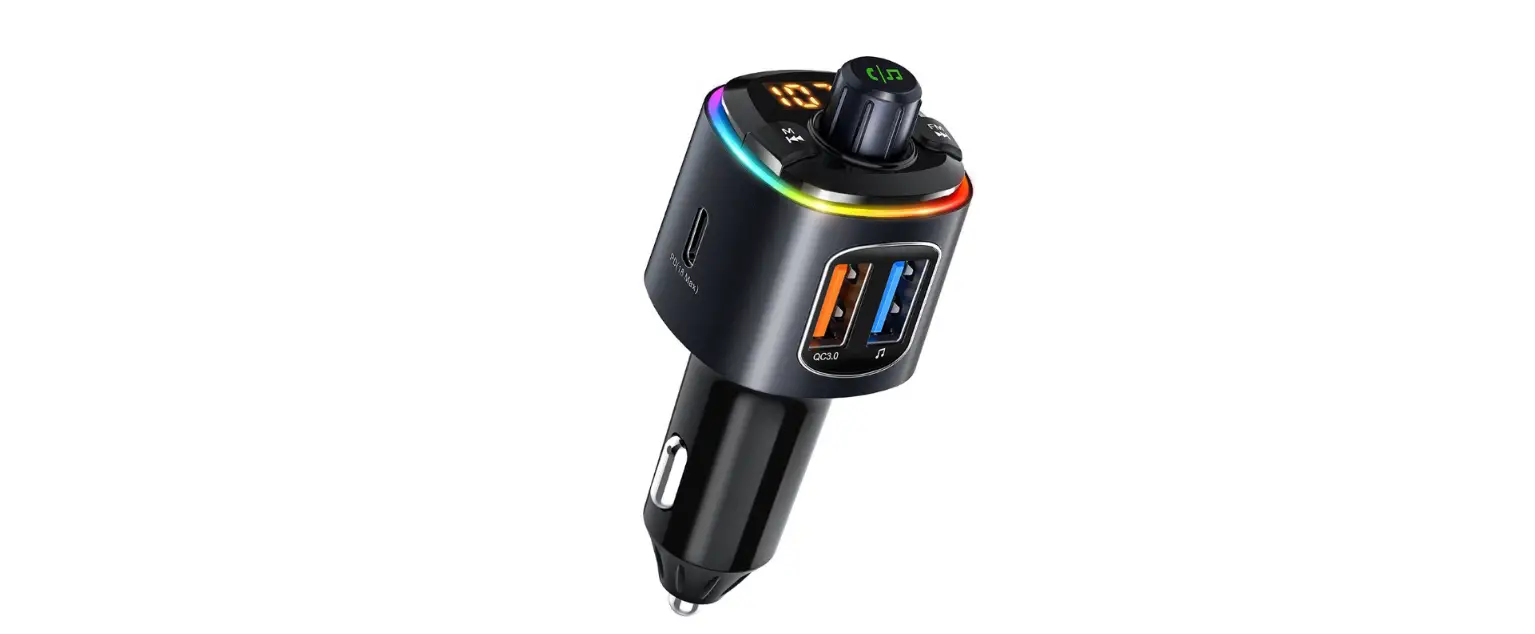
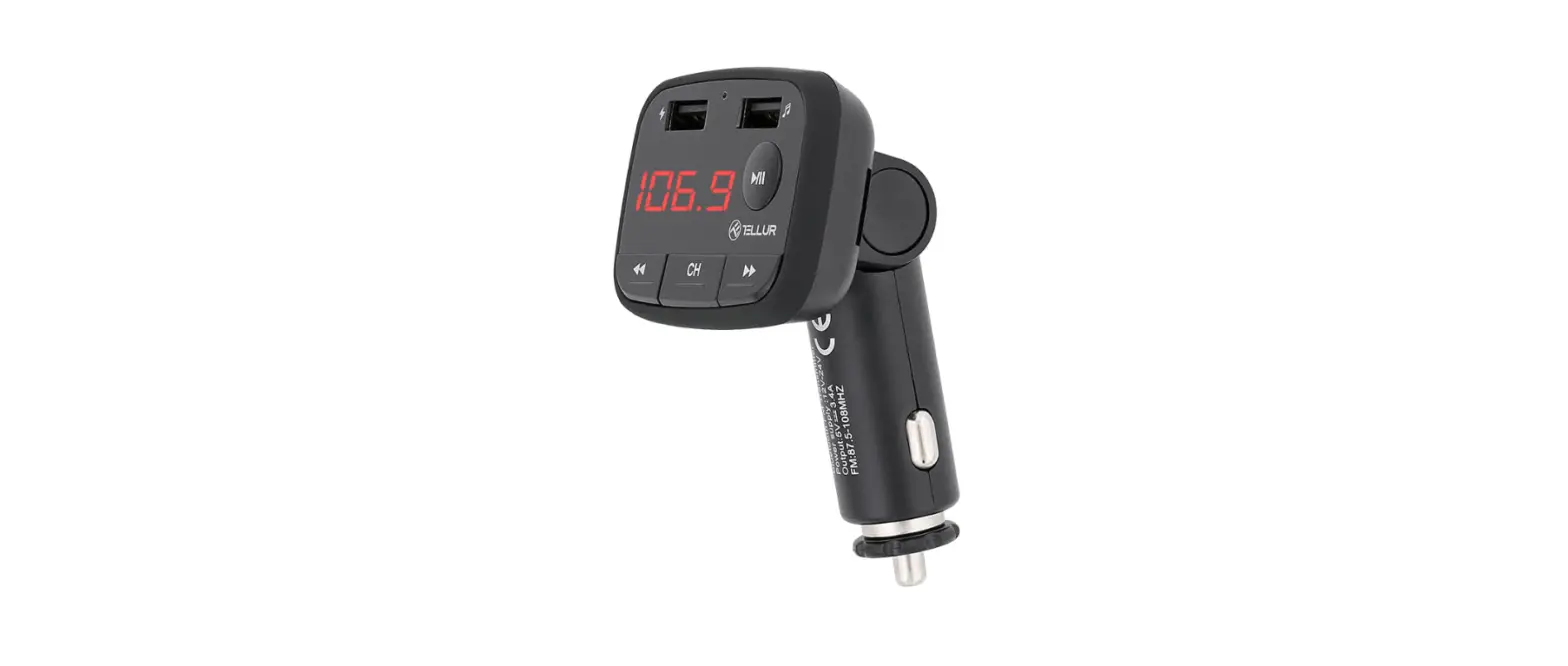
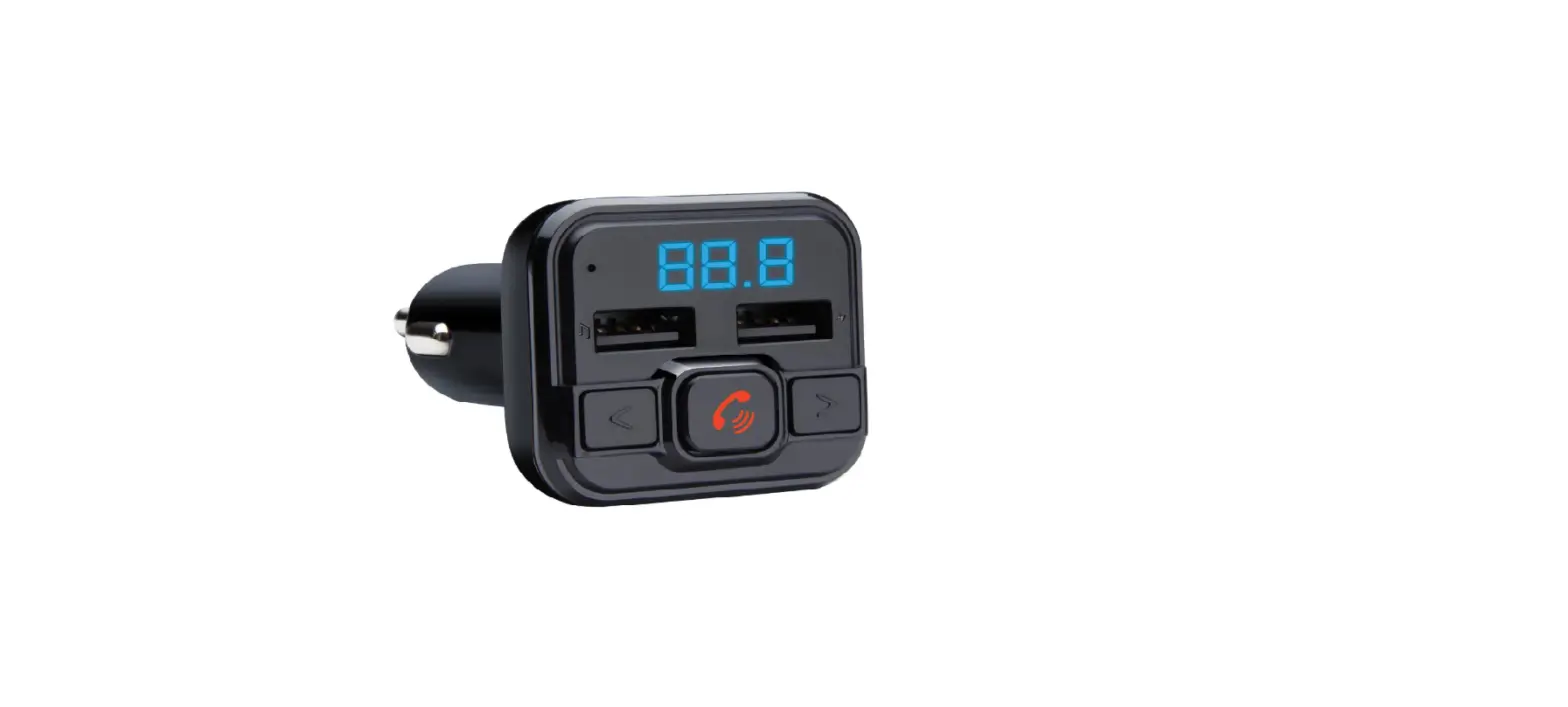
STRUCTURE
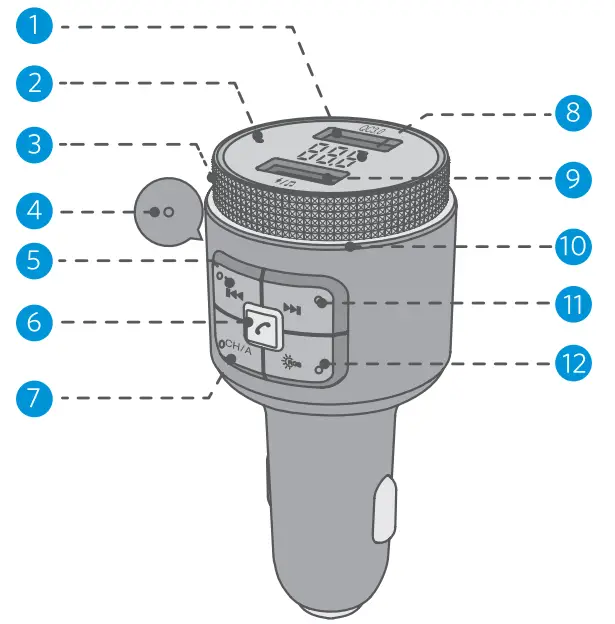
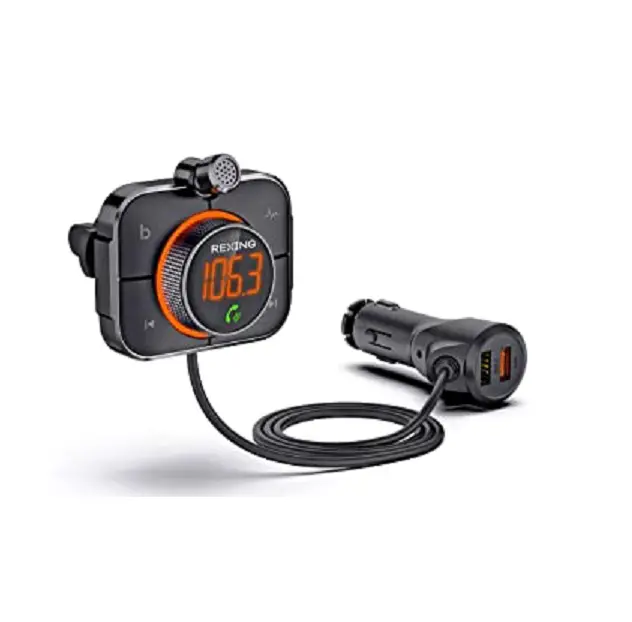
- QC3.0 quick charge port (DC 5V/3A,9V/2A, 12V/1.5A)
- Microphone 1
- Knob button
- Microphone 2
- Short press to enter previous track
- Multifunction button: pause/play/hands-free call (answer/hang up/reject a call)
- CH/A button
- Digital display
- 5V/1.5A / U disk port(FAT32)
- RGB light
- Short press to enter next track
- RGB adjustment button/long press 2s to power off
SPECIFICATIONS
| Product Name | BH442 |
| Effective working distance | 5 meters |
| FM Tuning Range | 88.1MHz -107.9MHz |
| Support Audio Format Support Bluetooth Protocol | MP3.WMA.WAV.FLAC. AAC.APE A2DP/AVRCP/HSP/HFP |
| Quick Charge Port | Support QC3.0 protocol (DC 5V/3A,9V/2A, 12V/1.5A) |
Turn on/off
Turn on: Start your car and plug BH442 into the cigarette lighter. The product will power on after that, and its screen will display voltage. When it’s connected to electrical power but in a power-off state, short press any button to turn it on. Turn off: Cut its power and it’ll turn off. In a power-on state, long press the light button  for 2s to turn it off.
Note: When BH442 is off via a long pressing light button *311 for 2 s, its charging ports still work for charging.
Ring RGB Lighting Effect Adjustment
In power-on state, short press the light button 4,28 to adjust RGB lighting effects. Successively short press the button to select a lighting effect you like from RGB static, red, green, blue, yellow, purple, cyan, white, RGB dynamic, and light off and light off. When you reboot it, it will display the last RGB lighting effects when the power cut.
Turn on/off RGB light
3.1 Turn on light: When the light is off, short press to turn on the light.
3.2 Turn off light: When the light is on, successive-ly short press the light button till the turn off light.
FM Tuning and Bluetooth Pairing
Attention: For the initial use, you need to adjust the blank FM frequency of BH442 to be the same as that of your car (Not a frequency of local broadcast/A frequency without any broadcast/ A frequency only with white noise). For seeking better sound enjoyment, please make sure that the blank FM frequencies of BH442 and your car are the same when every time you use the product (Not a frequency of local broadcast/A frequency without any broadcast/A frequency only with white noise).
4.1. Manual Tuning
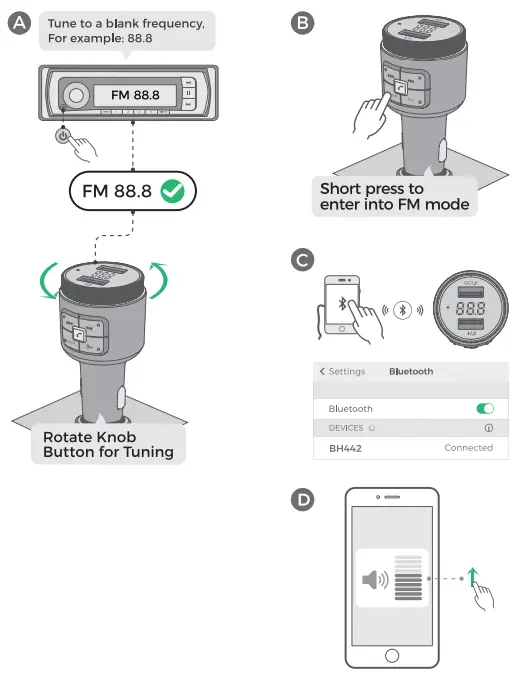
A. Adjust your car’s FM frequency to a blank frequency (An unoccupied frequency/A frequency only with white noise), such as FM88.8.
B. Short press the CH/A button to enter FM tuning mode, and the frequency on the LED display screen will flash. Then rotate the knob button to adjust the frequency. Rotate it clockwise to increase the frequency and rotate it anticlockwise to decrease the frequency. Next, adjust the blank frequency of BH442 to be the same as that of your car, eg. FM88.8. There are other 2 methods to tune FM frequency.
Method 2: Precise tuning – Short press the NI button to increase the frequency and
  buttons to decrease.
Method 3: Quick Tuning – Long press button to increase the frequency and decrease.
C. Bluetooth Connection: Turn on Bluetooth on your smart device. Search “BH442” and connect it, and you can use the product after that. (When used again, BH442 will reconnect the last connected device.)
D. Please turn up your phone’s volume appropriately.
4.2. Intelligent Auto Tuning
A. Double press CH/A button, BH442 will intelligently search the blank frequency, like FM88.8.
B. Tune the car’s FM to the first step’s blank frequency, like FM88.8.
C. Bluetooth Connection: Turn on the Bluetooth of the smart device and search “BH442”. You can use the product after a successful connection. (When used again, BH442 will reconnect the last connected device.)
D. Please turn up your phone’s volume appropriately..

Note: The blank frequency varies according to different areas. If there is background noise when in use, please manually tune it to a blank frequency to decrease noise for better user experience.
Hands-free Bluetooth Calling
5.1. Answer a call: short press  button.
5.2. Hang up a call: short press (button.
5.3. Reject a call: long press (button for 2s.
5.4. Redial the last number: double press button.
5.5. Private Call: short press CH/A button.
Music Function (Please make sure to finish FM tuning before using this function)
6.1 Music Sources-Bluetooth/ U Disk
A. Bluetooth Mode: After your smart device (eg. Phone) is connected to BH442’s Bluetooth successfully, the music will be synchronized to your car speaker if you play music on your phone.
B. U Disk Mode: Plug U Disk in the product’s port, and it will automatically recognize the device and play the music in it.
Important Note: For a better user experience, please choose only one source to play music when every time you use the product.
6.2 Music Source Selection
A. Switch between Bluetooth and U Disk: long press button for 2s to switch music modes between Bluetooth and U Disk.
B. Auto Play Music in U Disk Mode: Plug and Play (Only support music mode of repeating playlist. Not support music mode like repeating one song and shuffle).
C. Power Cut Memory: When you reboot BH442 after the power cut, it will automatically enter the previous playing mode that is played before the power cut (In U Disk mode, it will automatically replay the song that was played before the power cut. In Blue-tooth mode, you need to play music manually).
6.3 Music Playing Operation
A. Play/Pause: short press button.
B. Previous track/ Next Track: short press / button.
C. Increase Volume: Rotate the knob button clockwise/ long press the buttons.
D. Decrease Volume: Rotate the knob button anti-clockwise/long press button.
Voice Assistant
7.1. Long pressbutton for 3s to enter voice assistant.
7.2. Short press button to exit from the voice assistant.
Charging Description
8.1. For smart devices that do not support quick charging, the default output of USB1 QC3.0 is 5V/2.4A.
8.2. For smart devices that support quick charge, the maximum charging voltage and current of USB1 QC3.0 are DC 5V/3A, 9V/2A, and 12V/1.5A.
8.3. USB2 5V/1.5A.
Friendly Tips:
For Android devices, when you’re going to use your voice to directly wake up the voice assistant, please turn up your phone’s and BH442’s volume to their maximum volume level first, and adjust the car speaker’s volume according to your needs.
For iPhone, the instructions for “Hey Ski” function can refer to the following:
A. Turn on Sid settings on your phone.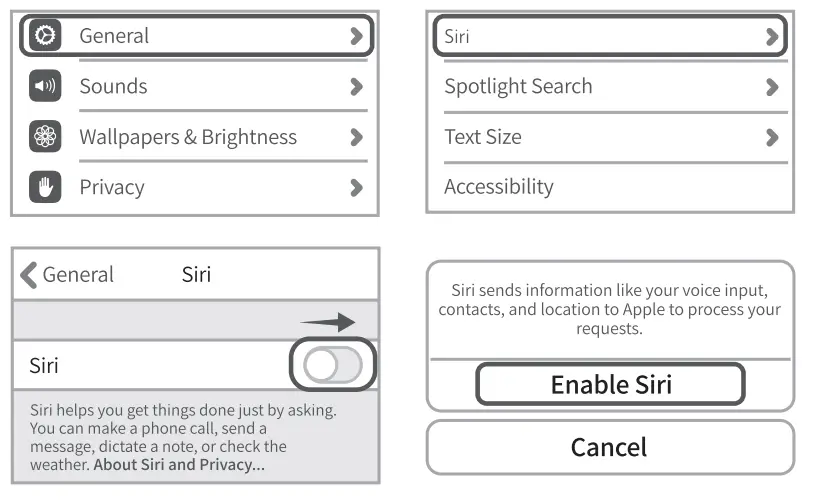
B. Complete the voice recognition according to Sid’s instructions.
Canal Set Up “Hey Sid” Set Up Now
C. Use Sid function directly on your phone.
Hey Sid, What’s the weather today?
Note: This function is not available for some phone brands. (Supported phone brands are iPhone, Sam-sung phones, and original Android phones)
Note
9.1. Do not turn up your radio’s volume too loud in case of increasing its background noise.
9.2. For ensuring the best sound effect, please try to avoid adjusting to the frequency of local radio stations with a strong signal.
9.3. Do not use the product in too hot/cold, dusty, or damp environments.
9.4. Do not break or throw the product to prevent surface or unit damage.
9.5. Do not disassemble the product personally. Please contact the seller if you have any questions or problems.
FCC STATEMENT:
Any Changes or modifications not expressly approved by the party responsible for compliance could void the user’s authority to operate the equipment. This device complies with part 15 of the FCC Rules. Operation is subject to the following two conditions: (1) This device may not cause harmful interference, and (2) this device must accept any interference received, including interference that may cause undesired operation.
FCC Radiation Exposure Statement:
This equipment complies with FCC radiation exposure limits set forth for an uncontrolled environment. This equipment should be installed and operated with a minimum distance 20cm between the radiator& your body.
CORRECT DISPOSAL OF THIS PRODUCT
 ( Waste Electrical& Electronic Equipment ) This Marking shown on the product or its literature indicates that it should not be disposed of with other household wastes at the end of its working life.
To prevent possible harm to the environment or human health from uncontrolled waste disposal, please separate this from other types of waste and recycle it responsibly to promote the sustainable reuse of material resources Household users should contact either the retailer where they purchased this product, or their local government office, for details of where and how they can take this item for environmentally safe recycling. Business users should contact their suppliers and check the terms and conditions of the purchase contract. This product should not be mixed with other commercial wastes for disposal.