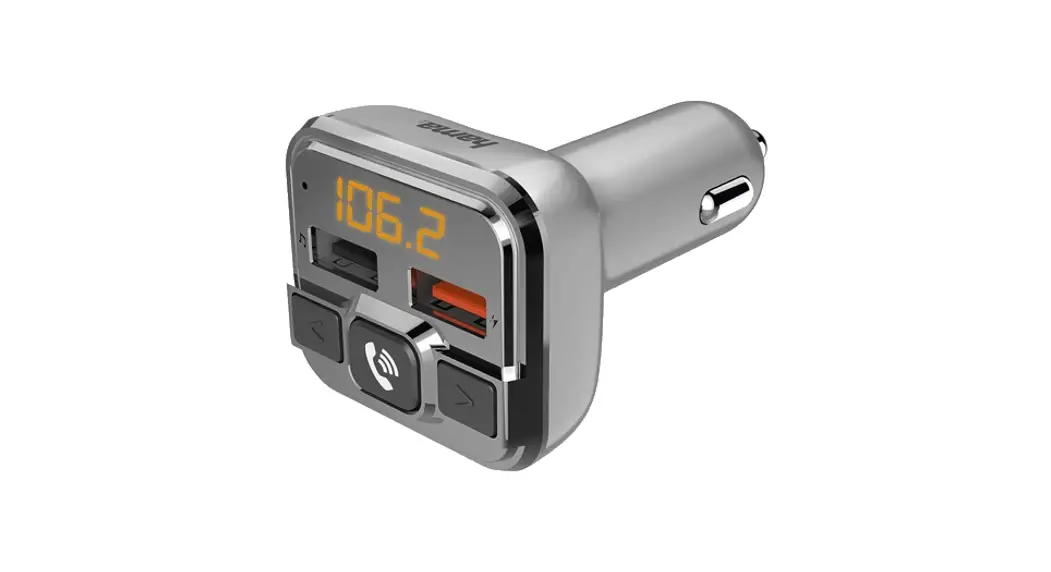
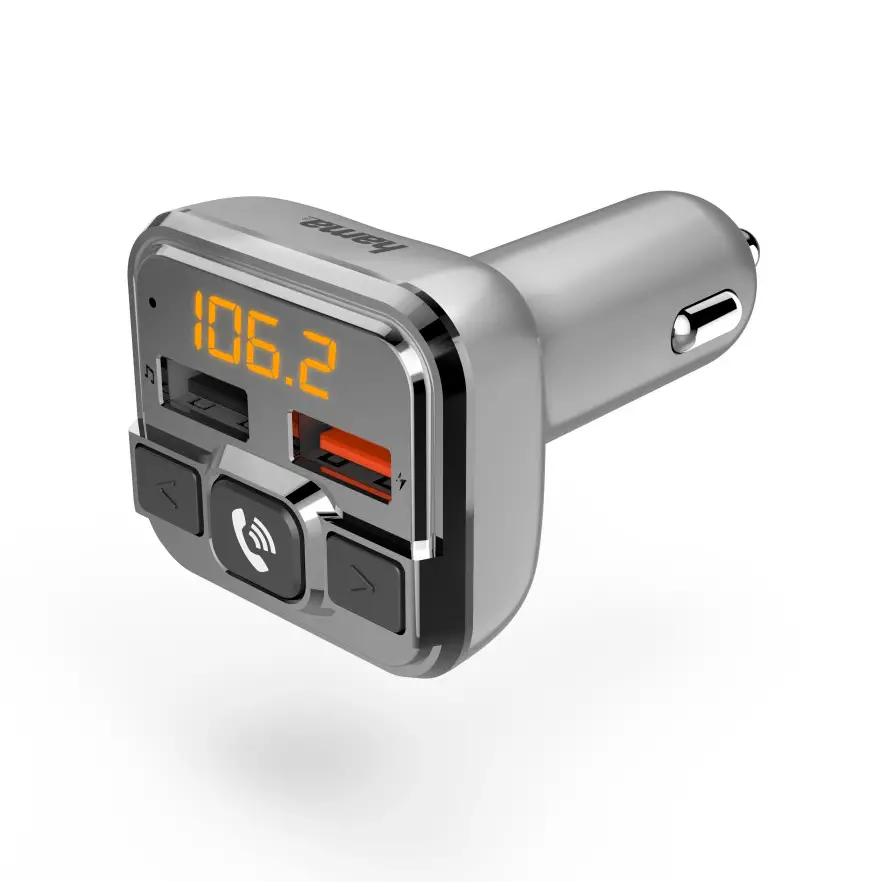
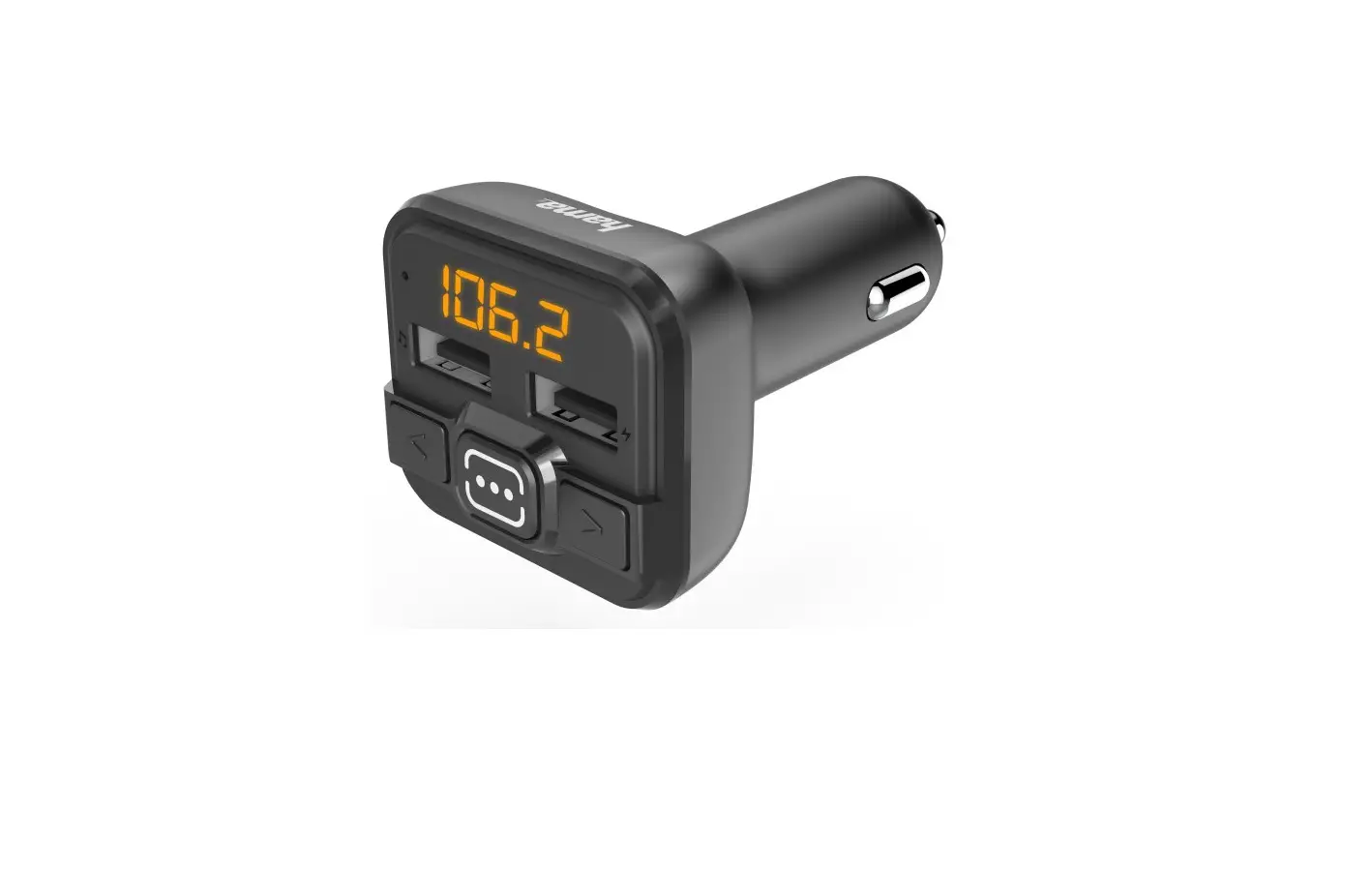
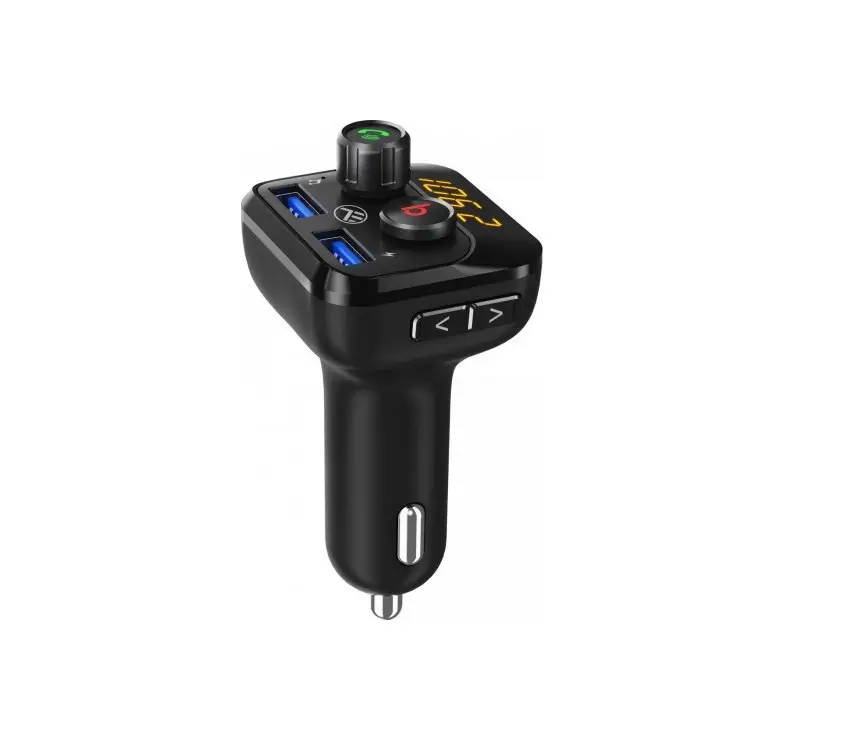
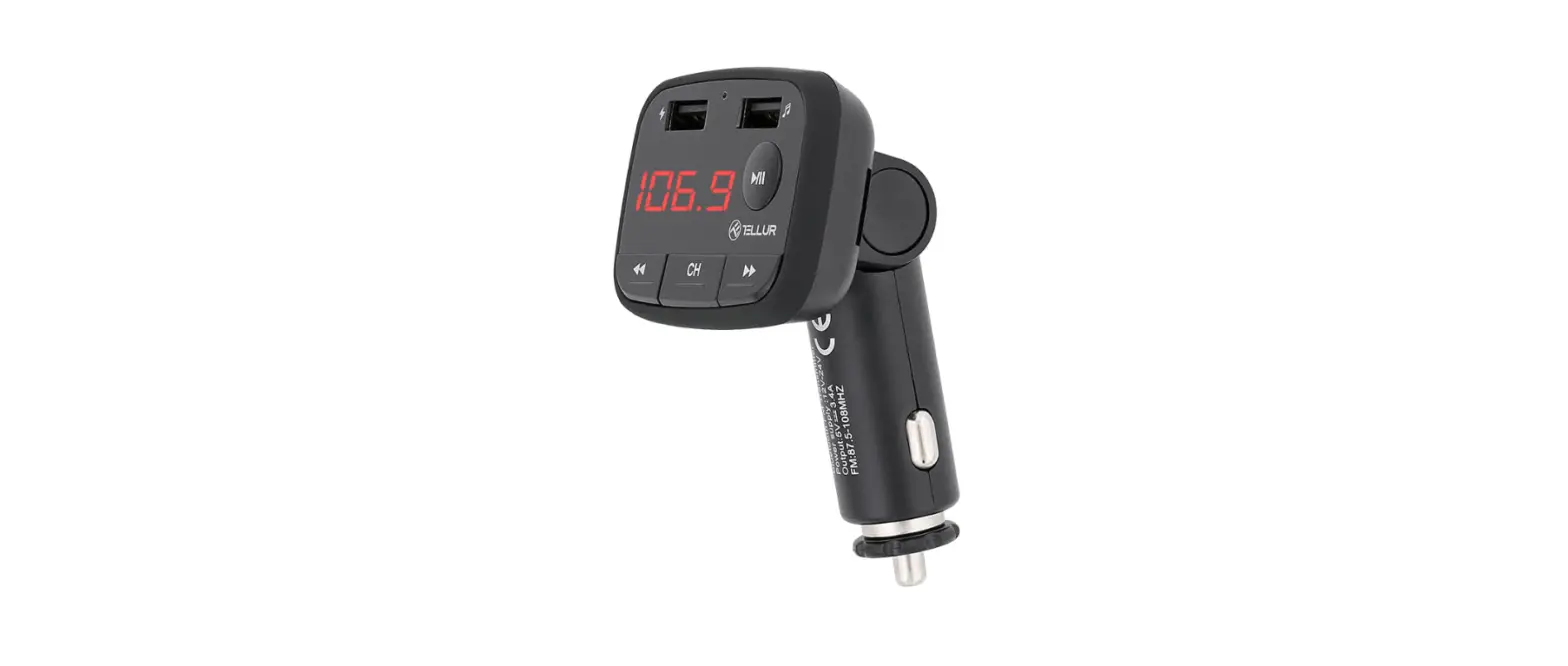
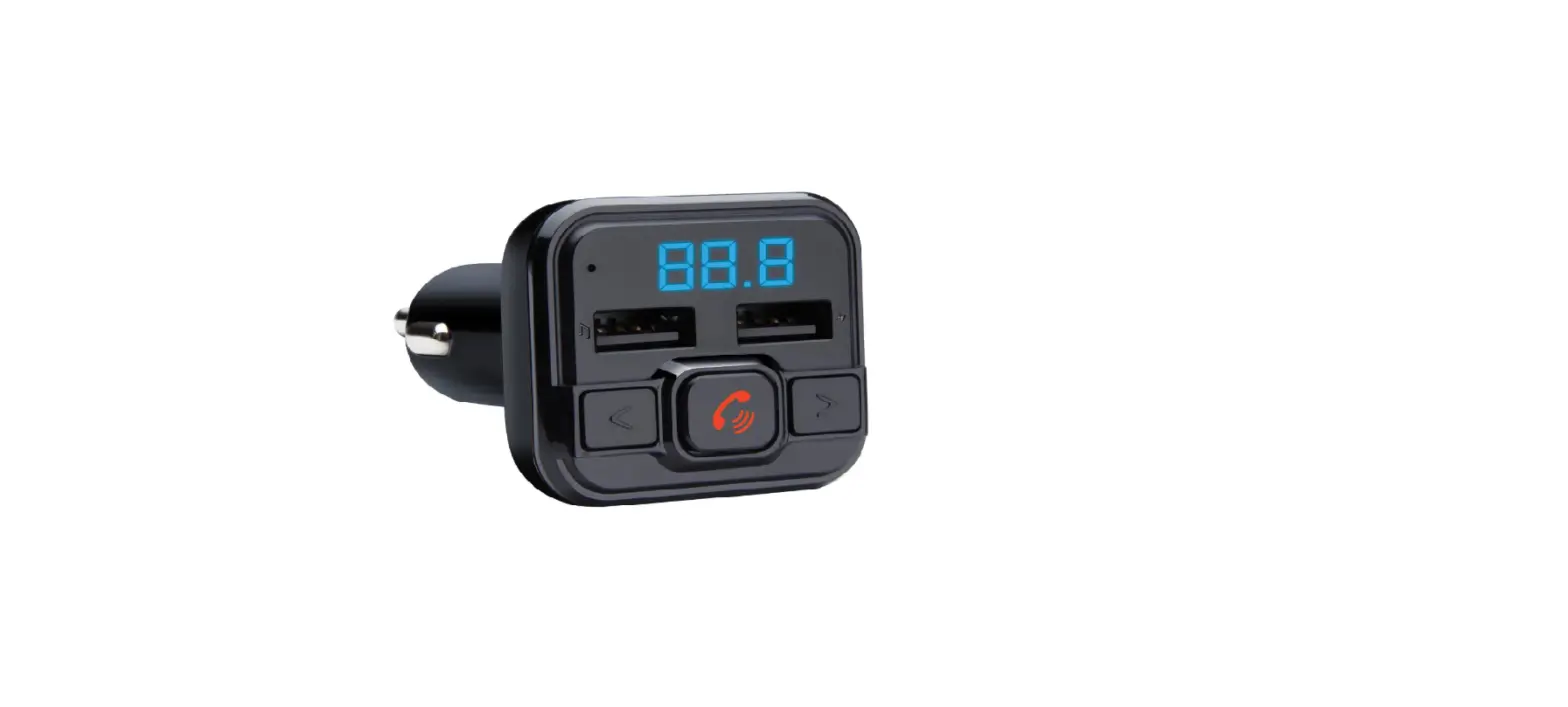
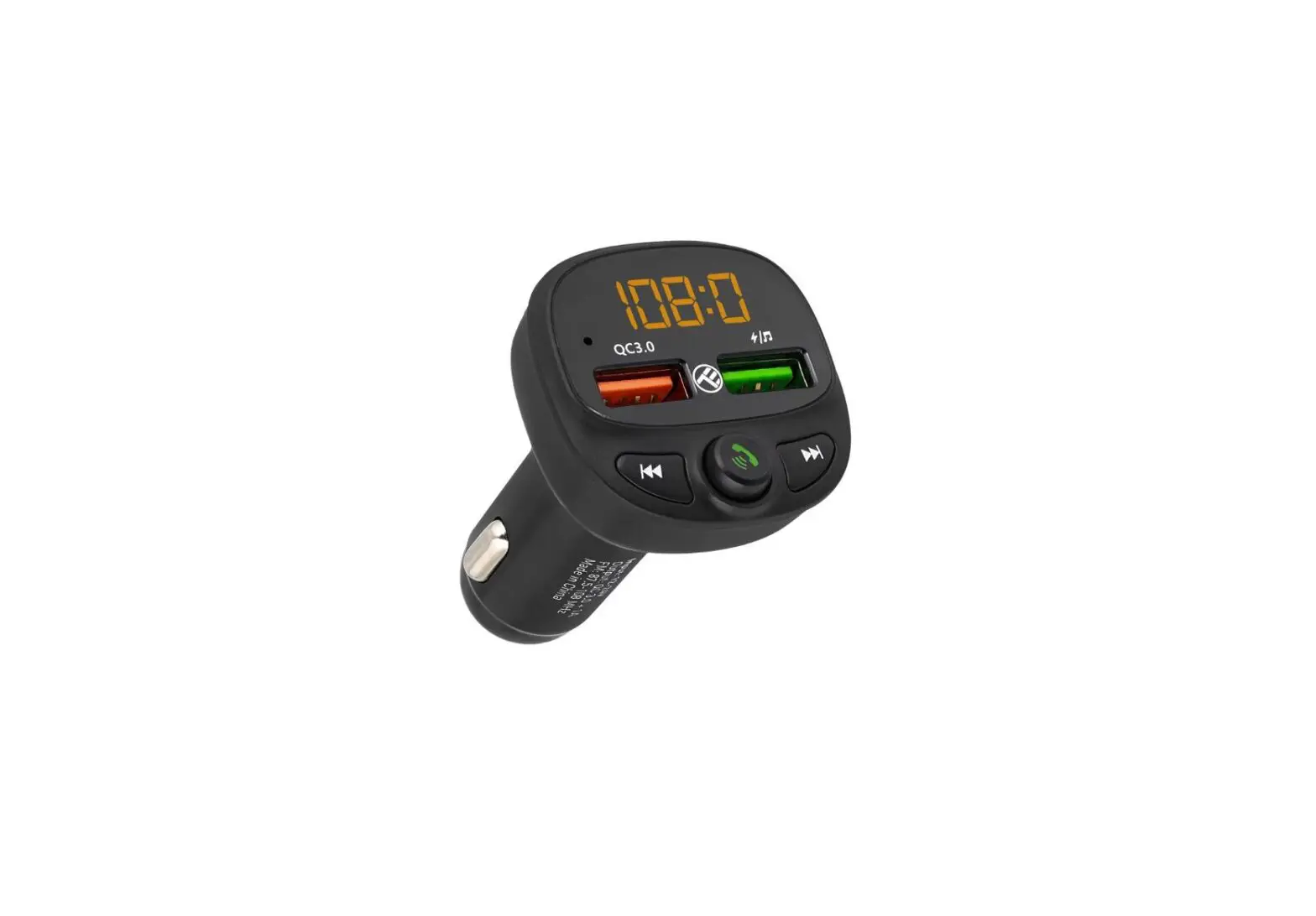
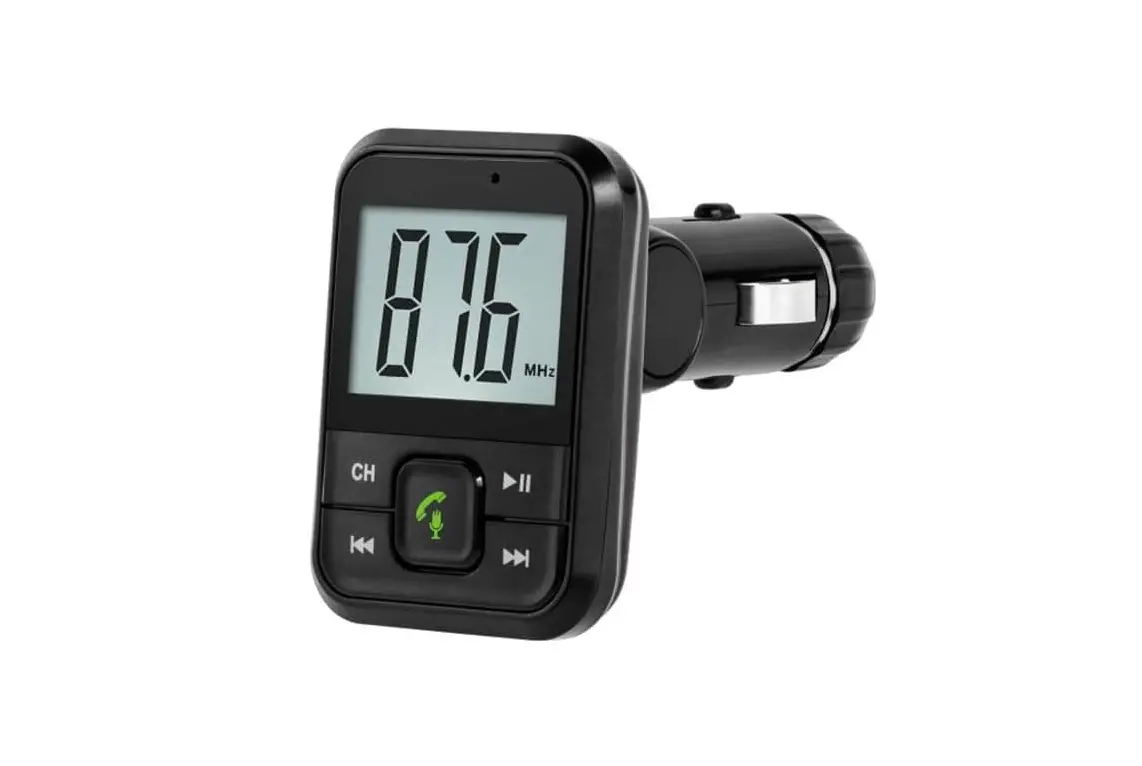
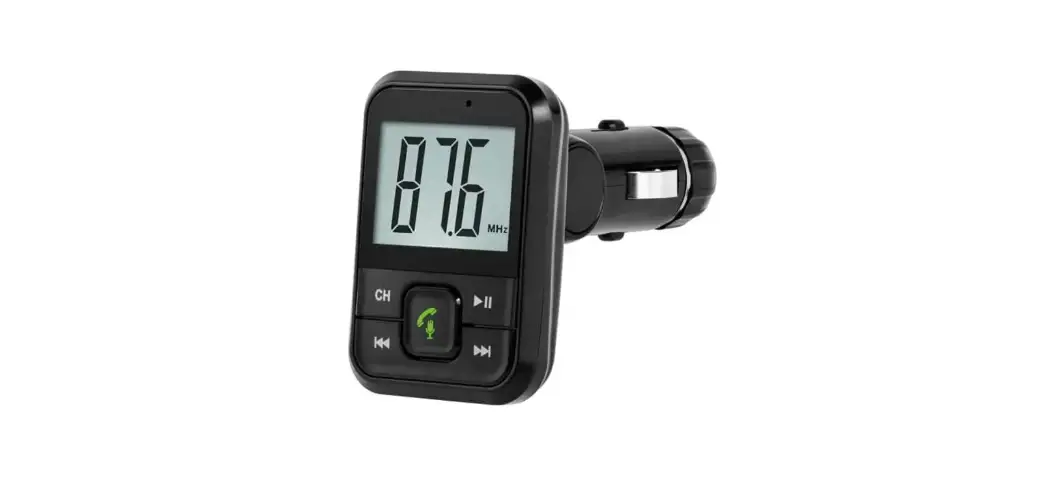
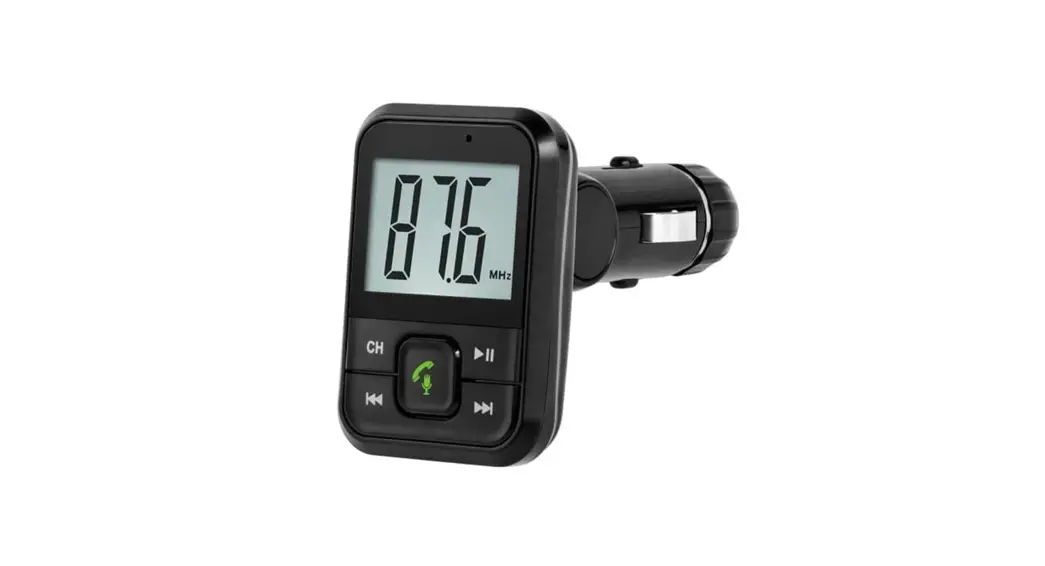
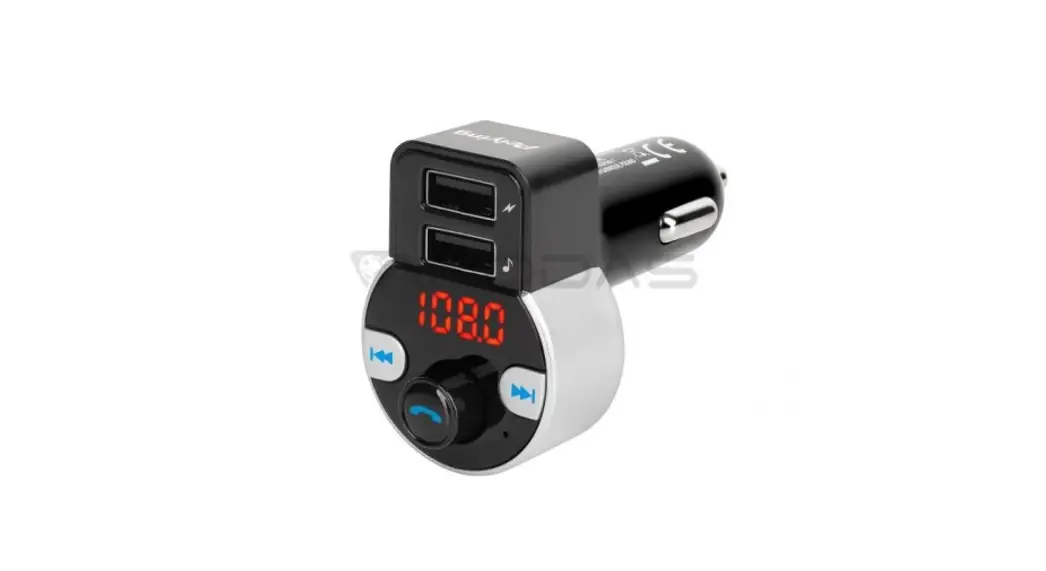
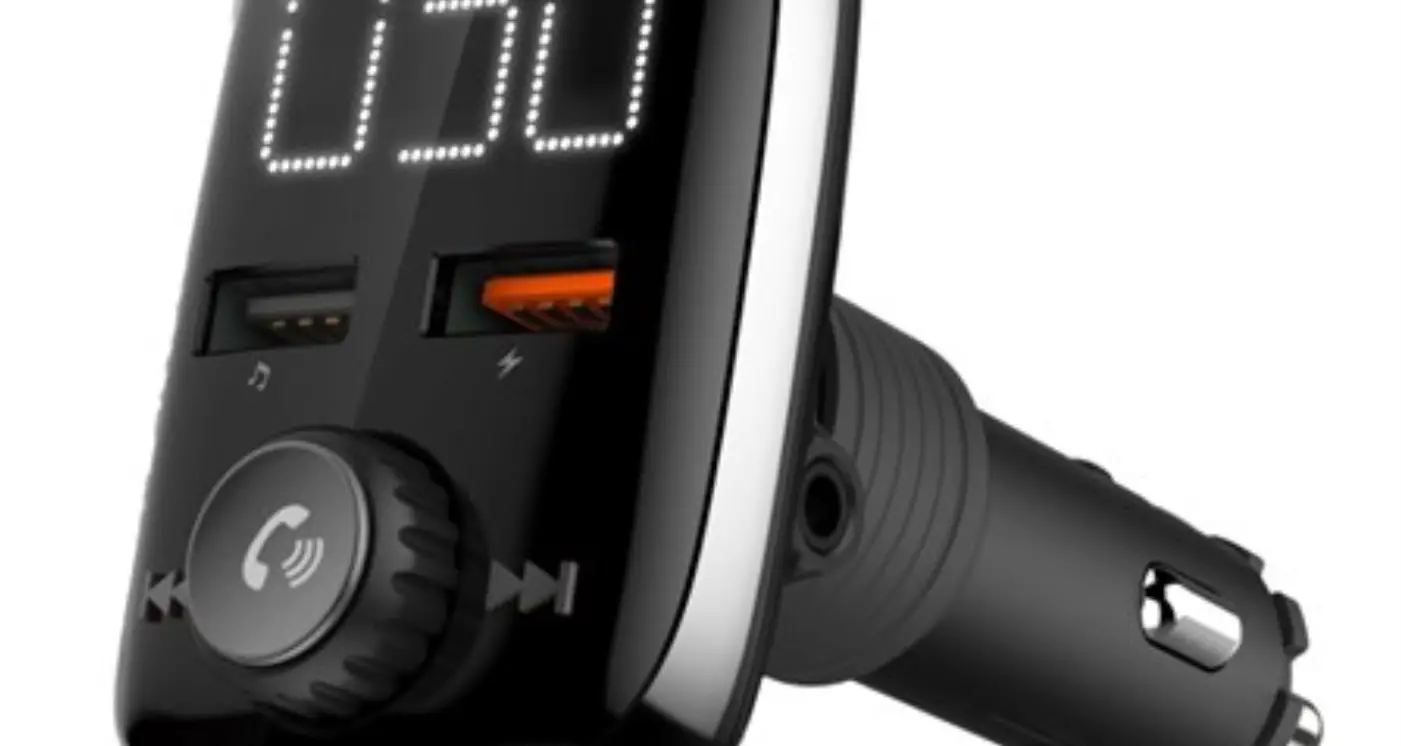
00014169 FM Transmitter with Bluetooth Function
Product Information:
- Product Name: Hama FM Transmitter with Bluetooth function
- Model Number: 00014169
- Input Voltage: 4A
- Output Voltage and Current:
- USB 1: 5V 3A, 9V 2.22A, 12V 1.67A
- USB 2 (QC 3.0): 5V 3A, 9V 2A, 12V 1.5A
- Bluetooth Technology: Yes
- Frequency Range: 2.402 GHz ~ 2.480 GHz
- Power Transmitted: Max. 20 dBm
Product Usage Instructions:
- Connect the FM transmitter to your vehicle’s power source.
- To charge your devices, use the USB-C charging connection with
Power Delivery technology (PD) or the USB-A charging connection
with Qualcomm QuickCharge 3.0 technology. - To control the FM transmitter, use the following controls and
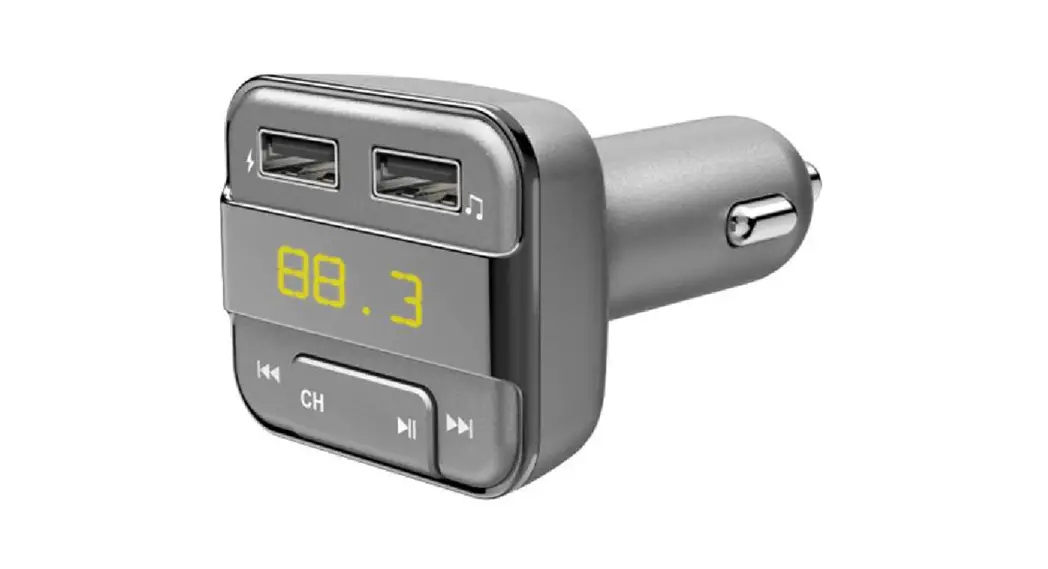
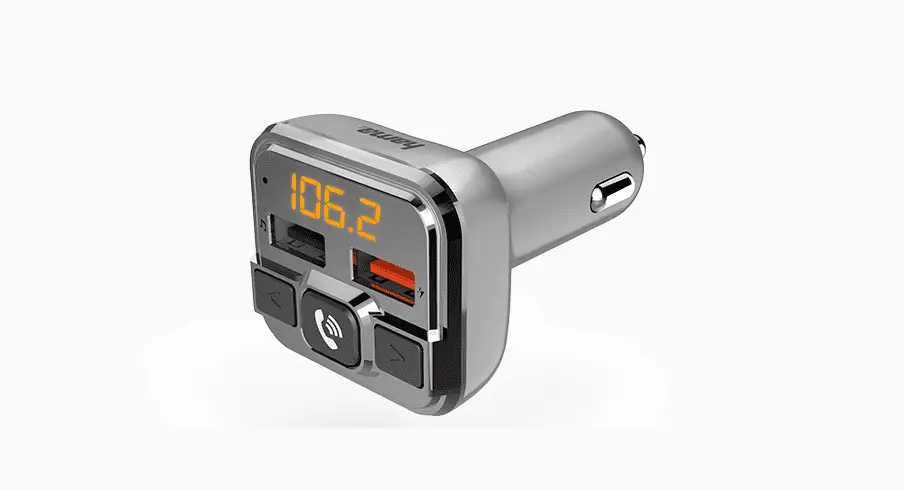
displays:- USB-C charging connection (1)
- USB-A charging connection (2)
- Display/frequency indicator (3)
- Previous track / Volume – / Previous frequency (4)
- Play / Start / Pause / Frequency activation (5)
- Micro-SD card slot (6)
- Previous track / Volume + / Next frequency (7)
- To change the frequency, press and hold the button (5) for
approximately 2 seconds until the frequency indicator on the
display (3) starts flashing. Then, use the previous track buttons
(4) or (7) to select the desired frequency. - To switch between music mode and hands-free mode during a call,
simply press the button (5) on the FM transmitter. - When not in use, disconnect the FM transmitter from the power
source to protect your car battery from being drained. - Clean the FM transmitter using a lint-free, slightly damp
cloth. Do not use any harsh cleaners. - Please refer to the warranty disclaimer for information on
liability and warranty coverage.
For more information and downloads related to the Hama FM
Transmitter with Bluetooth function, please visit the Hama website.
00 014169
FM Transmitter with Bluetooth® Function FM-Transmitter mit Bluetooth®-Funktion
Operating Instructions GB Bedienungsanleitung D
Mode d`emploi F
2
1
3
4
7
6
5
G Operating Instructions
1. Controls and displays 1. USB-C charging connection with Power Delivery technology
(PD) 2. USB-A charging connection with Qualcomm QuickCharge
3.0 technology 3. Display/frequency indicator 4. Previous track / Volume – / Previous frequency 5. Play / Start / Pause / Frequency activation 6. Micro-SD card slot 7. Previous track / Volume + / Next frequency
Thank you for choosing a Hama product. Take your time and read the following instructions and information completely. Please keep these instructions in a safe place for future reference. If you sell the device, please pass these operating instructions on to the new owner.
2. Explanation of warning symbols and notes
Risk of electric shock
This symbol indicates a risk of electric shock from touching uninsulated product parts that may carry hazardous voltage.
Warning
This symbol is used to indicate safety instructions or to draw your attention to specific hazards and risks.
Note
This symbol is used to indicate additional information or important notes.
3. Package contents · FM transmitter with Bluetooth® function · These operating instructions
4. Safety instructions · The product is intended for private, non-commercial use only. · Use the product only for the intended purpose. · Do not operate the product outside the power limits given in
the specifications. · Protect the product from dirt, moisture and overheating and
use it in dry environments only. · Do not use the product in a damp environment and avoid
splashing water. · Do not bend or crush the cable. · Always pull directly on the plug when disconnecting the
cable, never on the cable itself. · Do not drop the product and do not expose it to any major
shocks. · Dispose of packaging material immediately in accordance with
the locally applicable regulations. · Do not modify the product in any way. Doing so voids the
warranty. · Do not use the product in the immediate vicinity of heaters,
other heat sources or in direct sunlight. · Only use the article under moderate climatic conditions. · As with all electrical products, this device should be kept out
of the reach of children. · Do not use the product in areas in which electronic products
are not permitted.
Note
· When using this product, observe the applicable local traffic laws and regulations.
· Take care that components such as airbags, safety areas, controls, instruments, etc. and visibility are not blocked or restricted.
· Ensure that the product is securely mounted before every journey.
· Do not allow yourself to be distracted by the product when driving a vehicle. Always pay attention to the surrounding traffic and your environment.
Risk of electric shock
· Do not open the device or continue to operate it if it becomes damaged.
· Do not use the product if the charging cable, adapter cable or power cable is damaged.
· Do not attempt to service or repair the product yourself. Leave any and all service work to qualified experts.
5. Product characteristics
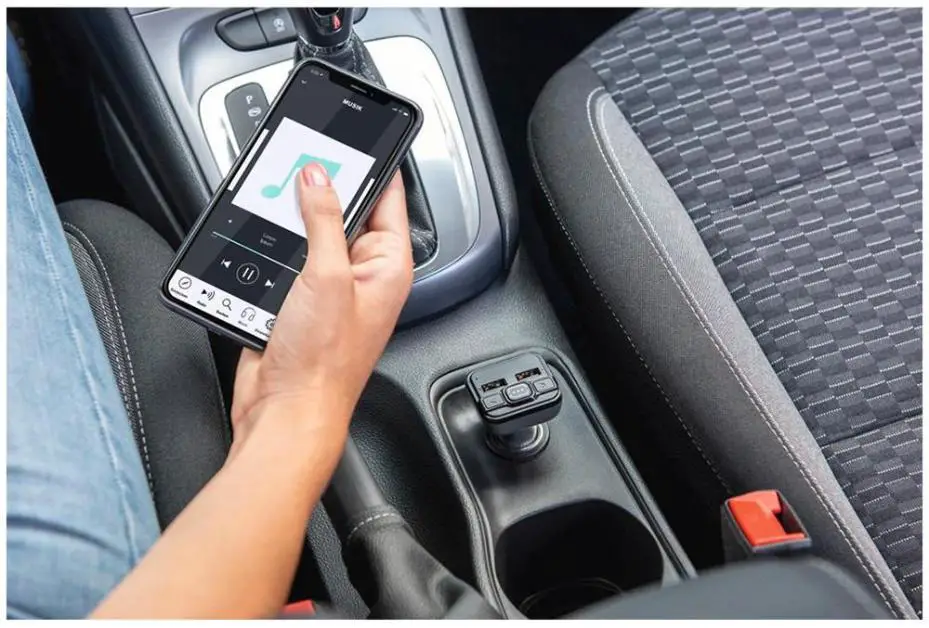
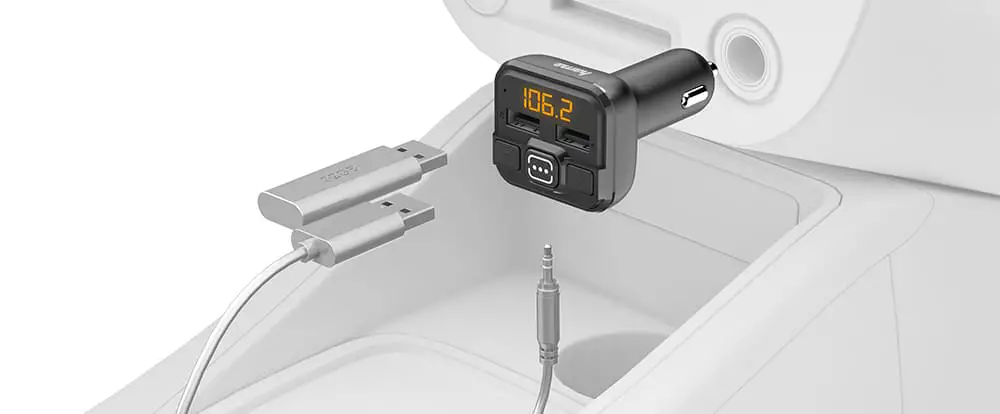
The FM transmitter is used to send music or speech from a mobile device (smartphone, tablet, etc.) in high quality to an FM playback device (e.g. car radio) in the car, caravan or boat. At the same time, up to two devices can be charged simultaneously via the USB ports. The FM transmitter is compatible with all devices that have a Bluetooth ® function. The FM transmitter can also send music or voice directly from a micro-SD card (max. 32GB).
1
6. Start-up and operation
· Plug the FM transmitter into a car power socket, then establish the Bluetooth ® connection between the mobile device and the FM transmitter as described below.
· Alternatively, audio files can be transferred directly from a USB stick or a micro-SD card.
Note
· On some types of vehicle, the ignition must be switched on for the voltage to travel to the 12V vehicle socket. For more information, please refer to your vehicle’s owners’ manual.
· Disconnect all cable and vehicle electrical system connections after use.
6.1 Bluetooth® pairing
Note
· Check whether your mobile device (MP3 player, mobile phone, etc.) is Bluetooth®-capable.
· If not, you can only use the FM transmitter for playback by means of a USB stick or a micro-SD card.
· Note that the maximum range for Bluetooth® is 10 metres without obstacles such as walls, people, etc.
· Ensure your Bluetooth®-enabled device is switched on and that Bluetooth is activated.
· Plug the FM transmitter into a car socket that is close to the car radio
· Ensure that the FM transmitter is within the Bluetooth® range of max. 10 metres.
· Open the Bluetooth ® settings on your device and wait until the list of found Bluetooth ® devices shows BT21C.
· Select BT21C and wait until the FM transmitter is showing as connected in your device’s Bluetooth ® settings. The display now shows a transmission frequency.
Note Bluetooth ® password
Some devices require a password in order to connect to another Bluetooth® device. · If your device requests a password to connect to the FM
transmitter, enter 0000.
Note – connection impaired
After the FM transmitter and device have been paired, a connection is established automatically. If the Bluetooth® connection is not established automatically, check the following: · In the device’s Bluetooth ® settings, check whether
BT21C is connected. If not, repeat the steps listed under Bluetooth® pairing. · Check whether the device and FM transmitter are less than 10 metres apart. If not, move them closer together. · Check whether obstacles are impairing the range. If so, move the devices closer together.
6.2 Audio playback (via Bluetooth ®) Start and control audio playback accordingly on the connected device. Alternatively, the audio playback can also be controlled from the FM transmitter (provided the connected device supports this).
· Press the function key to start or stop the audio playback.
> · Press the function key to skip forward one track. < · Press the function key to skip backwards.
6.3 Audio playback via micro-SD card · Insert a micro-SD card into the card slot (6) on the FM
transmitter. Playback starts automatically.
Note
· The capacity of the micro-SD card must not exceed 32 GB. · Only the following formats can be played back: MP3.
2
6.4 Manual station search · Search for a free frequency (noise without signal fragments)
on your car radio. · Set the same frequency on the FM transmitter. To do this,
press the button (5) for approx. 2 sec. until the frequency indicator on the display (3) starts flashing.
< > · Then set the desired frequency by pressing the or
keys. · The FM transmitter always automatically stores the last
frequency set.
Note – Automatic standby
· The FM transmitter switches off automatically after approx. 50-60 sec. without a music signal or key input (standby).
· The FM transmitter is reactivated by a music signal or key input.
6.5 Charging function The FM transmitter has two USB charging sockets. These supply the charging currents specified in Point 7 of the technical data.
Note – car battery With some vehicles, it can happen that power continues to be supplied even though the ignition has been switched off. You should therefore disconnect the product from the line connection when not in use to protect your car battery from being drained.
Note – connecting devices
· Before connecting a device, check whether it can be adequately supplied with the charger’s current capacity.
· Ensure that the total current consumption of all the connected devices does not exceed 3000 mA.
· Note the instructions in your device’s operating manual. · Disconnect all cable and mains connections after use.
Note Power Delivery / QC 3.0, 2.0 · Plug & GO: no additional software required, simply plug
in and start: Thanks to Power Delivery / QC 3.0, 2.0, the voltage and power are adjusted automatically. · Be aware that, for efficient and optimised charging, your terminal device must support the PD (Power Delivery)/ QC 3.0, 2.0 function. · If you have a large number of PD/QC-enabled devices with different firmware updates, it may be that the function is not fully supported.
6.6 Hands-free function · The FM transmitter has an integrated hands-free function
thanks to the built-in microphone. · When a call comes in, the device automatically switches from
music mode to hands-free mode. In this case, simply press the button to answer the call.
· To end the call, press the button again. · If you press the button twice in succession, the last
number dialled is automatically called.
7. Care and maintenance Only clean this product using a lint-free, slightly damp cloth and do not use any harsh cleaners.
Note Disconnect the device from the mains before cleaning and during prolonged periods of non-use.
8. Warranty disclaimer Hama GmbH & Co KG assumes no liability and provides no warranty for damage resulting from improper installation/mounting, improper use of the product or from failure to observe the operating instructions and/or safety notes.
9. Technical data
FM transmitter with Bluetooth function
Bluetooth technology
Bluetooth ® v5.3
Input voltage
12 16 V
Input current
4A
Output voltage and current
at USB 1 (marked with symbol)
5V 3A 9 V 2.22 A 12 V 1.67 A
Output current USB 2 (marked with QC 3.0)
5V 3A 9V 2A 12 V 1.5 A
3
10. Declaration of conformity
Hama GmbH & Co KG hereby declares that the radio
equipment type [00014169] is in compliance with
Directive 2014/53/EU. The full text of the EU
declaration of conformity is available at the following Internet
address: https://de.hama.com
00014169 Downloads
Frequency for the Bluetooth® transfers
2.402 GHz ~ 2.480 GHz
Bluetooth® transmission power
Max. 20 dBm
VHF frequency range
87.6 107.9 MHz
Power transmitted
Max. -43 dBm
4
D Bedienungsanleitung
1. Bedienungselemente und Anzeigen
1. USB-C Ladeanschluss mit PowerDelivery Technologie (PD) 2. USB-A Ladeanschluss mit Qualcomm QuickCharge 3.0
Technologie 3. Display / Frequenzanzeige 4. Titel zurück / Lautstärke – / Frequenz zurück 5. Wiedergabe / Start / Pause / Aktivierung Frequenz 6. MicroSD Kartenslot 7. Titel vor / Lautstärke + / Frequenz vor
Vielen Dank, dass Sie sich für ein Hama Produkt entschieden haben! Nehmen Sie sich Zeit und lesen Sie die folgenden Anweisungen und Hinweise zunächst ganz durch. Bewahren Sie diese Bedienungsanleitung anschließend an einem sicheren Ort auf, um bei Bedarf darin nachschlagen zu können. Sollten Sie das Gerät veräußern, geben Sie diese Bedienungsanleitung an den neuen Eigentümer weiter.
2. Erklärung von Warnsymbolen und Hinweisen
Gefahr eines elektrischen Schlages
Dieses Symbol weist auf eine Berührungsgefahr mit nicht isolierten Teilen des Produktes hin, die möglicherweise eine gefährliche Spannung von solcher Höhe führen, dass die Gefahr eines elektrischen Schlags besteht.
Warnung
Wird verwendet, um Sicherheitshinweise zu kennzeichnen oder um Aufmerksamkeit auf besondere Gefahren und Risiken zu lenken.
Hinweis
Wird verwendet, um zusätzlich Informationen oder wichtige Hinweise zu kennzeichnen.
3. Packungsinhalt · FM-Transmitter mit Bluetooth ®-Funktion · diese Bedienungsanleitung
4. Sicherheitshinweise · Das Produkt ist für den privaten, nicht-gewerblichen Haus-
haltsgebrauch vorgesehen. · Verwenden Sie das Produkt ausschließlich für den dazu
vorgesehenen Zweck. · Betreiben Sie das Produkt nicht außerhalb seiner in den
technischen Daten angegebenen Leistungsgrenzen. · Schützen Sie das Produkt vor Schmutz, Feuchtigkeit und Über-
hitzung und verwenden Sie es nur in trockenen Umgebungen. · Verwenden Sie das Produkt nicht in einer feuchten Umgebung
und vermeiden Sie Spritzwasser. · Knicken und quetschen Sie das Kabel nicht.
· Ziehen Sie zum Entfernen des Kabels direkt am Stecker und niemals am Kabel.
· Lassen Sie das Produkt nicht fallen und setzen Sie es keinen heftigen Erschütterungen aus.
· Entsorgen Sie das Verpackungsmaterial sofort gemäß den örtlich gültigen Entsorgungsvorschriften.
· Nehmen Sie keine Veränderungen am Produkt vor. Dadurch verlieren Sie jegliche Gewährleistungsansprüche.
· Betreiben Sie das Produkt nicht in unmittelbarer Nähe der Heizung, anderer Hitzequellen oder in direkter Sonneneinstrahlung.
· Verwenden Sie den Artikel nur unter moderaten klimatischen Bedingungen.
· Dieses Produkt gehört, wie alle elektrischen Produkte, nicht in Kinderhände!
· Benutzen Sie das Produkt nicht in Bereichen, in denen elektronische Produkte nicht erlaubt sind.
Hinweis
· Beim Einsatz des Produktes im Straßenverkehr gelten die Vorschriften der StVZO.
· Beachten Sie, dass keine Komponenten, wie der Airbag, Sicherheitsbereich, Bedienelemente, Instrumente, etc. oder die Sicht, verdeckt oder eingeschränkt sind.
· Kontrollieren Sie vor jeder Fahrt die sichere Montage des Produkts.
· Lassen Sie sich auf der Fahrt mit einem Kraftfahrzeug nicht durch Ihr Produkt ablenken und achten Sie auf die Verkehrslage und Ihre Umgebung.
Gefahr eines elektrischen Schlages
· Öffnen Sie das Produkt nicht und betreiben Sie es bei Beschädigungen nicht weiter.
· Verwenden Sie das Produkt nicht, wenn das Ladekabel, das Adapterkabel oder die Netzleitung beschädigt sind.
· Versuchen Sie nicht, das Produkt selbst zu warten oder zu reparieren. Überlassen Sie jegliche Wartungsarbeit dem zuständigen Fachpersonal.
5. Produkteigenschaften
Der FM-Transmitter dient dazu, im Kfz, Wohnwagen oder Boot, Musik oder Sprache von einem mobilen Endgerät (Smartphone, Tablet etc.) in hoher Qualität an ein FM Wiedergabegerät (z.B. Autoradio) zu senden. Gleichzeitig können bis zu zwei Endgeräte gleichzeitig über die USB-Anschlüsse geladen werden. Der FM-Transmitter ist kompatibel mit allen Endgeräten, die über eine Bluetooth ®-Funktion verfügen. Der FM-Transmitter kann auch Musik oder Sprache direkt von einer MicroSD-Karte (max. 32GB) senden.
5
6. Inbetriebnahme und Betrieb
· Stecken Sie den FM-Transmitter in eine Kfz-Steckdose des Bordnetzes, anschließend stellen Sie die Bluetooth ®-Verbindung zwischen dem mobilen Endgerät und dem FMTransmitter wie unten beschrieben her.
· Alternativ können Audiodateien direkt von einem USB-Stick oder einer MicroSD-Karte übertragen werden.
Hinweis
· Bei einigen Fahrzeugtypen muss die Zündung eingeschaltet sein, damit die Spannung an der 12 V Kfz-Steckdose anliegt. Beachten Sie hierzu die Bedienungsanleitung Ihres Fahrzeugs.
· Trennen Sie nach der Benutzung alle Kabel- und Bordnetzverbindungen.
6.1 Bluetooth® Erstverbindung (Pairing)
Hinweis
· Prüfen Sie, ob ihr mobiles Endgerät (MP3-Player, Mobiltelefon, etc.) Bluetooth ® fähig ist.
· Wenn nicht, können Sie den FM-Transmitter nur mittels eines USB-Sticks oder einer MicroSD-Karte zur Wiedergabe nutzen.
· Beachten Sie, dass die Reichweite von Bluetooth ® max. 10 Meter beträgt, ohne Hindernisse wie Wände, Personen etc.
· Stellen Sie sicher, dass Ihr Bluetooth ® fähiges Endgerät eingeschaltet ist und dass Bluetooth aktiviert ist.
· Stecken Sie den FM-Transmitter in eine KFZ-Steckdose, die sich in der Nähe des Autoradios befindet
· Stellen Sie sicher, dass der FM-Transmitter sich innerhalb der Bluetooth ® Reichweite von max. 10 Metern befindet.
· Öffnen Sie auf Ihrem Endgerät die Bluetooth ® Einstellungen und warten Sie, bis in der Liste der gefundenen Bluetooth ® Geräte BT21C angezeigt wird.
· Wählen Sie BT21C aus und warten Sie, bis der FM-Transmitter als verbunden in den Bluetooth ® Einstellungen Ihres Endgerätes angezeigt wird. Im Display wird nun eine Sendefrequenz angezeigt.
Hinweis Bluetooth ® Passwort
Manche Endgeräte benötigen für die Einrichtung der Verbindung mit einem anderen Bluetooth ® Gerät ein Passwort. · Geben Sie für die Verbindung mit dem FM-Transmitter
das Passwort 0000 ein, wenn Sie zur Eingabe von Ihrem Endgerät aufgefordert werden.
Hinweis Verbindung beeinträchtigt
Nach einer erfolgreichen Erstverbindung von FM-Transmitter und Endgerät erfolgt die Verbindung automatisch. Sollte sich die Bluetooth ® Verbindung nicht automatisch wiederherstellen, prüfen Sie die folgenden Punkte: · Kontrollieren Sie in den Bluetooth ® Einstellungen des
Endgerätes, ob BT21C verbunden ist. Wenn nicht, wiederholen Sie die unter Bluetooth ® Erstverbindung genannten Schritte. · Kontrollieren Sie, ob Endgerät und FM-Transmitter weniger als 10 Meter voneinander entfernt sind. Wenn nicht, reduzieren Sie den Abstand der Geräte. · Kontrollieren Sie, ob Hindernisse die Reichweite beinträchtigen. Wenn ja, positionieren Sie die Geräte näher zueinander.
6.2 Audiowiedergabe (via Bluetooth ®)
Starten und steuern Sie die Audiowiedergabe entsprechend auf dem verbundenen Endgerät. Alternativ lässt sich die Audiowiedergabe auch vom FM-Transmitter aus steuern (sofern vom verbundenen Gerät unterstützt).
· Drücken Sie die Funktionstaste , um die Audio-Wiedergabe zu starten oder anzuhalten.
> · Drücken Sie die Funktionstaste , um einen Titelsprung
vorwärts zu machen.
< · Drücken Sie die Funktionstaste , um einen Titelsprung
rückwärts zu machen.
6.3 Audiowiedergabe via MicroSD-Karte
· Stecken Sie eine MicroSD-Karte in den Kartenslot (6) am FMTransmitter, die Wiedergabe startet automatisch.
Hinweis
· Die Kapazität der MicroSD-Karte darf 32GB nicht überschreiten.
· Es können nur folgende Formate wiedergegeben werden: MP3.
6
6.4 Manuelle Sendersuche
· Suchen Sie auf Ihrem Autoradio eine freie Frequenz (Rauschen ohne Signalfetzen).
· Stellen Sie die gleiche Frequenz auf dem FM-Transmitter ein.
Hierzu muss die Taste (5) ca. 2 Sek. gedrückt werden, bis die Frequenzanzeige auf dem Display (3) anfängt zu blinken.
< · Anschließend stellen Sie durch Drücken der Tasten oder > die gewünschte Frequenz ein.
· Der FM-Transmitter speichert immer die zuletzt eingestellte Frequenz automatisch ab.
Hinweis Automatischer Standby
· Der FM-Transmitter schaltet sich automatisch nach ca. 50-60 Sek. ohne Musiksignal oder Tasteneingabe ab (Standby).
· Durch ein Musiksignal oder eine Tasteneingabe aktiviert sich der FM-Transmitter wieder.
6.5 Ladefunktion
Der FM-Transmitter verfügt über zwei USB Ladebuchsen. Diese liefern die in Pkt. 7. Technische Daten angegebenen Ladeströme.
Hinweis Autobatterie
Bei einigen Fahrzeugen kann es vorkommen, dass die Stromzufuhr trotz abgestellter Zündung erhalten bleibt. Trennen Sie das Produkt daher bei Nichtgebrauch von der Netzverbindung, um Ihre Autobatterie vor Entladung zu schützen.
Hinweis Anschluss von Endgeräten
· Prüfen Sie vor Anschluss eines Endgerätes, ob dieses mit der Stromabgabe des Ladegerätes ausreichend versorgt werden kann.
· Stellen Sie sicher, dass die gesamte Stromaufnahme aller angeschlossenen Endgeräte 3000 mA nicht überschreitet.
· Beachten Sie die Hinweise in der Bedienungsanleitung Ihres Endgerätes.
· Trennen Sie nach den Benutzung alle Kabel- und Netzverbindungen.
Hinweis Power Delivery / QC 3.0, 2.0
· Plug & Go: Keine manuellen Einstellungen notwendig, anschließen und starten: Durch Power Delivery / QC 3.0, 2.0 werden Spannung und Leistung automatisch eingestellt.
· Beachten Sie, dass für effizientes und optimiertes Laden die PD (Power Delivery) / QC 3.0, 2.0 Funktion von Ihrem Endgerät unterstützt werden muss.
· Bei der großen Menge an PD / QC-fähigen Endgeräten mit unterschiedlichen Firmwareständen, kann es vorkommen, dass die Funktion nicht vollständig unterstützt wird.
6.6 Freisprechfunktion · Der FM-Transmitter verfügt dank eingebautem Mikrofon über
eine integrierte Freisprechfunktion. · Bei eingehendem Anruf schaltet das Gerät automatisch von
Musikbetrieb auf Freisprechbetrieb um, dann einfach die Taste drücken um das Gespräch anzunehmen.
· Um das Gespräch zu beenden nochmals die Taste drücken.
· Wenn Sie die Taste 2x hintereinander drücken wird automatisch die zuletzt gewählte Nummer angerufen.
7. Wartung und Pflege Reinigen Sie dieses Produkt nur mit einem fusselfreien, leicht feuchten Tuch und verwenden Sie keine aggressiven Reiniger.
Hinweis Trennen Sie das Gerät vor der Reinigung und bei längerem Nichtgebrauch unbedingt vom Netz.
8. Haftungsausschluss Die Hama GmbH & Co KG übernimmt keinerlei Haftung oder Gewährleistung für Schäden, die aus unsachgemäßer Installation, Montage und unsachgemäßem Gebrauch des Produktes oder einer Nichtbeachtung der Bedienungsanleitung und/oder der Sicherheitshinweise resultieren.
9. Technische Daten
FM-Transmitter mit Bluetooth Funktion
Bluetooth Technologie
Bluetooth ® v5.3
Eingangsspannung
12 16 V
Eingangsstromstärke
4A
Ausgangsspannung und -strom an USB 1 (gekenn-
zeichnet mit -Symbol)
5V 3A 9 V 2.22 A 12 V 1.67 A
Ausgangsstrom USB 2 (gekennzeichnet mit QC 3.0)
5V 3A 9V 2A 12 V 1.5 A
7
10. Konformitätserklärung
Hiermit erklärt die Hama GmbH & Co KG, dass der
Funkanlagentyp [00014169] der Richtlinie 2014/53/
EU entspricht. Der vollständige Text der
EU-Konformitätserklärung ist unter der folgenden
Internetadresse verfügbar:
https://de.hama.com
00014169 Downloads
Frequenz für die Bluetooth ® Übertragungen
2,402 GHz ~ 2,480 GHz
Bluetooth ® Sendeleistung
max. 20 dBm
UKW Frequenzbereich
87,6 107,9 MHz
Sendeleistung
max. -43 dBm
8
F Mode d’emploi
1. Éléments de commande et d’affichage 1. Port de charge USB-C avec la technologie PowerDelivery
(PD) 2. Port de charge USB-A avec technologie Qualcomm
QuickCharge 3.0 3. Affichage / fréquence 4. Titre précédent / Volume – / Fréquence précédente 5. Lecture / Démarrage / Pause / Activation Fréquence 6. Fente pour carte microSD 7. Titre suivant / Volume + / Fréquence suivante
Nous vous remercions d’avoir choisi un produit Hama ! Veuillez prendre le temps de lire l’ensemble des remarques et consignes suivantes. Veuillez conserver ce mode d’emploi à portée de main afin de pouvoir le consulter en cas de besoin. Transmettez-le au nouveau propriétaire avec l’appareil le cas échéant.
2. Explication des symboles d’avertissement et des remarques
Risque d’électrocution
Ce symbole indique un risque de contact avec des parties non isolées du produit susceptibles de conduire un courant électrique capable de provoquer une électrocution.
Avertissement
Ce symbole est utilisé pour indiquer des consignes de sécurité ou pour attirer votre attention sur des dangers et risques particuliers.
Remarque
Ce symbole est utilisé pour indiquer des informations supplémentaires ou des remarques importantes.
3. Contenu de l’emballage · Transmetteur FM avec fonction Bluetooth® · Le présent mode d’emploi
4. Consignes de sécurité · Ce produit est destiné à une utilisation domestique non
commerciale. · L’emploi du produit est exclusivement réservé à sa fonction
prévue. · N’utilisez pas le produit en dehors des limites de puissance
indiquées dans les caractéristiques techniques. · Protégez le produit de toute saleté, humidité, surchauffe et
utilisez-le uniquement dans des environnements secs. · N’utilisez pas l’appareil dans un environnement humide et
évitez les projections d’eau. · Ne pliez pas et n’écrasez pas le câble. · Pour retirer le câble, tirez directement au niveau de la fiche
et non du câble. · Protégez le produit des secousses violentes et évitez tout choc
ou toute chute. · Recyclez les matériaux d’emballage conformément aux
prescriptions locales en vigueur. · N’apportez aucune modification au produit. Toute modifica-
tion vous ferait perdre vos droits de garantie. · N’utilisez pas le produit à proximité immédiate d’un
chauffage, d’autres sources de chaleur ou à la lumière directe du soleil. · Utilisez l’article dans des conditions climatiques modérées uniquement. · Cet appareil, comme tout appareil électrique, doit être gardé hors de portée des enfants ! · N’utilisez pas le produit dans des zones où les produits électroniques ne sont pas autorisés.
Remarque
· Lors de l’utilisation du produit dans la circulation routière, les dispositions de la législation routière s’appliquent.
· Veillez à ce qu’aucun composant, tel que l’airbag, les zones de sécurité, les commandes, les instruments, etc. ou la visibilité, ne soit obstrué ou restreint.
· Avant chaque trajet, vérifiez que le produit est parfait monté.
· Ne laissez pas le produit capter votre attention lorsque vous pilotez un véhicule et veuillez concentrer toute votre attention sur la circulation et votre environnement.
Risque d’électrocution
· Ne tentez pas d’ouvrir le produit en cas de détérioration et cessez de l’utiliser.
· Cessez d’utiliser l’appareil en cas de détérioration du câble de charge, du câble adaptateur ou du cordon d’alimentation.
· Ne tentez pas de réparer le produit vous-même ni d’effectuer des travaux d’entretien. Déléguez tous travaux d’entretien à des techniciens qualifiés.
5. Caractéristiques du produit
L’émetteur FM sert à transmettre, dans une voiture, une caravane ou un bateau, de la musique ou des données vocales en haute qualité depuis un appareil mobile (smartphone, tablette, etc.) vers un appareil de lecture FM (par exemple un autoradio). En même temps, il est possible de charger simultanément jusqu’à deux appareils finaux via les ports USB. L’émetteur FM est compatible avec tous les appareils disposant d’une fonction Bluetooth ®. L’émetteur FM peut également envoyer de la musique ou des données vocales directement depuis une carte microSD (32 Go maximum).
9
6. Mise en service et fonctionnement
· Branchez l’émetteur FM sur une prise de courant du réseau de bord du véhicule, puis établissez la connexion Bluetooth ® entre l’appareil mobile et l’émetteur FM comme décrit ci-dessous.
· Il est également possible de transférer des fichiers audio directement depuis une clé USB ou une carte microSD.
Remarque
· Pour certains types de voiture, le contact doit être mis afin qu’une tension arrive au niveau de la prise de courant du véhicule de 12 V. Veuillez consulter le mode d’emploi de votre véhicule à ce sujet.
· Après utilisation, débranchez tous les câbles et les connexions du réseau de bord.
6.1 Première connexion Bluetooth® (couplage)
Remarque
· Veuillez vérifier que votre appareil portable (lecteur MP3, téléphone portable, etc.) soit bien compatible avec le Bluetooth®.
· Si ce n’est pas le cas, vous ne pouvez utiliser l’émetteur FM pour la lecture qu’au moyen d’une clé USB ou d’une carte microSD.
· Veuillez noter que la portée maximale de la connexion Bluetooth® est de 10 mètres sans obstacles tels que cloisons, personnes, etc.
· Assurez-vous que votre appareil final compatible Bluetooth ® est allumé et que le Bluetooth est activé.
· Branchez l’émetteur FM sur une prise du véhicule située à proximité de l’autoradio.
· Assurez-vous que l’émetteur FM se trouve à une portée Bluetooth ® maximale de 10 mètres.
· Ouvrez le menu des paramètres Bluetooth sur votre appareil portable Bluetooth ® et attendez que l’appareil BT21C apparaisse dans la liste des appareils Bluetooth ® détectés.
· Sélectionnez BT21C, puis patientez jusqu’à ce que l’émetteur FM apparaisse comme connecté dans les réglages Bluetooth ® de votre appareil final. Une fréquence d’émission apparaît alors à l’écran.
Remarque Mot de passe Bluetooth®
Certains appareils requièrent un mot de passe pour l’établissement de la connexion avec un appareil Bluetooth ®. · Saisissez le mot de passe 0000 lors de la connexion avec
l’émetteur FM dans le cas où votre appareil final exige la saisie d’un mot de passe.
Remarque Mauvaise connexion
Après une première connexion réussie entre l’émetteur FM et l’appareil final, les connexions suivantes sont établies automatiquement. Dans le cas où la connexion Bluetooth ® n’est pas établie automatiquement, vérifiez les points suivants : · dans les paramètres Bluetooth ® de l’appareil portable,
vérifiez que l’appareil BT21C est connecté. Si ce n’est pas le cas, réitérez les étapes décrites dans le paragraphe Première connexion Bluetooth ®. · Vérifiez que la distance séparant l’appareil final de l’émetteur FM est inférieure à 10 mètres. Si ce n’est pas le cas, diminuez la distance séparant les appareils. · Vérifiez s’il existe des obstacles risquant de réduire la portée. Si c’est le cas, rapprochez les appareils, l’un de l’autre.
6.2 Lecture audio (via Bluetooth ®)
Démarrez et contrôlez la lecture audio comme il se doit sur l’appareil connecté. La lecture audio peut également être contrôlée depuis l’émetteur FM (dans la mesure où l’appareil raccordé le permet).
· Appuyez sur la touche de fonction afin de lancer ou d’arrêter la lecture audio.
> · Appuyez sur la touche de fonction pour avancer. < · Appuyez sur la touche de fonction pour reculer.
6.3 Lecture audio via une carte microSD
· Insérez une carte microSD dans la fente pour carte (6) de l’émetteur FM, la lecture démarre automatiquement.
Remarque
· La capacité de la carte microSD ne doit pas dépasser 32 Go.
· Seuls les formats suivants peuvent être lus : MP3.
10
6.4 Recherche manuelle de stations
· Cherchez une fréquence libre sur votre autoradio (bruit sans bribes de signal).
· Réglez la même fréquence sur l’émetteur FM. Pour cela, il faut
appuyer sur la touche (5) pendant environ 2 secondes, jusqu’à ce que l’affichage de la fréquence commence à clignoter sur l’écran (3). · Ensuite, réglez la fréquence souhaitée en appuyant sur la
< > touche ou .
· L’émetteur FM mémorise toujours automatiquement la dernière fréquence réglée.
Remarque Veille automatique
· L’émetteur FM s’éteint automatiquement après environ 50 à 60 secondes sans signal musical ou sans pression sur une touche (veille).
· Un signal musical ou une pression sur une touche réactive l’émetteur FM.
6.6 Fonction mains-libres · L’émetteur FM dispose d’une fonction mains-libres intégrée
grâce au microphone intégré. · Lors d’un appel entrant, l’appareil passe automatiquement du
mode musique au mode mains libres, il suffit alors d’appuyer sur la touche pour prendre l’appel. · Pour mettre fin à l’appel, appuyez de nouveau sur la touche
. · Si vous appuyez 2 fois de suite sur la touche , le dernier
numéro composé est automatiquement appelé.
7. Soins et entretien Nettoyez le produit uniquement à l’aide d’un chiffon non pelucheux légèrement humide ; évitez tout détergent agressif.
Remarque Débranchez impérativement l’appareil du secteur avant de le nettoyer et en cas d’inutilisation prolongée.
6.5 Fonction de charge
L’émetteur FM dispose de deux ports de charge USB. Ceux-ci fournissent les courants de charge indiqués dans le Point 6 Caractéristiques techniques.
Remarque Batterie du véhicule
L’alimentation électrique de certains véhicules continue même lorsque le moteur est arrêté. Débranchez le produit du secteur lorsqu’il n’est pas utilisé afin de protéger tout déchargement de la batterie de votre véhicule.
Remarque Connexion d’appareils finaux
· Avant toute connexion de l’appareil final, vérifiez qu’il peut être suffisamment alimenté par le chargeur.
· Assurez-vous que la consommation de courant totale des appareils finaux raccordés ne dépasse pas 3 000 mA.
· Respectez les consignes figurant dans le mode d’emploi de votre appareil final.
· Après utilisation, débranchez tous les câbles et les connexions du réseau.
Remarque Power Delivery / QC 3.0, 2.0
· Plug & Go : aucun réglage manuel n’est requis, il suffit de brancher l’ordinateur pour l’utiliser : la tension et la puissance seront automatiquement réglées via Power Delivery/QC 3.0, 2.0.
· Notez que, pour un chargement efficace et optimisé, la fonction PD (Power Delivery)/QC 3.0, 2.0 doit être prise en charge par votre appareil.
· Pour de nombreux appareils compatibles PD/QC avec des versions de Firmware différentes, il se peut que cette fonction ne soit pas complètement prise en charge.
8. Exclusion de responsabilité La société Hama GmbH & Co KG décline toute responsabilité en cas de dommages provoqués par une installation, un montage ou une utilisation non conformes du produit ou encore provoqués par le non-respect des consignes du mode d’emploi et/ou des consignes de sécurité.
9. Caractéristiques techniques
Émetteur FM avec fonction Bluetooth
Technologie Bluetooth
Bluetooth ® v5.3
Tension d’entrée
12 16 V
Intensité du courant d’entrée 4 A
Tension et courant de sortie USB 1 (indiquée par le
symbole )
5V 3A 9 V 2.22 A 12 V 1.67 A
Courant de sortie USB 2 (avec indication QC 3.0)
5V 3A 9V 2A 12 V 1.5 A
11
10. Déclaration de conformité
Le soussigné, Hama GmbH & Co KG, déclare que
l’équipement radioélectrique du type [00014169] est
conforme à la directive 2014/53/UE. Le texte complet
de la déclaration UE de conformité est disponible à l’adresse
internet suivante :
https://fr.hama.com
00014169
Téléchargements
Fréquence des taux de transfert Bluetooth ®
2,402 GHz ~ 2,480 GHz
Puissance d’émission Bluetooth ®
max. 20 dBm
Plage de fréquences VHF
87,6 107,9 MHz
maximale
max. -43 dBm
12
Hama GmbH & Co KG 86652 Monheim / Germany
Service & Support www.hama.com +49 9091 502-0 DG
22 PAP Raccolta Carta The Bluetooth ® word mark and logos are registered trademarks owned by Bluetooth SIG, Inc. and any use of such marks by Hama GmbH & Co KG is under license. Other trademarks and trade names are those of their respective owners. All listed brands are trademarks of the corresponding companies. Errors and omissions excepted, and subject to technical changes. Our general terms of delivery and payment are applied.
00014169/07.23
 hama.com
 Offizieller Hama Onlineshop | Hama DE
 Accueil | Hama FR