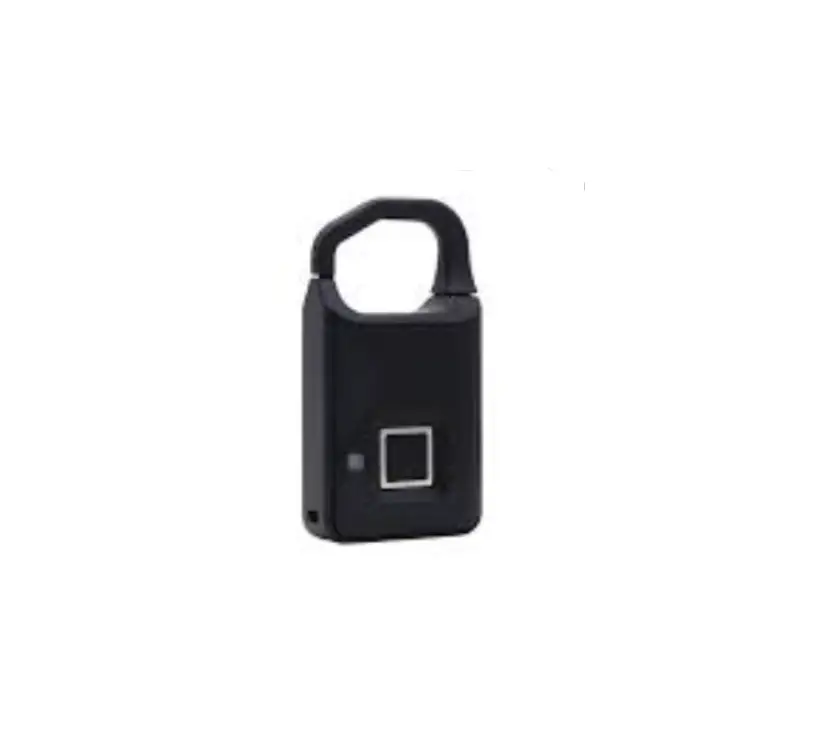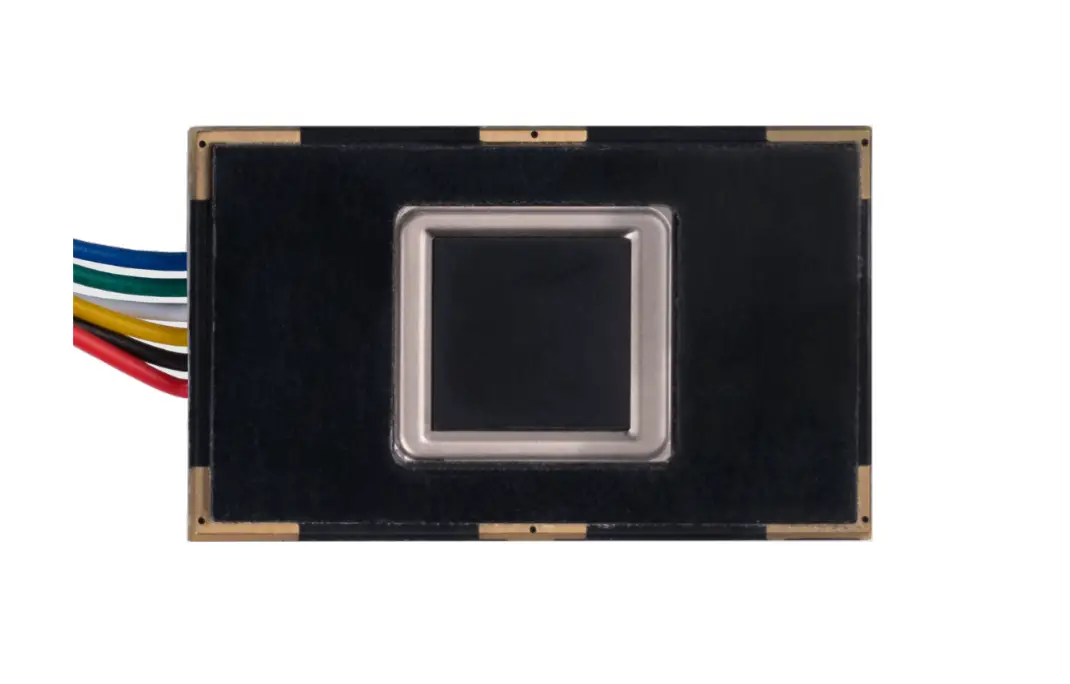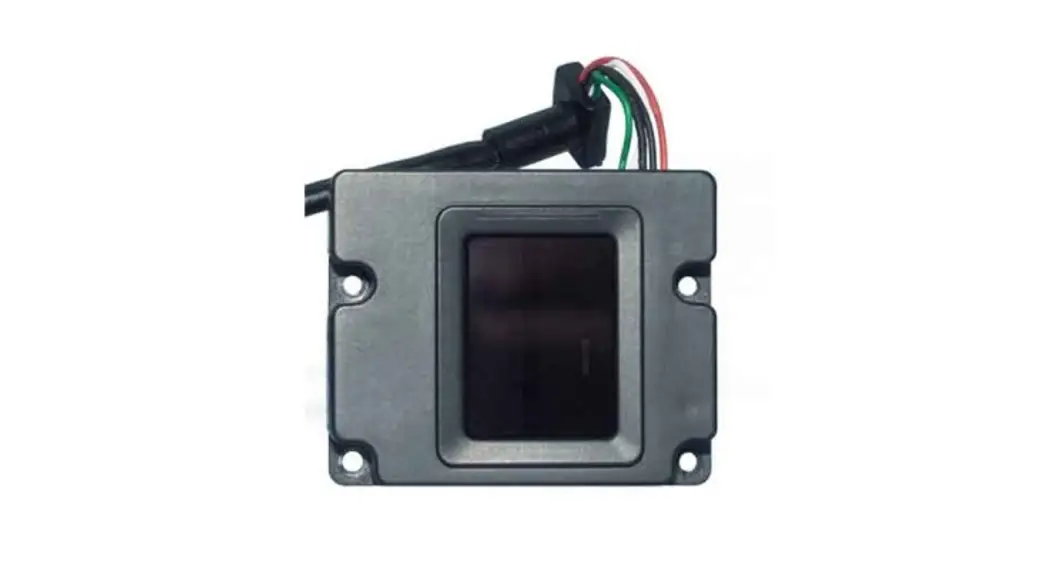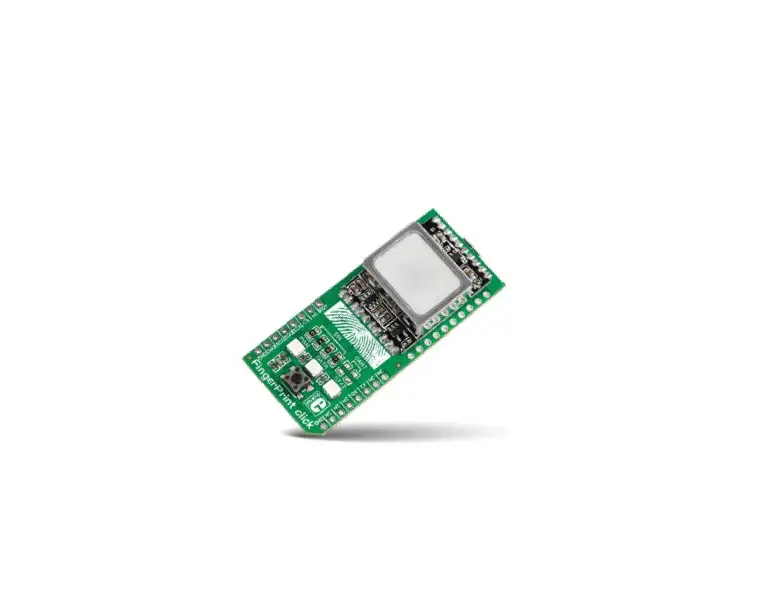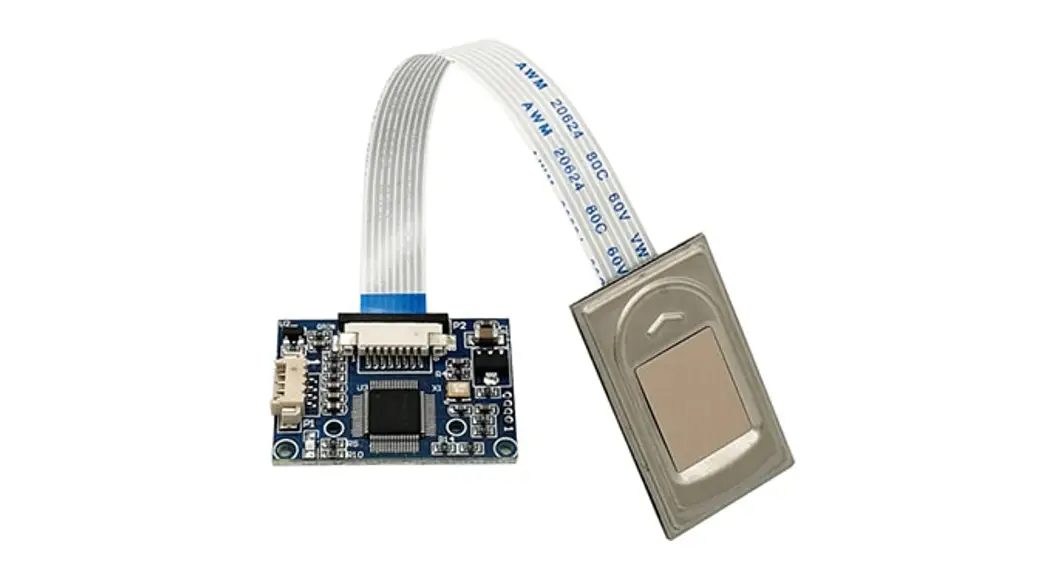

R304 Fingerprint Module
User Manual
Hangzhou Grow Technology Co., Ltd
Feb 2019 Ver: 1.01
Preface & Declaration
Thank you for your selection of the R304 Fingerprint Identification Module (Module) of GROW.
The Manual is targeted for hardware & software developing engineers, covering hardware interface, system resource, instruction system, installment information, etc. To ensure the developing process goes smoothly, it is highly recommended the Manual is read through carefully.
We will try our best to assure you of the correctness of the Manual. However, should you find any problem or error with it, feel free to contact us or the sales representative of us. We would be very grateful.
Holding the principle of constantly improving and perfecting products, so both the module and contents of the Manual might be subject to changes. Sorry for the separate notice. You may visit our website or call us for the latest information.
The Manual contains proprietary information of GROW, which shall not be used by or disclosed to third parties without the permission of GROW, nor for any reproduction and alteration of information without any associated warranties, conditions, limitations, or notices.
No responsibility or liability is assumed by GROW for the application or use, nor for any infringements of patents or other intellectual property rights of third parties that may result from its use.
All products are sold subject to GROW’s terms and conditions of sale supplied at the time of order acknowledgment. Testing, tool, and other quality control techniques are used to the extent GROW considers necessary to support the warranty of relevant performance of its products to the specifications, except as expressly agreed to in writing by government requirements, testing of all parameters of each product is not necessarily performed.
www.hzgrow.com
Introduction
| Power | DC 4.2V-6.0V | Interface | UART(TTL logical level)/ USB 2.0 |
| Working current | Typical: 50mA | Matching Mode | 1:1 and 1:N |
| Baud rate | (9600*N)bps, N=1-12 (default N=6) | Character file size | 256 bytes |
| Image acquiring time | <0.5s | Template size | 512 bytes |
| Storage capacity | 1000 | Security level | 5 (1, 2, 3, 4, 5(highest)) |
| FAR | <0.0001% | FREE | <0.1% |
| Average searching time | < Is (1:1000) | Window dimension | 11 mm*1 5mm |
| Working environment | Temp: -20°C- +55°C | Storage environment | Temp: -30°C- +80°C |
| RH: 10%-85% | RH: <90% | ||
| Outline Dimension | Split type | Sensor:33.4*20.4*3.79 mm | |
| Sensing Array | 192*256 pixels | ||
Operation Principle
Fingerprint processing includes two parts: fingerprint enrollment and fingerprint matching (the matching can be 1:1 or 1:N).
When enrolling, the user needs to enter the finger two times. The system will process the two-time finger images, generate a template of the finger based on processing results and store the template. When matching, the user enters the finger through the optical sensor, and the system will generate a template of the finger and compare it with templates of the finger library. For 1:1 matching, the system will compare the live finger with a specific template designated in the Module; for 1:N matching, or searching, the system will search the whole finger library for the matching finger. In both circumstances, the system will return the matching result, success or failure.
Main Parameters
Hardware Interface
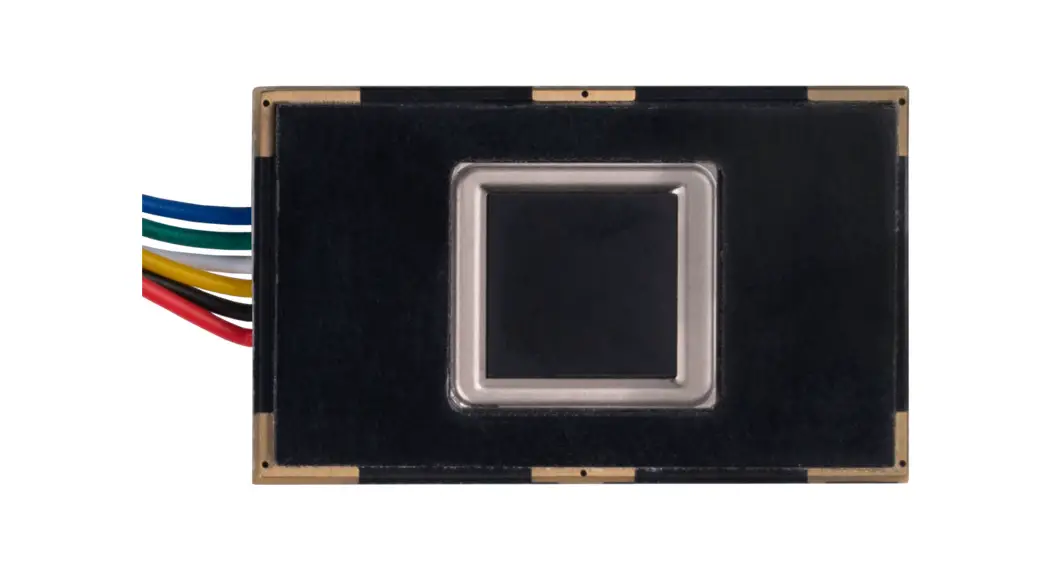
Exterior Interface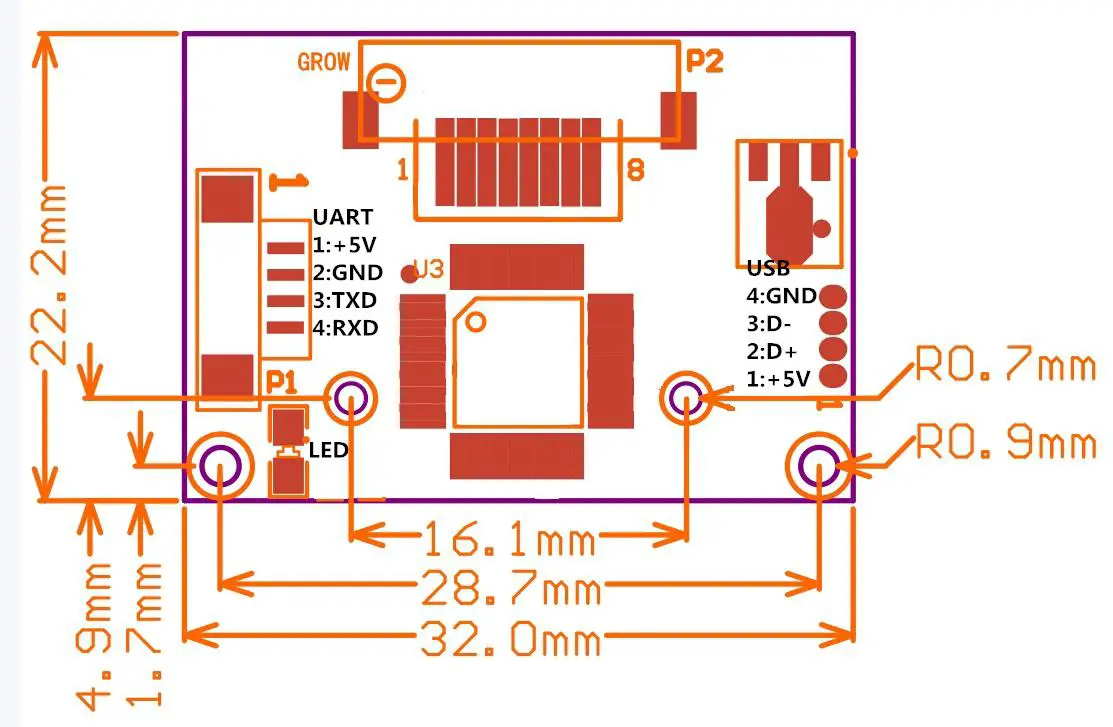
2.0*22.2mm
Serial Communication
When the FP module communicates with the user device, the definition of J1 is as follows:
| Pin Number | Name | Ty pe | Function Description |
1 | Vin | in | Power input |
2 | GND | — | Signal ground. Connected to power ground |
3 | TD | out | Data output. TTL logical level |
4 | RD | in | Data input. TTL logical level |
Hardware connection
Via the serial interface, the Module may communicate with MCU of 3.3V or 5V power: TD (pin 3 of P1) connects with RDX (receiving pin of MCU), RD (pin 4 of P1) connects with TXD (transferring pin of MCU). Should the upper computer (PC) be in RS-232 mode, please add a level converting circuit, like MAX232, between the Module and PC.
USB Communication
| Pin Number | Name | Type | Function Description |
| 8 | Vin | in | Power input |
| 7 | D- | in | USB data input. |
| 6 | D+ | out | USB data output. |
| 5 | GND | - | Signal ground. |
Serial communication protocol
The mode is semiduplex asynchronism serial communication. And the default baud rate is 57600bps. Users may set the baud rate in 9600~115200bps.
Transferring frame format is 10 bit: the low-level starting bit, 8-bit data with the LSB first, and an ending bit. There is no check bit. Reset time
At power-on, it takes about 200ms for initialization. During this period, the Module can’t accept commands for the upper computer.
Electrical parameter (All electrical level takes GND as reference)
Power supply
| Item | Parameter | Unit | Note | ||
| Min | Typ | Max | |||
| Power Voltage (Vin) | 3.6 | 6.0 | V | Normal working value. | |
| Maximum Voltage (Vininax) | -0.3 | 7.0 | V | Exceeding the Maximum rating may cause permanent harm to the Module. | |
| Operation Current (Ice) | 90 | 100 | 110 | mA | |
| Peak Current (Speak) | 150 | mA | |||
TD(output, TTL logic level)
| Item | Condition | Parameter | Unit | Note | ||
| Min | Typ | Max | ||||
| VOL | IoL=-4mA | 0.4 | V | Logic 0 | ||
| VEOH | I0H— 4mA | 2. | 3. | V | Logic 1 | |
RD input, TTL logic level)
| Item | Condition | Parameter | Unit | Note | ||
| Min | Typ | Max | ||||
| VII. | 0.6 | V | Logic 0 | |||
| VIA | 2. | V | Logic 1 | |||
| LEI | VIC =5V | 1 | mA | |||
| VIA =3.3V | 30 | uA | ||||
| Vi max | —0.3 | 6. | V | Maximum input voltage | ||
System Resources
To address the demands of different customers, the Module system provides abundant resources for the user’s use.
Notepad
512-byte memory is set aside in flash for the User’s notepad. The notepad is divided into 16 pages logically, 32 bytes per page. The host can access any page by instruction GR_WriteNotepad or GR_ReadNotepad. Note: when written, the whole page is taken as a whole and its former contents will be replaced.
Buffer
There are an image buffer and two 512-byte-character-file buffer within the RAM space of the module. Users can read & write any of the buffers by instructions. Note: Contents of the above buffers will be lost at power-off.
Image buffer
ImageBuffer serves for image storage and the image format is 208*288 pixels. When transferring through UART, to quicken speed, only the upper 4 bits of the pixel is transferred (that is 16 grey degrees). And two adjacent pixels of the same row will form a byte before transferring. When uploaded to PC, the 16-grey-degree image will be extended to 256-grey-degree format.
That’s 8-bit BMP format. When transferring through USB, the image is an 8-bit pixel, that’s 256 grey degrees.
Character file buffer
Character file buffer, CharBuffer1, CharBuffer2, can be used to store both character files and template files.
Fingerprint Library
The system sets aside a certain space within Flash for fingerprint template storage, that’s fingerprint library. Contents of the library remain at power off. The capacity of the library changes with the capacity of Flash, the system will recognize the latter automatically. Fingerprint template storage in Flash is in sequential order. Assume the fingerprint capacity N, then the serial number of template in the library is 0, 1, 2, 3 … N. User can only access the library by template number.
System Confiuration Parameter
To facilitate user’s development, the Module opens part system parameters for use. And the basic instructions are SetSysPara & ReadSysPara. Both instructions take Parameter Number as a parameter.
When an upper computer sends a command to modify the parameter, the Module first responds with original configurations, then performs the parameter modification and writes the configuration record into Flash. At the next startup, the system will run with the new configurations.
Baud rate control (Parameter Number: 4)
The Parameter controls the UART communication speed of the Modul. Its value is an integer N, N= [1, 12]. The corresponding baud rate is 9600*N bps.
Security Level (Parameter Number: 5)
The Parameter controls the matching threshold value of fingerprint searching and matching. The security level is divided into 5 grades, and the corresponding value is 1, 2, 3, 4, 5. At level 1, FAR is the highest and FRR is the lowest; however at level 5, FAR is the lowest and FRR is the highest.
Data package length (Parameter Number: 6)
The parameter decides the max length of the transferring data package when communicating with the upper computer. Its value is 0, 1, 2, 3, corresponding to 32 bytes, 64 bytes, 128 bytes, 256 bytes respectively.
System status register
The system status register indicates the current operation status of the Module. Its length is 1 word and can be read via instruction ReadSysPara. Definition of the register is as follows:
| Bit Num | 15 4 | 3 | 2 | 1 | 0 |
| Description | Reserved | ImgBufStat | PWD | Pass | Busy |
Note:
Busy: 1 bit. 1: system is executing commands; 0: the system is free;
Pass: 1 bit. 1: find the matching finger; 0: wrong finger;
PWD: 1 bit. 1: Verified device’s handshaking password.
ImgBufStat: 1 bit. 1: image buffer contains the valid images.
Module password
At power-on reset, the system first checks whether the handshaking password has been modified. If not, the system deems the upper computer has no requirement of verifying passwords and will enter into normal operation mode. That’s, when the Module password remains the default, verifying process can be jumped. The password length is 4 bytes, and its default factory value is 0FFH, 0FFH, 0FFH, 0FFH. Should the password have been modified, refer to instruction SetPwd, then Module (or device) handshaking password must be verified before the system enters into normal operation mode. Or else, the system will refuse to execute and command.
The new modified password is stored in Flash and remains at power off.
Module address
Each module has an identifying address. When communicating with an upper computer, each instruction/data is transferred in data package form, which contains the address item. Module system only responds to data packages whose address item value is the same as its identifying address.
The address length is 4 bytes, and its default factory value is 0xFFFFFFFF. Users may modify the address via the instruction SetAdder. The new modified address remains at power off.
Random number generator
The module integrates hardware 32-bit random number generator (RNG) (without seed). Via instruction GetRandomCode, the system will generate a random number and upload it.
Communication Protocol
The protocol defines the data exchanging format when the R30X series communicates with the upper computer. The protocol and instruction set apples for both UART and USB communication modes. For PC, a USB interface is strongly recommended to improve the exchanging speed, especially in the fingerprint scanning device.
Data package format
When communicating, the transferring and receiving of command/data/result are all wrapped in data package format.
Data package format
Header | Adder | Package identifier | Package length | Package content (instruction/data/Parameter) | Checksum |
Definition of Data package
| Name | Symbol | Length | Description | |
| I leader | Start | 2 bytes | Fixed value of OxEFO 1; High byte transferred first. | |
| Adder | ADDER | 4 bytes | The default value is OxFFFFFFFF, which can be modified by command. High byte transferred first and at wrong adder value, the module will reject to transfer. | |
| Package identifier | P11) | 1 byte | 01 H | Command packet; |
| 211 | Data packet; Data packet shall not appear alone in executing process, must follow command packet or acknowledge packet. | |||
| 711 | Acknowledge packet; | |||
| 811 | End of Data packet. | |||
| Package length | LENGTH | 2 bytes | Refers o the length of package content (command packets and data packets) plus the length of Checksum( 2 bytes). Unit is a byte. Max length is 256 bytes. And the high byte is transferred first. | |
| Package contents | DATA | — | It can be commands, data, command’s parameters, acknowledge result, etc. (fingerprint character value, template are all deemed as data); | |
| Checksum | SUN | 2 bytes | The arithmetic sum of package identifier, package length, and all package contents. Overflowing bits are omitted. the high byte is transferred first. | |
Check and acknowledge of data package
Note: Commands shall only be sent from the upper computer to the Module, and the Module acknowledges the commands.
Upon receipt of commands, the Module will report the commands execution status and results to the upper computer through acknowledge packet. Acknowledge packet has parameters and may also have the following data packet. An upper computer can’t ascertain Module’s package receiving status or command execution results unless through acknowledging packet sent from Module. Acknowledge packet includes a 1-byte confirmation code and maybe also the returned parameter.
Confirmation code’s definition is :
00h: command execution complete;
01h: error when receiving data package;
02h: no finger on the sensor;
03h: fail to enroll the finger;
06h: fail to generate character file due to the over-disorderly fingerprint image;
07h: fail to generate character file due to blackness of character point or over-smallness of fingerprint image
08h: finger doesn’t match;
09h: fail to find the matching finger;
0Ah: fail to combine the character files;
0Bh: addressing PageID is beyond the finger library;
0Ch: error when reading template from library or the template is invalid;
0Dh: error when uploading template;
0Eh: Module can’t receive the following data packages.
0Fh: error when uploading image;
10h: fail to delete the template;
11h: fail to clear finger library;
13h: wrong password!
15h: fail to generate the image for the slackness of valid primary image;
18h: error when writing flash;
19h: No definition error;
1Ah: invalid register number;
1Bh: incorrect configuration of the register;
1Ch: wrong notepad page number;
1Dh: fail to operate the communication port; others: system reserved;
Module Instruction System
R30X series provide 23 instructions. Through a combination of different instructions, the application program may realize multi-finger authentication functions. All commands/data are transferred in package format. Refer to 5.1 for the detailed information on the package.
System-related instructions
Verify password VfyPwd
Description: Verify Module’s handshaking password. (Refer to 4.6 for details)
Input Parameter: PassWord (4 bytes)
Return Parameter: Confirmation code (1 byte)
Instruction code: 13H
Command (or instruction) package format:
2 bytes | 4bytes | 1 byte | 2 bytes | 1 byte | 4 byte | 2 bytes |
| Header | Module | Package | Instruction | Password | Checksum |
| xEF01 | XXXX | 07H | 07H | xx | Sum |
Acknowledge package format:
| 2 bytes | 4bytes | 1 byte | 2 bytes | 1 byte | 2 bytes |
| Header | Module address | Package identifier | Package Length | Confirmation code | Checksum |
| Oxfam 1 | XXXX | 07H | 03H | xx | sum |
Note: Confirmation code=00H: password setting complete;
Confirmation code=01H: error when receiving package;
Confirmation code = 13H: Wrong password;
Set password SetPwd
Description: Set Module’s handshaking password. (Refer to 4.6 for details)
Input Parameter: PassWord (4 bytes)
Return Parameter: Confirmation code (1 byte)
Instruction code: 12H
Command (or instruction) package format:
2 bytes | 4bytes | 1 byte | 2 bytes | 1 byte | 4 byte | 2 bytes |
Header | Module | Package identifier | Package | Instruction | Password | Checksum |
| 0xEF01 | XXXX | 0111 | 0711 | 12H | PassWord | sum |
Acknowledge package format:
2 bytes | 4 byte | 2 bytes | 1 byte | 2 bytes |
Header | Module address | Package length | Confirmation | Checksum |
| 0\EF01 | XXXX | 03H | xx | Sum |
Note: Confirmation code=00H: password setting complete;
Confirmation code=01H: error when receiving package;
Set Module address SetAdder
Description: Set Module address. (Refer to 4.7 for address information)
Input Parameter: None;
Return Parameter: Confirmation code (1 byte)
Instruction code: 15H
Command (or instruction) package format:
2 bytes | 4bytes | byte | 2 bytes | 1 byte | 1byte | 1byte | 2 bytes |
| Header | Module address | Package identifier | Package length | Instruction code | Parameter number | Contents | Checksum |
| 0xEF01 | XXXX | 01H | 05H | 0eH | 4/5/6 | xx | sum |
Acknowledge package format:
| 2 bytes | 4bytes | 1 byte | 2 bytes | 1 byte | 2 bytes |
| Header | Module address | Package identifier | Package length | Confirmation code | Checksum |
| 0xEF01 | XXXX | 07H | 03H | xx | Sum |
Note: Confirmation code=00H: address setting complete;
Confirmation code=01H: error when receiving package;
Set module system’s basic parameter SetSysPara
Description: Operation parameter settings. (Refer to 4.4 for more information)
Input Parameter: Parameter number;
Return Parameter: Confirmation code (1 byte)
Instruction code: 0eH
Command (or instruction) package format:
| 2 bytes | 4bytes | 1 byte | 2 bytes | 1 byte | 1byte | 1byte | 2 bytes |
| Header | Module address | Package identifier | Package length | Instruction code | Parameter number | Contents | Checksum |
| OxEF01 | XXXX | 01H | 05H | OeH | 4/5/6 | VC | sum |
Acknowledge package format:
| 2 bytes | 4bytes | 1 byte | 2 bytes | 1 byte | 2 bytes |
| Header | Module address | Package identifier | Package length | Confirmation code | Checksum |
| Oxfam I | XXXX | 07H | 03H | xxH | Sum |
Note: Confirmation code=00H: parameter setting complete;
Confirmation code=01H: error when receiving the package;
Confirmation code=1aH: wrong register number;
Port Control Control
Description:
For UART protocol, it controls the “on/off” of the USB port;
For USB protocol, it controls the “on/off” of the UART port;
Input Parameter: control code
Control code ”0” means turns off the port;
Control code ”1” means turns on the port;
Return Parameter: confirmation code;
Instruction code: 17H
Command (or instruction) package format:
| 2 bytes | 4bytes | 1 byte | 2 bytes | 1 byte | 1byte | 2 bytes |
| Header | Chip address | Package identifier | Package length | Instruction code | Control code | Checksum |
| 0xEF01 | XXXX | 01H | 04H | 17H | 0/1 | sum |
Acknowledge package format:
| 2 bytes | 4bytes | 1 byte | 2 bytes | 1 byte | 2 bytes |
| Header | Chip address | Package identifier | Package length | Confirmation code | Checksum |
| 0xEF01 | XXXX | 07H | 03H | xxH | Sum |
Note: Confirmation code=00H: Port operation complete;
Confirmation code=01H: error when receiving package;
Confirmation code=1dH: fail to operate the communication port;
Read system Parameter ReadSysPara
Description: Read Module’s status register and system basic configuration parameters;(Refer to 4.4 for system configuration parameter and 4.5 for system status register.
Input Parameter: none
Return Parameter:Confirmation code (1 byte) + basic parameter(16bytes)
Instruction code: 0fH
Command (or instruction) package format:
| 2 bytes | 4bytes | 1 byte | 2 bytes | 1 byte | 2 bytes |
| Header | Module address | Package identifier | Package length | Instruction code | Checksum |
| OxEF01 | XXXX | 01H | 03H | Off | sum |
Acknowledge package format:
| 2 bytes | 4bytes | 1 byte | 2 bytes | 1 byte | 16 bytes | 2 bytes |
| Header | Module address | Package identifier | Package length | Confirmation code | Basic parameter list | Checksum |
| OxEF01 | XXXX | 07H | 3+16 | xx | See the following table | sum |
Note: Confirmation code=00H: read complete;
Confirmation code=01H: error when receiving the package;
| Name | Description | Offset (word) | Size (word) |
| Status register | Contents of system status register | 0 | I |
| System identifier code | Fixed value: 0x0009 | 1 | 1 |
| Finger library size | Finger library size | 2 | 1 |
| Security level | Security level (I, 2, 3, 4, 5) | 3 | I |
| Device address | 32-bit device address | 4 | 2 |
| Data packet size | Size code (0, I, 2, 3) | 6 | 1 |
| Baud settings | N (baud = 960rN bps) | 7 | 1 |
Read valid template number TempleteNum
Description: read the current valid template number of the Module Input Parameter: none
Return Parameter: Confirmation code (I byte), template number
Instruction code: Ida
Command (or instruction) package format:
| 2 bytes | 4bytes | I byte | 2 bytes | 1 byte | 2 bytes |
| Header | Module address | Package identifier | Package length | Instruction code | Checksum |
| Oxfam I | XXXX | 01H | 0003H | Ida | 0021H |
Acknowledge package format:
| 2 bytes | 4bytes | 1 byte | 2 bytes | 1 byte | 2 bytes | 2 bytes |
| Header | Module | Package | Package | Confirmation | Template | Checksum |
| address | identifier | length | code | numb | ||
| 0xEF01 | XXXX | 07H | 5 | xx | N | sum |
Fingerprint-processing instructions
To collect finger image GenImg
Description: detecting the finger and store the detected finger image in ImageBuffer while returning the successful confirmation code; If there is no finger, returned confirmation code would be “can’t detect finger”.
Input Parameter: none
Return Parameter: Confirmation code (1 byte)
Instruction code: 01H
Command (or instruction) package format:
| 2 bytes | 4bytes | 1 byte | 2 bytes | 1 byte |
| Header | Module address | Package identifier | Package length | Instruction code |
| OxEF01 | XXXX | O1H | 03H | O1H |
Acknowledge package format:
| 02 bytes | 4bytes | 1 byte | 2 bytes | 1 byte | 2 bytes |
| Header | Module address | Package identifier | Package length | confirmation code | Checksum |
| 0xEF01 | XXXX | 07H | 03H | xx | Sum |
Note: Confirmation code=00H: finger collection successs;
Confirmation code=01H: error when receiving package;
Confirmation code=02H: can’t detect finger;
Confirmation code=03H: fail to collect finger;
Upload image UpImage
Description: to upload the image in Img_Buffer to the upper computer. Refer to 1.1.1 for more about image buffer.
Input Parameter: none
Return Parameter: Confirmation code (1 byte)
Instruction code: 0aH
Command (or instruction) package format:
| 02 bytes | 4bytes | 1 byte | 2 bytes | 1 byte | 2 bytes |
| Header | Module address | Package identifier | Package length | Confirmation code | Checksum |
| 0xEF01 | XXXX | 01H | 03H | 0aH | 000eH |
Acknowledge package format:
| 02 bytes | 4bytes | 1 byte | 2 bytes | 1 byte | 2 bytes |
| Header | Module address | Package identifier | Package length | Confirmation code | Checksum |
| 0xEF01 | XXXX | 07H | 03H | X X | sum |
Note 1: Confirmation code=00H: ready to transfer the following data packet;
Confirmation code=01H: error when receiving the package;
Confirmation code=0fH: fail to transfer the following data packet;
2: Module shall transfer the following data packet after responding to the upper
computer.
Download the image DownImage
Description: to download an image from the upper computer to Img_Buffer. Refer to 1.1.1 for more about
the image buffer.
Input Parameter: none
Return Parameter: Confirmation code (1 byte)
Instruction code: 0bH
Command (or instruction) package format:
| 02 bytes | 4bytes | 1 byte | 2 bytes | 1 byte | 2 bytes |
| Header | Module address | Package identifier | Package length | Confirmation code | Checksum |
| 0xEF01 | XXXX | 01H | 03H | 0bH | 000fH |
Acknowledge package format:
| 02 bytes | 4bytes | 1 byte | 2 bytes | 1 byte | 2 bytes |
| Header | Module address | Package identifier | Package length | Confirmation code | Checksum |
| 0xEF01 | XXXX | 07H | 03H | xxH | sum |
Note 1:Confirmation code=00H: ready to transfer the following data packet;
Confirmation code=01H: error when receiving the package;
Confirmation code=0eH: fail to transfer the following data packet;
2:Module shall transfer the following data packet after responding to the upper computer.
Data package length must be 64, 128, or 256。
To generate character file from image Img2Tz
Description: to generate a character file from the original finger image in ImageBuffer and store the file in CharBuffer1 or CharBuffer2.
Input Parameter: BufferID (character file buffer number)
Return Parameter: Confirmation code (1 byte)
Instruction code: 02H
Command (or instruction) package format:
| 2 bytes | 4bytes | 1 byte | 2 bytes | 1 byte | 1 byte | 2 bytes |
| Header | Module address | Package identifier | Package length | Confirmation code | Buffer number | Checksum |
| OxEF01 | XXXX | 01H | 04H | 02H | BufferID | sum |
Note: BufferID of CharBuffer1 and CharBuffer2 is 1h and 2h respectively. Other values
(except 1h, 2h) would be processed as CharBuffer2.
Acknowledge package format:
| 02 bytes | 4bytes | 1 byte | 2 bytes | 1 byte | 2 bytes |
| Header | Module address | Package identifier | Package length | Confirmation code | Checksum |
| 0xEF01 | XXXX | 07H | 03H | xxH | sum |
Note: Confirmation code=00H: generate character file complete;
Confrmation code=01H: error when receiving package;
Confirmation code=06H: fail to generate file due to the over-disorderly fingerprint image;
Confirmation code=07H: fail to generate character file due to lackness of character point or over-smallness of fingerprint image’
Confirmation code=15H: fail to generate the image for the lackness of valid primary image;
To generate template RegModel
Description: To combine information of character files from CharBuffer1 and CharBuffer2 and generate a template that is stored back in both CharBuffer1 and CharBuffer2.
Input Parameter: none
Return Parameter: Confirmation code (1 byte)
Instruction code: 05H
Command (or instruction) package format:
| 02 bytes | 4bytes | 1 byte | 2 bytes | 1 byte | 2 bytes |
| Header | Module address | Package identifier | Package length | Confirmation code | Checksum |
| 0xEF01 | XXXX | 01H | 03H | 05H | 09H |
Acknowledge package format:
| 02 bytes | 4bytes | 1 byte | 2 bytes | 1 byte | 2 bytes |
| Header | Module address | Package identifier | Package length | Confirmation code | Checksum |
| 0xEF01 | XXXX | 07H | 03H | xxH | sum |
Note: Confirmation code=00H: operation success;
Confirmation code=01H: error when receiving the package;
Confirmation code=0aH: fail to combine the character files. That’s, the character files don’t belong to one finger.
To upload character or template UpChar
Description: to upload the character file or template of CharBuffer1/CharBuffer2 to the upper computer;
Input Parameter: BufferID (Buffer number)
Return Parameter: Confirmation code (1 byte)
Instruction code: 08H
Command (or instruction) package format:
| 2 bytes | 4bytes | 1 byte | 2 bytes | 1 byte | 2 bytes | 2 bytes |
| Header | Module | Package | Package | Instruction | Buffer | Checksum |
| address | identifier | length | code | number | ||
| 0xEF01 | XXXX | 01H | 04H | xx | BufferID | sum |
Note: BufferID of CharBuffer1 and CharBuffer2 is 1h and 2h respectively. Other values (except 1h, 2h) would be processed as CharBuffer2.
Acknowledge package format:
| 02 bytes | 4bytes | 1 byte | 2 bytes | 1 byte | 2 bytes |
| Header | Module address | Package identifier | Package length | Confirmation code | Checksum |
| 0xEF01 | XXXX | 07H | 03H | xx | sum |
Note 1: Confirmation code=00H: ready to transfer the following data packet;
Confirmation code=01H: error when receiving the package;
Confirmation code=0dH: error when uploading template;
2: Module shall transfer following data packet after responding to the upper computer.;
3: The instruction doesn’t affect buffer contents.
To download character file or template DownChar
Description: to download character file or template from upper computer to the specified buffer of Module;
Input Parameter: BufferID (buffer number)
Return Parameter: Confirmation code (1 byte)
Instruction code: 09H
Command (or instruction) package format:
| 2 bytes | 4bytes | 1 byte | 2 bytes | 1 byte | 1 byte | 2 bytes |
| Header | Module address | Package identifier | Package length | Confirmation code | Buffer number | Checksum |
| OxEF01 | XXXX | 01H | 04H | 09H | BufferID | sum |
Note: BufferID of CharBuffer1 and CharBuffer2 is 1h and 2h respectively. Other values (except 1h, 2h) would be processed as CharBuffer2.
Acknowledge package format:
| 02 bytes | 4bytes | 1 byte | 2 bytes | 1 byte | 2 bytes |
| Header | Module address | Package identifier | Package length | Confirmation code | Checksum |
| 0xEF01 | XXXX | 07H | 03H | xxH | sum |
Note 1: Confirmation code=00H: ready to transfer the following data packet;
Confirmation code=01H: error when receiving the package;
Confirmation code=0eH: fail to receive the following data packages.
2: Module shall transfer the following data packet after responding to the upper computer.
To store template Store
Description: to store the template of specified buffer (Buffer1/Buffer2) at the designated location of Flash library.
Input Parameter: BufferID(buffer number), PageID(Flash location of the template, two bytes with high byte front and low byte behind)
Return Parameter: Confirmation code (1 byte)
Instruction code: 06H
Command (or instruction) package format:
| 02 bytes | 4bytes | 1 byte | 2 bytes | 1 byte | 1 byte | 2 bytes | 2 bytes |
| Header | Module address | Package identifier | Package length | Instruction code | Buffer number | Location Number | Checksum |
| 0xEF01 | Xxxx | 01H | 06H | 06H | Buffer ID | Page ID | sum |
Note: BufferID of CharBuffer1 and CharBuffer2 are 1h and 2h respectively. Other values (except 1h, 2h) would be processed as CharBuffer2.
Acknowledge package format:
| 02 bytes | 4bytes | 1 byte | 2 bytes | 1 byte | 2 bytes |
| Header | Module address | Package identifier | Package length | Confirmation code | Checksum |
| 0xEF01 | XXXX | 07H | 03H | xx | sum |
Note: Confirmation code=00H: storage success;
Confirmation code=01H: error when receiving package;
Confirmation code=0bH: addressing PageID is beyond the finger library;
Confirmation code=18H: error when writing Flash.
To read the template from Flash library LoadChar
Description: to load template at the specified location (PageID) of Flash library to template buffer
CharBuffer1/CharBuffer2
Input Parameter: BufferID(buffer number), PageID (Flash location of the template, two bytes with
high byte front and low byte behind)。
Return Parameter: Confirmation code (1 byte)
Instruction code: 07H
Command (or instruction) package format:
| 02 bytes | 4bytes | 1 byte | 2 bytes | 1 byte | 1 byte | 2 bytes | 2 bytes |
| Header | Module address | Package identifier | Package length | Instruction code | Buffer number | Location Number | Checksum |
| 0xEF01 | Xxxx | 01H | 06H | 07H | Buffer ID | Page ID | sum |
Note: BufferID of CharBuffer1 and CharBuffer2 is 1h and 2h respectively. Other values (except 1h, 2h) would be processed as CharBuffer2.
Acknowledge package format:
| 02 bytes | 4bytes | 1 byte | 2 bytes | 1 byte | 2 bytes |
| Header | Module address | Package identifier | Package length | Confirmation code | Checksum |
| 0xEF01 | XXXX | 07H | 03H | xxH | sum |
Note: Confirmation code=00H: load success;
Confirmation code=01H: error when receiving the package;
Confirmation code=0cH: error when reading template from library or the readout template is invalid;
Confirmation code=0BH: addressing PageID is beyond the finger library;
To delete template DeletChar
Description: to delete a segment (N) of templates of Flash library started from the specified location (or PageID);
Input Parameter: PageID (template number in Flash), N (number of templates to be deleted)
Return Parameter: Confirmation code (1 byte)
Instruction code: 0cH
Command (or instruction) package format:
| 02 bytes | 4bytes | 1 byte | 2 bytes | 1 byte | 1 byte | 2 bytes | 2 bytes |
| Header | Module address | Package identifier | Package length | Instruction code | Buffer number | Location Number | Checksum |
| 0xEF01 | XXXX | 01H | 07H | 0cH | Page ID | N | sum |
Acknowledge package format:
| 02 bytes | 4bytes | 1 byte | 2 bytes | 1 byte | 2 bytes |
| Header | Module address | Package identifier | Package length | Confirmation code | Checksum |
| 0xEF01 | XXXX | 07H | 03H | xxH | sum |
Note: Confirmation code=00H: delete success;
Confirmation code=01H: error when receiving the package;
Confirmation code=10H: failed to delete templates;
To empty finger library Empty
Description: to delete all the templates in the Flash librarInput Parameter: none
Return Parameter: Confirmation code (1 byte)
Instuction code: 0dH
Command (or instruction) package format:
| 02 bytes | 4bytes | 1 byte | 2 bytes | 1 byte | 2 bytes |
| Header | Module address | Package identifier | Package length | Confirmation code | Checksum |
| 0xEF01 | XXXX | 01H | 03H | 00dH | 0011H |
Acknowledge package format:
| 02 bytes | 4bytes | 1 byte | 2 bytes | 1 byte | 2 bytes |
| Header | Module address | Package identifier | Package length | Confirmation code | Checksum |
| 0xEF01 | XXXX | 07H | 03H | xxH | sum |
Note: Confirmation code=00H: empty success;
Confirmation code=01H: error when receiving the package;
Confirmation code=11H: fail to clear finger library;
To carry out precise matching of two-finger templates Match
Description: to carry out precise matching of templates from CharBuffer1 and CharBuffer2, providing matching results.
Input Parameter: none
Return Parameter: Confirmation code (1 byte),matching score.
Instruction code: 03H
Command (or instruction) package format:
| 02 bytes | 4bytes | 1 byte | 2 bytes | 1 byte | 2 bytes |
| Header | Module address | Package identifier | Package length | Confirmation code | Checksum |
| 0xEF01 | XXXX | 01H | 03H | 03H | 07H |
Acknowledge package format:
| 02 bytes | 4bytes | 1 byte | 2 bytes | 1 byte | 2 bytes | 2 bytes |
| Header | Module address | Package identifier | Package length | Confirmation code | Matching score | Checksum |
| 0xFF01 | Xxxx | 07H | 05H | XxH | XxH | sum |
Note 1: Confirmation code=00H: templates of the two buffers are matching!
Confirmation code=01H: error when receiving package;
Confirmation code=08H: templates of the two buffers aren’t matching;
2: The instruction doesn’t affect the contents of the buffers.
To search finger library Search
Description: to search the whole finger library for the template that matches the one in CharBuffer1 or CharBuffer2. When found, PageID will be returned.
Input Parameter: BufferID, StartPage (searching start address), PageNum(searching numbers)
Return Parameter: Confirmation code (1 byte), PageID (matching templates location)
Instruction code: 04H
Command (or instruction) package format:
| 2 bytes | 4bytes | I byte | 2 bytes | I byte | I byte | 2 bytes | 2 bytes | 2 bytes |
| Header | Module address | Package identified r | Package length | Instructions n code | buffer number | Parameter | Parameter | Checks 11111 |
| OxE1:01 | xxxx | 01H | 08H | 04H | Buffalo) | Startpage | PageNum | sum |
Note: BufferID of CharBuffer1 and CharBuffer2 are 1h and 2h respectively. Other values (except 1h, 2h) would be processed as CharBuffer2.
Acknowledge package format:
| 02 bytes | 4bytes | 1 byte | 2 bytes | 1 byte | 1 byte | 2 bytes | 2 bytes |
| Header | Module address | Package identifier | Package length | Confirmation code | Checksum | ||
| 0xEF01 | Xxxx | 07H | 7 | xxH | Page ID | MatchScore | sum |
Note 1: Confirmation code=00H: found the matching finer;
Confirmation code=01H: error when receiving the package;
Confirmation code=09H: No matching in the library (both the PageID and matching score are 0);
2: The instruction doesn’t affect the contents of the buffers.
Other instructions
To generate a random code GetRandomCode
Description: to command the Module to generate a random number and return it to upper computer; Refer to 4.8 for more about Random Number Generator;
Input Parameter: none
Return Parameter: Confirmation code (1 byte)
Instruction code: 14H
Command (or instruction) package format:
| 2 bytes | 4bytes | 1 byte | 2 bytes | 1 byte | 2 bytes |
| Header | Module address | Package identifier | Package length | Instruction code | Checksum |
| OxEF01 | XXXX | 01H | 03H | 14H | 0018H |
Acknowledge package format:
| 02 bytes | 4bytes | 1 byte | 2 bytes | 1 byte | 2 bytes | 2 bytes |
| Header | Module address | Package identifier | Package length | Confirmation code | Random number | Checksum |
| 0xFF01 | Xxxx | 07H | 07H | XxH | Xxx | sum |
Note: Confirmation code=00H: generation success;
Confirmation code=01H: error when receiving the package;
To write note pad WriteNotepad
Description: for the upper computer to write data to the specified Flash page (refer to 4.1 for more about Note pad). Also, see ReadNotepad;
Input Parameter: NotePageNum, user content (or data content)
Return Parameter: Confirmation code (1 byte)
Instuction code: 18H
Command (or instruction) package format:
| 02 bytes | 4bytes | 1 byte | 2 bytes | 1 byte | 1 byte | 32 bytes | 2 bytes |
| Header | Module address | Package identifier | Package length | Instruction code | Page number | Data content | Checksum |
| 0xEF01 | Xxxx | 01H | 36H | 18H | 0~15 | content | sum |
Acknowledge package format:
| 02 bytes | 4bytes | 1 byte | 2 bytes | 1 byte | 2 bytes |
| Header | Module address | Package identifier | Package length | Confirmation code | Checksum |
| 0xEF01 | XXXX | 07H | 03H | xxH | sum |
Note Confirmation code=00H: write success;
Confirmation code=01H: error when receiving the package;
To read note pad ReadNotepad
Description: To read the specified page’s data content; Refer to 4.1 for more about the user note pad.
Also, see WriteNotepad.
Input Parameter: none
Return Parameter: Confirmation code (1 byte) + data content
Instruction code: 19H
Command (or instruction) package format:
| 02 bytes | 4bytes | 1 byte | 2 bytes | 1 byte | 1 byte | 2 bytes |
| Header | Module address | Package identifier | Package length | Instruction code | Page number | Checksum |
| 0xEF01 | XXXX | 01H | 04H | 19H | 0~15 | xxH |
Acknowledge package format:
| 02 bytes | 4bytes | 1 byte | 2 bytes | 1 byte | 32 bytes | 2 bytes |
| Header | Module address | Package identifier | Package length | Instruction code | User content | Checksum |
| 0xEF01 | XXXX | 07H | 3+32 | xx | User content | sum |
Note Confirmation code=00H: read success;
Confirmation code=01H: error when receiving the package;
Instruction Table
Classified by functions
| type | num | code | description | Type | num | Code | description |
| System-related | 1 | 13H | To verify password | Fingerprint processing | 13 | 08H | to upload template |
| 2 | 12H | To set password | 14 | 09H | To download template | ||
| 3 | 15H | To set device address | 15 | 06H | To store template; | ||
| 4 | OEH | To set system Parameter | 16 | 07H | to read/load template | ||
| 5 | 17H | Port control | 17 | OCH | to delete tempates | ||
| 6 | OFH | To read system Parameter | 18 | ODH | to empty the library | ||
| 7 | 1 DH | To read finger template numbers | 19 | 03H | Carry out precise matching of two templates; | ||
| Finerprint processing | 8 | 01H | Collect finger image | 20 | 04H | Search the finger library | |
| 9 | OAH | To upload image | |||||
| 10 | OBH | To download image | others | 21 | 14H | to get random code | |
| 11 | 02H | To generate character file from image | 22 | 1 8H | to write note pad | ||
| 12 | 05H | To combine character files and generate template | 23 | I 911 | To read note pad | ||
Classified by instruction code
| code | identifier | Description | Code | Identifier | Description |
| 01H | Genlmg | Collect finger image | ODII | Empty | to empty the library |
| 02H | Img2Tz | To generate character file from image | OEH | SetSysPara | To set system Parameter |
| 03H | Match | Carry out precise matching of twotemplates; | 0FH | ReadSysPara | To read system Parameter |
| 04H | Search | Search the finger library | 12H | SetPwd | To set password |
| 05H | RegModel | To combine character files and generate a template | 13H | VfyPwd | To verify password |
| 06H | Store | To store template; | 14H | GetRandomCode | to get random code |
| 07H | LoadChar | to read/load template | 15H | SetAdder | To set device address |
| 08H | UpChar | to upload template | 17H | Control | Port control |
| 09H | DownChr | to download template | 18H | WriteNotepad | to write a note pad |
| 0AH | UpImage | To upload image | 19H | ReadNotepad | To read note pad |
| 0BH | Downlmage | To download image | 1BH | HiSpeedSearch | Search the library fastly |
| 0CH | DeletChar | to delete templates | 1DH | TempleteNum | To read finger template numbers |
 æå·žåŸŽç« ç§‘æŠ€æœ‰é™å…¬å¸