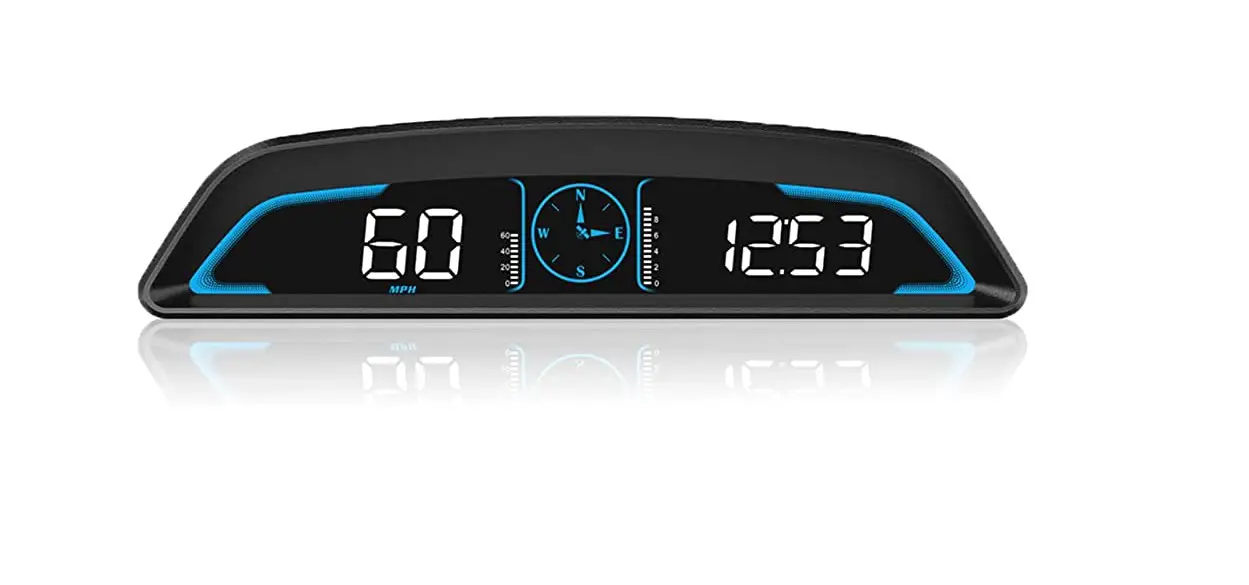
GPS Speed meter:G3
Warning:
This product working voltage is 5V, and it is forbidden to use a voltage higher than 5V for power supply.
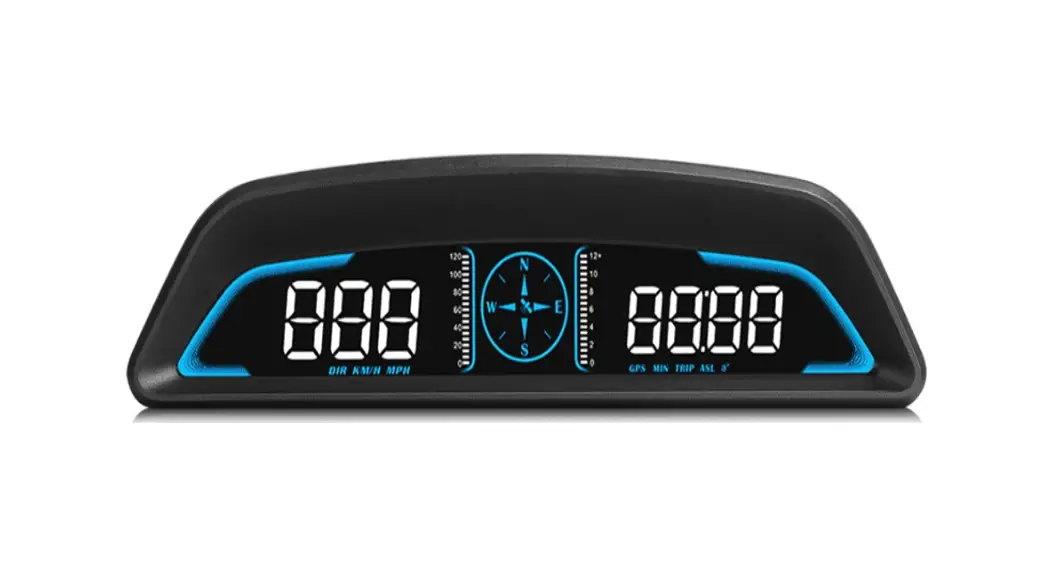
Display functions:
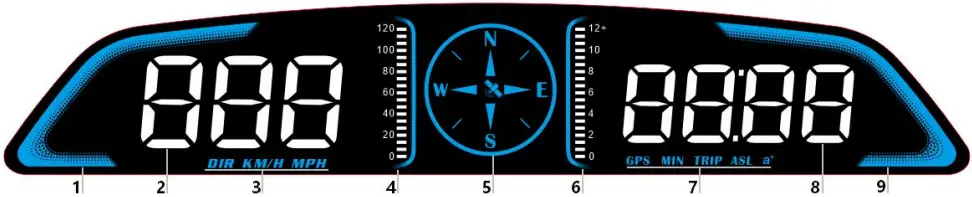
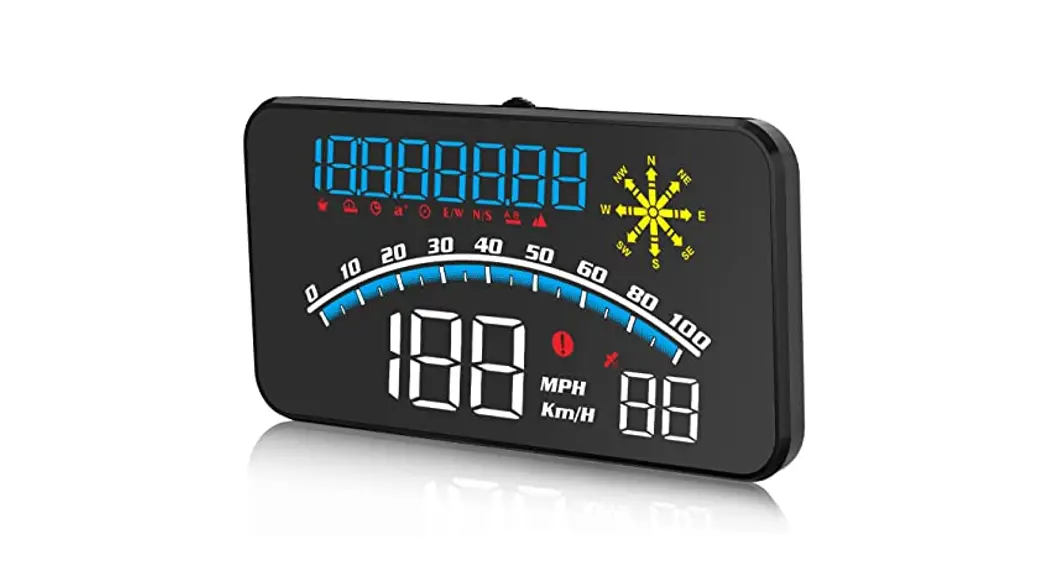
1. Decorative atmosphere lights
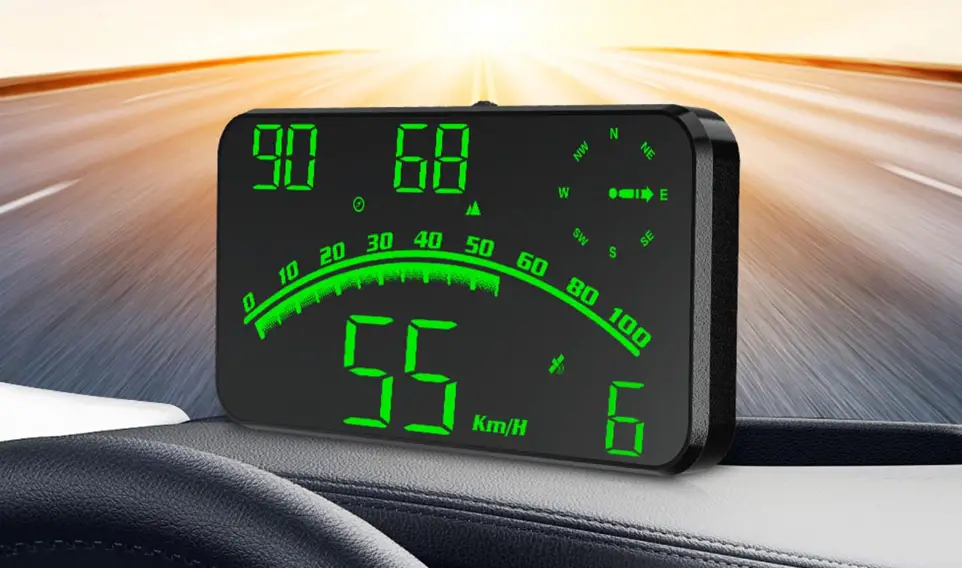
2. Multi-function display area: display vehicle speed and driving direction angle, dial left to switch
3.DIR: Driving direction angle speed speed unit: MPH, KM/H
4. Vehicle speed icon
5. Compass: After the satellite is found, it will stop flashing before it can be used normally. N-North E-East W-West S-South
6. Satellite quantity icon
7. GPS-Number of GPS satellites MIN-driving time TRIP-driving distance ASL-altitude a+-100 kilometers acceleration time
8. Multifunctional display area: time, number of satellites, driving distance, driving time, acceleration time per 100 kilometers
9. Decorative atmosphere lights
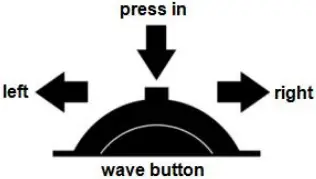
1. short press in: switch the display mode (confirm the option after entering the setting)
2. long press in: enter the setting, short press in to choose menu, after adjusting, long press in to save and exit
3. press left: switch vehicle speed and driving direction angle (move option after entering setting)
4. long press left: when you hear Didi turn off the buzzer, again to turn on the buzzer
5. press right: switch time, satellite number, travel distance, travel time, acceleration time per 100 kilometers (move option after entering the setting)
Enter setting mode:
Long press in to enter into the setting mode, press in to choose the menu, press left or right to adjust the value. Once finishing the setting, long press in to save and exit.
| menu | Function Parameters | Adjustment range | Explanation | Default value | Set parameter valueinterface |
 | speed | 50-150 | Adjust the parameter value when there is an error between HUD and dashboard. Ex: dashboard displays 100 KM/H, HUD displays 105 KM/H. Please adjust the parameter value to 102.(107-5) | 107 | 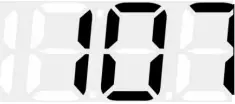 |
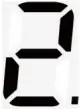 | Over speed alarm | 0-250 | When the vehicle speed reach to 150, HUD will give the alarm | 150 | 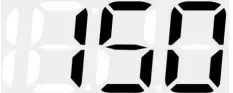 |
 | Fatigue driving alarm | 1.0-8.0 | HUD will give fatigue driving alarm each 4 hours | 4.0 | 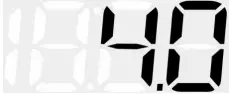 |
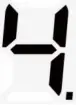 | Brightness adjustment | 0-11 | 0=automatic sensitivity adjustment 1-11=manual adjustment 1=darkest, 11=brightest 1→11 is increasing | 0 | 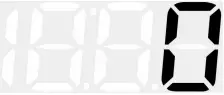 |
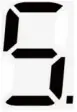 | Speed unit | 0-1 | 0=KM/H (kilometers) 1=MPH (miles) | 0 | |
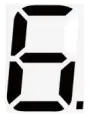 | Time adjustment | 0:00-12:00 | Adjust the time zone when the satellite is not received. Default=East 8 area, only need to calibrate the local time after the satellite is found | 0 | 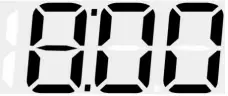 |
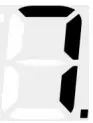 | Factory reset | 0-1 | default=0, →1, long press in for 3 seconds to save and exit | 0 | |
Troubleshooting
1.The screen without any display, and no power
Check whether the USB cable is damaged, replace the USB cable for testing, and prohibit the use of voltage higher than 5V for power supply
2.Without car speed
After HUD power-on, the satellite icon flashes will start to find the satellite. Please driving the car to the road. It will work after it stops flashing
3. Time adjustment
After the satellite icon is flashing and the satellite is found, long press in to enter the setting, short press in to turn to 6, adjust and calibrate the local time
4.Inaccurate speed
a. First check the speed unit is correct or not, the speed unit including KM/H and MPH, please refer to the setting to switch the unit.
b. The car manufacturers usually make the dashboard speed 5-7% higher than the ECU. The international standard is based on satellite data.
c. The speed adjustment steps are as follows:
After the GPS speedometer is displayed normally, press and hold the wheel button vertically for 3 seconds to enter item 1 (1-7), then toggle the wheel button left and right to adjust the speed (default is 107. If your car speed is 30MPH and the GPS speedometer speed is 35MPH, then you need to toggle the wheel button to the left to adjust “107” to “102”. Conversely, if your speed is 35MPH and the GPS speed is 30MPH, you need to toggle the wheel button to the right to adjust “107” to “112”), and finally press and hold the wheel button vertically for 3 seconds to save and exit.
5.Driving direction display error
After the vehicle speed exceeds 5KM / H, the direction can be displayed normally.
6. Speed is still displayed after the car stops
Under the underground parking lot, tunnel, under the overpass, there will be unstable satellite drift when there is obstruction.
7.Turn off the buzzer
Press left for 2 seconds to turn off the buzzer, again to turn on.
8.Unit MPH and KM/H switching
After the GPS speedometer is displayed normally, press and hold the wheel button vertically for 3 seconds to enter item 1 (1-7), then press the wheel button vertically to switch to item 5, then toggle the wheel button to the left or right to adjust to the desired unit (“1” is MPH, “0 ” for KM/H), and finally press and hold the scroll wheel button vertically for 3 seconds to save and exit.