Sinus Optimum Motor Control
Product Information
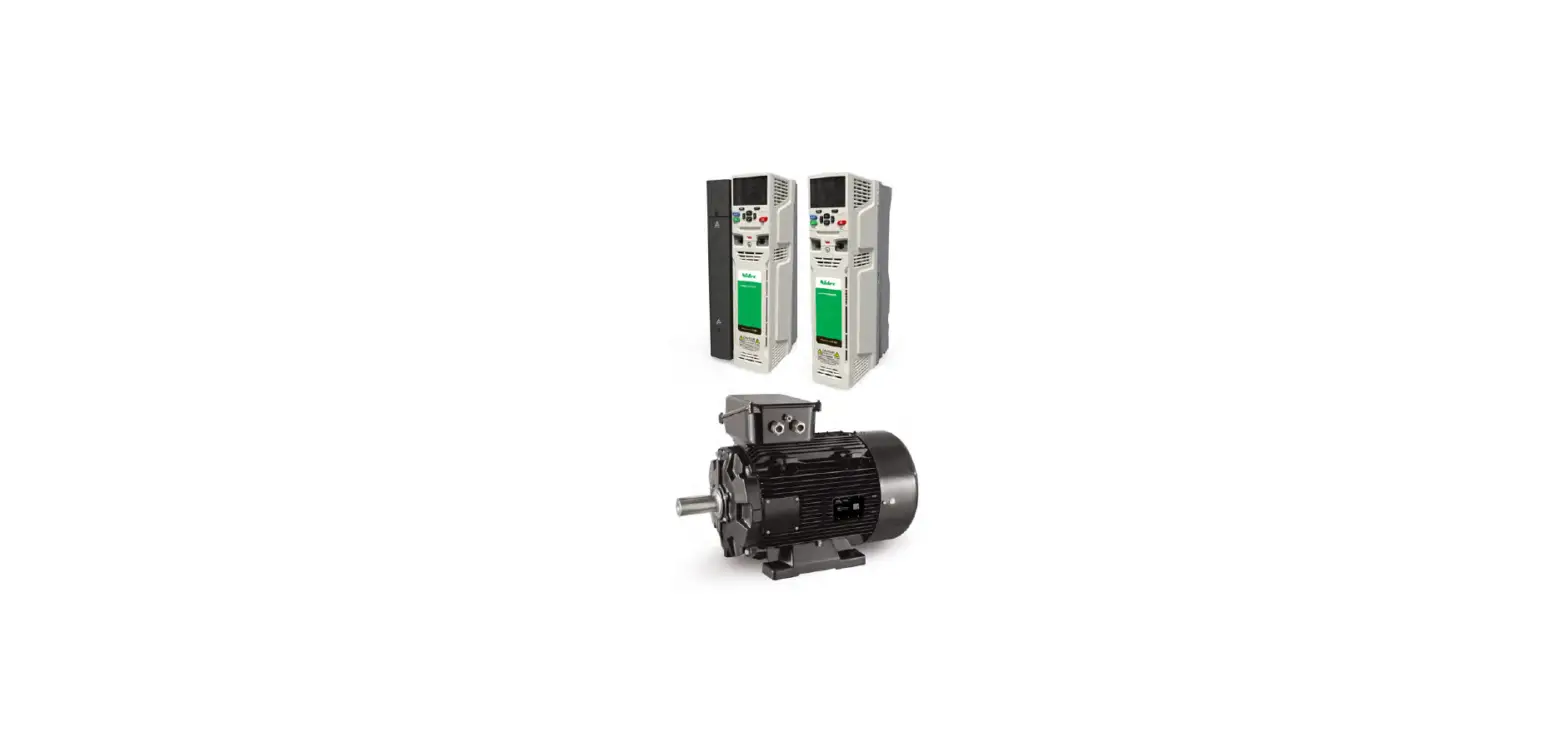
The NFO Sinus Optimal is an inverter designed for various
applications. It is important to follow the installation and usage
instructions provided in this guide to ensure proper functionality
and safety.
1. Mechanical Installation
- Inspect the inverter upon unpacking to ensure there is no
damage. - Do not install the inverter if it has cracks, dents, or visual
damage. - Avoid installing the inverter where outlet air from another
inverter or equipment blows directly into the inverter air
intake. - Maintain a minimum clearance of 80 mm above and below the
inverter. - All terminals can be accessed by opening the plastic cover.
Ensure there is a free space of 200 mm above the inverter to use
the snap-and-hold-open functionality of the cover. - Avoid foreign objects falling into the inverter during
installation, as it may cause a short circuit. - Do not drill in the chassis or cover of the inverter.
- After installation, ensure all grommets at the cable entries
are mounted, and the cover is closed and secured with screws to
prevent access to dangerous voltages.
1.1 Mounting
- Unscrew the two lower captive screws and loosen the inverter
from the backplate. - Fasten the backplate to a vertical surface using four screws,
ensuring that the top mounting screws can hold the entire weight of
the inverter. - Place the inverter on the backplate by aligning the chassis
cut-out with the backplate hooks. - Tighten the lower captive screws on both sides.
2. Electrical Installation
- Connect mains power to terminals L1, L2, L3, and PE.
- Connect the motor cable to terminals U, V, W, and PE using
standard unshielded cable. - Do not install contactors or switches between the inverter and
the motor that may disconnect the motor from the inverter
output. - A motor safety switch can be mounted between the inverter and
the motor, but it should only be operated when the motor is not
running. - During the first power-up, the installer must select the
application, enter motor nameplate data, and perform motor
tuning. - Connect or install the necessary low voltage signaling required
for your application (e.g., run signal for start/stop, analog input
for setpoint, communication). - Ensure the run signal is not activated until the installer has
completed the setup of the inverter. - Ensure proper isolation of low voltage signal wires when
passing near power cables.
3. Initial Setup and Tuning
3.1 Select Application
When powering up the inverter for the first time after
installation or performing a factory reset, the installer will be
prompted to select the application type for the inverter. The
purpose of this selection is to preset acceleration and
deceleration ramps suitable for the specific application.
Note that the preset values are general suggestions, and
depending on other operating conditions, the installer may need to
further adjust the acceleration and deceleration ramps.
Application: Pump
Description: Set acceleration and deceleration
ramps suitable for general pump applications.
Quick Installation Guide
NFO Sinus Optimal
1 Mechanical installation
When unpacking the inverter, carefully inspect the product and make sure it has not been damaged during transportation. An inverter with cracks, dents or other visual damage shall not be installed.
The inverter must not be installed so that outlet air from another inverter or other equipment blows directly into the inverter air intake. A minimum of 80 mm clearance must be kept above and below the inverter.
All terminals are accessed by opening the plastic cover. To be able to use the snap-and-hold-open functionality of the cover, a free space of 200 mm is required above the inverter.
During installation it is important that no foreign objects, such as cable strands or screws, fall into the inverter as a short circuit may occur. Drilling in chassis or cover is not allowed.
After installation, make sure all grommets at the cable entries are mounted and that the cover is closed and secured with its screws to avoid access to dangerous voltages.
1.1 Mounting
Unscrew the two lower captive screws and loosen the inverter from the backplate. Fasten backplate to a vertical surface using four screws. Make sure that the top mounting screws are
sufficiently strong to hold the entire weight of the inverter. Place the inverter on the backplate by mating the chassis cut-out to the backplate hooks. Tighten the lower
captive screws on both sides.
NFO Drives AB 2021
1
201016-3 Quick Installation Guide
2 Electrical installation
Connect mains power to terminals L1, L2, L3 and PE. Connect motor cable to terminals U, V, W and PE using standard unshielded cable.
Never install contactors or switches between the inverter (terminals U, V and W) and the motor that intentionally or unintentionally may be used to disconnect the motor from inverter output.
A motor safety switch can be mounted between the inverter (terminals U, V and W) and the motor, but it must only be operated when the motor is not running.
First time powered up, the installer must select application, enter motor name plate data, and perform a motor tuning (see next section). Connect/install the necessary low voltage signalling that is required for your application, e.g. a run signal for start/stop, analog input for setpoint, communication, etc.
Make sure run signal is not activated until installer has completed the setup of the inverter.
Make sure the low voltage signal wires have sufficient isolation when passing nearby power cables.
NFO Drives AB 2021
2
201016-3 Quick Installation Guide
3 Initial setup and tuning
3.1 Select application
First time powered up after installation, or after performing a factory reset of parameters, the installer will be prompted to select application type for the inverter.
The purpose of selecting application is to preset acceleration and deceleration ramps to a value suitable for the application in question.
Please note that the preset values are a merely suggested general values. Depending on other operating conditions, the installer may have to further adjust the accel/decel ramps.
Application
Description
Pump
Set acceleration and deceleration ramps suitable for general pump applications
Ventilation / other Set acceleration and deceleration ramps suitable for ventilation fan applications
OEM vacuum pump To be used only with OEM vacuum pump application
3.2 Enter motor data and perform tuning
First time powered up after installation, or after performing a factory reset of parameters, the installer must enter the motor name plate data. The motor data is entered in the parameter group Motor and consists of P-nom, U-nom, f-nom, N-nom, I-nom and cos . The data can be read from the motor name plate.
After motor data is entered, the installer must perform a motor tuning during which the inverter measures and calculates the electrical properties of the motor. The tuning command is located in parameter group Motor, adjacent to the motor data values. Select `Full’ tuning for most thorough measurement.
Until a correct tuning is performed, the inverter will toggle the status message `Not Tuned’ on the display.
Please refer to the Operating and Installation Manual for a complete description of the tuning commands.
3.3 Check rotation direction
After selecting application, entering motor data and performed tuning, it may be necessary to check/verify correct rotation direction of the rotor.
This can be done by starting the motor at a low speed in manual mode.
Manual mode is selected when lower right corner of display reads `Manual’. Pressing the `MAN / AUTO’ button toggles between manual and auto mode.
Pressing `START’ button in manual mode starts the motor.
Direction of rotation can be changed by changing the parameter `Phase order’ in parameter group `Run’. The motor must be stopped when changing this parameter.
Default setpoint frequency in manual mode is 10.0 Hz. If necessary, increment or decrement setpoint using the arrow up/down buttons.
When ready, press `STOP’ and then press the `MAN / AUTO’ button to select `Auto’ mode. The inverter is now ready to start operating according to the connected control signals.
NFO Drives AB 2021
3
201016-3 Quick Installation Guide
Keyboard and menu summary
Button Function
Enter into parameter or parameter-group. Save parameter.
Enter/toggle between normal screen and setup menu tree. Leave parameter, parameter-group or leave parameter unsaved. Toggle Operating mode between Manual and Auto. Starts motor in Auto mode if Run signal active.
Starts motor in Manual mode.
Stops motor in all modes. NOTE: A bus master may start motor at any time Increase parameter when changing. Moves between parameter-groups or parameters. Decrease parameter when changing. Moves between parameter-groups or parameters.
Motor Ramp Run Control Freq. Speed PI-reg Output Comm. Status Temp. Display Count. Version Error
P-Nom
Accel Time
Phase Control Op Order Mode Mode
Op Mode
Op Mode
Relay 1 RS485 Mode bustype
Urms
Motor Display Operate COP Error Temp Par 1 Time Version Log
U-Nom
Decel Time
Stop Mode
Auto Start
FixFrq1
FixSpd1
FixReg1
Relay 1 Freq
RS485 addr
I-rms
Power Display Module Par 2
Run Time
DSP Restart Version Delay
f-Nom
Ramp Brkpoint
Energy Save
An Input 1 Type
FixFrq2
FixSpd2
FixReg2
Relay 2 Mode
RS485 baud
Pout
COP Display Brake GUI Reset Temp Par 3 Time Version Time
N-Nom
Alt Accel Time
Pwr On Delay
An Input 2 Type
FixFrq3
FixSpd3
FixReg3
Relay 2 Freq
RS485 char
PF
Heat Sink 1
Bklight Cur Lim Level Time
Prod Date
AC Fail
I-Nom
Alt Decel Time
Run Delay
Dig In Config
FixFrq4
FixSpd4
FixReg4
AnOut 1 Mode
RS485 timeout
DC Link
Heat Sink 2
Bklight Timeout
DC Low Time
Serial Number
Temp Hi
cos
Stop Delay
Limit ManSetp
FixFrq5
FixSpd5
FixReg5
AnOut 1 RS485 Type autostop
Brake Chop
Heat Menu Start Sink 3 readonly Count
PTC Temp
Tuning
DC Brake
FixFrq6
FixSpd6
FixReg6
AnOut Max
1
RS485 failsafe
Stator Freq
Heat Show Alarm Sink 4 freq in % Count
Over load
R-stator
Kp Speed
FixFrq7
FixSpd7
FixReg7
AnOut 2 Mode
USB bustype
Rotor Freq
Fan 1 Volt
Output Energy
Ain Fail
R-rotor L-main Sigma
Ti Speed
Sleep Freq
Bypass Freq
An Min An Min Setpoint AnOut 2 USB Control Freq Speed Min Val Type addr Freq
An Max An Max Setpoint AnOut 2 USB Rotor Freq Speed Max Val Max timeout Speed
Actual Analog USB Control Min Val 1 Out autostop Speed
Fan 2 Volt
Fan 3 Volt
Fan 4 Volt
Total Energy
DC Low
DC High GND Fail
I-magn
Bypass Bandw
Actual Analog ABCC Actual EXT Max Val 2 Out interface Torque 24V
Short Circuit
I-limit
Boost Time
Setpoint Min Lim
ABCC Control USB bustype Torque 5V
Imagn Low
Pole Count
Boost Level
Setpoint Max Lim
ABCC Actual addr Reg
Current Low
T-nom
Reg Amp
ABCC Setpoint timeout Reg
Current High
Tuned status
Reg Kp
ABCC autostop
AnIn1
U
Current Limit
Reg Ti
Auto Reset
AnIn1 I
Run Fail
MinFreq
AnIn2 U
MaxFreq Reg Unit
AnIn2 I Keybrd
Off Limit
Terminal
On Limit
NFO Drives AB 2021
4
201016-3 Quick Installation Guide