 AP-20B/DF
 User’s manual
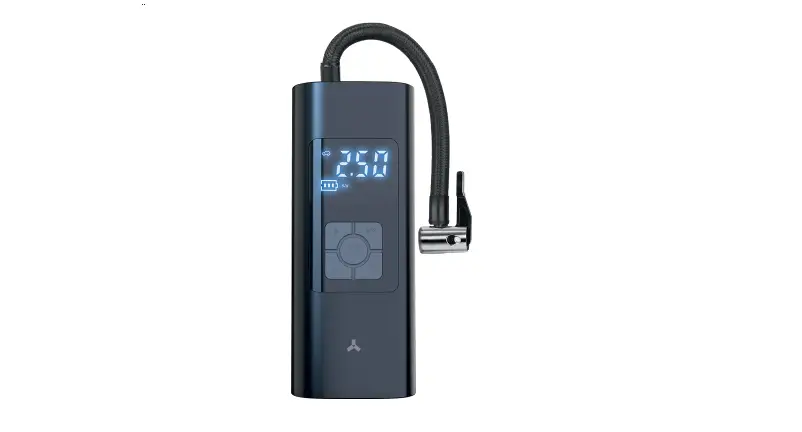
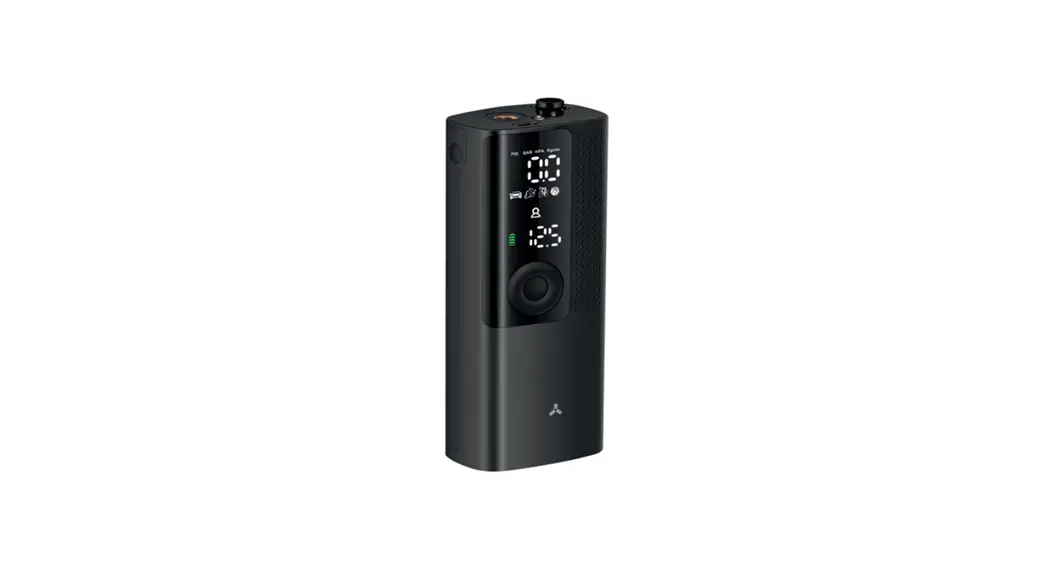
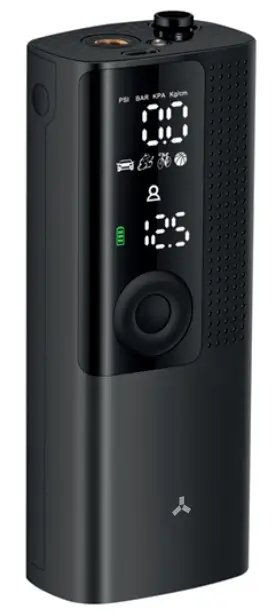
Thank you for purchasing the Accesstyle AP-20B/DF car compressor.
Please read this user manual carefully before using this product and keep it for future reference.
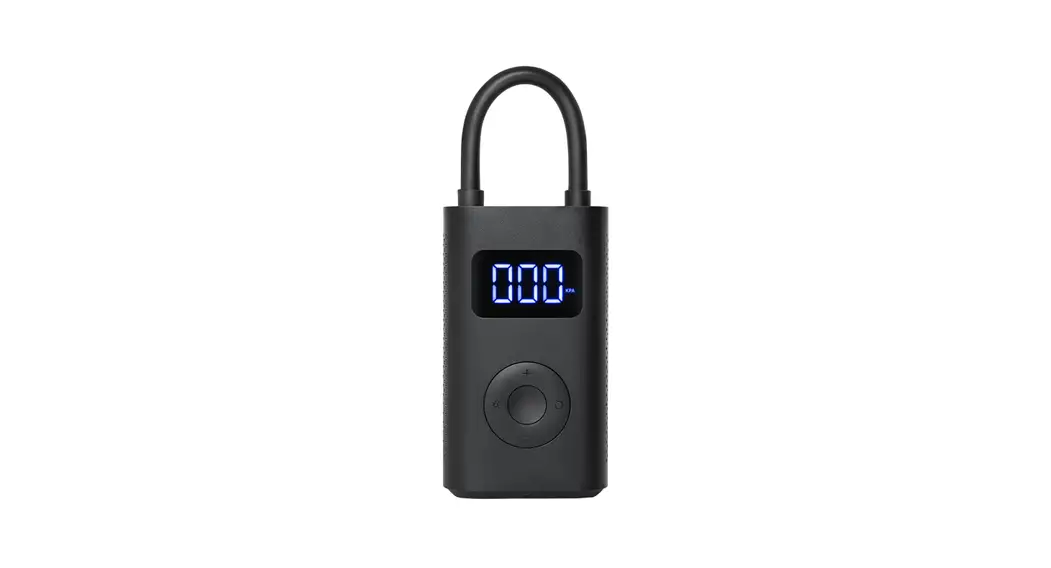
The compressor designed for inflating car tires, bicycle tires, inflatable boats , toys, sport balls, etc. The compressor uses internal battery to operate and doesn’t require cable connection for inflation. The battery should be charged eventually with the socket adapter 5V output.
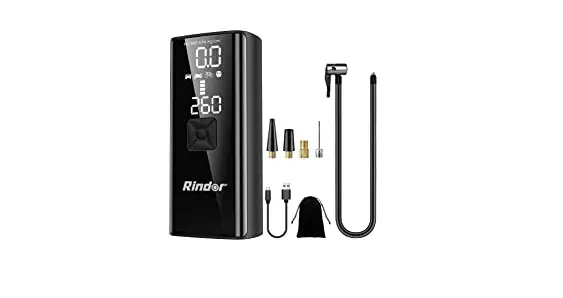
What’s in the set
- Battery air pump Accesstyle AP-20B/DF — 1 pc.
- Additional adapter nozzles – 3 pcs
- Storage and carrying bag – 1 pc.
- Operation manual – 1 pc.
- USB charging cable – 1 pc
Specifications
| Model: | Accesstyle AP-20B/DF |
| Case material: | Plastic |
| Voltage: | 7,4 V |
| Gauge: | Electronic display |
| Nominal power: | 35 W |
| Max pressure: | 8 BAR |
| Battery capacity | 2000 mAh/ 7,4V |
| Charging input | 5V/2A |
| Efficiency: | 20 1/min |
| Operating temperature range: | -10/+45 |
| Hose length: | 15 cm |
| Device size: | 41 *61*155 mm |
| Device length: | 430 g |
Device layout
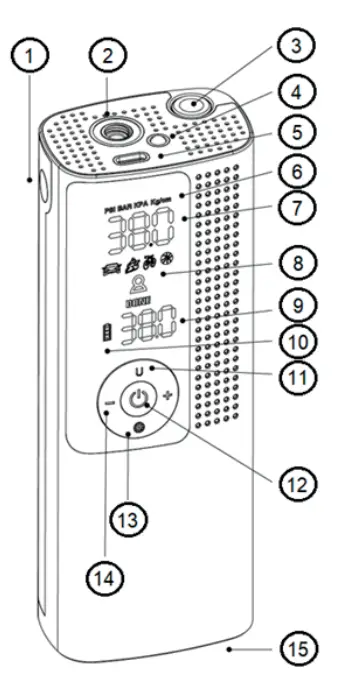
- Deflate button
- Hose connector
- Built in hose compartment
- LED light
- USB Type-C power input
- Measurement units
- Real time pressure display
- Modes
- Preset pressure
- Battery status
- Unit switch / LED light
- Power On / Off, Inflation On/Off
- Mode switching
- Preset options + / –
- Hose eject button
Operating procedure
- CHARGING
It is recommended to use 5V / 2A for USB charging. Use the Type-C charging cable to connect the tire inflator and the adapter for charging (not supplied). Battery indicator will flash during charging. When battery is full the indicator is solid green.
NOTE: air pump cannot be operated during charging.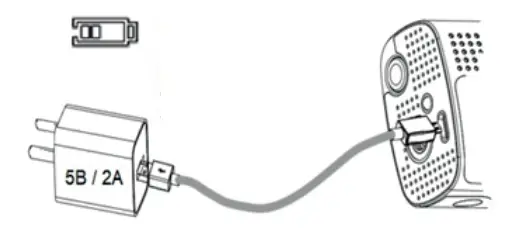
- HOSE CONNECTION
– Push hose eject button (15) and take the hose out o f compart-ment.
– Screw the hose to the hose connector (2) and another side to the tire.
– Use adapter nozzles to pump different items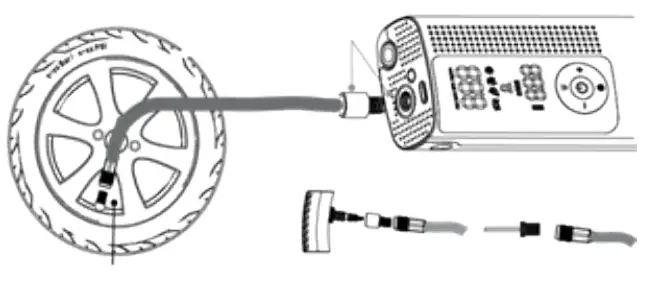
- HOSE STORAGE.
– Store the hose in a special compartment
– Use the ejection button to take the hose out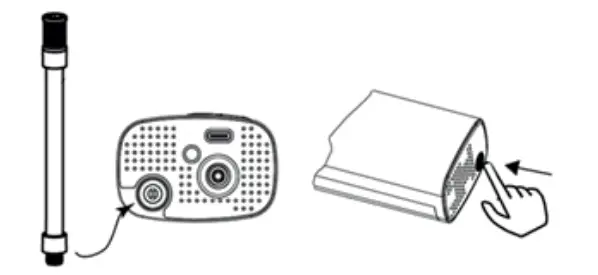
- STARTUP AND SHUTDOWN
Long press the power button (12) for 3 seconds to turn the device ON or OFF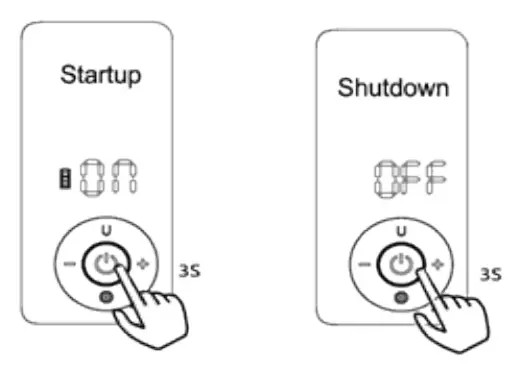
- MODE SWITCH Short press Mode Button (13) to choose one of preset 5 inflatable modes. They are:
Scene mode Reference value Adjustable range Car mode 35 PSI / 2.4 BAR up to 65 PSI / 4,4 BAR Motorcycle mode 40 PSI / 2,7 BAR up to 55 PSI / 3,7 BAR Bicycle mode 38 PSI / 2,6 BAR up to 120 PSI / 8 BAR Custom mode 100 PSI / 6,9 BAR up to 120 PSI / 8 BAR Ball mode 8 PSI / 0,5 BAR up to 15 PSI / 1 BAR - PRESET MODE PROGRAMMING You can adjust preset modes pressure by using -1+ buttons (14). Inflator will save values automatically.
- MEASURE UNIT SWITCHING Short press Unit Button (11) to switch the air pressure unit (PSI/BAR/KPA/K-g/cm2).
- START / STOP INFLATION
– Short press power button (12) to start or stop inflation
– Real time pressure is displayed on the display
– When the pressure reached the preset value inflation will stop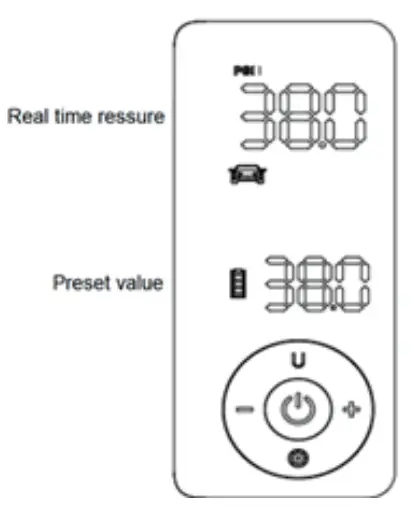
- LED LIGHTING – Long press LED light button (4) to turn the LED light ON or OFF
- PRESSURE MEASURING
– You can use inflator to check the pressure. Turn the device ON and connect it to the tire. The display will show the current tire pressure. - DEFLATION
– You can deflate the tire to the required pressure. Turn the device ON and connect it to the tire. Push deflate button (1) for deflation. The display will show the tire pressure. - RESET DEVICE
– If you turn device ON and the value on the display is not Zero, long press + / – button for 3 seconds to reset the device.
OPERATING RECOMMENDATIONS AND SECURITY MEASURES
- The hose will be overheated after working for a long time. Do not touch the hose and the connector by hand right after inflation process.
- Do not exceed the recommended pressure level in the pumped volume. Inflate tires and other items strictly to the level recommended by manufacturers.
- Keep the battery level high when storage in order to use inflator in the time of necessity.
- The compressor is equipped with a set of universal adapters, which you can use to inflate bicycle tires, rubber boats, mattresses, children’s inflatable toys, sport balls, etc
WARNING!
- Do not disassemble the device. Do not repair it yourself. For repairs and maintenance, contact the service centers.
- Do not place the compressor on an unstable surface, protect it from falling.
- Keep the compressor away from water and other liquids. Do not allow the compressor to operate in heavy rain.
- Charge compressor only with suitable charger.
- Do not leave the device unattended during operation.
- Do not store the product in a place that is too cold or hot
- Do not operate the compressor in explosive environments.
- Keep away from children.
ACCESSTYLE WARRANTY TERMS AND CONDITIONS
- The warranty terms and conditions set forth below comply with the Russian Federation applicable legislation on consumer goods trading.
- The warranty period of this Product is 1 (one) year starting from the time of the original purchase.
- The product’s lifetime is 2 (two) years and shall commence at the date of purchase, or, failing that, production date;
- This warranty shall not apply to:
4.1. Cables, adapters, variety of media (discs, memory cards with software), cases, extension cables, clips, variety of holders, package and documents.
4.2. Normal wear and tear or the product’s outer surface damages.
4.3. Defects caused by moisture, dampness, extreme temperature, microwave energy, pressure, hit, influence of animals and insects, liquids, food, dust and chemicals entering the product.
4.4. Product, repaired or modified by persons, except those names in paragraph
5. 4.5. Product, misused or used in violation of the user manual.
4.6. Defects caused by use of incompatible equipment or accessories. - Warranty service shall be performed by dully authorized bodies: authorized service centers listed on Support webpage: http://www.accesstyle.ru and available on 8-800-250-07-17. During the warranty period any production defects shall be repaired free of charge upon presenting the filled valid warranty certificate and/ or documents indicating the proof of purchase and the date of purchase (cash receipt). The documents shall contain model name of the product, date of purchase, trade organization details. An authorized body shall be entitled to refuse warranty service in case of absence of the required documents.
- Warranty period shall be extended to the service period. Replacing of parts, components or the whole package shall not result in a new warranty period for the product or for the replaced parts.
- Under no circumstances shall the Producer, Importer and organizations authorized by the Importer be liable for any direct, indirect, incidental, special or consequential damage or including but not limited to any loss of profit, loss of use of information or data; information or data restoration costs, loss arising out of use or inability to use Accesstyle products resulted in interruption of a commercial, production or other activity.
Warranty certificate
Product name: ———————-
Serial number: ———————-
Date of purchase: ——————-
Signature of the sales person: ———–
Trade organization name and address:
The quality of product has been checked in my presence, I have no claims. I have obtained the full and complete product. I hereby declare that I have read and agree with the warranty terms and conditions.
Customer signature.