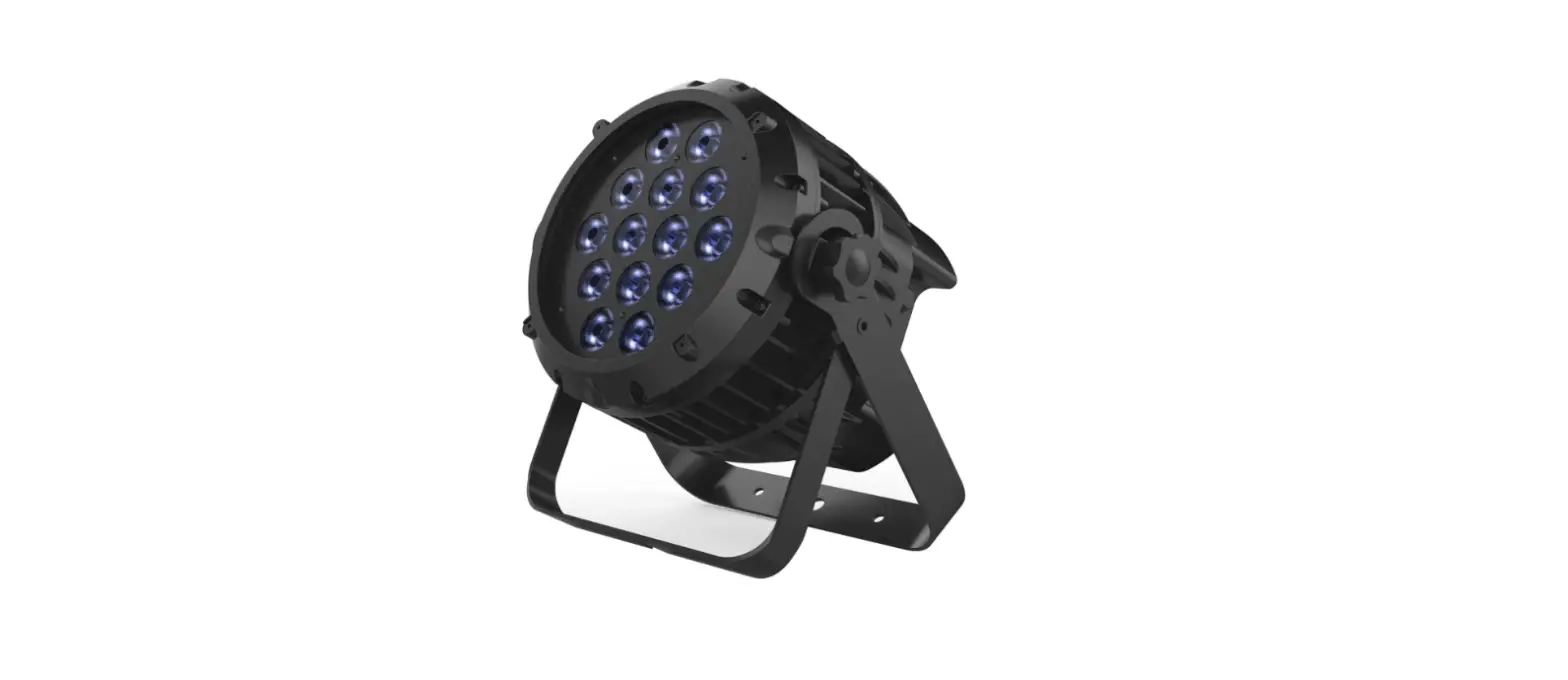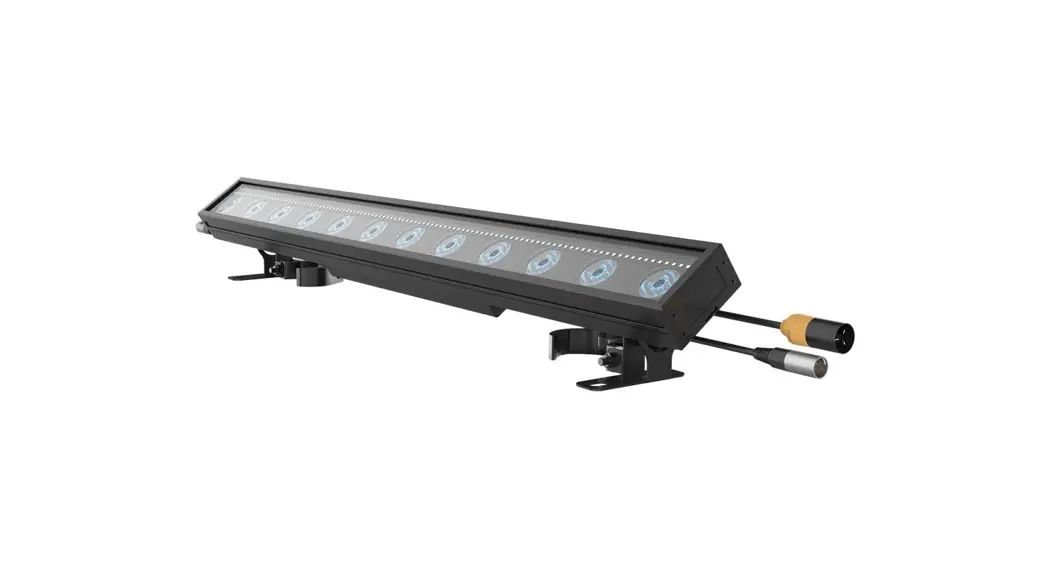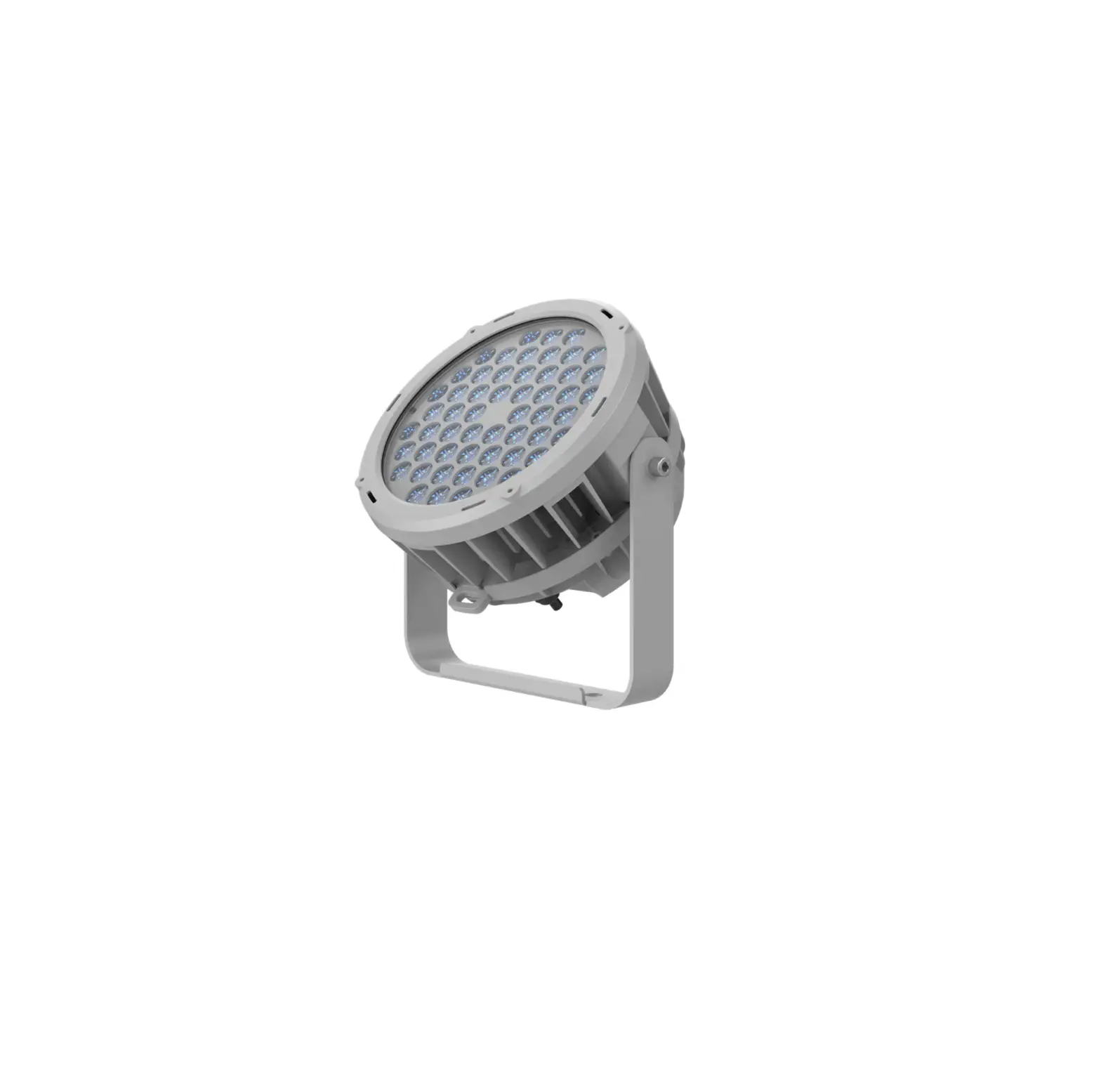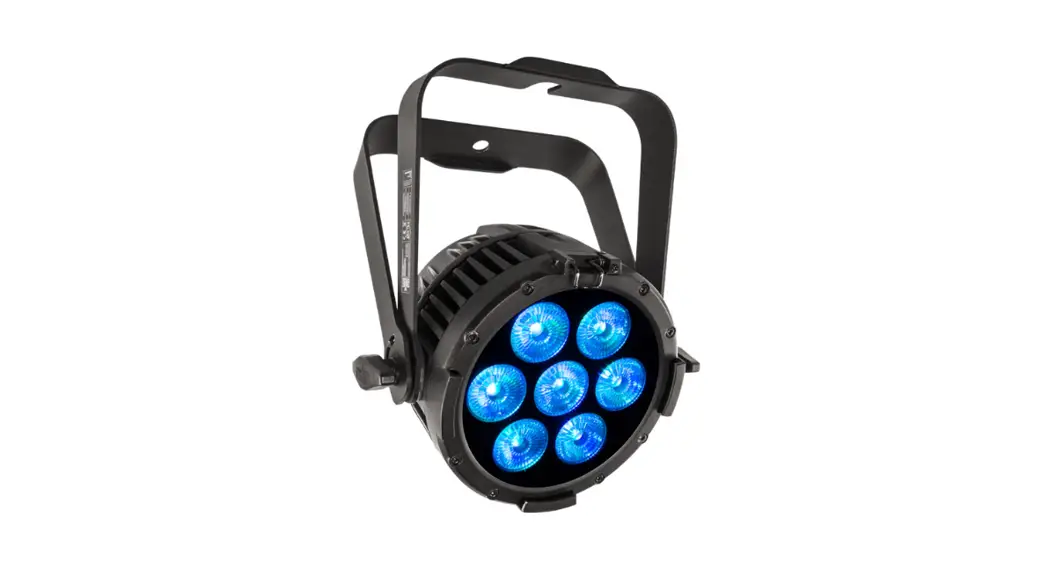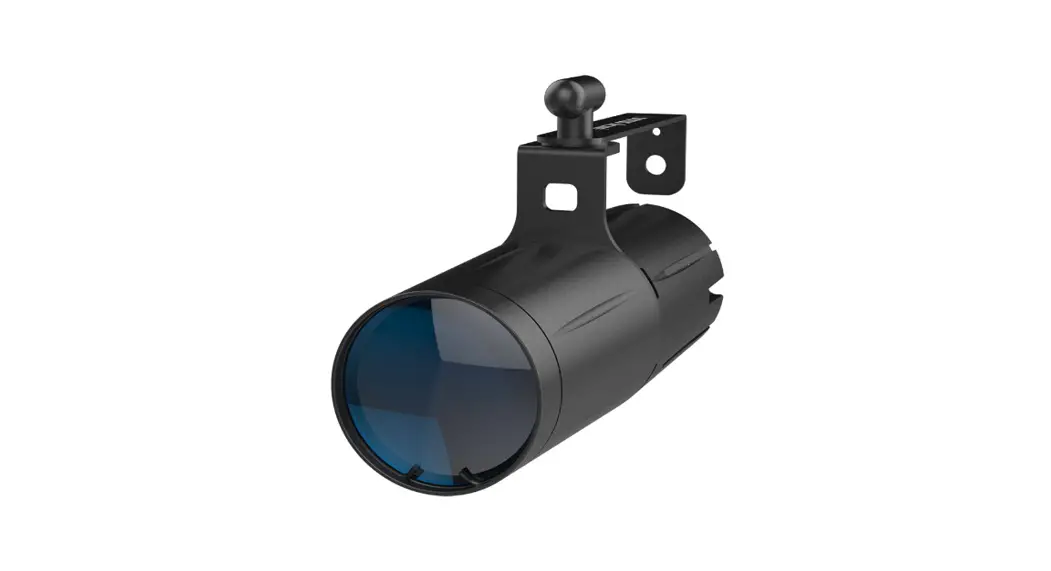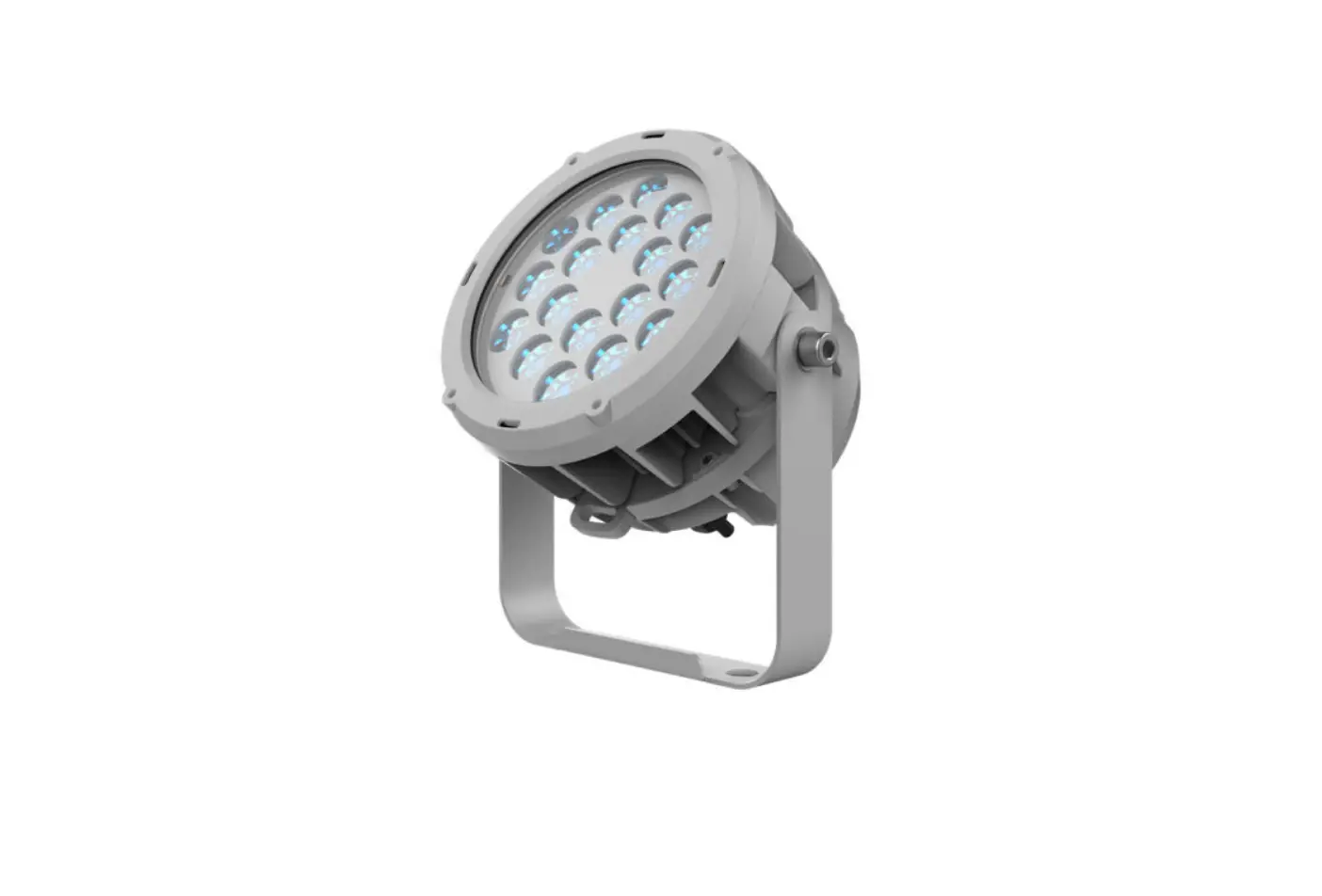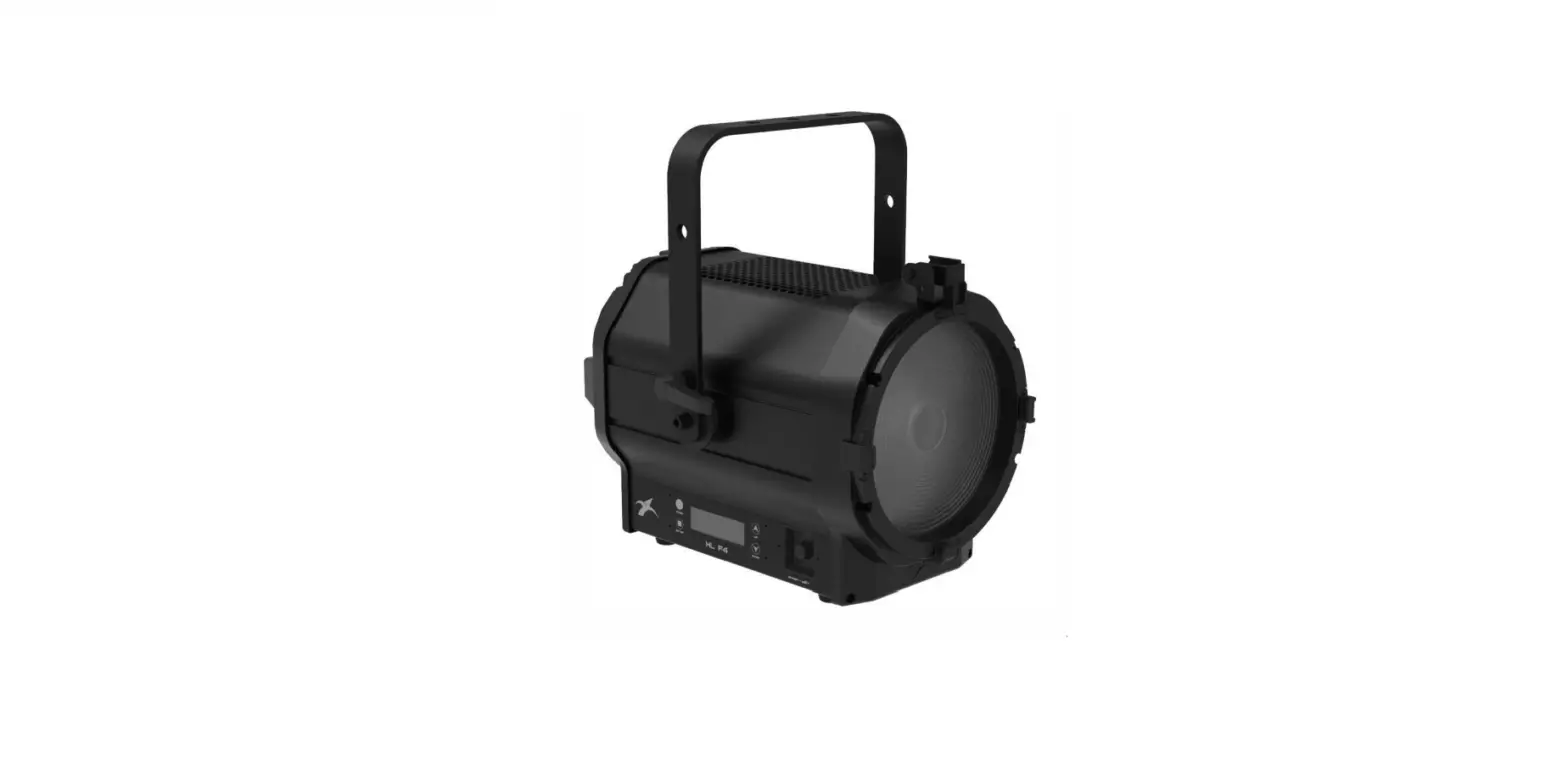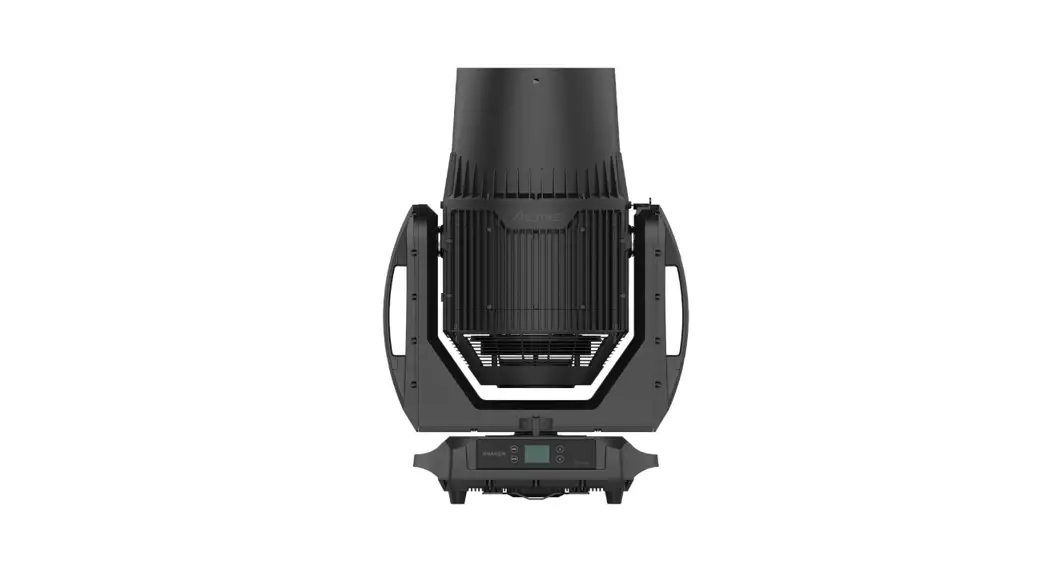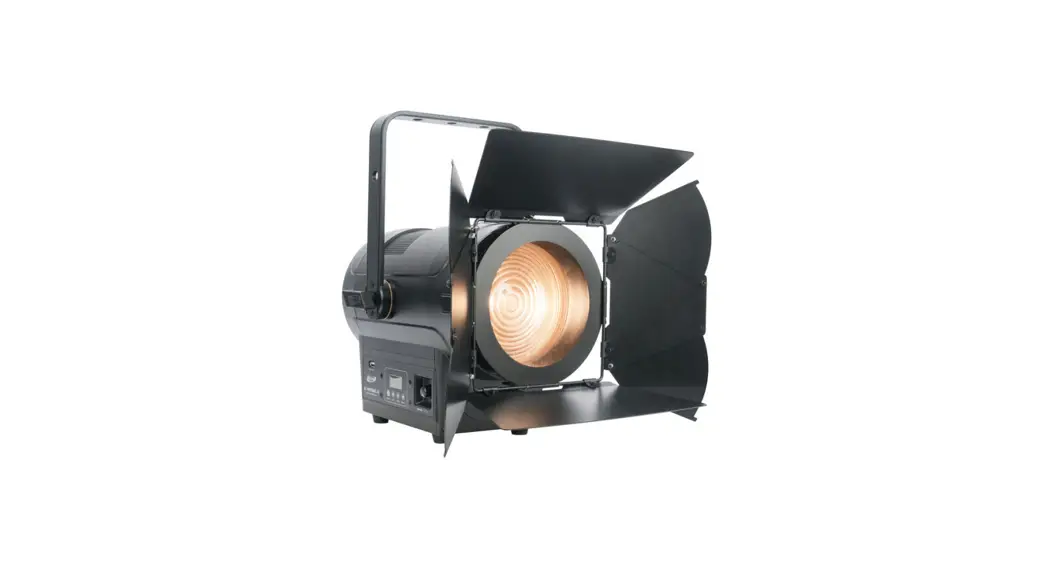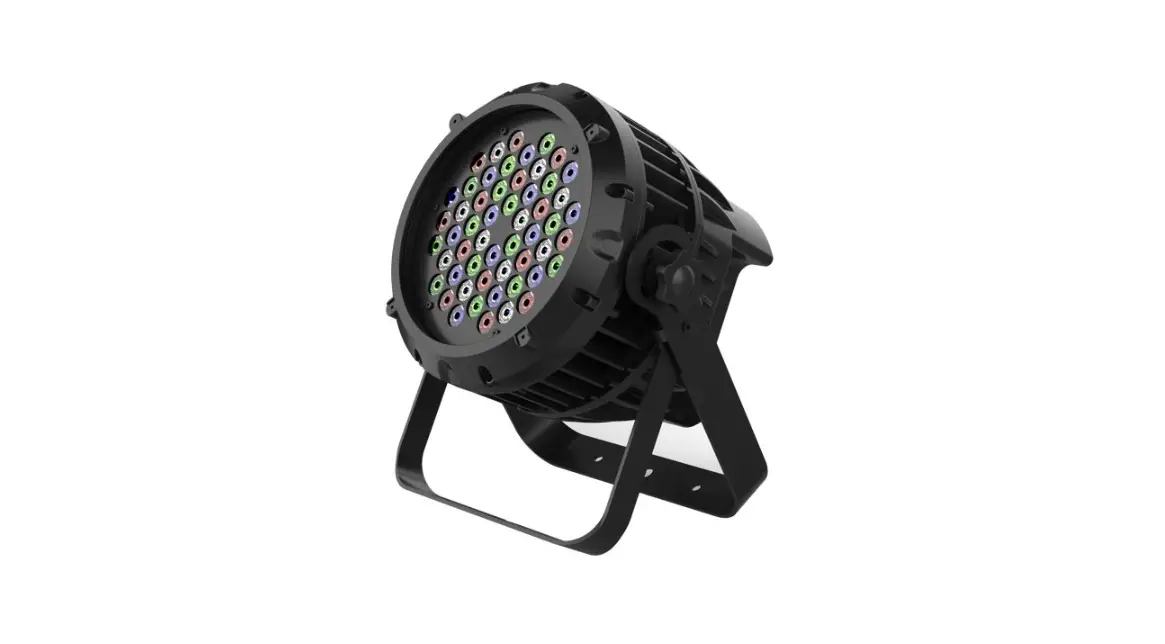

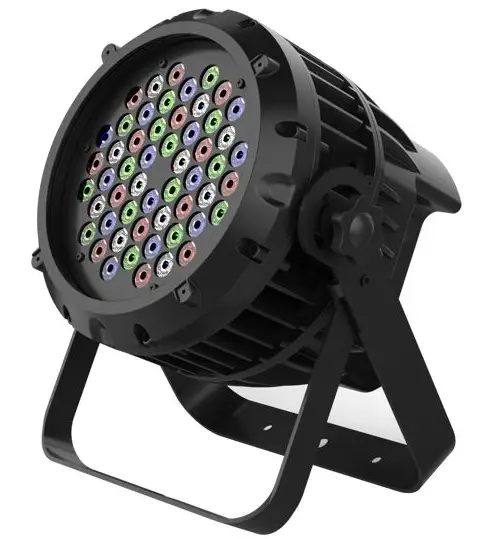
ACME Coolie 545 RGBW LED
Safety Instructions
Please read the instruction carefully which includes important information about the installation, usage and maintenance.
WARNING
Please keep this User Guide for future consultation. If you sell the unit to another user, be sure that they also receive this instruction manual.
Important:
Damages caused by the disregard of this user manual are not subject to warranty.
The dealer will not accept liability for any resulting defects or problems.
- Unpack and check carefully to ensure that there is no transportation damage before using the unit.
- This product is suitable for wet locations. Do not immerse in water.
- DO install and operate by qualified operator.
- DO NOT allow children to operate the fixture.
- Use safety chain when fixing the unit. Handle the unit by carrying its base instead of head only.
- The unit must be installed in a location with adequate ventilation, at least 50cm from adjacent surfaces.
- Be sure that no ventilation slots is blocked, otherwise the unit will be overheated.
- Before operation, ensure that you are connecting this product to the proper voltage in accordance with the specifications in this manual or on the product’s specification label.
- It’s important to ground the yellow/green conductor to earth in order to avoid electric shock.
- Minimum ambient temperature TA: 0℃. Maximum ambient temperature TA: 40℃. Do not operate this product at a lower or higher temperature.
- DO NOT connect the device to any dimmer pack.
- Keep flammable materials away from the fixture while operating to avoid fire hazard.
- Make sure the power cord is not crimped or damaged; replace it immediately if damaged.
- Avoid any flammable liquids, water or metal from entering the unit. Once it happens, cut off the mains power immediately.
- DO NOT operate in a dirty or dusty environment. DO clean the fixture regularly.
- DO NOT touch any wire during operation as there might be a hazard of electric shock.
- Avoid entanglement of the power cord with other wires.
- In the event of serious operating problem, stop using the unit immediately.
- Never turn on and off the unit time after time.
- The housing, the lenses, or the ultraviolet filter must be replaced if they are visibly damaged.
- DO NOT open the housing as there are no user serviceable parts inside.
- DO NOT attempt to operate this unit if it becomes damaged. DO NOT attempt any repairs yourself. Repairs carried out by unskilled people can lead to damage or malfunction. Please contact the nearest authorized technical assistance center if needed.
- Disconnect this product from its power source before servicing.
- DO use the original packaging if the device is to be transported.
- Avoid direct eye exposure to the light source while the product is on.
- DO NOT operate this product if you see damage on the housing, shields, or cables. Have the damaged parts replaced by an authorized technician at once.
Installation
The fixture should be fixed on the clamp. Always ensure that the unit is firmly fixed to avoid vibration and slipping off during operation. Ensure that the trussing or area of installation must be able to hold 10 times the weight without any deformation. Always install a safety cable that can hold at least 12 times the weight of the fixture when installing.
DO install and operate by qualified operator. It must be installed in a place where there is out of the reach of people.
Technical Specifications
- Power Voltage:
- 100-240V~ 50/60Hz
- Power Consumption:
- 170W
- Light Source:
- 54x3W RGBW LED
- Beam Angles:
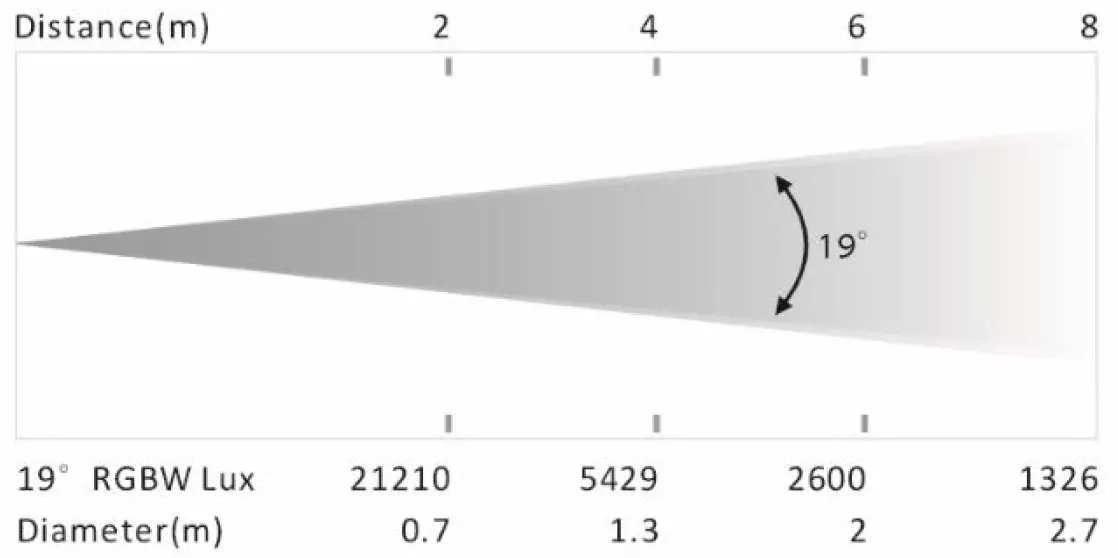
- 19°
- Control:
- DMX Channel: 4/5/7/8 channel
- Control Mode: DMX512, Primary/Secondary
- Firmware Upgrade: Update via DMX link
- Construction:
- Display: LED display
- Data In/Out Socket: 3-pin XLR socket
- Protection Rating: IP66
- Features:
- Outstanding color mixing effect
- Preset program in stand-alone mode
- 0~100% smooth dimming; various strobe speeds
- Dimension/Weight:
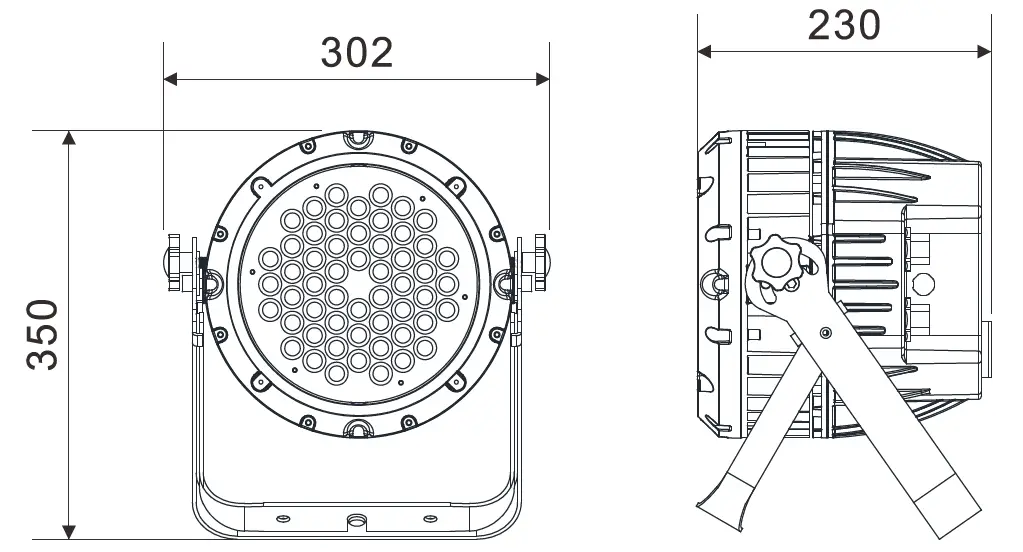
- 302x230x350mm, 9.1kgs
- 11.9”x9.1”x13.8”in, 20.1lbs
- Photometric Diagram:

How To Set The Unit
Control Panel
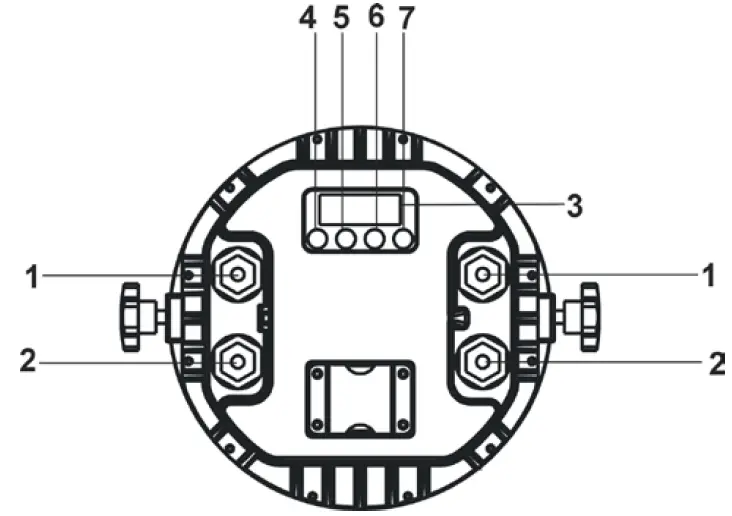
- POWER IN/OUT:
Water proof connectors for power input/output - DMX IN/OUT:
Water proof connectors for DMX512 operation, use 3-pin XLR cable to link the units together 3. Display:
To show the menu and the selected functions
Button:
| 4. MENU | To select the programming functions |
| 5. UP | To go backward in the selected functions |
| 6. DOWN | To go forward in the selected functions |
| 7. ENTER | To confirm the selected functions |
Main Function
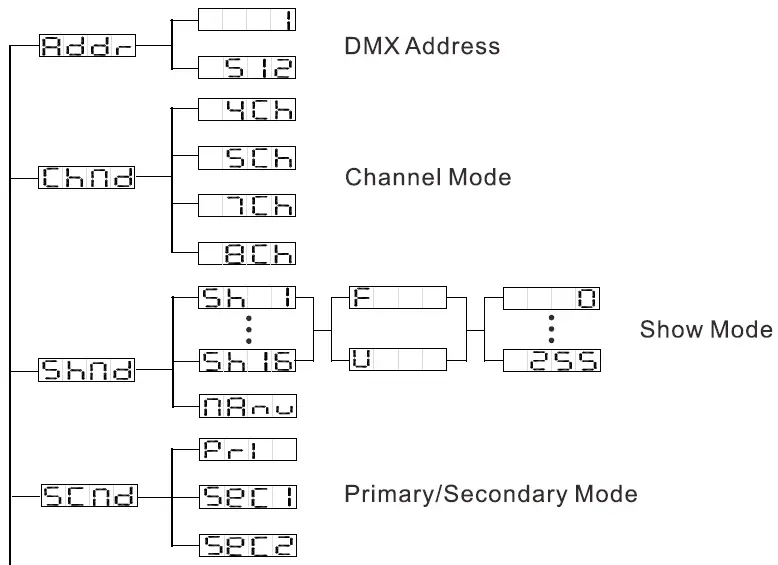
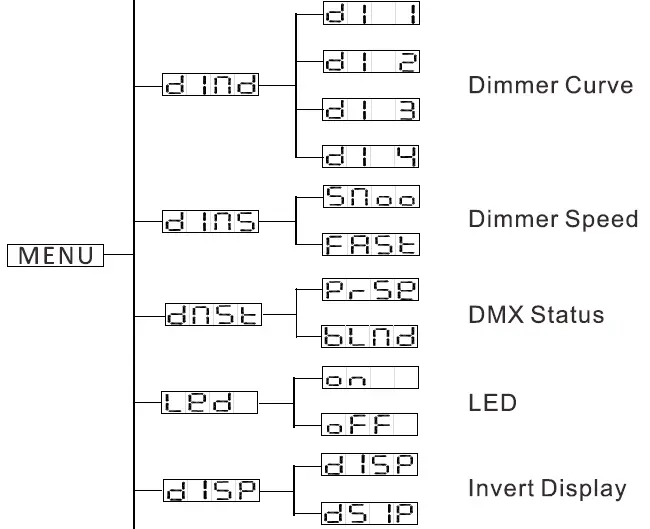
Turn on the unit, press the MENU button into menu mode, and press the UP/DOWN button until the required function is shown on the monitor. Select the function by pressing the ENTER button. Use the UP/DOWN button to choose the submenu, press the ENTER button to store and automatically return to the last menu. Press the MENU button or let the unit idle 30 seconds to exit menu mode.
The main functions are shown below:
Once you set  to
to  , after running in show mode for 5 minutes without any change or restarting the unit, the key board become locked. Press ENTER button to enable the menu, the display will show
  , press UP and DOWN button until it shows
 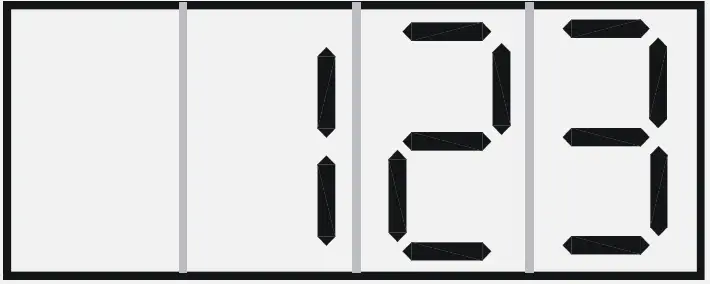 , then press ENTER to unlock.
 DMX Address
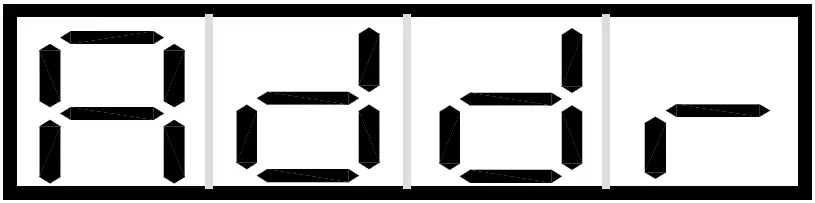
Press the MENU button up to when the is shown on the display. Press ENTER button and the display will blink. Use DOWN and UP button to change the DMX512 address. Once the address has been selected, press ENTER button to setup or automatically exit menu mode without any change after 30 seconds. Back to the previous functions without any change press MENU button.
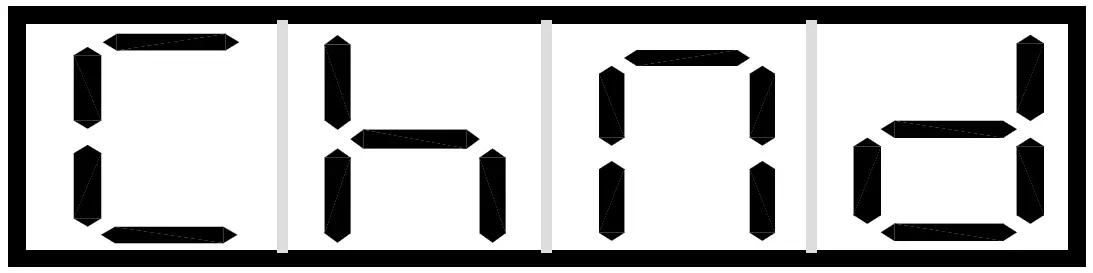 Channel Mode
Press the MENU button up to when the is shown on the display. Press ENTER button and the display will blink. Use DOWN and UP button to select the  (4 channels),
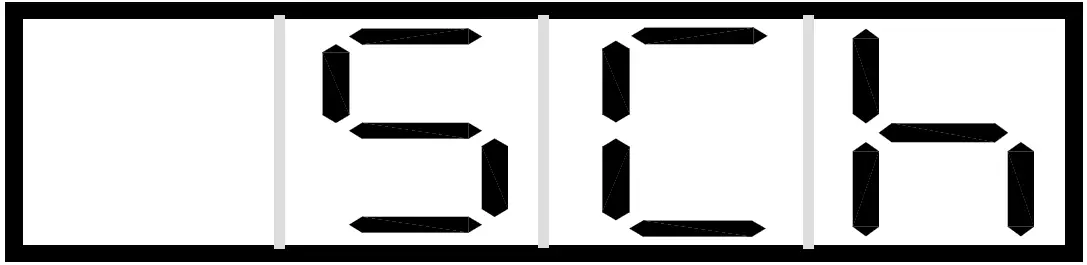 (5 channels), (7 channels) or
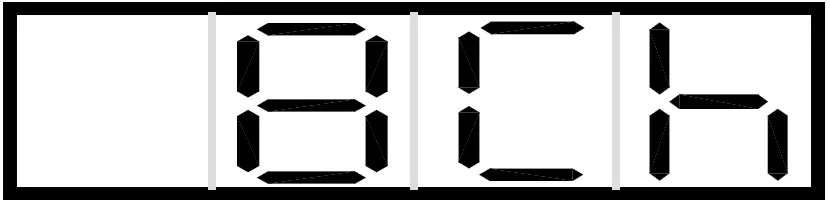 (8 channels). Once select, press ENTER button to setup or automatically exit menu mode without any change after 30 seconds. To go back to the functions without any change press the MENU button.
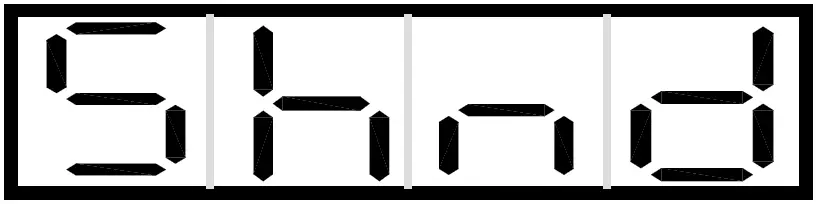 Show Mode
Press the MENU button up to when the is shown on the display. Press ENTER button and the display will blink. Use DOWN and UP button to select the 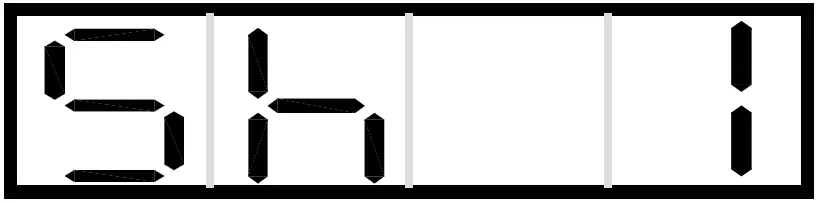 (show 1) …
 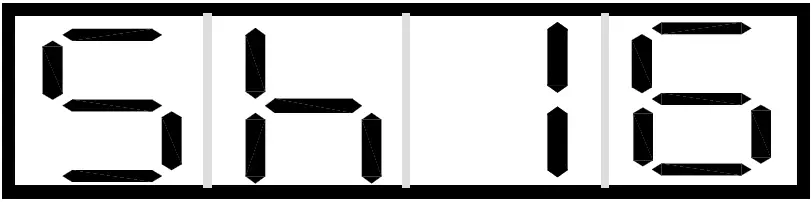 (show 16) or
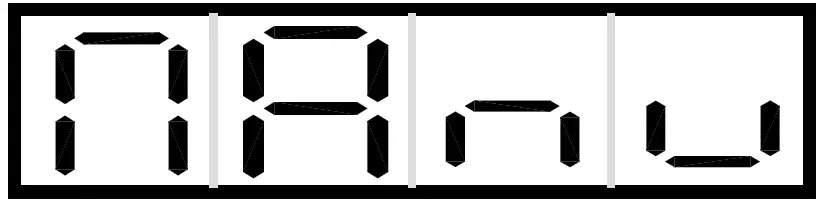 (Manual). After select the show mode, use DOWN and UP button to adjust the value for fade mode and speed mode. Once select, press ENTER button to store or automatically return to the main functions without any change after 30 seconds. To go back to the previous functions without any change press the MENU button.
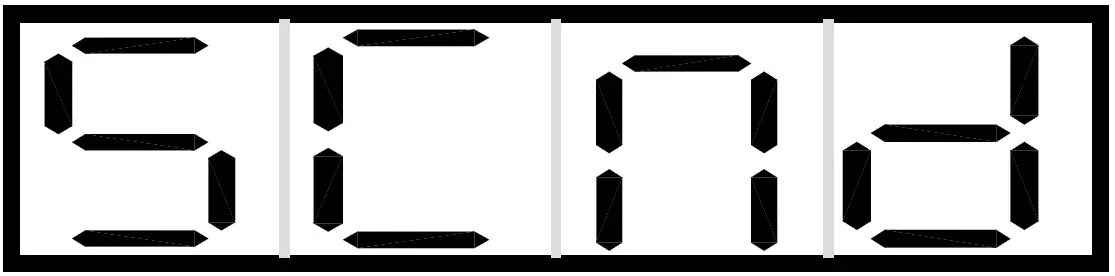 Primary/Secondary Mode
Press the MENU button up to when the is shown on the display. Press ENTER button and the display will blink. Use DOWN and UP button to select the 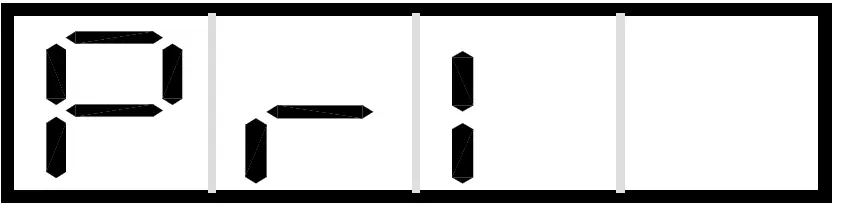 (Primary),
 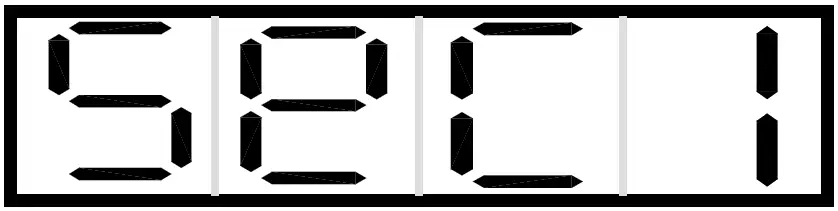 (Secondary 1) or
 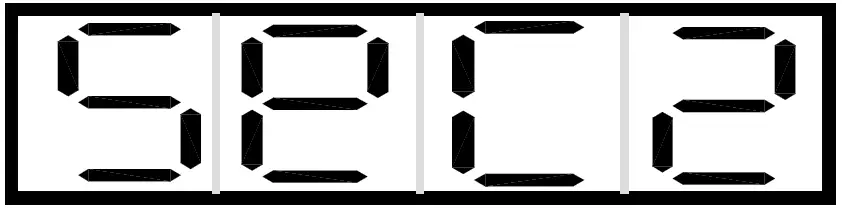 (Secondary 2). Once select, press ENTER button to store or automatically return to the main functions without any change after 30 seconds. To go back to the previous functions without any change press the MENU button.
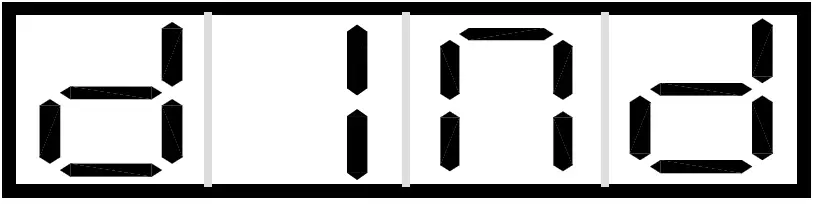 Dimmer Curve
Press the MENU button up to when the is shown on the display. Press ENTER button and the display will blink. Use DOWN and UP button to select the 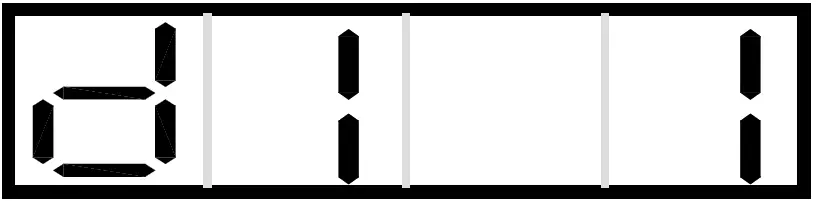 (Dimmer Curve 1) …
 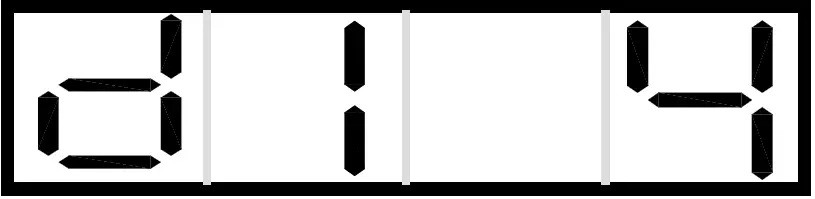 (Dimmer Curve 4). Once select, press ENTER button to store or automatically return to the main functions without any change after 30 seconds. To go back to the previous functions without any change press the MENU button.
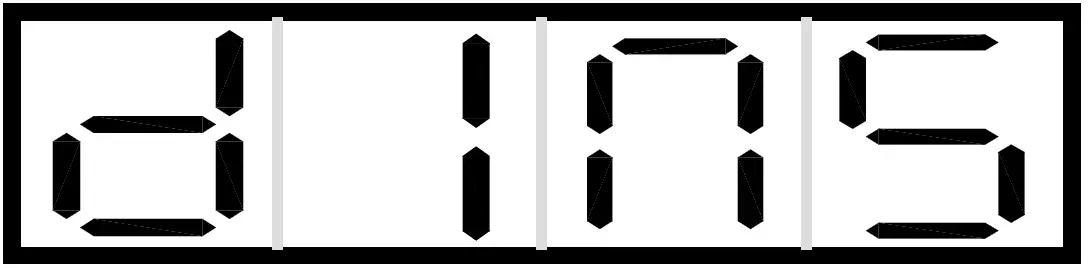 Dimmer Speed
Press the MENU button up to when the is shown on the display. Press ENTER button and the display will blink. Use DOWN and UP button to select the 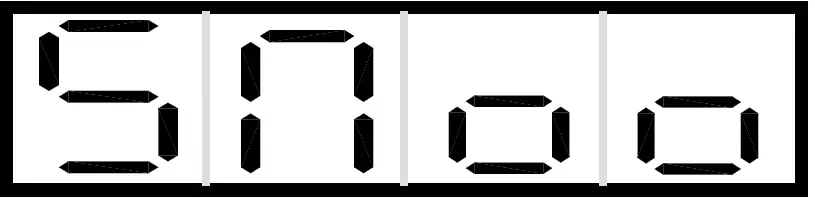 (Smooth) or
 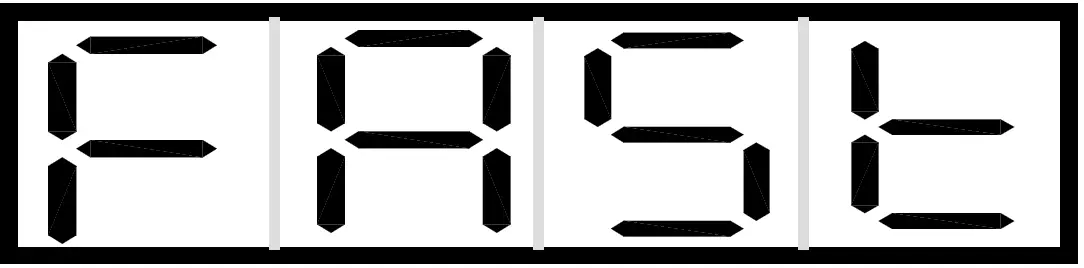 (Fast). Once select, press ENTER button to store or automatically return to the main functions without any change after 30 seconds. To go back to the previous functions without any change press the MENU button.
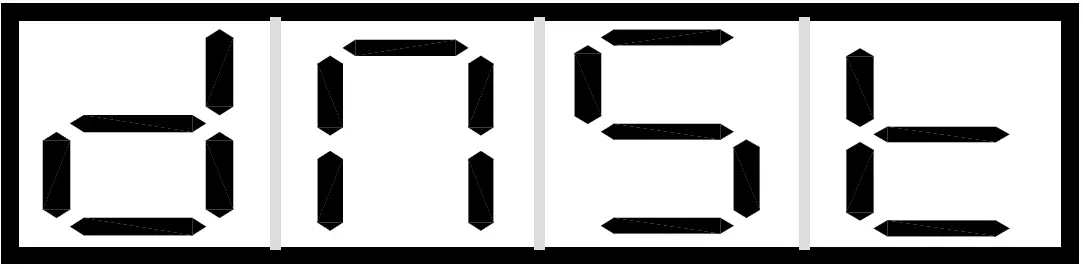 DMX Status
Press the MENU button up to when the is shown on the display. Press ENTER button and the display will blink. Use DOWN and UP button to select the 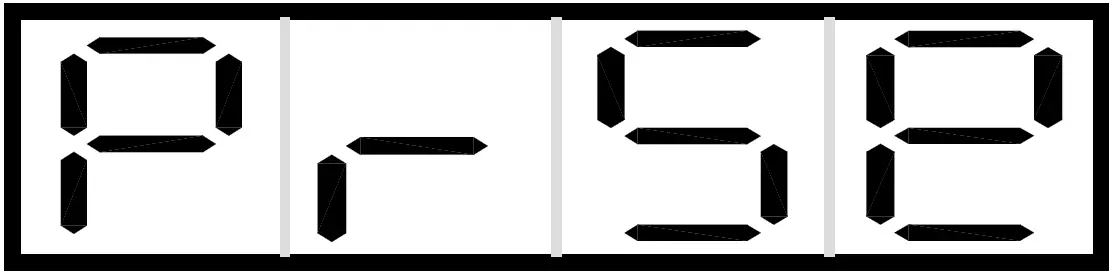 (Primary/Secondary Mode) or
 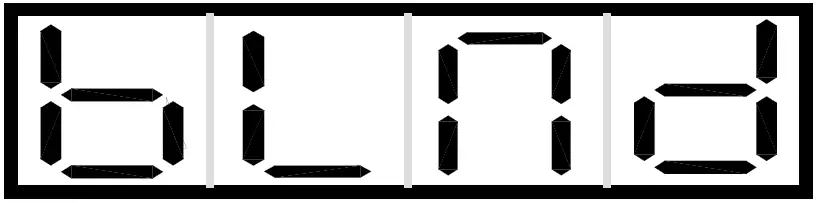 (Blackout Mode). Once select, press ENTER button to store or automatically return to the main functions without any change after 30 seconds. To go back to the previous functions without any change press the MENU button.
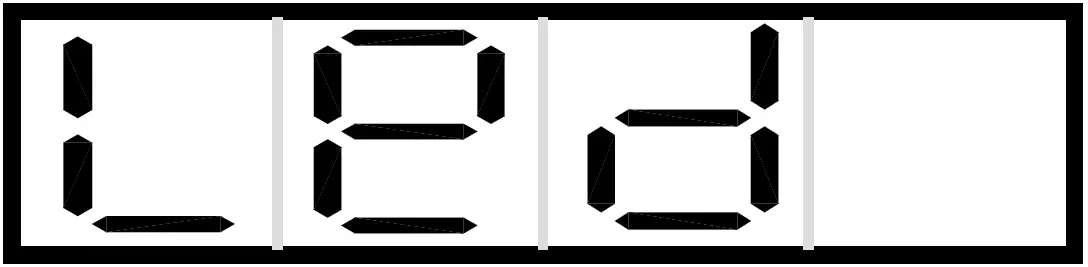 LED
LED
Press the MENU button up to when the is shown on the display. Press ENTER button and the display will blink. Use DOWN and UP button to select the 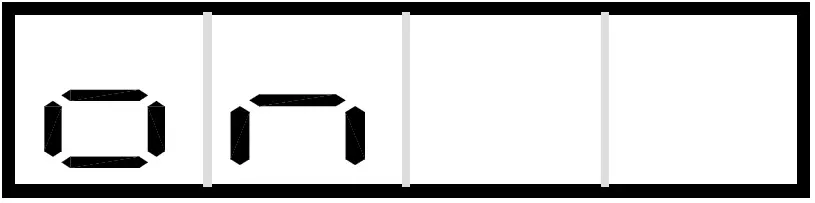 (On) or
 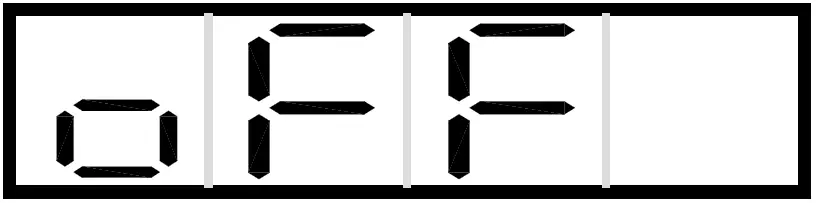 (Off). Once select, press ENTER button to store or automatically return to the main functions without any change after 30 seconds. To go back to the previous functions without any change press the MENU button.
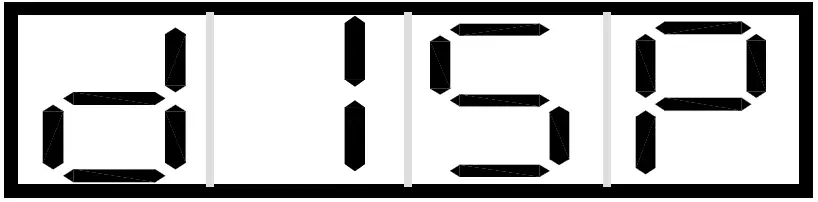 Invert Display
Press the MENU button up to when the is shown on the display. Press ENTER button and the display will blink. Use DOWN and UP button to select the 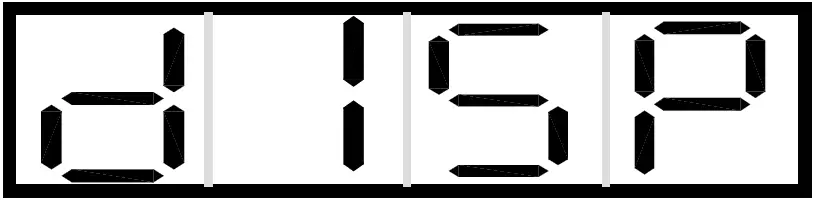 (Normal) or
 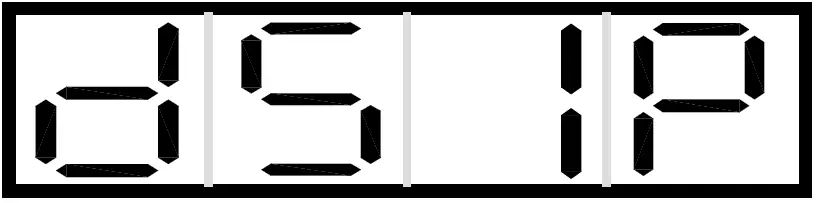 (Invert Display). Once select, press ENTER button to store or automatically return to the main functions without any change after 30 seconds. To go back to the previous functions without any change press the MENU button.
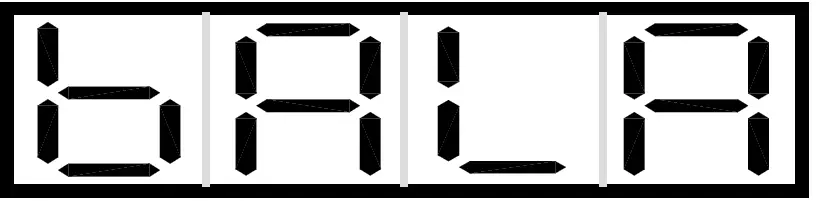 White Balance
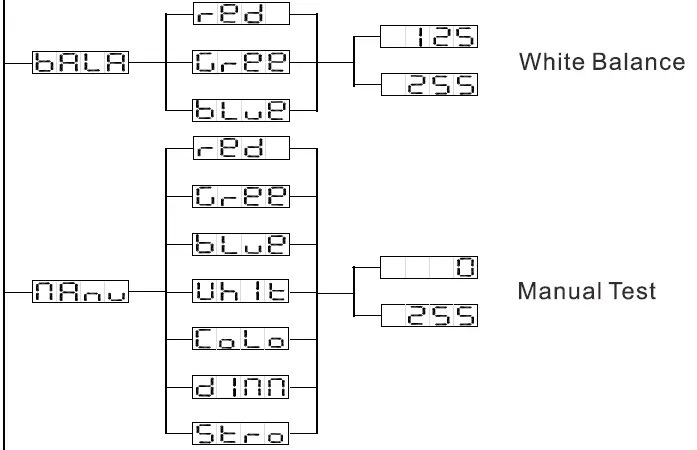
Press the MENU button up to when the is showing on the display. Press ENTER button and the display will blink. Use DOWN and UP button to select the  (Red),
 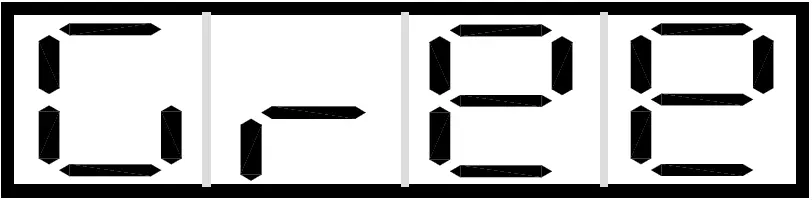 (Green) or
 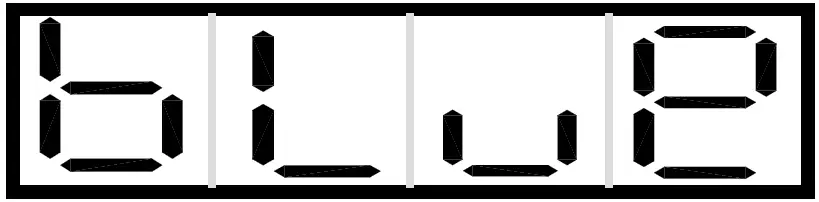 (Blue). Once the mode has been selected, press the DOWN and Up button to select the value from 125 to 255, press the ENTER button to setup or automatically return to the main functions without any change after 30 seconds. To go back to the previous functions without any change press the MENU button.
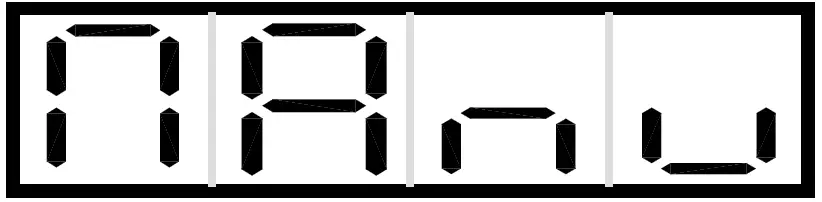 Manual Test
Press the MENU button up to when the is showing on the display. Press ENTER button and the display will blink. Use DOWN and UP button to select the (Red), (Green), (Blue), 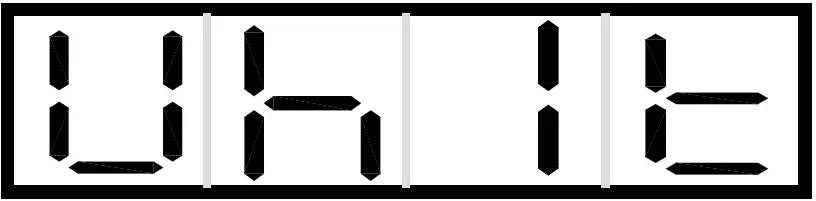 (White),
 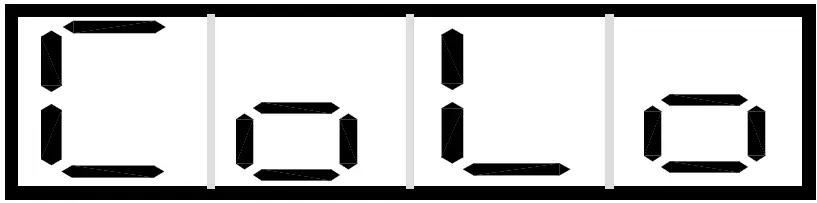 (Color),
 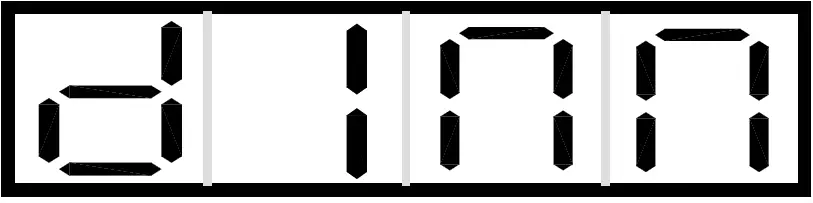 (Dimmer) or
 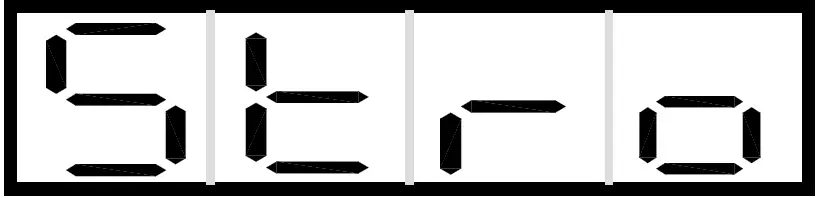 (Strobe). Once the mode has been selected, press the DOWN and Up button to select the value from 0 to 255, press the ENTER button to setup or automatically return to the main functions without any change after 30 seconds. To go back to the previous functions without any change press the MENU button.
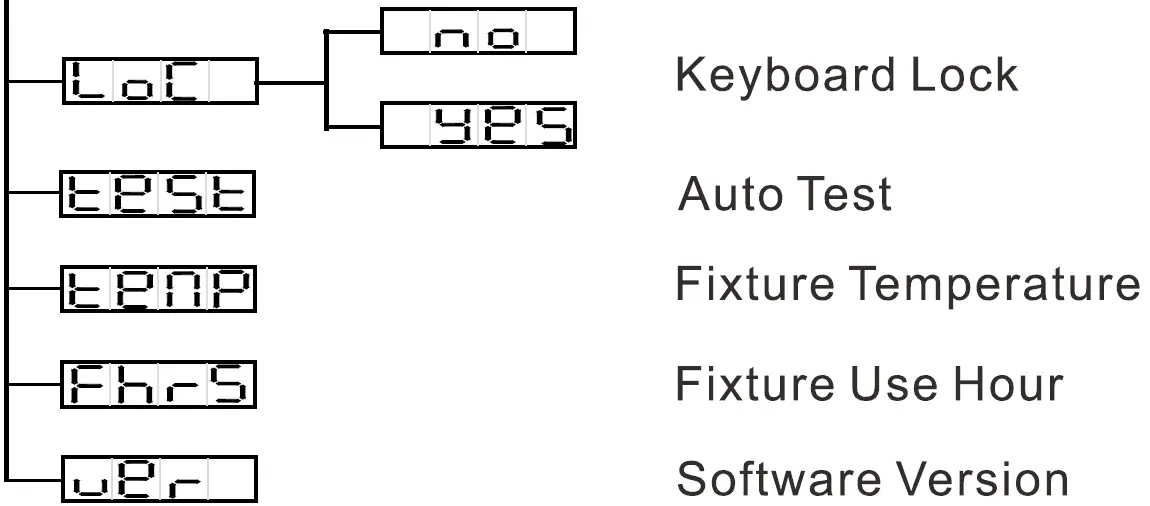
 Keyboard Lock
Press the MENU button up to when the is showing on the display. Press ENTER button and the display will blink. Use DOWN and UP button to select the  (Keyboard lock On) or
 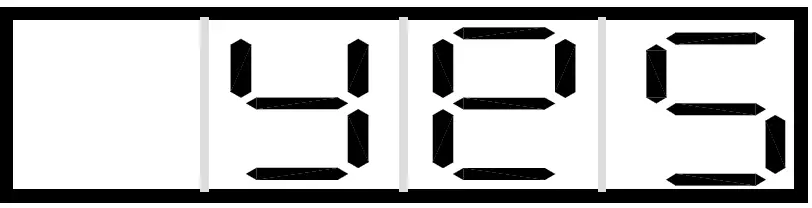 (Keyboard lock Off). Once select, press the ENTER button to setup or automatically return to the main functions without any change after 30 seconds. Back to the previous functions press MENU button.
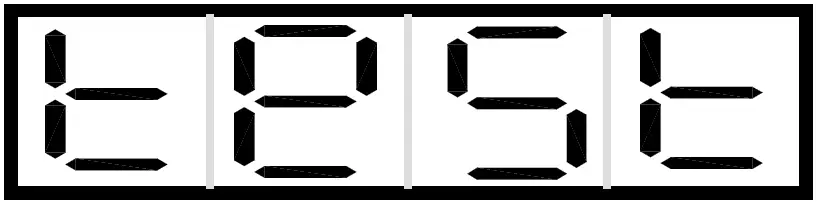 Auto Test
Press the MENU button up to when the is blinking on the display. Press ENTER button and the unit will run self-test by built-in program. To go back to the functions press the MENU button again.
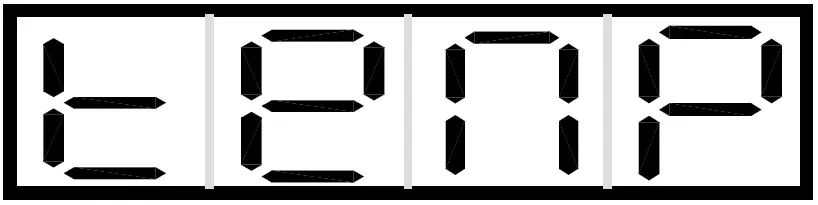 Fixture Temperature
Press the MENU button up to when the is blinking on the display. Press ENTER button and the display will show the temperature of the unit. To go back to the functions press the MENU button again.
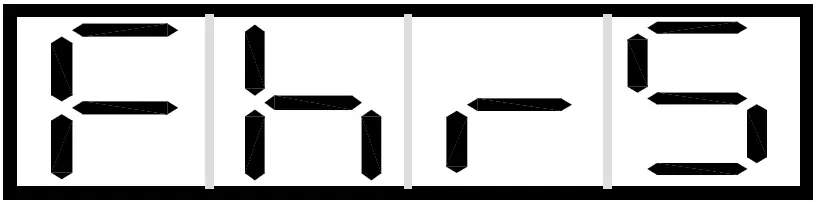 Fixture Use Hour
Press the MENU button up to when the is blinking on the display. Press ENTER button and the display will show the working hours of the unit. To go back to the functions press the MENU button.
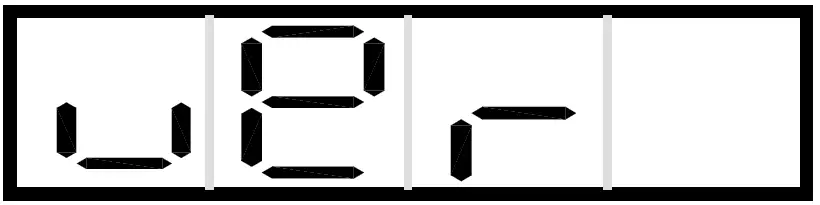 Software Version
Press the MENU button up to when the is blinking on the display. Press ENTER button and the display will show the version of software of the unit. To go back to the functions press the MENU button again.
Control By Universal DMX Controller
DMX512 Connection
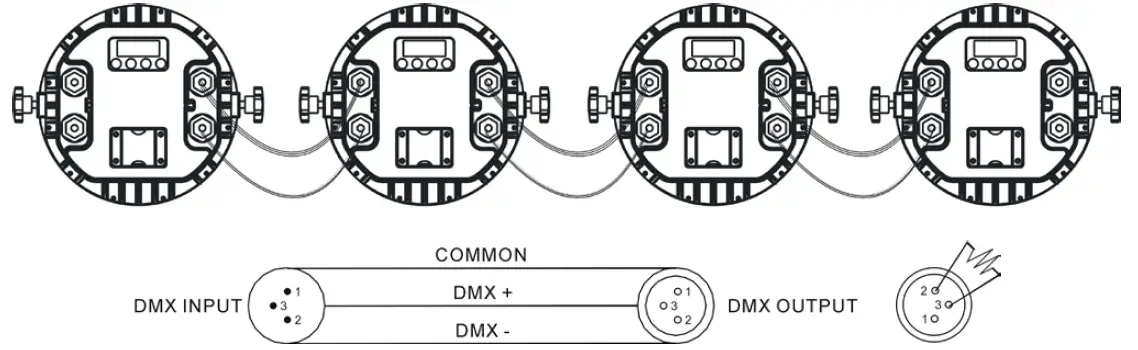
- At last unit, the DMX cable has to be terminated with a terminator. Solder a 120-ohm 1/4W resistor between pin 2(DMX-) and pin 3(DMX+) into a 3-pin XLR-plug and plug it in the DMX-output of the last unit.
- Connect the unit together in a “daisy chain” by XLR plug cable from the output of the unit to the input of the next unit. The cable can only be used in series and cannot be connected in parallel. DMX 512 is a very high-speed signal. Inadequate or damaged cables, soldered joints or corroded connectors can easily distort the signal and shut down the system.
- The DMX output and input connectors are pass-through to maintain the DMX circuit, when one of the units’ power is disconnected.
- Each lighting unit needs to have a DMX address to receive the data by the controller. The address number is between 1-512.
- The end of the DMX 512 system should be terminated to reduce signal errors.
- 3 pin XLR connectors are more popular than 5 pins XLR.
3 pin XLR: Pin 1: GND, Pin 2: Negative signal (-), Pin 3: Positive signal (+)
5 pin XLR: Pin 1: GND, Pin 2: Negative signal (-), Pin 3: Positive signal (+), Pin4, Pin5 not used.
Address Setting
Use universal DMX controller to control the units, you have to set DMX address from 1 to 512 channel so that the units can receive DMX signal.
Press the MENU button up to when the 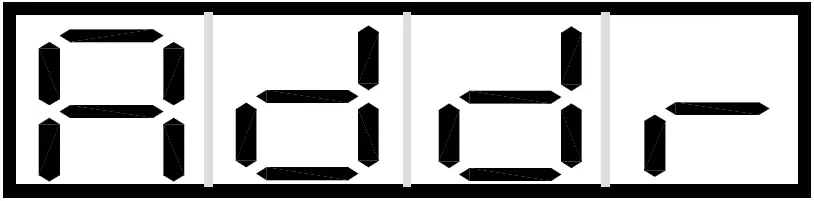 is showing on the display. Press the ENTER button and the display will blink. Use the UP/DOWN button to change the DMX512 address. Once the address has been selected, press and keep the ENTER button pressed up to when the display stops blinking or storing automatically 30 seconds later. To go back to the functions without any change press the MENU button again.
Please refer to the following diagram to address your DMX512 channel for the first 4 units:
| Channel mode | Unit 1 Address | Unit 2 Address | Unit 3 Address | Unit 4 Address |
| 4 Channels | 1 | 5 | 9 | 13 |
| 5 Channels | 1 | 6 | 11 | 16 |
| 7 channels | 1 | 8 | 15 | 22 |
| 8 channels | 1 | 9 | 17 | 25 |
DMX512 Configuration
DMX512 Configuration
- The unit will maintain the last condition until reset if you cut-off the DMX signal.
- For the channel Function, keep the value for about 3 seconds, then the corresponding function will take into effect.
4 Channels Mode (Mode 1):
| CHANNEL | VALUE | FUNCTION |
| 1 | 0-255 | RED 0%”100% |
| 2 | 0-255 | GREEN 0%”100% |
| 3 | 0-255 | BLUE 0%”100% |
| 4 | 0-255 | WHITE 0%”100% |
5 Channels Mode (Mode 2):
| CHANNEL | VALUE | FUNCTION |
| 1 | 0-255 | RED 0%”100% |
| 2 | 0-255 | GREEN 0%”100% |
| 3 | 0-255 | BLUE 0%”100% |
| 4 | 0-255 | WHITE 0%”100% |
| 5 | 0-255 | DIMMER 0%”100% |
7 Channels Mode (Mode 3):
| CHANNEL | VALUE | FUNCTION |
| 1 | 0-255 | RED 0%”100% |
| 2 | 0-255 | GREEN 0%”100% |
| 3 | 0-255 | BLUE 0%”100% |
| 4 | 0-255 | WHITE 0%”100% |
| 5 | PRESET COLOR |
| 0-7 | OFF | |
| 8-15 | PRESET COLOR 1 | |
| 16-23 | PRESET COLOR 2 | |
| 24-31 | PRESET COLOR 3 | |
| 32-39 | PRESET COLOR 4 | |
| 40-47 | PRESET COLOR 5 | |
| 48-55 | PRESET COLOR 6 | |
| 56-63 | PRESET COLOR 7 | |
| 64-71 | PRESET COLOR 8 | |
| 72-79 | PRESET COLOR 9 | |
| 80-87 | PRESET COLOR 10 | |
| 88-95 | PRESET COLOR 11 | |
| 96-103 | PRESET COLOR 12 | |
| 104-111 | PRESET COLOR 13 | |
| 112-119 | PRESET COLOR 14 | |
| 120-127 | PRESET COLOR 15 | |
| 128-135 | PRESET COLOR 16 | |
| 136-143 | PRESET COLOR 17 | |
| 144-151 | PRESET COLOR 18 | |
| 152-159 | PRESET COLOR 19 | |
| 160-167 | PRESET COLOR 20 | |
| 168-175 | PRESET COLOR 21 | |
| 176-183 | PRESET COLOR 22 | |
| 184-191 | PRESET COLOR 23 | |
| 192-199 | PRESET COLOR 24 | |
| 200-207 | PRESET COLOR 25 | |
| 208-215 | PRESET COLOR 26 | |
| 216-223 | PRESET COLOR 27 | |
| 224-231 | PRESET COLOR 28 | |
| 232-239 | PRESET COLOR 29 | |
| 240-247 | PRESET COLOR 30 | |
| 248-254 | PRESET COLOR 31 | |
| 255 | Off | |
| STROBE | ||
| 0-7 | OFF | |
| 8-15 | OPEN | |
| 16-131 | STROBE FROM SLOW TO FAST | |
| 132-139 | OPEN | |
| 6 | 140-181 | FAST CLOSE SLOW OPEN |
| 182-189 | OPEN | |
| 190-231 | FAST OPEN SLOW CLOSE | |
| 232-239 | OPEN | |
| 240-247 | RANDOM STROBE | |
| 248-255 | OPEN |
| 7 | 0-255 | DIMMER 0%”100% |
8 Channels Mode (Mode 4):
| CHANNEL | VALUE | FUNCTION |
| 1 | 0-255 | RED 0%”100% |
| 2 | 0-255 | GREEN 0%”100% |
| 3 | 0-255 | BLUE 0%”100% |
| 4 | 0-255 | WHITE 0%”100% |
| 001-004 005-009 010-013 014-018 019-022 023-027 028-031 032-036 037-040 041-045 046-049 050-054 055-058 059-063 064-067 068-072 073-076 077-081 082-085 086-090 091-094 095-099 100-103 104-108 109-112 113-117 | CTO(8000K-2500K) 8000K 7900K 7800K 7700K 7600K 7500K 7400K 7300K 7200K 7100K 7000K 6900K 6800K 6700K 6600K 6500K 6400K 6300K 6200K 6100K 6000K 5900K 5800K 5700K 5600K 5500K |
| 118-121 | 5400K | |
| 122-126 | 5300K | |
| 127-130 | 5200K | |
| 131-135 | 5100K | |
| 136-139 | 5000K | |
| 140-144 | 4900K | |
| 145-148 | 4800K | |
| 149-153 | 4700K | |
| 154-157 | 4600K | |
| 158-162 | 4500K | |
| 163-166 | 4400K | |
| 167-171 | 4300K | |
| 172-175 | 4200K | |
| 176-180 | 4100K | |
| 181-184 | 4000K | |
| 185-189 | 3900K | |
| 190-193 | 3800K | |
| 194-198 | 3700K | |
| 199-202 | 3600K | |
| 203-207 | 3500K | |
| 208-211 | 3400K | |
| 212-216 | 3300K | |
| 217-220 | 3200K | |
| 221-225 | 3100K | |
| 226-229 | 3000K | |
| 230-234 | 2900K | |
| 235-238 | 2800K | |
| 239-243 | 2700K | |
| 244-247 | 2600K | |
| 248-255 | 2500K | |
| PRESET COLOR | ||
| 0-7 | OFF | |
| 8-15 | PRESET COLOR 1 | |
| 16-23 | PRESET COLOR 2 | |
| 24-31 | PRESET COLOR 3 | |
| 32-39 | PRESET COLOR 4 | |
| 6 | 40-47 48-55 | PRESET COLOR 5 PRESET COLOR 6 |
| 56-63 | PRESET COLOR 7 | |
| 64-71 | PRESET COLOR 8 | |
| 72-79 | PRESET COLOR 9 | |
| 80-87 | PRESET COLOR 10 | |
| 88-95 | PRESET COLOR 11 | |
| 96-103 | PRESET COLOR 12 |
| 104-111 112-119 120-127 128-135 136-143 144-151 152-159 160-167 168-175 176-183 184-191 192-199 200-207 208-215 216-223 224-231 232-239 240-247 248-254 255 | PRESET COLOR 13 PRESET COLOR 14 PRESET COLOR 15 PRESET COLOR 16 PRESET COLOR 17 PRESET COLOR 18 PRESET COLOR 19 PRESET COLOR 20 PRESET COLOR 21 PRESET COLOR 22 PRESET COLOR 23 PRESET COLOR 24 PRESET COLOR 25 PRESET COLOR 26 PRESET COLOR 27 PRESET COLOR 28 PRESET COLOR 29 PRESET COLOR 30 PRESET COLOR 31 Off | |
| 7 | 0-7 8-15 16-131 132-139 140-181 182-189 190-231 232-239 240-247 248-255 | STROBE OFF OPEN STROBE FROM SLOW TO FAST OPEN FAST CLOSE SLOW OPEN OPEN FAST OPEN SLOW CLOSE OPEN RANDOM STROBE OPEN |
| 8 | 0-255 | DIMMER 0%”100% |
Troubleshooting
Following are a few common problems that may occur during operation. Here are some suggestions for troubleshooting:
- The unit does not work, no light and the fan does not work
- Check the connected power.
- Measure the voltage.
- Check the power indicator to see whether it can be lit up or not.
- Not responding to the DMX controller
- Check whether the DMX connectors and the DMX cables are connected correctly.
- Check whether the DMX address is correctly set.
- If the intermittent DMX signal problem occurs, check whether the XLR socket and the signal cable are well connected.
- Try it with another DMX controller.
- Check whether the DMX cables run near or alongside to the high-voltage cables, which may damage or interfere with the signal circuit. C.
- One of the channels is not working well
- The stepper motor might be damaged or the cable connected to the PCB might be broken.
- The motor’s drive IC on the PCB might be out of condition.
Fixture Cleaning
It is absolutely essential that the fixture is kept clean to ensure the maximum light-output and allow the fixture to function reliably throughout its life. The fixture must be cleaned regularly to avoid dust, dirt and smoke-fluid residues building up on or within the fixture. The cleaning frequency depends on the application environment. Clean the fixture immediately if the dust enters it to avoid damage to the optical lens due to excessive dust.
- A soft lint-free cloth moistened with any good glass cleaning fluid is recommended, under no circumstances should solvents be used.
- Always dry the parts carefully.
- Clean the external optical lens at least every 20 days.
Innovation, Quality, Performance