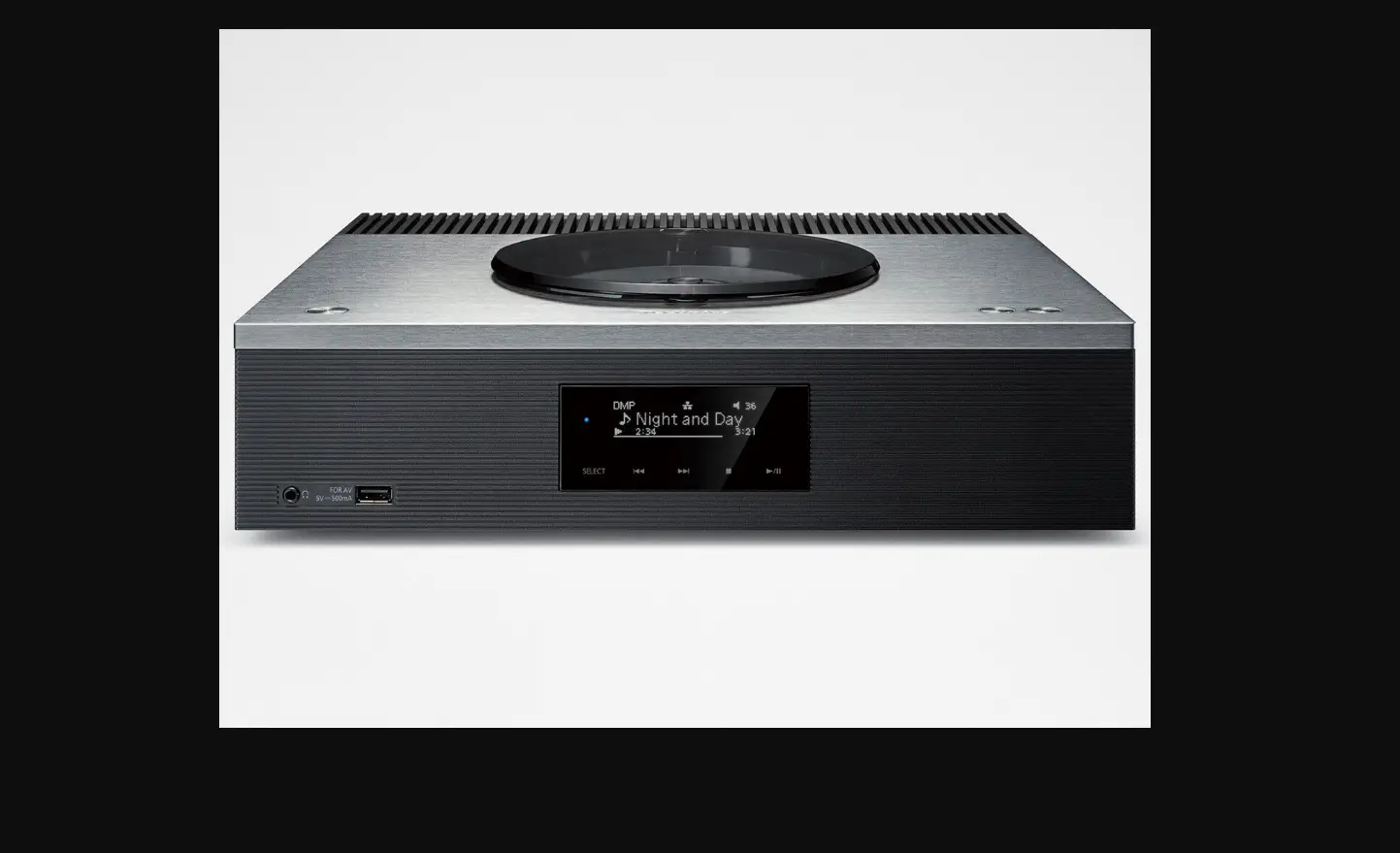
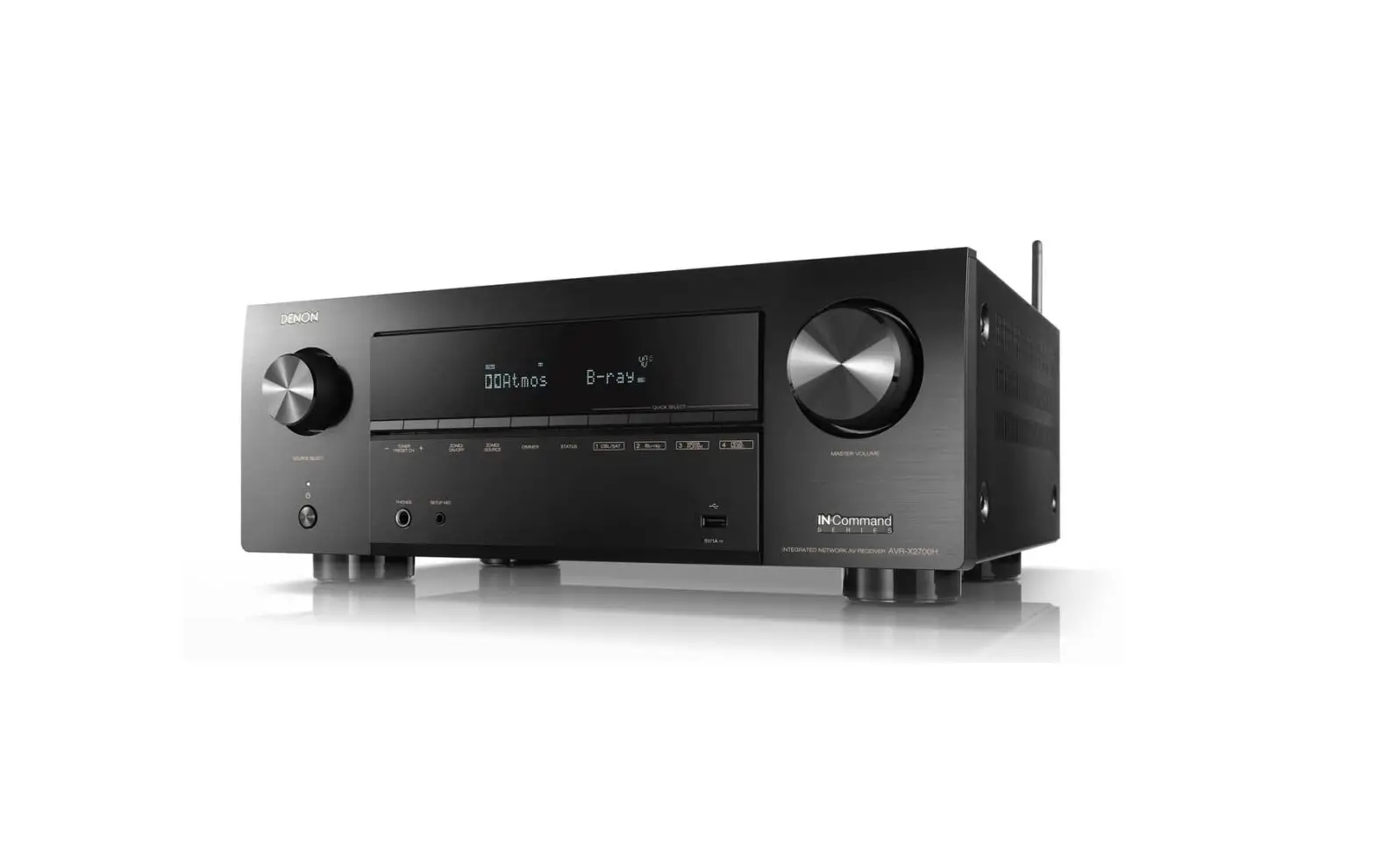
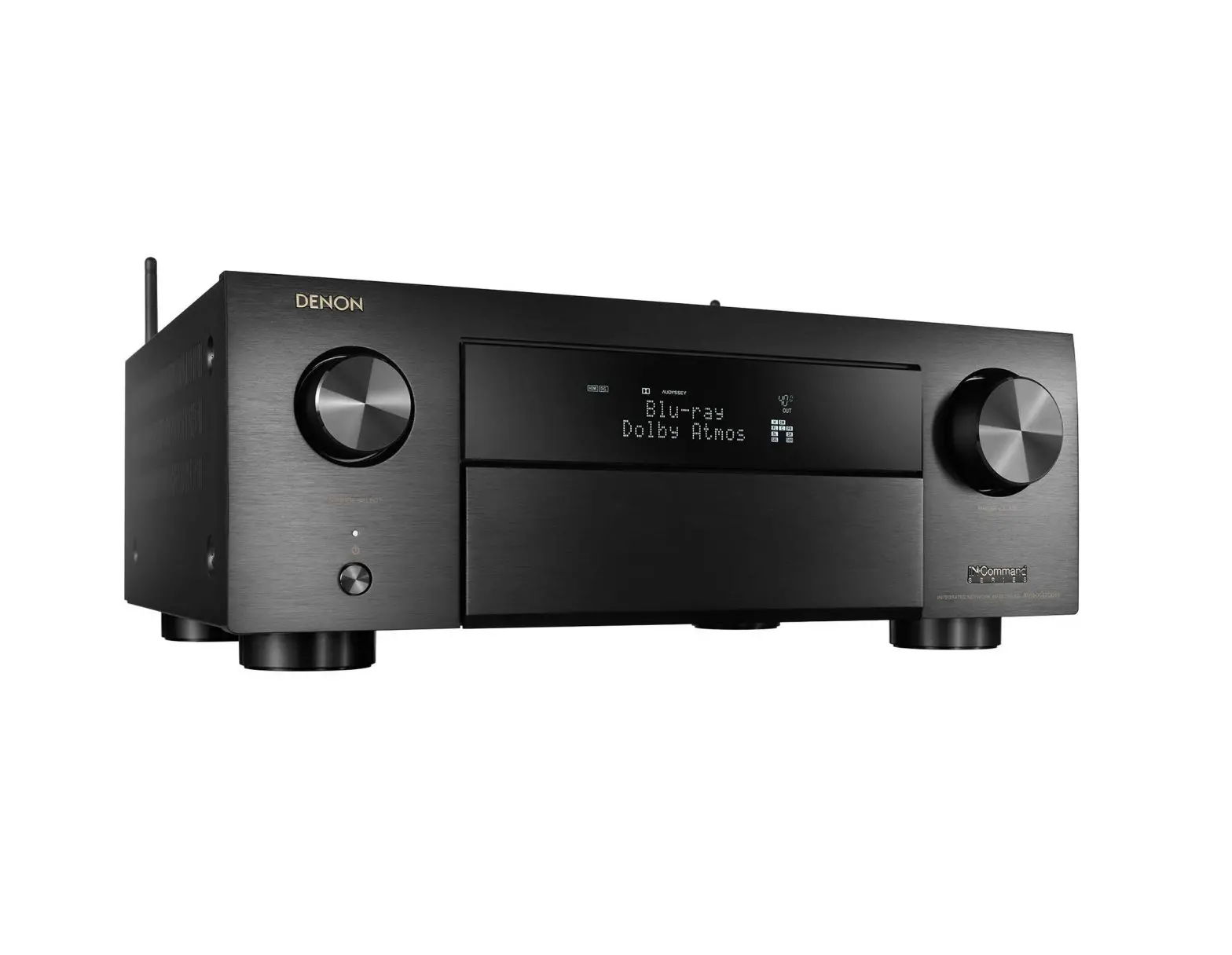
RCD-M37 CD Receiver
DENON CD RECEIVER RCD-M37
The DENON CD Receiver RCD-M37 is an audio device designed to
provide high-quality sound output. It is equipped with various
features that enhance the listening experience.
Product Features
- The lightning flash with arrowhead symbol, within an
equilateral triangle, alerts the user to the presence of
uninsulated dangerous voltage within the product’s enclosure that
may constitute a risk of electric shock to persons. - The exclamation point within an equilateral triangle is
intended to alert the user to the presence of important operating
and maintenance (servicing) instructions in the literature
accompanying the appliance. - The product should not be adjusted or repaired by anyone except
properly qualified service personnel. - Use only attachments/accessories specified by the
manufacturer. - Use only with the cart, stand, tripod, bracket, or table
specified by the manufacturer, or sold with the apparatus.
Product Usage Instructions
Before using the DENON CD Receiver RCD-M37, it is important to
read and follow all safety precautions and instructions provided in
the owner’s manual.
- Do not use the product near water.
- Clean only with a dry cloth.
- Do not block any ventilation openings.
- Install in accordance with the manufacturer’s
instructions. - Do not install near any heat sources such as radiators, heat
registers, stoves, or other apparatus (including amplifiers) that
produce heat. - Do not defeat the safety purpose of the polarized or
grounding-type plug. - Protect the power cord from being walked on or pinched
particularly at plugs, convenience receptacles, and the point where
they exit from the apparatus. - When a cart is used, use caution when moving the cart/apparatus
combination to avoid injury from tip-over. - Unplug this apparatus during lightning storms or when unused
for long periods of time. - Refer all servicing to qualified service personnel.
DENON
CD RECEIVER
RCD-M37
Owner’s Manual Manuel de l’Utilisateur Manual del usuario
z
0
Z
I.LJ
C
I’
M
:EC -a>Ww:
I
a: (awJ: (.)
c
(J
…
= ..-=– = ca
.Gc..a.)
(I)
….
0
·cCa
– = .. cca ::J (I)
:E Q) “i)
– … ‘t:J ‘t:J
..(I) “i) ca
= = cQ)
3:
0
cca
:E
cca
:E
ENGLISH FRANCAIS ESPANOL
o SAFETY PRECAUTIONS
~A
C~R.TEL AA. ~ RISKOF
SHOCK
_—=cDD=O NOT OO=PP-E-“EN=N,———–,
CAUTION:
TO REDDUUCCEETHE RISK OF ELECTRIC SHOCK, DO NOT REMOVE COVER (OR BACK). NO USER-SERVICEABLE PARTS INSIDE. REFER SERVICING TO QUALIFIED SERVICE PERSONNEL.
iAll. The lightning fflash with arrowhead symbol, within an equilateral trianggle, is intended to aalleert tthe uuser to the pprresence of uninsulated “dangerous vvooltage” wwiithin tthe pprroodduucctt’s enclosure that may bbe of sufficient mmaaggnnitude to ccoonnssttiitute a risk of eelleeccttric shock to persons.,
A
The eexxcclammaattion point within an equilateral triangle is intended to alert tthe uuser to the presence of immportant operating and maintenance (servicing) instructions in tthe literature accompanying the appliance.,
WARNING:
TO REDUCE THE RISK OF FIRE OR ELECTRIC SHOCK., DO NOT EXPOSE THIS APPLIANCE TO RAIN OR MOISTURE.
CAUTION:
USE OF CONTROLS OR ADJUSTMENTS OR PERFORMANCE OF PROCEDURES OTHER THAN THOSE SPECIFIED HEREIN MAY RESULT IN HAZARDOUS RADIATION EXPOSURE. THIS PRODUCT SHOULD NOT BE ADJUSTED OR REPAIRED BY ANYONE EXCEPT PROPERLY QUALIFIED SERVICE PERSONNEL.
o Laser Class (IEC 60825-1:2001)
IMPOTANT SAFETY
INSTRUCTIONS
1. Read tthheessee innssttrruuccttiioonnss..
22.. KKeeeep tthheessee innsstrucctions.
3. HHeeeedd aall wwaarrnniinnggss.
4. FFoollow aall innsstrucctions.
5. DDo nnoot uuse tthhis aappppaarraattuuss’ nneeaar wwaatteerr.
6. CClean oonnly wwiith ddry ccllooth.
7Z. DDo nnoot bblock aany vveennttiilation ooppeenniinnggss.
IInnssttaalll in aaccccoordance wwith the mmaannuuffaacturer’s instructions.
8. Do not install near aany hheat sources ssuch as rraaddiiaatoors, hheeaat registers, stoves,
or ootthher apparatus ((including aammppllifiers) that pproduce heat.
9. DDo not ddeeffeeaat tthe safety purpose of the polarized or grounding-type pplug. A
polarized pplug has two blades with oone wider than the other. A grounding
type plug has two blades and a third grounding prong. The wwide blade oor the
third pprong are pprovided ffor your safety. If the provided pplug does nnot Ifnit into
yyour outlet, consult an electrician for replacement of the obsolete oouuttleet.
10. Protect the power ccord from being wwaalked on or ppinched ppaarrtticuularly aat
tt&I )) plugs, convenience receptacles, and the point where they exit from the
apparatus. 11. Only use attachments/accessories specified by the manufacturer. 12. Use only with the cart, stand, tripod, bracket, or table
specified by the manufacturer, or sold with the apparatus. ~
When a cart is used, use caution when moving the cart! apparatus combination to avoid injury from tip-over.
.1~
..,
13. Unplug this apparatus during lightning storms or when unused for long periods of time.
l~ ~
~-
14. Refer all servicing to qualified service personnel. Servicing is required when the apparatus has been damaged in any way, such as power-supply cord or plug is damaged, liquid has been spilled or objects have fallen into the apparatus, the apparatus has been exposed to rain or moisture, does not operate normally, or has been dropped.
15. Batteries shall not be exposed to excessive heat such as sunshine, fire or the like.
o Copyrights I ODroits d’auteur I ODerechos de Autor
· It is prohibited by law to reproduce, broadcast, rent or play discs in public without the consent of the copyright holder.
· La reproduction, la diffusion, la location, Ie prte3t ou la lecture publique de ces disques sont interdits sans Ie consentement du
detenteur des droits d’auteur. · De acuerdo con las leyes esta prohibido reproducir, emitir, alquilar
o interpretar discos en publico sin la autorizaci6n del propietario de
los derechos de autor.
CAUTION:
· Thee vveennttilation should not bbe impeddeedd byy covering tthhee ventilattiioonn ooppeenniinnggss wwiitthh itemss,, such ass nneewwssppaappeerrss,, tablecloths, curtaiinnss,, eettcc..
· Noo nakeedd flammee sources, ssuuch ass lliigghhtteedd candles, sshhould bbe placed on the unit.
· Observe and follow locaall regulations regarding battery disposal. · Do not expose the unit to drippiinngg or splashing fluids. · Do not place objects filled with liquids, such as vases, on the
unit.
ATTENTION:
· La ventilation ne doit pas etre genee en recouvrant les ouvertures de la ventilation avec des objets tels que journaux, rideaux, tissus, etc.
· Aucune flammmee nue, par exemple une bougie, ne doit etre placee sur I’appareil.
a · Veillez respecter les lois en vigueur lorsque vous jetez les piles
usagees.
a a · L:appareil ne doit pas etre expose I’eau ou I’humidite.
· Ne pas poser d’objet contenant du lIiquide, par exemple un vase, sur I’appareil.
PRECAUCI6N:
· La ventilaci6n no debe quedar obstruida por haberse cubierto las aperturas con objetos como peri6dicos, manteles, cortinas, etc.
· No debe colocarse sobre el aparato ninguna fuente inflamable sin protecci6n, como velas encendidas.
· A la hora de deshacerse de las pilas, respete la normativa para el cuidado del medio ambiente.
· No exponer el aparato al goteo 0 salpicaduras cuando se utilice. · No colocar sobre el aparato objetos lIenos de IHfqquuiido, como
jarros.
CAUTION:
To completely disconnect this product from the mains, disconnect the plug from the wall socket outlet. The mains plug is used to completely interrupt the power supply to the unit and must be within easy access by the user.
PRECAUTION:
Pour deconnecter completement ce produit du courant secteur, debranchez la prise de la prise murale. La prise secteur est utilisee pour couper completement I’alimentation de I’appareil et I’utilisateur doit pouvoir y acceder facilement.
PRECAUCI6N:
Para desconectar completamente este producto de la alimentaci6n
electrica, desconecte el enchufe del enchufe de la pared. EI enchufe de la alimentaci6n electrica se utiliza para interrumpir por completo el suministro de alimentaci6n elEecktrica a la unidad y debe
de encontrarse en un lugar al que el usuario tenga facil acceso.
I
FCC Infonnation (For US customers)
1. PRODUCT
This product complies with Part 15 of the FCC Rules. Operation is subject to the following two conditions: (1) this product may not cause harmful interference. and (2) this product must accept any interference received. including interference that may cause undesired operation.
2. IMMPPORTANT NOOTnICCE: DO NOT MODIFY THIISS PRODUCT
This product. when installed as indicated in the instructions contained in this manual. meets FCC requirements. Modification not expressly approved by DENON may void your authority. granted by the FCC. to use the product.
3. NOTE
This product has been tested and found to comply with the limits for a Class B digital device. pursuant to Part 15 of the FCC Rules. These limits are designed to provide reasonable protection against harmful interference in a residential installation. This product generates. uses and can radiate radio frequency energy and. if not installed and used in accordance with the instructions,. may cause harmful interference to radio communications. However. there is no guarantee that interference will not occur in a particular installation. If this product does cause harmful interference to radio or television reception., which can be determined by turning the product OFF and ON., the user is encouraged to try to correct the interference by one or more of the following measures: · Reorient or relocate the receiving antenna. · Increase the separation between the equipment and receiver. · Connect the product into an outlet on a circuit different from that to which the receiver is connected. · Consult the local retailer authorized to distribute this type of product or an experienced radiofTYV technician for
help.
This Class B digital apparatus complies with Canadian ICES-003.
a Cet appareil numerique de la c1iaassse Best conforme ililaa norme NMB-003 du Canada.
ESPANOL FRANCAIS ENGLISH
nIT
ENGLISH FRANCAIS ESPANOL
oCI NOTE ON USE I OBSERVATIONS RELATIVES A L’UTILISATION I NOTAS
SOBRE ELLUSO
:f~ii1!!J
,,4’4,
~.
~~(
~
~
~J,l>f.'”
~
~tr.
.>”J1.~ “‘-A. · ~ .·”dMt,:”~m{ “”’. .
/900 )(
· Avoid high temperatures. Allow flor sufficient heat dispersion when installed in a rack.
· Eviter des temperatures elevees. Teanir comptte d’une dispersion de cmhaalleur suffisante laors de I’installation sur une etagaere.
· Evite altas temperaturas. Permite la suficiente dispersi6on del calor
cuando eastaainstalado en la consola.
· Do not let foreign objects into the unit.
· Ne pas laisser des objets etrangers dans
· Keep the unit free from moisture,. water, I’apparei!l.
and dust.
· No dejie objetos exXtlrraanos dentro del
· Proteger I’appareil contre I”‘humidite, I’eau equipo.
aet la poussiere.
· Mantenga el equipo libre de humedad, I1-~
I
agua y paoilva.
~~
~qd9
~
If – – – – – – – – – – – – – – – – – – 1I ·· Unplug the power cord when not using the
unit flor long periods o01f time.
~
· Debrraanncdhler Ie cordon d’alimentation lorsque I’appareil n’est pas utilise pendant de longues periodes.
· Desconecte el ceoorrddO6n de energia cuando no utiliicce el equipo poar muchoa tiiempo.
· Handle the power ceord careflully. Hold the plug when unplugging the cord.
· Manipuler Ie cordon d’alimentation avec precaution. Tenir la prise laors du debranchement du cordon.
· Maneje el coorrddO6n dde energrfa con cuiiddado. Sostenga el enchufle cuando desceonecte el corrddO6n de energia.
*… (For apparatuses with ventilation holes)
· Do not obstruct the ventilation holes. · Ne pas obstruer les trcous d’aeration. · No obstruya los orificios de ventilaci6n.
· Do not let inssecticciiddes,. benzene,. and thinner come in contact winth the unit.
· Ne pas mettre en contact des insecticides, du benzaene et un diluant avec I’apparei!l.
· No permita el contacto de insecticidas, gasolina y diluyentes con el equipo.
~
· Never ddiissaassssemble or modify the unit in anyway.
· Ne jamais ddemmaonnter aou mmooddifier I’appareil dd’une mmaanniere ou d’une autre.
· Nunca desarme 0 modiflique el equipo de ninguna manera.
ill
ao Contents
Getting Started
Accessories··········································································.·.·······································..······· 2
Cautions on Handlingg·.·.········ ·
·.. ··
·· ..··············2
Cautions on Installatioonn···········..···········..·····..···..·····..····················..···········..·2 Main Featuress············..······································..·····················.·.········..······· 2
Diissccs···························································································.·.···········································22
Discs usable on the RCD-M37
··
· .. 2
HHoollddiinngg DDiissccss················································································.·3
Loading Discs·················..··········..···········..·········· ·····························3
Cautions on Loading Discs ··…···…·· ·.. ··· .. ·.. · · · · ·.. ···…··· .. ·3
Cautions on Handling .. ·· ·.. ····
· ·· ·· ..··· ·· .. ··· .. ·3
Cautions on Storing Discs· ·· .. · · · ·..··.. · ·· ·
·· .. ·.. ·· .. ·3
Cleaning Discs
·· .. · · · ·.. ·· .. ·.. ·
··········..··· .. ·3
About the Remote Control Unit
3
Inserting the Batteries· ····.. ·
· ·· ..···..····· .. ·3
Operating Range of the Remote Control Unit ·
·4
Part Names and FFuunnccttioionnss·························································..······..···.·.···-·4
Front Panel .. ·· ·
· ·· ··
·..···…··· .. ··.. ·.. · ·
·..·· ·..·········4
Display
·.. ·.. · ·
· · ·.. ·.. ·· ·
··· ·5
Rear Panel
· ·· ·
··· .. ·.. ··· .. ·· ·.. · ·· .. ·· .. ·····5
Remote Control Unit .. ·
· · ··.. ·· ..··.. · · ··
··.·. .·.· ·· .. ·6
Connections
Preparreattiioonnss···············.. ········· ·· .. ······ ·.. ········.·.···…··························..····.·.· 8
Cables Used for Connections
·
·8
Using the AM Loop Antenna
·.. · ·
·8
Assembling the AM Loop Antenna
· ··
·8
Speaker Connnectionnas
· · · ·· .. ·· .. ·· ..···.. ····..······99
Connecting the Speaker Cables
·
·.. 9
Connecting the Playback ComPpQonents · ·
· ·.. 10
Control Dock for iPod
10
Connecting the Recordling Components
10
CD Recorder / MD Recorder /Tape deck · ·
· 10
Connections to Other Devices..· ·
·· · ·
· 10
Antenna Terminals:.. ·
USB Port
·.. ··· .. ·
······· 10
········· ···1111
Connecting the Power Cord·
·
· · 11
Once Connections are Completed
11
Turning the Power On
11
Playback
Preparations .. ·············· .. ·· · · ·..···· .. · ·..·· .. · ·.. · ·
Turning the Power On
·
·
···113 ·113
Loading Discs ·····
· ·.. ··· · ·· ·.. ·
··· · ·..· 13
Operations Possible During Playback
·
13
Adjusting the MasterVVoolluumme··· ···
· ··
13
Input Source Switching
~
·
·113
Adjusting the Tone········
13
Turning the Sound Off Temporarily (Muting) ·
·.. 13
Switching the Display’s Brightness
·
·113
Listening with Headphones CD Playback
·
·113
14
Playing CDs .. · · ··
···· .. ·.. ···· ·····…··· · ·· · ·..···.. · ·14
Playing Repeatedly <Repeat Playback>
·
·.. ·14
Playing Random Order <Random Playback>
14
Playing Tracks in the Desired Order <Program playback>
15
Switching the Display··· ………. ··· ···· ······.·.··· ·.. ·.. ·.. ····.. · ·115
Playback of MP3 annddWMA Files
:
15
About the MP3 annddWMA Formats That Can be Played
Playing MP3 andWMA Files·
·
TUNER Playbacck· ······ · ·· .. ·.. ··· ··· .. ·· .. ··
·
Tuning in Broadcast Stations .. ·
15 16 ·.. 17 · 17
Automatically Presetting FM Stations (Auto Preset)
· ·117
Presetting FM/AM Stations Manually
· · 17
Listening to Preset Stations
18
Naming the Currently Tuned in Broadcast Station ·
·.. 18
iPPoodd@® Playbackk···························.·.····························································..· 18
PPrreeppaarraattiioonnss················································································· 1188
Listening to Audio
19
Disconnecting the iPod Playing a Portable Audio
·.. · · · ·· ·
··.. ·
·19
· 19
Connecting a Portable Player · · ·
19
Playing the Portable Player
·· ·
··
· · 19
USB Playbackk··.·.··…… ·········· .. · ····· ···· .. · ·· .. ·· .. ·· ··· · ·····.·. ·.·.·· 20
Playable USB Memory Formats
20
Basic Operation·.·.··················
20
..
Setting the Timer
Timer Playback.. ··.. ·.. ·····…···…·· Setting the Timer·.·.······················ Sleep Timer Playback······
·· ..··…··· .. · · ·.. ···…··
···
·.. ·· 22
··· .. ·· .. ·· ·.. ·.. ··
22
.. 23
Other Functions
Convenient Functions
·.. ·· .. ·
··
24
Auto Power On .. ·.. ······
···· .. ·.. ·· .. · ·..·· .. · · · · ···
24
Auto Function Selector Function · · ·.. · · ·
·24
Last Function Memoryy·· .. · ·· · · ·
· ··
24
Resetting the Microprocessor .. ···· ·· .. · · ·.. · ·
··
24
Using an Optimizing Filter·……..······ .. · · ·· .. ··· .. ·
···.. · ··24
Troubleshooting
Specifications
Setup Setting the Current1T1imme (24-Hour Display) ….·….··……….·………. 12
1
ENGLISH
Getting Started
Thank you for purchasing this DENON product. To ensure proper
no
::>
operation, please read this owner’s manual carefully before using the product.
Cauuttions on Hannddlling
Main Feattures
::> CD
After reading them, be sure to keep them for future reference.
· Before turmning the power switch on
1. High qualliity amplifile8r stressing sound quallity
o~ ‘
Check once again that all connections are correct and that there are
Equippd with 30 W + 30 W (6 O/ohms) high quality amplifier
::>
III
no problems with the connection cables.
circuits.
( f/l
C~c:
Accessories
‘”t>l
· Power is supplied to some of the circuq.iittry even when the unit is set to the standby mode. When traveling or leaving home for long periods of time, be sure to unplug the power cord from the power
2. Tone control and SOB control Separate bass and treble tone controls for adjusting the tone to your tastes and Super Dynamic Bass (SOB) circuit for producing powerful
.o’trl
-<
IT
n
“”
(fl
..:CD;
S’
‘”
::>” CD
Cheeecl<k that the following parts are supplied with the product.
outlet.
bass sound even when the volume is low.
CD Remote control (RCC–1l0097)
® R03/AAA batteries ® Power cord (Cord length: Approx. 6.6 ft / 2 m)
CD@ AM loop antenna ® FM indoor antenna ® Owner’s manual
1 2 1 1 1
· Sufficiently ventilate the place of installation If the unit is left in a room full of the smoke from cigarettes, etc., for long periods of time, the surface of the optical pickup could get dirty, in which case it will not be able to read the signals properly.
· About condensation
Source direct position provided for turning off the SDB and tone control circuitry to make the response flat.
3. COD player for digital sound Compact body integrating a CD section in addition to the FM/AM tuner and amplifier, allowing playback of CD-R/RW discs.
1
If there is a major difference in temperature between the inside of 4. Playback of MP3 and WMA files
::! 3
~
(j) Warranty (for North America model only)
® Service station list
1
the unit and the surroundings, condensation (dew) may form on
Supports playback of discs and USB memory devices on which MP3
1
the operating parts inside the unit, causing the unit not to operate
and WMA files are recorded. The track name and artist name of the
Q
CD
®
@
®
properly. If this happens, let the unit sit for an hour or two with the power
currently playing track can be displayed on the set’s display. The characters that can be displayed “Switching the Display”
::>”
~ ~ ::>
o~ ‘
::>
III
~
turned off and wait until there is little difference in temperature before using the unit.
· Ccaautions on using mobile phones Using a mobile phone near this unit may result in noise. If so, move
((~page Gf”page 16)
5. Low standby power consumption Designed with considerations on the environment, with the power
consumption when the power is in standby kept down to about 0.3 W.
the mobile phone away from this unit when it is in use.
:;t
o
C
· Moving the unit
IT
ii”
III
:o:>”
Turn off the power and unplug the power cord from the power outlet.
Discs
2
Next, disconnect the connection cables to other system units before
S’
‘”
moving the unit.
(fl
· Note that the illustrations in these instructions may differ from the
‘tl
.~.
:n:!>
actual unit for explanation purposes.
oe Music COs Discs marked with the logotype below can be played in this unit.
o’
::>
III
Cauuttions on Installation
e CO·R/CO-·RW
fi
Note: For proper heat dispersal., do not install this unit in a confined space., such as a bookcase or similar enclosure.
~
…. I~-*
I
I
(0i1)11l1lI1I
I* Note
* 1000 ‘1000000 0 0 0 00
fI.——-.
··. 01 0
!J 111I1I1I1I1I1I1I1II1I1I1I1I1U11I1I1I1I1I1I1I1I1I1I1II1I1O10I1I1I1I1I1I1I1O11l1i ~
[d ~ ~ 111I1I1I1I1I1I1I1I1I1I1II1I1I1I1I1I1I1I1I1U01I1I1I1I1I1I1O01l1l1ll1i1l1lO101I1I ·· 1I1IU11O01I1I1I1I1I1I1I1I1II1I1I1I1I1O10I1I1I1II1I1I0I0I1I1I**
Wall
2
?~ ‘
%~
WU’)IW
o· Discs with special shapes (heart-shaped discs, octagonal discs, etc.)
cannot be played. Do not attempt to play them, as doing so can
damage the product.
o· Some discs and some recording
formats may not be playable.
~I:nalizedo·
Non-finalized played.
ddiissccss
ccaannnnoott
* What is finalization?
~~
bbee
~
-.;:.;:-
>~ £) ___:::__ –::-=-
Finalization is the process that
makes recorded CD-R/CD-RW discs playable on compatible
players.
IHolCiD]IW~.·
~
Do not touch the signal surface.
o· Set the disc with the labeled side facing up. o· Make sure the disc tray is fully open when inserting the disc. o· Place the discs flatly, 12 cm discs in the outer tray guide (Figure 1),. 8
cm discs in the inner tray guide (Figure 2).
Figure 1
I ,..FFiigguure 2
o· Place 8 cm discs in the inner tray guide without using an adapter.
·o· “OOTr 00: 00” is displayed if a disc that cannot be played is loaded,.
o· “OOTr 00: 00” is displayed if the disc is loaded upside-down or if no disc is loaded.
wI@hl(r,’liIi-.
Do not push the disc tray in by hand when the power is turned off. Doing so could damage the set.
o· Only load one disc at a time. Loading two or more discs can damage the unit or scratch the discs.
o· Do not use cracked or warped discs or discs that have been repaired with adhesive, etc.
o· Do not use discs on which the sticky part of cellophane tape or labels is exposed or on which there are traces of where labels have been removed. Such discs can get caught inside the player and damage it.
l- Cautions on Handling-
o· Do not get fingerprints, oil or dirt on discs. o· Take special care not to scratch discs when removing them from
their cases. o· Do not bend or heat discs. · Do not enlarge the hole at the center. · Do not write on the labeled (printed) surface with ball-point pens,
pencils, etc., or stick new labels on discs. · Water droplets may form on discs if they are moved suddenly from a
cold place (outdoors for example) to a warm place, but do not try to dry them off using a hairdryer, etc.
· Be sure to remove discs after using them. · Be sure to store discs in their cases to protect them from dust.,
scratches, warping, etc. · Do not store discs in the following places:
1. Places exposed to direct sunlight for long periods of time 2. Dusty or humid places 3. Places exposed to heat from heating appliances, etc.
ENGLISH
‘Cleaning Discs
· If there are fingerprints or dirt on discs, wipe them off before using
the disc. Fingerprints and dirt can impair sound quality and cause
interruptions in playback.
· Use a commercially available disc cleaning set or a soft cloth to clean
discs.
no
‘o””~ “‘
“II>
(j)
~
l:
”
“”C
iii -c<:r
n'”
“,.
Gently wipe the disc from the Do not wipe with a circular
(j)
inside towards the outside.
motion.
‘”:::;I’
.uW[~ hl[‘lI-
«l
~
:l”
Do not use record spray, antistatic agents, or benzene, thinner or other solvents,.
‘3-“i’
~
~
:l”
~
About the Remote Control Unit
.” C
~”o’
“‘”
CD Slide the rear lid in the C@V Load the two batteries properly
o::;l lc::r
direction of the arrow and remove it.
as indicated by the marks in the
iii
II>
battery compartment.
o:l”
:~ ;’
«l
~
(j)
“‘”n:n:;;’
~ 0′
“II>
@ Put the rear cover back on.
3
…. ENGLISH ·.~[ d…· · Replace the batteries with new ones if the set does not operate even
when the remote control unit is operated close to the unit.
· The supplied batteries are only for verifying operation.
· When inserting the batteries,. be sure to do so in the proper direction,.
following the “”E$i)”” and “”e6″” marks in the battery compartment.
no
:l
=:l
‘=.”.c~ l)”‘
:l
=1II1>>
· To prevent damage or leakage of battery fluid: · Do not use a new battery together with an old one. · Do not use two different types of batteries. · Do not attempt to charge dry batteries.
· Do not short-circuit,. disassemble, heat or dispose of batteries in
C/l ~
flames.
C ‘tl
· If the battery fluid should leak, carefully wipe the fluid off the inside
“”.,<iii”
0n
of the battery compartment and insert new batteries. · Remove the batteries from the remote control unit if it will not be in
use for long periods..
“”
C/l
~:i’
‘.”..
~
‘3-“l’
~
!? I
~
1
~..,
gc=~ ‘ i
Point the remote control unit at the remote sensor when operating it.
_11>_ _1
Approx. 23 feet / 7 m
o=l !
C 0-
if
o~
g. I
~
C/l ‘tl
‘”:n:;;
·d,n. [
o’
.Il'[~
~
The set may function improperly or the remote control unit may not
operate if the remote control sensor is exposed to direct sunlight,.
strong artificial light from an inverter type fluorescent lamp or infrared
light.
Part Names and Functions
For buttons not explained here, see the page indicated in parentheses ( ).
IDOENONI
I~
~I
. ..(1′
~ … _ ‘
PORTABlE IN
PHONES
SOURC£
~
1 – – – – · 1 – – – – 1 – – – – 1 – – – – – – – – – – – – o RECEIVER RC( lo07
~-
o Power operation button (ON/STANDBY)
.
(13)
· Power indicaattoorr·.·.······ .. · ·· .·.···…··· .. · ·· .. · ··· .. ··· .. ····..···· ·.. ·.. · (13)
· USB port (USB) .. · ·.. ··
···· ·..·.. ·.. ·· ·· ·· · · · (11)
o· Diisplay
o Portable jack (PORTABLE IN)
(19)
o Headphones jack (PHONES)
(13)
· SOURCE button ·
·
o Revers-skip/Forward-skip buttons
(~-,+~)
· · ·..
(13) (14,17)
o Master volume control knob
(VOLUME)
(13)
«4Dil MENU/SET button
. (1122,,222)
0· ) SDBITONE button
.
(13)
41· BAND/Stop button (BAND/.) ·.. · ···.. · ·
· (144,,1177))
·~ Play/Pause button (~I)
·· · ·
441I1l Disc tray open/close button (~)
· · ·.. ·.. (14) (13)
·Gil Remote control sensor
.. (4)
4D Disc trraayy···.·.·.·.·.·.·..····.·.·.·.·.·.·..·.·.·······························.·.·········.·.············.·.····.·.··········· (3)
4
‘Yitl~f_”,!Pa;o·IW-=.’r
.,
Tmh
-~’· .-~ -~.-.~
.- ~-.
t-~
-~9:iS?~,:J-W~.,{l-~.:Ji§N~JR2.-{,KitWf”?r£
~L
?~ D~.1 ,.JW}~;l~-),
:::::: IH::E::: I:::: I::U::: I:::: UH: HHE UHSE:: :HHE:: H:E::: S:::::: S:E:::: H::: Hi:: :HHUUE HE:::! I”‘” ···················,·,······································································ ‘ ,I ·····
······························
” , I · · · · · · · · · · · · · · · · · · · · · · · · · · · · · · · · · · · · , . ,
t ·················· “‘”
················ ,,”
‘ · · · · · ‘
····· ‘
HHE H::: UH: UH:
:HU I::
1
I ···························································· ·· ·· ·· ·· · ·1·,·. ,···········, · ·····································, · ·· · · · · · ········ · ·I · · ····· ,
: ‘ ” ‘ ” ‘ · · · · · · · · · · · · · · · · · · · · · · · · · · · · · · · · · · · · · · · · · · · · · · · · · · · · · · · · · · · · · · · · · · · · · · t · · · · · · · · · :
‘ , ‘ · · · · · · · · · · · , ··· I””
I ··························································· 1
l:!::H:::E::::::: ::U::::H::::: :H:::::::::::: ::::::::::::::: ::H:::E::::::: ::H:::E::::::: :::::::=::::::: ::::::::::::::: ::H:::E::::::: :H::::E::::::: ::::::::::::::: ::::::::::::::: ::::::E:::::::: ::::::::::::::: ::::::::::::::: :::::::::::::::::: ,”‘”
.’.-…!~.!._!: _.!!__ ~~
__~_’~ ·.. : ..:!!!.__. !~~_.~
__.’~ ……~~_.!:__ !~ __~!~
__._~ _._·.. !:~.:!!! _·_·~~!~_
__·.·_._._._.__ ~!:~!
.__.~~!!!’. __.__..__.!!__J~!:~
,
o.. Intfonnation display
Various information is displayed here, depending
on the operation mode.
:~)f
(the play indicator) lights when a disc is
playing.
II: (the pause indicator) lights when a disc is pausing..
.· . SOB, TONE indicator
, ,.1(13)
eG Reception mode indicator
(17)
o TOTAL indicator
Lights when the total number of tracks and total
time of the CD are displayed.
o Play mode indicator
(14)
8 Timer indicator ..
.
(23)
ofit e.::FFllaasshes when remote control signals are
received.
ENGLISH
I I1 I Rear P Panel a n e l ‘ > ‘<:;f~
I:1
··1 =
= ACIN
~ ~ ~ ~ ~ ~I ~ ~ ~ ~ ~ ~ ~ ~ ~ ~ ~ ~
==
I SPEAKERS
IMPEDANCE 6·16Q
==
~ ~ ~ ~ ~I] ~
o.. Monaural audio connector
((MMOONNOOOOUUTT)I .. ,.. ,
, . . . . . . . . . ··(9(9))
f) Speakers tenninals····
··········((99))
.· . AC inlet (AC IN)I· · . ,
eG FM/AM antenna tenninals o DOCK CONTROL jack . .
o AUX1/AUX2
Analog audio connectors··
······((111)
‘
··((10)
….., (10)
……. ······(10)
Cl
:2;
o’~ ” “<I>
(Jl
c~ :
‘0
.,l . – – “” -r<:r “””” (Jl ‘£”, to :.'”.;,. 3
i~
~-
S?
;J’
~
t’
o”~ ‘ “<I>
~
rc::r
“I g-
C/l
K.:I “aco C:;’ o~ ‘
LUL”<I>
5
ENGLISH
Buttons Operable for All Functions (CD, TUNER, iPod and USB)
(o’)
::l ::l <1l
~o’
::l II>
en
~
” “<iaii-”
ll>
“~
e(Jn)
<1l
!!~
.~
I
-~ –;$3~ ?.:JII!,
::r
.c~…:.”.
::l
+~ 1
§. I g I
~ I [II> !,
::r o
II
11
~ II g. i ~
o
oep DIMMER SLEEP
o o o, o o, oD
f}
·
.·0·······… I I
:,.’:
” .:VOl.UMEI
II 0 /c\ :~ SD8/TDNE
II
~
,
F(e)iIO[JF: MENU}
e ::9:,”1n( SET
)jC~9:-le
Cj) 0 0
oR~DR OS
0@–0 0
DENON
RC-1097
o DIMMER button
(13)
· Master volume control buttons
I(VVOOLLUUMMEE)I··············································· ((1133))
8· SDB/TONE button
e· MENU/SET button o ON/STANDBY button
.
(13) (12) (13)
eo SLEEP buuttttoonn···············..···.·.·.·.·········..···.·.············ (23)
8· MUTE button
(13)
eo CLOCK button .. ·· ·
(12)
_N·n4
The DAB/RDS button cannot be used.
Buttons Operable When the Function is Set to “CD”
The buttons listed at .”.BBuuttons Operable for All Functions” can also be used.
o Number buttons
(14)
]I”,’;[~
SlEEP
00
UN
©
i.-_ _-_ …. .. ,:-1·2-3~ 1
_——–,
2
3I
::O0 00 00:i:
o . . : 4
5
6:
8
lid:O0 0Q Oi
I III
·
:7
8
9:
Q
V~I
e o
ilO
:
:: 00
00O+11=J00.:(·.C…LC~t’.Q0fOAaE-~ LR:j;
I I I PRO, /DIRECT RANDOM’ “pur
I ‘ IIE::)Q
!6–6: SOUR”
.:
I
II ~ -+t:;~(6! – +-1 -w
6 ¢;–g I 1,
$
II ~
8
Oo…. 0f,W1F
· PROG/DIRECT button
(15)
e8· RANDOM button
· SOURCE button
(14) (14)
o CD lI/~ button································.·.·······..···.·.·····.·.····· (14)
eo FOLDER MODE button·············..····.·.······· (16)
eo8· TIME/DISPLAY button CLEAR/DEL button
(15) (15)
o REPEAT button
(14)
4D> Fast-reverrsing/Faasstt-fforwarding buttons 1(…. ~) …. ·······························.. ····· .. (14)
· Reverse-sskip/Foorward-skip buttons
1(…… ~)
.. ······ ……··.. ·.. ·.·..·.···································((114)
4·& Stop button I(_)I·.
.
(14)
t4 Cursor buttons I(Ll. ‘V <l C1»> I
(16)
DENON
RC·1097
6
Buttons Operable When the Function is Set to “TUNER”
The buttons listed at “Buttons Operable for All Functions” can also be used.
o Number buttons··
(18)
· SOURCE button
(17)
00
‘·i-j~i· ·-i- – j-~
o
°0 0i
oo
o4
1110
o I II 77
0i 5
6:
0 Oi
° . .88
i99 :
O …QJ
-;~oo
: CLEAR I
.,i~OJ+10 I DEL j n+-!~EJ il:
8
II c::::> :W~
I}S-e~ TUNER :.-
. – HI-If—-Cit
CSe:p6 ·
8
“0” 8 0 VOLUME
e· TUNER butttoonn······.·.··········.·.···· ·..·····..···························· (17)
CLEAR/DEL button
(18)
o Tuning +., – buttons ITU+., TU-I·
(17)
o Channel +, – buttons ICH+., CH-I······ ·..····· .. (17)
o· Stop button 1I..1)· .. ····································.·. (17) ENTER/MEMO button ……..···· .. ··········· .. ··· (17)
o Cursor buttons Ie. 7<11»>1········· .. ·· .. ··..··….· (17)
DENON
RC·l097
ENGLISH
Buttons Operable When the Function is Set to “”iPod’~ iPod’; “USB”
The buttons listed at “Buttons Operable for All Functions” can also be used.
o Number buttons······
(21)
· RANDOM button
(21)
00
· SOURCE button
(20)
e MENU/SET button
(19)
o FOLDER MODE button .. ·
(21)
o TIME/DISPLAY buttonn·········· .. ·· .. ··· .. ······· (19)
· REPEAT button··.·.··
(21)
o Fast-reversing/Fast-forwarding buttons
1~1.~,)
.. ··························· ..··..·················((2211))
o Reverse-skip/Forward-skip buttons
1I~,)···(21) 1+lII,”‘””I~
(21)
4D USB ~/Il bbuuttttoonn·.·. ······· .. ······ .. ······· (20)
.. Stop button 1.1·· .. ······
(21)
~ iPod lI/~
button
(19)
41l ENTER/MEMO buttttoonn······ ·..··· .. ·.. ·· .. ··· .. ··· (19)
Gl Cursor buttons Ie. 7 <I I1>»I .. ······ ..···.. ·· .. ··….· (19)
~ REMOTE/BROWSE butttoonn··· .. ····· .. ········ .. · (18)
oC”l
~ ‘”””
.~
I~
~ I ~.
,Ii -~_;.
I
I
3~
,f—S-‘-
~
~
.” <:
rt”o~ ‘
DENON
AC-l097
IKf-.
U
7
ENGLISH
C’l
~
5’
Connections
‘~”
III
i
Co
Connections for all compatible audio signal formats are described in this owner’s manual. Please select the types of connections
Preparations
suited for the equipment you are connecting.
With some types of connections, certain settings must be made
on the RCD·-M37,. For details, refer to the instructions for the
C/l ~ C ‘tl
·N·..· respective connection items below.
-N·n4
· Do not plug in the power cord until all connections have been
Select the cables according to the equipment being connected.
‘tl
completed.
0;
<cr
…InII
C/l
…~
5’
‘:”:r
· When making connections, also refer to the owner’s manual of the other components.
· Be sure to connect the left and right channels properly (left with left, right with right).
· Do not bundle power supply cords together with connection cables. Doing so can result in humming or noise.
Analog connections (stereo)
a0 (White) @) i<~
0 (Red) ~
Stereo pin-plug cable
3-4′
~
Analog connections (subwoofer)
~
(Black) (~ i cc£jJ[:):::——=::D:::tI::JPIP ~
::r
~
;r
Pin-plug cable
:::l
~
0′
:::l III
:;t occr
Speaker connections
++ 1)~i(
r ++
iD
Io:I:Ir
Speaker cable
~ 5’
‘”
‘.'””.C(J/)l
‘tl
n:2n~ :!>.
o~ ‘
“‘”:::l
III
Audio signal:
tI~
OOuuttppuutt
Input
1I Input
r Output
‘g:lij~(
M~ehi
‘”l!i,F~t;:aneApOQL
o To use suspended on a wall
Suspend directly on the wall without assembling.
Nail, tack, etc.
.~
o To use standing alone
Use the procedure below to assemble.
~
1 Bend in the direction of the arrow.
2 Insert into the hole.
~ -f)
8
Speaker Connections
Subwoofer with built-in amplifier
(J
I .1 Speaker SC·-M37 (Supplied)
IRI
ILl
ENGLISH
I Connecting the Speaker Cables
I U iN’,nna· Use speakers with an impedance of 6 to 16 O/ohms. The protection
Check the left (L) and right (R) channels and the + (red) and – (black) circuit may be activated if speakers with an impedance other than
terminals on the set and the speakers to be used and interconnect specified are used.
the cables to the same polarities.
· Connect the speaker cables in a way that they do not stick out of the
speaker terminals. The protection circuit may be activated if the core
1 I Peel otT about 10 mm of the sheathing at ct…> the tip of the cable, twist the core wire and
terminate it.
II
wires touch the rear panel or screws or if the + and – sides touch. · Never touch the speaker terminals while the power is on. Doing so
could cause electric shock.
2 4 Thhrmn the speaker terminal counterclockwise
to loosen it.
~V)1
3 r Insert the speaker cable’s core wire i~tni nto the ~ base of the speaker terminal.
4 _..Jh Thm the speaker terminal counterclockwise _~
. to tighten it.
~
When using a banaannaa,plug
Tighten the speaker terminal firmly before inserting the banana plug.
Protector circuit
Ir – .~
,~
The protection circuit will be activated in the following cases: · When the speaker cable’s core wires are touching the rear panel or screws or when the speaker cable’s + and – sides are touching · When the surrounding temperature is extremely high · When the internal temperature rises due to extended use with a high output
If this happens, unplug the power cord, then check the connections of the speaker cables and input cables. If the set’s temperature is extremely high, wait for it to cool off and improve surrounding ventilation. After doing this, plug the power cord back in. If the protection circuit is activated though there are no problems in ventilation around the set or in connections, the set could be damaged. Turn off the power, then contact a DENON servicing and inquiry outlet.
~
G)
‘,~ ” “l.C
~
III ~
‘”
·I Ul
II ‘~ ”
c:
~
li g~
, C”>
~
I
‘”
co
· ;:t
:;’
l.C
~:r
‘-“i
3
~
r–
SJ
:r
‘” I ~
I
.,.,
I c:
II n”
I ~f ~.
L..::-
I
I
:g;;
If
Ig
· l.C
Ul ‘c0o
£:
.~
c’
“‘”
9
ENGLISH
GJ
.~g.
‘!2
Connecting the Playback Components
Connecting the Recording Components
III
~
‘”::l.
I
Control Dock for iPod
Use a DENON Control Dock for iPod (ASD-1 R or ASD-3N/3W, sold separately) to connect the set with an iPod.
CD Recorder I MD Recorder I Tape deck
CD recorder I
MD recorder I
Tape deck
r.t>
iPod
‘C”
‘C
– – — A-UAUD DIO I-O —-
AUDIO
IN
OUT
“iii
.-c<r
“””
~
‘g”
‘:”;.
ee ee Ll AR
LL R
~~
‘-3″i’
~
o:;.
~ ~
“~
§
iii
o~
“cr
iii
5′”
~.
~
.g’
‘~ ”
~
‘~
,
· When using a Control Dock for iPod, the Control Dock for iPod must be set. For details, refer to the operating instructions of the Control Dock for iPod .
· To use an iPod, see “iPod® Playback” I(o(W::w’p’paage 18).
Connections to Other Devices
I~I Antenna Terminals
II
AM/FM
The AM and FM reception sensitivity depends on the place the antenna is set and the direction in which it is set. Set it so that reception is best.
FM indoor antenna (Supplied)
II AM loop antenna
J~PA
I(Supplied)l
Black
White
Note to CATV system installer: This reminder is provided to call the CATV system installer’s attention to Article 820-40 of the NEC which provides guidelines for proper grounding and, in particular, specifies that the cable ground shall be connected to the grounding system of the building, as close to the point of cable entry as practical.
10
o Connecting the AM loop antenna
1Push the lever.
~.
~ USB Port
2 Insert the conductor. 3 Return the lever.
m-N·I·n··.
~:-,
IDOENNOONNln··
~[[~ .; . .s:’
~u
~
~
o· Make sure the AM loop antenna lead terminals do not touch metal parts of the panel.
o· Do not connect two FM antennas simultaneously.
oON/STAICI8V
I I~dro;.C:ew.;oPe~ht;.:gnic,;e~no.:CbI Connecting the Power Cord
mmmD
……..~~
c;
?
;!)
~
ft
::l
ACIN c::::::==::J
Power cord (Supplied)
I
~.lJo CG::) r I
(j)
m
To household power outlet
2′
c:
~
(AC 120V, 60 Hz)
‘””<c-r
!;
”
-No WFltr~. ··
uen’n·na.
o· Only use the supplied power cord.
–
:;
o· Be sure the power cord is unplugged from the power outlet before
g;
o· It is not possible to connect and use a computer via the RCD-M3Ts connecting or disconnecting it to the AC IN.
USB port using a USB cable.
o· For details about USB memory devices, see “Playable USB Memory
Formats” (Gf’page 20).
Once Connections are
Completed
ITurning the Power On (Gf’page 13)
II
(/) -0
a(l)
;; ;’i 6
::J
‘”
11
ENGLISH
Cl
~
::;; J::J
~
~'” ‘0″.
(o”)
::> ::>
‘ng”. I
~I
I Q”‘0;j I,
‘< C”
n’,”..
—-,
C/l I
:’:”4;’ ‘.”o..r ‘3-“l’
~I
😕 I
or ‘)l
c;’
::>
:ol’
::>
V>
–i
o:;l
“C”
in oVo>r
:S;’
‘”
Ul ‘C
‘~;”;.
;c:!.’
::>
fr,
Setup
I I·
Symbols used to indiiccate buttons in this mmanual
Button located on both the main unit and the remote control
unit
)·0 BHUunnOaN
Button only on the main unit
)·0 <BHUUnnOaN>
Button only on the remote control unit
)·0 [[BHUuTnIOaNN]
…… ~
<~>
<~1I>
SDB/TONE
j-~,I
r
L..–.-.i1′..0…-.0.-.:.’.—-,
I’L–
… -..-J.J
~,1F~rfF1~-T
ON/SSTTAANDBY <PHONES> SOURCE <VOLUME>
I
~ [DIMMER] – k)0
!1@l MENU/SET ON/SSTTAANDBY
10 0 01 1~-6 .—-,1
I~; I I1,CU(~ -),
(0) (0>
(0> ‘
0() I
o (0) (; I
12
II ….. S~ECRUOS OURCE
—-1–!-E:5″..
-)g~:=1 = .~-Hi;:c’SCl
.
.
~· ~
II )~( ~]I~D[CI] [VOLUME.T]
,
(0)
-lbII r’ j~0( SSDDB/TONE -+H:5″j)~( “”w.”, G-++- [MUTE]
!I ~:/* ~.I MENU/SET !I ~-)G:
II I~:@Pp···············11
‘ [[CCLLOOCCKK]] —;’1″II;I”I’1—‘
Setting the Current Time (12-Hour Display)
1[Example] Setting the current time to 10: 15 am Prreess ON/STANDBY to tuurmn the power on.
2 Prreess [CLOCK]. The current time is displayed.
3 I I Prreess MENU/SET for over 1 second to set the manual
time setting mode.
I
The “hours” display flashes.
TTIHNlE AAdd.) -‘>B1r’,1i12i; 00
I
44 Use~,
~ or [<]l [» to set the “”hhours””.
I
TIINE AAdd.) AIM’11I(A1::A0A0
o Checking the current tiimme when the power is on
Press [CLOCCKK]]
When pressed again or if a different operation is performed., the normal display reappears.
o Checking the current tiimme when the power is set
to standby Press MENU/SET or [CLOCK]
Press again to turn off dissppllaayy..
· Displaying the time when the power is set to standby consumes electricity. To reduce electric consumption, turn the time display off.
· When the function is set to iPod., the current time cannot be set.
5 Prreess MENU/SET or [[ENTR/MErE-0~)_’ NTERlMEMO).
TThhee “”mmiinnuutteess”” ddiissppllaayy ffllaasshheess..
,….,- –
=
–
–
–
–
–
–
–,
,,-I.,I
TINME AAdd.) 0~AINA r’ll A I-[1A
6 Use~,
I
~
or [<]l l[» to set the ””mmiinutes”.
151 IITTIIMNE AAdd.) AAMNlOI0: :1d
7 Prreess MENU/SET or [ENTER/MEMO). The current time is set., and the normal display reappears.
ENGLISH
Playback
Preparations
ihlt:Pow.”On’>, ;, ‘
,”~’
.” . ·’.1′ ,” · · , ” f .
-,'”
Press ON/STANDBY.
· The power turns on,. Press again to set the power to standby. · Power indicator
Standby···,··,·················· ·..··········Red Power onn·..···..···..···..·.·.····················Green When the timer is set· ., ·Orange
W Clh.loltU· .
Operations Possible During Playback
I,·,·”JIn~i.dA Adi.mulQy..:rtsaM~·.:i<
.muloVr~aM
‘I ·.” “;~ .t: ~ ‘~. .,::,’:
Either turmn <VOLUME> or press [VOLUME!f]l.
The volume level is displayed.
.. SOOBB’
Switches Super Dynamic Bass on and off.
BASS ,tRET~: REBlE .
‘i_eT,; .~S_..’ .-l;,; …”‘(·-~k_
Adjusts the bass sound.
[Variable range] ~1-8dB :11dB – ‘,+,t1,’-‘8..l,(s8
;t;e.a Adjusts the treble sound..
[Variable range] :-‘::1’GOddBB –
Turns SDOB, bass and treble off..
Settings made upon purchase:
.·SSOOBB··· ·..·.·.·.·.·.·.·
·OOFFF
·.TTRREEBBLE
·O0 dB
· BASS
0 dB
· S. DIRECT .. ·········OFF
· Power continues to be supplied to some of the circuitry even when
the power is in the standby mode. When leaving home for long
periods of time or when traveling, either press ON/SSTTAANDBY to turn
.,;~’: ~’.id:Svtching
…
. ‘ “~
.. ,,-
off the power, or unplug the power cord from the power outlet. · Be sure to stop playback before turning the power off.
o Completely turmning off the power
* Unplug the power cord from the wall outlet. Note that the time setting is cleared when the power cord is
Press SOURCE to select the input source.·
COD —– TUNER – – AUUXX1l
r— ((AAUUXX1/10o/Dcko) ck)l
CL ~ .:.-J USB — — PORTABLE IN — — AUX2
* “AUX1/Dock” is displayed when a Control Dock for iPod is
* unplugged from the outlet. The settings made for the various functions may be cleared if the power cord is left unplugged from a power outlet for an extended period of time.
* connected to “AUX1 ‘: “PORTABLE IN” is only displayed when connected.
To cancel, press [MUTE] again.
(The mute mode is also canceled when the <VOLUME> control is
turned or a [VOOLLUUMMEE!f”‘]] is pressed.)
~ &CSi;,.·-_9g.nda~..
;_2~ .:_r·~’,..;_· .
*In the stop mode, press <~<~>> “Loading discs” (lGGr”ppaagge 3).
..{~ .
to open the ddiisscc tray.
IL-A_d..;;j;..u_st_in….;g;;..t_h_e_T_o_n_e__…,.._….~ ..__”‘_t
I -1 …….
Select the item to be adjusted with SDBITONE.
1 [SOB
—+- BASS ]
1 ……… ~ el,t:~rjhctiw$Switching’ the DDi,’i,ss,.;:csent.hgirB,’ual~p. play’s~·tnhgirB,
.
_ _JJ Press [DIMMER].
-J
Press [DIMMER].
[[110000%%– 7700%% – – 4400%%
I;’ ,
o To close the disc tray
S.DIRECT [About the display]
TREBLE
* OFF The display’s brightness switches each time the button is
* Press >~< again. The disc tray also closes when <~/lI>,
[CD ]Il1/~or SOURCE is
When the SDOB is on
“SDOB” is displayed.
When BASS orTREBLE is set to something other than 0 dB
pressed.
pressed.
uiN’p,jw··
Do not place any foreign objects in the disc tray. Doing so could damage it.
………………………………………. “TONE” is displayed.
2 Display the mode you want to adjust, then use ~,
~
and [<]l t[>]l to turmn on or offTf and to adjust the
tone.
* If no operation is performed for 5 seconds, the adjustment is
I Listening ‘
with “(
‘Ht~c:lphone.S .e.
a
d
phor .·
l.e
s
:
.
·,;~:1.·’,
,
,_.’
J
*Plug the headphones (sold separately) into the <PHONES>. The sound from the speakers is automatically cut off.
retained and the normal display reappears.
iWNhlt[til ·· ··
Be careful not to set the volume too high when using headphones.
C’
~
“‘~.’,
;l
“0..
(‘)
o
::l ::l
;o'”1
::l V>
(fl
“<:
~
i ~,
I~
I~
~
I9
I~
~
rt’1
2
g I :T
i
I~I
i
~ :!’.
I t.
I g’
~
13
ENGLISH
Cl
‘g”. ‘”~”
III
::l
‘a”.
no
5
‘~o”‘ ‘””
I(Jfl i
I”~;'”: i (J) ! ‘”;:l. .:3 ‘” ~ 3-i’ ~
o:r
~ .c.:”
:l
o;l
:l
‘”
:oc;:l
cr:or ‘”o:l”
~.
<0
IJl
“n’~ “‘
o~ ‘
:l
‘”
I I·
Symbollss ussed to iinnddiiccaattee buttttoonnss iin tthhiiss manual
Button located on both the main unit and the remote control
unit
»· BUTTON
Button only on the main unit
»· <BUTTON>
Button only on the remote control unit
»· [BUTTON]
t~_ –t-.o. .]Jb ……~
<~/l1>
:.5? .. ~ ……__.J.~ .,~_
-~- -~ ,
~
1~
SOURCE <BANDnI>
~ [NUMBER]
[RANDOM]
[PROG/DIRECn’~”:’r~ ‘~ ECRUOS
[CD ]Il/~
!O a a! ,· ..t .. ····………. ···..
a a i :a
6
6
Q’i
II teL..arg’I[” III’lIlIGlollVd’O lll.1UT
[CLEAR/DEL]r [ :1 [REPEAn ~]
·g~:61
r-I ~
II
c::p
. . [_]
~ (‘of t)
(o),j.)GE,I’ Q0
OQl~)·J(V G:;-” 8
[TIME/DISPLAY] -~ !-4’M)” 0 0 0
DENON
CD Playback
~I’ PPI~ying’CDs.” laying·’CDs.
Prreesss >1l/~<I
or [CD .]IlJ/~
The “~” indicator lights and playback begins.
..~”‘
I Playing Repeaateeddly <<Re~ ftep8at PlIa.yybbaacckk>
II
Prreess [REPEAnH.
~
Playback in the respective repeat mode starts.
cc.~ :.”) 11
—
cC.~L:”)~L
Single-track repeat
AIllI-·track repeat
I
Repeat off
(indicator turns off)
· If the function is set to something other than “CD’;: press [CD ]Il/~ to switch the function to “CD” and start playback ( EGiTrp’ paagge 24 “Auto
Function Selector Functioonn””)).’
· The function can also be switched to “CD” using SOURCE.
o Stopping Playback
Press <BBAANNDD/”II.> or [_).
o Stopping Playback Temporarily
Press >1l/~b<
or [CD .)Il]/1~
* The “”.I.I” is displayed. To resume playback, press <~I>b
or [CD .)Il]/1~
o Fast-Forwarding and Fast-Reversing (searching)
During playback, press and hold in .~[
.)~
o Moving to the Beginning offTTrraaccks (skipping)
* During playback, .~serppress .~
.~
The disc is skipped the number of tracks equal to the number of
* times the button is pressed. When pressed once in the return direction, playback returns to the
beginning of the currently playing track.
o To Play the DesiredTrack
(Remote Control Unit Only) Press [NUMBER] (0 – 9, +10) to select the track.
[[Examplle] :Track 4 : [[4]
[[Example] : Track 12 : [+10]),. [2] [[Example] : Track 20 : [+10]),. [+10]),. [0]
[Selectable itemss]
cC;.-“:”>)1, (Single-track repeat)
: Only 1 track is played repeatedly.
(C..”-:”>)ALL (All-track repeat)
: All tracks are played repeatedly.
Repeat off (indicator turns off) : Normal playback resumes.
IPlaying Random Order <Random Playback>
1 In the stop mode, prreess [RANDOM]. The” RANDOM” indicator lights.
2 Prreess <~1I>/l
or [CD ]1.IJ~l/
.
The tracks start playing in random order.
U’N’l·JnW4
Random play cannot be set or canceled during playback.
o Canceling Random Playback
In the stop mode, press [RANDOM).
TThhee”RRAANNDDOM” indicator turns off.
.il[~”N·n4
When [REPEAn pressed during random playback, the tracks are played
in a different random order after this turn.
14
ENGLISH
Playing Tracks in’ tthhe Desired Order
<PrOg:~m<Program pllaayybbaacckk>>
Up”‘to 255 trraaccl<ks ccaann be programmeedd..
1 In thhee stop mode, prreesss [PROG/DIRECn. Thhee “PGMM”” indicaattoorr lightss..
2 Use [NUMBER] (0 – 9, +10) to select thhe trraakkss.
* [[EExxamppllee) To program tracks 3, 12, 7. to play in that order: Press [PROG/OIIRREECCnn. [[33). [[++1100). [[22)). [7]).
3 Prreess <~/l1>
or [CD .]Il/~
Playback starts in the programmed order.
o Checking the order of the proggrrammed tracks
In the stop mode, press ~
or .~
The track numbers are displayed in the programmed order each
time the button is pressed.
o To cllear the last track proggrrammed
In the stop mode, press [CCLLEEAARR/D/DEELl]l
The last track programmed is cleared each time the button is
pressed.
o To clear one programmed track at a time
In the stop mode, use ~
or ~
to select the track to be
cleared, then press [CLEEAARR/D/OEELl]l
o Clearing the all programmed track
In the stop mode, press [PROG/OIIRREECCnn.
The “PGM” indicator turns off.
When [REPEAn is pressed, the tracks are played repeatedly in the
programmed order.
Switching the Display
Press [TIMMEE//DDIISSPLAy].
Elapsed time of _ _ _ Remaining time of
currently playing track
currently playing track
Remaining time for all remaining tracks
* The display switches each time the button is pressed.
Playback of MP3 and WMA Files
TThhere aarree mannyy musiicc distribbuuttiioonn sites oonn tthhee Internet allowing youu to download musiicc ffiiles in MP3 or WWMA (Windows Mediaa®® Audio) formaatt. The music ((ffiilles) downloaded froomm such sites can bbe stored onn CD-R or CD-RRWW discs and playyeedd onn tthhe RCD-M37.
“Windows Media” and “Windowwss”” are registered trademarks orr trademarks in the United States and otherr countries of Microsoft Corporation of the United States.
About tthe MP3 and WMA Fornmnats That Can be Played
CD-R and CD-RW discs created in the format described below can be played.
Writing soffttwware format
*IS09660 level 1 When written in other formats, it may not be possible to play the disc properly.
Maximum number of plavyable files and folders
Total number of folders + files: 512 Maximum number of files in a folder: 255
File format
MPEG-1 Audio Layer-3 WMA (Windows Media Audio)
Tag data
ID3-Tag (VVeerr.1.l x) META-Tag (Compatible with title, artist and album names)
Fille ffoorrmmat
MP33 WMA
Pllayablle MP3/WMA ffiillee
SSampling ffrrequuency
Bit rraatte
322,, 44.11,, 48 kkHHzz 32 – 3320 kbps
32, 44.11,, 48 kHz 64 – 160 kbps
Extensioonn
..MMP3 WMMAA
;t’,-
· Be sure to give files thhee extension ‘:MP3″ or ‘..WWMM!f”:(‘. Files with any other extensions or with no extensions cannot be played.
· Recordings you have made should only be used for your personal enjoymmeenntt, and as per copyright laws may not be used in other ways without permission of the copyright holder.
(;) <!>
:::;t
‘U”l ;’:”+
CD 0.
(o]
:o'”””l
“<J>
Ul
::i .§
I Ul :'”z. oE
<;
–;
3′
~
g
§
~
o~ ‘
S;
:g:i
cr ‘is’
g'”o”..
~
(/)
‘”£'””;
(;.
o~ ‘
“<J>
15
ENGLISH
Gl
l1>
.~ !
g::
10 (fl
II
I
I
l1> Q.
I,
(“‘)
a:o:;
o~ ‘
::
II>
( f l)
~c~ :
‘.0”
I
(f)l
~;<:1;l 5:i”‘
1<.0..
::r-
l<11>l
:33-:1I’ ,:I
, _ ~ l~1> _II o
~ ~
“TI
C::
()
g’ I
II> I
o~
ma<:-
oIo:I>:-
::to :: ,
~
(fl
“0 l1>
£; n’
o~ ·
::
II>
.·SvmSybmoboilss uulseecdt toJ’InnddiIcate ~no.s
in tthhiS,,-jo.nanu’a;all
Button located on both the main unit and the remote control
unit
·» BBUUTTTION
Button only on the main unit
.». <BBUUTTTION>
Button only on the remote control unit
.». [[BBUUTTTION]
SOURCE >1I<~< “/II> <BAND/II>
1tl1
J:~oCl
‘ – – – – – – – – – – – I – …J-i
4:>
‘—.J
.~. ….. ~
MMENU~T ENU/SET
(c. .oJ O CJ;
···r· . ,’-··-;l;”..—_-.-. ·-rj-..”..·”-r-“,
l:i:O0 0 00:1:’
–Ji oji [NUMBER] ~
II
:
6 6 6 i’ 6 6 II”’::6 0′ ,c.-.-Q·.:iI,
Q. J :tQ. __ !I.oD
LQ.~!
..110 0.I
I
C!l I;
…., E7′:_~. ~
……. AI’UI I I
[[RREPEEAAJn]SOURCESId!~ II ~II I!~-.B.–or–.-.-6-.,..r,–· -11 [TUtl -. TU +]
! ot~]RENUT[ 1-;6:~]RENU
[CD “]1I~ /II] ~
II!~
.49..>=..>——o:–.—–r.1-1-
–
~.. …. [CH .-:..
~
CH
+]
.rf–‘-..
_ ~,’) ‘…
)
….
”
[-].~ 1.I;~ ‘” (). MENU/SET
[FOLDER MODE]
I,OG8) c I C!
0
FOLDER ME’lU/
r··
~I’II
.:~
go, -‘”~:.bL~ –“”‘”..:~ l~
[TIME/DISPLAy] —-I+,4’re);’ 0 !~ $j 0:) [ENTER/MEMO] [.66. Y7′ <<1l t>]DENON
I PIa-fl.iS’r~.”:~!'”iF}~:SPM
~ .1
1 Load a CD-R or CD-RW disc containing music files in the MP3 or WMA format into the disc tray ((~page l3f’page 3).
2 Press [FOLDER MODE] and select “”Folder Mode” or “Disc Mode”.
[About the display)]When “Folder Mode” is selected “FLO” is displayed.
When “Disc Mode” is selected
“FLO” is not displayed.
Folder Mode: .
All the files in the selected folder are played.
Disc Mode :
After the selected folder and files are played., all the files in all the
folders are played.
3 Use [~[ .6. 7] to select the folder to be played.
o Switching the Display
J During playback., press [TIME/DDIISSPPLLAAYy].
[File name display –
Title/artist display
‘**’ Title/album display
·
The characters that can be displayed are as follows:
a = A to Z a to z 0 to 9 ifI ‘ ((l) ·* + , – ./:: (space)
I
o To Play Repeatedly
Press [REPEAn
‘**’Playback starts in the respective repeat mode. The selectable repeat modes differ in the “Folder Mode” and the “Disc Mode’:
r Singl~? When “uFFoolldder Modeen” is selected: L L .::::C Ck k1repFeLOat Repeat off
~c..J FLO
Repeat of all the tracks in the folder
FLO _· – – – – – – . JI
4 Use ,~ played.
5 Press <~/l1>I
~
or [<J l>] to select the file to be
or [CD .]Il1/~
When “Disc Mode” is selected:
LL: ::J~ Single-track11repeat Repeat off
c..J=:J ~L
LL
All-track repeat
(indicator turns off)
o To switch the Folder or File During Playback
– Folder
Use [I.t:6:. ’77] to select the folder.
-File UUse~, se …… ~
to select the file., or use [NUMBER] (0 – 9, +10) to
select the file number.
‘**’ The file numbers are set automatically when the disc is loaded.
When “Folder Modeen” is selected:
~1f:!RD
:: Only the selected track is played repeatedly.
‘C)Jlfj~ l<‘jfIJ) : All the files in the selected folder are played repeatedly.
Copyright-protected files cannot be played. (The “Not Support” is displayed.) Note that depending on the software used for burning and other conditions., some files may not play or display correctly.
‘5:f!D’ : ·fLO : Folder mode playback resumes.
When “uDDiisc Modeen” is selected: “Playing Repeatedly <Repeat plaayybbaacckb>” (G@f”‘page 14)
o Setting random playback
·I I”Playing Random Order <Random plaayybbaacckb>” (@&p”paagge 14)
Programmed playback is not possible with MP3/WMA discs.
16
TUNER Playback
Tuning iin:8rQ.~sjStao n’ 8~.:sJSation
Connect
the
,aante~bf6rhd(page ‘t!~:;
n
t
:y,~
enn ,,”,>,.,
t
‘,”:,5*,,;( ,
befoteh .·
‘ ‘ ;””‘
a
&
n
d
(~page
10).
1 Press [TUNER] or <BAND/II> to select the reception band.
CFMAUTO-FMMONO –
AM~
[About the display) When FM AUTO is selected···· When FM MONO is selected When AM is selected“AUTO” is displayed. “MONO” is displayed. The reception mode is not displayed.
2 Use ,-~<
>~+
reception band.
or [TU -, TU +] to select the
·When a station is received, the “TUNED” indication will light.
-If the function is set to something other than “TUNER”, press
[TUNER] to switch the function to “TUNER” (Ga””p’paagge 24 “Auto
Function Selector Function”).’
– The function can also be switched to “TUNER” using SOURCE.
o To Tune Automatically
Press and hold in ,-~<
>~+
or [TU -, TU +] to automatically
* search and tune in broadcast stations. Stations whose signal is weak cannot be tuned in.
o To Stop Auto Tuning
Press ,-~<
>~+
or [TU -, TU +].
o To Tune Manually
The reception frequency switches each time <~-,
+~>
or
·[TU -, TU +] is pressed.
A humming sound may be heard when using a TV nearby while
receiving AM programs. If this happens, move the system as far from
the TV as possible.
About the FM Broadcast Reception Status Display
Thhee”.. ST'” indicator lights when receiving stereo broadcasts.
t,il ,);
If the signal is weak and stable stereo reception is not possible,. select “FM MONO” to receive in monaural.
About Switching the Tuning Mode and Preset Mode
Use ,-/~I<
>~+
to perform the tuning and preset channel
operations. Switch to the mode to be operated before operating.
o To switch to the preset mode
Press >~+<
while pressing <BAND/II>.
The” PRESETT'” indicator flashes for about 5 seconds.
o To switch to the tuning mode
Press >-/~<
while pressing <BAND/II>.
The “TUNING” indicator flashes for about 5 seconds.
ENGLISH
Automatically Presetting FM Stations (Auto Preset)
Up to 40 stations can be preset. Auto preset is not posssiible with AM broadcast staations.
1 Press [TUNER] to select “FM AUTO” or “FM MONO”.
2 Press and hold in MENU/SET. The “AUTO PRESET” is displayed.
3 Press MENU/SET again. “Search” flashes and auto presetting starts.
Broadcast stations whose antenna signal are weak cannot be preset automatically. If you wish to preset such stations,. tune them in manually.
o To Cancel Auto Presetting
Press <BAND/II> or [.].
The” Search” indicator turns off.
IMF~itesrplJp'”tosn~tair4
“‘~l;)MF:d~;ot'(a
AMStiilioJii;Mirrualr
1 ”«. .·
1″
‘! ‘Ii ‘X “,
Thne in the station.
jd.i”i””;’-‘;
“l’ ””is.
2 Press [ENTER/MEMOl The smallest non-registered preset number flashes.
3 Use <…../-, +~>,
[CH -, CH +] or [<]1>] to selectthe number, then press [ENTER/MEMOl _
The preset number, reception band and reception frequency are
displayed.
Cl
8″‘
::
to
~
;'”:l ‘c”.
(“l
o
;:;:;l g
o
::> <r.
(j)
~
l:: .”
I
(j)
:s’:”!·
ID
~
;;
LI
3
:.
.
~I :o;.
I
I
I
I
“~~~'”
-n
l::
o~2′
I ~y;
i;- I go~ l::
C”
‘”””‘o””‘.
~
5’
I ItDo >–
I~
II ‘~ ”
I I·
~L
17
ENGLISH
Cl
I:t:
&·
Symbols used to indicate buttons in this manual
Button located on both the main unit and the remote control
:;
unit
Button only on the main unit
· BUTTON » <BUTTON>
Button only on the remote control unit
· [BUTTON]
o(“)
~
‘g'””
<1_-, +E>_ TES/~lN:
CJl
~
C
“C
I
)’~”-
.gC..Jl
.0
~
~
-.,~f
::i
:;
~
ON/SSTTAANDBY
SOURCE
;o-
~
;r
:J
®t+- . ,,~
@TI- ON/SSTTAANDBY
g.
o
:J
1rO’S..”.’.0O-.”..’0.o-1’i
‘”
:;l oc r::
iii
g'”o:J”
i [NUMBER] 6-~ JO 06 6G
i6 I I . ,
:0
0Ga …O,.:!:
: _.6.J,.£7’ [6.. O.: : 0
.10:
:Q…
~Gou -I+I +-
[CLEAR/DEL]‘””
SO URCE —-f+=)
(Jl
r..~-:j 7- .-HC
“C
‘g”,
tp..Q’ [CH-. CH+]
n
~
§”
iii
IListening to Preset Stations
~
Use ,-/~<<…../-, ,>~+>,
[CH -, CH +] or [NUMBER] (0 – 9,+10) to select the preset number.
*’* Operate <~-.I
+~>
after switching to the preset mode
(l(l:j:Wf’p’paagge 17).
iiPod® Playback
With the RCCDD-M37, you can listen to musIc on an iIPod. It iISs also possible to operate the iIPod from the mmain unit or remote control unniitt.
Naming the CurrentlyTuned in Broadcast Station
Names of up to 8 characters can be input.
1 Press [NUMBER] (0 – 9, +10) for the preset number to be named.
Press MENU/SET three times.
2 The “STATION NAME” is displayed.
*’* Operate within 5 seconds.
*’* The iPod may only be used to copy or play contents that are not
copyrighted or contents for which copying or playback is legally
permitted for your private use as an individual. Be sure to comply
with applicable copyright legislation.
IPreparations
~
1 Set the iPod on the DENON Control Dock for iPod. (~S(e @”‘See the Control Dock for iPod’s operating instructions.)
2 Press SOURCE to select “AUXI/Dock”.
3 Press [<<Jl [>]. The name input mode is set.
Use [~[ .6.V”7] to select the character, then press [[>] to
4 set.
*’* Characters that can be input.
I
A to ZZ a to z 0 to 9 /”I ” (()) ·* + , – . / = (space)
I
*’* Press [<111t>I] to move the cursor.
Use this to correct input characters.
5 Press [ENTER/MEMO]. Naming mode is finished.
o Changing the Broadcast Station Name
CD Call out the preset name to be changed, then press MENU/SET
three times.
QCV) Perform steps 3, 4 and 5 at “Naming the Currently Tuned In
*’ Broadcast Station’: Press [CLEAR/DELI] to delete the characters.
3 Press [REMOTE/BROWSE] to select the display mode. The mode switches each time the button is pressed.
[Selectable mode]lI Browse mode I IRemote mode I
Display location
Main unit display iPod display
Playable Audio file
0
0
files
Video file
Xx
0*
Remote
Active
control unit
0
0
buttons
(RCD-M37)
iPod
XX
0
* :Video may not be output, depending on the combination of ASD-
1Rand iPod.
18
otrgnJ~k”
Audio
1 Use [~ 7] to select the item, then press [ENTER/ MEMO] or [[>] to select the music file to be played.
2 Press [iPod .]I/~ Playback starts.
·-If the function is set to something other than “AUX1/Dock’; press
to switch the function to “AUX1/Dock” and start playback.
(!2F’page 24 “Auto Function Selector Function”)
– The function can also be switched to “AUX1/Dock” using SOURCE.
To Switch the Display
During playback, press [TIME/DISPLAY] The display switches each time the button is pressed.
Title name
_
Artist name
[[ _ _ _ __—-J A Albulmb titl= e :e.
IDisconnecting the iPod
1 Press ON/STANDBY to set the standby mode.
Remote control and iPod button relations
2 Remove the iPod from the Control Dock for iPod.
Operation on the RCD·M37
iPod 1l!~
~I
“**Play the track. Play/Pause in remote mode
Play the track from the beginning/
~,~
Play the next track.
~,~
Fast-reverse the track/
~,~
Fast-forward the track.
<l,l>,t:::.,’l Click Wheel Select an item.
ENTER/MEMO
Select
Enter the selection or plays the track.
REMOTE! BROWSE
Switch between the browse mode and the remote mode.
REPEAT
Switch the repeat function
RANDOM
Switch the shuffle function
MENU/SET
MENU
Display the menu or return to the previous menu.
-d’u- .ur~.
– DENON will accept no responsibility whatsoever for any loss of iPod data.
– Depending on the type of iPod and the software version, some functions may not operate.
ENGLISH
Playing a Portable Audio
Your portable auddiiOo player can be connected to the RCDM37’s portable Jjaacck to play tracks on the portable auddiiOo player.
I~ Connecting a Portable Plaayyeerr’
‘II
IID~ROt’l OENONI
o~ I~
e(3,….–……
l Portable
HEADPHONE @ ~ ~
Connect the RCD-M37 and portable audio player using a separately sold mini-stereo audio cable.
Play(ng the Pportable Player
1 Press SOURCE to select “PORTABLE IN”.
Play the portable audio player.
2 The Portable Audio are output.
* Also read the portable audio player’s operating instructions,.
Cl
:'”:t
‘n
if!
~
6.
Cl
::2;
Ua
‘”
;(,0
i3
I <ron ::::+; “‘:r:lr ‘-“i 3′ ~
😕 ~
:;;!’ ::, 0′
::
‘”
;.:.;..
‘0″-
iO
5:'”a
.~
(J) ‘0
n~ ‘
~ 0’
::J
‘”
U-d’It!hW-
When using the portable player’s headphones jack, set the volume on
the portable player to an appropriate level.
19
ENGLISH
G’l
‘:”.;.
··
SSyymmbboollss used to iinnddicate buttons iin tthhis mmaanual
::l
‘~”
“::l. ‘”0..
Button locateedd onn bbootthh the maiinn unit and the remottee control
uniitt
·· BBUUTnTOON
Button onlyy oon the main uunnit
· <<BBUUTnTOON>
Button onlyy oon the remote control unit
· [[BBUuTnTOON)]
o
::l
::l
‘o~ “‘
::l
‘”
en
;'”:
“C
I
.e.n
~:;’
‘.:”T
-3t’
~..~ ….. ~
>1<I~/l1>
– —–tt-“..”.”JJ lI,
l_.._. ..
,~i-
._JJ·”·00 ····0·0···::·.
i~
~
SOURCE <BANDn/II>
~
::l’
~ on
—
“::l
~
0′ ~ o:::;i
“;0;”;
r-,’
(-, ‘”-….
.’-‘,
. . !,1..6-0–·-·_··.(6.5..··-·-<..6.5..1.!.,
–JO ° 0i [NUMBER] —+dO 6 o
oi10 11″
·
0
,..06..1::
‘”o::l’
[o0._…Q6.1 0:S;’
‘” ,
.en
“C
n~ ‘
o~ ‘
::l
‘”
p …., I [REPEAn
[R~J k~-, .: : : :-:.: ‘ i ‘~L;se:52,’c II ,.~ SOURCE—-!-l.E::51CS··cS’f-;-
,~.
,[[[~.] R..E.P.E”A~] “”n-“””-,
“– 1·..·. _..–.-.-.nu!;I;rTr’.
JIIIl”””‘WIl
II [_] _ Cb=: ce:f:p:J .,. I [USB ]Il/~
. I I i ‘f1:”” .,’-1,,’)
.~
,-. .
”’oJ
,”..’;J”)
f_’
—++5’5″ [FOLDER MODE] ~I , ‘ [TIMEJ/DDIISSPPLLAY]l
1″6’ ~k5i l
I I ‘~ …
‘C”–‘
(.:i.)J
:-i,~~!
:.’V1:.
((-1) -(r;. ;~ .;+:;-:-
[.6. 7]I
(u) ~ cC;
r,.. r-..:(.” “J
20
“-.::
—
USB Playback
IBasic Operation, .
7’
I
II. Playable USB,Memmoorryy Formats
I
Files stored on USSBB memory devices created in the formats below can be played.
USB-Compatible File Systems
Set the USB port to be used.
PPllaayback starttss automatically.
‘**’ When a UUSB memory device is connected,. playback starts automatically when the operation below is performed. · Switch thee function to “USB” using SOURCE. · Press [USB .)I~]l/
‘**'”FAT16″ or “FAT32” If the USB memory device is divided into multiple partitions,. only the top drive can be selected.
Maximum number of playable files and folders
· If the function is set to something other thaann””USB ‘; press [USB
1I]~l/
to switch the function to “USB” and start playback.
((GWr’ppage 24 “Auto Function Selector Function”)
· The function can also be switched to “USB” using SOURCE.
Maximum number of files in a folder: 255 Maximum number of folders: 255
File Format
MPPEEGG-1 Audio Layer-3 WMA (Windows Media Audio)
Tag Data
ID3-Tag (Ver.1 x)l META-Tag (Compatible with title,. artist and album names)
File fonnat
MP3 WMA
Playable MP331IWWMMA file
Sampling frequency
Bit rate
32, 44.1, 48 kHz 32 – 320 kbps
32, 44.1, 48 kHz 64 – 192 kbps
Extension .mp3 .,wma
Only music files that are not copyright-protected can be played on this
*’*’set. Contents downloaded from pay sites on the Internet are copyright protected. Also, files encoded in WMA format when ripped from a CD, etc., on a computer may be copyright protected, depending on the computer’s settings.
o To Switch the “Folder Mode” or “Memory Mode”
Press [FOLDER MODE].
([About the display] When” Folder Mode” is selected· .. · “FLO” is displayed.
When” Memory Mode” is selected “FLO” is not displayed.
Folder Mode: All the files in the selected folder are played.
Memory Mode: After the selected folder and files are played, all the files in all the
folders are played.
o To Switch the Folder or File During Playback
– Folder
Use [[..<t::,:.,. ‘i77] to select the folder.
-File Use ….., ~
to select the file., or use [NUMBER] (0 – 9., +10)
to select the file number.
o Stopping Playback
Press <BAND/II> or [.].
o Stopping PlaybackTemporarily
Press >1I~<
or [USB .]1I~
* The “II” is displayed. To resume playback, press <~1I>
or [USB .]1I~
o Fast-Forwarding and Fast-Reversing (searching) During playback., press and hold in ,~([ .]~
o Playing Repeatedly (Memory mode only)
Press [(REPEAT].
o Playing Random Order (Memory mode only)
In the stop mode., press [RANDOM].
o Switching the Display
During playback., press [TIME/DISPLAY].
[File name display – – – Title/artist display
J
[–
Title/album display
···- – – –
* The characters that can be displayed are as follows:
I
A to Z a to z 0 to 9 A ‘ ()) ·* +.,- ./ = (space)
g_k·l,un8-
– DENON will take no responsibility whatsoever for any loss or damage to data on USB memory devices when using the USB memory device connected to the RCD-M37.
– USB memory devices will not work via a USB hub. – DENON does not guarantee that all USB memory devices will
operate or be suppled power. When using a USB connection type portable hard disk of the type for which power can be supplied by connecting an AC adapter, we recommend using the AC adapter.
~
C) <1>
2 <5
~
‘;”l ‘Q”.
ngo
:’o:”;.’ “‘”‘
(f)
~
” i ””00
~
iI
i
3’
I~
~
,I :~ :r
I~
, ..”
‘o<“””to
I
I,~
‘”u>
0:;!
II “~
I I
g~ ,
I~
~
I
-g
I
(‘)
i~
I, o~ ‘
”””
21
ENGLISH
Cl
‘:;”:;: Setting the Timer
‘~”
‘:”: ‘0″.
I I·
Symbols used to indicate buttons in this manual
(“‘l
o
:l
Button located on both the main unit and the remote control
4 Use ,~
~
played.
or [<J rl>] to select the function to be
::l
‘o~ “‘
unit Button only on the main unit
~· BUUTnTOON ~· <BBUUTnTOONN>
::l
”
Button only on the remote control unit
~· [BUUTnTOONN]
U>
~
~
MENU/SET <BANDt/’IlIl>
C CD —–+- TUNER USB ‘
—–+- AUXl ~ (AUX1/Dock)
AUUXX=2-2=–
_
IE<: -~.:,[‘t , ,: ····1
c”;
-<<:r
‘”C’ “‘”
,.:…Q.g…hj~I.h
Setting the Timer
5 Press MENU/SET or [ENTERlMEMO]. The function to be played is set.
*’ ‘ If the function is set to anything other than the tuner, the setting
display shown in step 7 is displayed.
[Only when the “TUNER” function is selected]
~f g
~
~I
· Everyday tiimmeer plaayback
Playback starts (the power turns on) and stops (the power turns off) at the set times each day.
· Oncee timer pllaayback
Playback starts (the power turns on) and stops (the power turns off) once only at the set times.
6 -CQD) Use ,~
~
number.
or [<J rl>] to select the preset
I ‘ I I I I I I I I I /
Ef”FP’C0122=: F.::EEG UNARNEj+) iii’ i , i ,
-(@1) Press MENU/SET or [ENTERlMEMO].
The broadcast station for the selected preset number is
set.
.”
C
~
ON/STANDBY
C
~
..~ …., ~
VOLUME
e:;0
fr
~.
rr= [SLEEP]
p~
ON/STANDBY
~
~
.5
Cil ‘C
“;,
“~
….. ~·5C6′: ¢mm”11
~,
II [-] (ej)
Press MENU/SET.
1 The “TIMER” is displayed.
*’*’ Operate within 5 seconds.
2 Use ,~ mode.
~
or [<J rl>] to select the timer play
ONCE -…. EVERYDAY rr, – – – – – – – – – – ,,
* “1”: Once timer, “E” : Everyday timer
‘” I ,I I I I I I I /
-EEI”.)..IEEFF.::’.,!.[‘0)RAi’.y,.!’-
3 Press MENU/SET or [ENTER/lMEMO]. The timer play mode is set.
7 Use ,~
~ or [<J rl>] to set the “hours” for the
timer start time.
I ” I . . . . I “/ II
Et
0U1N1 -AnnN,1: 2:~.H·i +00
8 Press MENU/SET or [ENTER/lMEMO]. The” hours” for the timer start time are set.
9 Use ,~
~ or [<J rl>] to set the “minutes” for the
timer start time.
I
, I II
E
OnrU”i fA1N1l.if1(~e0-=-00
1OPress MENU/SET or [ENTERlMEMO]. Thhee”mmiinnutes” for the timer start time are set.
11 Use ,~
~ or [<J rl>] to set the “hours” for the
timer stop time.
I ,, I / I
[E onnF·-F–f1Ar’Ml1.122-+1-000MENU/SET
)”OM’. I I VOLUME
ii .0..-4t- :f;. …/~ ~’M
[ENTER/MEMO]12press MENU/SET or [ENTER/lMEMO]. The” hours” for the timer stop time are set.
,'<··9··-‘·(_1:·”··0·’1*1-[<11>]
22
13use ……, ~ or [<l t>] to set the “minutes” for the
timer stop time.
I
,, I I
E OFF A1’112·t-(lO
II
14press MENU//SSET or [ENTERlMEMO]. The “minutes” for the timer stop time are set.
o To check the timer settings
<D Press MENU/SET.
The “TIMER” is displayed.
CV ,~serP
~
or [<11>].
The “EVERYDAY” or “ONCE” is displayed.
® Press MENU/SSEETT
The display switches each time the button is pressed.
15use ……, ~
or [<l t>] to tum timer playback on.
I I 1 OFF/E_ON
Dis la CoffJE_off CoolE_on CofflE_on
CoolE_off
* <9″ When turned on, ” lights.
16Press MENU/SET or [ENTER/MEMO]. The timer setting is set.
o To change the timer settings
Repeat the procedure under “Setting the Timer” (&page 22).
o To change the setting while setting the timer
Press <BAND/II> or [_].
Return to step 2 under “Setting the Timer” (~page
22). Repeat
the procedure.
o To clear the timer settings
CD Press MENU/SET.
The “TIMER” is displayed.
,~serPW
.]>I1<[ro~
The “EVERYDAY” or “ONCE” is displayed.
® While “EVERYDAY” or “ONCE” is displayed. press <BAND/II> or
Adjust the volume for when the timer starts using 1 7VOLUME.
18Set the power to standby. The timer playback standby mode is set.
o Canceling the timer
Press MENU/SET twice.
At step 15 under “Setting the Timer’: use~,
~
or [<11>] to
<9 ‘: turn off the timer on/off indicator and turn off ”
o If there is a power failure
The time setting and the timer settings are cleared. Reset the current time, then reset the timer.
o When performing a timer setting with DENON
control dock for iPod (ASD·3N or ASD-3W)
Pause the track you want to play, and keep the power on for DENON control dock for iPod.
When the function is set to iPod, the timer cannot be set. To set the timer, first switch to a function other than iPod.
ENGLISH
Sleep Timer Playback
)
Use this function to automatically switch.; tli1le power to the standby mode after· a specific amount of time (minutes).
Cl
“:::.l;: “;”::
The sleep timer can be set to up to 90 minutes, in steps
1of, 10 mjinutes.
.’ .. ‘ J + ·. .
Select and play the desired function.
:'”4
“0.
n::o::ss
<1>
;l
§’
2 r l Press [SLEEP] and select the setting time. 90 —– 80 —– 70 —– 60 —– 50 —– 40 —– 30
L-
OFF
10 20 .—-J
v;
CIl
;”:’
“0
(“SLEEP” indicator turns off)
The “SLEEP” indicator flashes.
3 Press [SLEEP] while the “SLEEP” indicator is flashing.
* The set time is displayed. After about 5 seconds, the set returns to as it was before the sleep timer was set, and the “SLEEP” indicator lights.
o Canceling the sleep timer Either press [SLEEP] at step 2 under “Sleep Timer Playback” until “OFF” is displayed, or press ON/STANDBY.
o To change the setting while the sleep timer is set Press [SLEEP].
o Checking the time remaining until the sleep timer
starts Press [SLEEP].
Return to step 2 under “Sleep Timer Playback’:
ocv:;!
(;’
I
.
‘”::oo~. ::>r
I <0
l;;-
I “C
I~
(‘;’
[~ <;
~L __
23
ENGLISH
Ci
~ Other Functions
;>
::.
··
SSyymmbboolls used to indicate buttons in this manual
r
“:::
Button located on both the main unit and the remote control
~
unit
~· BUTTON
Q
Button only on the main unit
~· <BUTTON>
if.
Button only on the remote control unit
~ [BUTTON)]
Convenient Functions
Auto Power On
Reesseettttiing the Microprocessor
Perform this procedure if the display is abnormal or if operations cannot be performed. When the microprocessor is reset, all the settings are
;(jl
“‘0
-0.:;:-
<:
r>:<
(jl
>~<
li/~
~t
MENU/SET
When the power is in standby, the power turns on when
any of the buttons below other than ON/SSTTANDBY is
operated, and the respective operation is performed.
· <~>
The disc tray opens.
· ~/Il
for the different functions
………………………………… Playback of that source starts.
· [TUNER)]
Playback of the tuner starts.
1reset to their default values. Unplug the poweerr corrd.
2 Plug the powerr corrd into a poweerr outlet while pressing <…../-> and <MENU/SET> simultaneously.
“:::”<;
‘.0
W-NI’·rnow-
3 Press [CLOCK]. The “AM12:00″ display flashes.
~
The Auto Power On function cannot be used with iPods.
-<
3
:!;
f~”‘-I”
I~
Auto Function Selleeccttor Function
#~
If “AM12:00” is not flashed in step 3, start over from step 1.
When one of the buttons below is pressed., the function
ON/SSTTAANDBY
I>~+.-,/~I<
>
switches to the respective function and playback of that source starts.
Using an Optimizing Filter
,:i;
;g.
. ,,~
@+-H+- ON/SSTTAANDBBYY
· [CD ·)Il/~] · [USBehT··.)I·l/~ · [iPod )Il/~lI]
……·..··……·..·The function switches to “CD” and the
CD starts playing. The function switches to “USB” and the USB starts playing. ·..·The function switches to “AUXX11/D00ock”
An optimizing filter suited for the properties of the speakers (SC-M37) can be used.
1 Press MENU/SET to selecctt “SP OPTIMISEE””.
and the iPod starts playing.
,.c
‘”
;.
· [TUNER)]
·The functions switches to “TUNER” and the band last set is tuned in.
2 Use <…../-, +/~> “”OFF”.
orr [<]l C>] to select “ON”” orr
3 Press MENU/SET to set.
::
~]RENUT[
[CD
]Il/~
!1!1 6
~[USB/lI][GB~/l]I] !I!DJ
Jr…. i i~ MENUI
~
?.l:-‘”~TES/UMNM ENU/SET I I .·.. _~[iPOd
[iPod ]Il/~~/lI]!! l>t~r·mu:II [CLOCK] ~· ·I
:@
0~[<l>] I
24
Last Function Meemmoory
This stores the settings as they were directly before the standby mode was set. When the power is turned back on, the settings are restored to as they were directly before the standby mode was set.
suppliieedd)).
OFF : The response is fllaat.t
#
When the function is set to iPod., the set cannot be switched between . on and off.
ENGLISH
Troubleshooting
If a problem should arise, first check the following:
1. Are the connections correct?
2. Is the set being operated as described in the ownerr”s manual?
3. Are the other componenntts operatting proppeerr1lyy?
If this unit does not operate properly, check the items listed in the table below. Should the problem persist,
there may be a malfunction.
.. …. ‘,,” In this case, disconnect the power immediately and contact your store of purchase.
([Generall] ‘~
~ “I,’ ·’·;”””i ·;~.,Cause
.e., ‘”‘ . -;~ . .’.:’;’;’ ” I;l~’ ‘i~ ~,~ +”~’:!f~1;J:f
,.”,
;-i:~’ -1,
…..:’ ..
Set does not
· External noise or interference is · Reset the microprocessor.
24
operate properrllyy. causing the set to malfunction.
Display not lit
· Power cord not plugged in ·· CChheecckk the connections on
11
and sound not
securely.
the set’s rear panel and the
produced when
connection of the power plug to
power switch set
the power outlet.
to on.
Display lit but
· Device you want to play and set · Select an appropriate input
13
sound not
input source do not match.
source.
produced.
· Volume control set to minimum. · Turn volume up to suitable level.
13
· MUTING is on.
· Switch off MUTING.
13
Display is off.,
··TThhe Dimmer setting is set to · Set to something other than
13
“OFF’:
“OFF’:
Power turns off · Protection circuit activated due · Turn off the power, wait for the
9
suddenly and
to rise of internal temperature.
set to fully cool down, then turn
power indicator
the power back on.
flashes red.
· Place the set in a well-ventilated
9
place,.
· Core wires of two speakers are · First unplug the power cord,
9
touching each other or a core then twist the core wires tightly
wire is sticking out of the terminal or terminate the speaker cables,
and touching the set’s rear panel, then reconnect.
activating the protection circcuuiitt.
· Set is damaged.
· Turn off the power and contact a
—
DENON service center.
([Remote Control UUnniit]
~ptom
Ccaussee ”
,CCoouunnteterrnmeeaassUu.re
Set does not work · Batteries are worn.
· Replace with new batteries.
properly when remote control
· You are operating outside of the · Operate within the specified
specified range.
range.
unit operated.
· Obstacle between main unit and · Remove the obstacle.
remote control unit.
· The batteries are not inserted in · Insert the batteries in the the proper direction, as indicated proper direction, following the
by the polarity marks in the polarity marks in the battery
battery compartment.
comparrttmmeenntt.
· The set’s remote control sensor · Move the set to a place in which
is exposed to strong light (direct the remote control sensor will
sunlight, inverter type fluorescent not be exposed to strong light.
bulb light, etc.).
Paqgee.; 3 4 4 3
4
Symptom
Ccaussee
“OOTr 00: 00” is shown on the display even though a CD is loaded.
· The disc Iis not properly loaded.
Disc is not played · The disc is dirty or scratched.
when CD lI/~
button is pressed.
CoountteernmneMassunrer …’0.
· Reload the disc.
· Wipe the dirt off the disc or replace the disc.
A specific part of a disc is not played.
· The disc is dirty or scratched.
· Wipe the dirt off the disc or replace the disc.
A CD-R or CD-RW · The disc has not been finalized. · Finalize the disc then play it.
disc cannot be · The recording conditions are bad · Use a properly recorded disc.
played.
or the quality of the disc itself it
poor.
MP3 andWMA files cannot be
· The file formats, extensions or · Create discs with file formats, settings made when disc was extensions or settings compatible
played.
created are not compatible with with the RCD-MM3377.
the RCD-MM3377.
……..,’ “.;’,: 3
3 3
2
–
15
G)
‘~ “.
..5
.~ ,
~
r-‘C”;o –
Ig
Kr+-
I[
en
:’~ “i’ ‘.:”.:.r ‘-“;
K-i ~. i I~o I
II
,§
o~ ‘ ~
I I
!
25
ENGLISH
Cl
(Tuner]
<ll
2.
Symptom
Cause
Countenneasure
J5
~
‘”;:::
“Q.
Continuous noise is heard when receiving FM programs.
· Antenna cable is not properly · Connect the antenna cable
connected.
properly.
· Connect an outdoor antenna.
o()
“:> ‘o~ “‘
Hissing or continuous noise is heard when
· This may be noise from a TV or · Turn off the TV. interference from a radio station. · Change the position and direction of the AM loop antenna.
:>
‘”
receiving AM programs.
(iPod] Symptom iPod cannot be played.
,..
Cause
Countenneasure
· Device you want to play and set · Select an appropriate input
input source do not match.
source.
· Cable is not properly connected. · Reconnect. · Control Dock for iPod’s AC · Plug the Control Dock for iPod’s
adapter is not connected to AC adapter into a power outlet.
power outlet.
Page 10 10
Page 18 10 –
(USB]
;o.
~
Symptom When a USB
Cause
Countenneasure
· The set cannot recognize a USB · Check the connection.
PalIge 11
.” t:
memory device
memory device..
:>
o~ ‘
is connected,
·A USB memory device not · Connect a USB memory device
–
“USB” is not
conforming to mass storage class conforming to mass storage
“‘”
displayed
or MTP standards is connected. class or MTP standards.
·A USB memory device that · This is not a malfunction. DENON
–
the set cannot recognize is does not guarantee that all USB
connected.
memory devices will operate or
receive power.
· USB memory device is connected · Connect the USB memory device
–
via USB hub.
directly to the USB port.
Files on a USB
· USB memory device is in format · Set the format to FAT16 or
–
memory device
other than FAT16 or FAT32.
FAT32. For details, refer to the
cannot be played.
USB memory device’s operating
instructions.
· USB memory device is divided · When divided into multiple
–
into multiple partitions.
partitions, only files stored in the
top partition can be played.
· Files are stored in a non- · Record the files in a compatible
20
compatible format.
format.
· You are attempting to playa file · Files that are copyright protected
20
that is copyright protected.
cannot be played on this set.
Specifications
o Audio section
· Power amplifer
o Rated output: Tuner section
30W + 30W (6 O/ohms, 1 kHzTH.O 10 %1
Reception frequency range:
FM: 87.5 MHz – 107.9 MHz
AM: 520 kHz – 1710 kHz
Receiving sensitivity: FM stereo separation:
FM: 1.5 57/V~
O/ohms
35 dB (1 kHz)
AM: 20 ~V
o CD section
Playback frequency response:
Wow &flutter:
Sampling frequency:
2 Hz – 20 kHz Below measurable limits (± 0.001 %1 44.1 kHz
o Clock/Timer section
Clock method:
Crystal oscillator (Within 1 – 2 minutes per monthI
Timer:
Everyday/Once timer: One system each
Sleep timer: 90 minutes, maximum
o General
Power supply:
AC 120V, 60 Hz
Power consumption:
65W Approx. 03 W (standbyl
Maximum extermnal dimensions: Weight:
210 (W) x 115 (HI x 308.51(0) mm (8-17/64″ x 4-33/64″ x 12-9/64″) 4.3 kg 1(99 Ibs 7 oz)
o Remote control unit (RC-1097)
Remote control method:
IR pulse method
Power supply: Maximum extemal dimensions:
R03/AAA Type (two batterieess)l 491(W) x 220 (H) x 24 (0) mm (1-59/64″ x 8-21/32″ x 15/16″)
Weight:
110 g I(Approx. 3 ozl)l(inincciluudding batterieess)l
*’*’ For purposes of improvement., specifications and design are subject to change without notice.
26
Oenon Brand Company, O5&41M1 H1ol0d0i2ng8s0 I0n0c.0 Printed In China
00 c:0
-0 “,0
g’ro
.U- oN 00
I~
o:o:;?:;:;:g::
ooE”c>~ :,….ucc_-:
UU u~ c: c:
meL (0 ‘;::
occ::
Q>
o
z§
08
z~
L&J ;:
~c
DENON
www.denon.com
 Denon™ Home Theater | Enhance the Entertainment Experience