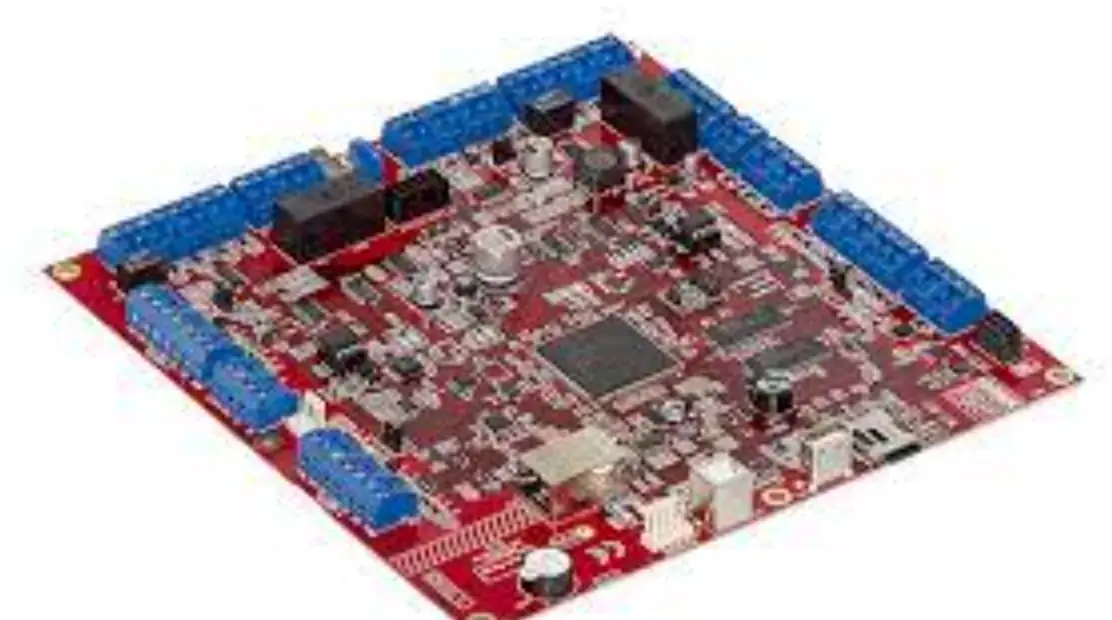
TCB-PCIN4E Output Control Board
Product Information
The product is an Output Control Board with the model number
TCB-PCIN4E. It is compatible with SMMS-u or SHRM-A systems. The
board is used for controlling and monitoring the operation of the
outdoor unit.
The installation manual provides important safety precautions,
which should be read before proceeding with the installation.
External View
The board has a terminal block (M3) with 4-4 mm diameter
mounting holes. It also includes various accessories such as
connection cables, wire clamps, binding bands, and clamp filters of
different diameters.
Optional PCB
There are two types of optional PCBs available, type A and type
B. The number of optional PCBs that can be installed depends on the
model. The optional PCBs are connected to the main interface PCB
using connector cables.
Wiring
The output wiring should be connected to the board using clamp
filters and binding bands. If multiple optional PCBs are installed,
all the connection cables should be banded together and attached
with one clamp filter. The redundant connection cables should also
be banded together using a binding band.
The connection cable and output wiring should be fixed using
wire clips and cable straps.
Product Usage Instructions
- Before starting the installation, make sure to turn off the
power supply. - Install the optional PCB at the specified position inside the
electrical components box. - Use the fixing support to secure the optional PCB in
place. - There are four mounting holes inside the electrical components
box for attaching the fixing support. - Connect the connector (PJ20) on the optional PCB to the
connector (CN511 or CN514) on the interface PCB using the provided
connector cable. - Tie the cable using the binding band.
For detailed information on the operation and electrical wiring,
refer to the product manual.
1-1
English
INSTALLATION MANUAL
Output control board
*This Installation Manual is for SMMS-u or SHRM-A.
Model:TCB-PCIN4E
Precautions for Safety
As for the Precaution for Safety, please read the Installation Manual of outdoor unit.
1 External View
79 69
MCC-1613-02
73 63
1 PJ20 5
C4 D1
C2
D2
D3
C3
K1
K2
K3
1
2
OUTPUT1
3
4
OUTPUT2
5
6 TB1
OUTPUT3
Terminal block (M3) 4-4 mm dia. mounting holes
2 Accessories
No.
Part Name
Q’ty
1 Connection cable 1 (for CN511)
1
(4 wires)
2 Connection cable 2 (for CN514)
1
(5 wires)
3 Support to fix the board
4
4 Wire clamp
1
5 Wire clamp fixing screw
1
6 Earth screws
2
7 Binding band A
4
8 Clamp filter (DIA. 20)
(DIA. 20)
2
9 Binding band B
4
10 Clamp filter (DIA. 30)
(DIA. 30)
3
[PCB Installation Position] SMMS-u, SHRM-A 11Optional PCB
PCB: Printed Circuit Board SMMS-u, SHRM-A Connector positions
CN514 (green) CN511 (green)
12
INV case type A (MMY-MUP2201, 2401T*) (MMY-SUG1601 to 2401MT*) The number of Cable strap: 3 pcs.
12
INV case type B (MMY-MUP0801 to 2001T*) (MMY-SUG0801 to 1401MT*) The number of Cable strap: 2 pcs.
(Optional PCB max. number installed: 2 pcs.)
Outdoor unit interface PCB
4 Wiring
SMMS-u, SHRM-A
89
7 11 8 9
Output wiring
12
9 10
1. Attach the clamp filter ( 8 ) to
the connection cable ( 1 or 2 ) and attach the clamp filter ( 10 ) to the output wiring as shown in
the figure.
Use binding band B ( 9 ) to fix the clamp filter ( 8 or 10 ) to the wiring.
* When more than one optional PCBs are installed, band all the connection cables and attach one clamp filter.
2. Band the redundant connection
cables (( 1 or 2 ) as shown in the figure and tie them with
binding band A ( 7 ).
3. Fix the connection cable
( 1 or 2 ) and the output wiring with wire clip and cable strap as
shown in the figure.
11 Wire clip
1
12 Cable strap
3
3 Installation
1. Before starting installation work, be sure to turn the power supply OFF. 2. Install the “Optional PCB” at the position on the electrical components box shown in the figure on
the right.
3. Install the “Optional PCB” at the specified location inside the electrical components box using the
fixing support.
4. There are four mounting holes for the fixing support at specified locations inside the electrical
components box.
5. Connect the connector (PJ20 (green)) on the “Optional PCB” to the connector (CN511 (green) or
CN514 (green)) on the “interface PCB” using the connector cable (provided). (See figure on right.)
6. The cable (provided) is long. Tie it using the binding band.
5 Details of Operation, Electrical Wiring Diagram
CAUTION
Output Relay (K1, K2) Contact Specifications · Output terminals (OUTPUT1, 2) must satisfy the following electrical rating. · When connecting a conductive load (e.g. relay coil) to loads K1 and K2, insert a surge killer CR (for an AC power supply) or a diode for preventing back electromotive force (for a DC power supply) on the bypass circuit.
<Electrical Rating> 220-240 VAC, 10 mA or more, 1A or less 24 VAC, 10 mA or more, 1 A or less (non-conductive load)
Trouble / Operation output
Functions
The operation trouble indication PCB can output operation and trouble states by connecting to the interface PCB of outdoor units.
Operation
Operation output:
Trouble output:
The operation indication is output when even one of the indoor units in the system is operating. The trouble indication is output when a trouble has occurred on even one of the indoor units or outdoor units in the system.
* Operation output and Trouble output are output simultaneously during outdoor unit automatic backup operation.
Wiring example
Header outdoor unit Outdoor unit interface PCB
CN511
Locally procured
Optional PCB
C1
TB1
1
K1
OUTPUT1
2
PJ20
3
K2
OUTPUT2
4
5 OUTPUT3
6
(See “CAUTION”)
L1
PS
L2
PS
Shield wire
C1 CN511 K1, K2 L1 L2 OUTPUT1 OUTPUT2 PJ20 PS TB1
Connector cable 1 ( 1 ) Connector on interface side (green) Relays Trouble indication Lamp Operation indication Lamp Trouble output Operation output Connector on optional PCB side Power supply unit Terminal block
* Connect optional PCBs to the header outdoor unit.
Compressor Operation Output
Functions
This function can be applied, for example, to the elapsed operation time count of each compressor mounted on an outdoor unit since the compressor in operation signal can be output externally.
Operation
During compressor operation, the relay of the output terminal
corresponding to that compressor turns ON (closes) and turns OFF
(opens) when compressor operation stops.
As shown in the figure, the output terminals are “OUTPUT1” and
“OUTPUT2” from the left compressor facing the front of the outdoor unit.
12
1
Wiring example
Outdoor unit
Locally procured
Outdoor unit interface PCB
CN514
Optional PCB
C2 PJ20
TB1
1
K1
OUTPUT1
2
3
K2
OUTPUT2
4
5
OUTPUT3 6
(See “CAUTION”)
L1
PS
CTR1
L2
PS
CTR2
Shield wire
C2 CN514 CTR1 CTR2 K1, K2 L1, L2 OUTPUT1 OUTPUT2 PJ20 PS TB1
Connector cable 2 ( 2 ) Connector on interface side (green) Elapsed operation counter 1 Elapsed operation counter 2 Relays Operation indication LEDs Compressor 1 operation output terminal Compressor 2 operation output terminal Connector on optional PCB side Power supply unit Terminal block
Operating Rate Output
Functions
The operation state can be remotely checked since the system operating rate signal can be output externally.
Operation
As shown in the table, each of the output terminals turns ON (relay closes) and OFF (relay opens) according to the system operating rate.
Functions
Outdoor DN Code (O.DN)
System operating rate output
O.DN [012] = 1
Wiring example
OUTPUT OUTPUT OUTPUT
1
2
3
Operating rate FA
OFF
OFF
OFF
FA = 0%
ON
OFF
OFF
0% < FA < 20%
OFF
ON
OFF
20% FA < 35%
ON
ON
OFF
35% FA < 50%
OFF
OFF
ON
50% FA < 65%
ON
OFF
ON
65% FA < 80%
OFF
ON
ON
80% FA < 95%
ON
ON
ON
95% FA
OFF=relay open ON=relay closed
Header outdoor unit
Locally procured
Outdoor unit interface PCB
CN514
Optional PCB
C2 PJ20
TB1
1
K1
OUTPUT1
2
3
K2
OUTPUT2
4
5
K3
OUTPUT3
6
(See “CAUTION”)
Shield wire
MONITOR
C2 CN514 K1, K2 MONITOR OUTPUT1 OUTPUT2 OUTPUT3 PJ20 TB1
Connector cable 2 ( 2 ) Connector on interface side (green) Relays Monitoring device Output terminal for each function Output terminal for each function Output terminal for each function Connector on optional PCB side Terminal block
* Connect optional PCBs to the header outdoor unit.
* “Compressor Operation Output” and “Operation Rate Output” can be switched with the Outdoor DN Code (O.DN). To set Outdoor DN Code (O.DN), refer to the Installation Manual for the outdoor unit used.
Function Compressor Operation Output Operation Rate Output
Outdoor DN Code (O.DN) [012] = 0 (factory default) [012] = 1
CH49962201-1
1-2
Français
MANUEL D’INSTALLATION
Carte de commande de sortie
*Ce manuel d’installation concerne le modèle SMMS-u ou SHRM-A.
Modèle :TCB-PCIN4E
Précautions de sécurité
Pour les Précautions de sécurité, veuillez lire le manuel d’installation de l’unité extérieure.
1 Vue extérieure
79 69
MCC-1613-02
73 63
1 PJ20 5
C4 D1
C2
D2
D3
C3
K1
K2
K3
1
2
OUTPUT1
3
4
OUTPUT2
5
6 TB1
OUTPUT3
Bornier (M3)
Trous de fixation de 4-4 mm de diamètre
2 Accessoires
N°
Nom de la pièce
Q’té
1 Câble de connexion 1 (pour CN511)
1
(4 câbles)
2 Câble de connexion 2 (pour CN514)
1
(5 câbles)
3 Support pour fixer la carte
4
4 Attache-fil
1
5 Vis de fixation d’attache-fil
1
6 Vis de terre
2
7 Collier A
4
8 Filtre à fixer (DIA. 20)
(DIA. 20)
2
9 Collier B
4
10 Filtre à fixer (DIA. 30)
(DIA. 30)
3
11 Attache de câble
1
12 Serre-câbles
3
3 Installation
1. Avant de commencer l’installation, veillez à mettre l’appareil hors tension. 2. Installez la « PCB en option » sur le coffret des composants électriques à la position indiquée dans
le schéma à droite.
3. Installez la « PCB en option » à l’emplacement spécifié à l’intérieure du coffret des composants
électriques à l’aide du support de fixation.
4. Quatre trous de fixations du support de fixation se trouvent à des emplacements spécifiques à
l’intérieure du coffret des composants électriques.
5. Raccordez le connecteur (PJ20 (vert)) sur la « PCB en option » au connecteur (CN511 (vert) ou
CN514 (vert)) sur la « PCB d’interface » à l’aide du câble du connecteur (fourni). (Reportez-vous
au schéma ci-contre.)
6. Le câble (fourni) est long. Attachez-le à l’aide du collier.
PCB en option
PCB : Carte de circuit imprimé SMMS-u, SHRM-A Positions du connecteur
CN514 (vert) CN511 (vert)
12
Boîtier INV de type A (MMY-MUP2201, 2401T*) (MMY-SUG1601 à 2401MT*) Nombre de serre-câbles : 3 pièces
12
Boîtier INV de type B (MMY-MUP0801 à 2001T*) (MMY-SUG0801 à 1401MT*) Nombre de serre-câbles : 2 pièces
Interface de PCB de l’unité extérieure
(Nombre max. de PCB en option installée : 2 pièces)
4 Raccordement
SMMS-u, SHRM-A 89
7 11 8 9
Câblage de sortie
12
9 10
1. Fixez le filtre à fixer ( 8 ) au
câble de raccordement ( 1 ou 2 ) et fixez le filtre à fixer ( 10 ) au câblage de sortie comme indiqué sur le schéma.
Utilisez le collier B ( 9 ) pour attacher le filtre à fixer ( 8 ou 10 ) au câblage. * Lorsque plus d’une PCB est
installée, fixez tous les câbles de connexion et fixez un filtre à pince.
2. Attachez les câbles de
connexion redondants ( 1 ou 2 ) comme indiqué sur le schéma et attachez-les avec le
collier A ( 7 ).
3. Fixez le câble de connexion ( 1
ou 2 ) et le câblage de sortie à l’aide d’un serre-câble et d’une sangle de câble comme indiqué sur le schéma.
5 Détails de fonctionnement, Schéma de câblage électrique
ATTENTION
Relais de Sortie (K1, K2) Spécifications du Contact · Les bornes de sortie (OUTPUT1, 2) doivent être conformes aux caractéristiques électriques suivantes. · Lorsque vous connectez une charge conductrice (par ex. une bobine de relais) aux charges K1 et K2, insérez un suppresseur de surtension CR (pour une alimentation CA) ou une diode afin d’éviter le retour d’une force électromotrice (pour une alimentation CC) sur le circuit de déviation.
<Caractéristiques électriques> 220-240 Vca, 10 mA minimum, 1 A maximum 24 Vca, 10 mA minimum, 1 A maximum (charge non-conductrice)
Émission d’erreur / de Fonctionnement
Fonctions Le système d’indication des problèmes de fonctionnement de la PCB imprimé peut émettre des conditions d’erreur et de fonctionnement grâce à la connexion de l’interface PCB des unités
extérieures.
Fonctionnement
Émission de fonctionnement :
Il suffit qu’une seule des unités intérieures du système fonctionne
pour que l’indication de fonctionnement soit émise.
Données de sortie des problèmes : L’indication des problème est émis lorsqu’un problème se produit
sur au moins une seule des unités intérieures ou extérieures du
système.
* L’émission de fonctionnement et l’émission des pannes sont émises simultanément pendant l’opération de sauvegarde automatique de l’unité extérieure.
Exemple de câblage
Unité extérieure maître
PCB d’interface
de l’unité
C1
extérieure
CN511
Achetée sur place
PCB en option
PJ20
TB1
1
K1
OUTPUT1
2
3
K2
OUTPUT2
4
5 OUTPUT3
6
(Voir “ATTENTION”)
L1
PS
L2
PS
Câble blindé
C1 CN511 K1, K2 L1 L2 OUTPUT1 OUTPUT2 PJ20 PS TB1
Câble de connecteur 1 ( 1 ) Connecteur sur le côté interface (vert) Relais Témoin d’indication de problème Voyant d’indication de fonctionnement Émission d’erreur Émission de fonctionnement Connecteur sur le côté carte de circuits imprimés en option Unité d’alimentation Bornier
* Raccordez les PCB en option sur l’unité extérieure maître.
Emission de fonctionnement du compresseur
Fonctions Cette fonction peut être appliquée, par exemple, à la durée de fonctionnement écoulée de chaque
compresseur monté sur une unité extérieure étant donné que le signal du compresseur peut être émis
de manière externe.
Fonctionnement
Lorsque le compresseur fonctionne, le relais de la borne de sortie
correspondant au fait que le compresseur est sous tension et (se ferme)
et est hors tension (s’ouvre) lorsque le compresseur s’arrête.
Comme indiqué dans le schéma, les bornes de sortie sont « OUTPUT1 »
et « OUTPUT2 » depuis le compresseur gauche en faisant face à l’avant
de l’unité extérieure.
12
1
Exemple de câblage
Unité extérieure
Achetée sur place
PCB d’interface de l’unité extérieure
CN514
PCB en option
C2
TB1
1
K1
OUTPUT1
2
PJ20
3
K2
OUTPUT2
4
5
OUTPUT3 6
(Voir “ATTENTION”)
L1
PS
CTR1
L2
PS
CTR2
Câble blindé
C2 CN514 CTR1 CTR2 K1, K2 L1, L2 OUTPUT1 OUTPUT2 PJ20 PS TB1
Câble de connecteur 2 ( 2 ) Connecteur sur le côté interface (vert) Durée de fonctionnement écoulée 1 Durée de fonctionnement écoulée 2 Relais Voyants d’indication de fonctionnement Borne d’émission de fonctionnement de compresseur 1 Borne d’émission de fonctionnement de compresseur 2 Connecteur sur le côté carte de circuits imprimés en option Unité d’alimentation Bornier
Émission de taux de fonctionnement
Fonctions L’état de fonctionnement peut être vérifié à distance étant donné que le signal de taux de fonctionnement du système peut être émis de manière externe.
Fonctionnement Comme indiqué dans le tableau, chacune des bornes de sortie s’active (le relais se ferme) et se désactive (le relais s’ouvre) en fonction du taux de fonctionnement du système.
Fonctions
Code DN
OUTPUT OUTPUT OUTPUT Taux de fonctionnement
extérieur (O.DN)
1
2
3
FA
OFF
OFF
OFF
FA=0%
ON
OFF
OFF
0%<FA<20%
Sortie de taux de fonctionnement O.DN [012] = 1 du système
OFF ON OFF ON
ON ON OFF OFF
OFF OFF ON ON
20%FA<35% 35%FA<50% 50%FA<65% 65%FA<80%
OFF
ON
ON
80%FA<95%
ON
ON
ON
95%FA
Exemple de câblage
OFF=relais ouvert ON=relais fermé
Unité extérieure maître
Achetée sur place
PCB d’interface de l’unité extérieure
CN514
PCB en option
(Voir “ATTENTION”)
C2 PJ20
TB1
1
K1
OUTPUT1
2
3
K2
OUTPUT2
4
5
K3
OUTPUT3
6
Câble blindé
MONITOR
C2 CN514 K1, K2 MONITOR OUTPUT1 OUTPUT2 OUTPUT3 PJ20 TB1
Câble de connecteur 2 ( 2 ) Connecteur sur le côté interface (vert) Relais Dispositif de surveillance Borne de sortie pour chaque fonction Borne de sortie pour chaque fonction Borne de sortie pour chaque fonction Connecteur sur le côté carte de circuits imprimés en option Bornier
* Raccordez les PCB en option sur l’unité extérieure maître.
* « Sortie de fonctionnement du compresseur » et « Sortie du taux de fonctionnement » peuvent être commutés avec le code DN extérieur (O.DN). Pour régler le code DN extérieur (O.DN), reportez-vous au manuel d’installation de l’unité extérieure utilisée.
Fonction Sortie de fonctionnement du compresseur Sortie de taux de fonctionnement
Code DN extérieur (O.DN) [012] = 0 (réglage d’usine par défaut) [012] = 1