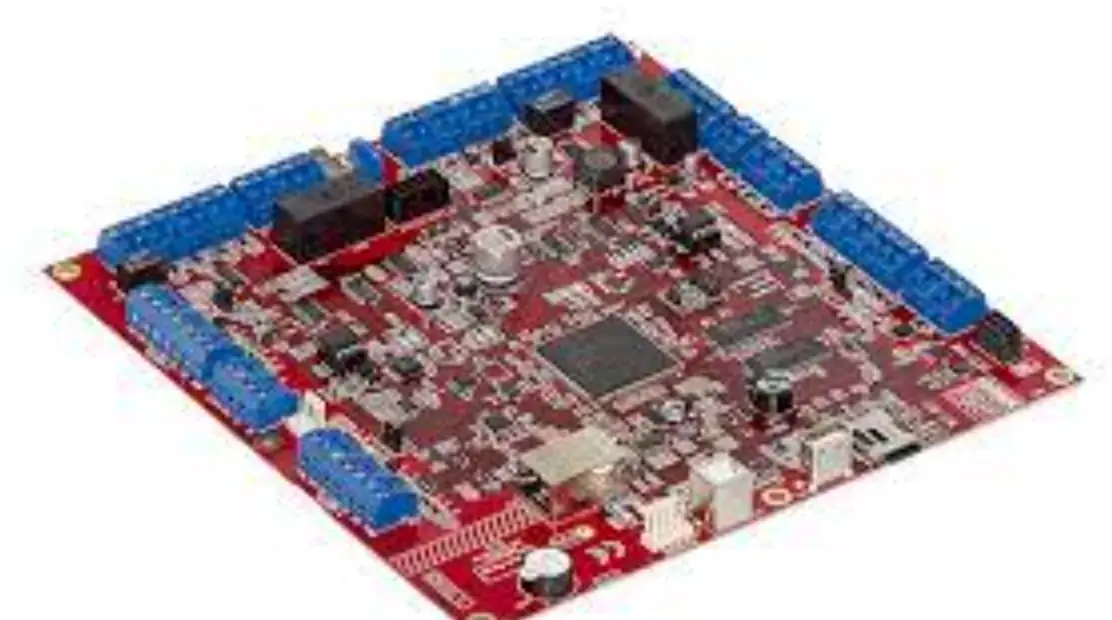
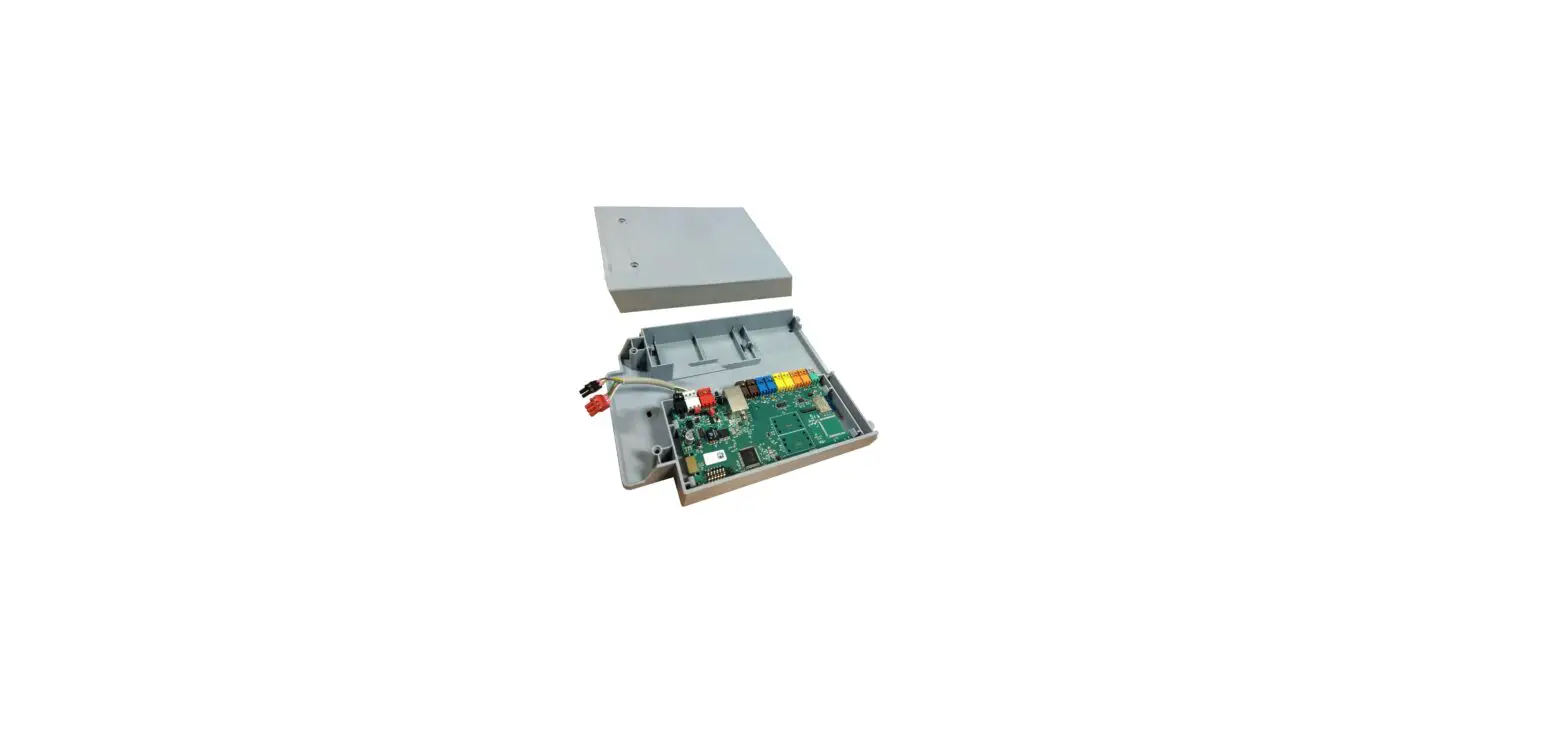
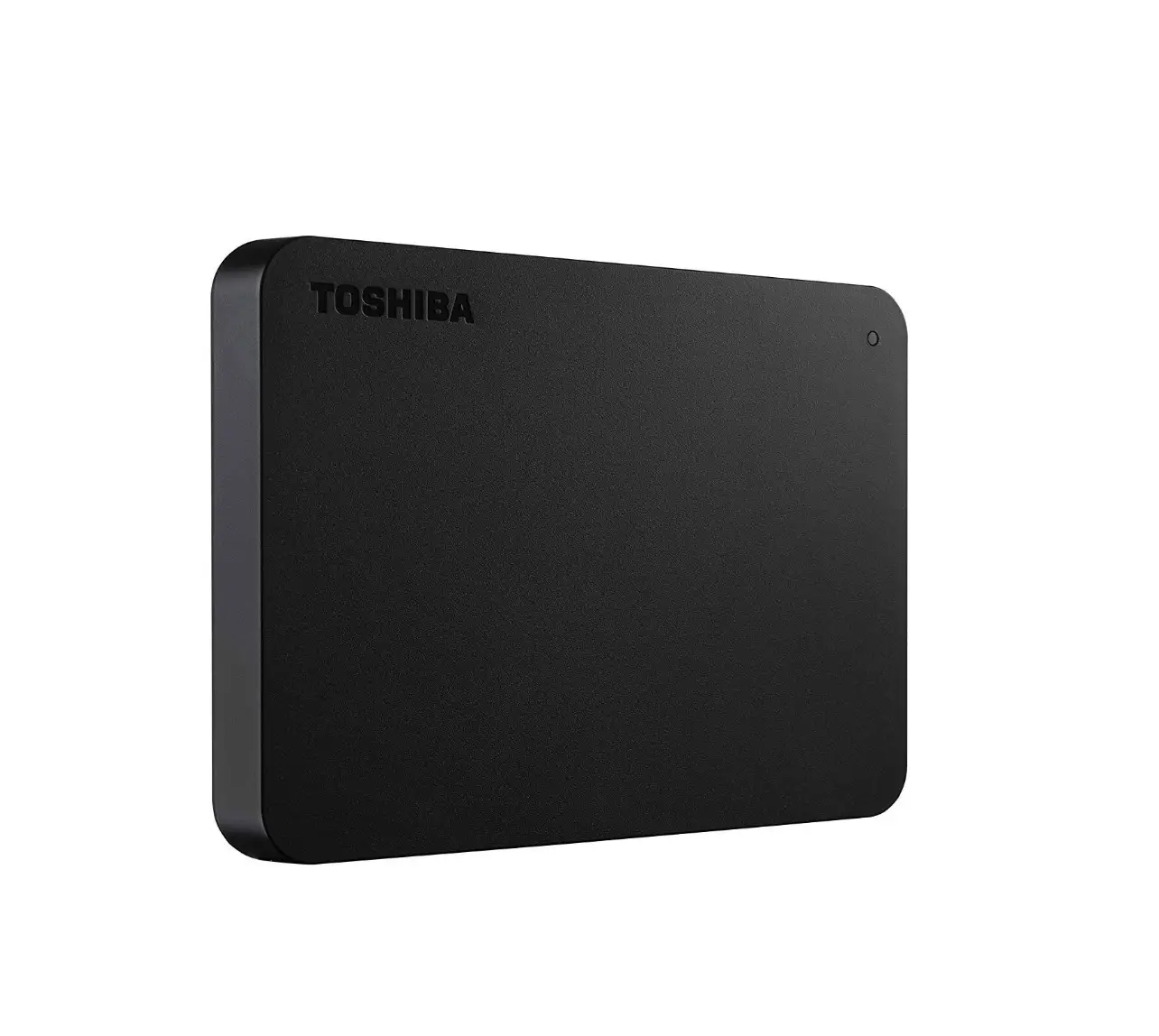
TCB-PCMO4E External Master On-Off Control Board
Product Information
Product Name: External master ON/OFF control board
Model: TCB-PCMO4E
Compatible Models: SMMS-u or SHRM-A
Manufacturer: TOSHIBA
Precautions for Safety
Please read the Installation Manual of the outdoor unit for
safety precautions.
External View
Dimensions: 55.5mm x 45.5mm
NCC-1214
Terminal block (M3)
Accessories
| No. | Part Name | Q’ty |
|---|---|---|
| 1 | Connection cable | 1 |
| 2 | Support to fix the board | 4 |
| 3 | Earth screw | 2 |
| 4 | Binding band A | 4 |
| 5 | Clamp filter (DIA. 20) | 2 |
| 6 | Binding band B | 2 |
| 7 | Clamp filter (DIA. 30) | 1 |
| 8 | Wire clip | 1 |
| 9 | Cable strap | 3 |
Product Usage Instructions
Installation
- Before starting installation work, ensure the power supply is
turned OFF. - Install the optional PCB at the specified position inside the
electrical components box as shown in the figure. - Use the fixing support to install the optional PCB at the
specified location inside the electrical components box. There are
four mounting holes for the support to fix the board at specified
locations. - Connect the connector (PJ17) on the optional PCB to the
connector (CN513) on the interface PCB using the provided
connection cable. - Tie the connection cable using binding band A.
- Attach the clamp filter to the connection cable and attach
another clamp filter to the input wiring. Use binding band B to fix
the clamp filters to the wiring. - Band the redundant connection cable and tie them with binding
band A. - Fix the connection cable and input wiring with wire clip and
cable strap as shown in the figure.
Operation and Wiring Diagram
The external master ON/OFF control board allows batch operation
or batch stop of indoor units connected to the outdoor unit. The
operation is performed in the previously active mode.
To control the outdoor unit, connect the header unit (U1) to the
outdoor unit interface PCB using the provided connection cable. Use
the operation input switch (SW1) and stop input switch (SW2) for
controlling.
When sending a batch-designated signal, turn off SW1 before
sending the signal to perform batch operation on indoor units.
1-1
English
INSTALLATION MANUAL
External master ON/OFF control board
*This Installation Manual is for SMMS-u or SHRM-A.
Model:TCB-PCMO4E
Precautions for Safety
As for the Precaution for Safety, please read the Installation Manual of outdoor unit.
1 External View
55.5 45.5
TOSHIBA
NCC-1214
TCB-PCMO1
TCB-PCMO1E
Terminal block (M3)
[PCB Installation Position] SMMS-u, SHRM-A8
Optional PCB
PCB: Printed Circuit Board
SMMS-u, SHRM-A Connector Positions
CN508 (red) CN509 (black)
CN510 (white)
CN512 (blue)
Outdoor unit interface PCB
60 50
10
8
1
4
PJ17
HEAT COOL COM
4
4-4 mm dia. mounting holes
TB1
D2
2 Accessories
No.
Part Name
Q’ty
1 Connection cable
1
2 Support to fix the board
4
3 Earth screw
2
4 Binding band A
4
5 Clamp filter (DIA. 20)
(DIA. 20)
2
6 Binding band B
2
7 Clamp filter (DIA. 30)
(DIA. 30)
1
8 Wire clip
1
9 Cable strap
3
3 Installation
1. Before starting installation work, be sure to turn the power supply OFF. 2. Install the “optional PCB” at the position on the electrical components box shown in the
figure below.
3. Install the “optional PCB” at the specified location inside the electrical components box
using the fixing support.
4. There are four mounting holes for the support to fix the board ( 2 ) at specified locations
inside the electrical components box.
5. Connect the connector (PJ17) on the “optional PCB” to the connector (CN513) on the
“interface PCB” using the connection cable ( 1 ) . (See figure on right.)
6. The cable (provided) is long. Tie it using the binding band A ( 4 ).
5
ICI
1
1. Attach the clamp filter ( 5 ) to
9
9
the connection cable ( 1 ) and
attach the clamp filter ( 7 ) to
INV case type A
INV case type B
(MMY-MUP2201, 2401T*) (MMY-MUP0801 to 2001T*)
(MMY-SUG1601 to 2401MT*) (MMY-SUG0801 to 1401MT*)
The number of Wire clip: 3 pcs. The number of Wire clip: 2 pcs.
the input wiring as shown in the figure. Use binding band B ( 6 ) to fix the clamp filter ( 5 or 7 ) to
(Optional PCB max. number installed: 4 pcs.)
the wiring.
1
56
* When more than one optional PCBs are installed, band all
the connection cables and
8
attach one clamp filter.
2. Band the redundant
56 4
connection cable ( 1 ) and tie them with binding band A ( 4 ).
3. Fix the connection cable ( 1 )
and the input wiring with wire
clip and cable strap as shown
in the figure.
Input wiring
9 67
4 Details of Operation, Wiring Diagram
External master ON/OFF Control
· COM terminals have DC12 V output with a basic insulation. Use a switch (relay or photocoupler) insulated from the controller (locally procured) for SW1 or SW2.
· DC12 V has a current-limiting resistor of 3.3 . · For non-voltage contacts for each terminal, use a contact with minimum applicable load of DC12 V
and 3 mA or less.
Model : SMMS-u, SHRM-A
Functions
Indoor units connected to the outdoor unit can be batch-operated or batch-stopped by connecting to
the interface PCB of those outdoor units. Batch operation is performed in the previously active mode.
Operation
The outdoor unit connection is for the header unit (U1).
Header outdoor unit
Outdoor unit interface PCB
Connection cable ( 1 )
CN512
Optional PCB
TB1
COM
PJ17
COOL
HEAT
Locally procured
SW1 SW2
SW1: Operation input switch SW2: Stop input switch
Shield wire
Terminal
Input Signal
Operation
COOL (SW1)
It does not matter whether the state is ON or OFF after 100 msec 100 msec from the signal input.
ON OFF
Batchoperation accepted
Turn SW1 OFF before sending batch-designated signal.
Batchoperates indoor units.
HEAT (SW2)
ON OFF
100 msec
Batchstop accepted
Batch-stops indoor units.
Batch-operation
Batch-stop
· Input signal is detected in the rising edge between OFF and ON of SW1/SW2 and the control is accepted in 100 msec from the edge.
· When COOL terminals (SW1 and SW2) are simultaneously turned ON, the control turned ON first is valid, and the control turned ON later is invalid.
CAUTION
Be sure to provide no-voltage pulse contacts for each terminal. Hold the ON state for at least 100 msec. Do not turn SW1 and SW2 ON simultaneously
Night operation (sound reduction) control
Model : SMMS-u, SHRM-A
Functions
The rotation speed of the compressor and fan can be restricted during input of the night time signal to
reduce noise by connecting to the interface PCB of outdoor units.
Operation
The outdoor unit connection is for the header unit (U1).
Header outdoor unit
Outdoor unit interface PCB
Connection cable ( 1 )
CN508
Optional PCB
PJ17
TB1 COM COOL HEAT
Locally procured
SW1
Shield wire
SW1: Night time signal switch
Terminal COOL (SW1)
ON OFF
ON OFF
Input Signal
Operation Night time control Normal operation
CAUTION
Be sure to provide no-voltage continuous contacts for each terminal.
Operation mode selection control
Model : SMMS-u, SHRM-A
Functions
The heating/cooling mode of the system can be selected by connecting to the interface PCB of outdoor
units.
Operation
The outdoor unit connection is for the header unit (U1).
Header outdoor unit
Outdoor unit interface PCB
CN510
Connection cable ( 1 )
Optional PCB
PJ17
TB1 COM COOL
HEAT
SW1: Cooling mode specified input switch SW2: Heating mode specified input switch
Locally procured
Shield wire
SW1 SW2
Input Signal
Cooling (SW1)
Heating (SW2)
OFF
OFF
ON
OFF
OFF
ON
Operation: Selected operation mode
Normal operation Cooling operation only allowed Heating operation only allowed
The statuses of indoor units operating in a mode other the selected operation mode can be switched by setting the outdoor DN Code of the header outdoor unit. For setting the Outdoor DN Code (O.DN), refer to Owner’s Manual of the outdoor unit.
Outdoor DN Code (O.DN)
Details of Processing
Unallowed indoor units in a mode other than the PCB selection modes are not treated as priority (thermostat OFF state).
PCB Input Signal selection COOL HEAT
mode (SW1) (SW2)
Normal OFF OFF
Remote control
or
Operation State Follow the remote controller
O.DN [008] = 0 Factory default
O.DN [008] = 1
Cooling
operation only
ON
allowed
OFF
Heating
operation only
OFF
ON
allowed
or
Follow the remote controller (Normal cooling operation)
Thermostat OFF (Air blow operation at superslow blow rate)
Follow the remote controller (Normal air blow operation)
or
Thermostat OFF (Air blow operation at blow rate set on remote control)
Follow the remote controller (Normal heating operation)
Follow the remote controller (Normal air blow operation)
Only operation modes and air blow operation selected on the PCB can be selected on the remote controller. When the input signal is turned ON, indoor units operated in a mode other than the PCB selection mode are forcibly switched to the PCB selection modes.
PCB Input Signal selection COOL HEAT
mode (SW1) (SW2)
Remote Control
Normal OFF OFF · , , , or can be selected
Forced switch to
COOL
Forced switch to
HEAT
ON OFF
OFF ON
· Only , , or can be selected · Indoor units in Heat mode are forcibly switched to the
Cool mode
· Only or can be selected · Indoor units in Cool or Dry mode are switched to the
Heat mode
CAUTION
Be sure to provide no-voltage continuous contacts for each terminal.
Snowfall Fan Control
Model : SMMS-u, SHRM-A
Functions
The outdoor unit fan operates at snowfall by connecting to the outdoor unit interface PCB.
Operation
Header outdoor unit
Outdoor unit interface PCB
Connection cable ( 1 )
CN509
Optional PCB
PJ17
TB1 COM COOL HEAT
Locally procured
Snowfall sensor
SW1
Shield wire
SW1: Snowfall detection switch (snowfall sensor)
Terminal Cooling (SW1)
ON OFF
ON OFF
Input Signal
Operation Snowfall fan control (Fan in
outdoor unit operates.)
Normal operation
CAUTION
Be sure to provide no-voltage continuous contacts for each terminal.
CH49932001-1
1-2
Français
MANUEL D’INSTALLATION Modèle :TCB-PCMO4E
Carte de commande d’activation/désactivation de maître externe
*Ce manuel d’installation concerne le modèle SMMS-u ou SHRM-A.
Précautions de sécurité
Pour les Précautions de sécurité, veuillez lire le manuel d’installation de l’unité extérieure.
1 Vue extérieure
55.5 45.5
TOSHIBA
NCC-1214
TCB-PCMO1
TCB-PCMO1E
Bornier (M3)
60 50
10
8
1
4
PJ17
HEAT COOL COM
ICI
1
5
4
Trous de fixation de 4-4 mm
TB1
de diamètre
D2
2 Accessoires
N°
Nom de la pièce
Q’té
1 Câble de connexion
1
2 Support pour fixer la carte
4
3 Vis de terre
2
4 Collier A
4
5 Filtre à fixer (DIA. 20)
(DIA. 20)
2
6 Collier B
2
7 Filtre à fixer (DIA. 30)
(DIA. 30)
1
8 Attache de câble
1
9 Serre-câbles
3
3 Installation
1. Avant de commencer l’installation, veillez à mettre l’appareil hors tension. 2. Installez la « PCB en option » sur le coffret des composants électriques à la position
indiquée dans le schéma ci-dessous.
3. Installez la « PCB en option » à l’emplacement spécifié à l’intérieure du coffret des
composants électriques à l’aide du support de fixation.
4. Quatre trous de fixations du support de fixation ( 2 ) se trouvent à des emplacements
spécifiques à l’intérieure du coffret des composants électriques.
5. Raccordez le connecteur (PJ17) sur la « PCB en option » au connecteur (CN513) sur la
« PCB d’interface » à l’aide du câble de connexion ( 1 ). (Reportez-vous au schéma cicontre.)
6. Le câble (fourni) est long. Attachez-le à l’aide du collier A ( 4 ).
8
PCB en option
PCB : Carte de circuit imprimé
SMMS-u, SHRM-A Positions du connecteur
CN508 (rouge)
CN509 (noir)
CN510 (blanc)
CN512 (bleu)
Interface de PCB de l’unité extérieure
1. Attachez le filtre à fixer ( 5 ) au
9
9
Boîtier INV de type A (MMY-MUP2201, 2401T*) (MMY-SUG1601 à 2401MT*) Nombre de serre-câbles : 3 pièces
Boîtier INV de type B (MMY-MUP0801 à 2001T*) (MMY-SUG0801 à 1401MT*) Nombre de serre-câbles : 2 pièces
câble de raccordement ( 1 ) et attachez le filtre à fixer ( 7 ) au câblage de entrée comme indiqué sur le schéma. Utilisez le collier B ( 6 ) pour attacher le filtre à fixer ( 5 ou
(Nombre max. de PCB en option installée : 4 pièces)
7 ) au câblage. * Lorsque plus d’une PCB est
1
56
installée, fixez tous les câbles de connexion et fixez un filtre
à pince.
8
2. Attachez le câble de connexion
redondant ( 1 ) et attachez-le
avec le collier A ( 4 ).
3. Fixez le câble de connexion
56 4
( 1 ) et le câblage d’entrée à l’aide d’un serre-câble et d’une
sangle de câble comme
indiqué dans le schéma.
Câblage d’entrée
9 67
4 Détails de fonctionnement, Schéma de câblage
Commande d’activation/désactivation de maître externe
· Les bornes COM ont une sortie 12 V CC avec une isolation de base. Utilisez un interrupteur (relais ou photocoupleur) isolé du contrôleur (fourni localement) pour SW1 ou SW2.
· L’alimentation 12 V CC a une résistance de limitation de courant de 3,3 . · Pour les contacts sans tension pour chaque borne, utilisez un contact avec une charge minimale
applicable de 12 V CC et 3 mA ou moins.
Modèle : SMMS-u, SHRM-A
Fonctions
Les unités intérieures raccordées à l’unité extérieure peuvent être activées par lot ou arrêtées par lot grâce à la connexion à la
carte d’interface de ces unités extérieures. Le fonctionnement par lot est réalisé dans le mode précédemment activé.
Fonctionnement
La connexion de l’unité extérieure vaut pour l’unité maître (U1).
Unité extérieure maître
PCB d’interface de l’unité extérieure
CN512
Câble de connexion ( 1 )
PCB en option
TB1
COM
PJ17
COOL
HEAT
Achetée sur place
SW1 SW2
SW1 : Contacteur d’entrée de fonctionnement SW2 : Contacteur d’entrée d’arrêt
Câble blindé
Borne
Signal d’entrée
Fonctionnement
COOL (SW1)
ON OFF
Peu importe que l’état soit ON ou OFF après 100 msec 100 msec de l’entrée du signal.
Fonctionnement par lots accepté
Éteignez SW1 avant d’envoyer un signal désigné par lot.
Les unité intérieures fonctionnent
par lots.
HEAT (SW2)
ON OFF
Fonctionnement par lot
100 msec
Arrêt par lots accepté
Arrêt par lot
Les unité intérieures s’arrêtent par
lots.
· Le signal d’entrée est détecté dans le front montant entre ARRÊT et MARCHE de SW1/SW2 et la commande est acceptée dans 100 msec à partir du bord.
· Lorsque les bornes COOL (SW1 et SW2) sont activées simultanément, la commande activée en premier est valide et la commande activée plus tard est invalide.
ATTENTION
Veillez à fournir des contacts sans tension à chaque borne. Maintenez l’état activé pendant au moins 100 msec. Ne mettez pas sous tension SW1 et SW2 simultanément
Commande de fonctionnement de nuit (réduction du bruit)
Modèle : SMMS-u, SHRM-A
Fonctions
La vitesse de rotation du compresseur et du ventilateur peut être restreinte pendant l’entrée du signal
de nuit pour réduire le bruit grâce à la connexion à la carte d’interface des unités extérieures.
Fonctionnement
La connexion de l’unité extérieure vaut pour l’unité maître (U1).
Unité extérieure maître
PCB d’interface de l’unité extérieure
Câble de connexion ( 1 )
CN508
PCB en option
TB1
COM
PJ17
COOL
HEAT
Achetée sur place
SW1
Câble blindé
SW1 : Commutateur de signal de nuit
Borne COOL (SW1)
Signal d’entrée
ON OFF
ON OFF
Fonctionnement Commande de nuit Fonctionnement normal
ATTENTION
Veillez à fournir des contacts continus sans tension à chaque borne.
Commande de sélection du mode de fonctionnement
Modèle : SMMS-u, SHRM-A
Fonctions
Le mode chauffage/refroidissement du système peut être sélectionné grâce à la connexion à la carte
d’interface des unités extérieures.
Fonctionnement
La connexion de l’unité extérieure vaut pour l’unité maître (U1).
Unité extérieure maître
PCB d’interface de l’unité extérieure
Câble de connexion ( 1 )
CN510
PCB en option
TB1
COM
PJ17
COOL
HEAT
SW1 : Contacteur d’entrée spécifique au mode refroidissement SW2 : Contacteur d’entrée spécifique au mode chauffage
Achetée sur place
Câble blindé
SW1 SW2
Signal d’entrée
Refroidissement (SW1)
Chauffage (SW2)
OFF
OFF
ON
OFF
OFF
ON
Fonctionnement : Mode de fonctionnement sélectionné
Fonctionnement normal Uniquement refroidissement autorisé Uniquement chauffage autorisé
Les états des unités intérieures fonctionnant dans un mode autre que le mode de fonctionnement sélectionné peuvent être commutés en réglant le code DN extérieur de l’unité extérieure maître. Pour le réglage du code DN extérieur (O.DN), reportez-vous au mode d’emploi de l’unité extérieure.
Code DN extérieur (O.DN)
Détails de traitement
Les unités intérieures non autorisées dans un autre mode que les modes de sélection PCB ne sont pas traitées en priorité (état OFF du thermostat).
Mode de sélection PCB
Normal
Signal d’entrée COOL HEAT (SW1) (SW2)
OFF OFF
Télécommande
ou
État de fonctionnement
Suivez les instructions de la télécommande
O.DN
[008] = 0Réglage par
Seule
défaut en usine
l’opération de refroidissement
ON
est autorisée
OFF
Seule
l’opération de chauffage est
OFF
ON
autorisée
ou
Suivez la télécommande (fonctionnement normal du refroidissement)
Thermostat OFF (fonctionnement du soufflage d’air à un taux de soufflerie très lent)
Suivez la télécommande (fonctionnement normal du soufflage d’air)
Thermostat OFF (Fonctionnement de
ou
soufflage d’air à un débit de soufflage
réglé sur la télécommande)
Suivez la télécommande (fonctionnement normal du chauffage)
Suivez la télécommande (fonctionnement normal du soufflage d’air)
Seuls les modes de fonctionnement et le fonctionnement du soufflage d’air sélectionnés sur la PCB peuvent être sélectionnés sur la télécommande. Lorsque le signal d’entrée est ON, les unités intérieures utilisées dans un mode autre que le mode de sélection PCB sont forcément commutées sur les modes de sélection PCB.
O.DN [008] = 1
Signal d’entrée Mode de sélection PCB COOL HEAT
(SW1) (SW2)
Télécommande
Normal
OFF OFF · , , , ou peuvent être sélectionnés
Commutation
forcée sur
ON
COOL
Commutation forcée sur HEAT
OFF
· Seulement , , ou peuvent être sélectionnés
OFF · Les unités intérieures en mode Chauffage sont forcément commutées sur le mode Refroidissement
· Seulement ou peuvent être sélectionnés
ON
· Les unités intérieures en mode Refroidissement ou Déshu sont commutées sur le mode
Chauffage
ATTENTION
Veillez à fournir des contacts continus sans tension à chaque borne.
Commande de ventilateur chute de neige
Modèle : SMMS-u, SHRM-A
Fonctions
Le ventilateur de l’unité extérieure fonctionne pendant des précipitations hivernales grâce à sa
connexion à la carte d’interface de l’unité extérieure.
Fonctionnement
Unité extérieure maître
Câble de
PCB d’interface de l’unité extérieure
connexion ( 1 )
CN509
PCB en option
TB1
COM
PJ17
COOL
HEAT
Achetée sur place
Capteur de chutes de neige
SW1
Câble blindé
SW1 : Contacteur de détection de chutes de neige (capteur de chutes de neige)
Borne Refroidissement (SW1)
Signal d’entrée
ON OFF
Fonctionnement
Commande de ventilateur chutes de neige (le ventilateur de l’unité
extérieure fonctionne.)
ON OFF
Fonctionnement normal
ATTENTION
Veillez à fournir des contacts continus sans tension à chaque borne.